
Skip to Content
What's new

Every change we ship, shown and explained.

Latest release 29 Oct 2026
The Friday email

Only in weeks when something ships.

29 Oct

2026 Release 2026.10.29 5 new
New ProcurementLogistics & Installation

Glass straight to the site

Glass can travel from the supplier straight to the site, one purchase order per work package. The crew ticks the panes received and reports broken ones from the phone.

Before: Glass came through the factory.

Ask about this Link copied
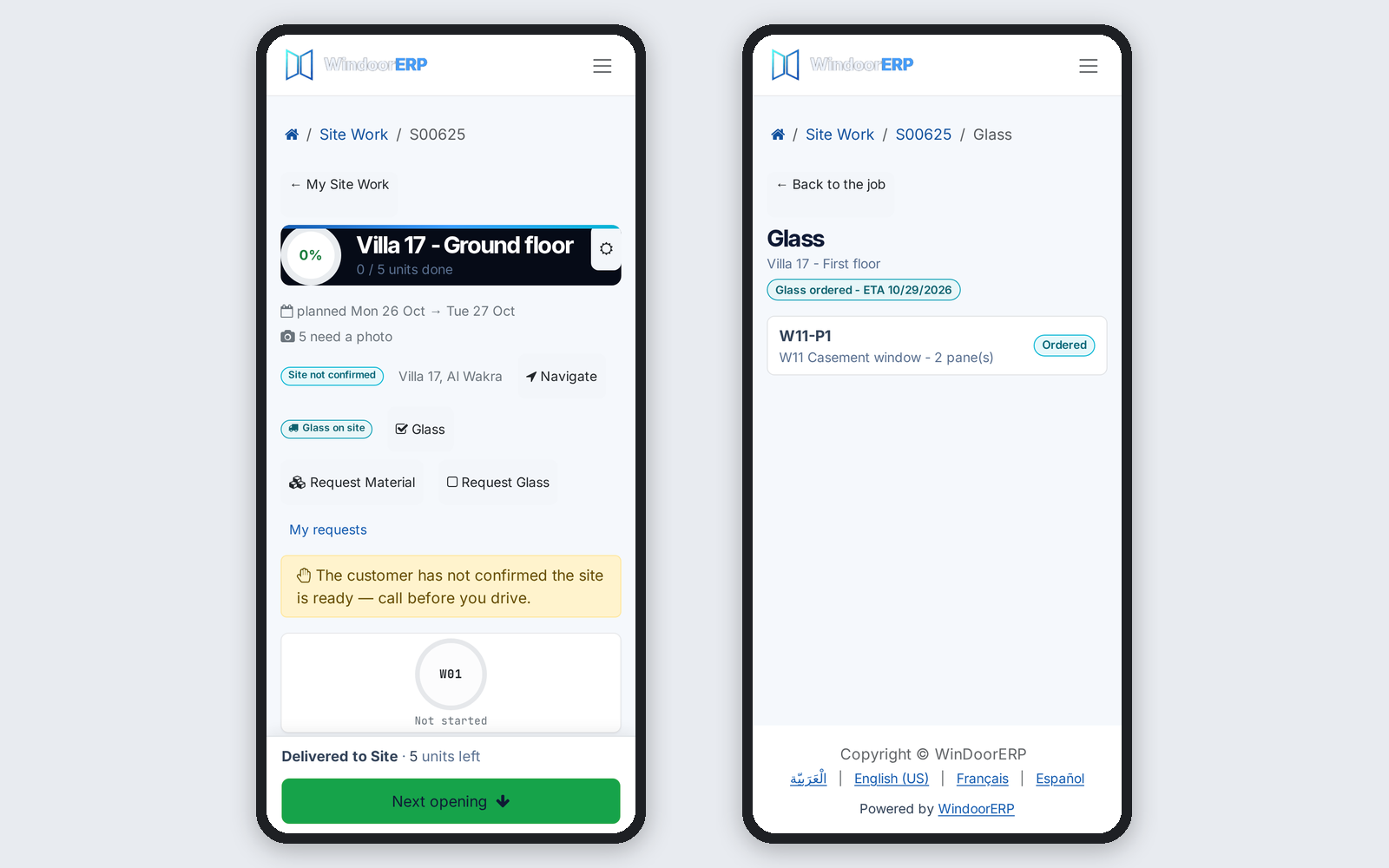
Crew phone: glass on site and glass ordered for a package
New ProcurementProduction & Shop FloorLogistics & InstallationAfter-Sales & Service

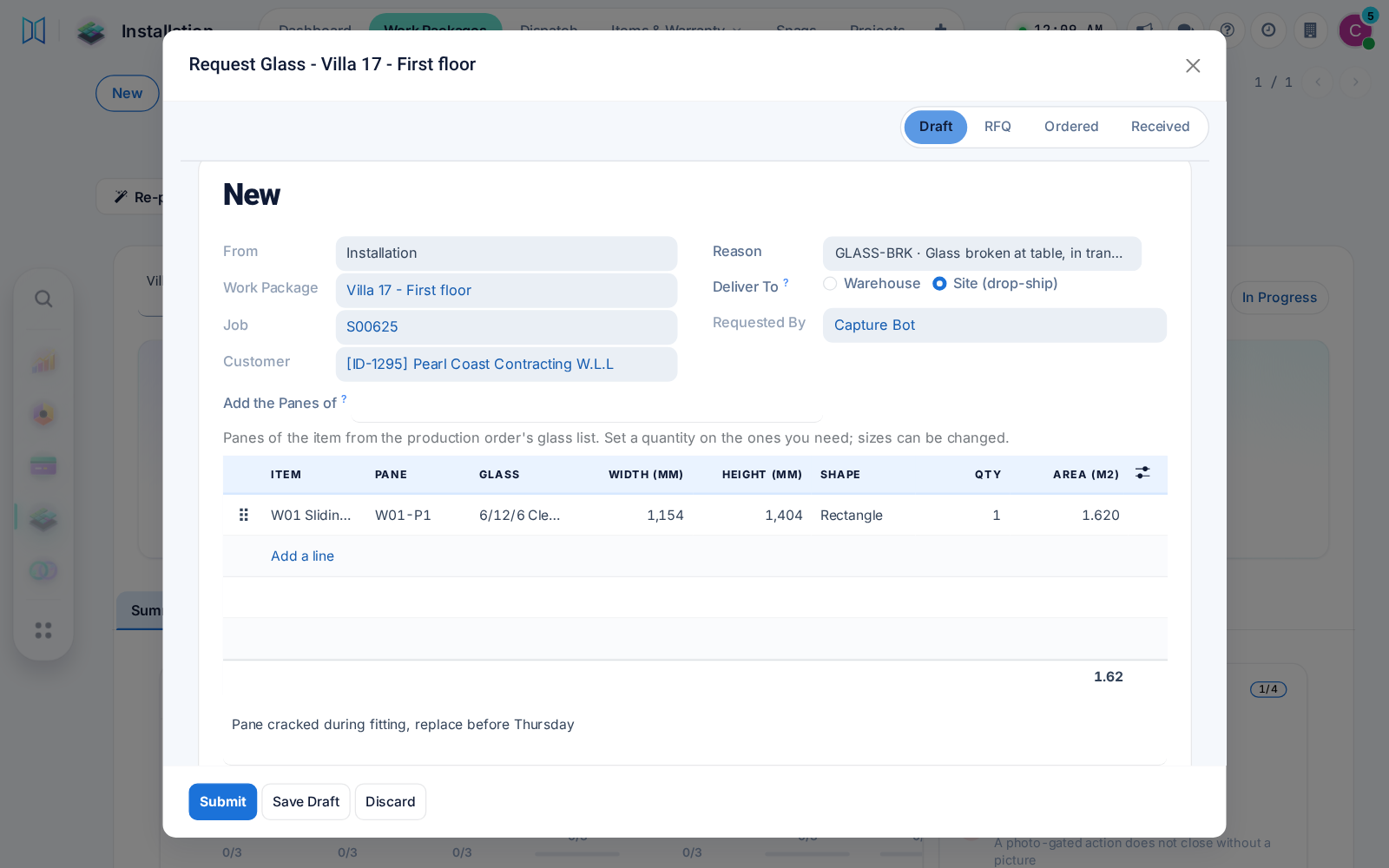
Glass requests to purchasing

Production, installation and after-sales request glass by size or shape, with panes suggested from the design. Purchasing gets a draft request for quotation per supplier.

Ask about this Link copied
Request Glass dialog with a pane suggested from the design
New Inventory & WarehouseLogistics & Installation

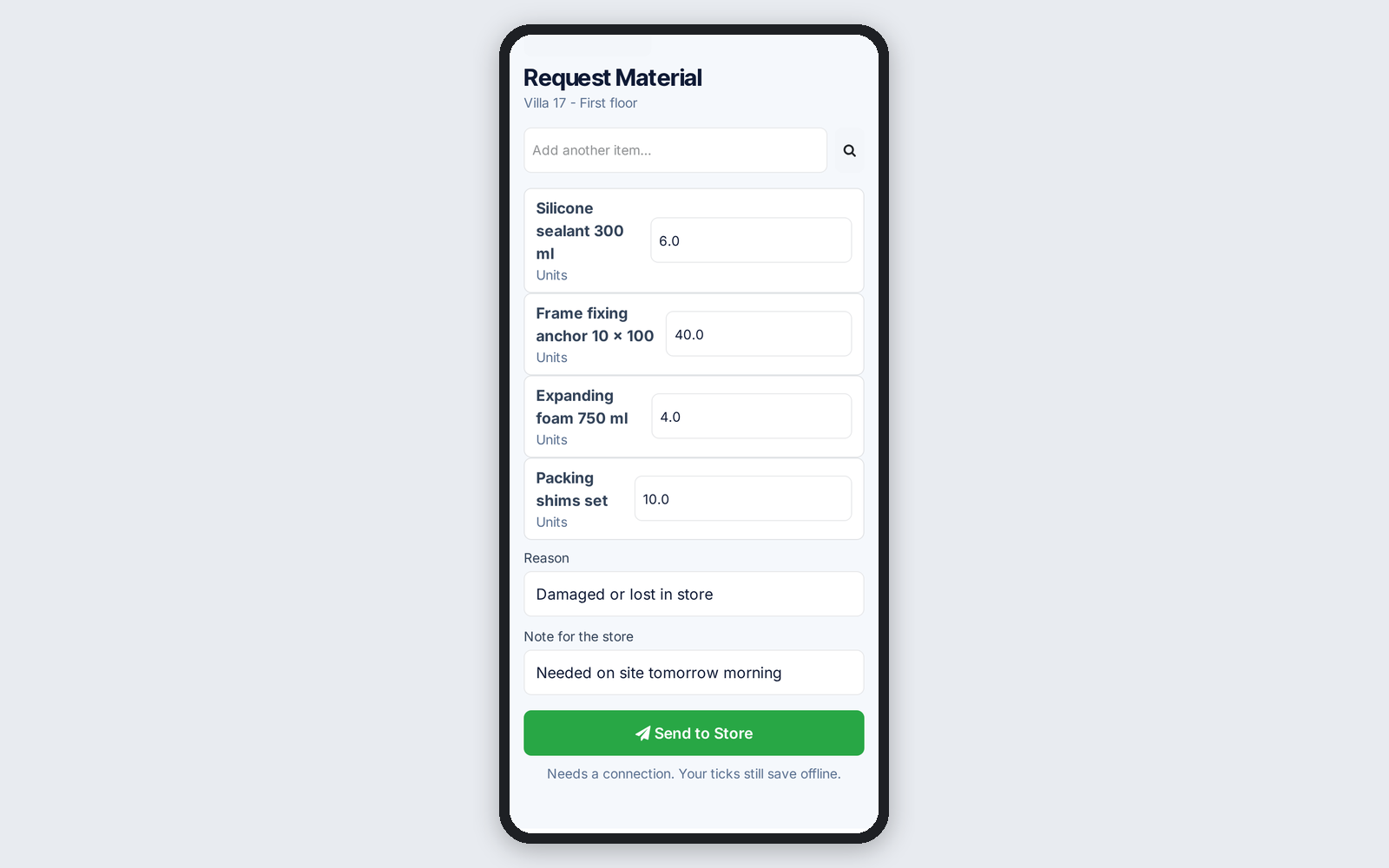
Request material from the store

Work packages and the foreman's phone request material from the store with a reason, on the same form production uses for extra material.

Ask about this Link copied
Foreman's phone form requesting material from the store
New Planning & SchedulingLogistics & Installation

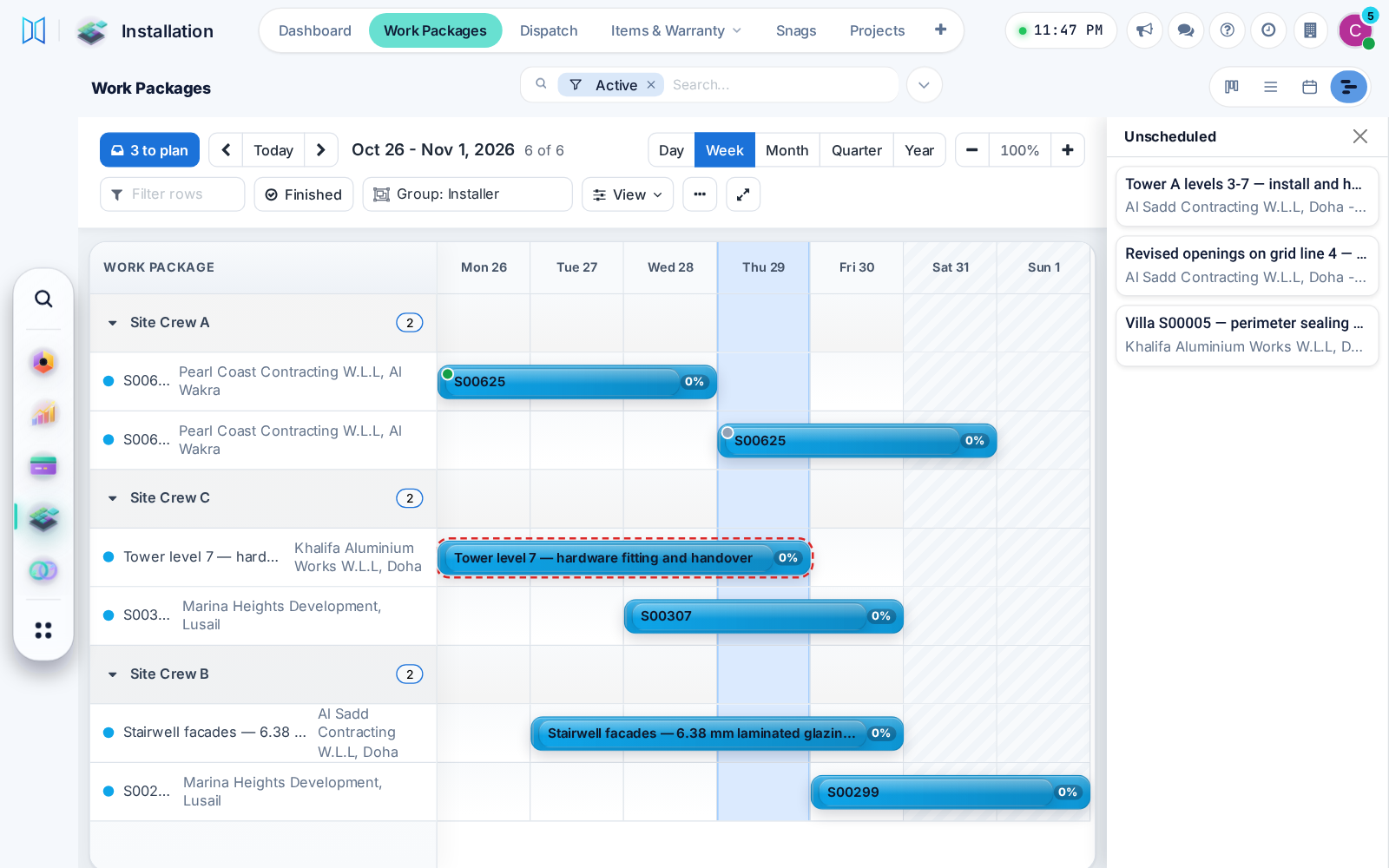
Plan installations on a Gantt

Work packages get a Gantt view: drag packages from a tray onto a day, move a bar to another crew, and spot double-booked crews, on desktop or phone.

Before: A separate schedule menu.

Ask about this Link copied
Work packages on a Gantt by crew, with tray and clash
New Planning & SchedulingProduction & Shop FloorAfter-Sales & Service

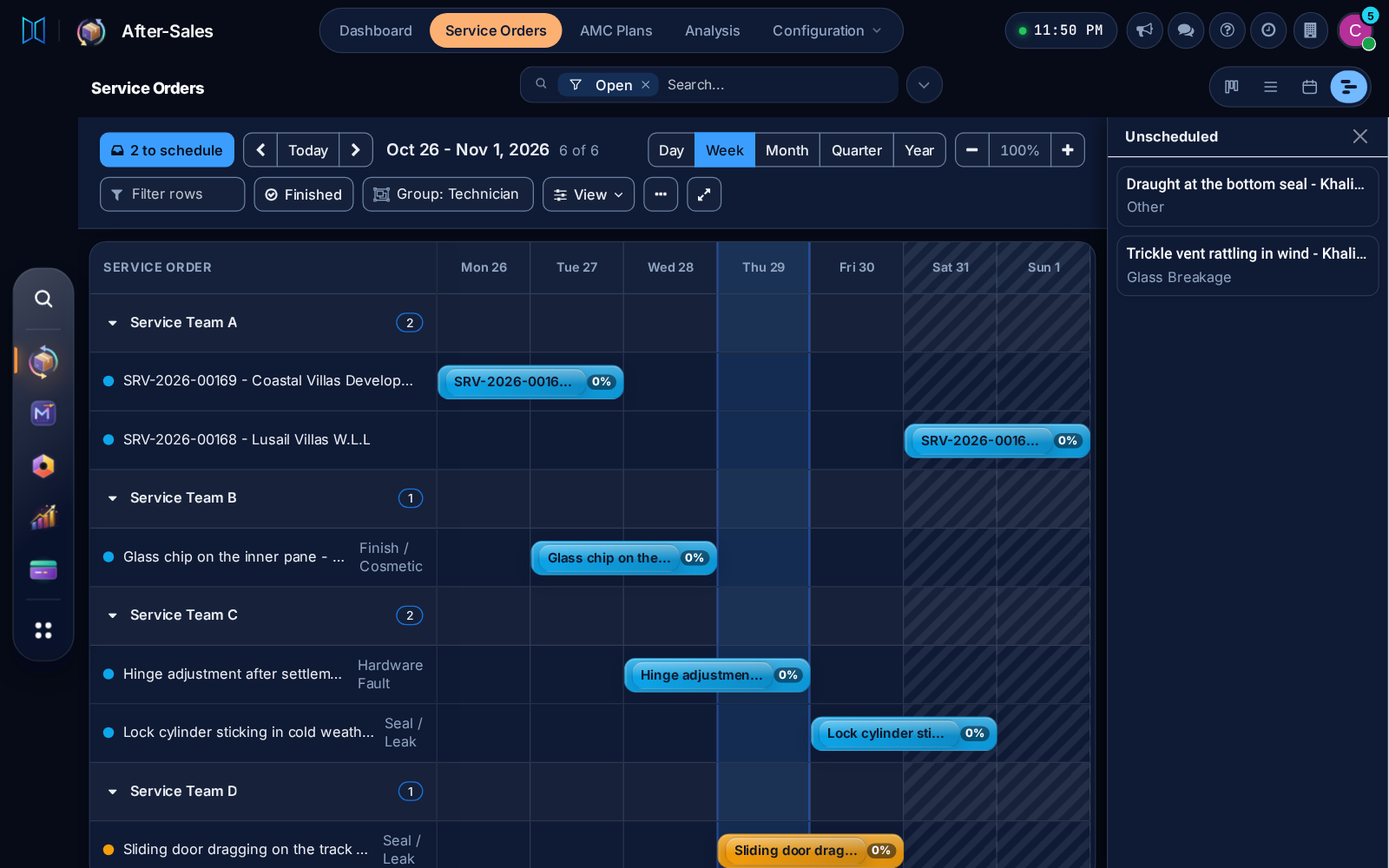
Production and service orders on a Gantt

Production orders and service orders use the same Gantt view, with its tray, dark mode and phone layout, so every schedule works one way.

Ask about this Link copied
Service orders on the shared Gantt view in dark mode

17 Oct

2026 Release 2026.10.17 1 new
New Design & EstimationCutting & Optimization

Length corrections for a chosen product

A length correction can now apply to chosen products only, such as a support mullion cut to full frame height. Existing cut lists do not change.

Ask about this Link copied
Video CC, 4 languages 0:28

12 Oct

2026 Release 2026.10.12 2 new
New Sales & QuotationsCutting & Optimization

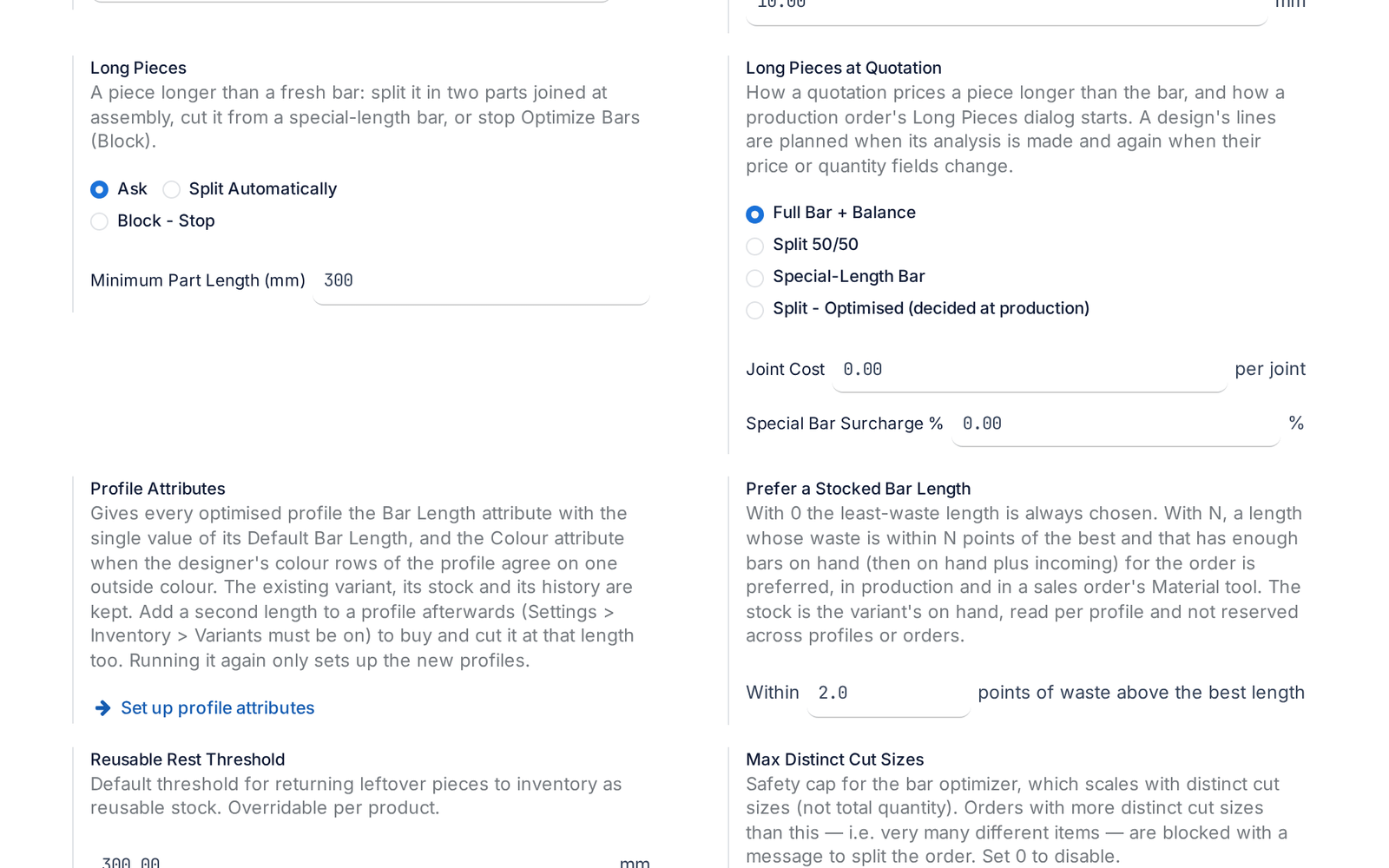
Pieces longer than a bar

A piece longer than any stock bar is split with a joint or ordered as a special bar, and the quotation already prices it.

Before: Such a piece stopped the optimisation.

Ask about this Link copied
The setting for pieces longer than a bar: ask, split automatically or block
New Inventory & WarehouseLogistics & Installation

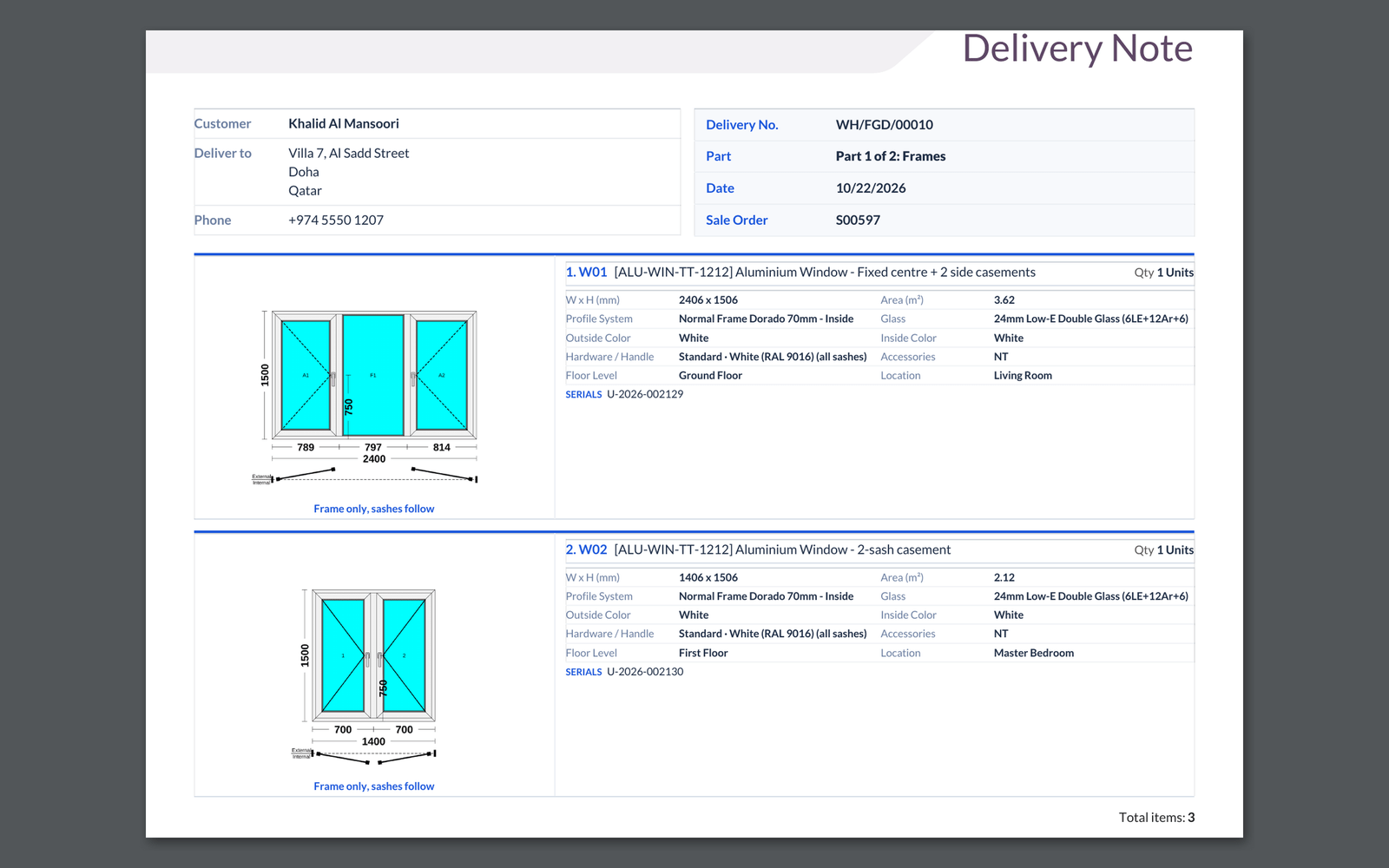
Deliveries per sale order, with delivery notes

Finished windows can ship on one delivery per sale order, with a delivery note that shows each window's drawing. Each step has its own switch.

Ask about this Link copied
A delivery note with a drawing of each window, part 1 of 2: frames

8 Oct

2026 Release 2026.10.08 1 new
New Design & EstimationCutting & Optimization

Choose the profile for each mullion, frame and sash

Pick the profile product for each mullion, frame side or sash in the designer. The drawing width and the cut list follow your choice.

Before: One default profile served every member.

Ask about this Link copied

4 Sep

2026 Release 2026.09.04 1 new
New Cutting & OptimizationProduction & Shop Floor

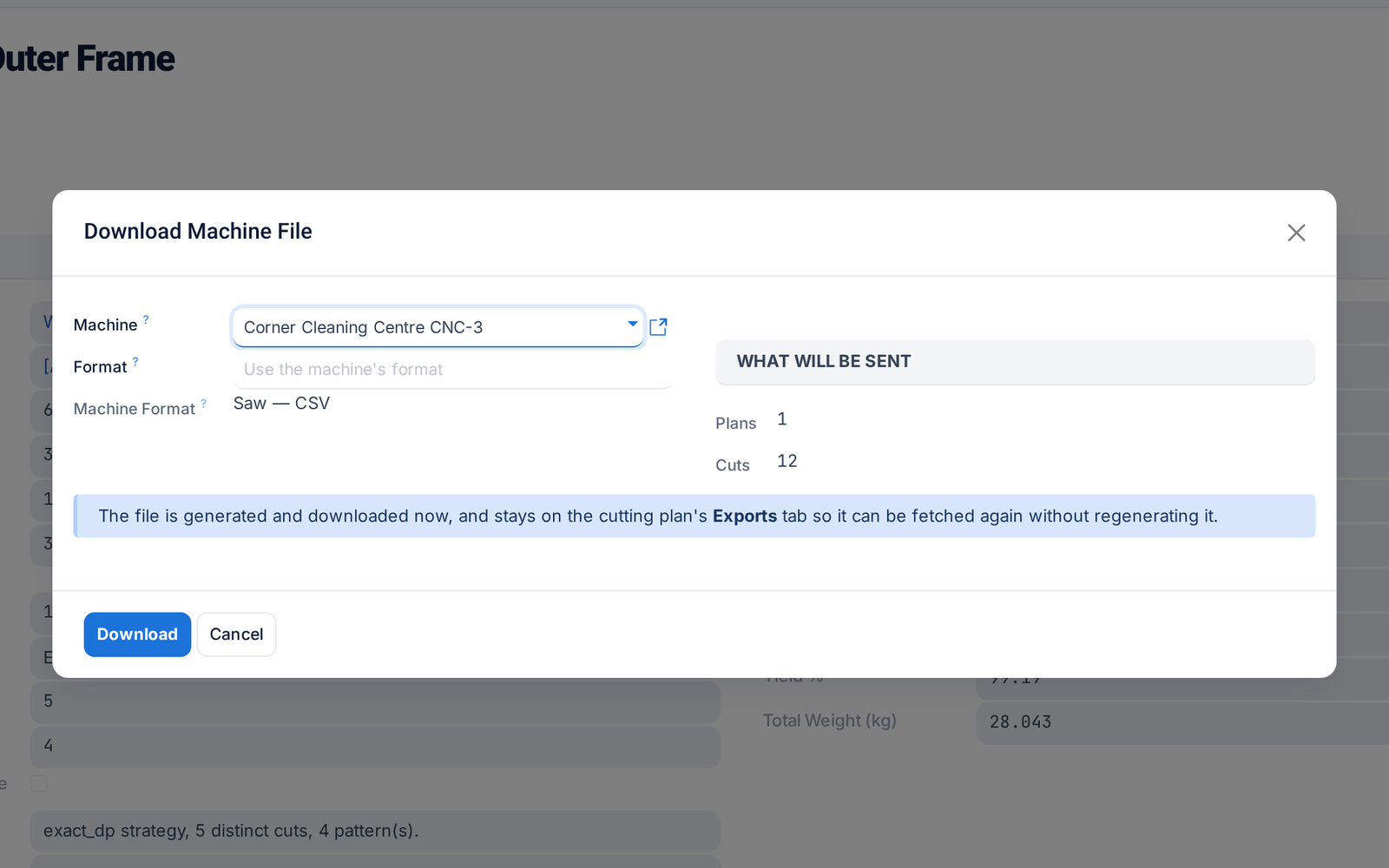
Send cutting plans to your machines

Send a cutting plan straight to the saw or machining centre in its own format, including DXF and G-code. Every file sent is logged and can be downloaded again.

Before: Generating and delivering the file were separate.

Ask about this Link copied
Download Machine File on a cutting plan: the machine, its format and what will be sent