
Skip to Content
What's new

Every change we ship, shown and explained.

Latest release 29 Oct 2026
The Friday email

Only in weeks when something ships.

29 Oct

2026 Release 2026.10.29 2 improved
Improved Sales & QuotationsProductivity & Cost Control

Order cost only for those allowed

Once confirmers are named, cost and margin show only to people with the order cost right, on screens, prints and exports, long-piece savings included.

Ask about this Link copied
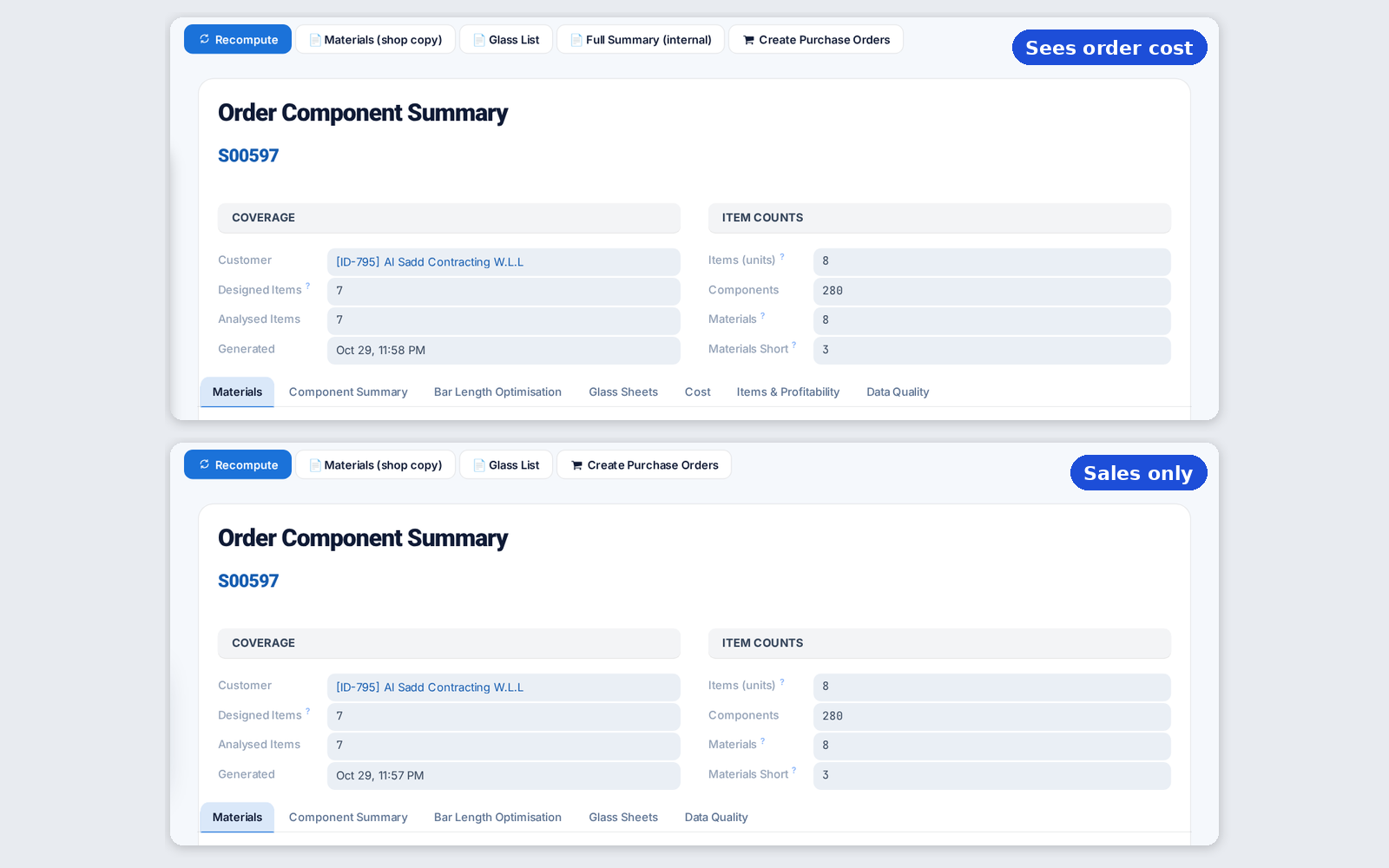
Order summary with and without cost tabs
Improved Sales & Quotations

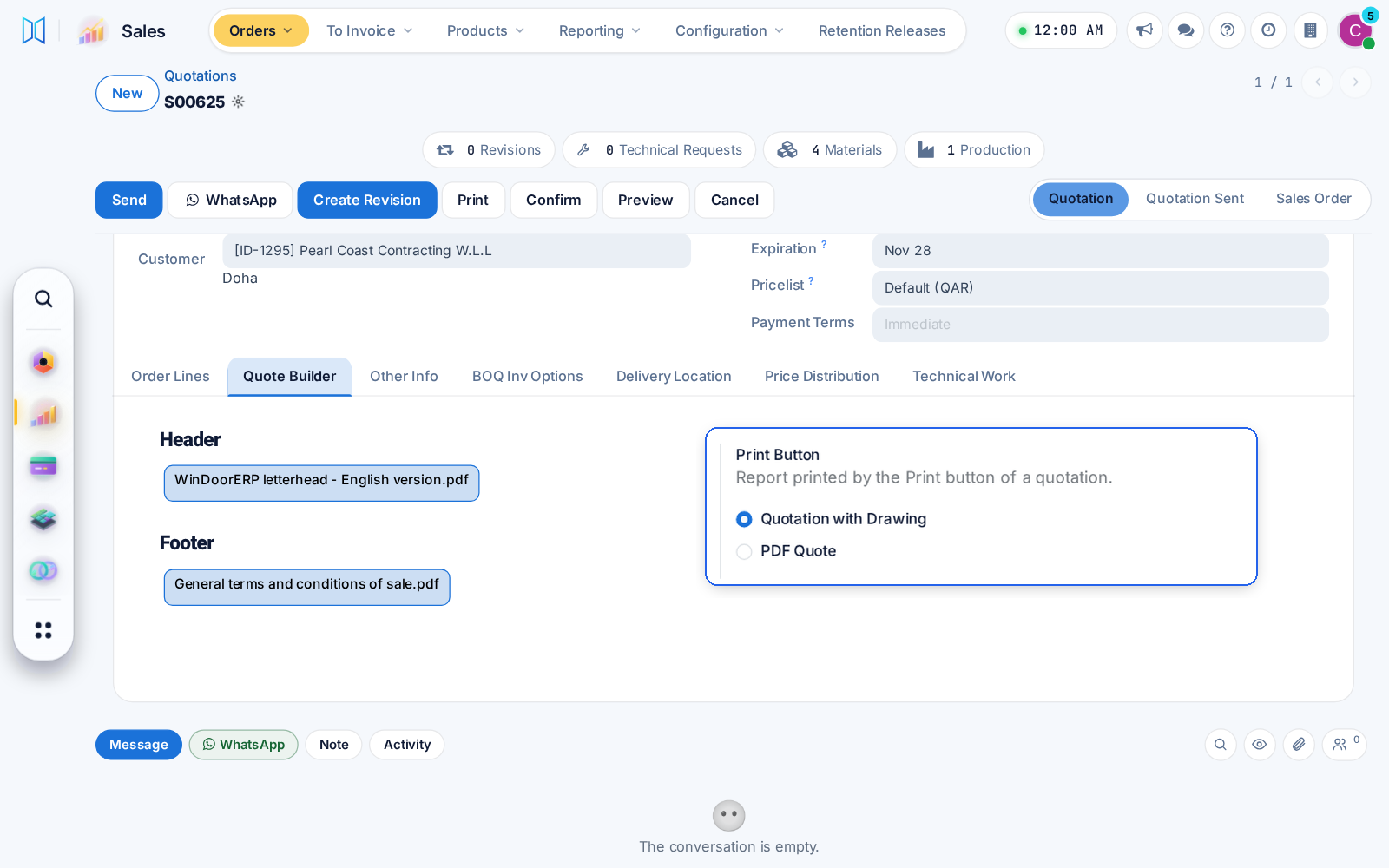
Your PDF pages in the quotation with drawings

The quotation with drawings now carries the header, product and footer pages chosen on the order, and a Sales setting picks what the Print button prints.

Ask about this Link copied
Quotation header and footer pages with the Print Button setting

26 Oct

2026 Release 2026.10.26 1 improved
Improved Technical Office & Survey

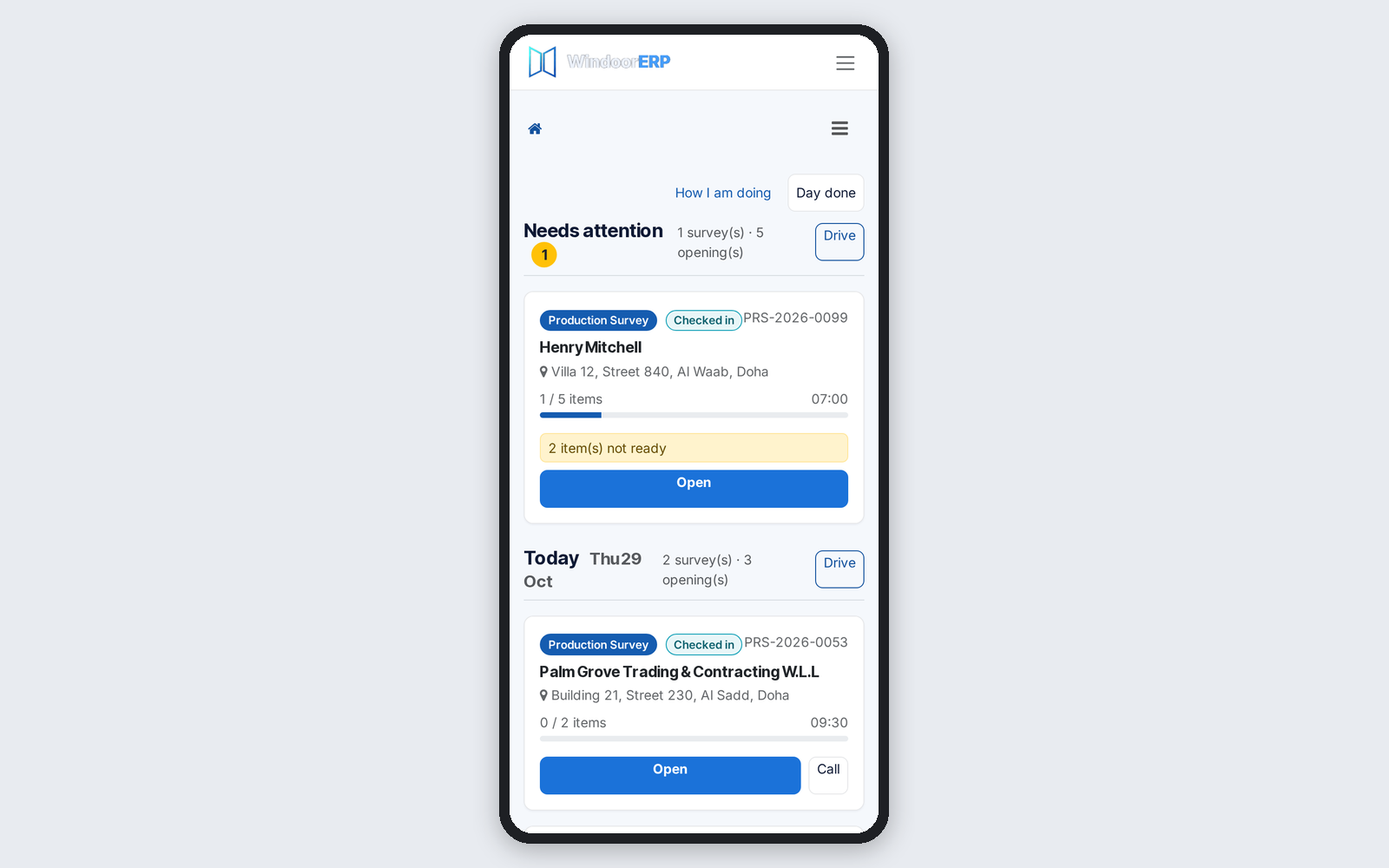
The site address on every survey card

Phone survey cards and search rows show the site address, and a city search finds the site city. Bookings count only the items that need measuring.

Ask about this Link copied
Phone survey cards showing each site's street and city

25 Oct

2026 Release 2026.10.25 1 improved
Improved CRM

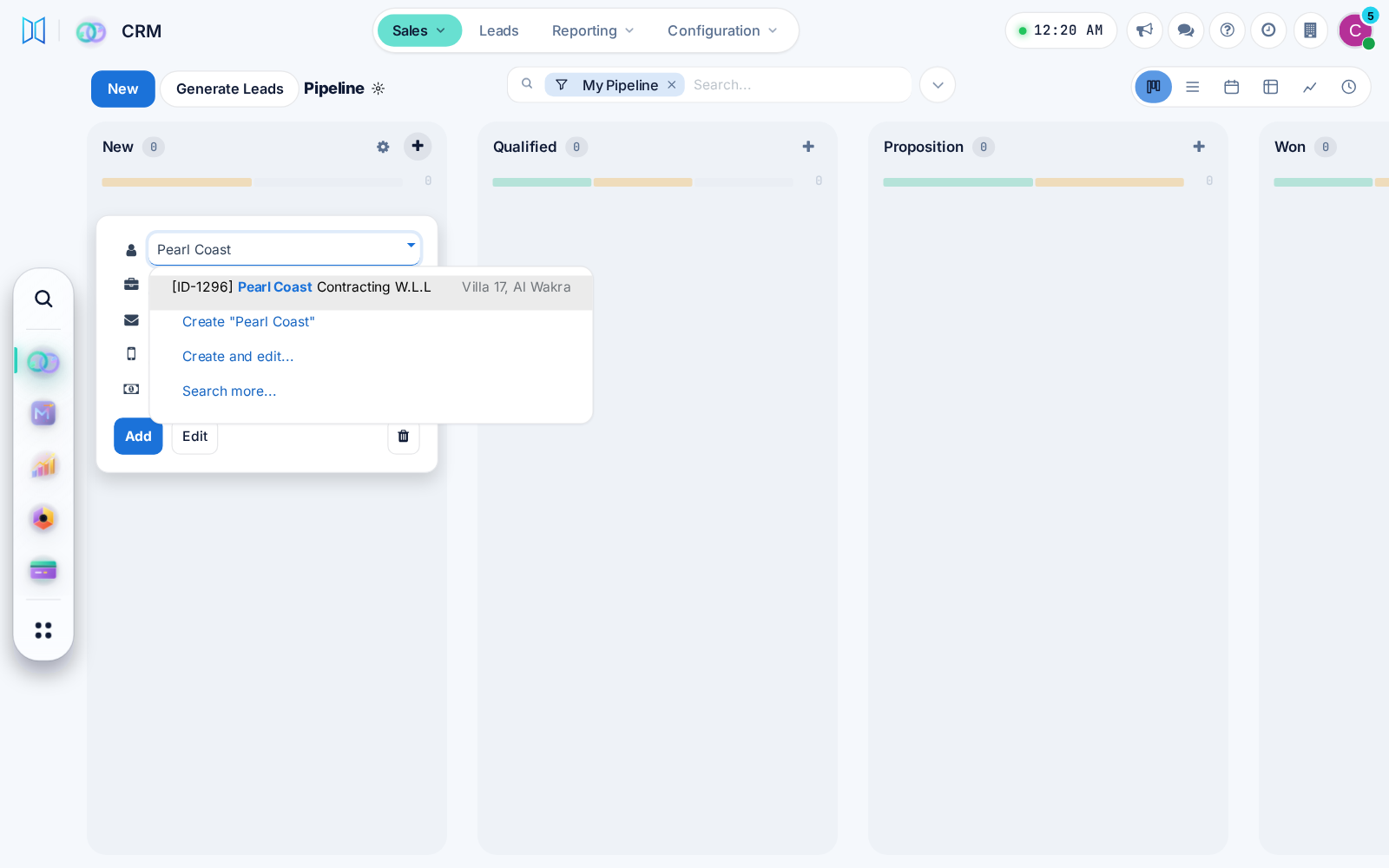
New pipeline cards start with a contact

A new CRM opportunity card asks for the customer contact, so every deal has someone to call. One CRM setting brings the Company field back.

Ask about this Link copied
New pipeline card asking for the customer contact first

23 Oct

2026 Release 2026.10.23 2 improved
Improved CRMWhole system

Choose your look: modern or classic

Each user can choose a modern or classic menu and view style, with simpler phone screens and a probability ring on CRM opportunities.

Ask about this Link copied
Improved Sales & QuotationsDesign & EstimationTechnical Office & Survey

Design Pilot on every quotation

Design Pilot will propose or replace window designs on any editable quotation, price them at once, and keep replaced designs restorable for 30 days.

Ask about this Link copied

14 Oct

2026 Release 2026.10.14 1 improved
Improved Technical Office & SurveyWhole system

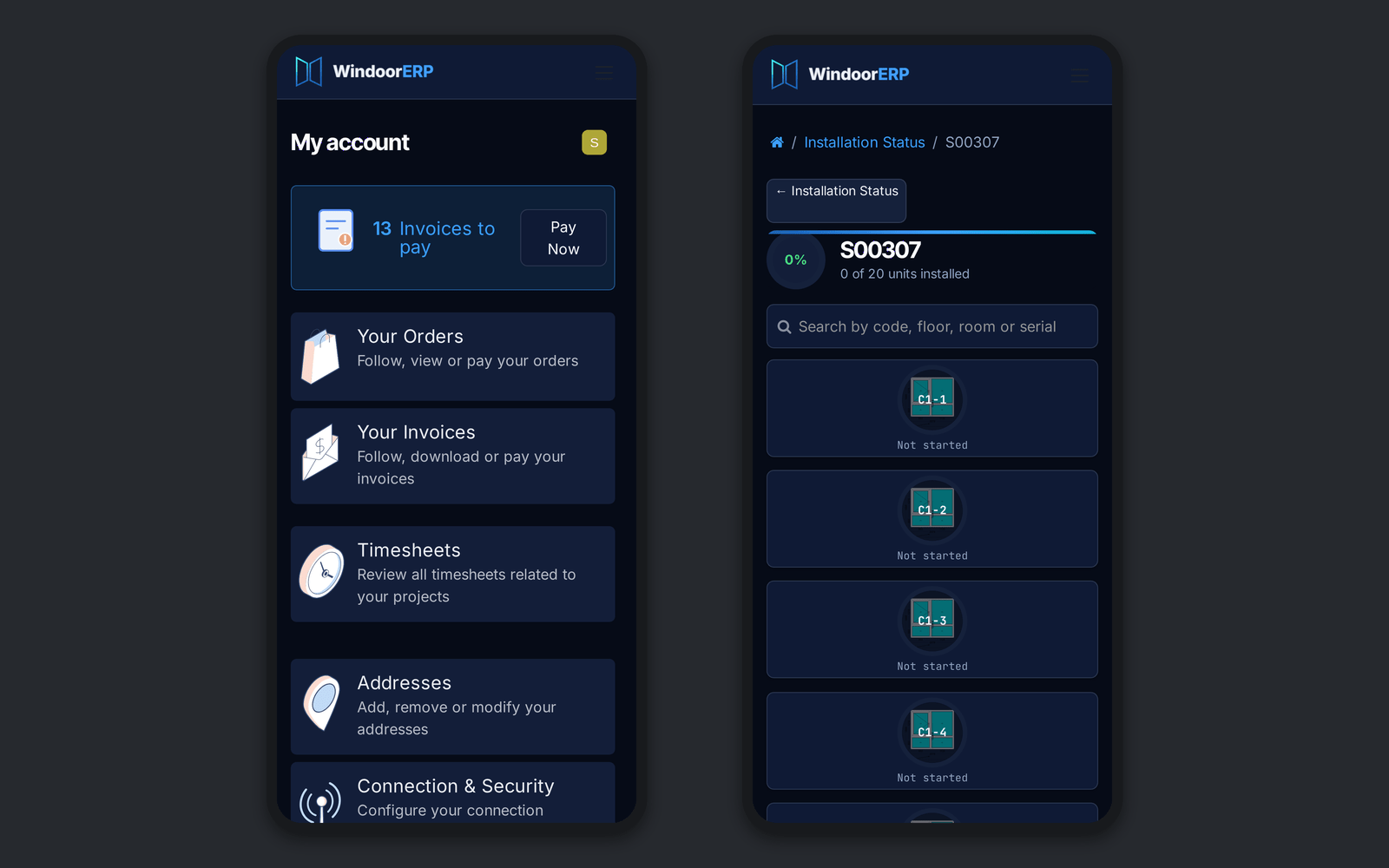
Dark mode in the portal

Every portal page and the survey measuring app now follow dark mode, with a light setting for installers working in bright sun.

Ask about this Link copied
The customer portal and a job page in dark mode on two phones

29 Sep

2026 Release 2026.09.29 3 improved
Improved Sales & Quotations

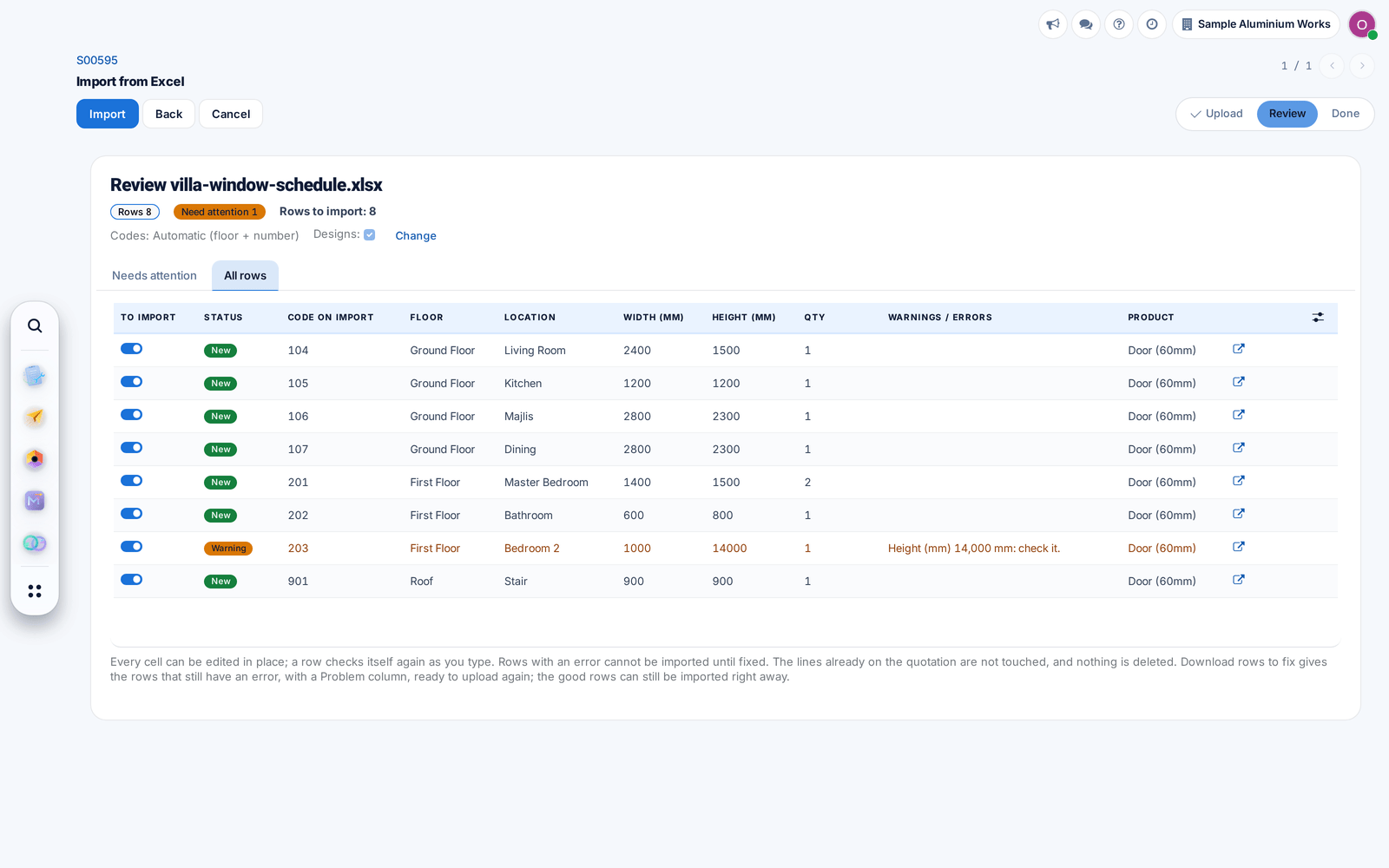
The Excel import numbers your items

Items without a code get the floor code and a running number with no gaps, and repeated codes become C1 and C1 (2).

Ask about this Link copied
All rows of the import with codes numbered per floor
Improved Technical Office & Survey

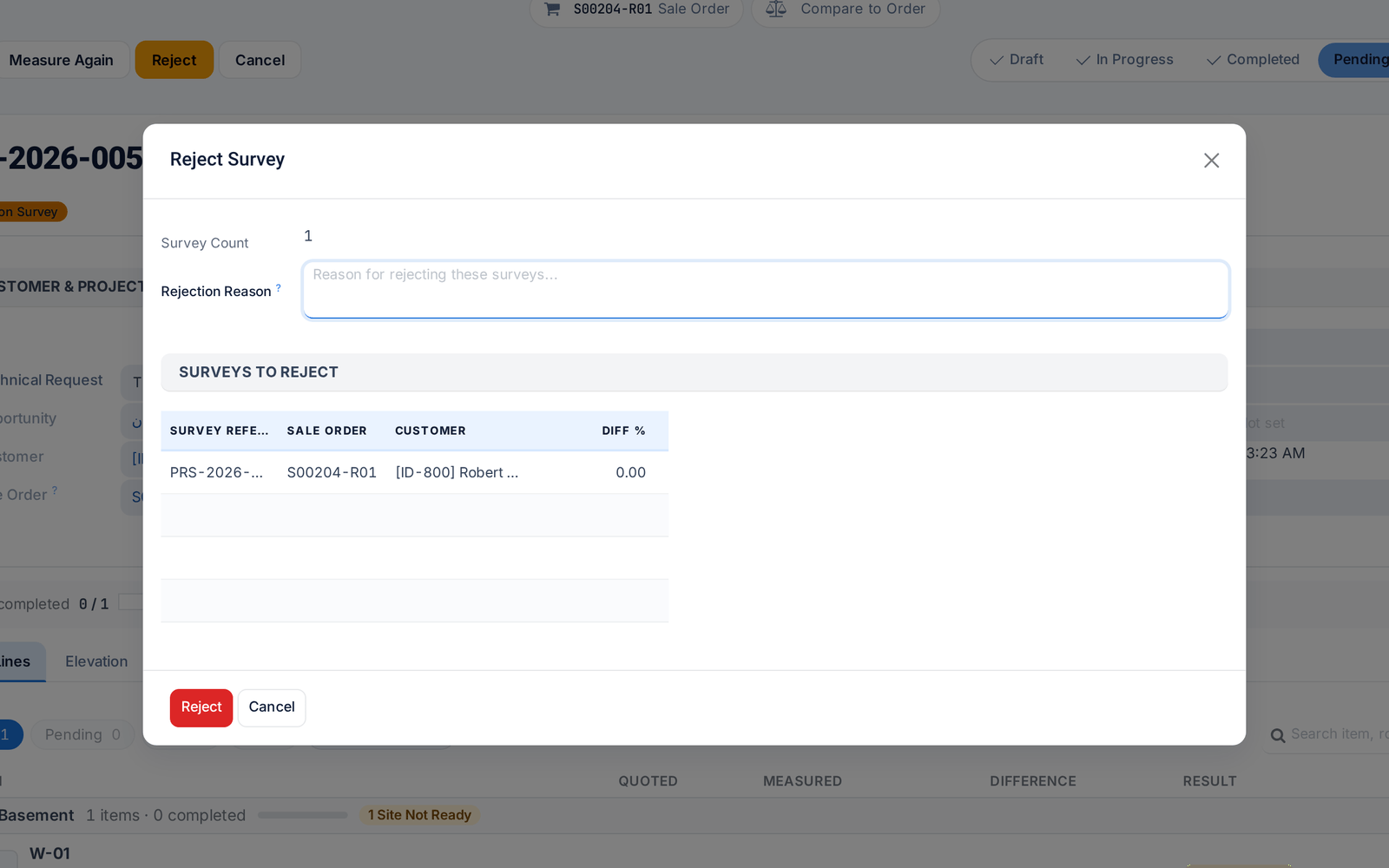
Reject a survey with a reason

Rejecting a survey now requires a reason, which reaches the surveyor in their own language and shows on the job in the field app.

Ask about this Link copied
The Reject Survey dialog asking for a reason
Improved Technical Office & SurveyReporting & Dashboards

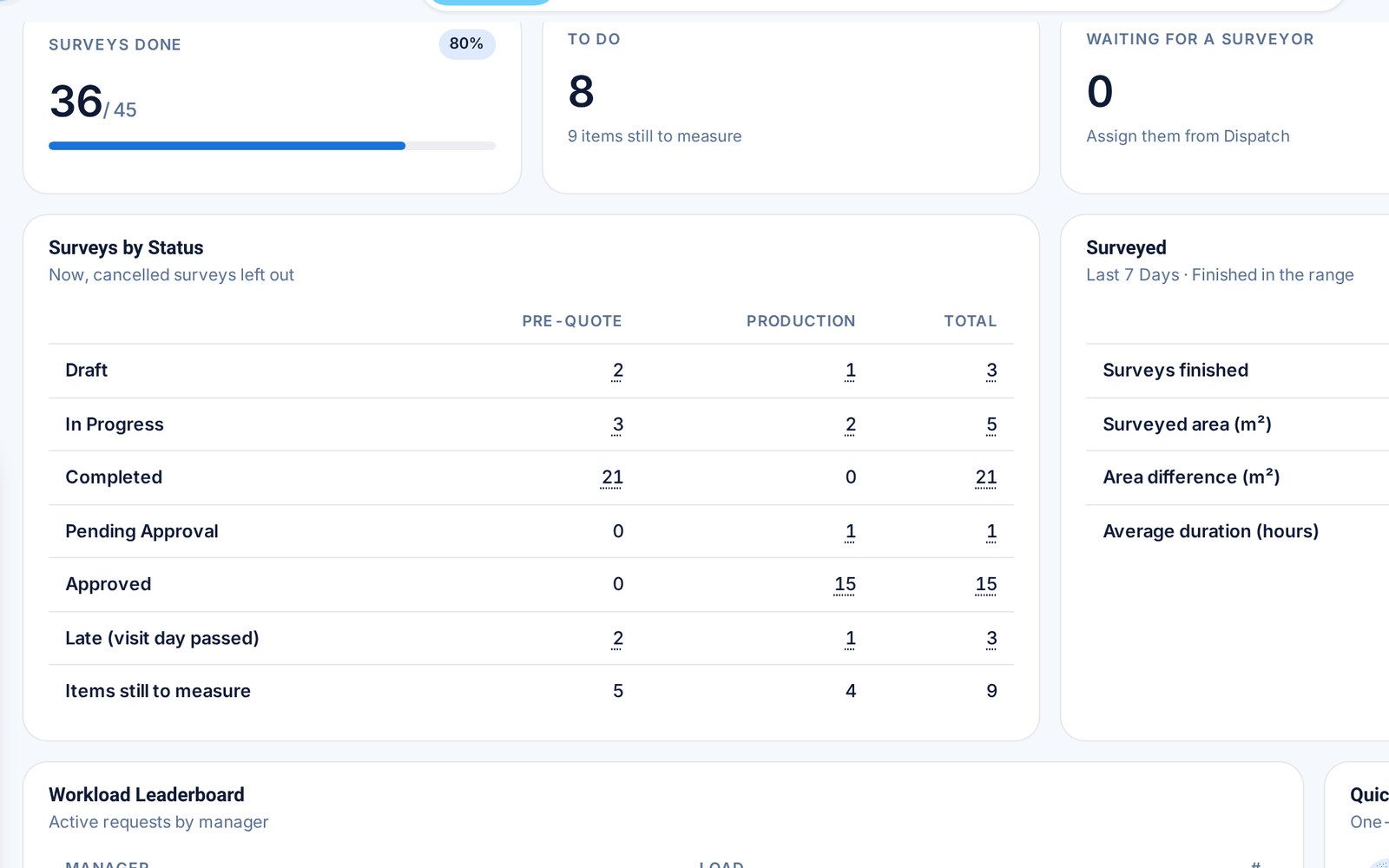
One Control Tower for requests and surveys

Survey counts now sit inside the Control Tower, and every card opens exactly the records behind its number.

Before: Surveys had a separate dashboard.

Ask about this Link copied
The survey section of the Control Tower: counts and surveys by status

28 Sep

2026 Release 2026.09.28 2 improved
Improved Technical Office & Survey

Submit to office settles open items

When a surveyor submits a survey, the app offers to settle the items left open, so the office receives it with no loose ends.

Ask about this Link copied
Improved Technical Office & Survey

Bluetooth laser meters: more models, steadier link

The field app supports more Bluetooth laser meters, reads their units correctly and reconnects by itself. Each item records which meter measured it.

Ask about this Link copied

27 Sep

2026 Release 2026.09.27 3 improved
Improved Technical Office & Survey

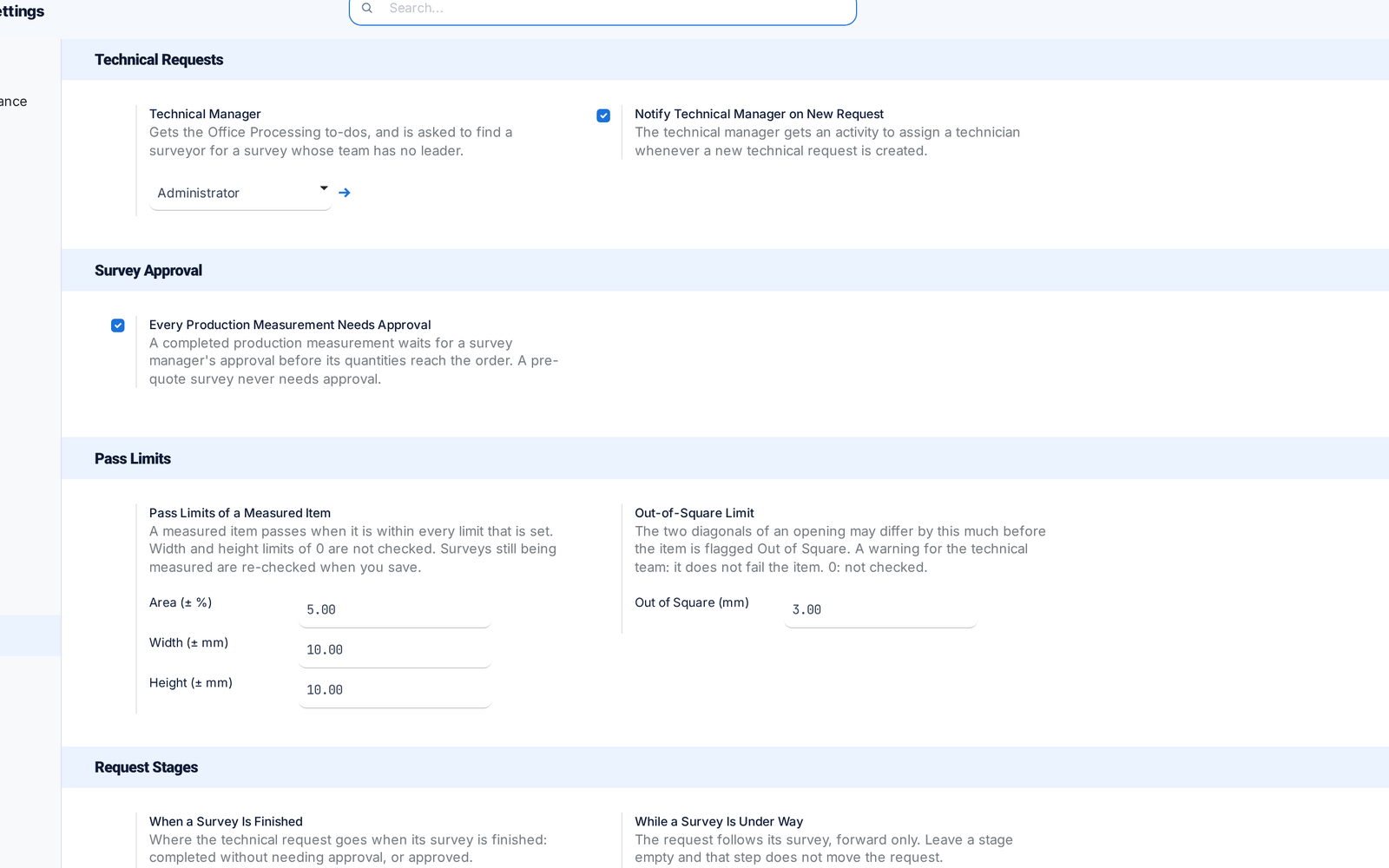
Survey settings on one page

All survey settings, including the Technical Manager, now sit on one Settings page. Switches that did nothing are gone.

Before: Settings were split across two places.

Ask about this Link copied
The survey settings on one page: Technical Manager, approval, pass limits and request stages
Improved Technical Office & Survey

Field app: check in on site, work offline

Surveyors check in on site with one press and keep measuring without signal. Work is saved on the phone and sent when the connection returns.

Before: A dropped connection could lose work.

Ask about this Link copied
Improved Sales & QuotationsTechnical Office & Survey

Revisions replace quantities

A revised survey now replaces the earlier quantities on the order instead of adding to them, and posted measurements stay locked.

Before: Revisions added on top.

Ask about this Link copied

17 Sep

2026 Release 2026.09.17 1 improved
Improved Technical Office & Survey

A shorter Technical Tasks menu

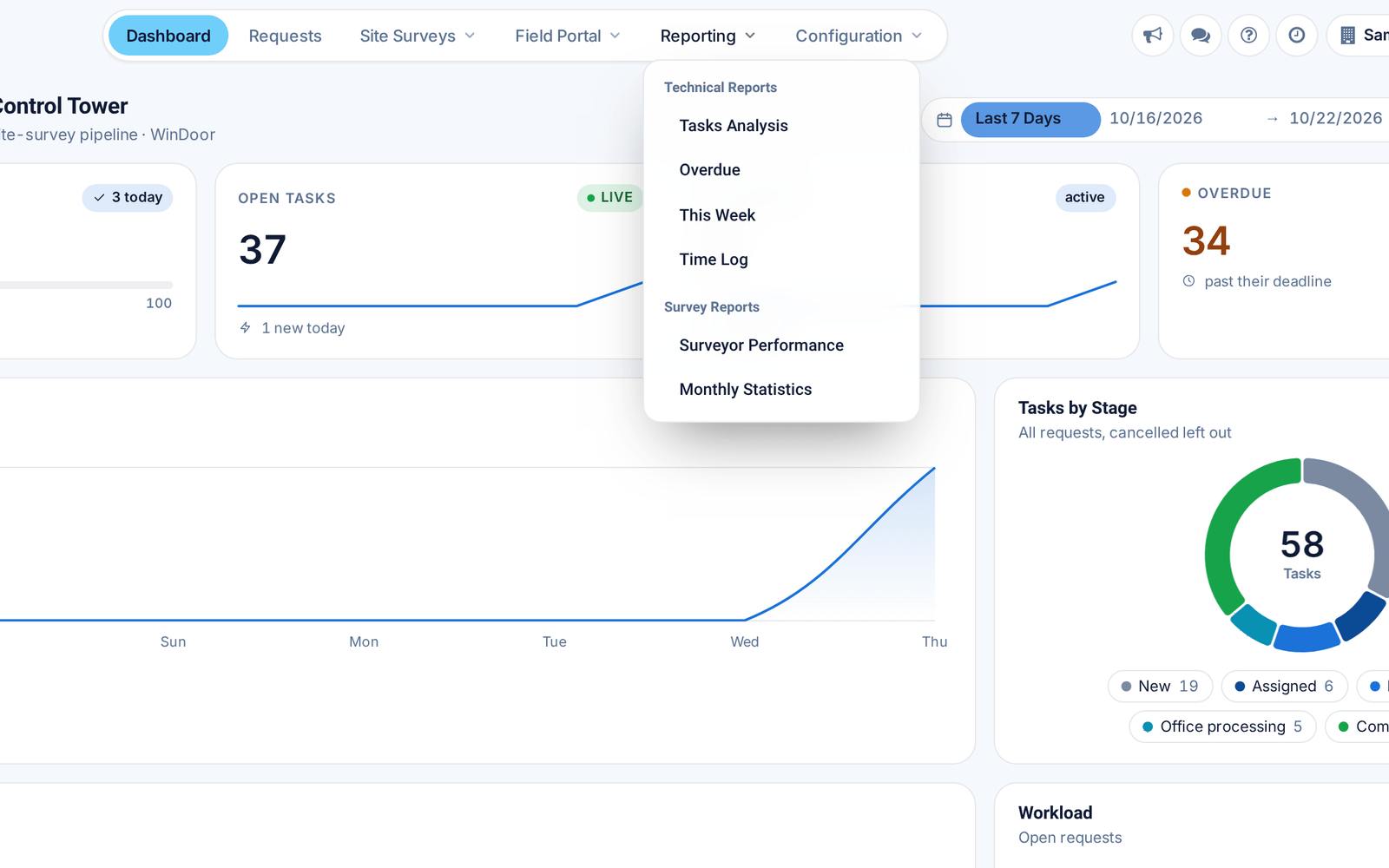
Field Portal moved to the top bar and Reporting now holds both technical and survey reports, so everything is one click from the top.

Ask about this Link copied
The Technical Tasks top bar with Field Portal and the Reporting menu open

2 Sep

2026 Release 2026.09.02 1 improved
Improved Design & EstimationInventory & Warehouse

Product weight in one place

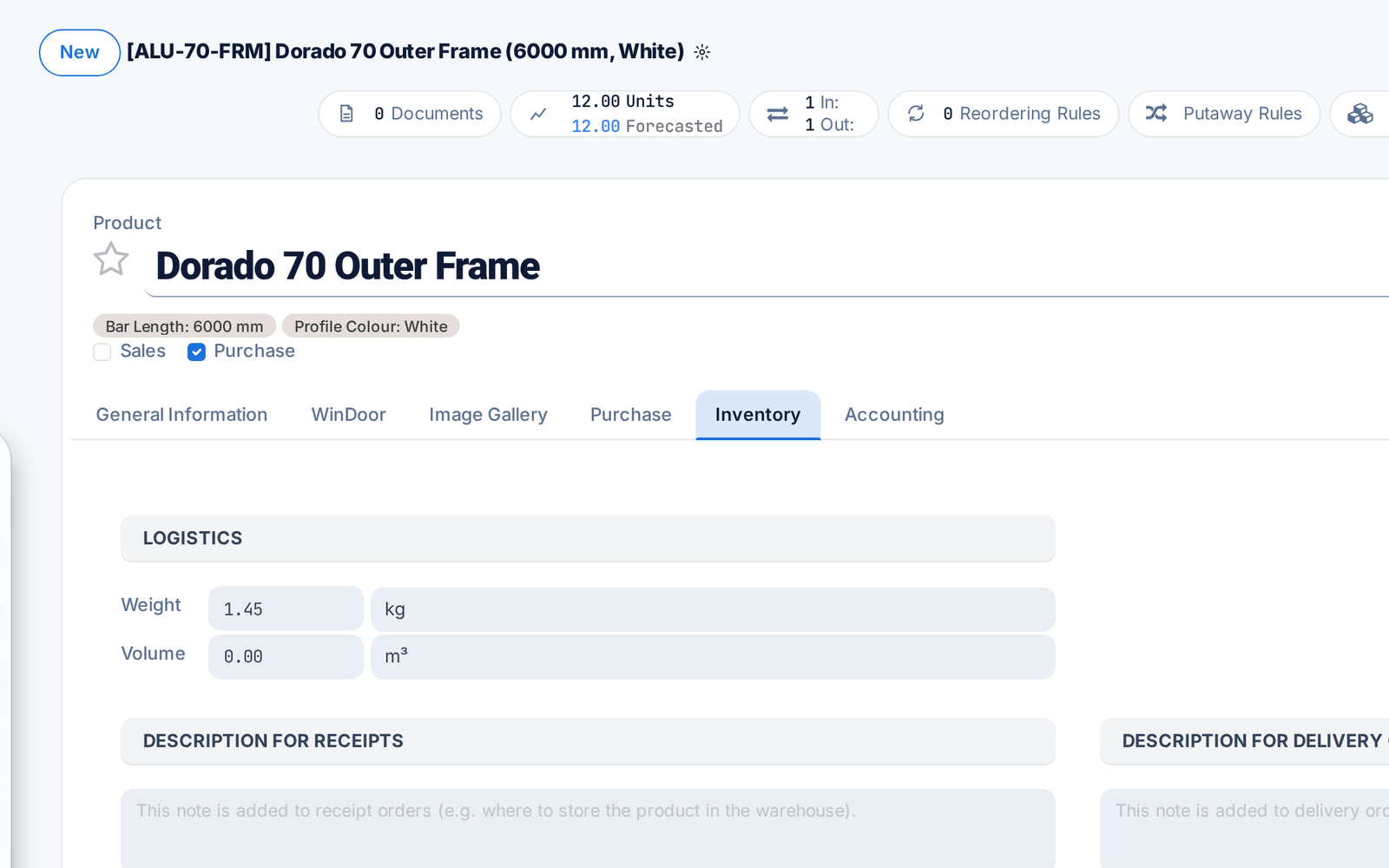
A profile's weight per metre now lives only in the product's standard Weight field, so cut lists, material summaries and quotations all use the same value.

Before: The weight could be typed twice and disagree.

Ask about this Link copied
A profile product's Inventory tab with its weight in the Weight field