
Skip to Content
What's new

Every change we ship, shown and explained.

Latest release 29 Oct 2026
The Friday email

Only in weeks when something ships.

29 Oct

2026 Release 2026.10.29 3 new
New Sales & QuotationsDesign & Estimation

Change the glass on a whole quotation

One action swaps the glass on every item of a quotation, refreshes each design's material and recalculates the prices. Beads change only where the thickness does.

Before: Item by item in the designer.

Ask about this Link copied
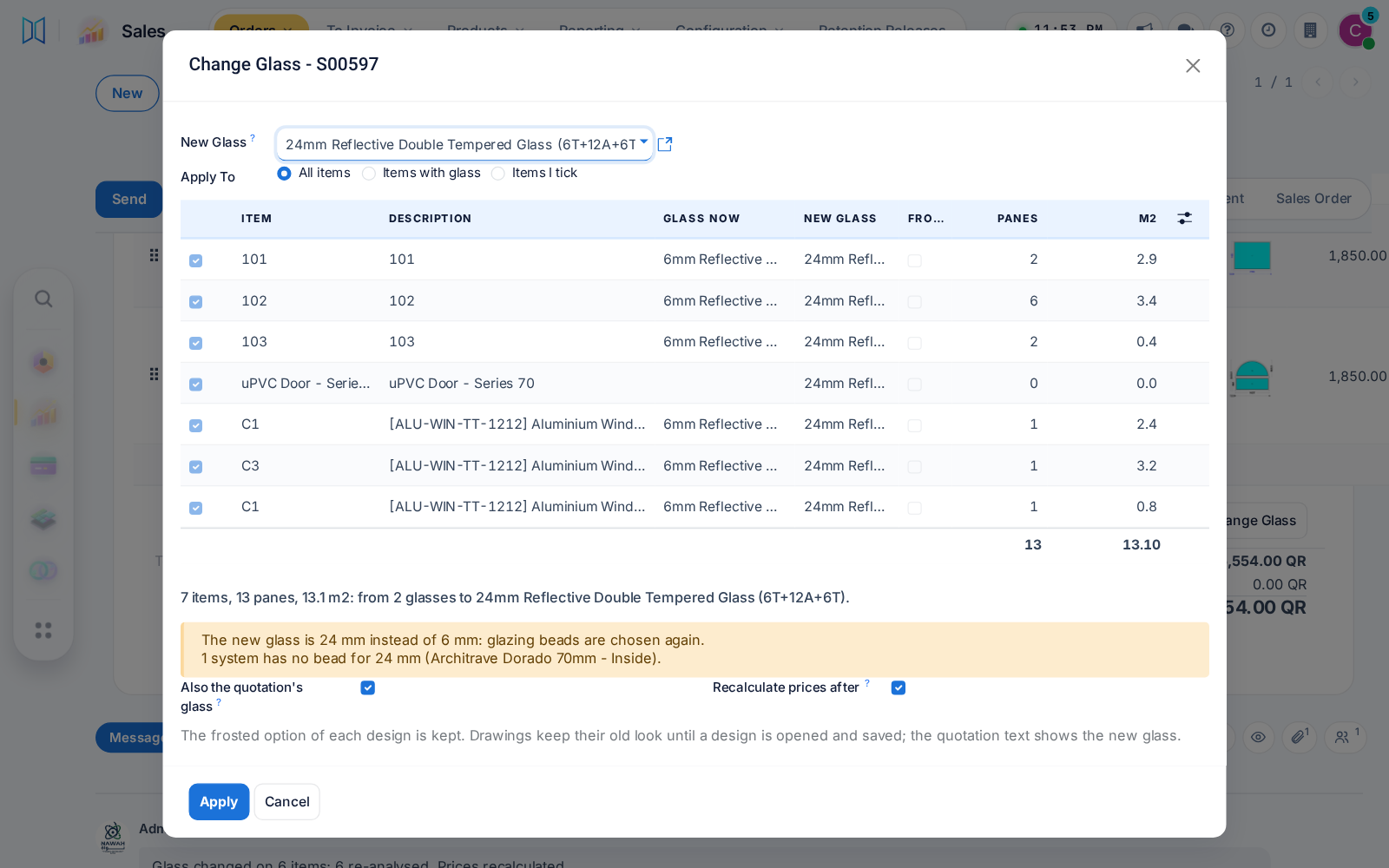
Change Glass dialog for every item of a quotation
New Sales & Quotations

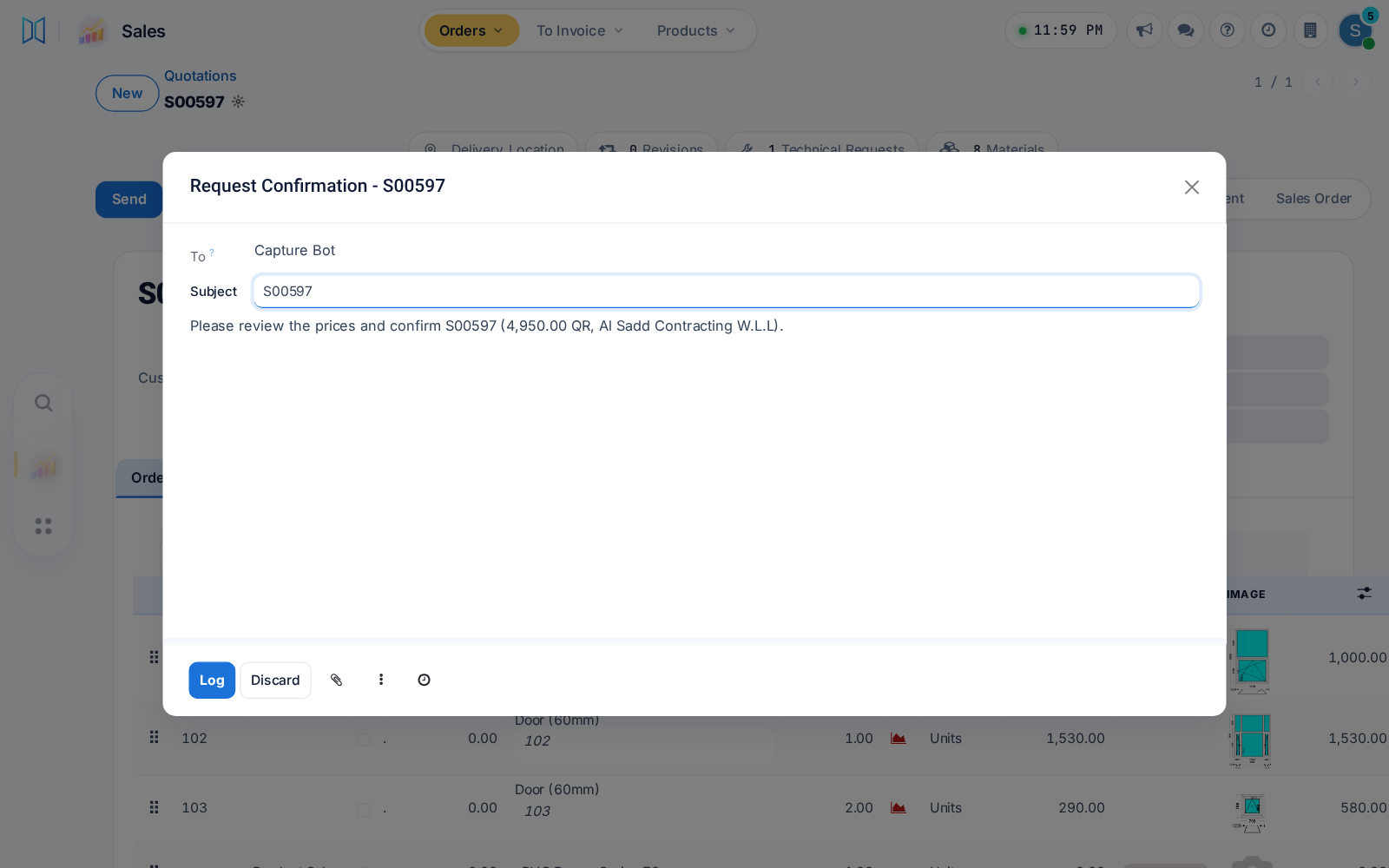
Choose who confirms orders

Name the users or groups who may confirm orders; others press Request Confirmation, and orders signed or paid online wait for them. An empty list keeps today's way.

Ask about this Link copied
Salesperson asks a named confirmer to confirm a quotation
New Sales & QuotationsProductivity & Cost Control

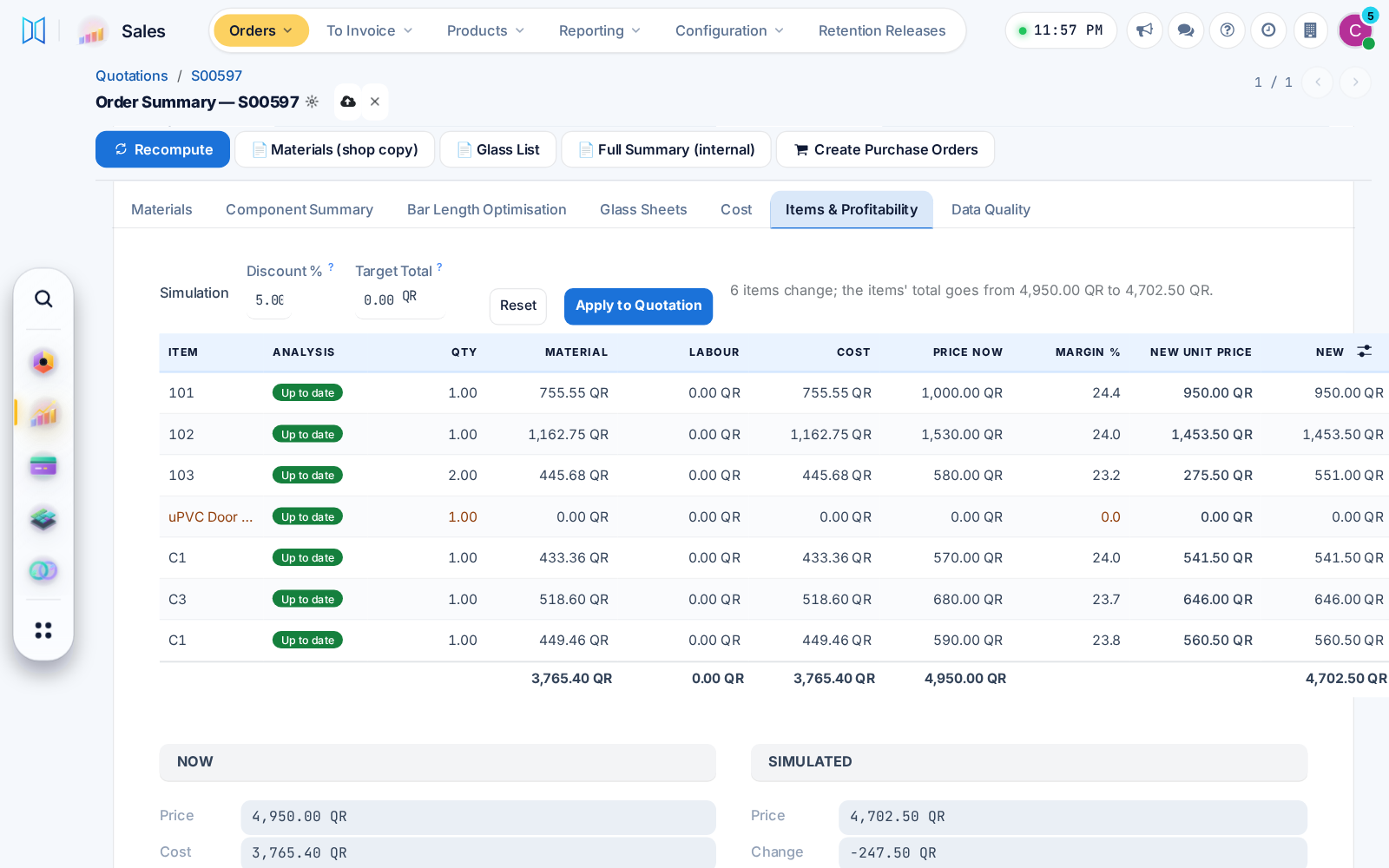
Try a price before you give it

Items & Profitability simulates a new unit price, discount or target total and shows the new margin. A confirmer applies it to the quotation in one press, logged on the order.

Ask about this Link copied
Price simulation with a 5% discount and new margins

26 Oct

2026 Release 2026.10.26 1 new
New Technical Office & Survey

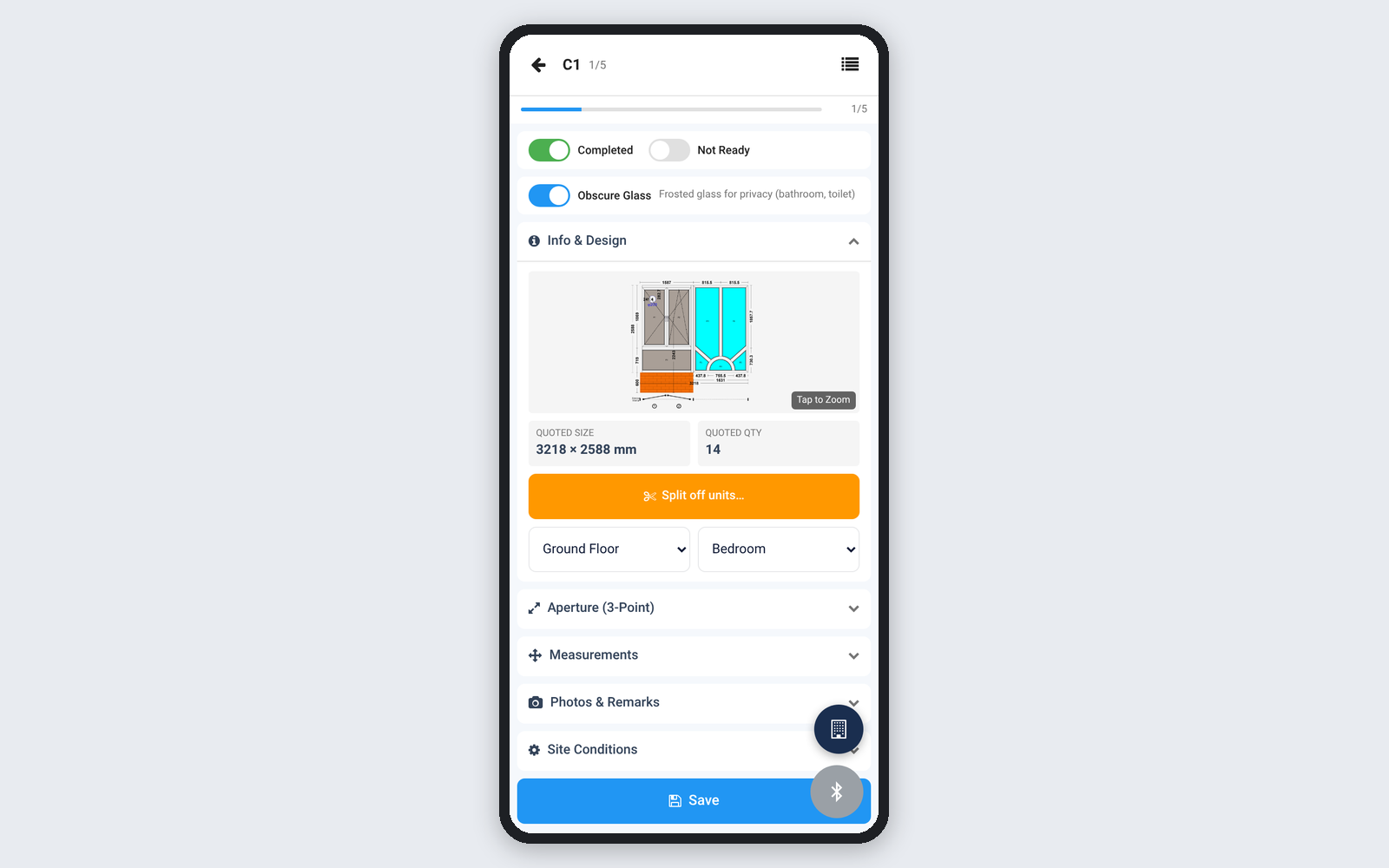
Mark obscure glass on the phone

Surveyors can mark obscure glass on both phone measuring sheets, and the choice reaches the office with the item's sizes.

Ask about this Link copied
Obscure Glass switch on the phone measuring sheet

17 Oct

2026 Release 2026.10.17 1 new
New Design & EstimationCutting & Optimization

Length corrections for a chosen product

A length correction can now apply to chosen products only, such as a support mullion cut to full frame height. Existing cut lists do not change.

Ask about this Link copied
Video CC, 4 languages 0:28

14 Oct

2026 Release 2026.10.14 3 new
New Technical Office & Survey

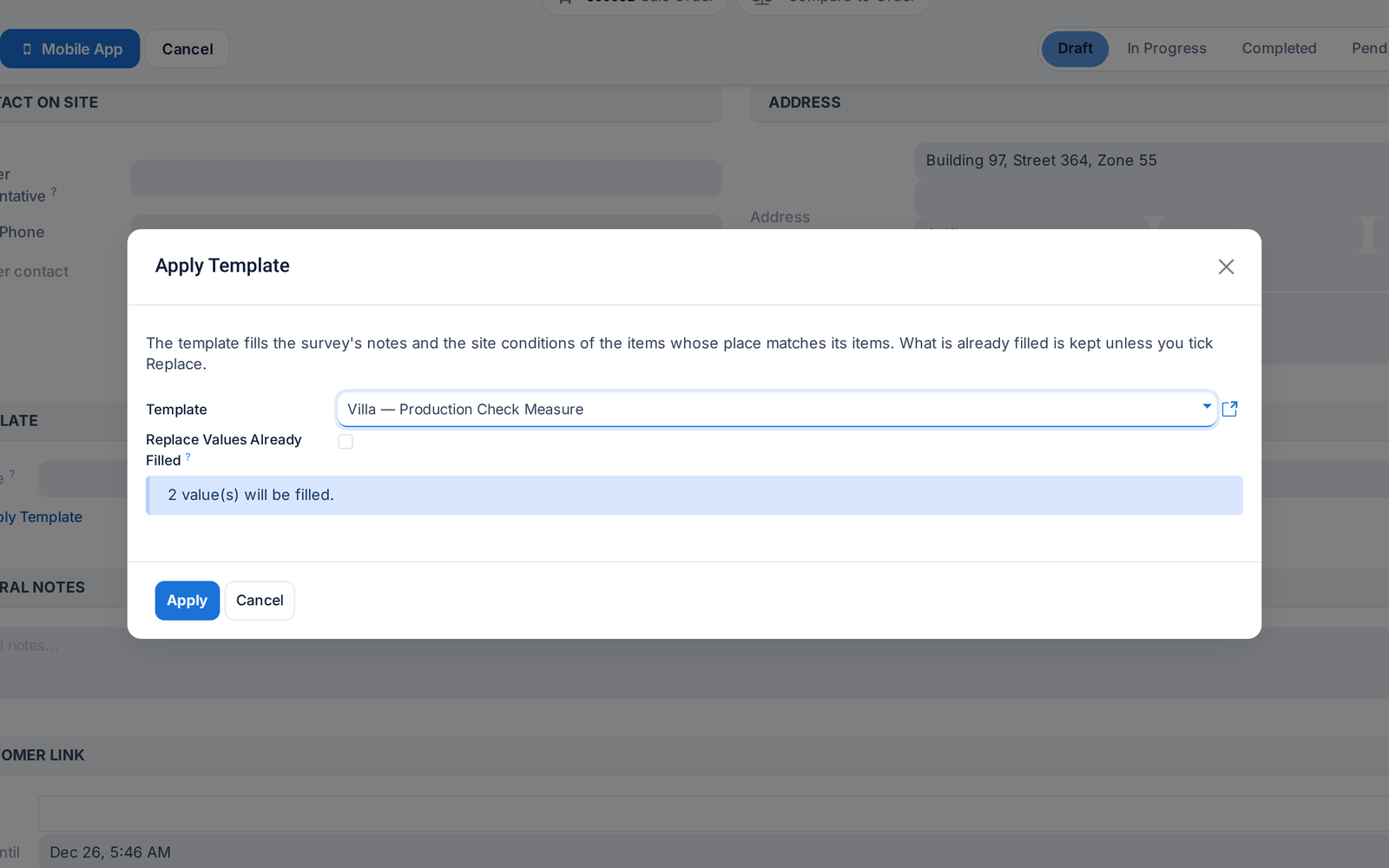
Apply a survey template

Survey templates can now be applied to a new or draft survey, filling empty values and keeping what is already filled.

Before: Templates could not be applied.

Ask about this Link copied
The Apply Template dialog showing how many values it will fill
New Design & EstimationTechnical Office & Survey

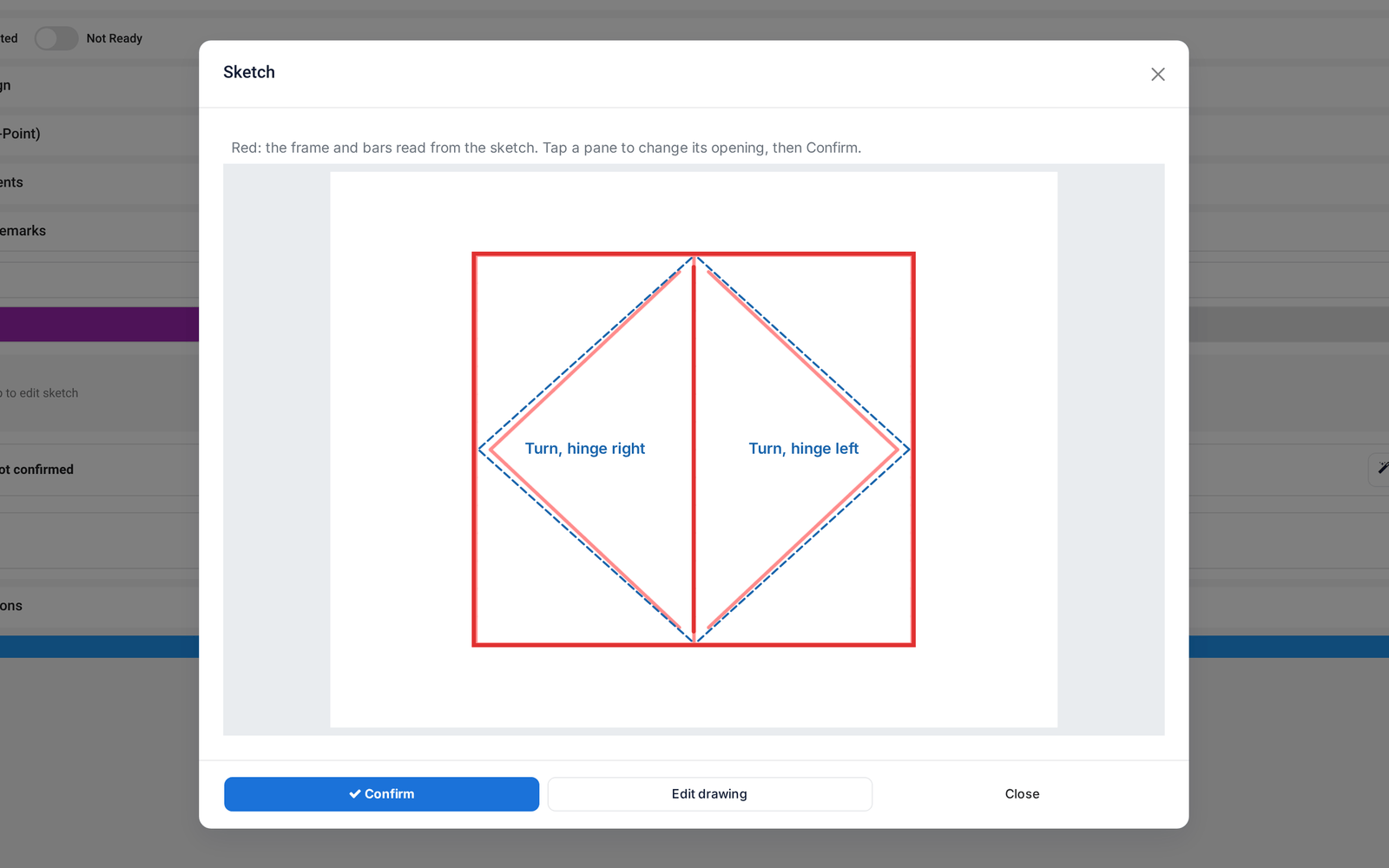
Draw a window by hand, get a drawing

A hand sketch of a window becomes a real layout, on site in the measuring app or in the designer, and is matched to the right order line. No AI needed.

Ask about this Link copied
A hand sketch read as a layout: frame, mullion and the opening of each pane
New Design & Estimation

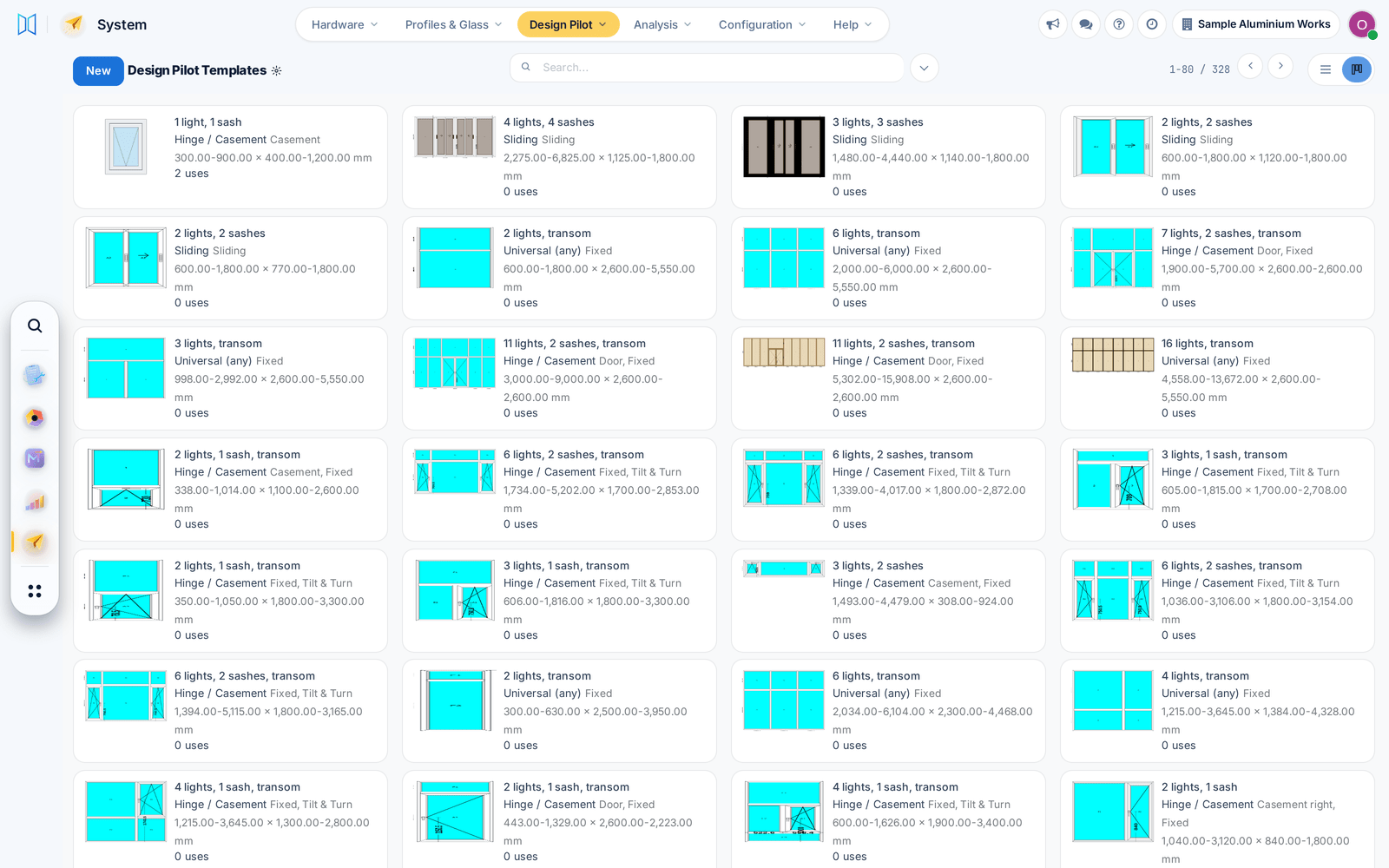
A starter library of window layouts

Design Pilot comes with a few hundred ready layouts, and near-identical layouts in your library can be merged, with undo.

Ask about this Link copied
The library of ready window layouts, each with its size range

12 Oct

2026 Release 2026.10.12 2 new
New Sales & QuotationsDesign & Estimation

Design Pilot: layouts that fit each window

Design Pilot suggests layouts from your library that fit each window's size, ready to apply in the designer or to every undrawn line of a quotation.

Ask about this Link copied
Video CC, 4 languages 0:21
New Sales & QuotationsCutting & Optimization

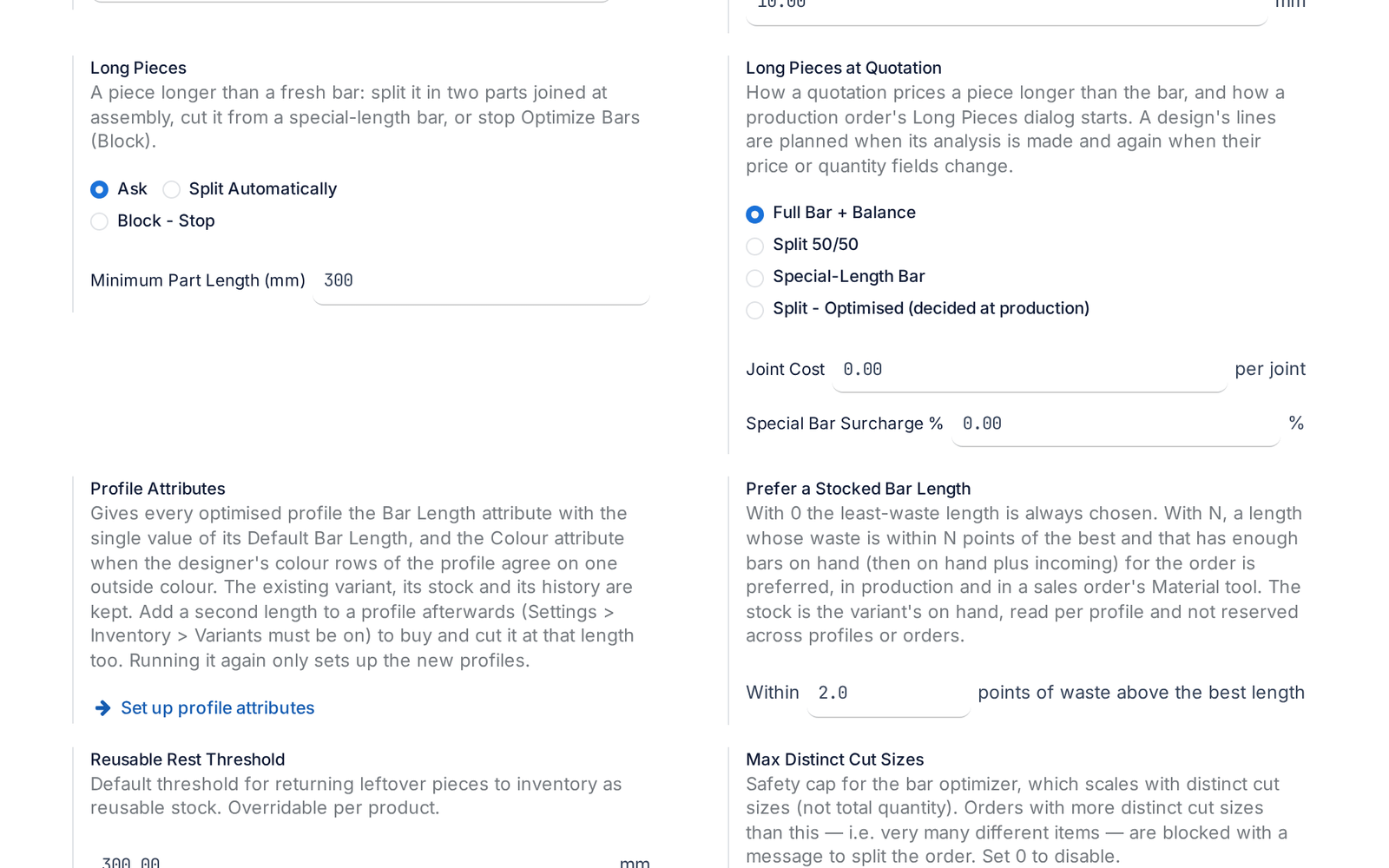
Pieces longer than a bar

A piece longer than any stock bar is split with a joint or ordered as a special bar, and the quotation already prices it.

Before: Such a piece stopped the optimisation.

Ask about this Link copied
The setting for pieces longer than a bar: ask, split automatically or block

8 Oct

2026 Release 2026.10.08 1 new
New Design & EstimationCutting & Optimization

Choose the profile for each mullion, frame and sash

Pick the profile product for each mullion, frame side or sash in the designer. The drawing width and the cut list follow your choice.

Before: One default profile served every member.

Ask about this Link copied
28 Sep

2026 Release 2026.09.28 1 new
New Sales & QuotationsDesign & Estimation

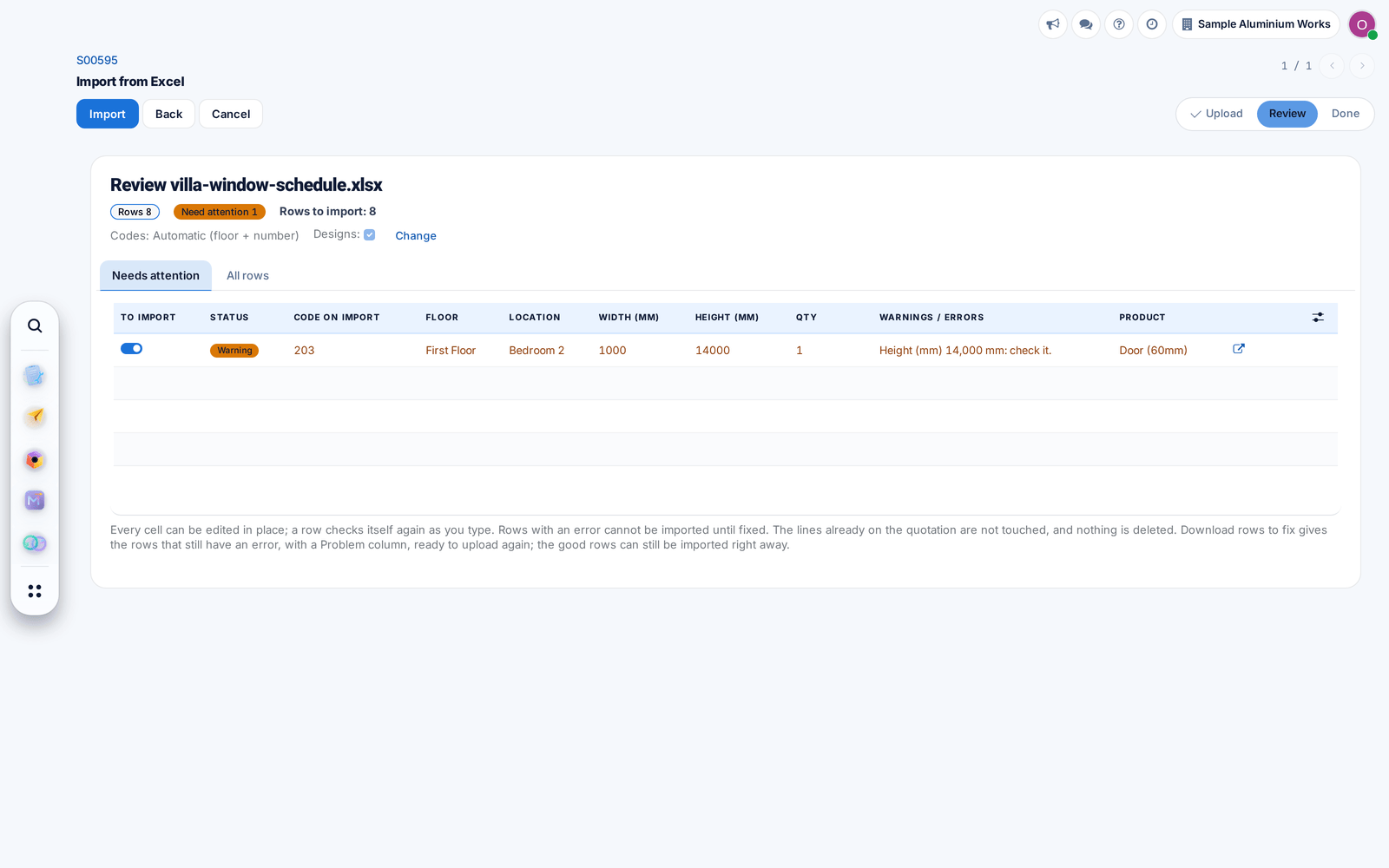
Import quotation lines from Excel

Load a window schedule from Excel, in English or Arabic, into a draft quotation. Lines are added and drawn automatically, with doubtful rows held back for checking.

Ask about this Link copied
The review of an Excel window schedule with one row held back for checking

27 Sep

2026 Release 2026.09.27 3 new
New Technical Office & Survey

Pre-quote surveys get their own list

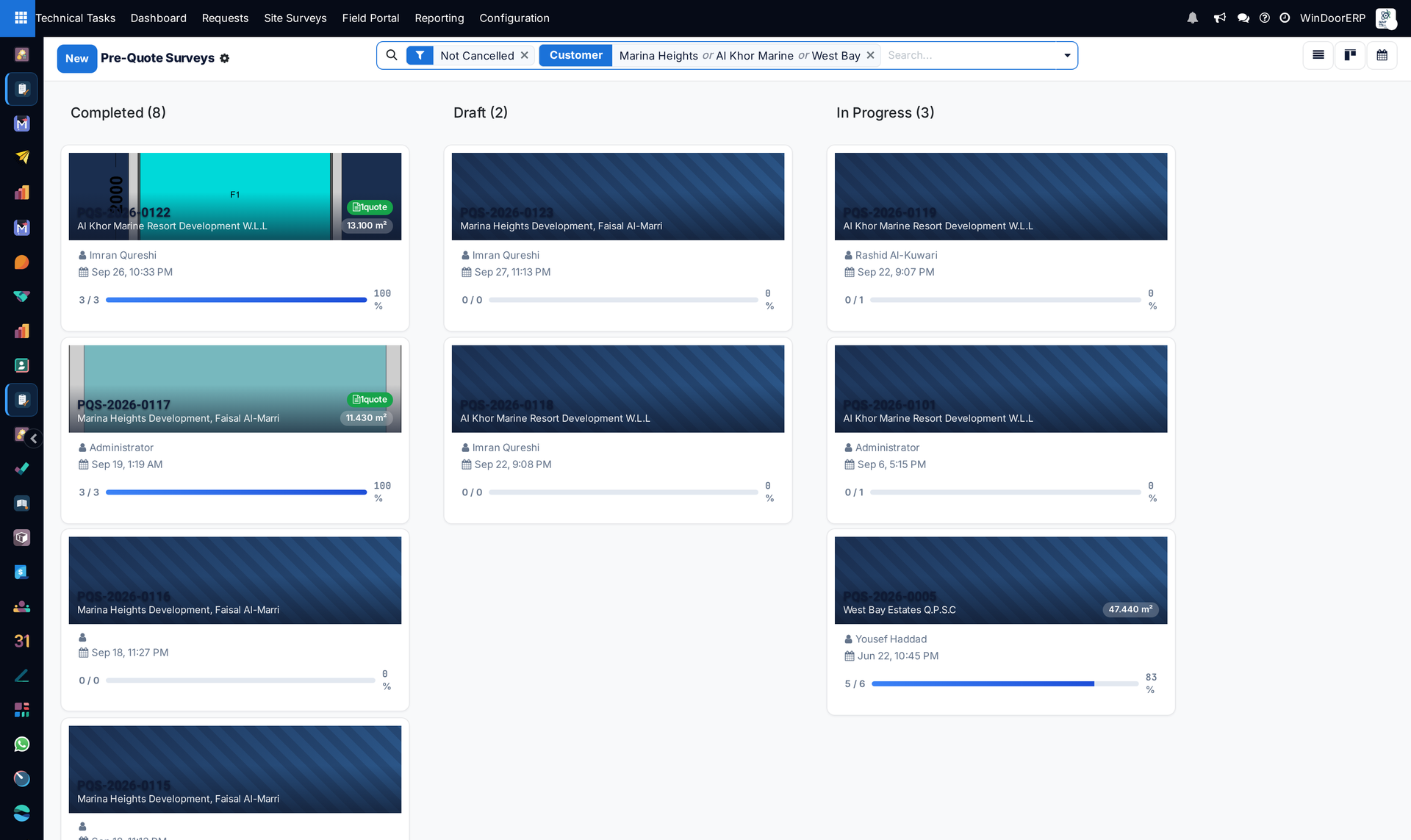
Measurements taken before the price now have their own list, without an approval step, while the combined views still show both kinds of survey.

Ask about this Link copied
Pre-quote surveys grouped by status, each card with its customer, surveyor, date and progress
New Technical Office & Survey

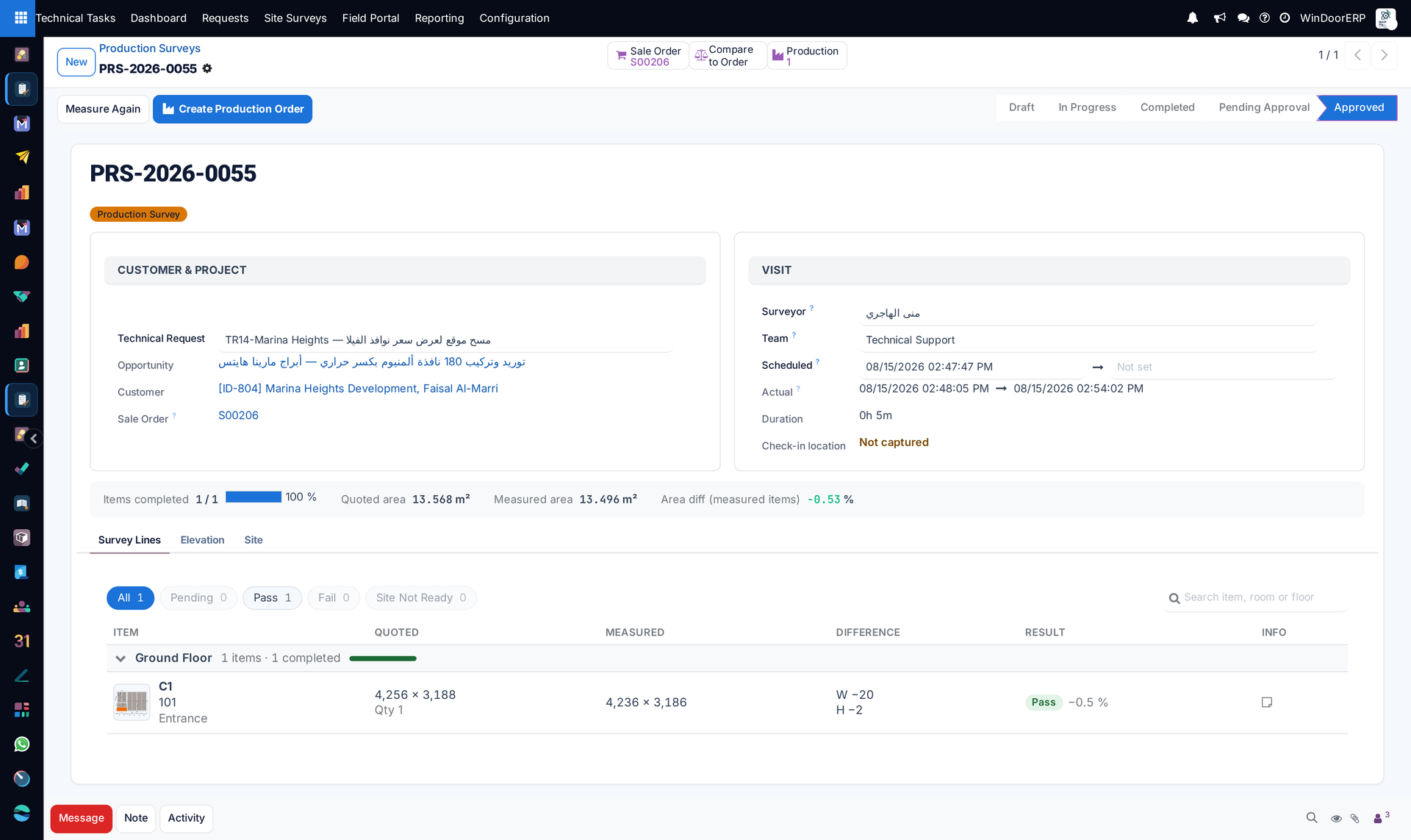
Measure Again

Send chosen items back to site with a reason and a visit date. Sizes already on the order stay until the new ones are approved.

Ask about this Link copied
A production survey with the Measure Again button, quoted and measured sizes side by side and the difference per item
New Technical Office & Survey

Survey reminders every morning

Every morning the system sends the day-before visit reminder and the overdue survey notice, once an outgoing mail server is set up.

Before: Nothing sent these reminders.

Ask about this Link copied

20 Sep

2026 Release 2026.09.20 1 new
New Sales & QuotationsTechnical Office & Survey

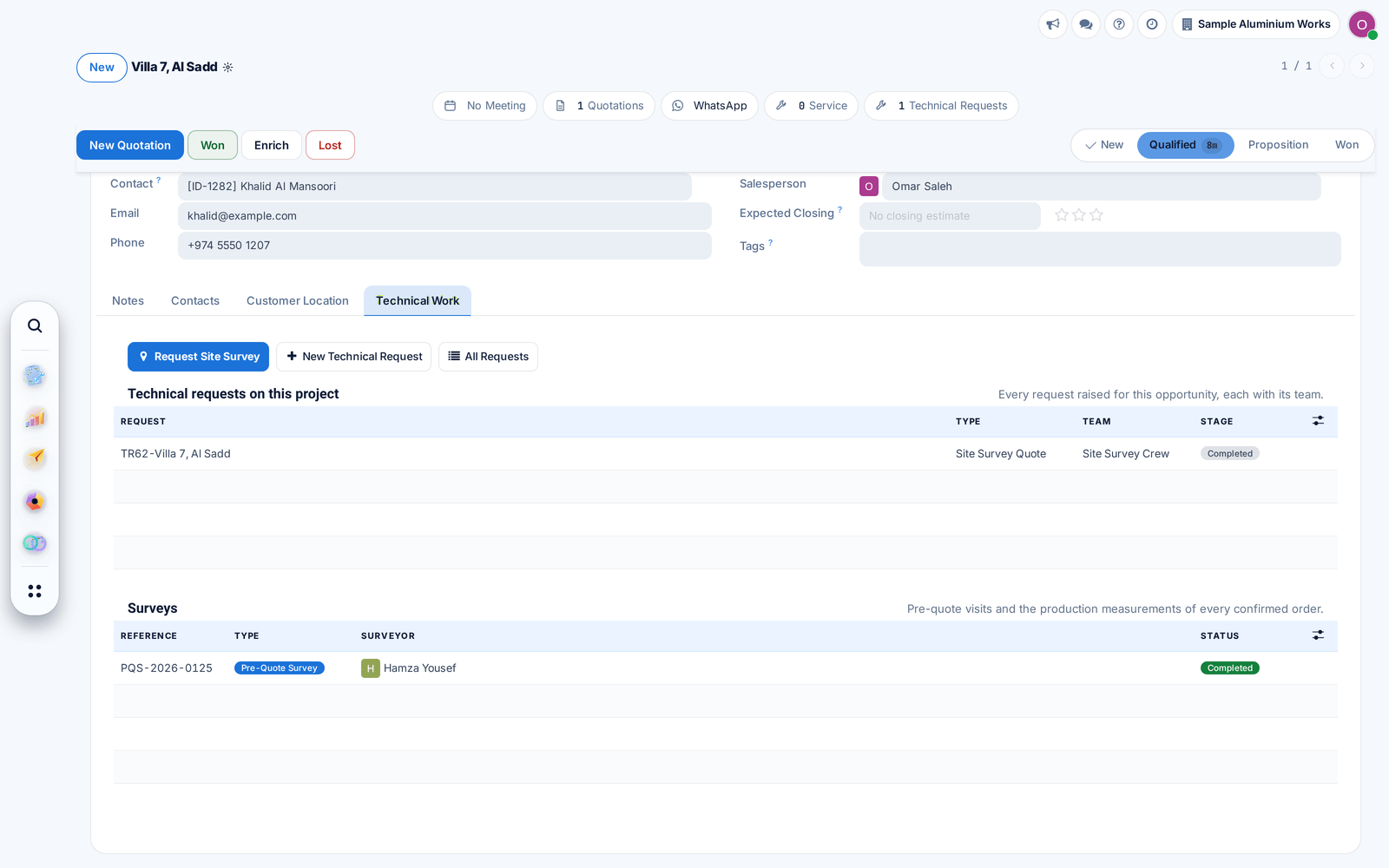
Technical Work tab and Dispatch

A technical request shows its surveys, quotations and measurements on one tab. Unassigned surveys wait for dispatch, and requests move forward as the work is done.

Before: Each step was moved by hand.

Ask about this Link copied
The Technical Work tab of an opportunity with its requests and surveys

13 Sep

2026 Release 2026.09.13 1 new
New Sales & QuotationsDesign & Estimation

Hardware colours and handles, priced as extras

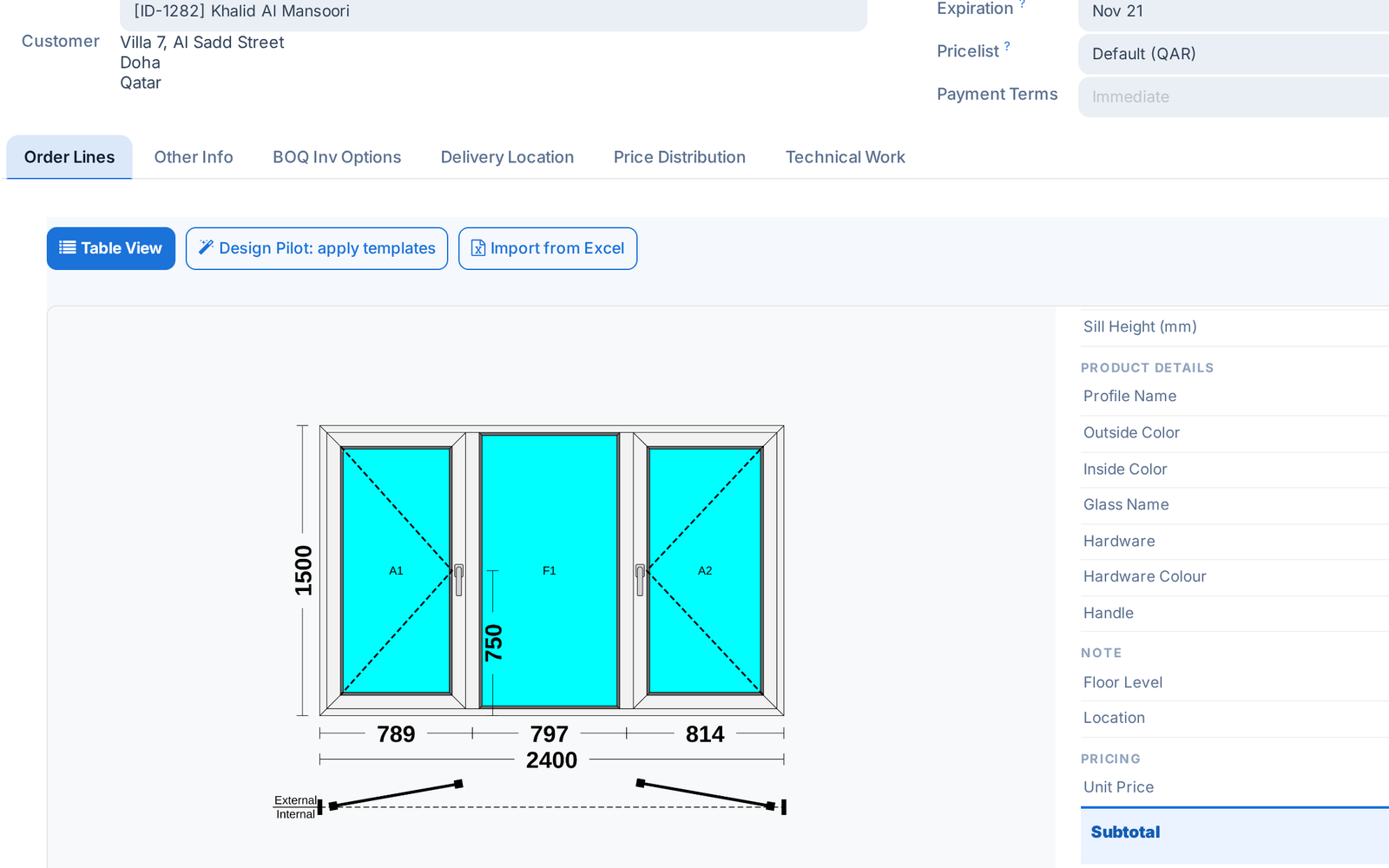
Choose the hardware colour and handle type per window. The difference from the series' standard set is priced as an extra on the quotation line.

Ask about this Link copied
A quotation line card with the hardware colour and handle of the window