Hero
Order-line drawing
Smart pricing
Order line status
Material sales
Window schedule import
Snapshot revisions
Discount approval
Numbers
Next
CTA
Sell & design02 of 17 · Sales engineer, estimator
Draw the opening. The quotation prices itself.
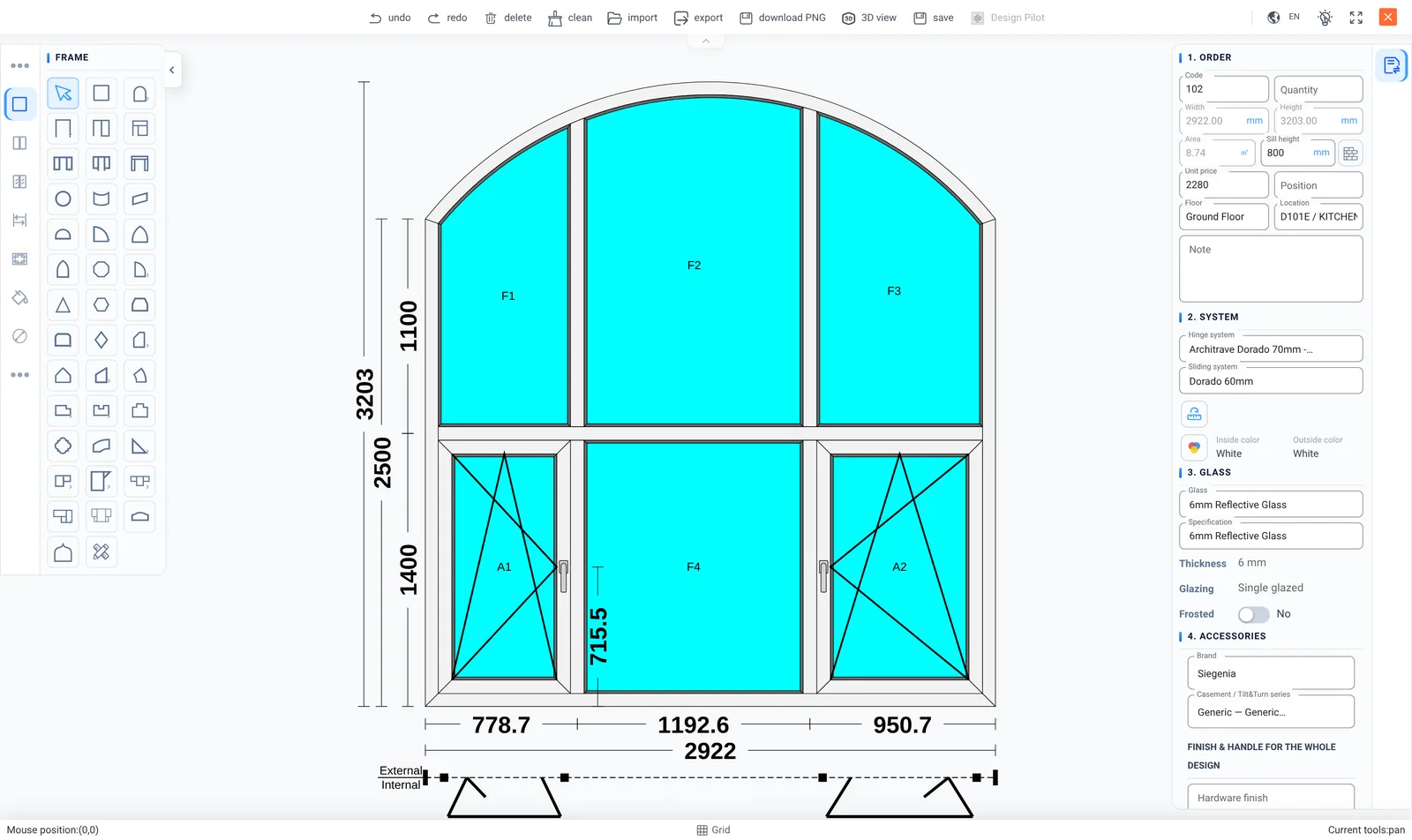
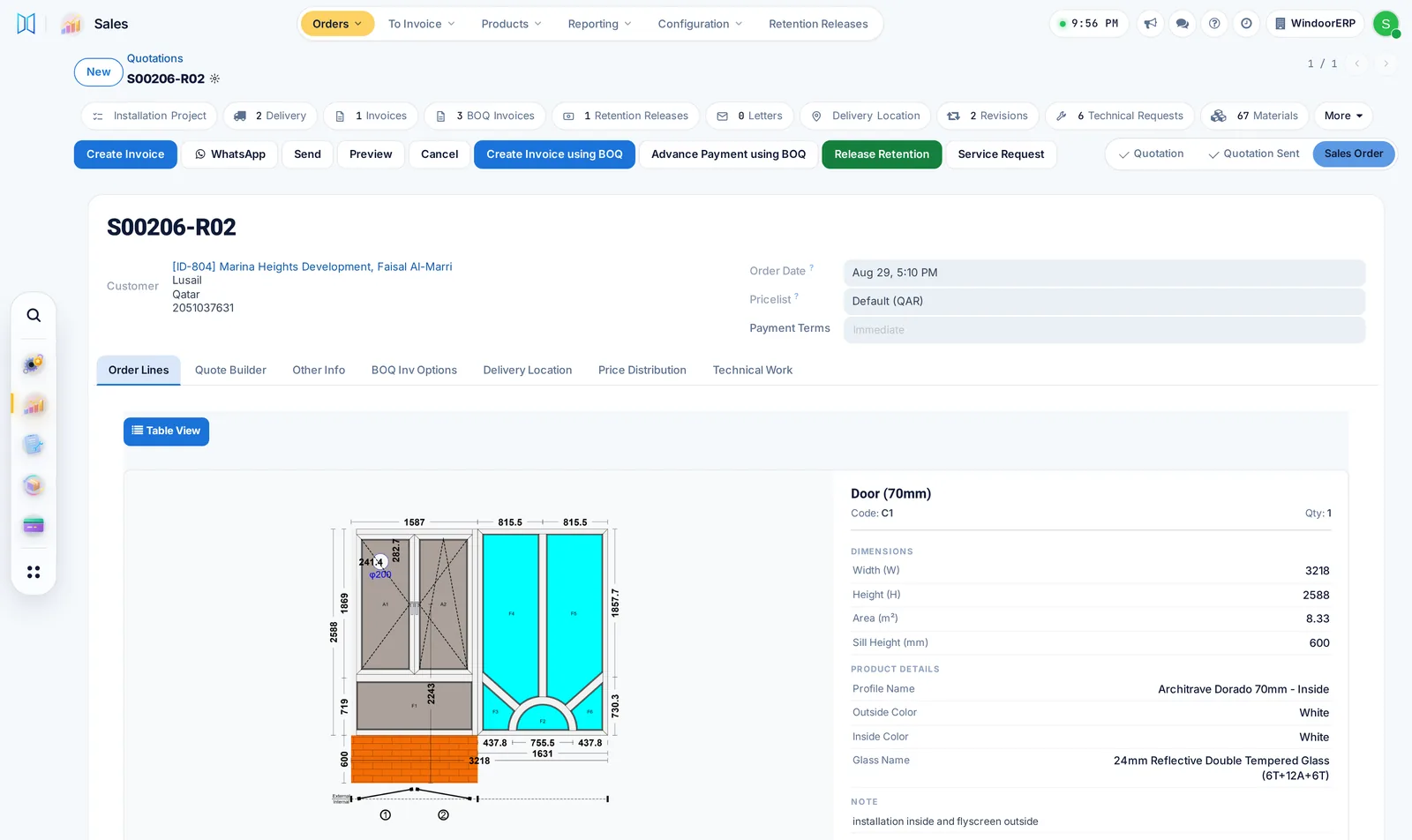
An estimator should not have to describe a window in words. With this window and door quotation software they draw it, and the quotation, the parts list and the price all come out of the same drawing.
01Order-line drawing
The drawing lives on the order line
SoloWorkshopFactory
- Draw the unit inside the order — frame, sashes, glazing, grille, sill
- Profile system, colours inside and out, glass build-up and floor level on the line itself
- A quotation PDF that prints the drawing beside the price, paginated so no card splits across a page
- Change the glass on all items in one step; material lists and prices recalculate

02Smart pricing
Price by area, material cost, aluminium weight, colour or any mix of them
SoloWorkshopFactory
- Write the price as a formula on what the drawing already knows: area, width, height, the material cost of the design, the aluminium weight, colour extras, hardware and labour
- Mix them the way you price: an area rate with a 1 m2 minimum, a rate per kilo of aluminium, or material cost plus overhead and margin, whichever is higher
- A different formula for dark colours, a system, a customer or a size, picked by rules in the order you set
- Quantity breaks, customer-only prices, minimum margin and rounding, all written as rules
- Versions and an approval step before a formula goes live; each line records the rule that matched and what it computed
- Distribute a negotiated total back across the lines without losing the audit


03Order line status
Every order line shows where it is, without asking anyone
SoloWorkshopFactory
- Surveyed, produced, delivered and installed counts on every line, filled in by the teams as they work
- Green when a step is complete, amber while it is under way, faded when it has not started
- Point at a line for the full numbers: 14 of 15 delivered, 0 of 15 installed
- Invoiced and still to invoice on the same order
- Sales answers "where is my window?" from the order, without ringing the factory or the site

04Material sales
Sell material too, not only windows and doors
SoloWorkshopFactory
- Profiles, glass, hardware, accessories and sealants sold on the same quotation as the windows, or on an order of their own
- The system knows a trade item from a window: no survey, no production and no installation visit for it
- A material-only order goes from quotation to delivery and invoice, with no project opened
- Delivered from stock with a delivery note; the stock goes down as it leaves
- What is short shows up in replenishment, ready to buy
- One customer account for windows and material, so the history and the balance stay together

05Window schedule import
Start from the customer's window schedule
SoloWorkshopFactory
- Upload the schedule from Excel; every line lands on the quotation with a drawing at its size
- Window codes, floors and rooms kept on each line
- Fill every drawing in one go from ready layouts, then review

06Snapshot revisions
Revisions you can actually show a customer
SoloWorkshopFactory
- Each revision (R01, R02) is kept exactly as the customer saw it
- Prices, payment terms and taxes frozen as they were on the day you sent it
- The revision list on the order, so the conversation has a record
- Add your cover, company profile and terms pages around the drawing quotation
- Send the quotation by WhatsApp and keep the chat on the order

07Discount approval
Discounts that need a yes
WorkshopFactory
- Choose who may confirm a quotation: named people or whole groups
- Sales asks for the discount on the order; the manager answers there
- The manager tries the new price and sees the margin before saying yes
- Leave the list empty and every salesperson confirms their own quotations

What this desk watches
The numbers on the wall
Sales reports by salesperson, product and customer, plus ready sales dashboards.
Quotation turnaround
Win rate by revision count
Average discount against the price rule
What it produces
01A quotation with the drawings on it
02A revision history
03A confirmed order that opens a project