
Skip to Content
What's new

Every change we ship, shown and explained.

Latest release 29 Oct 2026
The Friday email

Only in weeks when something ships.

29 Oct

2026 Release 2026.10.29 8 new3 improved2 fixed
New Sales & QuotationsDesign & Estimation

Change the glass on a whole quotation

One action swaps the glass on every item of a quotation, refreshes each design's material and recalculates the prices. Beads change only where the thickness does.

Before: Item by item in the designer.

Ask about this Link copied
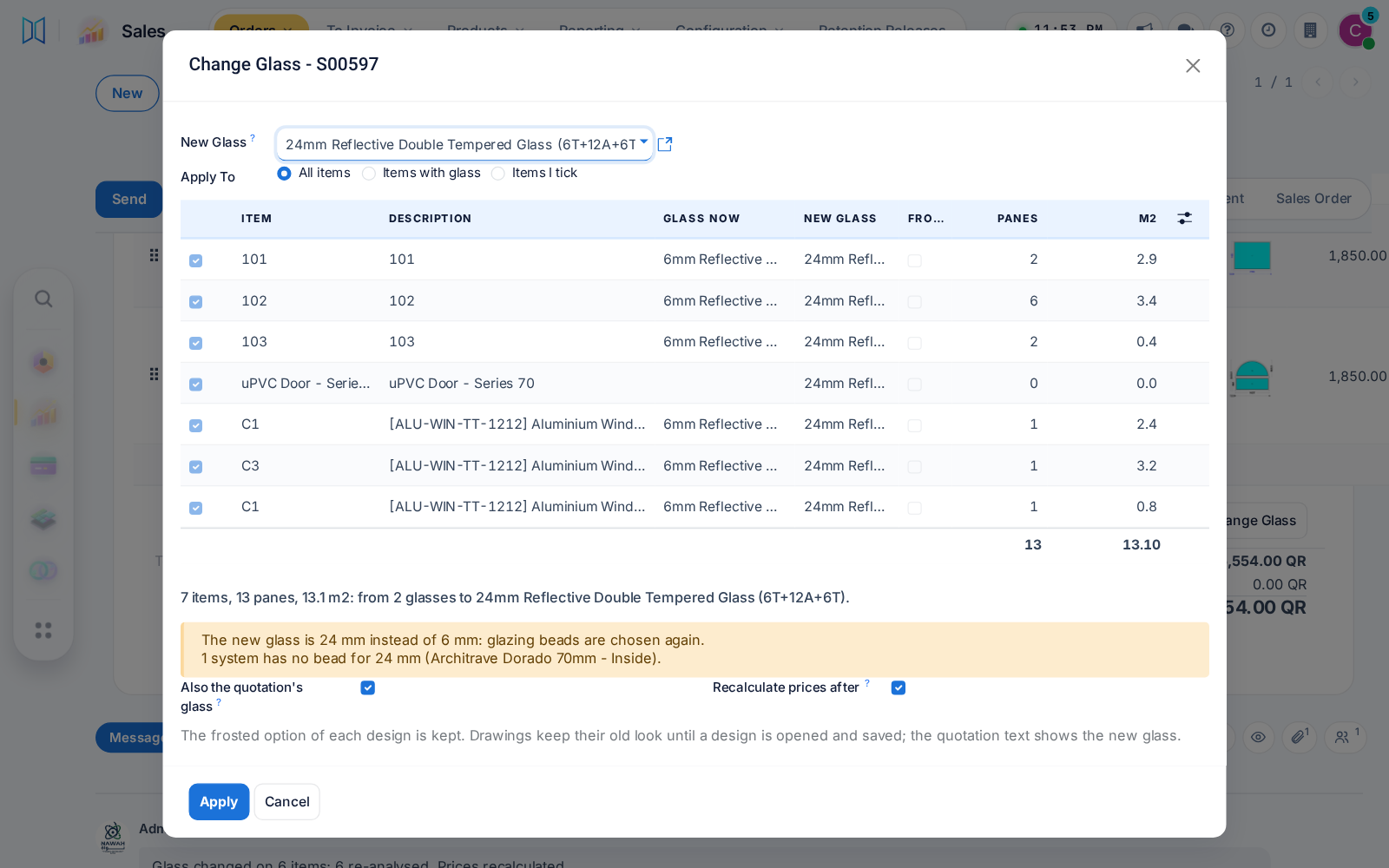
Change Glass dialog for every item of a quotation
Improved Whole system

A steadier phone screen

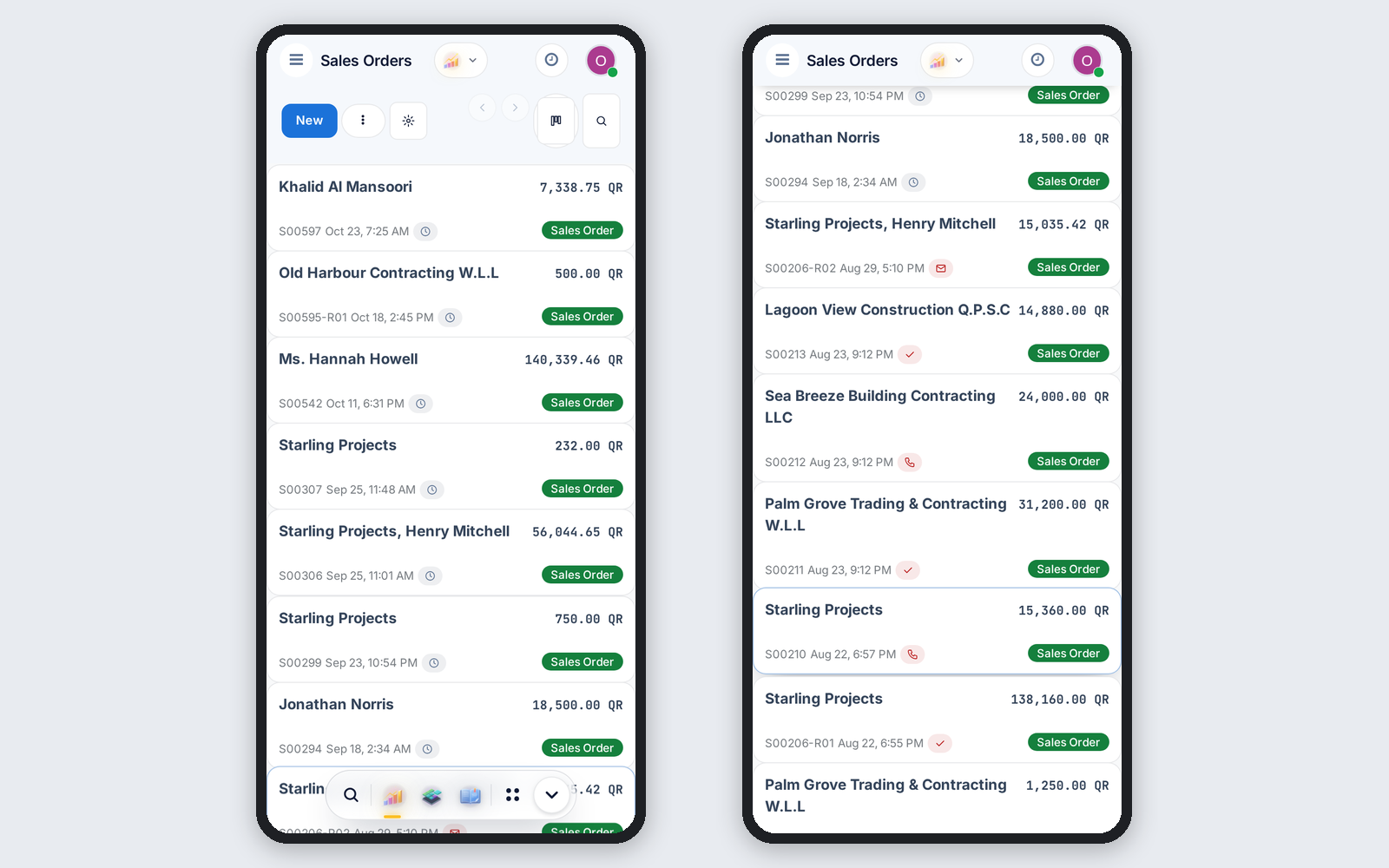
On the phone, the pinned search bar keeps a solid background and the app dock steps aside while you scroll down, then returns.

Ask about this Link copied
Phone list: dock at rest, then away with pinned search bar
New Sales & Quotations

Choose who confirms orders

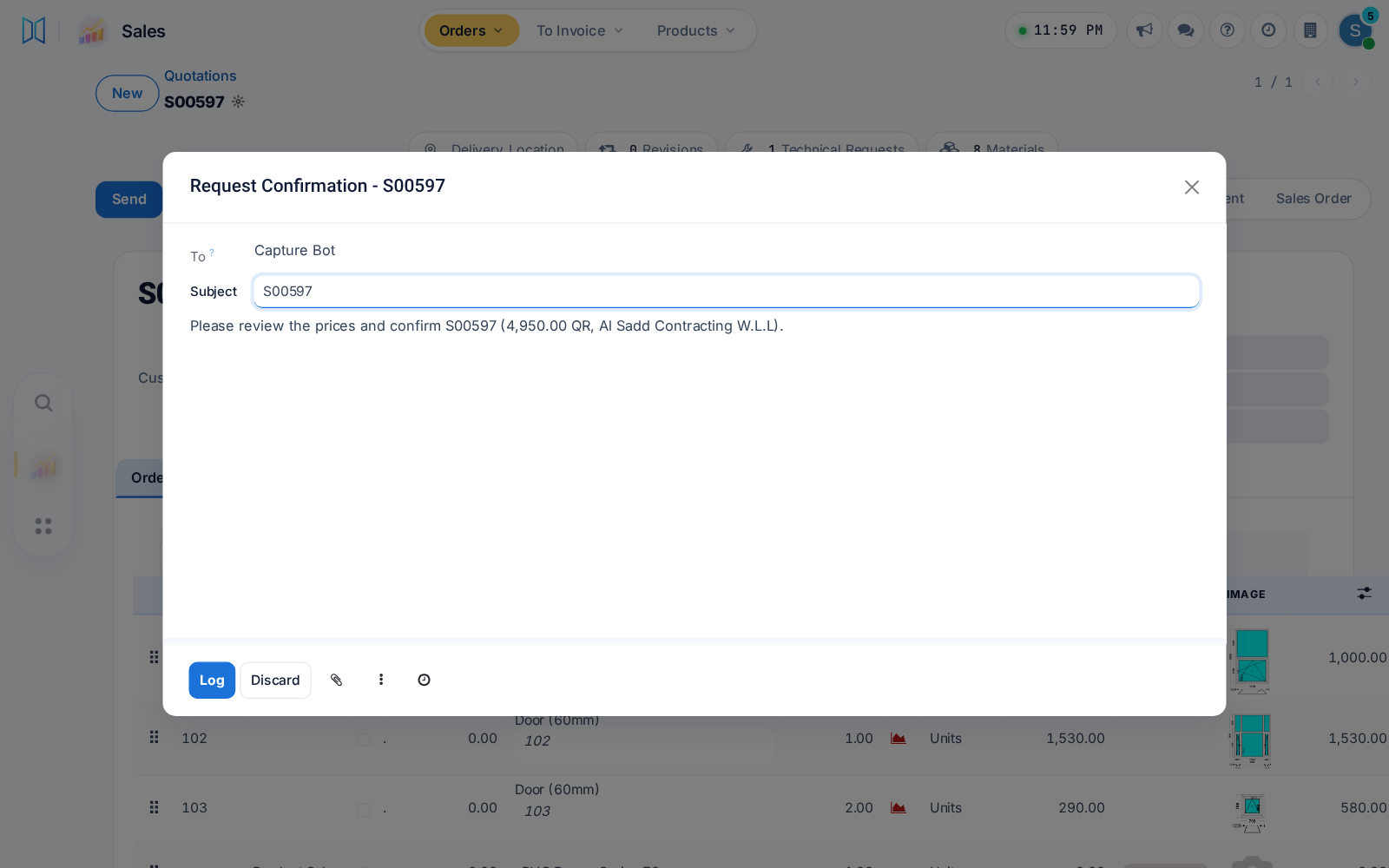
Name the users or groups who may confirm orders; others press Request Confirmation, and orders signed or paid online wait for them. An empty list keeps today's way.

Ask about this Link copied
Salesperson asks a named confirmer to confirm a quotation
New Sales & QuotationsProductivity & Cost Control

Try a price before you give it

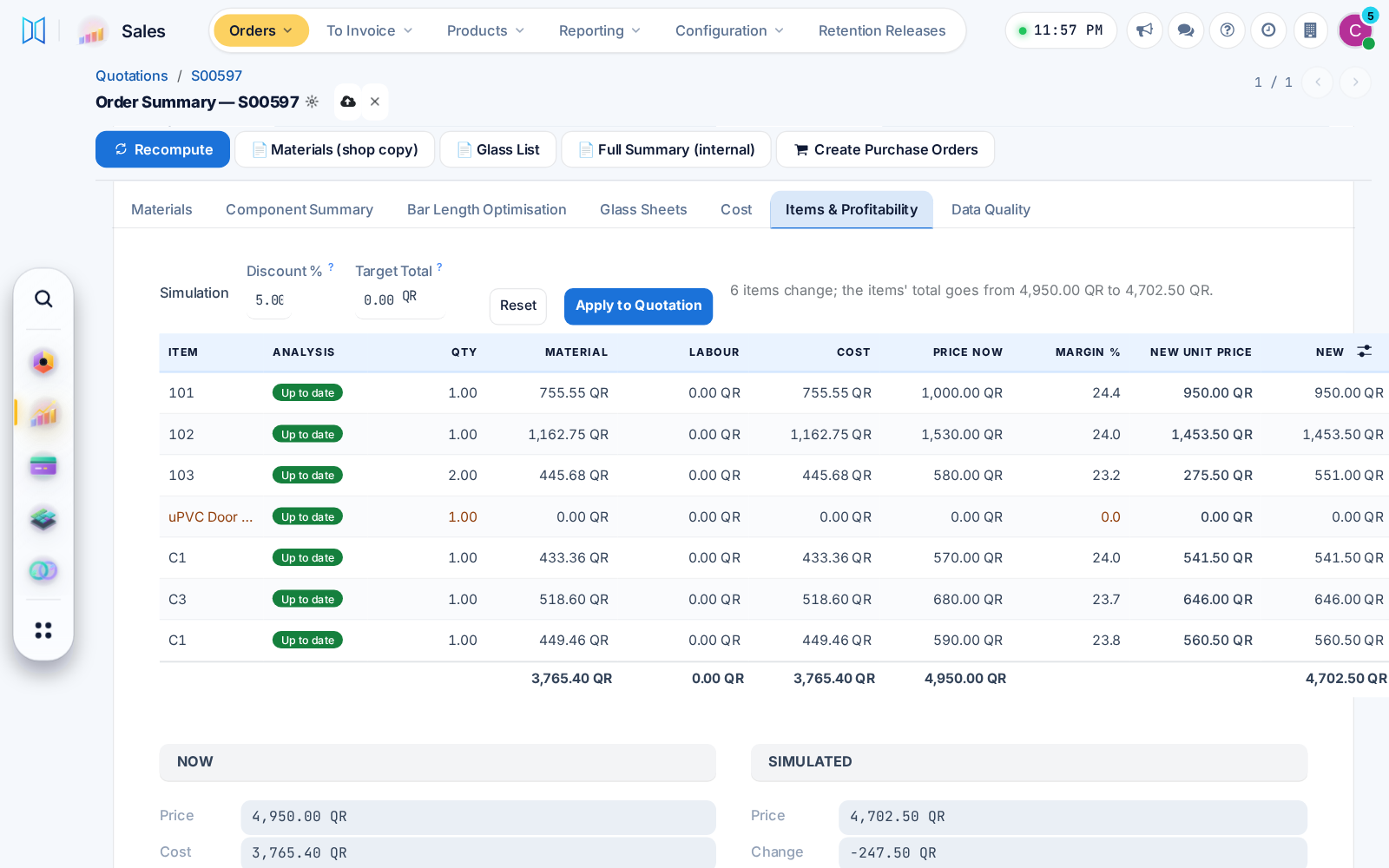
Items & Profitability simulates a new unit price, discount or target total and shows the new margin. A confirmer applies it to the quotation in one press, logged on the order.

Ask about this Link copied
Price simulation with a 5% discount and new margins
Improved Sales & QuotationsProductivity & Cost Control

Order cost only for those allowed

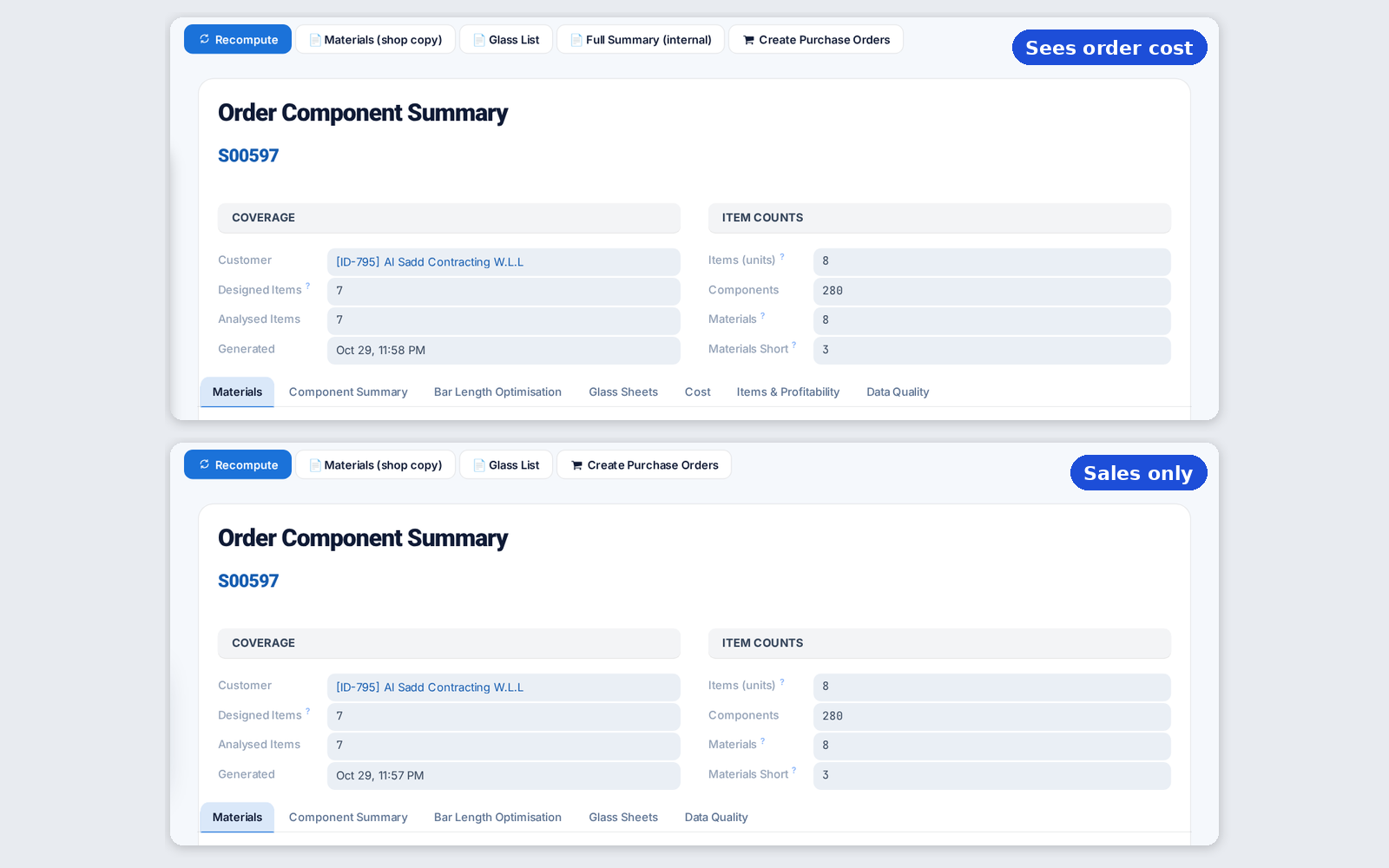
Once confirmers are named, cost and margin show only to people with the order cost right, on screens, prints and exports, long-piece savings included.

Ask about this Link copied
Order summary with and without cost tabs
New ProcurementLogistics & Installation

Glass straight to the site

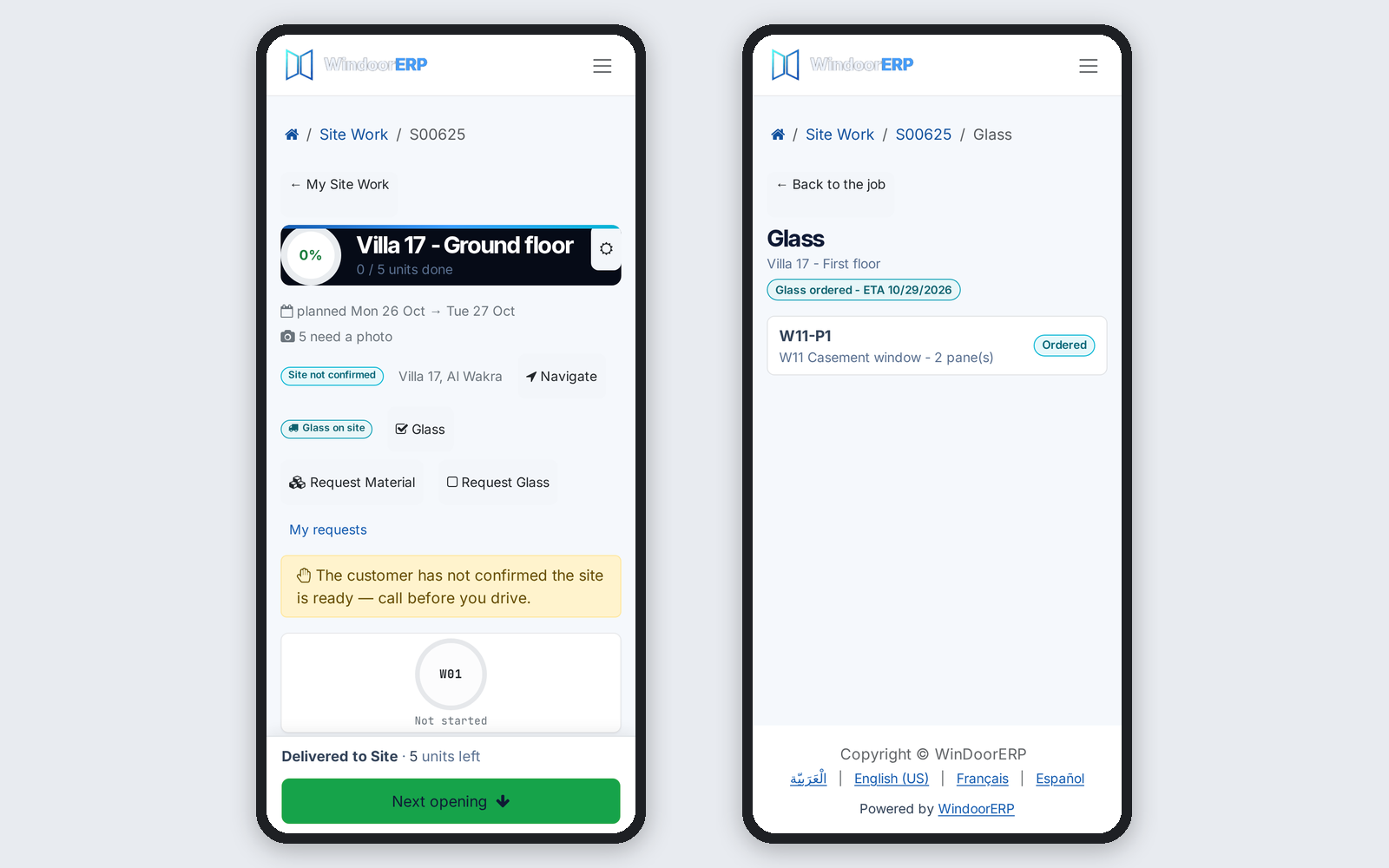
Glass can travel from the supplier straight to the site, one purchase order per work package. The crew ticks the panes received and reports broken ones from the phone.

Before: Glass came through the factory.

Ask about this Link copied
Crew phone: glass on site and glass ordered for a package
New ProcurementProduction & Shop FloorLogistics & InstallationAfter-Sales & Service

Glass requests to purchasing

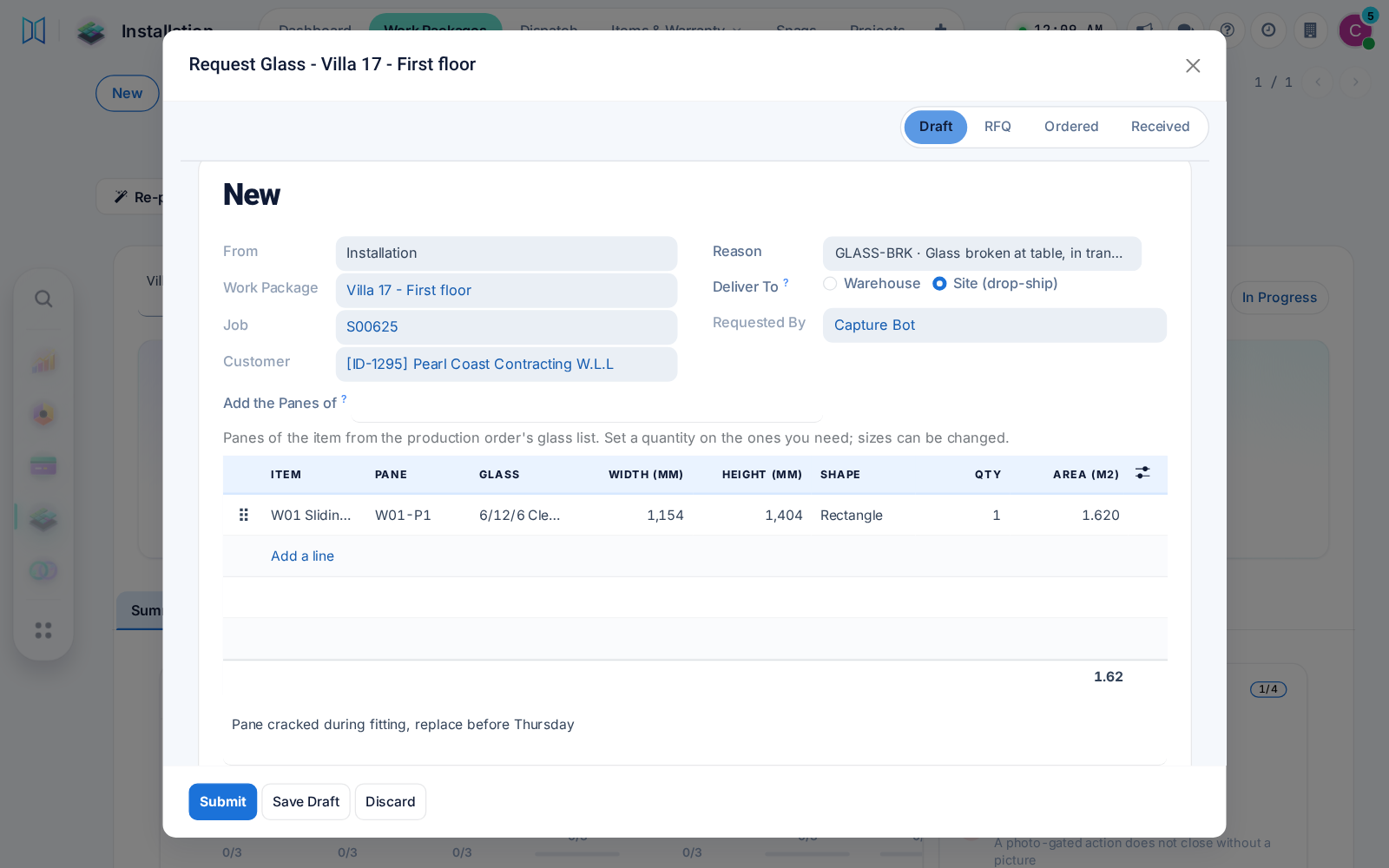
Production, installation and after-sales request glass by size or shape, with panes suggested from the design. Purchasing gets a draft request for quotation per supplier.

Ask about this Link copied
Request Glass dialog with a pane suggested from the design
New Inventory & WarehouseLogistics & Installation

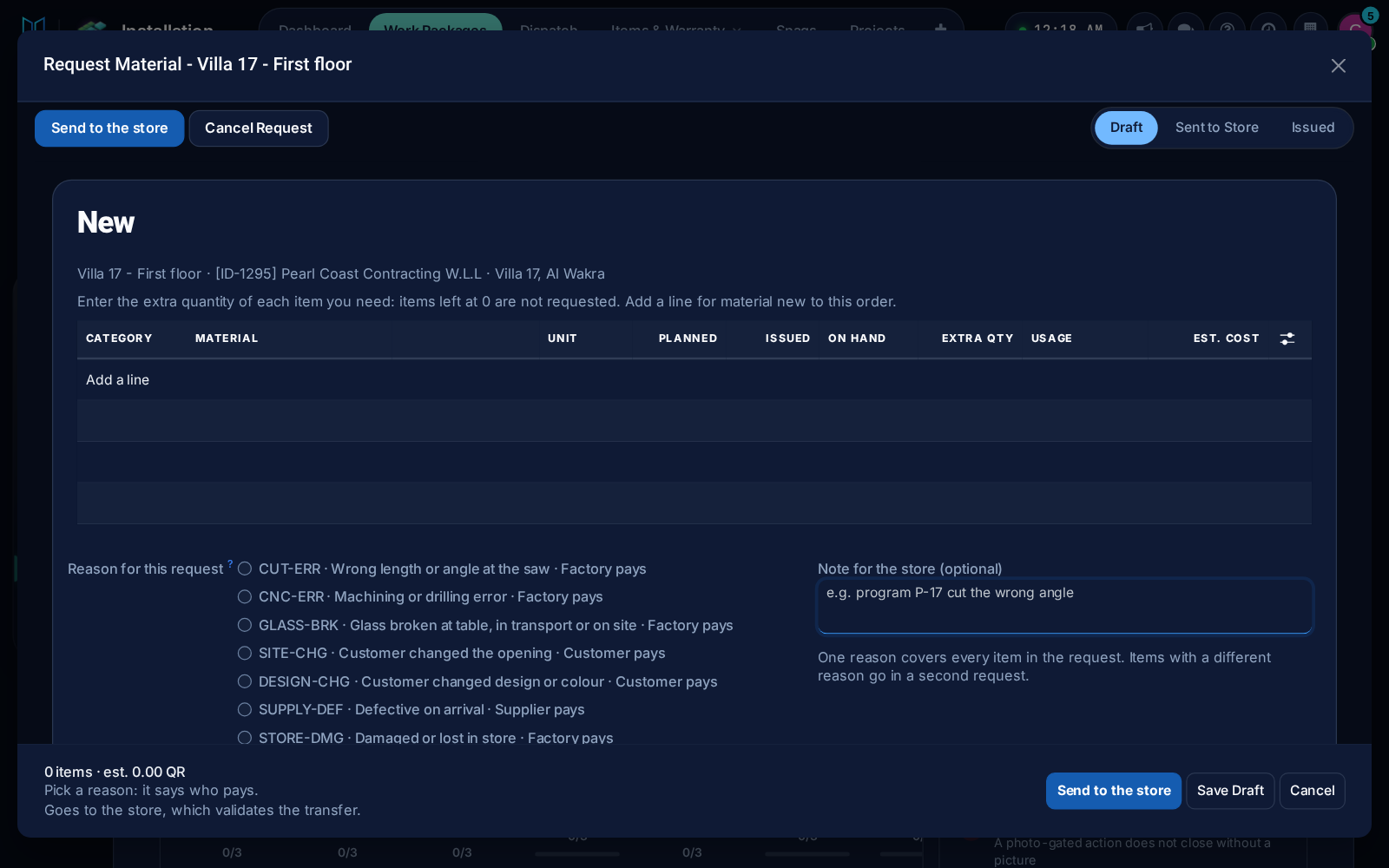
Request material from the store

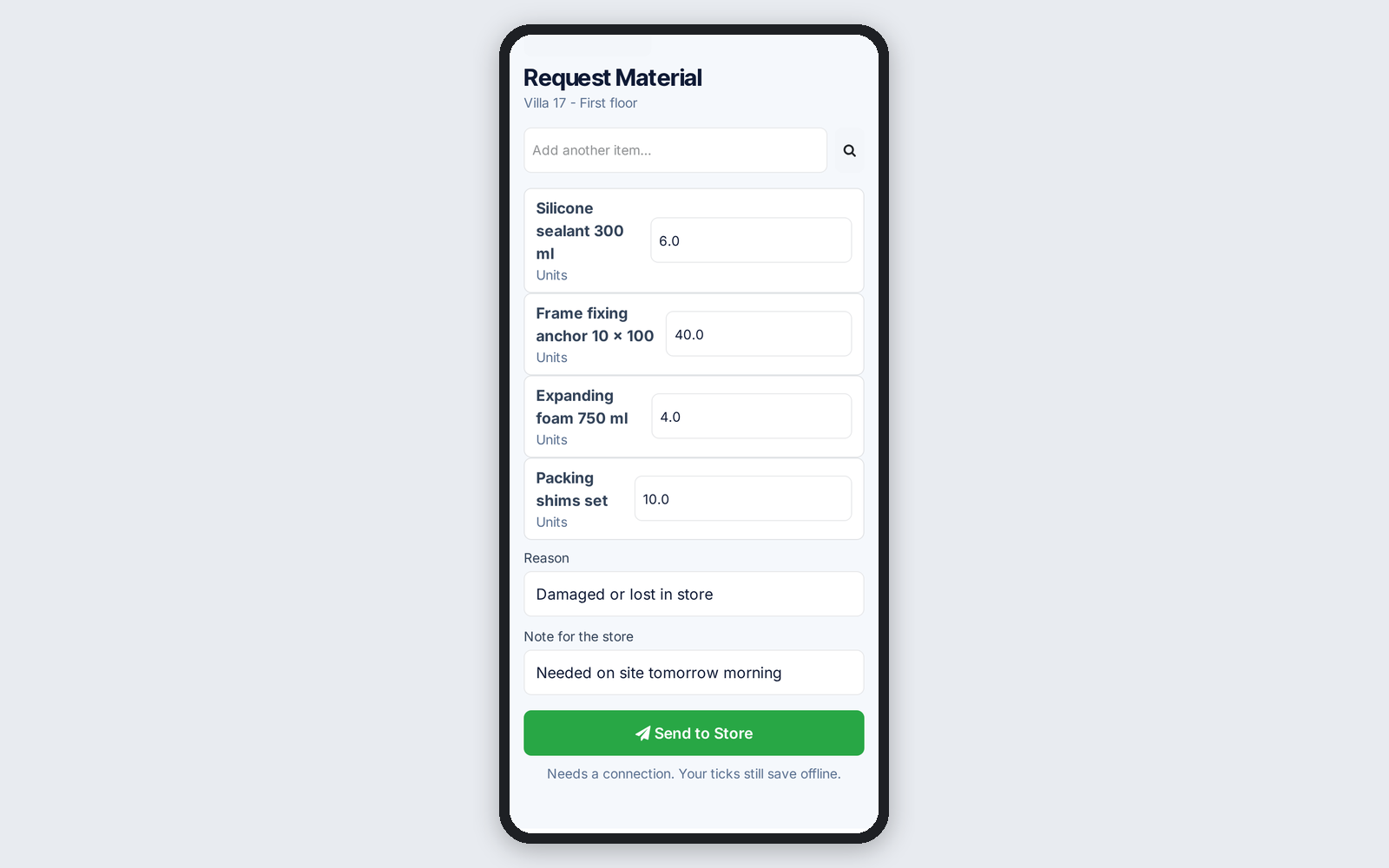
Work packages and the foreman's phone request material from the store with a reason, on the same form production uses for extra material.

Ask about this Link copied
Foreman's phone form requesting material from the store
Improved Sales & Quotations

Your PDF pages in the quotation with drawings

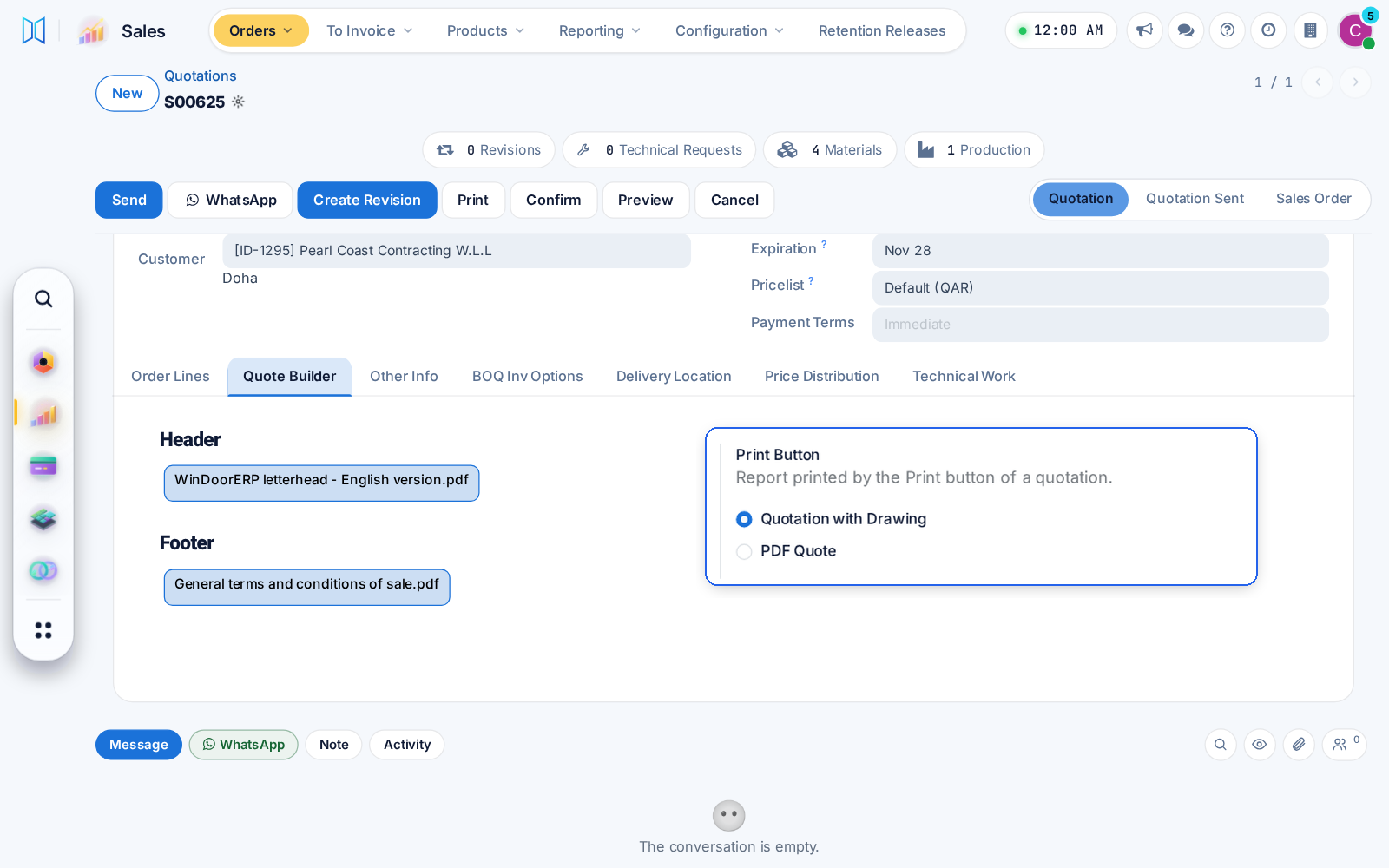
The quotation with drawings now carries the header, product and footer pages chosen on the order, and a Sales setting picks what the Print button prints.

Ask about this Link copied
Quotation header and footer pages with the Print Button setting
Fixed Design & Estimation

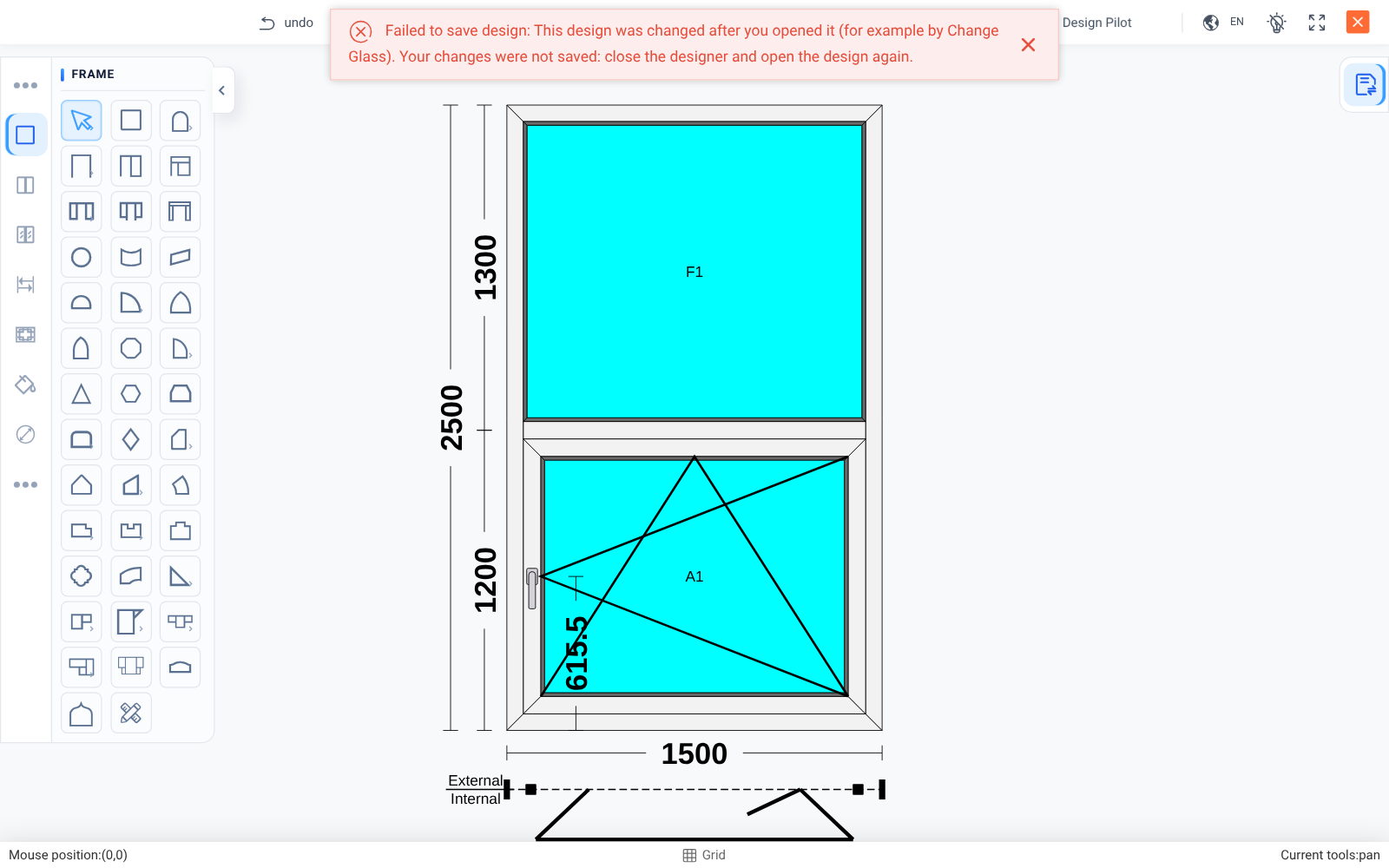
An open designer never overwrites newer work

A designer left open can no longer save over a design changed since, for example by Change Glass. It says so and asks you to reopen.

Ask about this Link copied
Designer refuses to save over a newer design
Fixed Logistics & InstallationWhole system

Planning and dark mode details

A crew given a job gets no reschedule email for it, finished packages book nobody, days on site follow your time zone, and dialog close buttons show in dark mode.

Ask about this Link copied
Dark mode dialog with a visible close button
New Planning & SchedulingLogistics & Installation

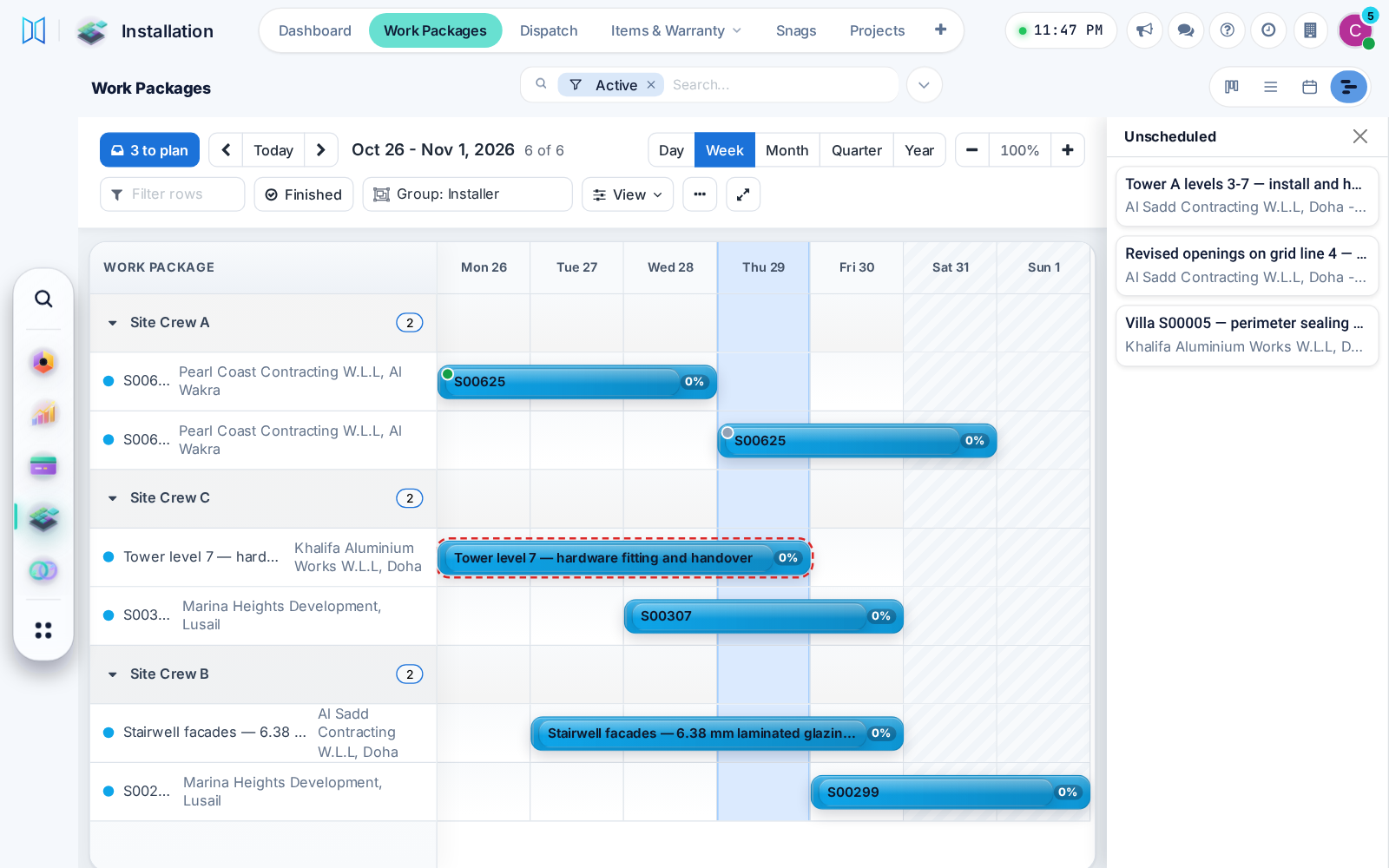
Plan installations on a Gantt

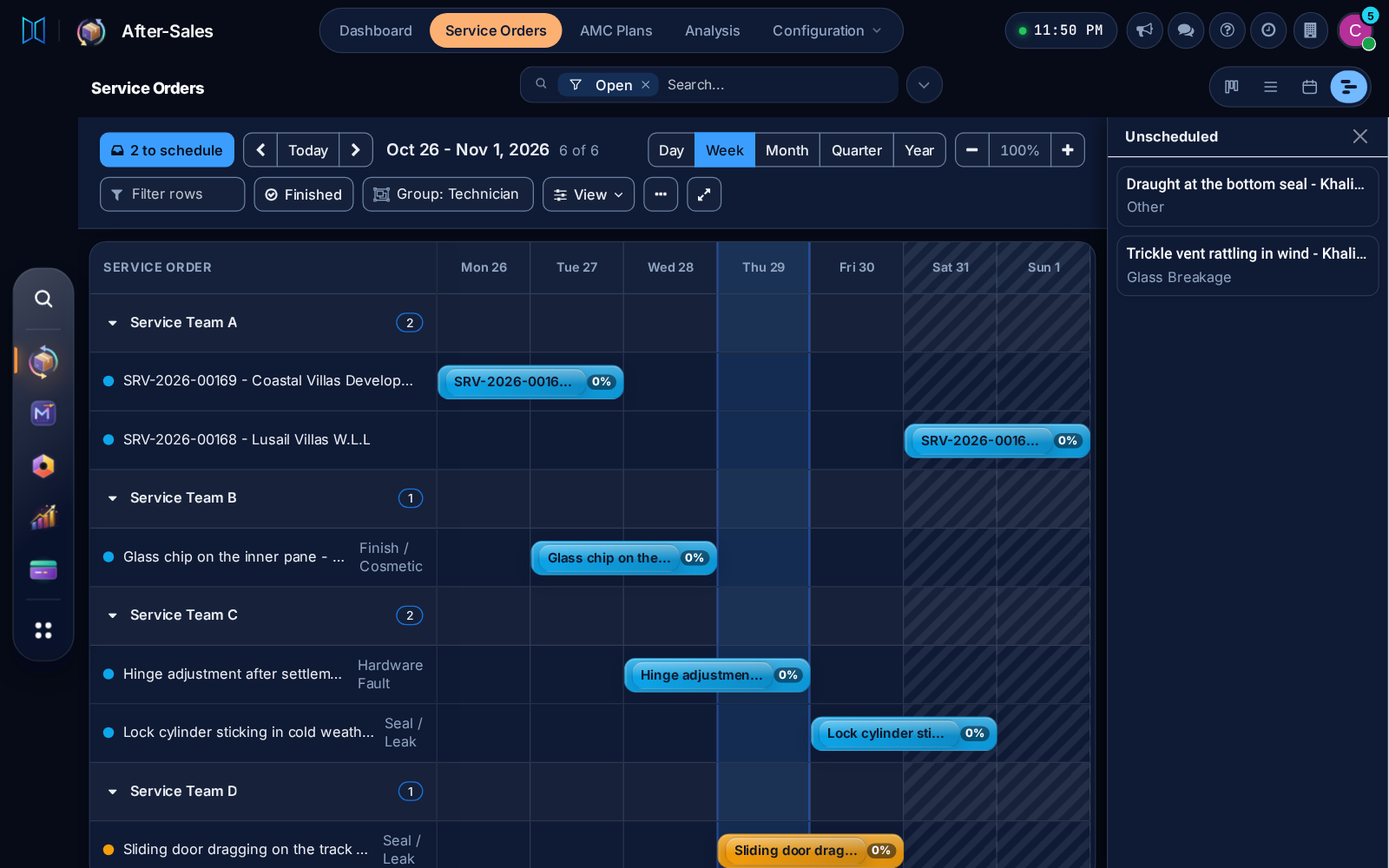
Work packages get a Gantt view: drag packages from a tray onto a day, move a bar to another crew, and spot double-booked crews, on desktop or phone.

Before: A separate schedule menu.

Ask about this Link copied
Work packages on a Gantt by crew, with tray and clash
New Planning & SchedulingProduction & Shop FloorAfter-Sales & Service

Production and service orders on a Gantt

Production orders and service orders use the same Gantt view, with its tray, dark mode and phone layout, so every schedule works one way.

Ask about this Link copied
Service orders on the shared Gantt view in dark mode

26 Oct

2026 Release 2026.10.26 2 new1 improved3 fixed
Fixed Technical Office & Survey

Measured items never counted as missing

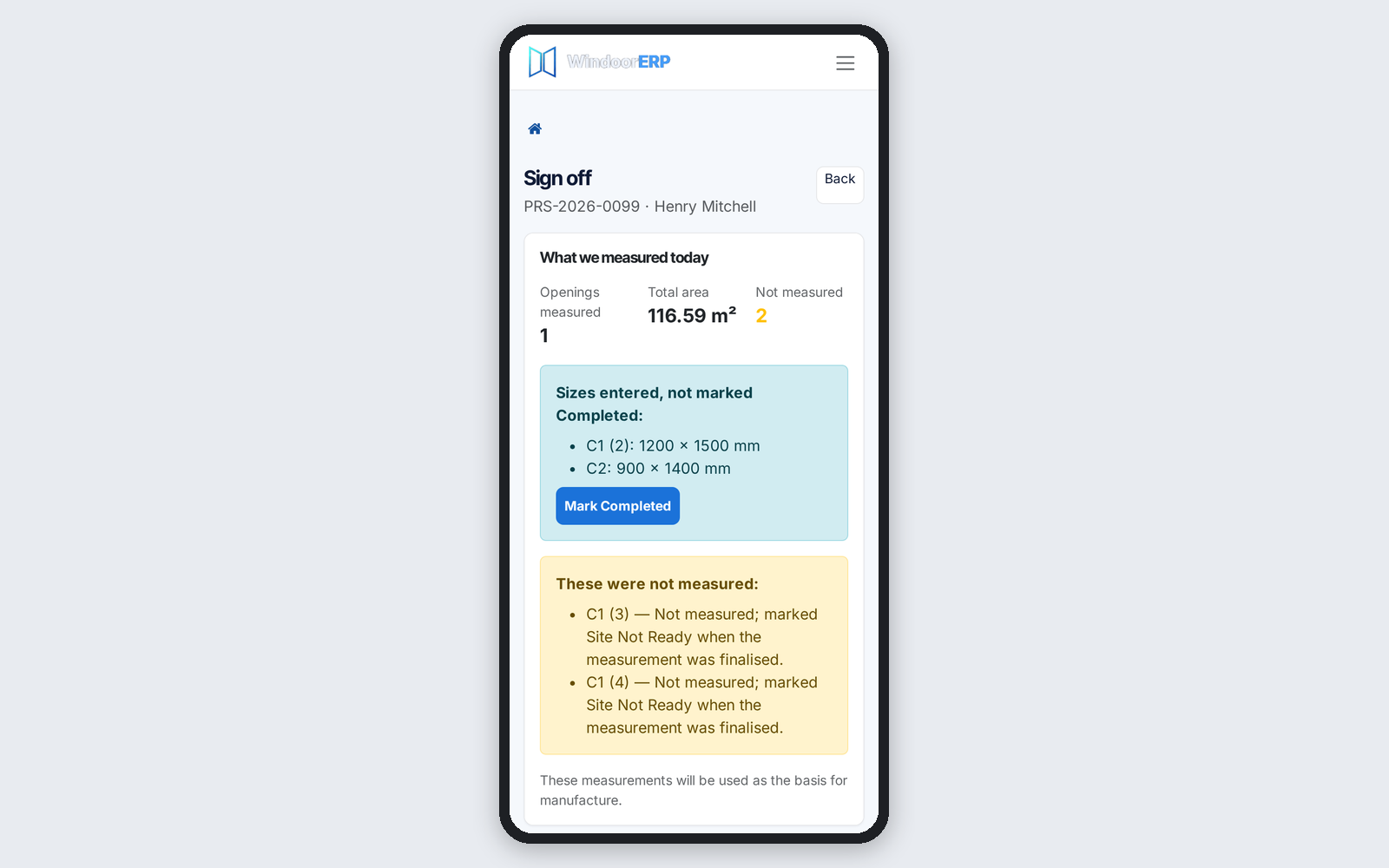
An item with sizes but no Completed tick is now listed apart and ticked in one press, in the office and on the phone. Site Not Ready only takes items without sizes.

Ask about this Link copied
Phone sign-off lists measured items not ticked, with Mark Completed
Improved Technical Office & Survey

The site address on every survey card

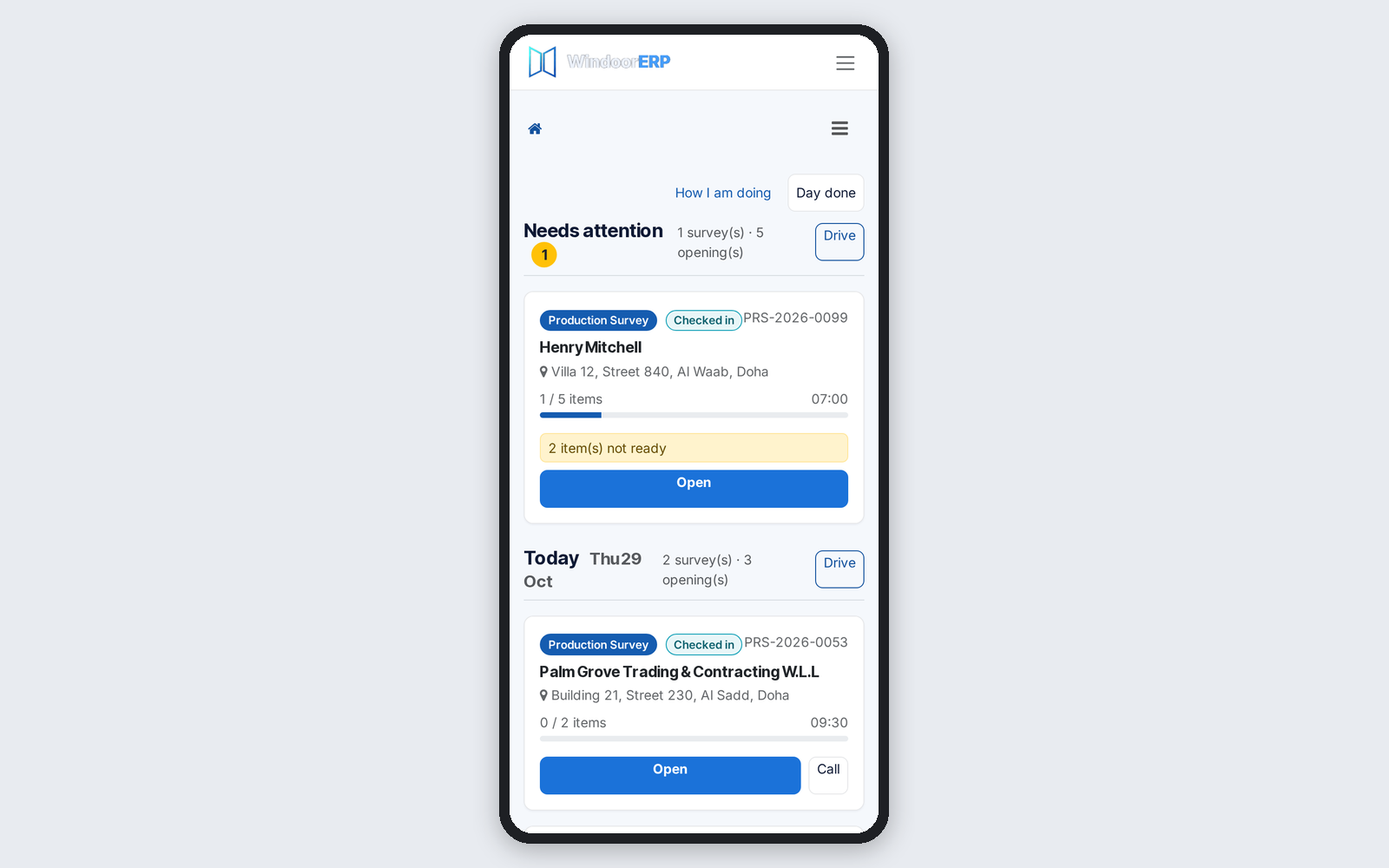
Phone survey cards and search rows show the site address, and a city search finds the site city. Bookings count only the items that need measuring.

Ask about this Link copied
Phone survey cards showing each site's street and city
New Technical Office & Survey

Mark obscure glass on the phone

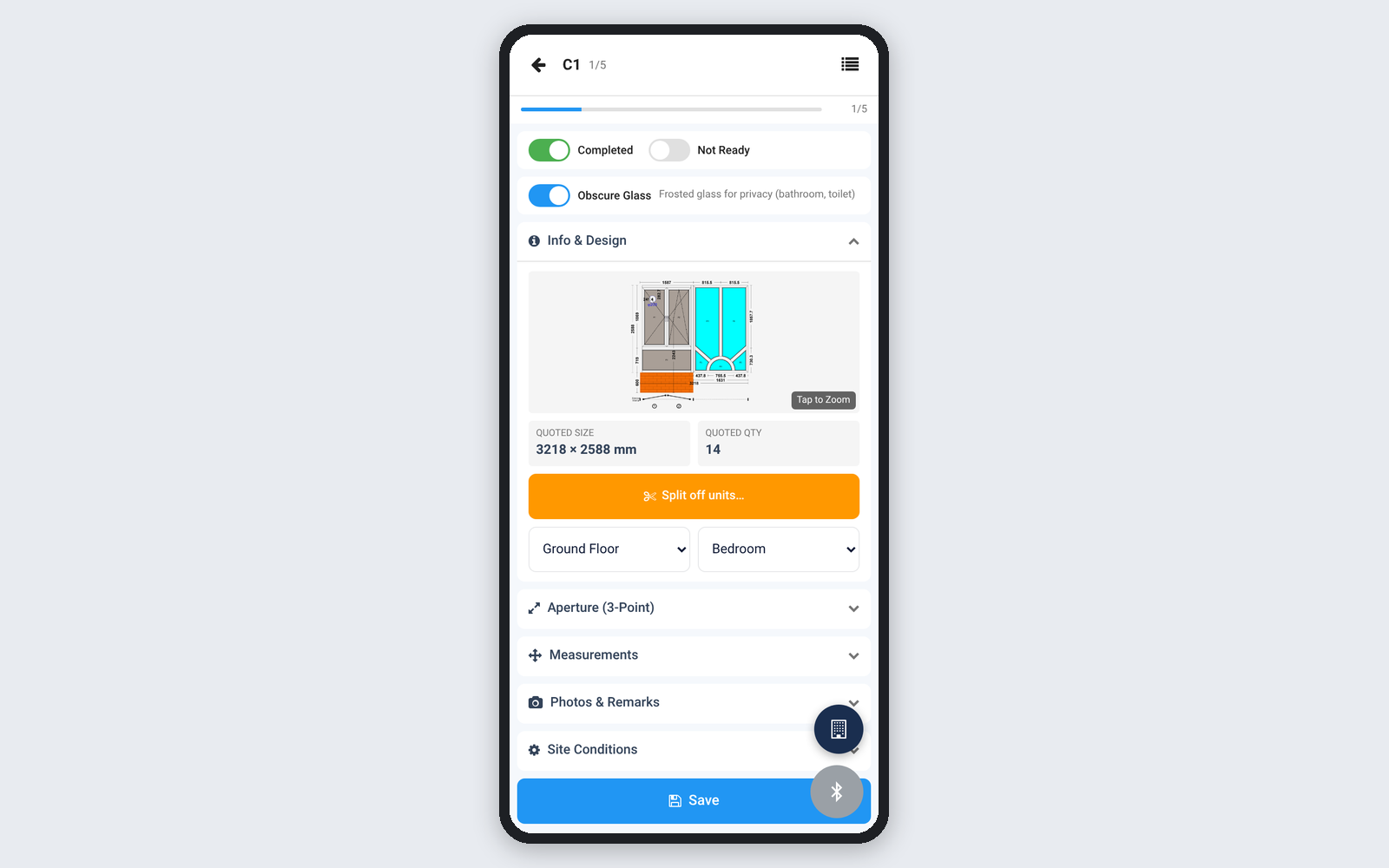
Surveyors can mark obscure glass on both phone measuring sheets, and the choice reaches the office with the item's sizes.

Ask about this Link copied
Obscure Glass switch on the phone measuring sheet
New Whole system

The whole system in Spanish

Every screen, the window designer and the home screen now speak Spanish, and the designer opens in each user's own language.

Ask about this Link copied
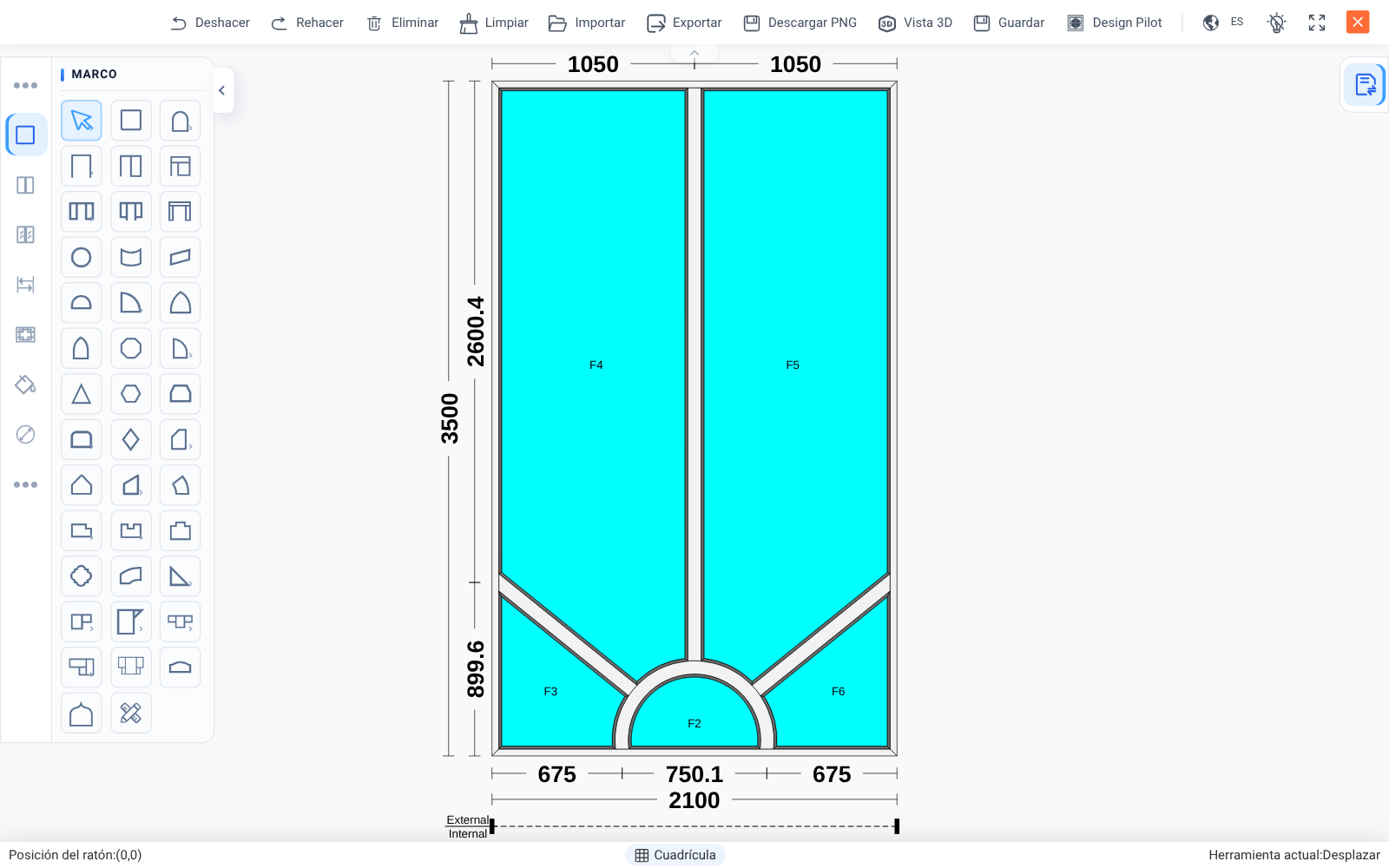
Window designer in Spanish
Fixed Sales & QuotationsDesign & Estimation

Design Pilot: right pictures, quicker pricing

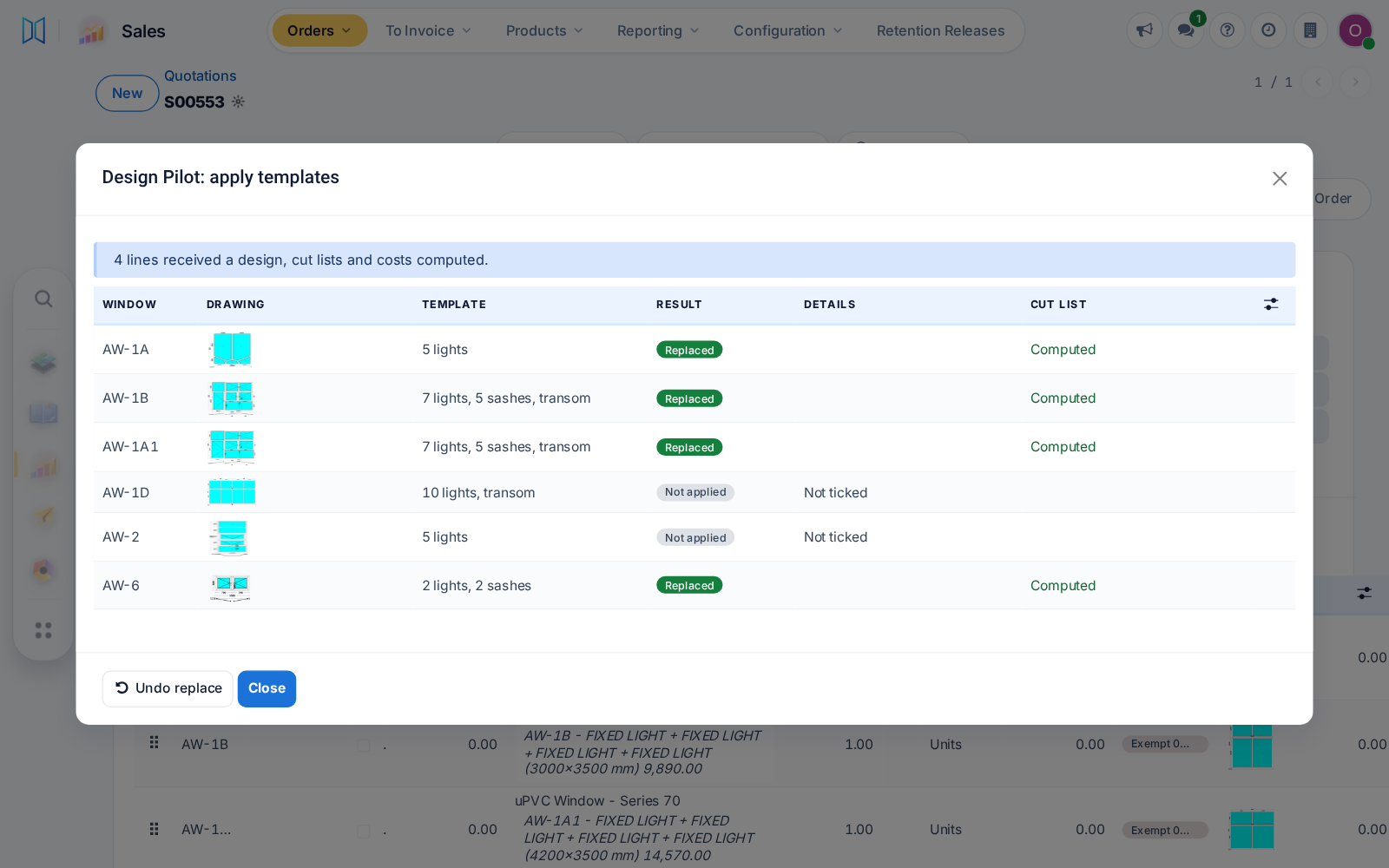
Design Pilot's finished list shows each line's own drawing, large quotations price faster, and revisions or copies keep their hardware extras instead of resetting them to zero.

Ask about this Link copied
Design Pilot results list with each line's own drawing
Fixed Whole system

Arabic reads right to left from the first page

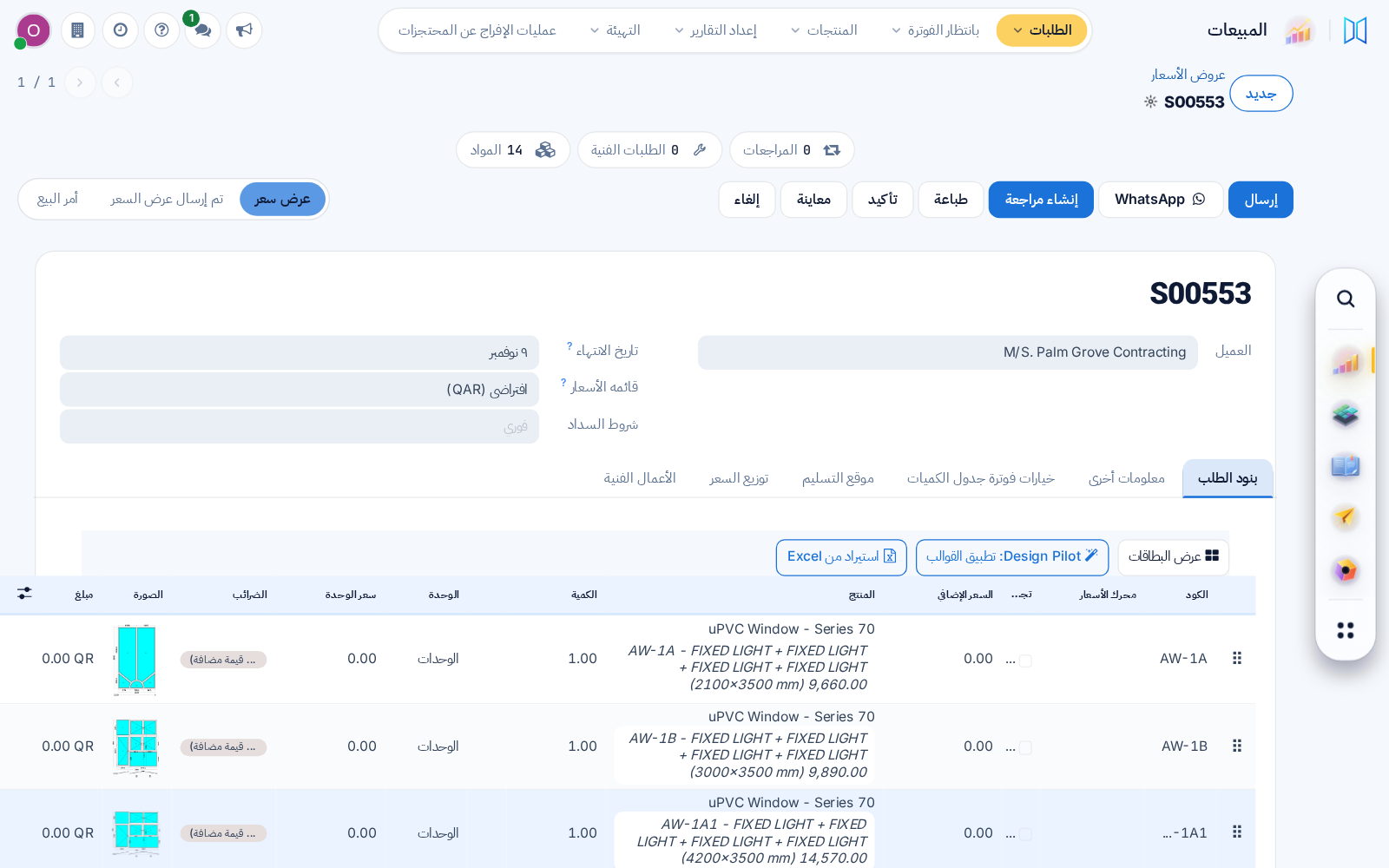
After switching to Arabic, the very first page already reads right to left, the dock sits in place and dashboard bars keep the page's direction.

Ask about this Link copied
Quotation in Arabic, right to left on the first page

25 Oct

2026 Release 2026.10.25 1 improved
Improved CRM

New pipeline cards start with a contact

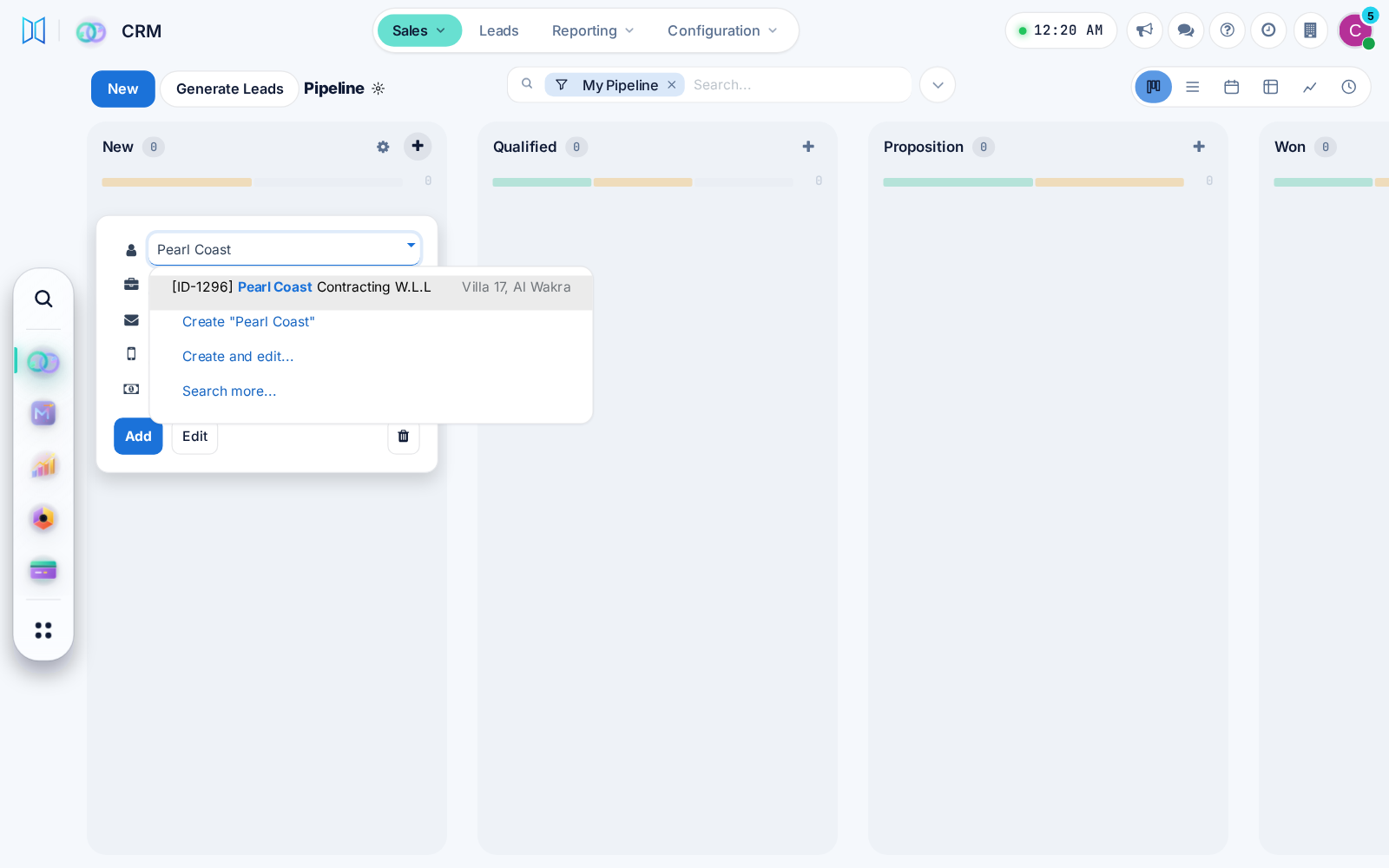
A new CRM opportunity card asks for the customer contact, so every deal has someone to call. One CRM setting brings the Company field back.

Ask about this Link copied
New pipeline card asking for the customer contact first