
Try a price before you give it
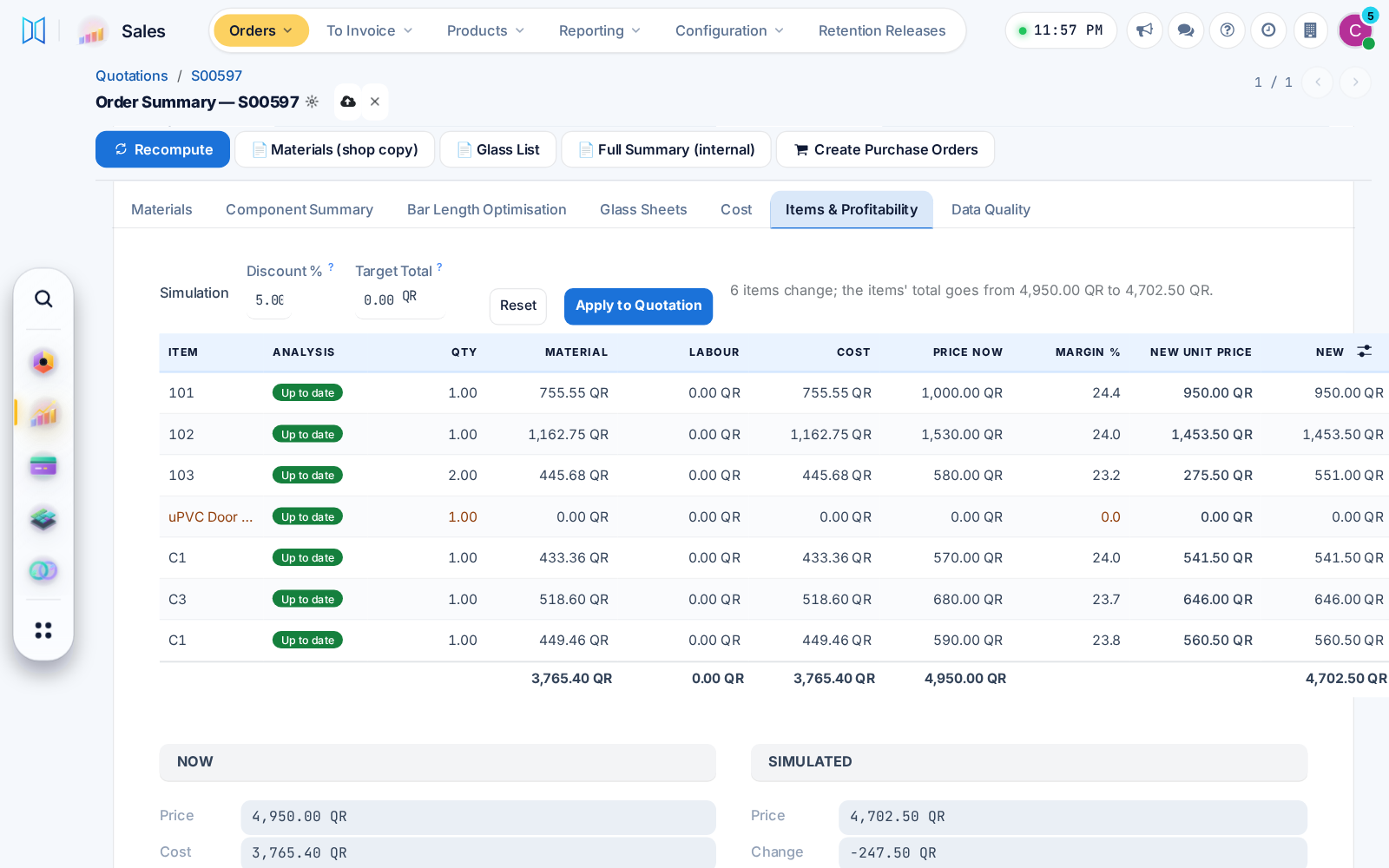
Items & Profitability simulates a new unit price, discount or target total and shows the new margin. A confirmer applies it to the quotation in one press, logged on the order.
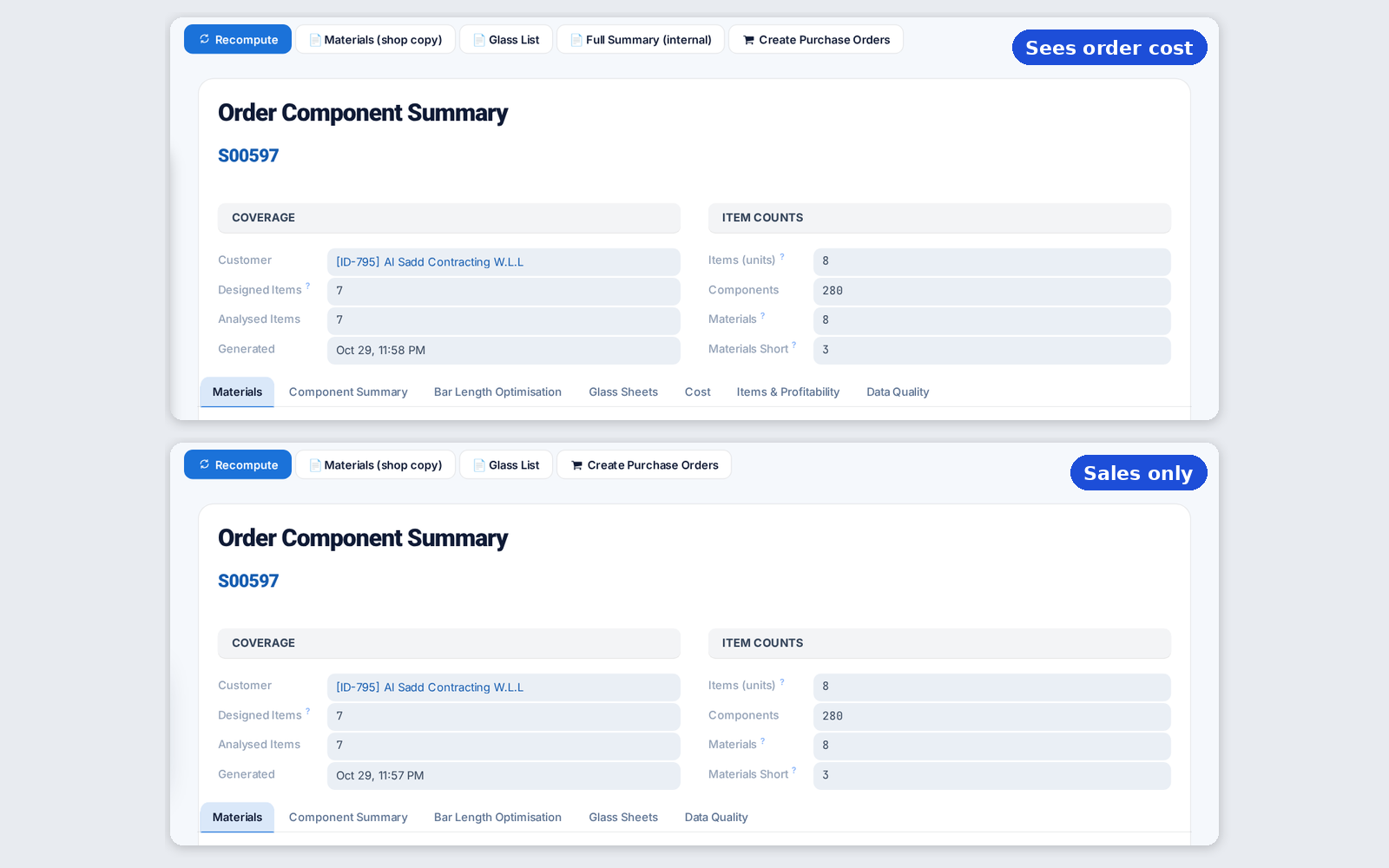
Once confirmers are named, cost and margin show only to people with the order cost right, on screens, prints and exports, long-piece savings included.
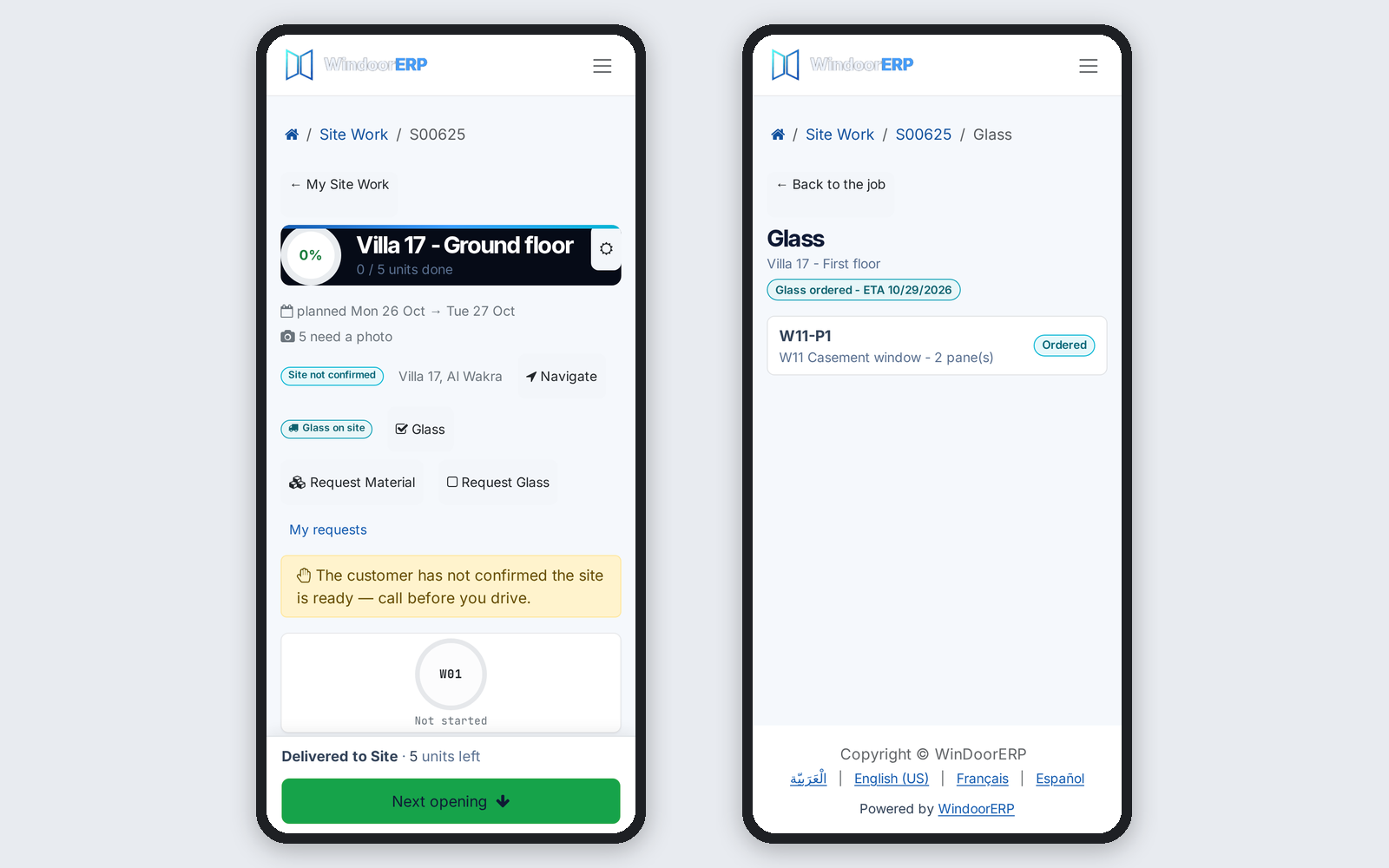
Glass can travel from the supplier straight to the site, one purchase order per work package. The crew ticks the panes received and reports broken ones from the phone.
Before: Glass came through the factory.
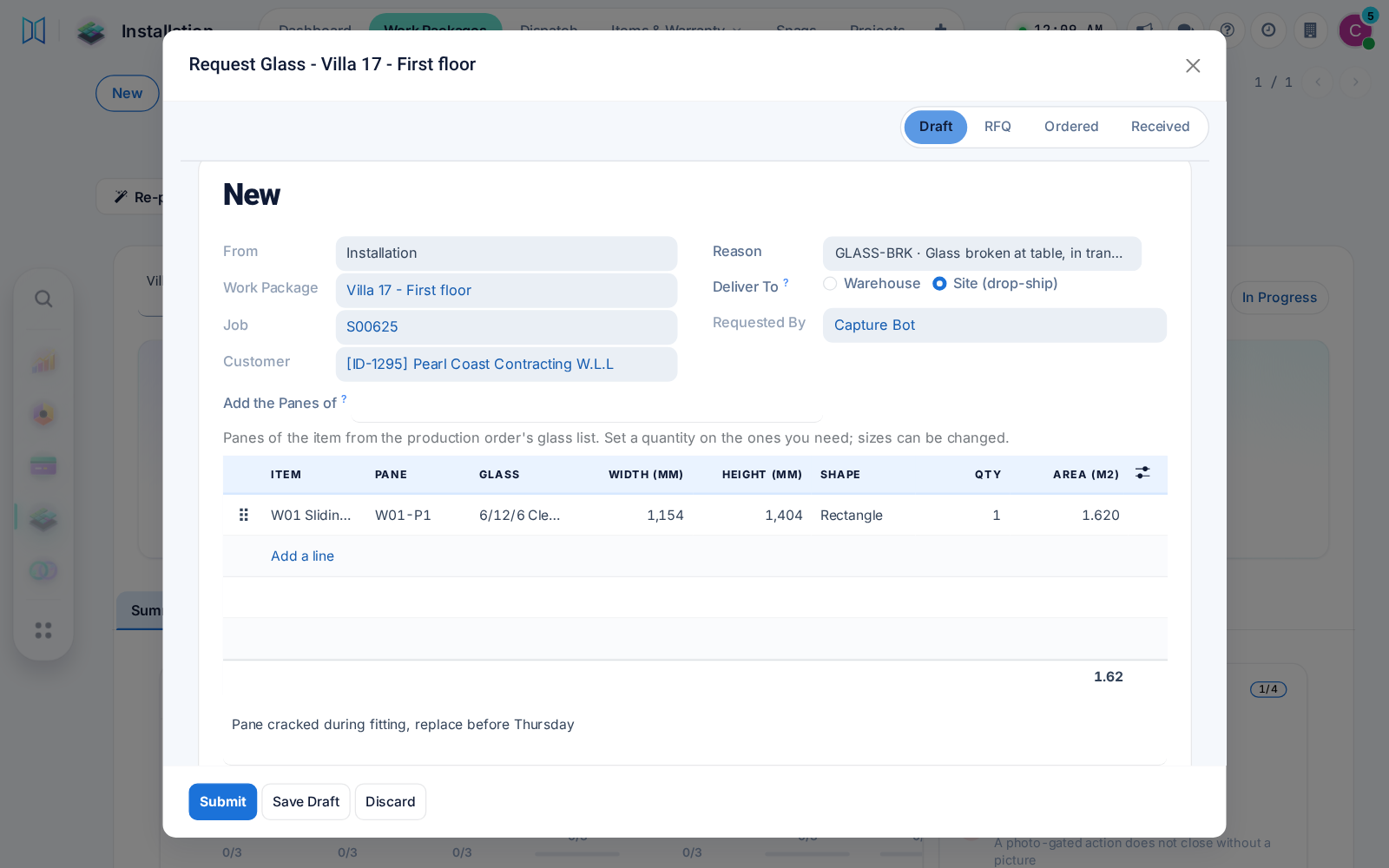
Production, installation and after-sales request glass by size or shape, with panes suggested from the design. Purchasing gets a draft request for quotation per supplier.
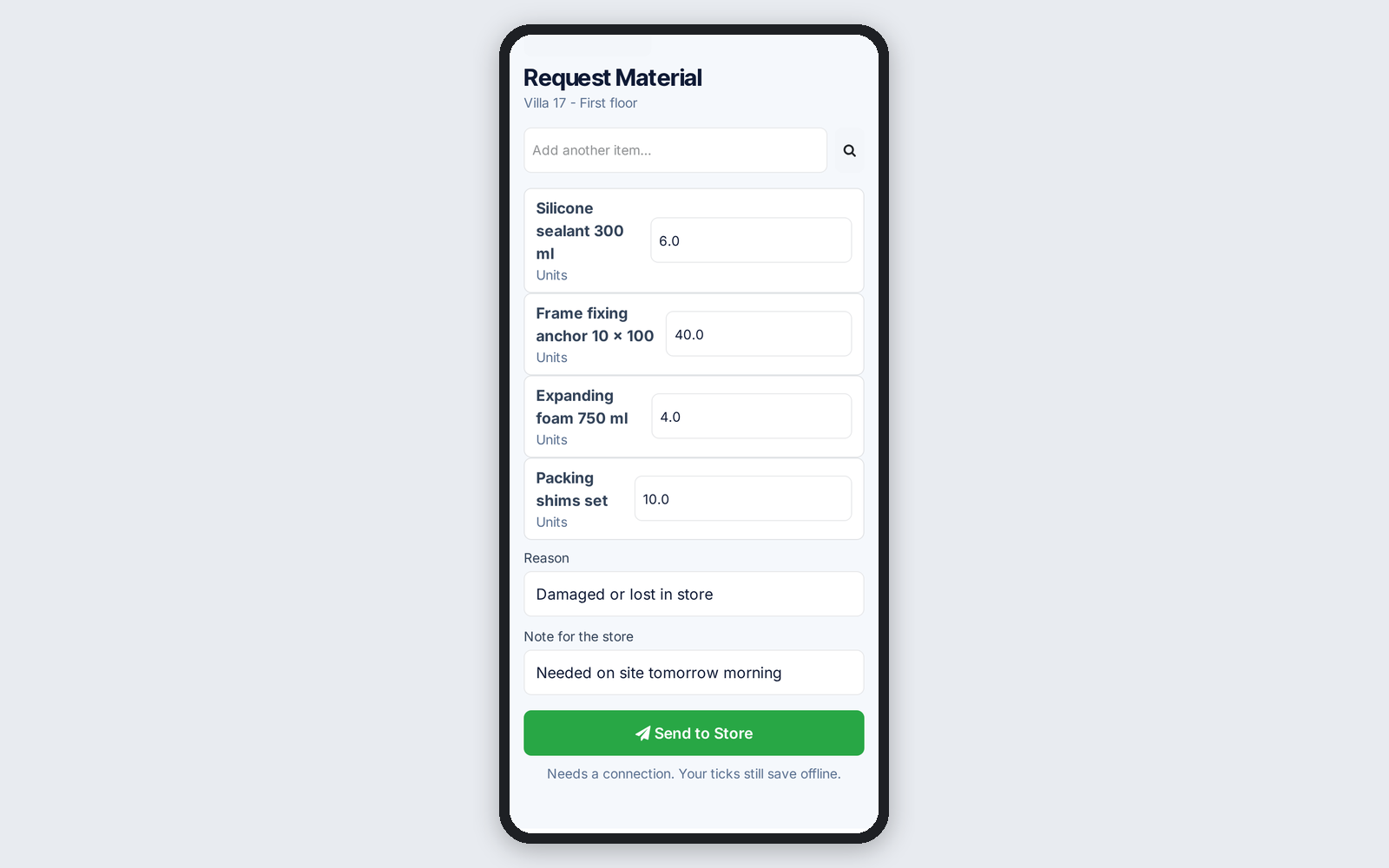
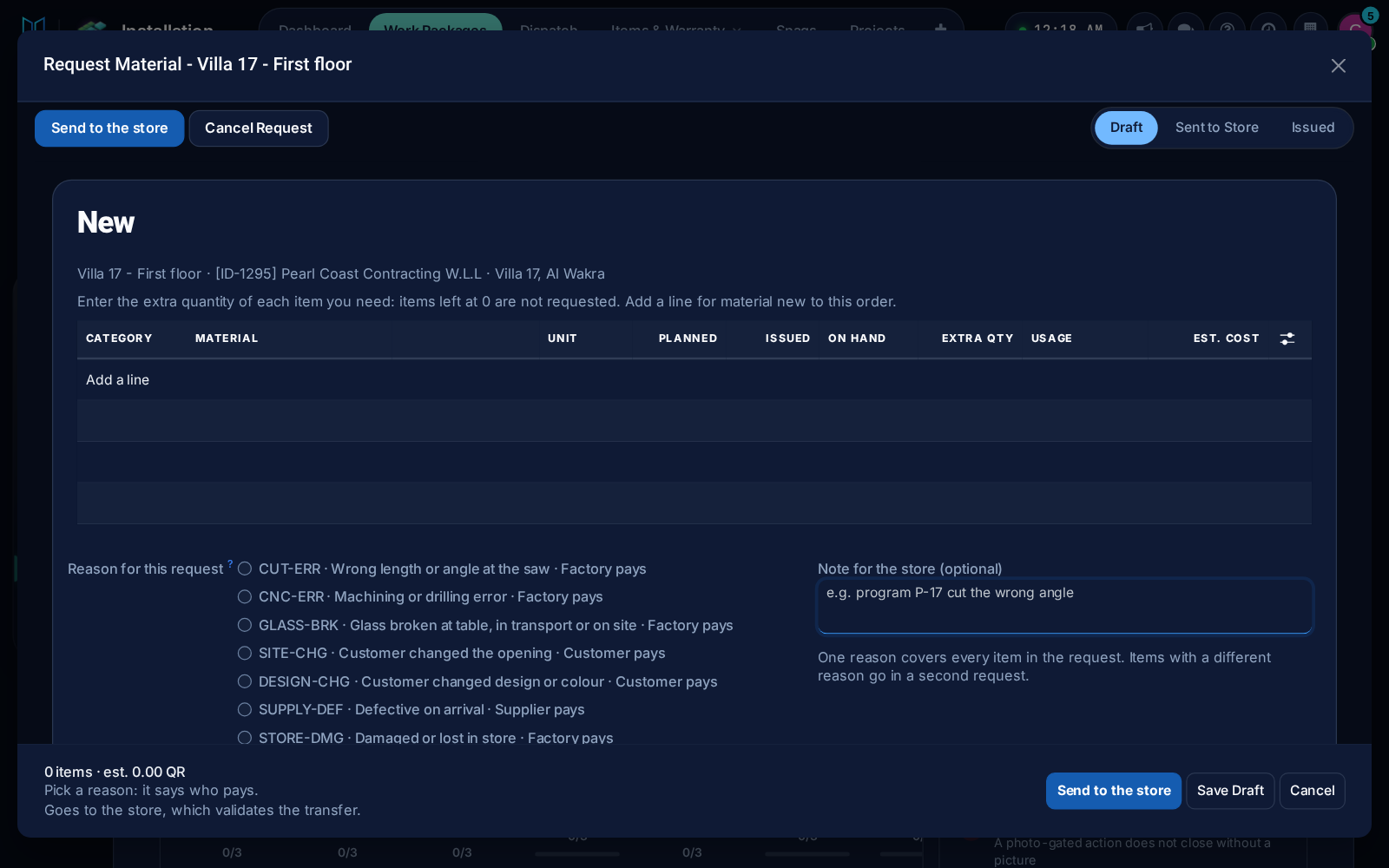
Work packages and the foreman's phone request material from the store with a reason, on the same form production uses for extra material.
A crew given a job gets no reschedule email for it, finished packages book nobody, days on site follow your time zone, and dialog close buttons show in dark mode.
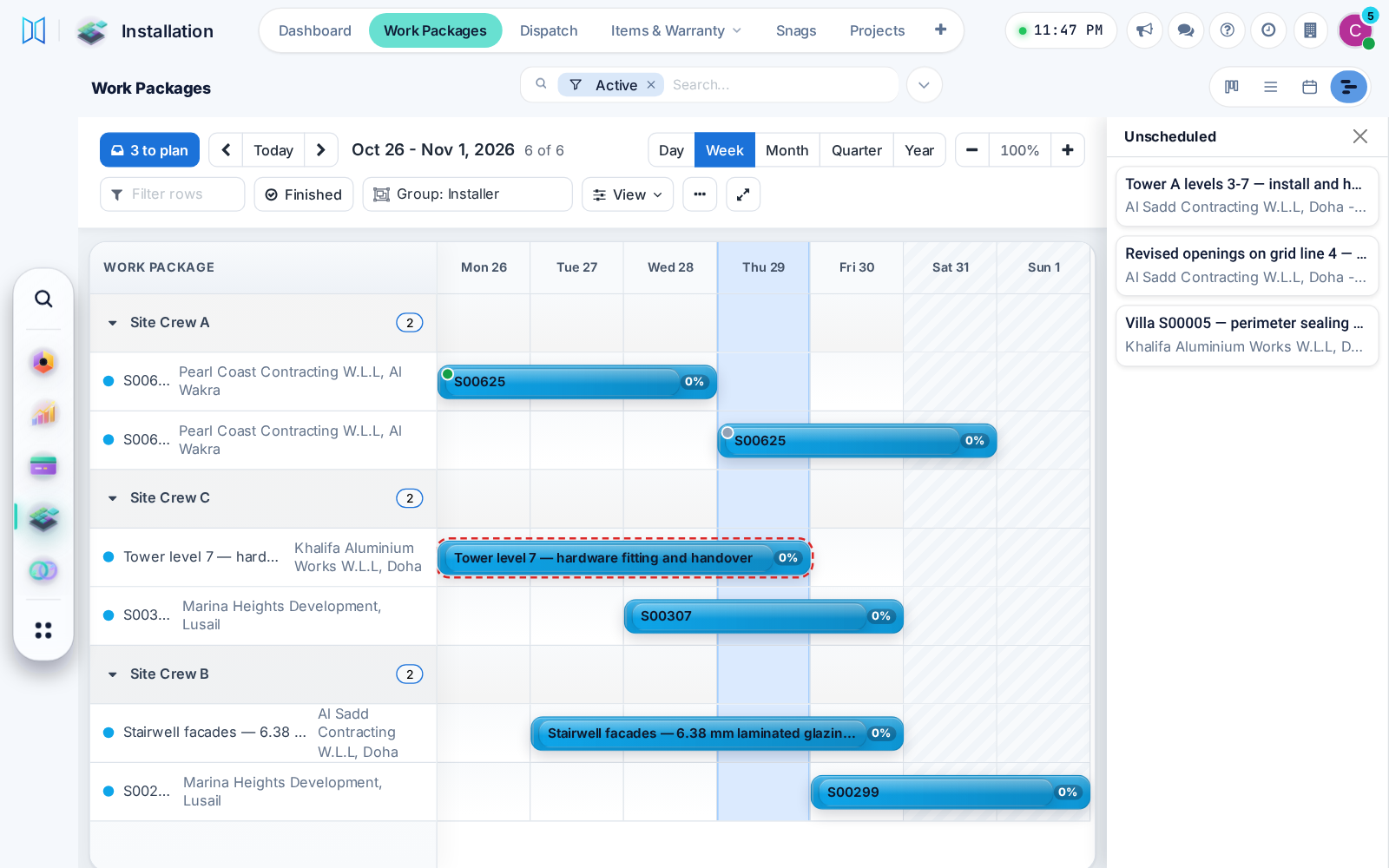
Work packages get a Gantt view: drag packages from a tray onto a day, move a bar to another crew, and spot double-booked crews, on desktop or phone.
Before: A separate schedule menu.
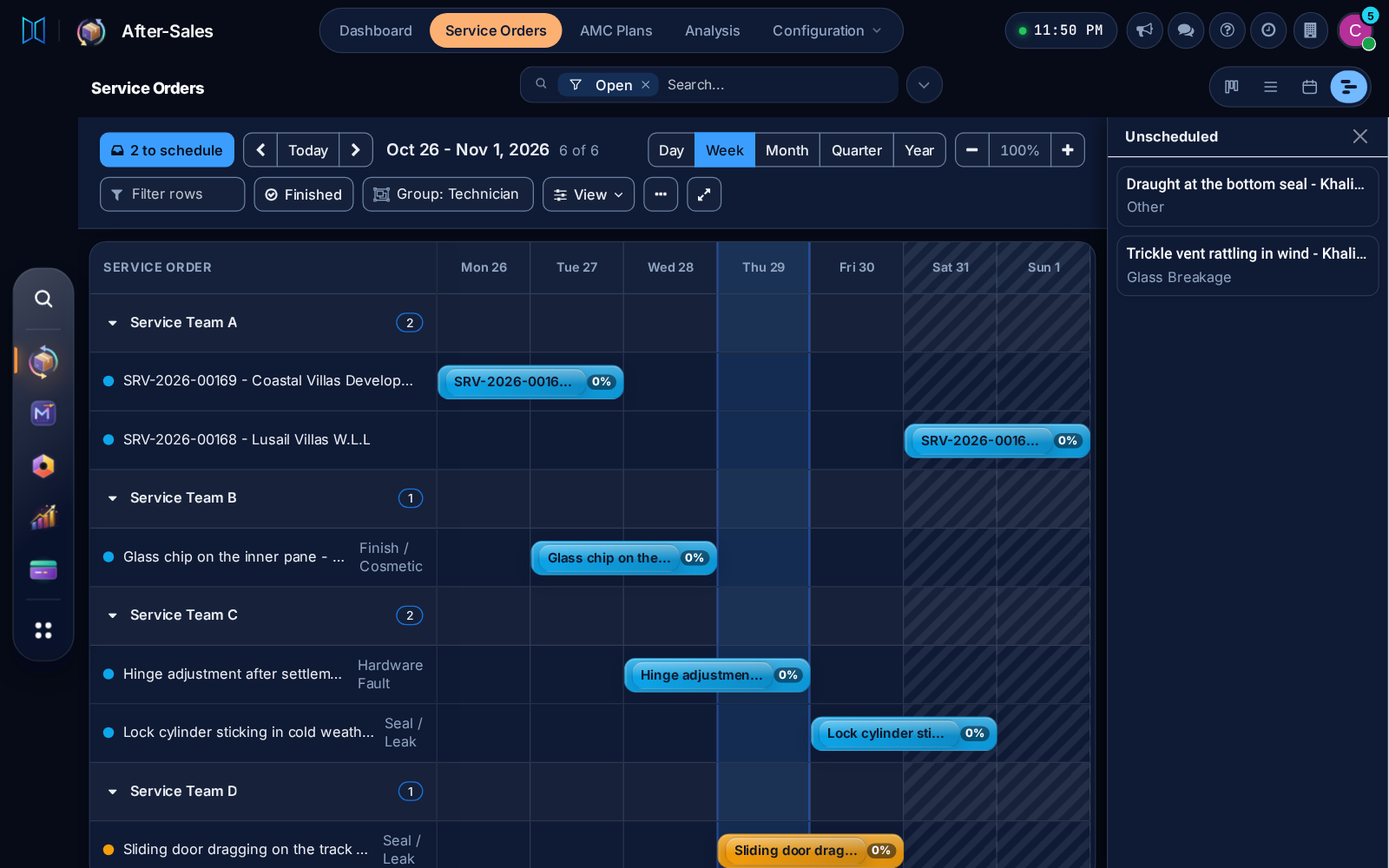
Production orders and service orders use the same Gantt view, with its tray, dark mode and phone layout, so every schedule works one way.
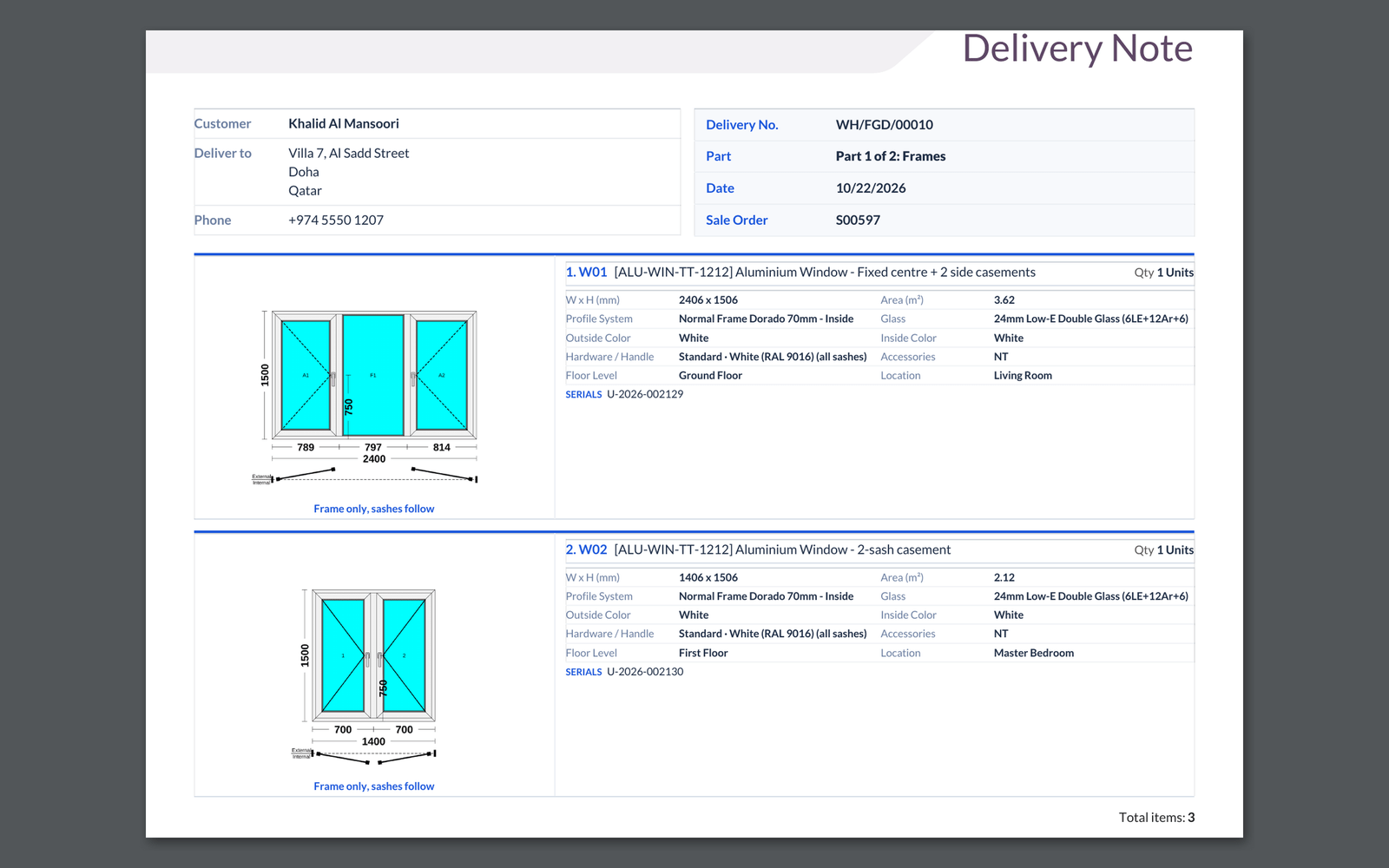
One production order can ship frames first and sashes with glass later, as two deliveries with their own site visits and a sash sizes report.
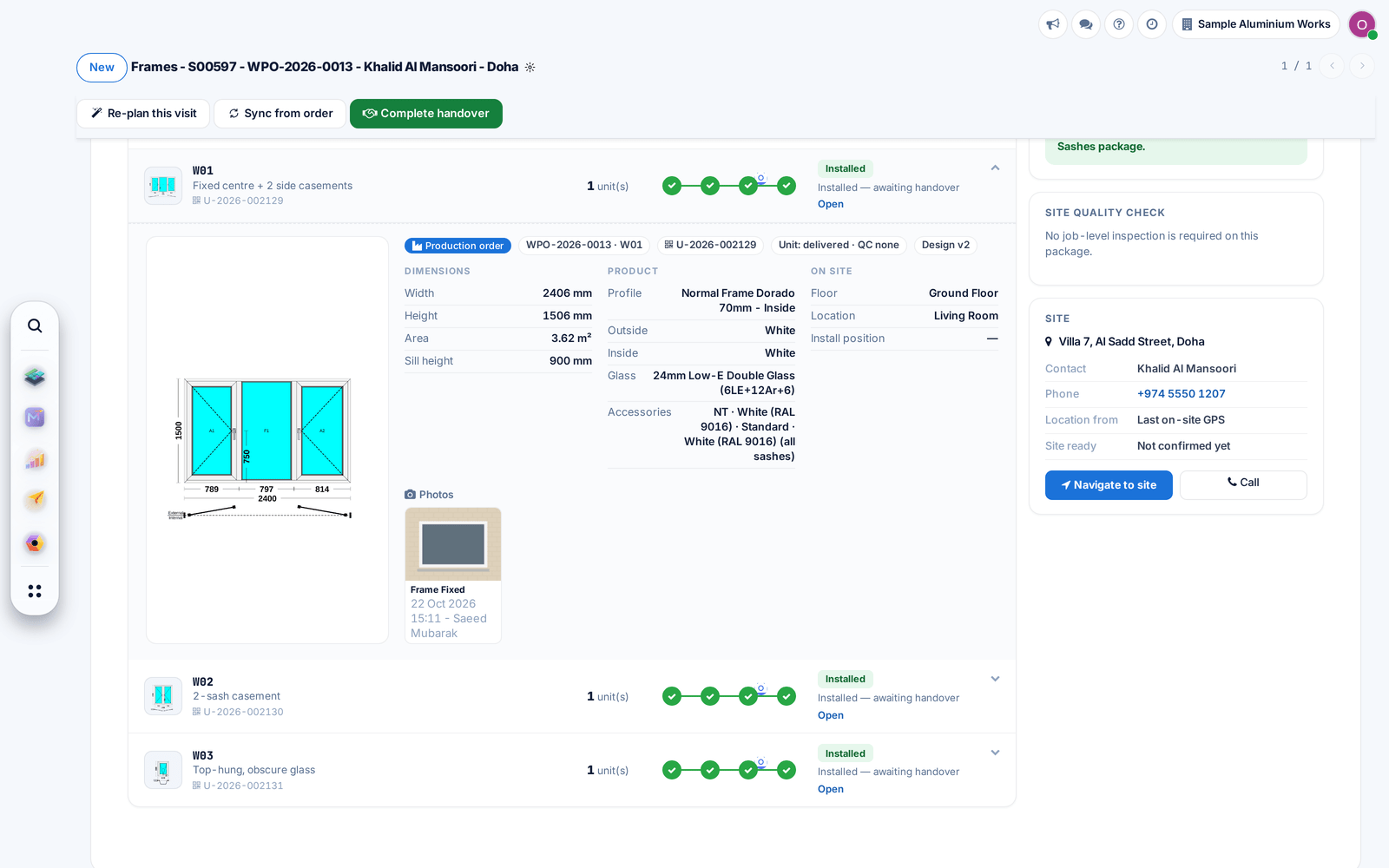
Your customer's job page now groups openings by floor and adds a search box on larger jobs, so any window is found in seconds.
Before: Openings were one long list.
Product and glass stickers now show a small drawing of the window with that pane marked, so the site crew sees at once where each piece goes.
Before: Stickers showed plain boxes.
Work packages now take each produced unit with its size and serial, show the site photos per opening, and after-sales checks warranty by serial.
Before: Serials and later batches could be lost.
Unapproved measurements can no longer start production, customer messages use the chosen channel, and changed designs flag an outdated material list.
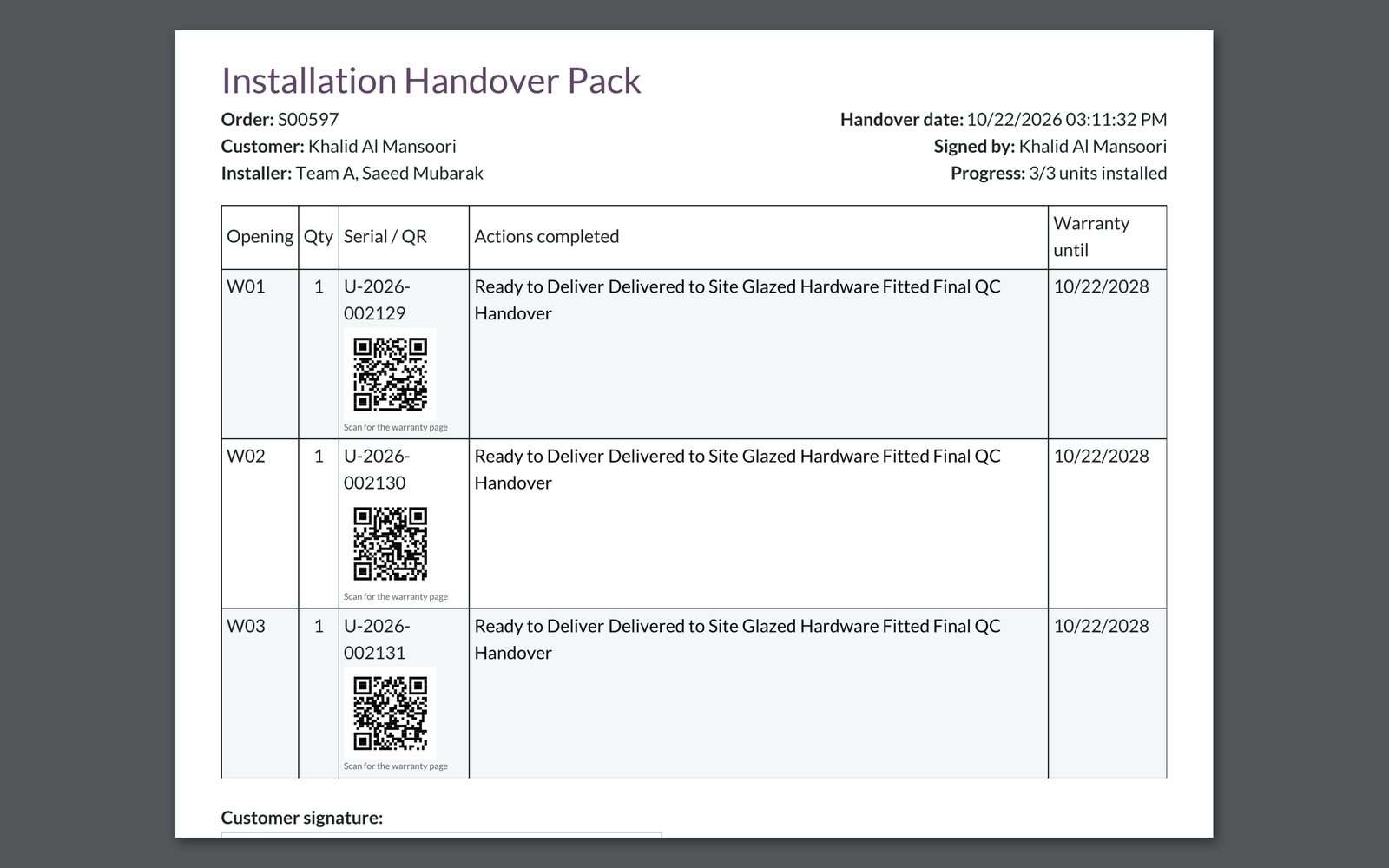
The handover pack prints a QR code next to each window that opens its warranty page.
Before: The QR column was empty.
Saving a design no longer fails when two saves meet, and item reports and stickers print their pages again.
Before: Those prints came out empty.
The production order now opens on its windows: click one to see its drawing, material and progress, with promised and actual dates on the form.
Before: Details were spread over many tabs.
The cutting report draws every bar with its named pieces and tick boxes for the operator, and stickers print from the same place on A4 or thermal printers.
Finished windows can ship on one delivery per sale order, with a delivery note that shows each window's drawing. Each step has its own switch.
Confirming a production order now lists material lines with no stock product behind them, so the store is never surprised.
Before: The order confirmed silently.
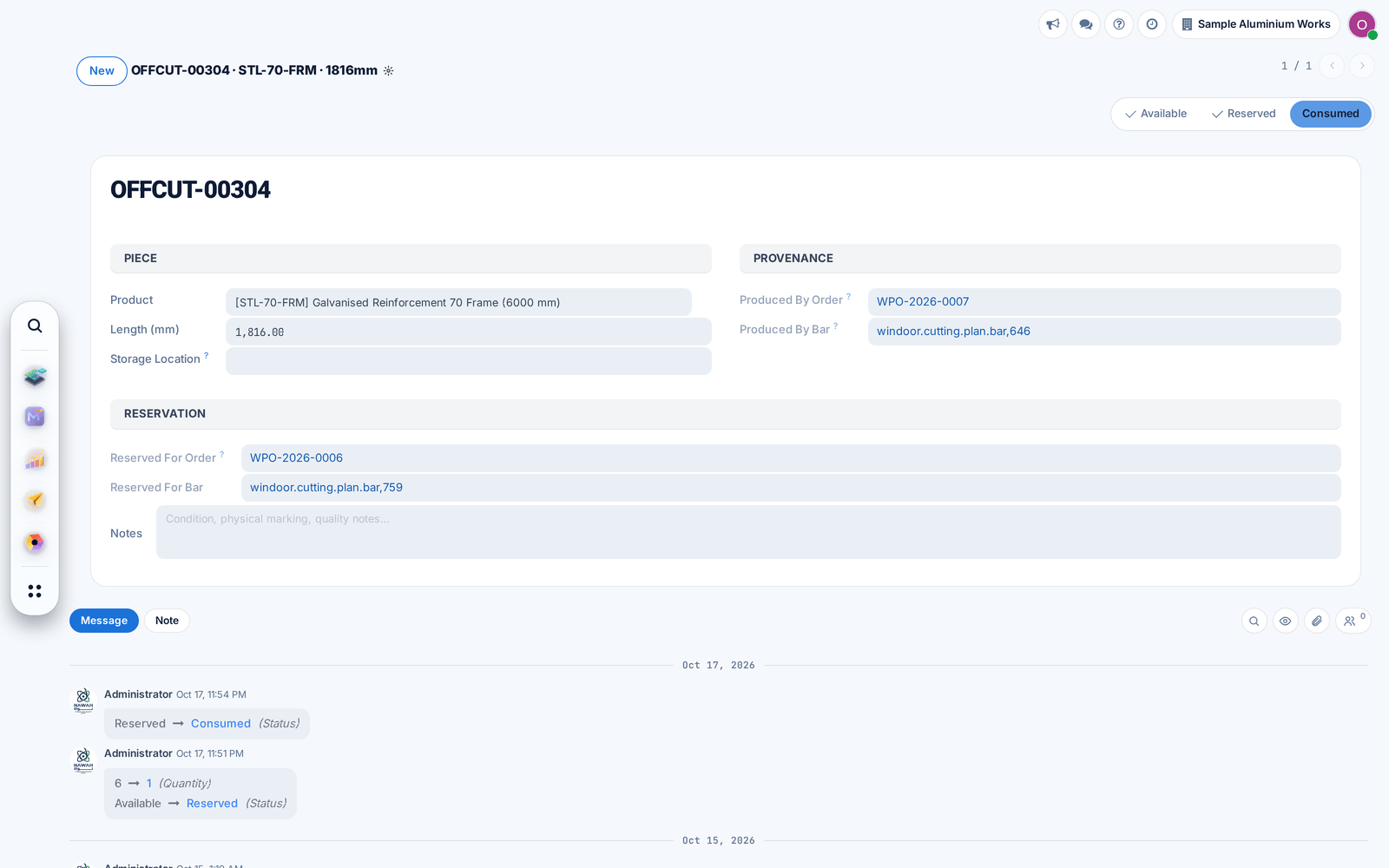
Offcuts open with a history of their changes, and finished or cancelled production orders hide the material buttons that no longer apply.
Before: Opening an offcut raised an error.