
Skip to Content
What's new

Every change we ship, shown and explained.

Latest release 29 Oct 2026
The Friday email

Only in weeks when something ships.

14 Oct

2026 Release 2026.10.14 2 new1 fixed
Fixed Technical Office & SurveyProduction & Shop Floor

Approvals, messages and material lists hold

Unapproved measurements can no longer start production, customer messages use the chosen channel, and changed designs flag an outdated material list.

Ask about this Link copied
New Design & EstimationTechnical Office & Survey

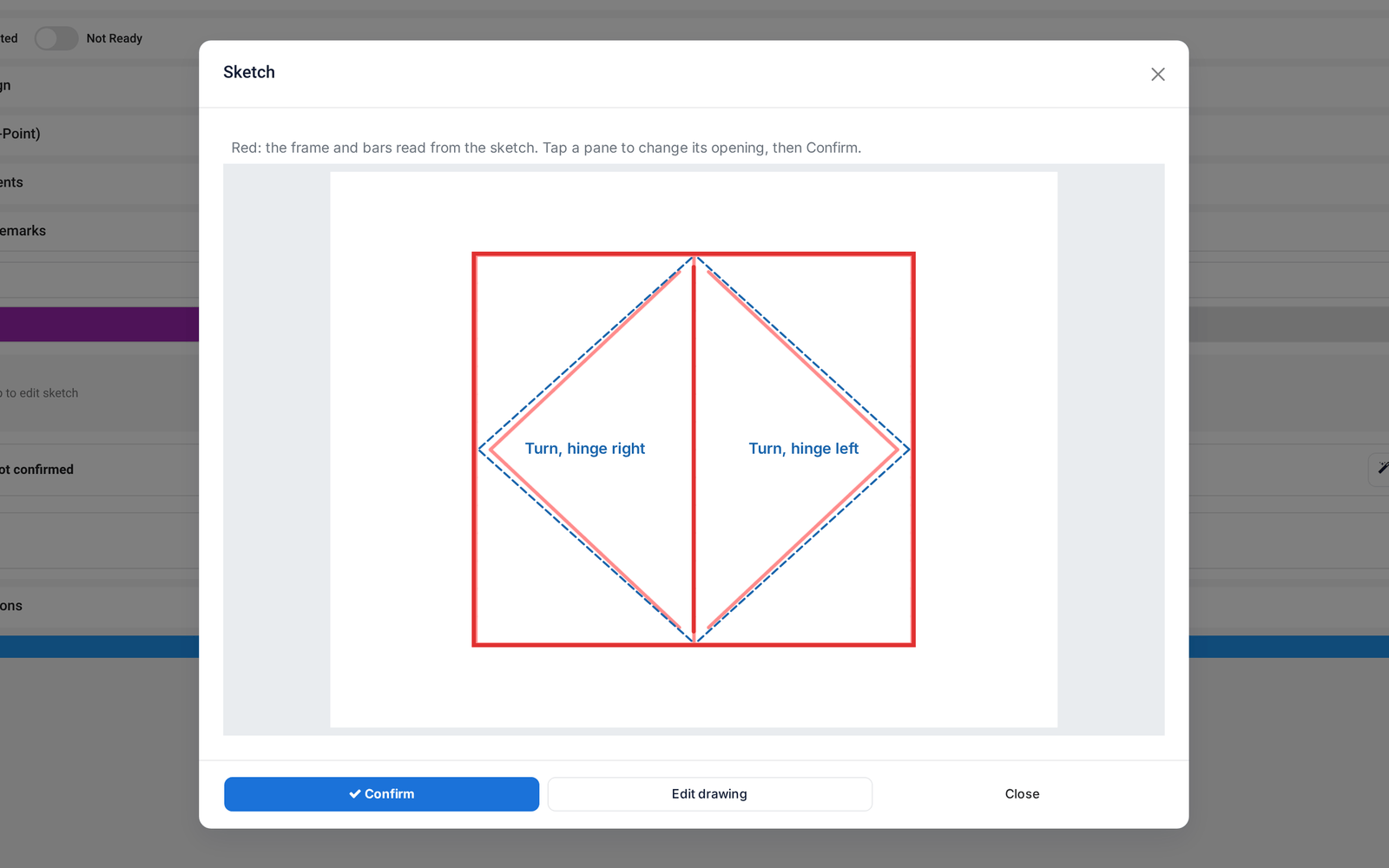
Draw a window by hand, get a drawing

A hand sketch of a window becomes a real layout, on site in the measuring app or in the designer, and is matched to the right order line. No AI needed.

Ask about this Link copied
A hand sketch read as a layout: frame, mullion and the opening of each pane
New Design & Estimation

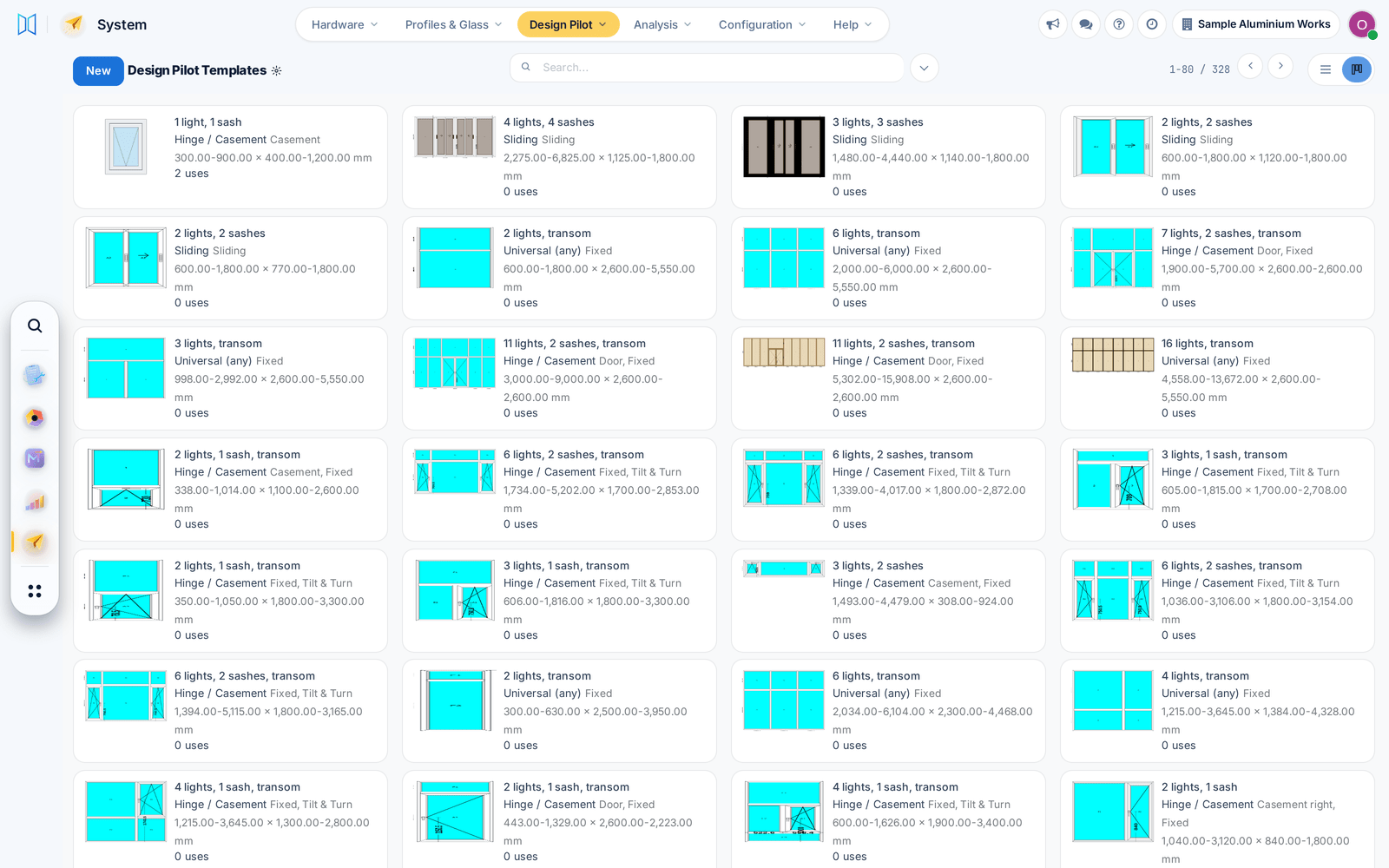
A starter library of window layouts

Design Pilot comes with a few hundred ready layouts, and near-identical layouts in your library can be merged, with undo.

Ask about this Link copied
The library of ready window layouts, each with its size range

12 Oct

2026 Release 2026.10.12 2 new1 fixed
New Sales & QuotationsDesign & Estimation

Design Pilot: layouts that fit each window

Design Pilot suggests layouts from your library that fit each window's size, ready to apply in the designer or to every undrawn line of a quotation.

Ask about this Link copied
Video CC, 4 languages 0:21
Fixed Design & EstimationProduction & Shop Floor

Design saves and item prints work every time

Saving a design no longer fails when two saves meet, and item reports and stickers print their pages again.

Before: Those prints came out empty.

Ask about this Link copied
New Sales & QuotationsCutting & Optimization

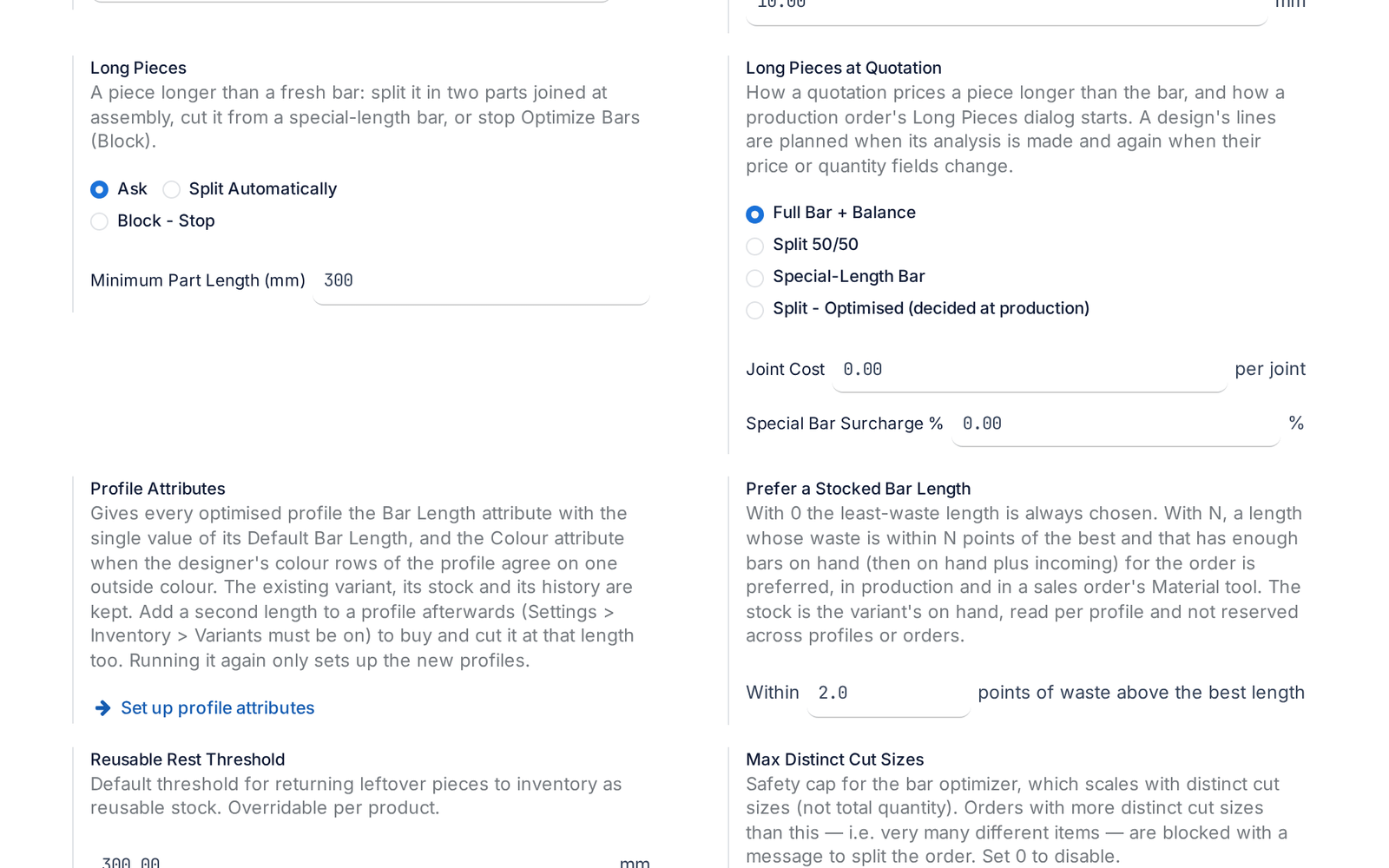
Pieces longer than a bar

A piece longer than any stock bar is split with a joint or ordered as a special bar, and the quotation already prices it.

Before: Such a piece stopped the optimisation.

Ask about this Link copied
The setting for pieces longer than a bar: ask, split automatically or block

8 Oct

2026 Release 2026.10.08 1 new
New Design & EstimationCutting & Optimization

Choose the profile for each mullion, frame and sash

Pick the profile product for each mullion, frame side or sash in the designer. The drawing width and the cut list follow your choice.

Before: One default profile served every member.

Ask about this Link copied

3 Oct

2026 Release 2026.10.03 1 fixed
Fixed Sales & QuotationsProduction & Shop Floor

Production roles work without other apps' rights

Production users can now open every production screen and do their work without stock, purchase or sales rights.

Before: Some screens stopped with an access error.

Ask about this Link copied

2 Oct

2026 Release 2026.10.02 1 fixed
Fixed Sales & Quotations

Pricelist discounts apply to calculated prices

Pricelist discounts now apply to products priced by the price calculation, and recalculated totals show at once.

Before: The discount was skipped.

Ask about this Link copied

29 Sep

2026 Release 2026.09.29 3 improved1 fixed
Improved Sales & Quotations

The Excel import numbers your items

Items without a code get the floor code and a running number with no gaps, and repeated codes become C1 and C1 (2).

Ask about this Link copied
All rows of the import with codes numbered per floor
Fixed Sales & QuotationsProcurementFinance & Billing

Salespeople can finish a sale on their own

A salesperson with ordinary rights can pick any customer, add lines by hand and confirm with a project, and buyers can record vendor bills.

Before: These steps needed extra rights.

Ask about this Link copied
Improved Technical Office & Survey

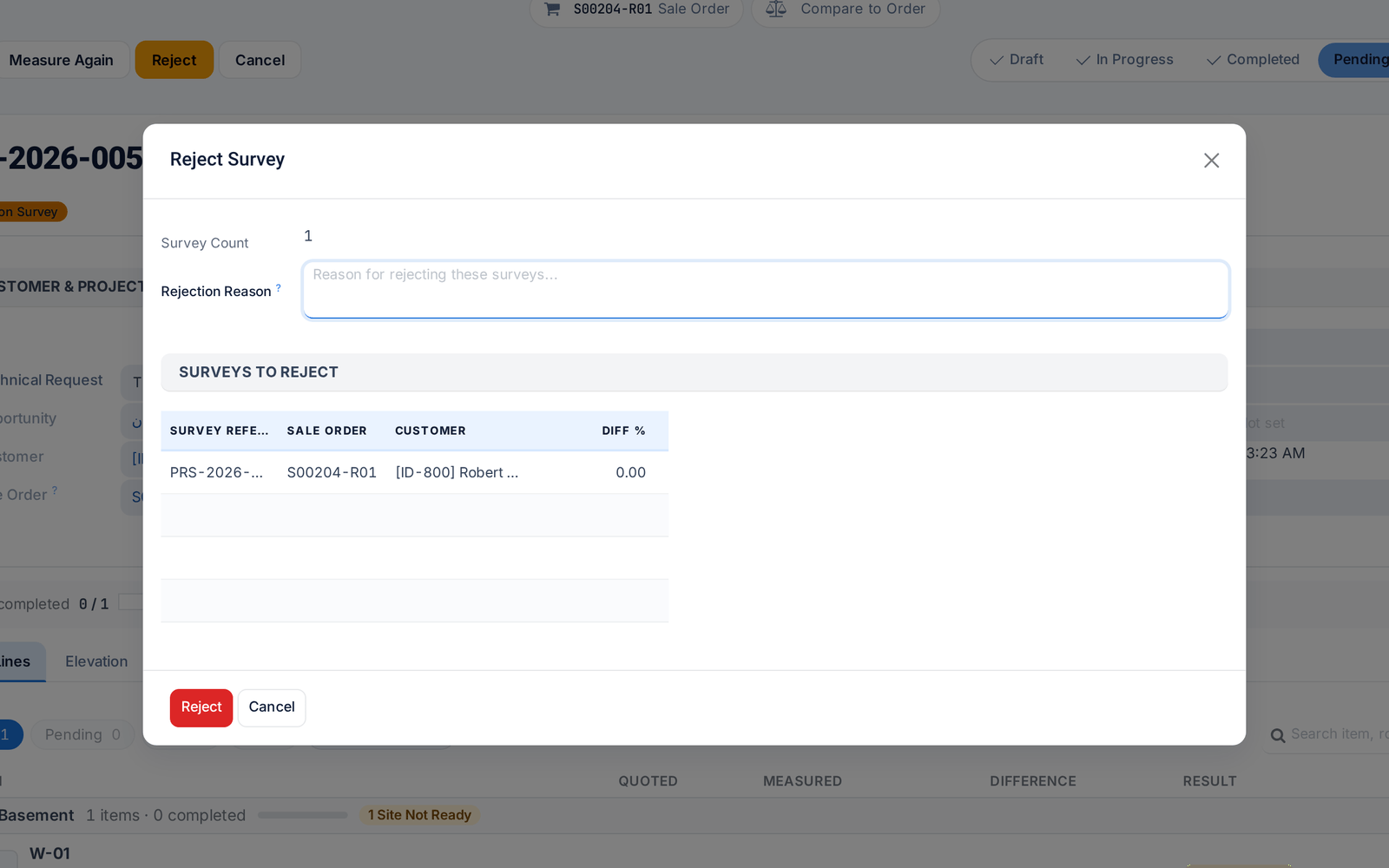
Reject a survey with a reason

Rejecting a survey now requires a reason, which reaches the surveyor in their own language and shows on the job in the field app.

Ask about this Link copied
The Reject Survey dialog asking for a reason
Improved Technical Office & SurveyReporting & Dashboards

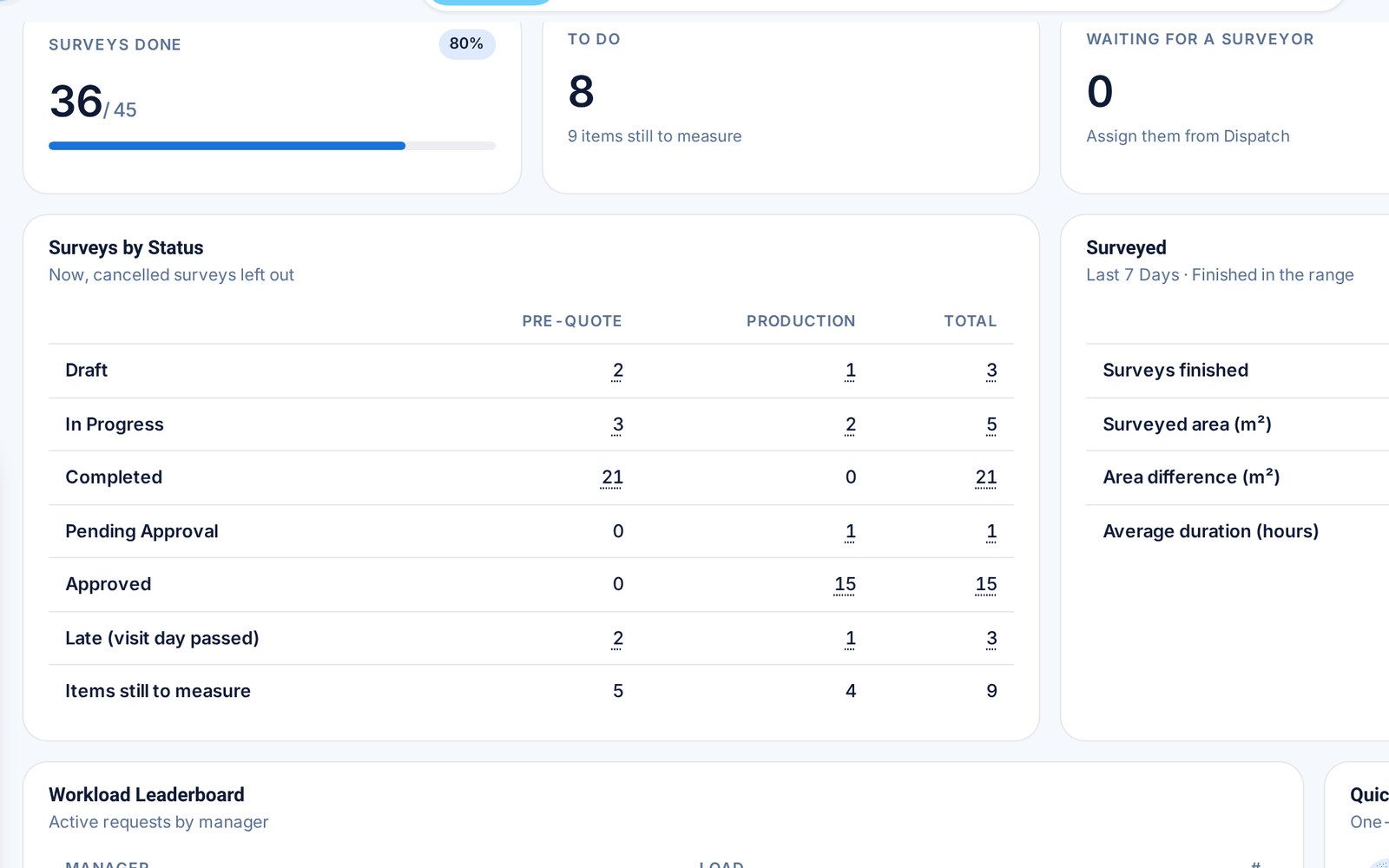
One Control Tower for requests and surveys

Survey counts now sit inside the Control Tower, and every card opens exactly the records behind its number.

Before: Surveys had a separate dashboard.

Ask about this Link copied
The survey section of the Control Tower: counts and surveys by status

28 Sep

2026 Release 2026.09.28 1 new2 improved1 fixed
Improved Technical Office & Survey

Submit to office settles open items

When a surveyor submits a survey, the app offers to settle the items left open, so the office receives it with no loose ends.

Ask about this Link copied
Improved Technical Office & Survey

Bluetooth laser meters: more models, steadier link

The field app supports more Bluetooth laser meters, reads their units correctly and reconnects by itself. Each item records which meter measured it.

Ask about this Link copied
Fixed Technical Office & Survey

Floors are matched, never duplicated

Floor names from the order are matched to your floor list whatever the spelling or language, so no duplicate floors appear.

Before: A different spelling created a new floor.

Ask about this Link copied
New Sales & QuotationsDesign & Estimation

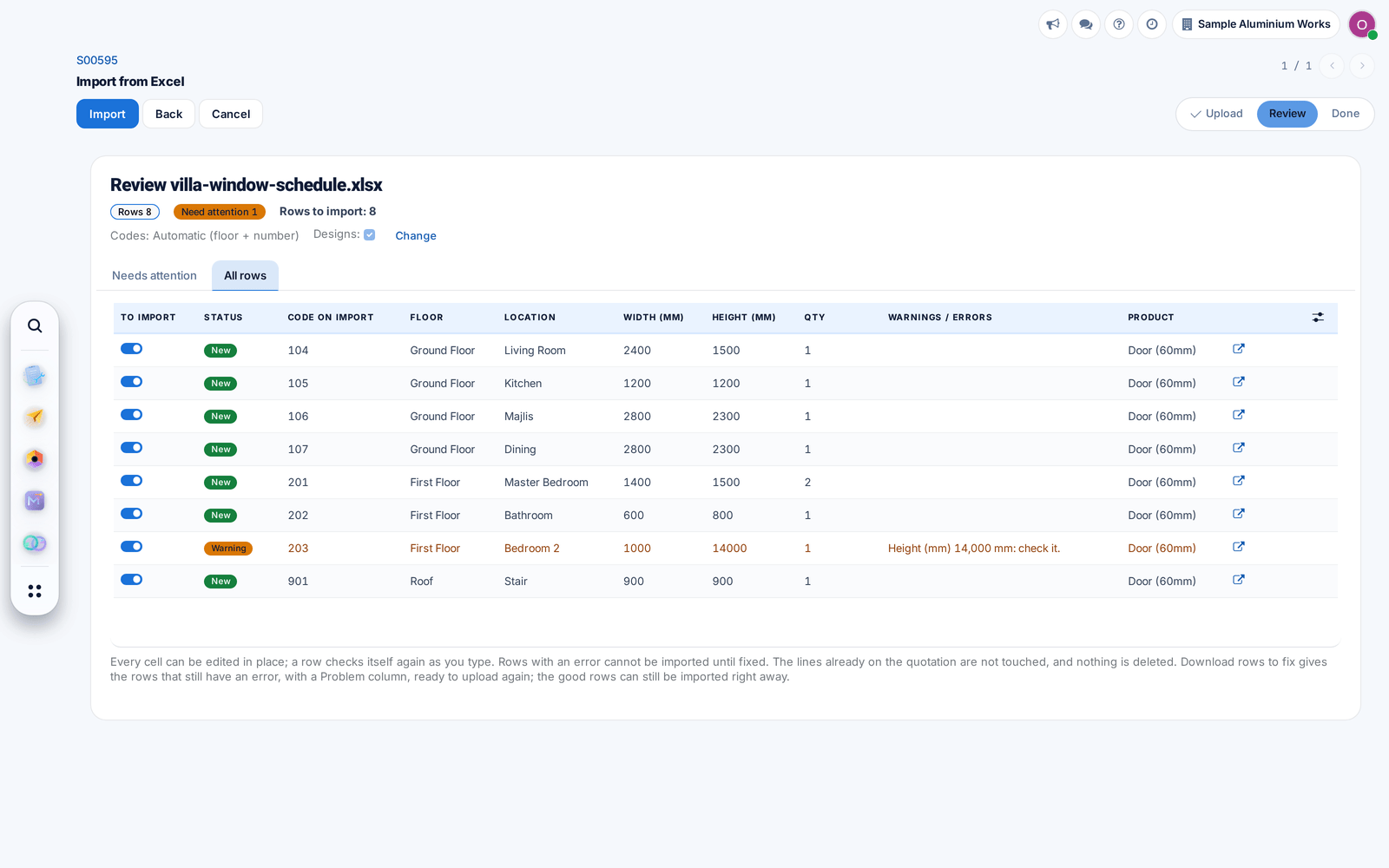
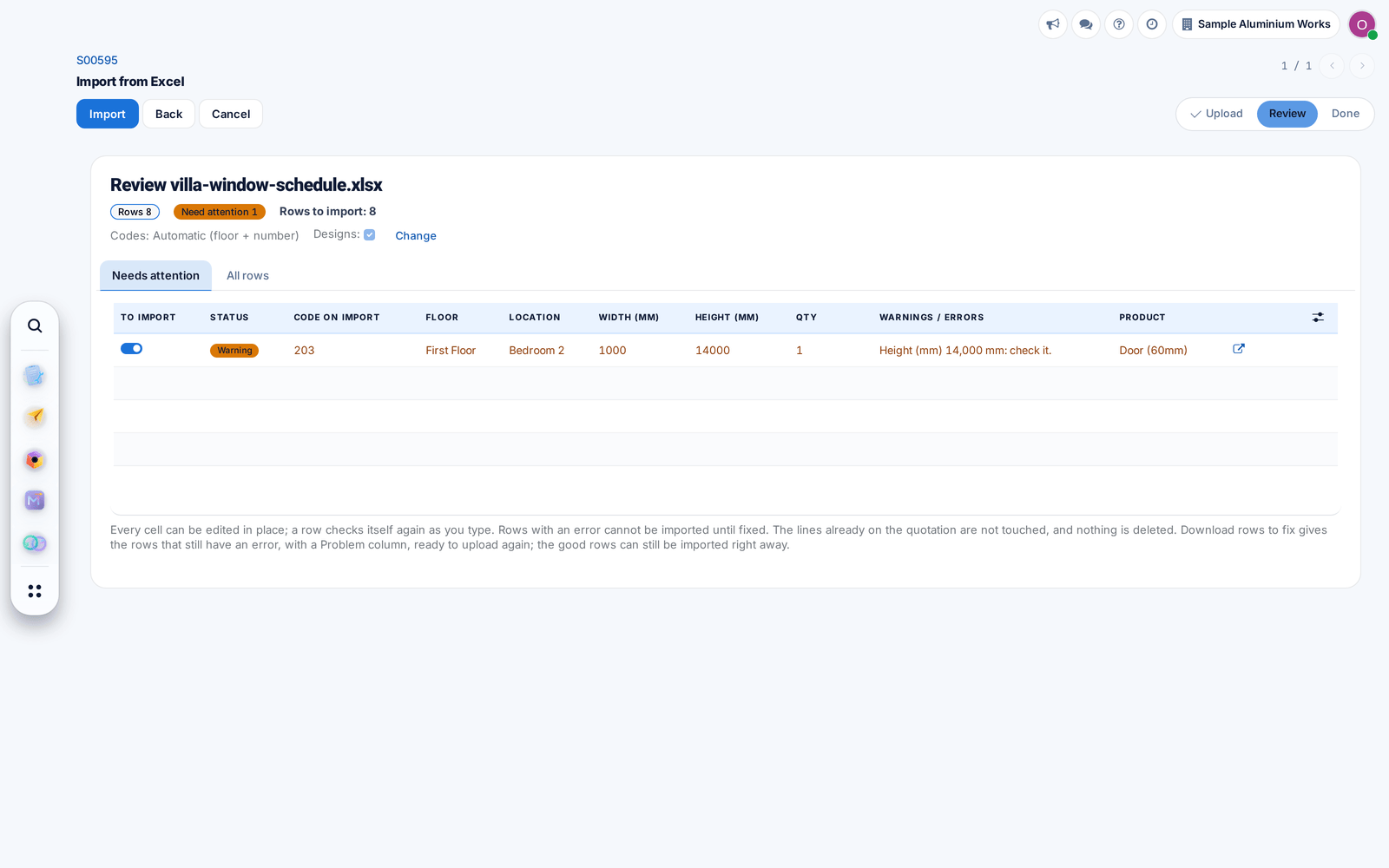
Import quotation lines from Excel

Load a window schedule from Excel, in English or Arabic, into a draft quotation. Lines are added and drawn automatically, with doubtful rows held back for checking.

Ask about this Link copied
The review of an Excel window schedule with one row held back for checking

27 Sep

2026 Release 2026.09.27 2 new1 improved
New Technical Office & Survey

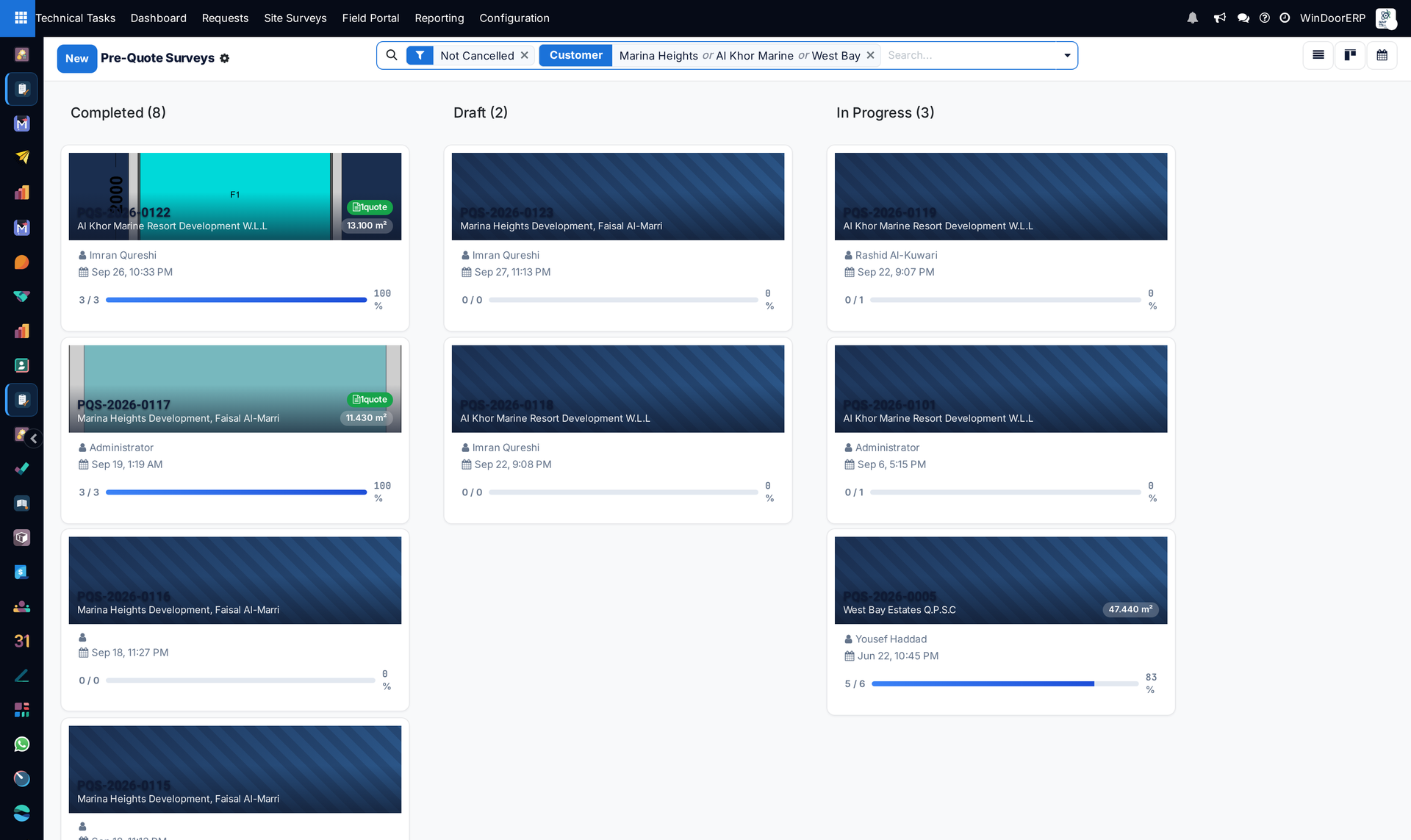
Pre-quote surveys get their own list

Measurements taken before the price now have their own list, without an approval step, while the combined views still show both kinds of survey.

Ask about this Link copied
Pre-quote surveys grouped by status, each card with its customer, surveyor, date and progress
New Technical Office & Survey

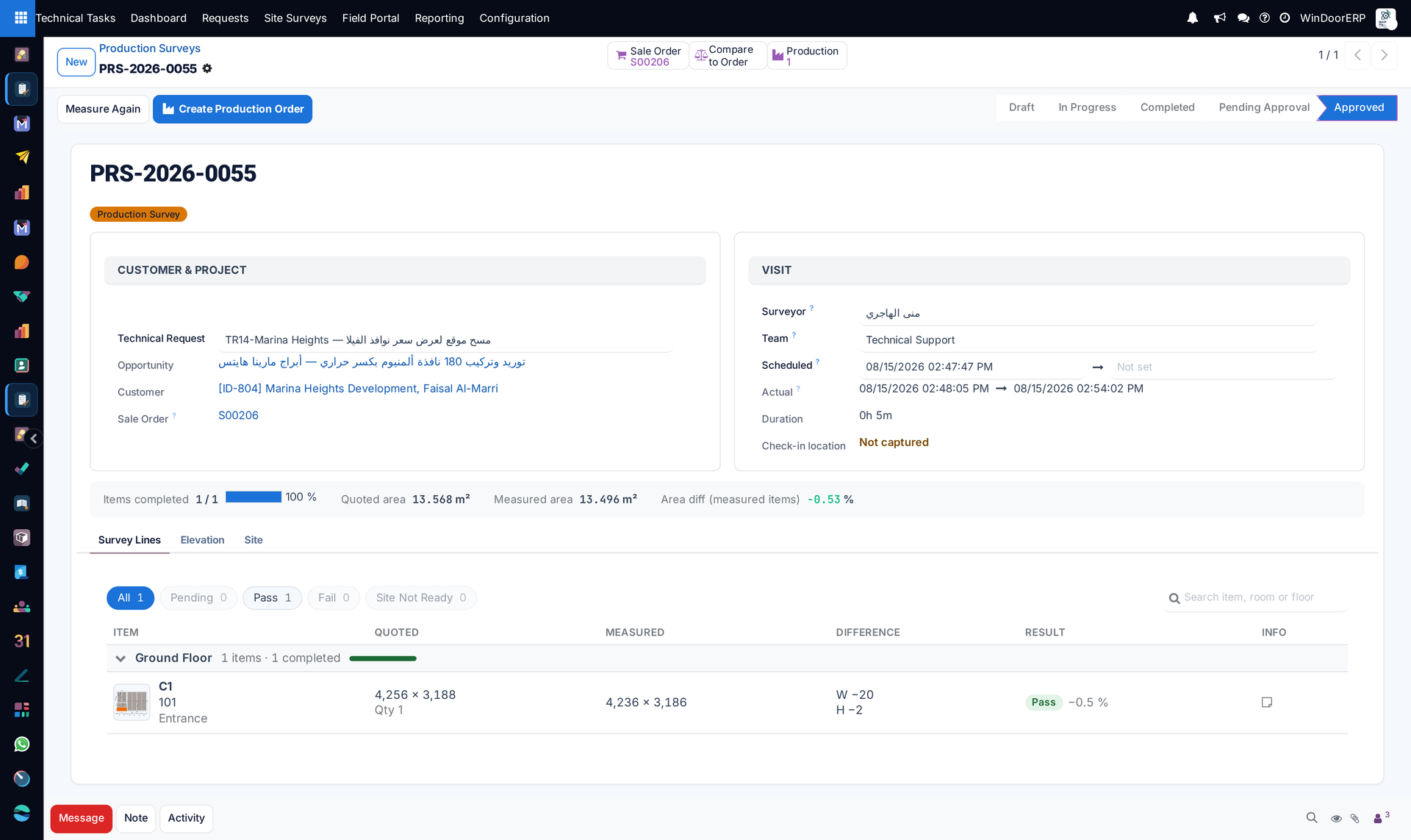
Measure Again

Send chosen items back to site with a reason and a visit date. Sizes already on the order stay until the new ones are approved.

Ask about this Link copied
A production survey with the Measure Again button, quoted and measured sizes side by side and the difference per item
Improved Technical Office & Survey

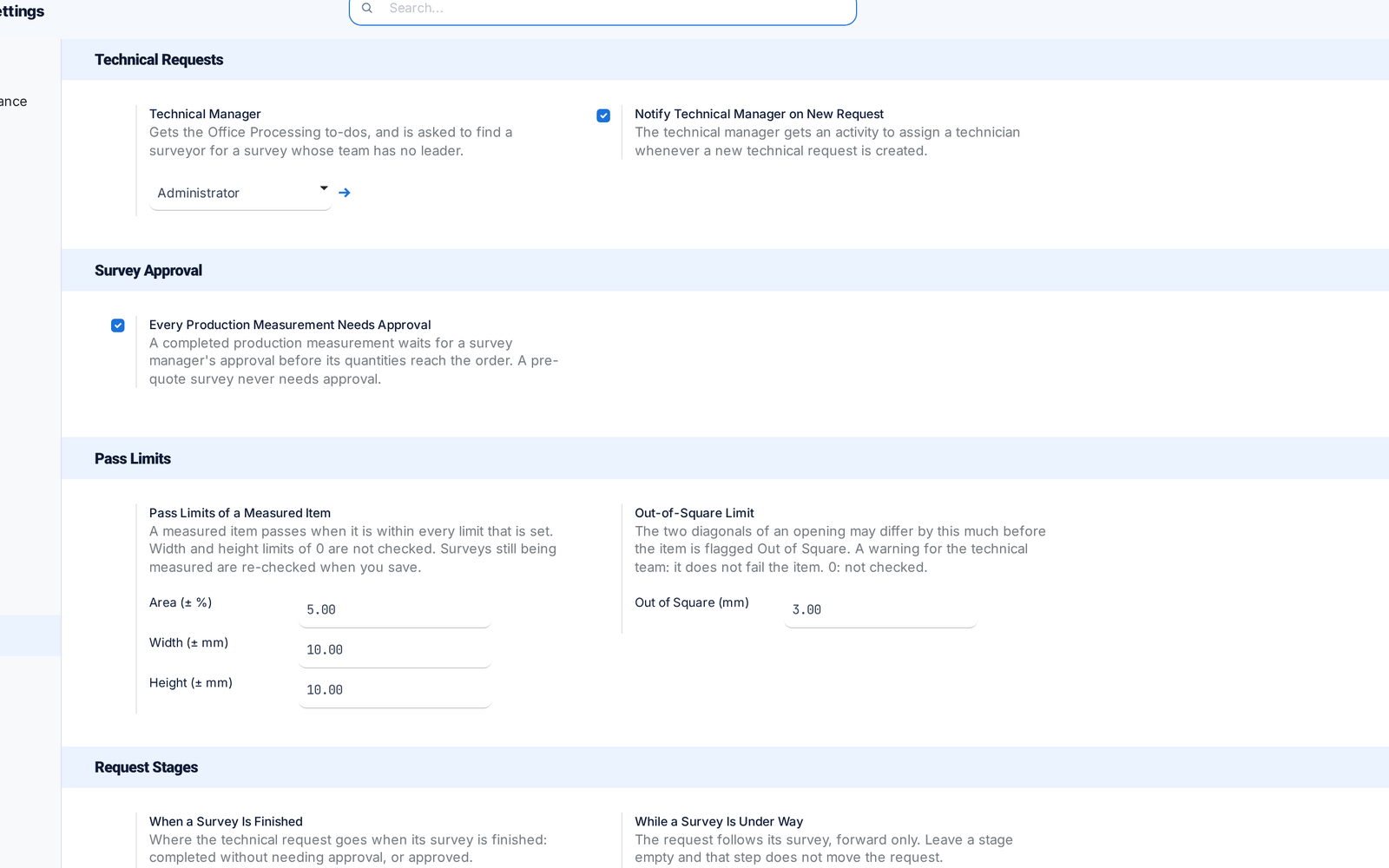
Survey settings on one page

All survey settings, including the Technical Manager, now sit on one Settings page. Switches that did nothing are gone.

Before: Settings were split across two places.

Ask about this Link copied
The survey settings on one page: Technical Manager, approval, pass limits and request stages