
Skip to Content
What's new

Every change we ship, shown and explained.

Latest release 29 Oct 2026
The Friday email

Only in weeks when something ships.

24 Oct

2026 Release 2026.10.24 1 improved1 fixed
Fixed Sales & QuotationsDesign & Estimation

Design opens on a line not yet saved

Pressing Design on a new order line now saves the order first, on the desktop and in the phone popup, so the designer always opens on the right line.

Ask about this Link copied
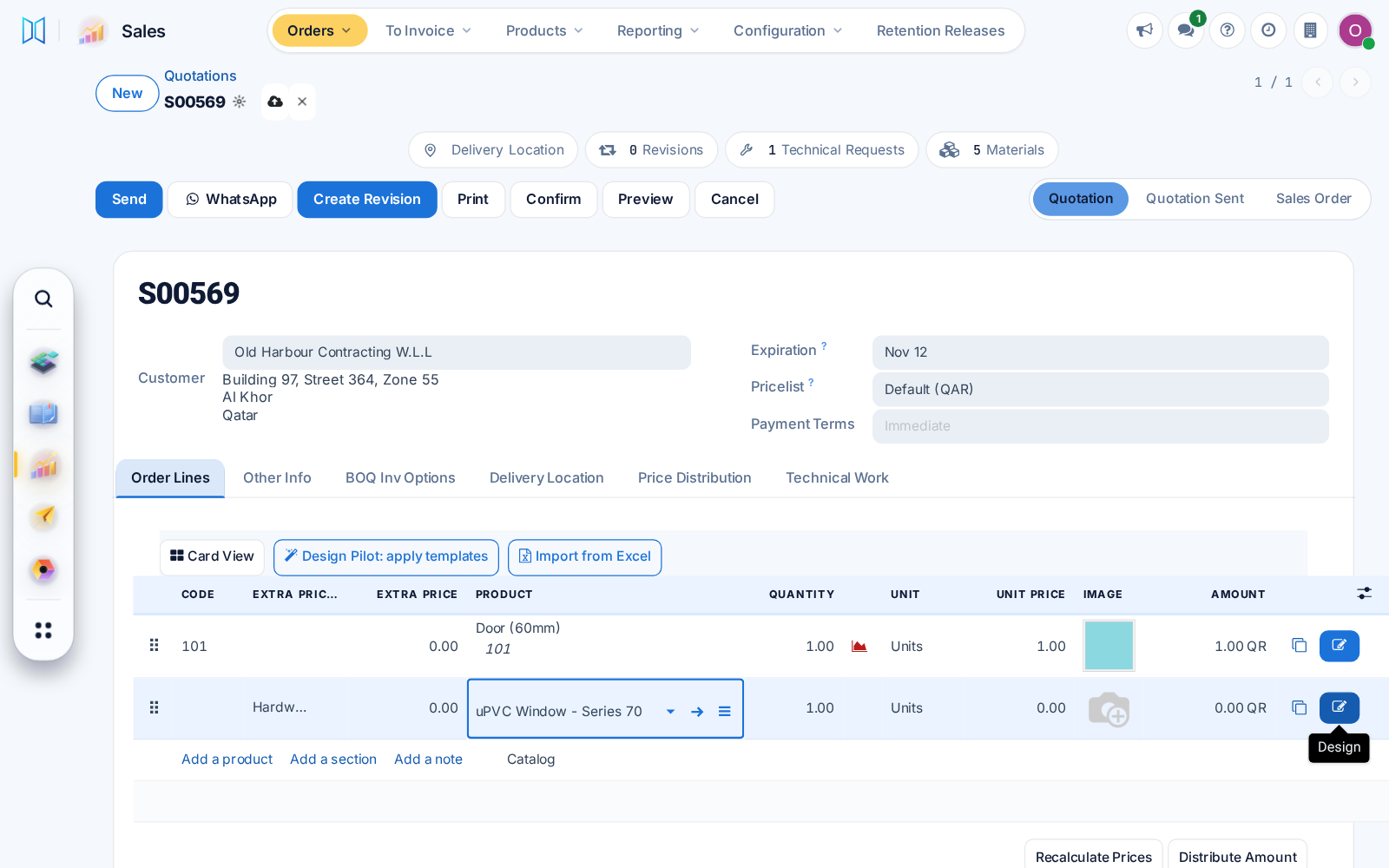
Design button on a new, unsaved quotation line
Improved Whole system

Help centre in dark mode

The help centre follows dark mode and opens in a drawer under every top bar. Task mode and PDF export show the full article again.

Ask about this Link copied
Help centre article drawer in dark mode

23 Oct

2026 Release 2026.10.23 2 new2 improved1 fixed
New Whole system

A dock for your apps and a quick launcher

Apps can sit in a floating dock that keeps your recent ones close, and a launcher finds any app or menu as you type.

Ask about this Link copied
Improved CRMWhole system

Choose your look: modern or classic

Each user can choose a modern or classic menu and view style, with simpler phone screens and a probability ring on CRM opportunities.

Ask about this Link copied
Improved Sales & QuotationsDesign & EstimationTechnical Office & Survey

Design Pilot on every quotation

Design Pilot will propose or replace window designs on any editable quotation, price them at once, and keep replaced designs restorable for 30 days.

Ask about this Link copied
New Whole system

What's new, in your user menu

Your user menu will list the changes live in your own system, in your language, with a link to ask us about any of them.

Ask about this Link copied
Fixed Design & EstimationInventory & Warehouse

Profile colour stays where it belongs

Profile setup now records the finish as Profile Colour and never adds a second colour to a profile that has one.

Ask about this Link copied

19 Oct

2026 Release 2026.10.19 1 improved
Improved ProcurementInventory & WarehouseCutting & Optimization

One profile, several bar lengths

A profile now holds all its bar lengths and colours as one product. Production picks the length that wastes least, or one already in stock.

Before: Each length was a separate product.

Ask about this Link copied
Video CC, 4 languages 0:25

18 Oct

2026 Release 2026.10.18 1 new1 fixed
New Production & Shop FloorLogistics & Installation

Frames first, then sashes

One production order can ship frames first and sashes with glass later, as two deliveries with their own site visits and a sash sizes report.

Ask about this Link copied
Video CC, 4 languages 0:25
Fixed Sales & QuotationsDesign & Estimation

Dark Card View, light drawings, tidier product form

The quotation Card View follows dark mode, window pictures always save in light colours for clean prints, and product forms no longer repeat fields.

Ask about this Link copied
Video CC, 4 languages 0:32

17 Oct

2026 Release 2026.10.17 1 new1 improved
New Design & EstimationCutting & Optimization

Length corrections for a chosen product

A length correction can now apply to chosen products only, such as a support mullion cut to full frame height. Existing cut lists do not change.

Ask about this Link copied
Video CC, 4 languages 0:28

16 Oct

2026 Release 2026.10.16 1 new1 fixed
New Production & Shop FloorLogistics & Installation

Stickers that draw the window

Product and glass stickers now show a small drawing of the window with that pane marked, so the site crew sees at once where each piece goes.

Before: Stickers showed plain boxes.

Ask about this Link copied
Video CC, 4 languages 0:27
Fixed Technical Office & SurveyWhole system

Quicker sketch reading, translation-safe screens

Reading a hand sketch now stops quickly with a clear message when it cannot be read, and screens keep working when your browser translates the page.

Ask about this Link copied
Video CC, 4 languages 0:25

14 Oct

2026 Release 2026.10.14 1 new4 improved1 fixed
Improved Logistics & InstallationAfter-Sales & Service

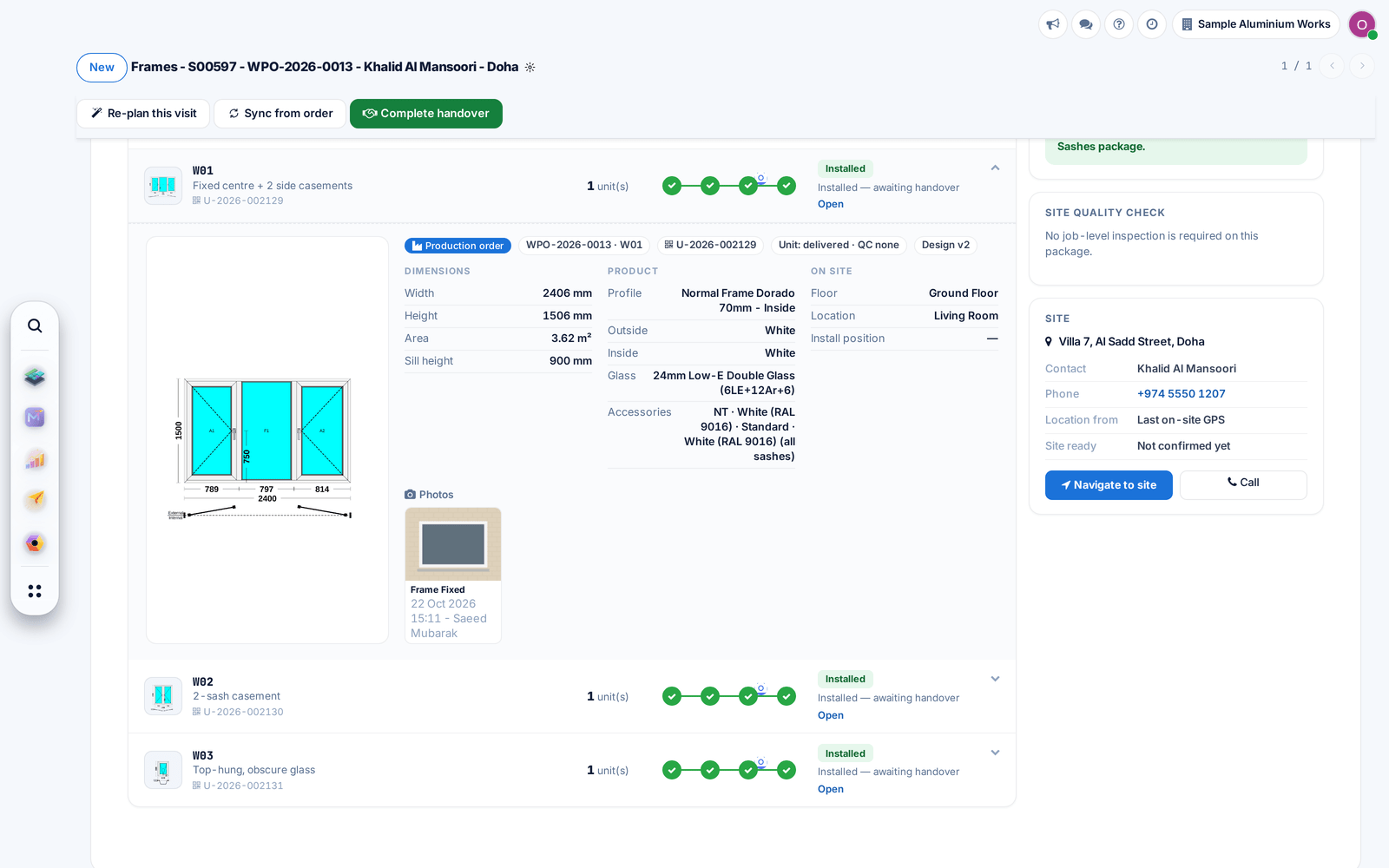
Installation packages match what was produced

Work packages now take each produced unit with its size and serial, show the site photos per opening, and after-sales checks warranty by serial.

Before: Serials and later batches could be lost.

Ask about this Link copied
An opening in a work package with its unit serial, size, product and site photo
Improved Technical Office & SurveyWhole system

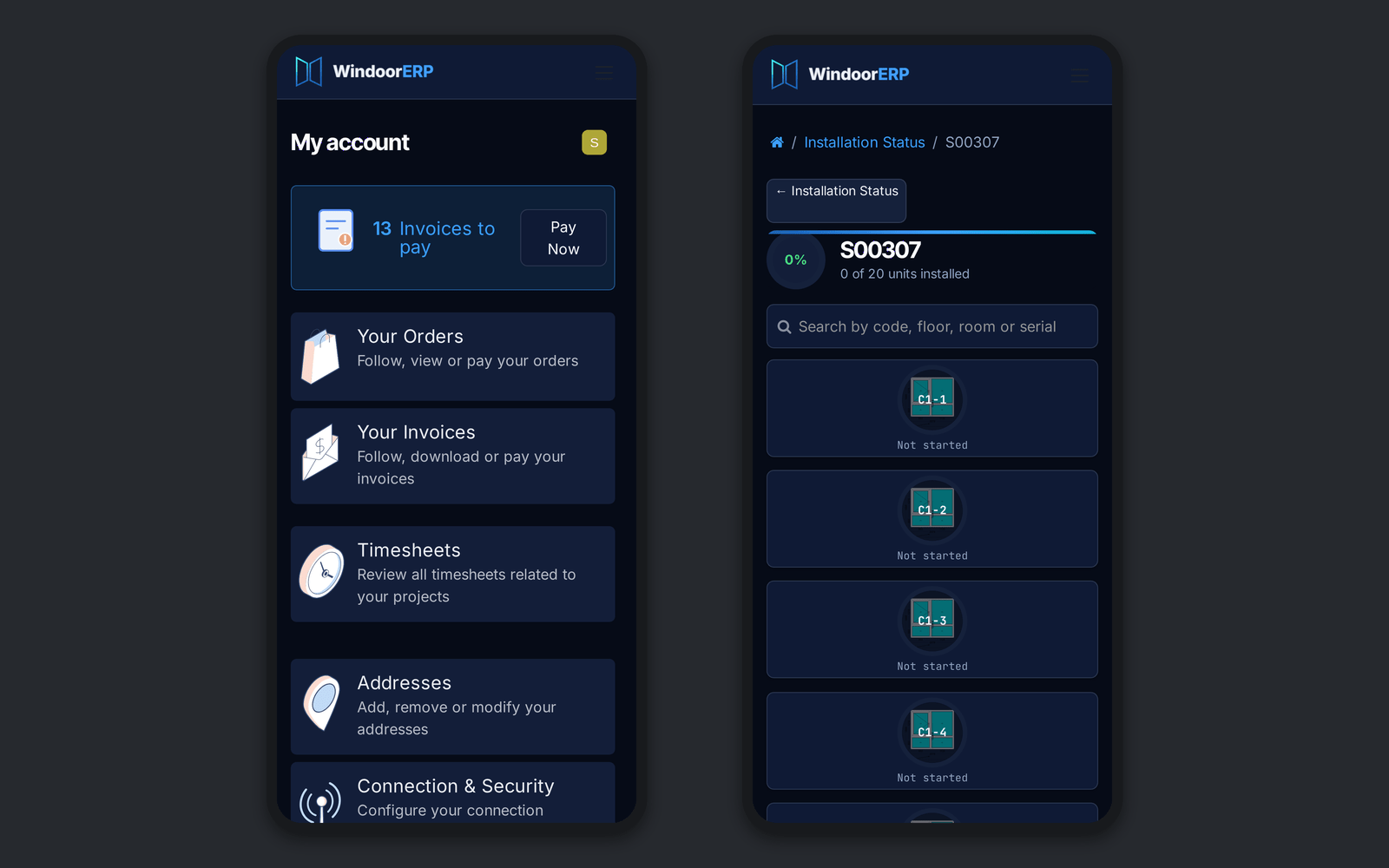
Dark mode in the portal

Every portal page and the survey measuring app now follow dark mode, with a light setting for installers working in bright sun.

Ask about this Link copied
The customer portal and a job page in dark mode on two phones
New Technical Office & Survey

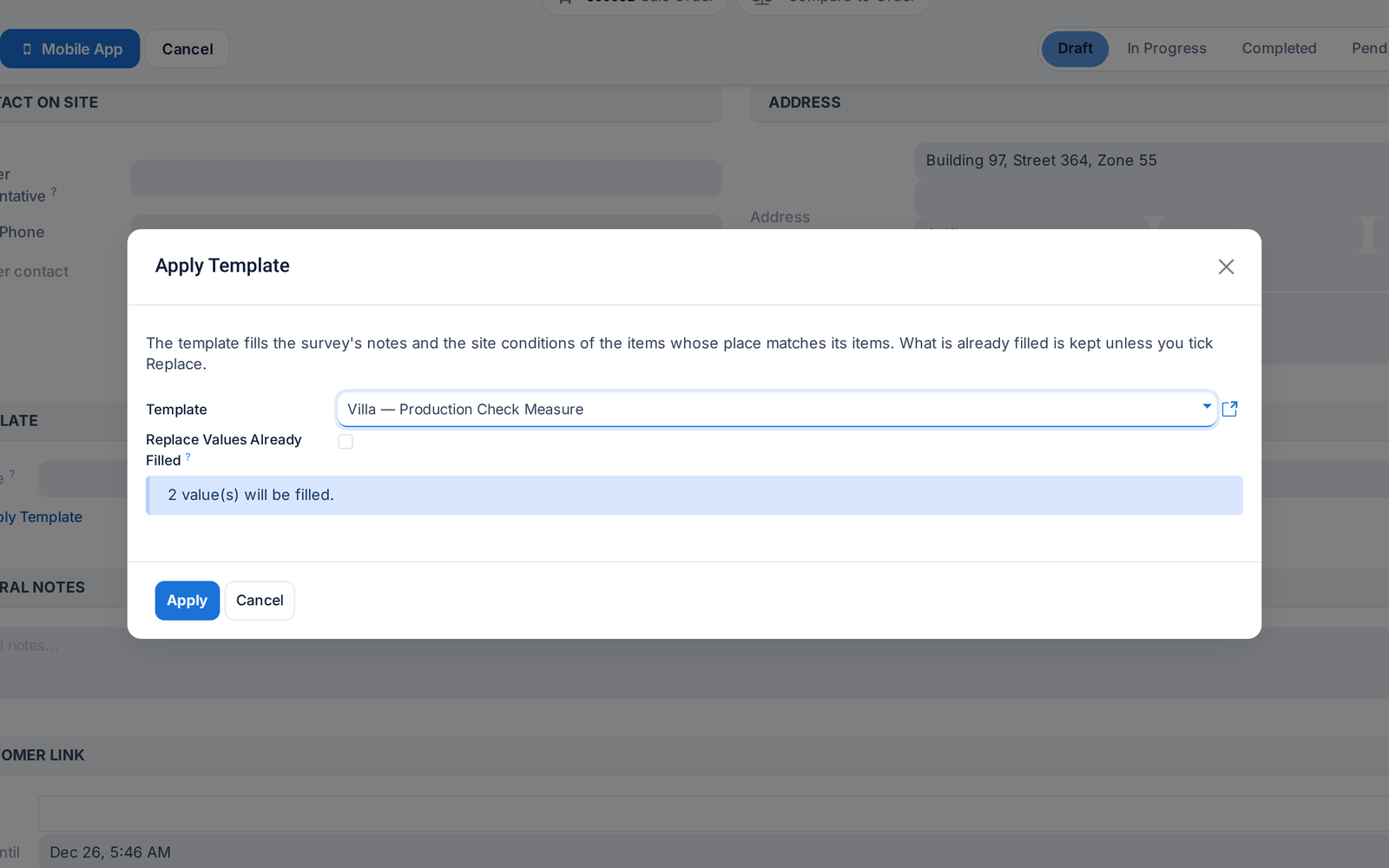
Apply a survey template

Survey templates can now be applied to a new or draft survey, filling empty values and keeping what is already filled.

Before: Templates could not be applied.

Ask about this Link copied
The Apply Template dialog showing how many values it will fill
Fixed Technical Office & SurveyProduction & Shop Floor

Approvals, messages and material lists hold

Unapproved measurements can no longer start production, customer messages use the chosen channel, and changed designs flag an outdated material list.

Ask about this Link copied
Improved Logistics & InstallationAfter-Sales & Service

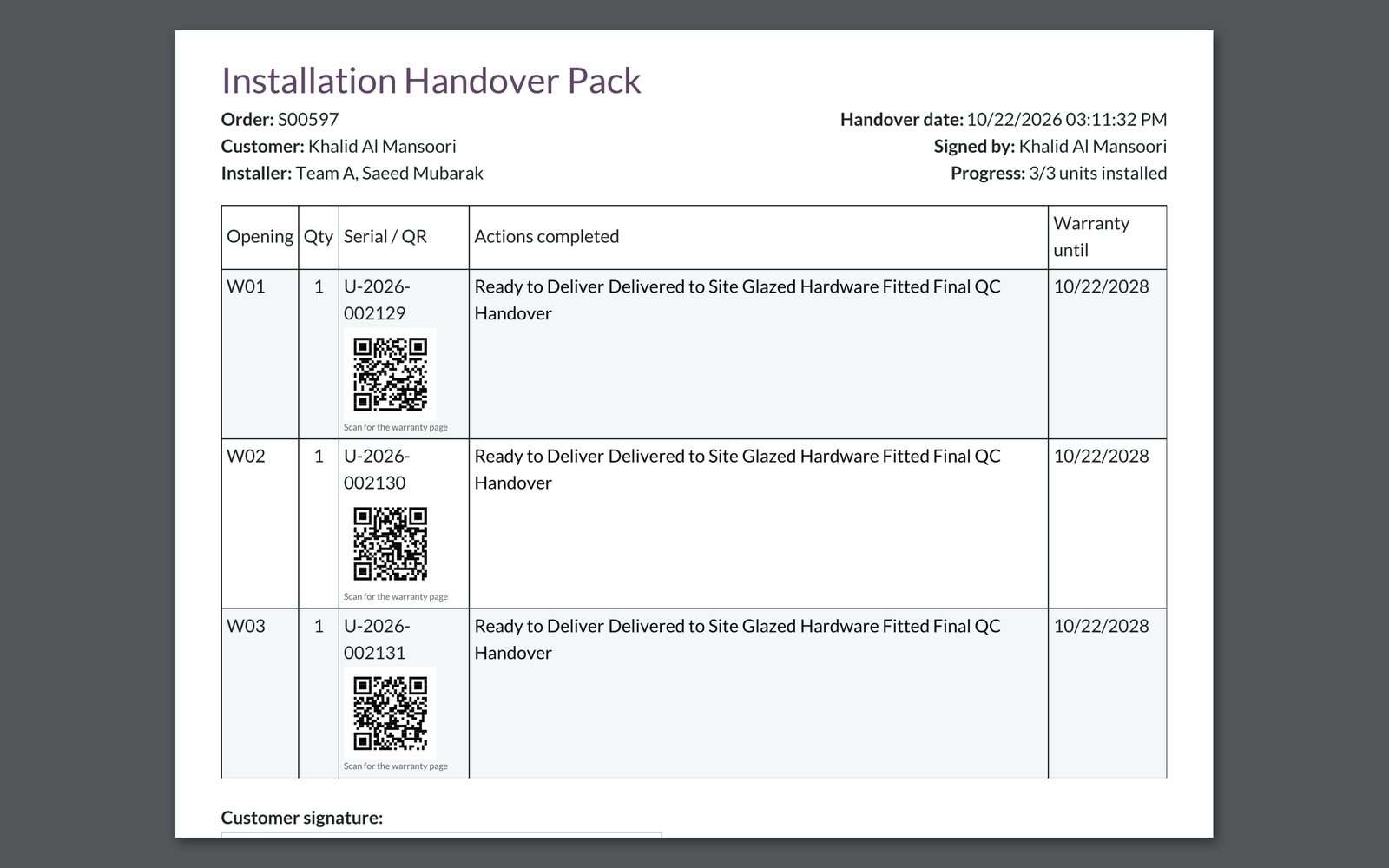
A QR code for every window at handover

The handover pack prints a QR code next to each window that opens its warranty page.

Before: The QR column was empty.

Ask about this Link copied
The handover pack with a QR code next to each window
Improved Inventory & WarehouseCutting & Optimization

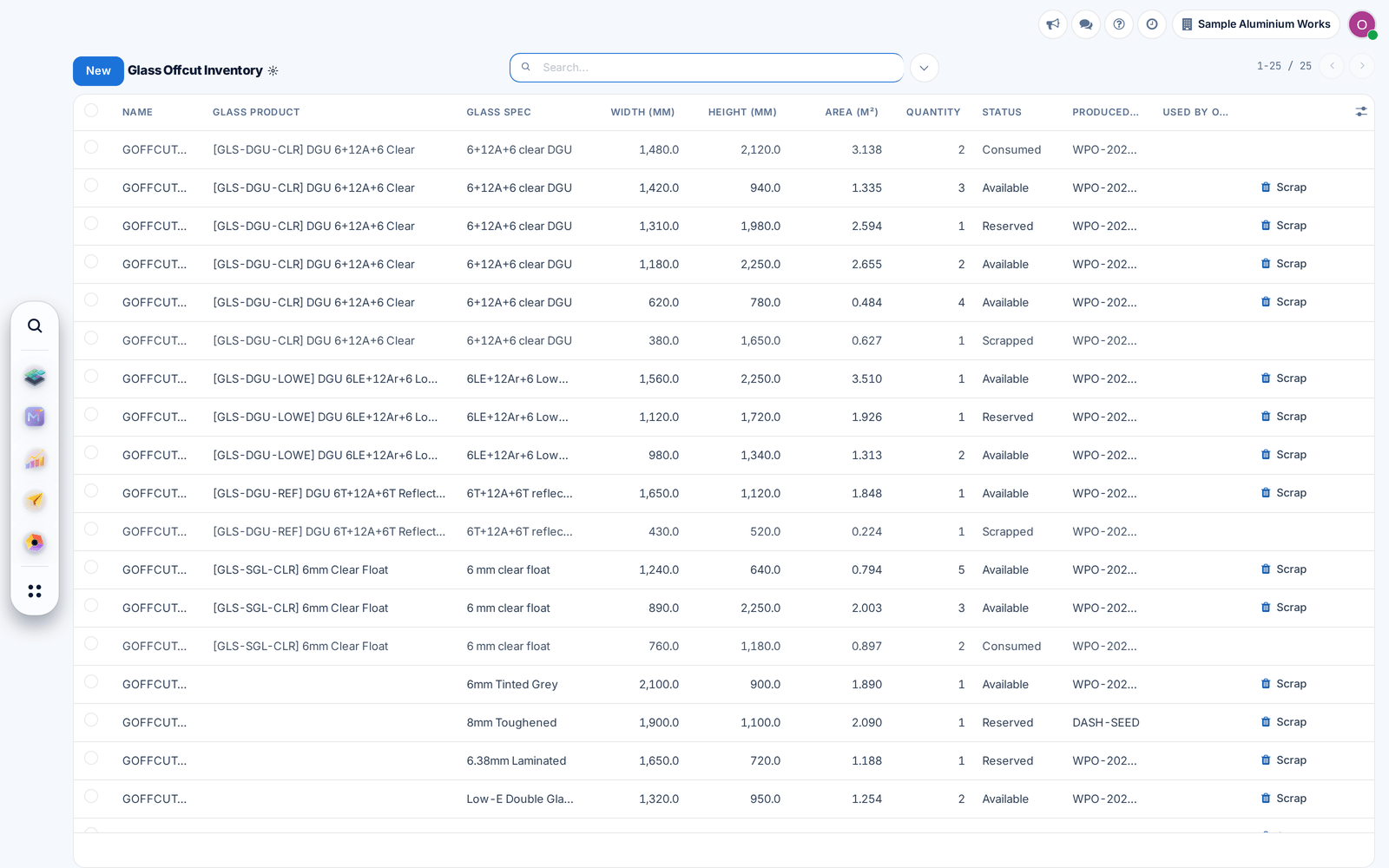
Glass offcuts before new sheets

Glass nesting now cuts panes from fitting offcuts of the same glass before opening new sheets, and marks the used offcuts consumed.

Before: Offcuts were stored but never cut from.

Ask about this Link copied
The glass offcut list with available, reserved and consumed offcuts