
Skip to Content
What's new

Every change we ship, shown and explained.

Latest release 29 Oct 2026
The Friday email

Only in weeks when something ships.

29 Sep

2026 Release 2026.09.29 2 improved1 fixed
Fixed Sales & QuotationsProcurementFinance & Billing

Salespeople can finish a sale on their own

A salesperson with ordinary rights can pick any customer, add lines by hand and confirm with a project, and buyers can record vendor bills.

Before: These steps needed extra rights.

Ask about this Link copied
Improved Technical Office & Survey

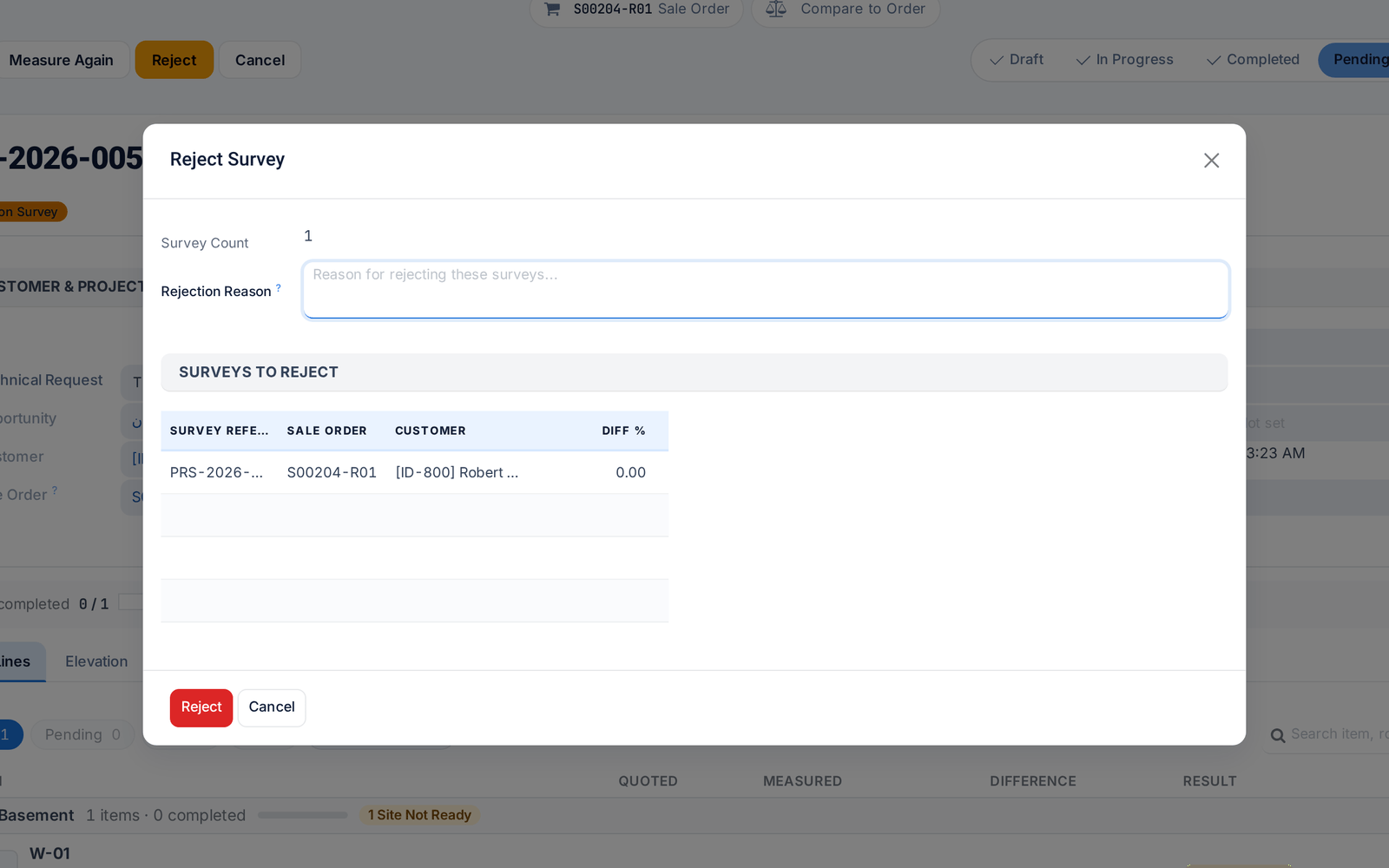
Reject a survey with a reason

Rejecting a survey now requires a reason, which reaches the surveyor in their own language and shows on the job in the field app.

Ask about this Link copied
The Reject Survey dialog asking for a reason
Improved Technical Office & SurveyReporting & Dashboards

One Control Tower for requests and surveys

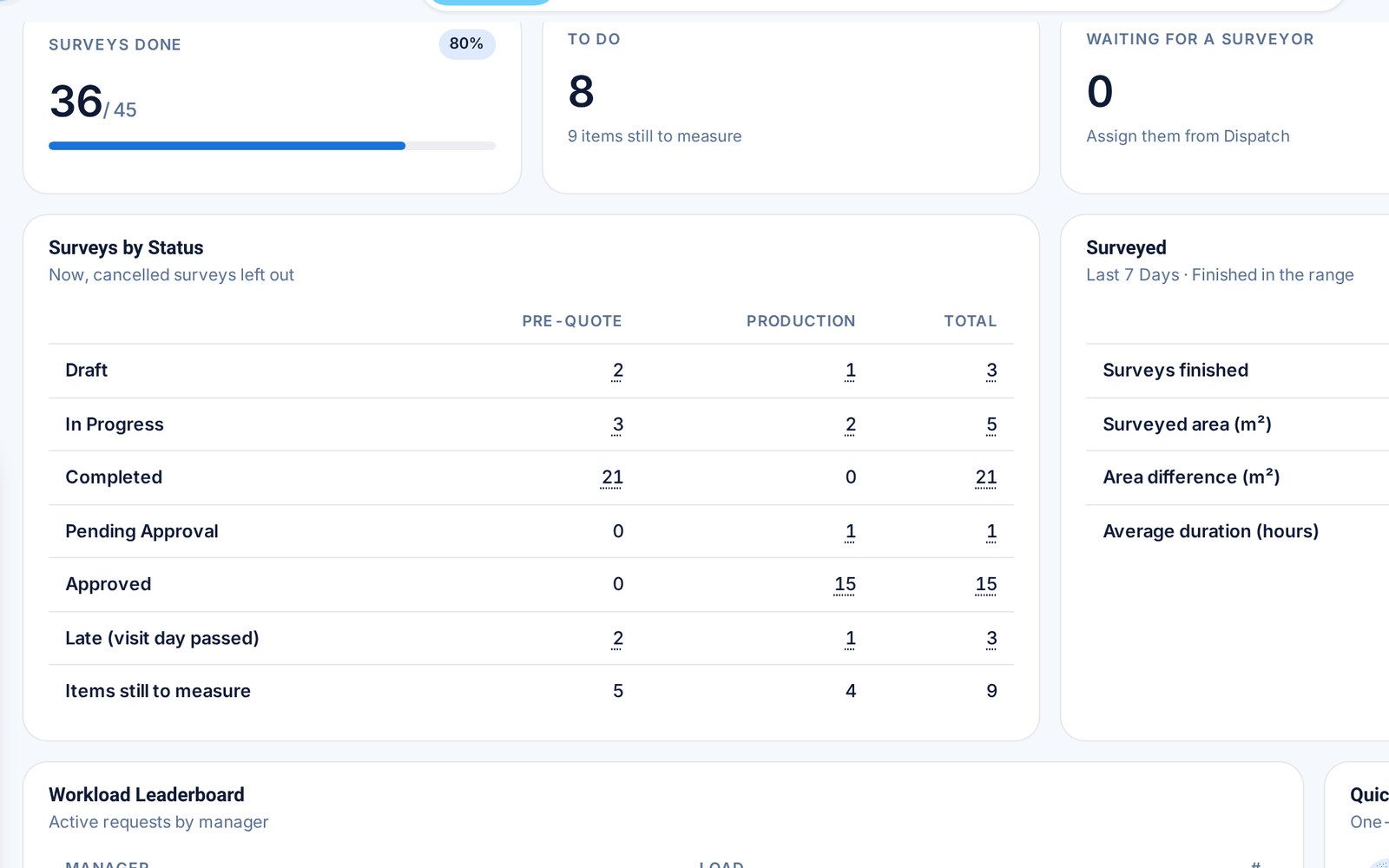
Survey counts now sit inside the Control Tower, and every card opens exactly the records behind its number.

Before: Surveys had a separate dashboard.

Ask about this Link copied
The survey section of the Control Tower: counts and surveys by status

28 Sep

2026 Release 2026.09.28 1 new2 improved1 fixed
Improved Technical Office & Survey

Submit to office settles open items

When a surveyor submits a survey, the app offers to settle the items left open, so the office receives it with no loose ends.

Ask about this Link copied
Improved Technical Office & Survey

Bluetooth laser meters: more models, steadier link

The field app supports more Bluetooth laser meters, reads their units correctly and reconnects by itself. Each item records which meter measured it.

Ask about this Link copied
Fixed Technical Office & Survey

Floors are matched, never duplicated

Floor names from the order are matched to your floor list whatever the spelling or language, so no duplicate floors appear.

Before: A different spelling created a new floor.

Ask about this Link copied
New Sales & QuotationsDesign & Estimation

Import quotation lines from Excel

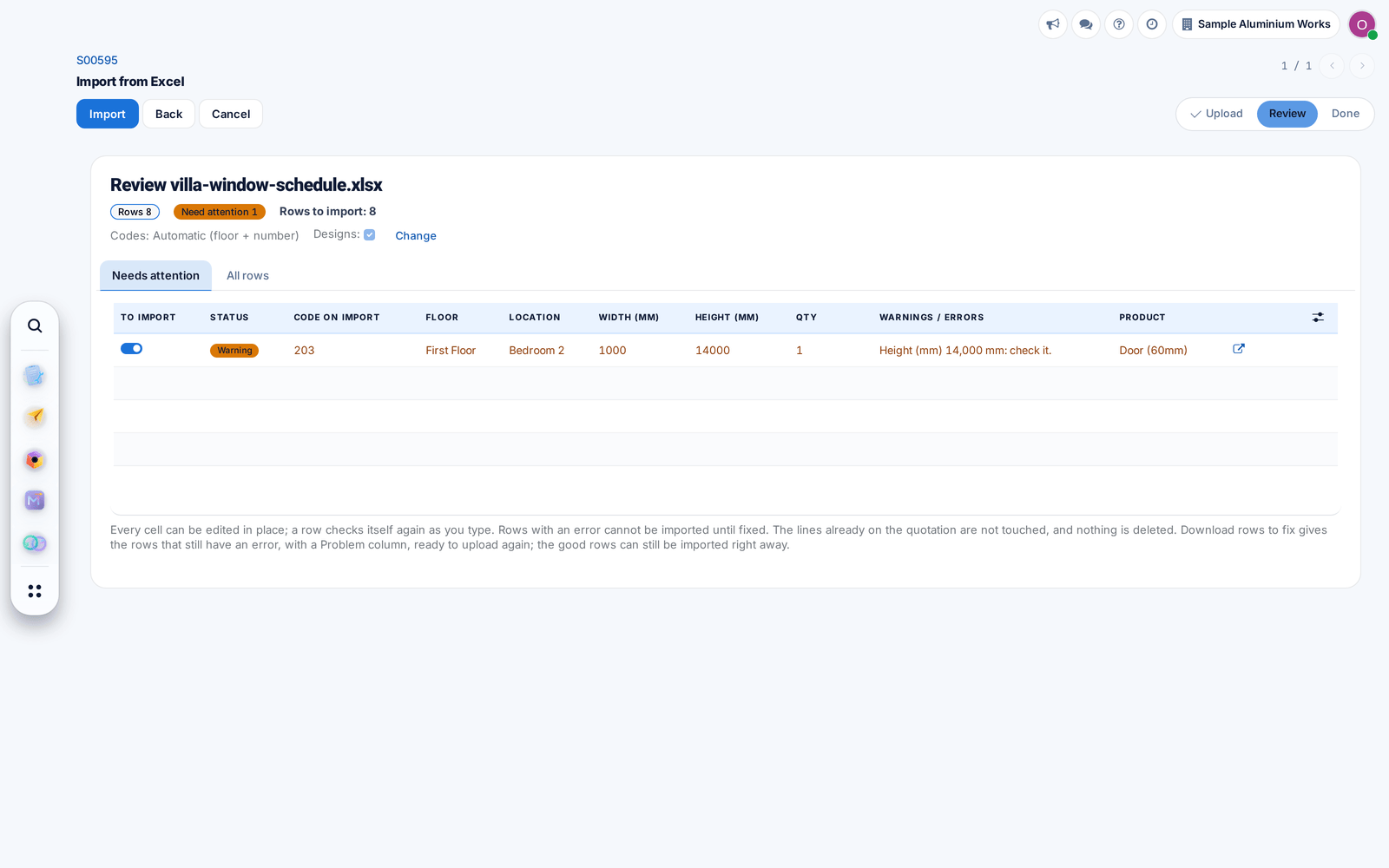
Load a window schedule from Excel, in English or Arabic, into a draft quotation. Lines are added and drawn automatically, with doubtful rows held back for checking.

Ask about this Link copied
The review of an Excel window schedule with one row held back for checking

27 Sep

2026 Release 2026.09.27 3 new3 improved1 fixed
New Technical Office & Survey

Pre-quote surveys get their own list

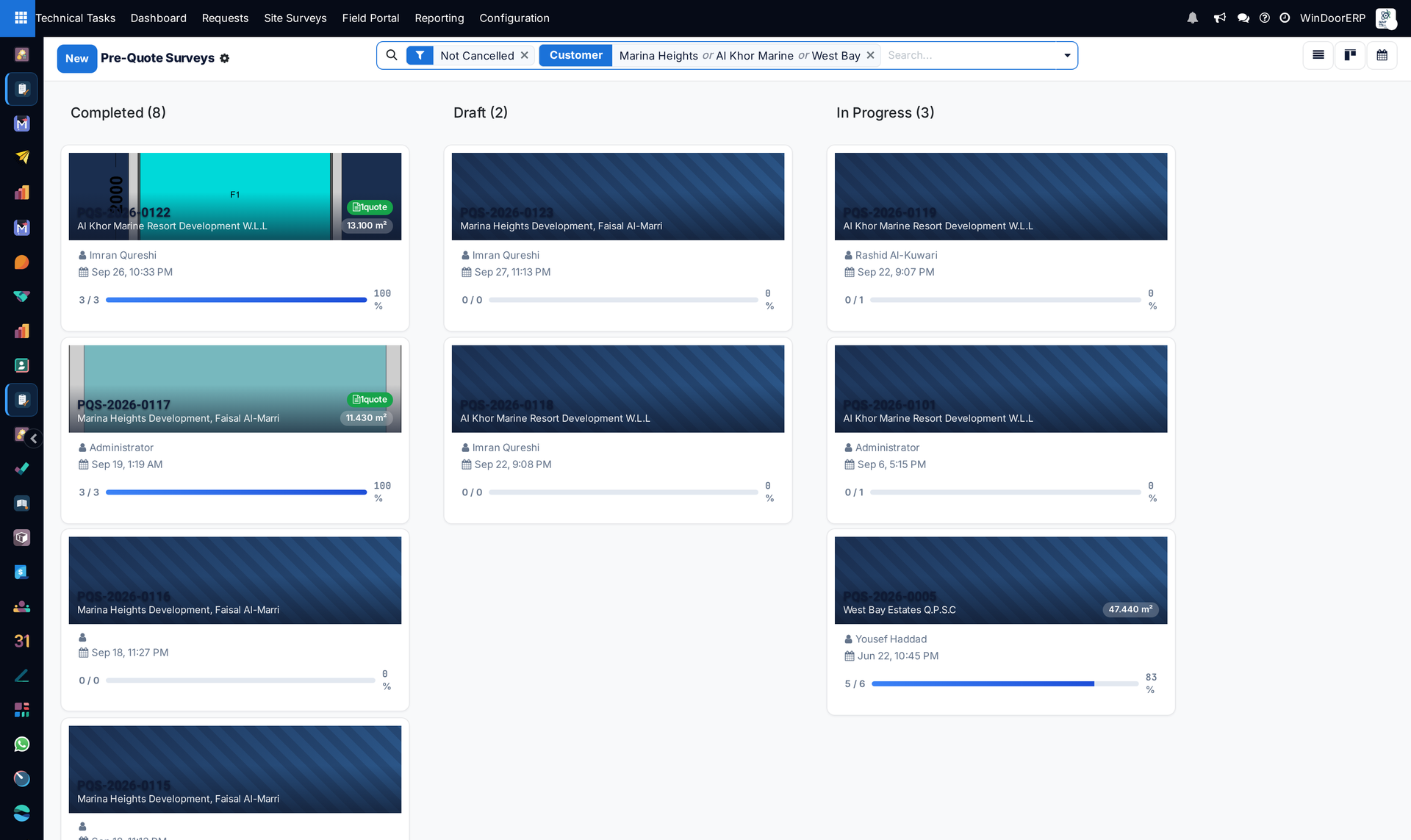
Measurements taken before the price now have their own list, without an approval step, while the combined views still show both kinds of survey.

Ask about this Link copied
Pre-quote surveys grouped by status, each card with its customer, surveyor, date and progress
New Technical Office & Survey

Measure Again

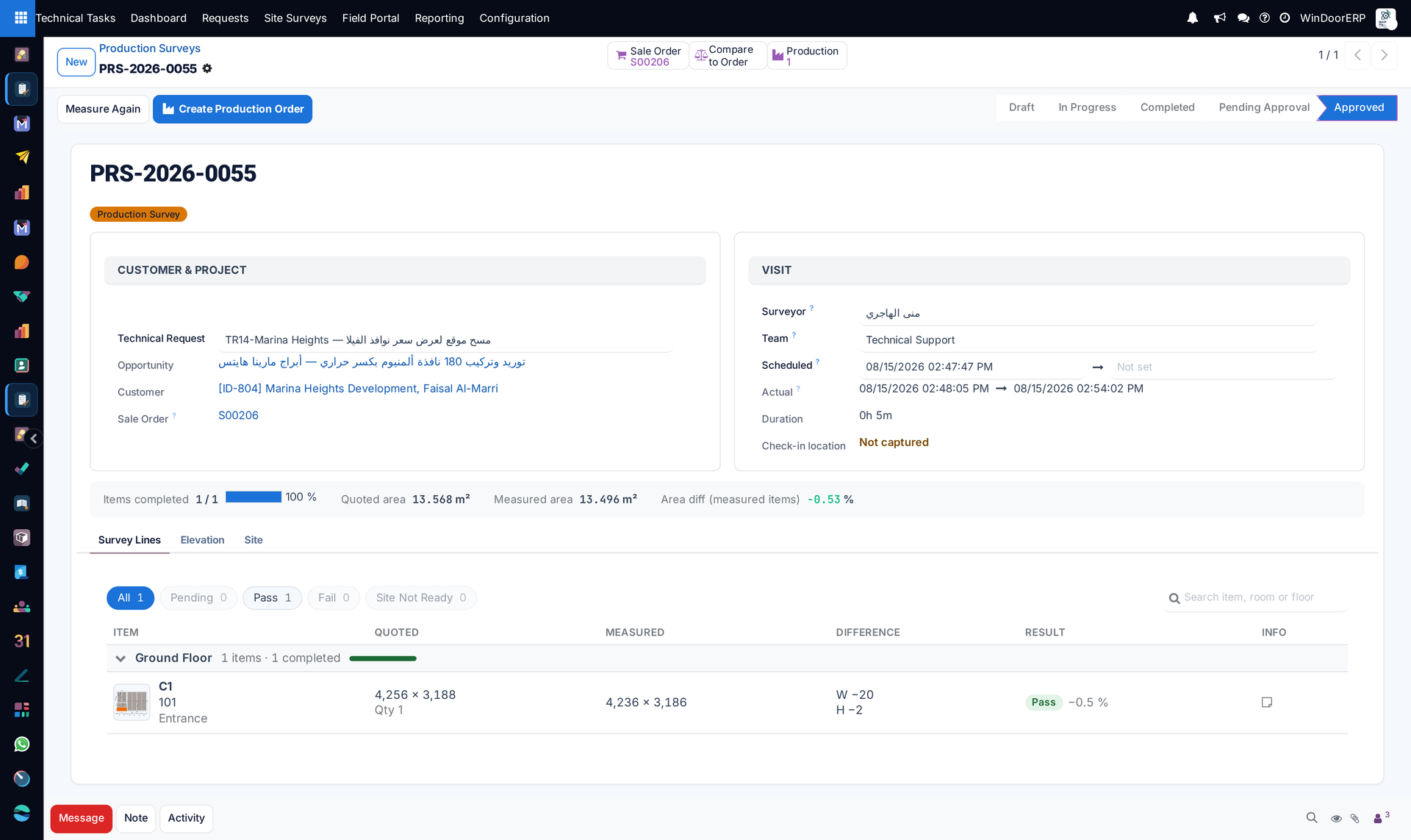
Send chosen items back to site with a reason and a visit date. Sizes already on the order stay until the new ones are approved.

Ask about this Link copied
A production survey with the Measure Again button, quoted and measured sizes side by side and the difference per item
Improved Technical Office & Survey

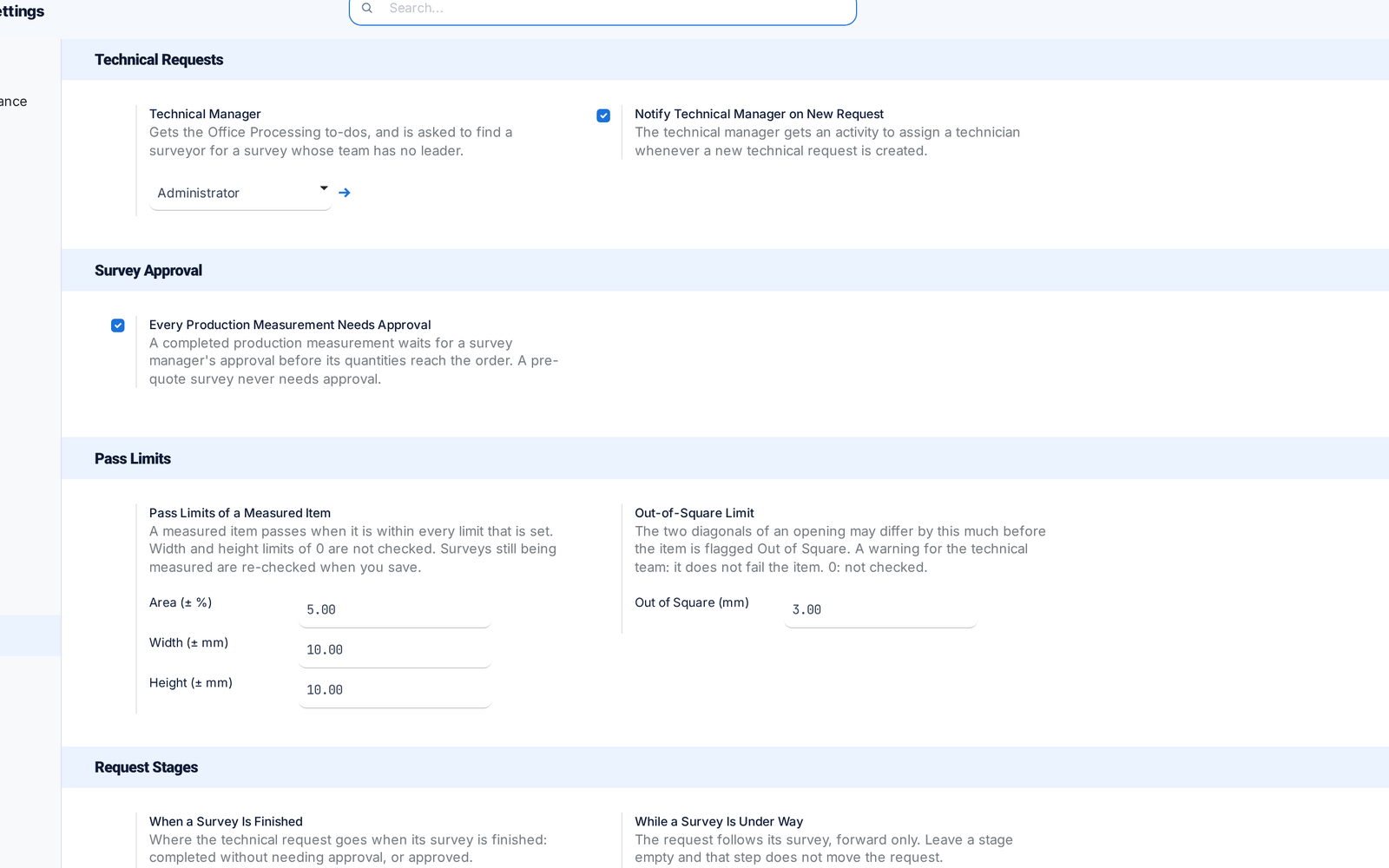
Survey settings on one page

All survey settings, including the Technical Manager, now sit on one Settings page. Switches that did nothing are gone.

Before: Settings were split across two places.

Ask about this Link copied
The survey settings on one page: Technical Manager, approval, pass limits and request stages
New Technical Office & Survey

Survey reminders every morning

Every morning the system sends the day-before visit reminder and the overdue survey notice, once an outgoing mail server is set up.

Before: Nothing sent these reminders.

Ask about this Link copied
Improved Technical Office & Survey

Field app: check in on site, work offline

Surveyors check in on site with one press and keep measuring without signal. Work is saved on the phone and sent when the connection returns.

Before: A dropped connection could lose work.

Ask about this Link copied
Improved Sales & QuotationsTechnical Office & Survey

Revisions replace quantities

A revised survey now replaces the earlier quantities on the order instead of adding to them, and posted measurements stay locked.

Before: Revisions added on top.

Ask about this Link copied

20 Sep

2026 Release 2026.09.20 1 new
New Sales & QuotationsTechnical Office & Survey

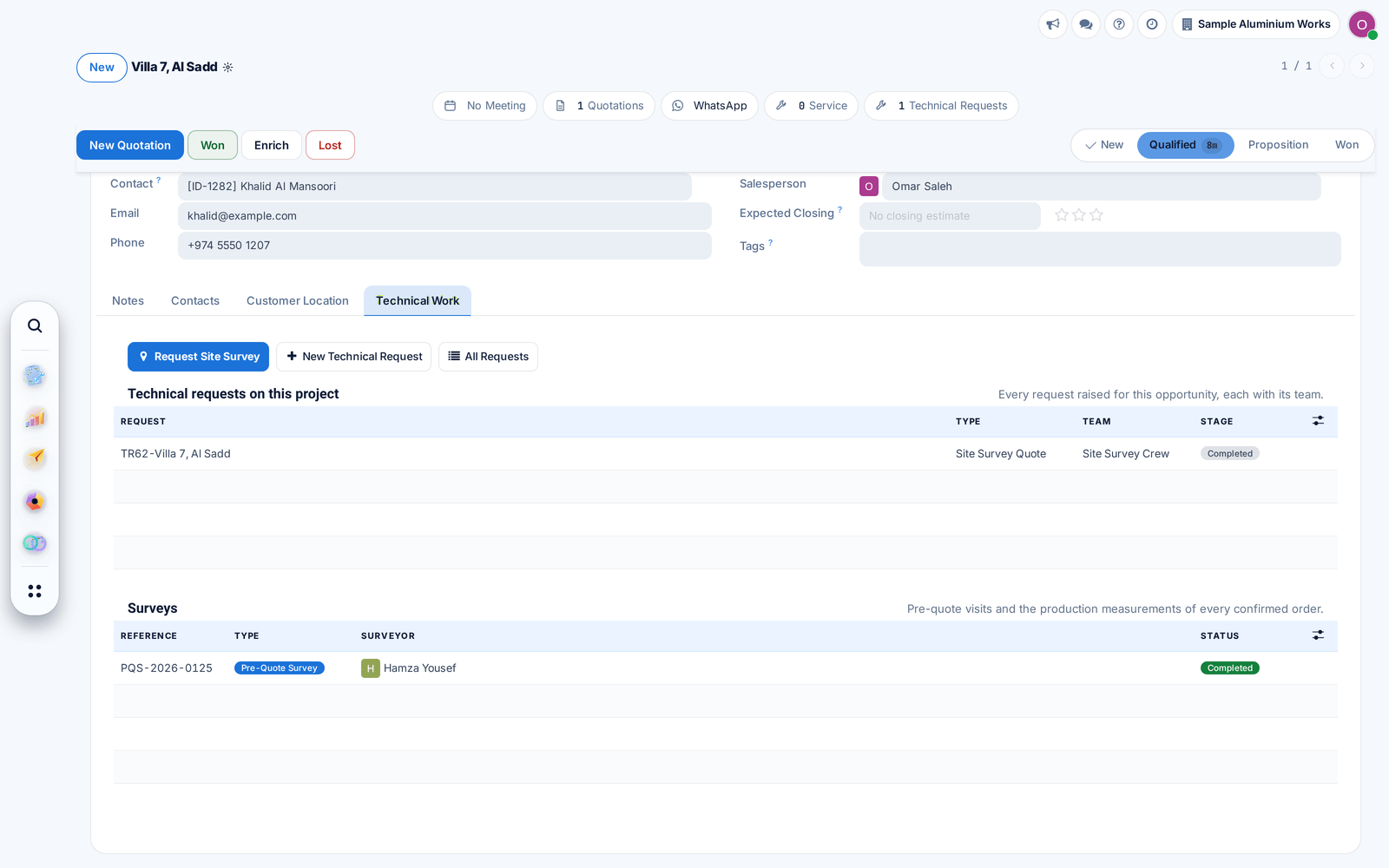
Technical Work tab and Dispatch

A technical request shows its surveys, quotations and measurements on one tab. Unassigned surveys wait for dispatch, and requests move forward as the work is done.

Before: Each step was moved by hand.

Ask about this Link copied
The Technical Work tab of an opportunity with its requests and surveys

17 Sep

2026 Release 2026.09.17 1 improved
Improved Technical Office & Survey

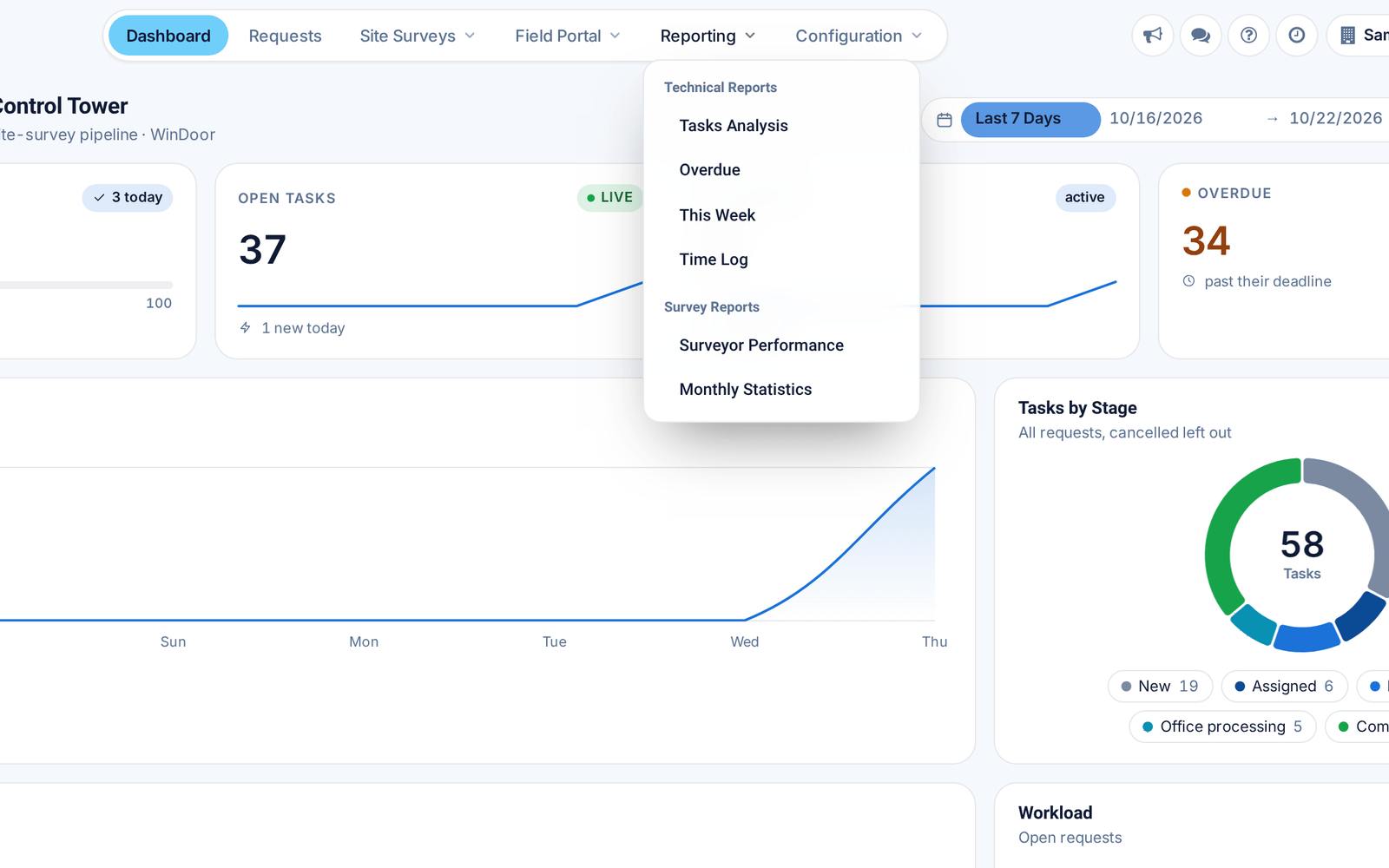
A shorter Technical Tasks menu

Field Portal moved to the top bar and Reporting now holds both technical and survey reports, so everything is one click from the top.

Ask about this Link copied
The Technical Tasks top bar with Field Portal and the Reporting menu open

14 Sep

2026 Release 2026.09.14 1 fixed
Fixed Cutting & OptimizationFinance & Billing

No stray steel, correct invoice totals

Profile systems without reinforcement no longer add steel to the cut list, and progress invoices with outdated deductions were recalculated.

Ask about this Link copied

13 Sep

2026 Release 2026.09.13 1 new
New Sales & QuotationsDesign & Estimation

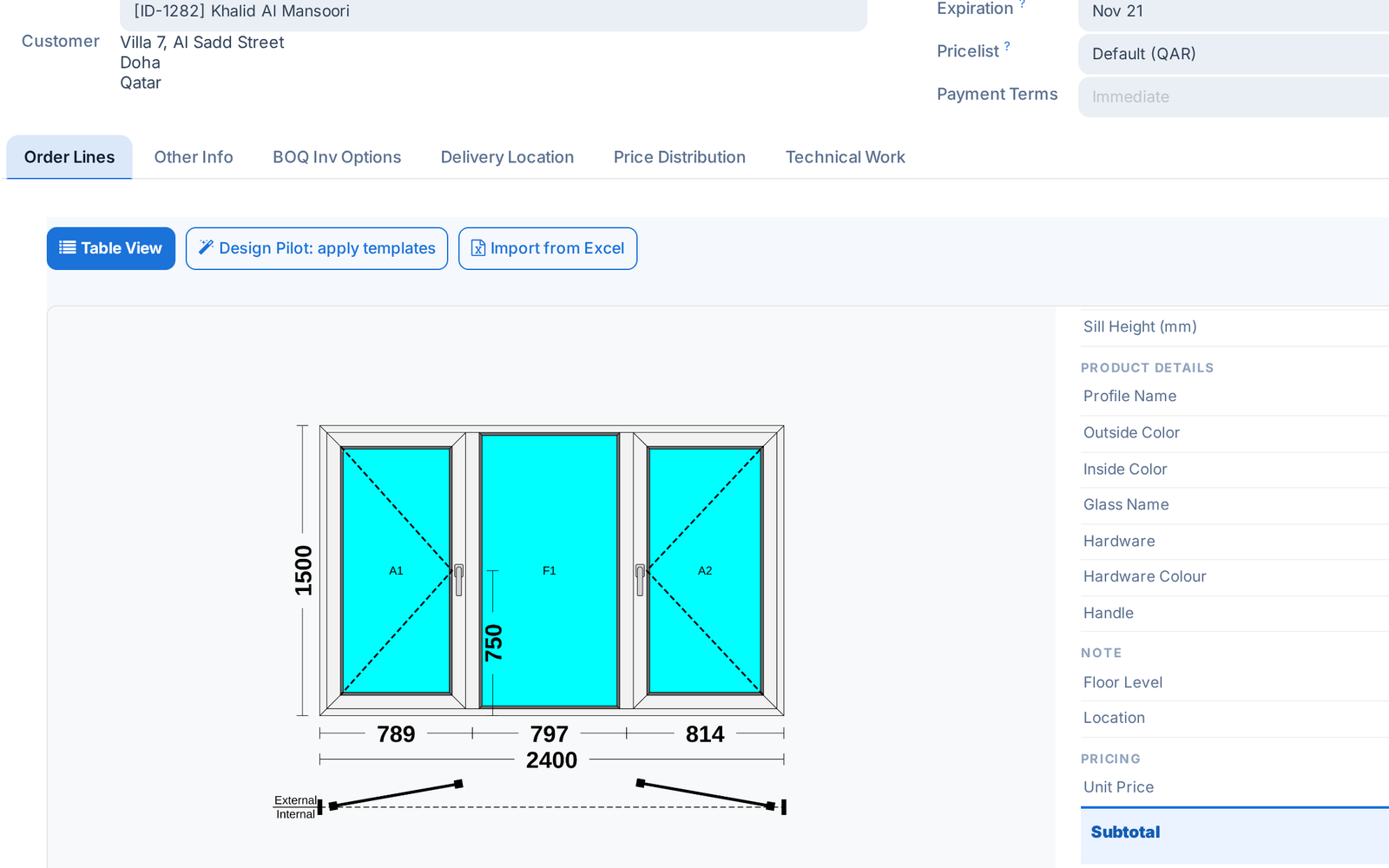
Hardware colours and handles, priced as extras

Choose the hardware colour and handle type per window. The difference from the series' standard set is priced as an extra on the quotation line.

Ask about this Link copied
A quotation line card with the hardware colour and handle of the window

4 Sep

2026 Release 2026.09.04 1 new1 improved
New Cutting & OptimizationProduction & Shop Floor

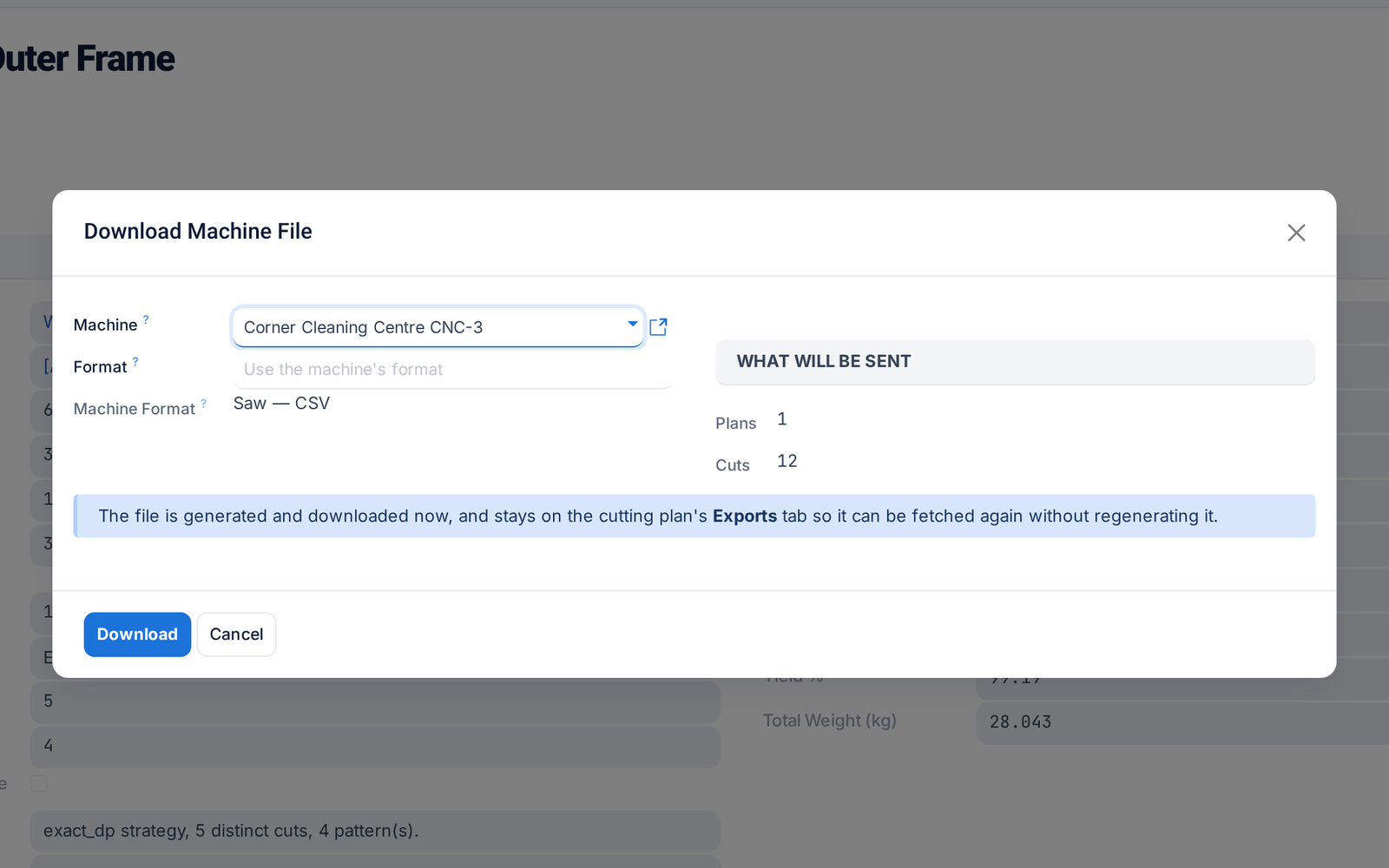
Send cutting plans to your machines

Send a cutting plan straight to the saw or machining centre in its own format, including DXF and G-code. Every file sent is logged and can be downloaded again.

Before: Generating and delivering the file were separate.

Ask about this Link copied
Download Machine File on a cutting plan: the machine, its format and what will be sent
Improved Production & Shop Floor

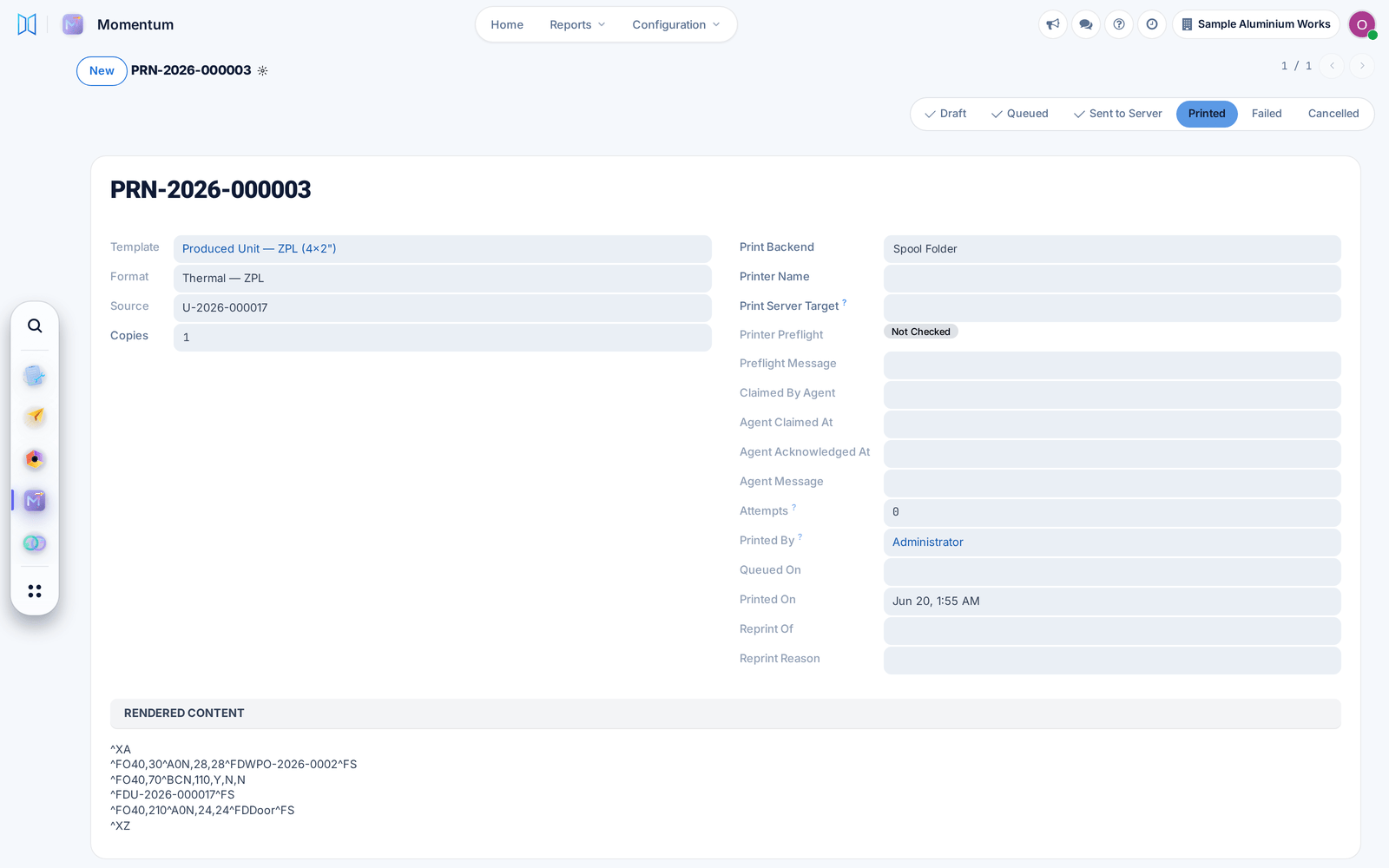
Label printing that never loses a label

Each label is now a tracked print job: failed prints retry by themselves, stuck jobs return to the queue, and every reprint records who asked and why.

Before: Some labels stayed stuck and never printed.

Ask about this Link copied
A print job with its status, attempts, who printed it and the reprint fields