Set up the profile, glass and hardware catalogue
What this does
Holds the catalogue every window is designed from: the aluminium profile systems with their dimensions, the glass build-ups, the frame colours, and the hardware — brands, series, sets, accessories and auxiliary components. The designer offers what is defined here, and the cutting lists, weights and prices downstream are computed from these numbers. Nothing in this app is cosmetic.
Before you start
- Administrative access to the System app. This is master data for the whole company — one careless edit changes every future quotation.
- The supplier's technical catalogue in front of you. Every dimension here should be traceable to a printed section drawing.
Profiles
-
01
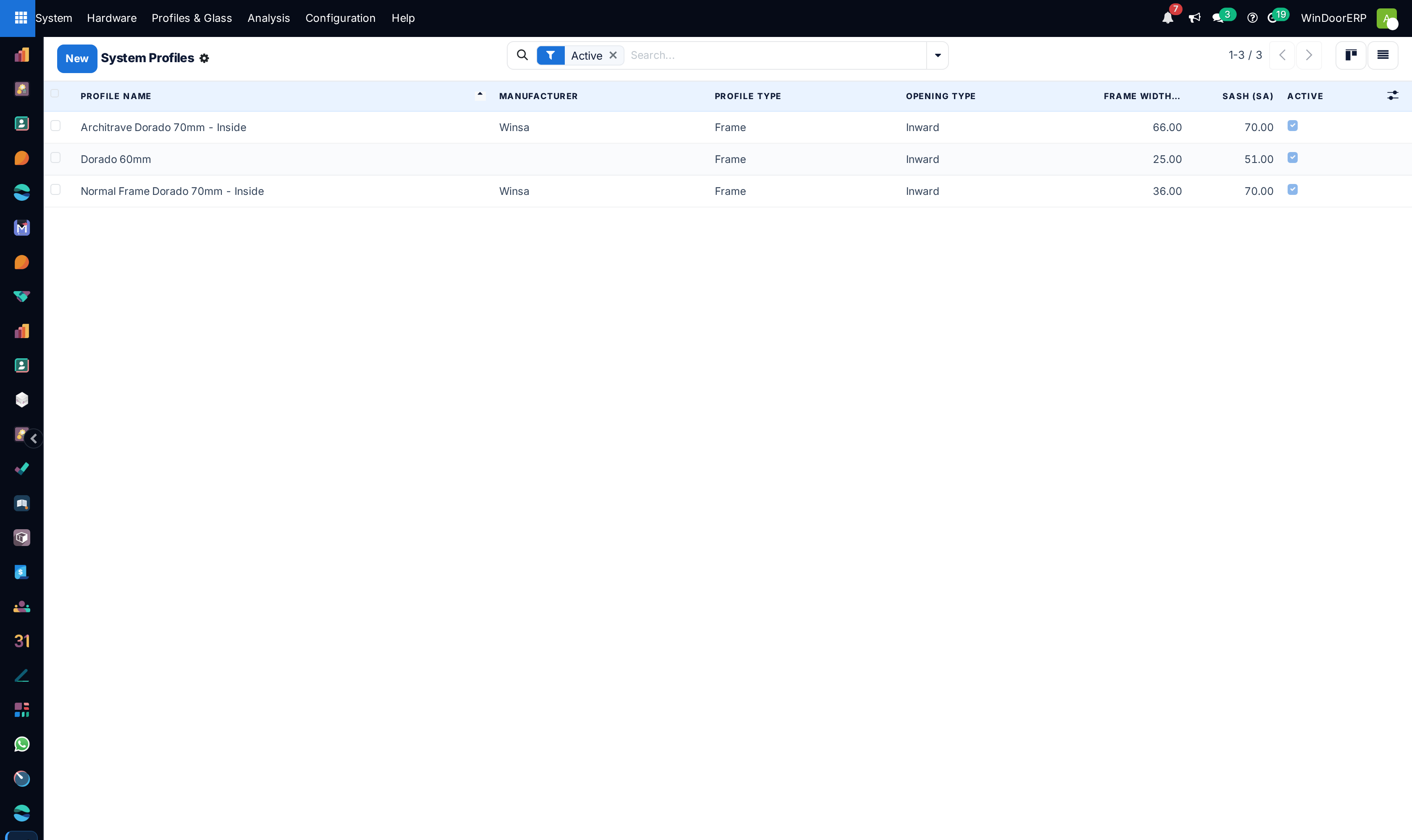
Open System › Profiles & Glass › Profiles and create one record per profile system you actually sell.
-
02
Give it a Profile Name, Manufacturer, Type and Application, and upload the section Image.
-
03
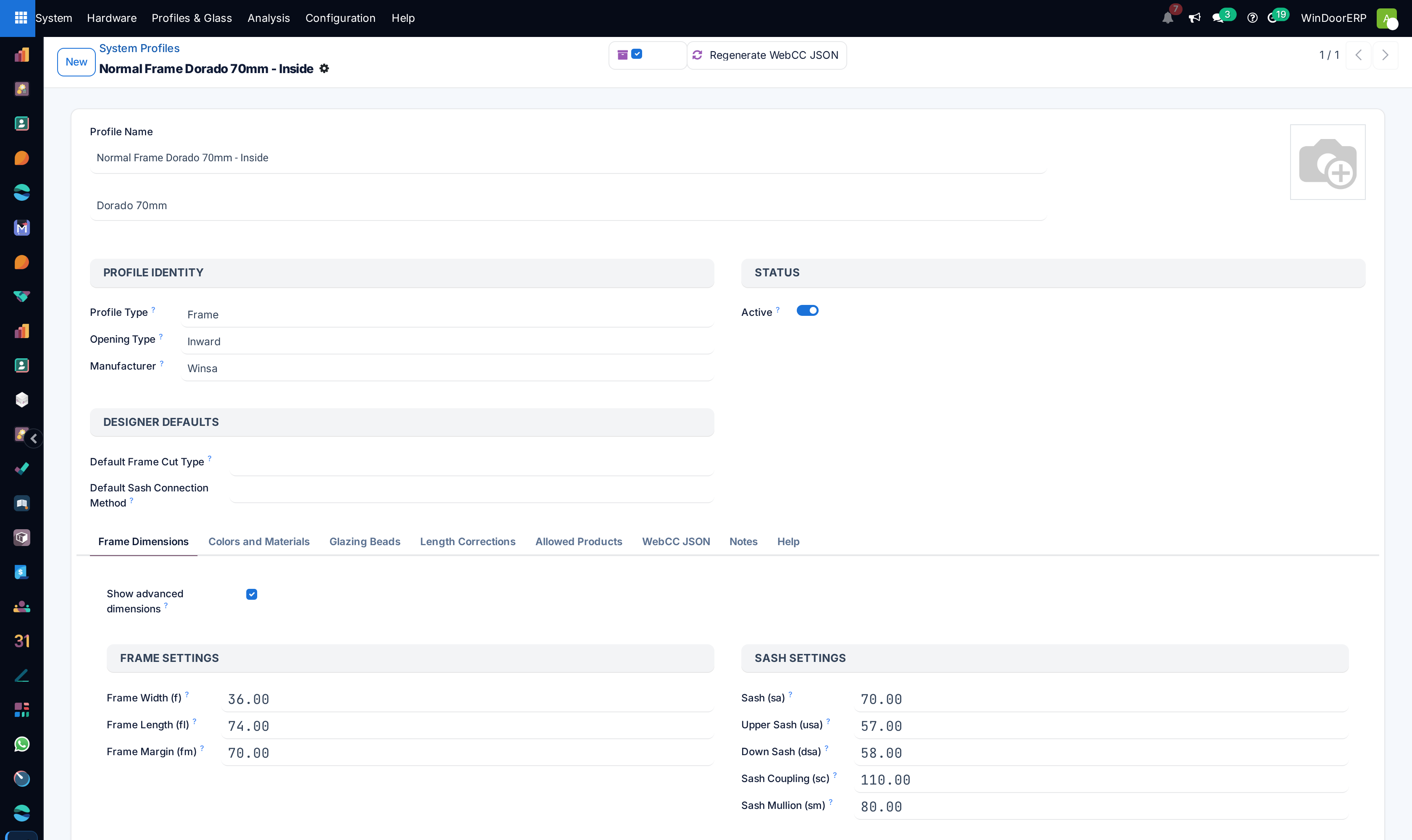
Fill the dimension codes — frame width, edge width, sash, glass gap, tracks, couplings and the rest. These short codes are the arithmetic behind every cut length: change f or ew and every future cutting list for that system changes with it.
-
04
Link the products the profile consumes — Frame Product, Sash Product, reinforcement products — so that designing a window consumes real stock items.
-
05
Set Sash Profile Weight (kg/m) and the Default Price Rate (per m²), and add Length Corrections and Compatible Systems where the supplier's catalogue calls for them.
Glass and colours
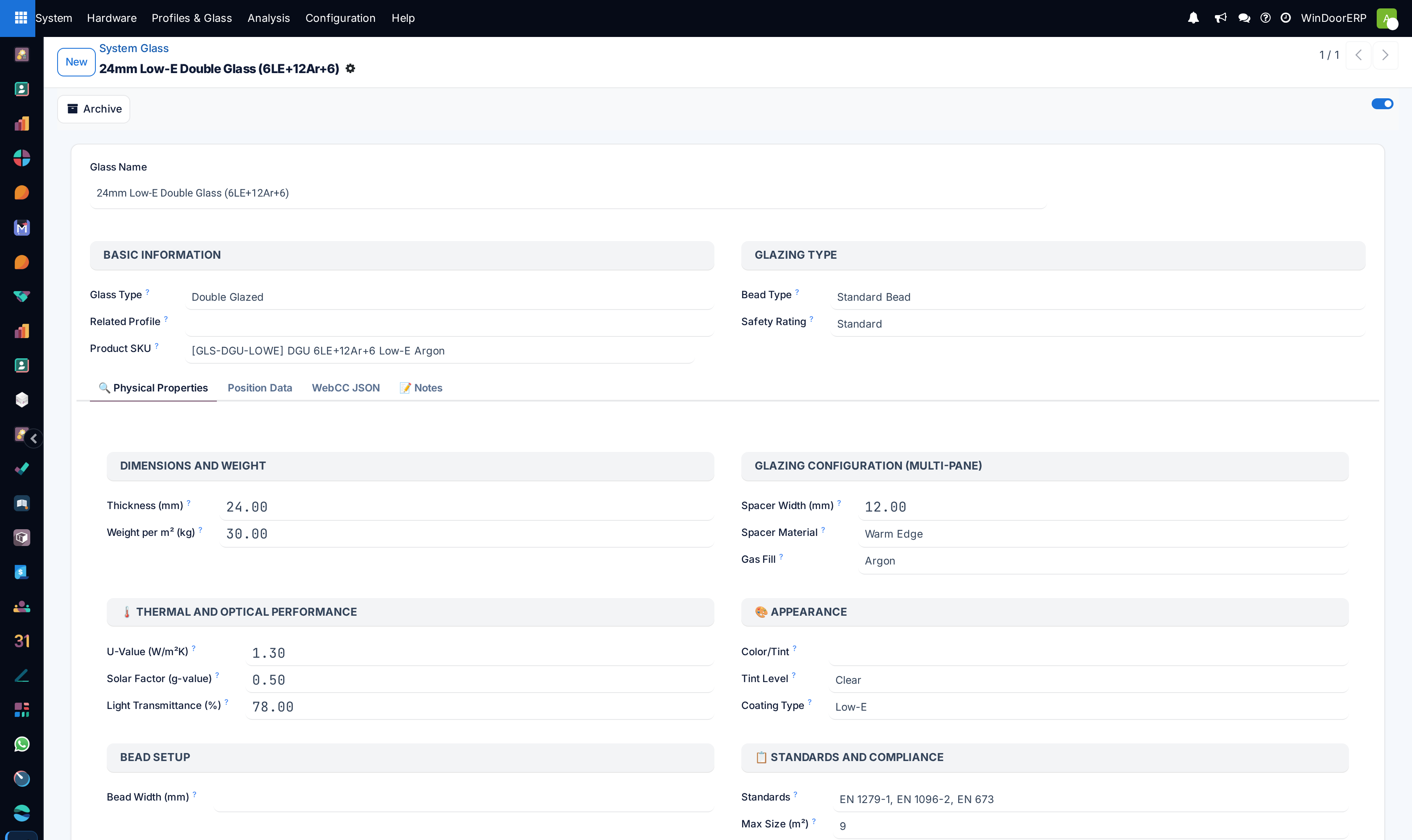
Glass records describe a build-up rather than a pane: Thickness, Glass Type, Coating, Tint, the spacer (Spacer Material, Spacer Width) and the Gas Fill, with the performance figures the consultant will ask for — U-Value, Solar Factor (g-value), Light Transmittance, Safety Rating and the Compliant Standards you can claim. Weight per m² and Maximum Size are the two that stop a design being drawn that cannot be lifted or manufactured.
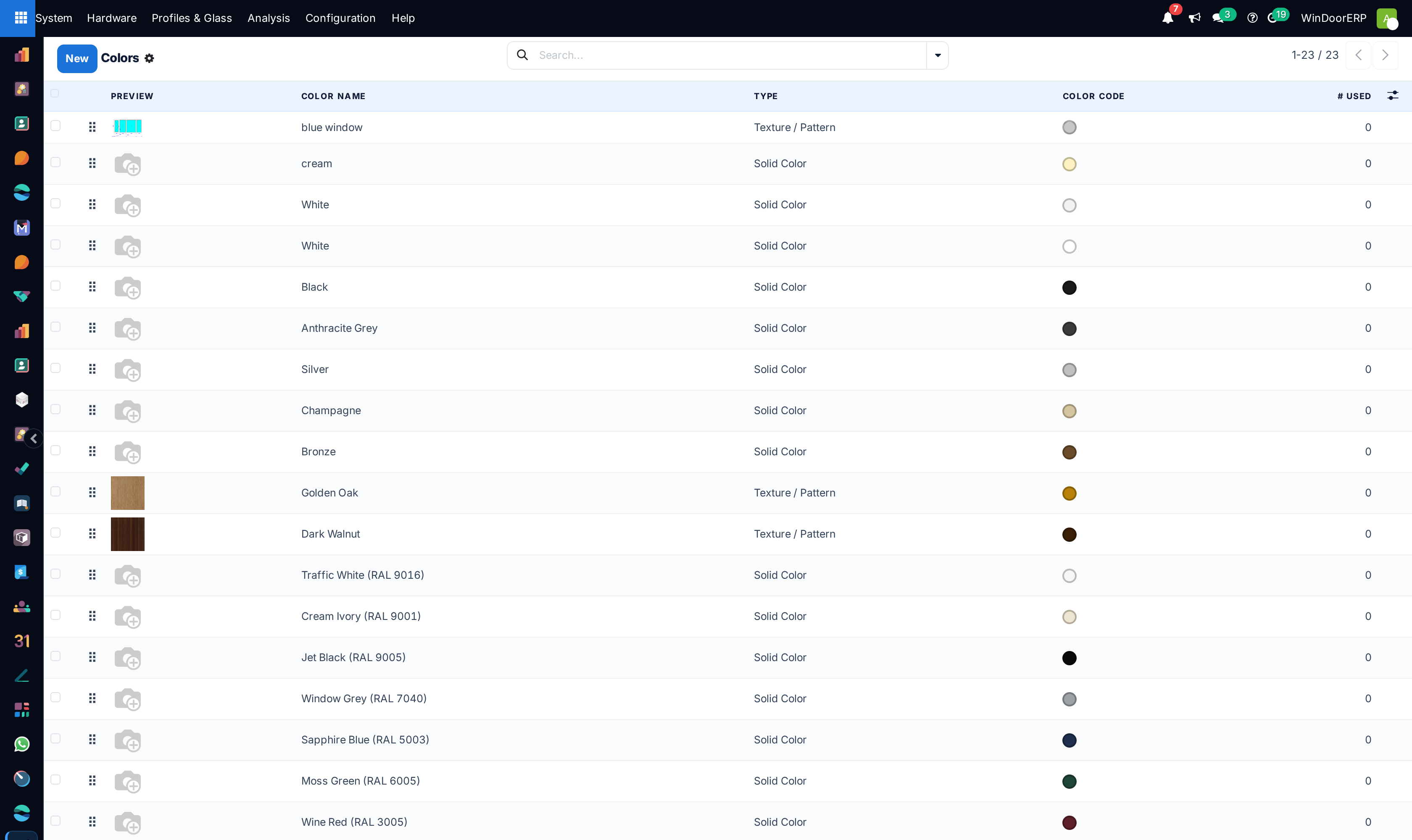
Frame Colours carry a Color Code, a swatch image and the colour type, so the designer shows the finish rather than a word. Hardware has its own colour list, with a RAL code, a Hex / Swatch, a Premium / Special-order flag and a Surcharge % — the surcharge being the reason to keep that list honest.
Hardware, from brand down to item
| Screen | What it holds |
|---|---|
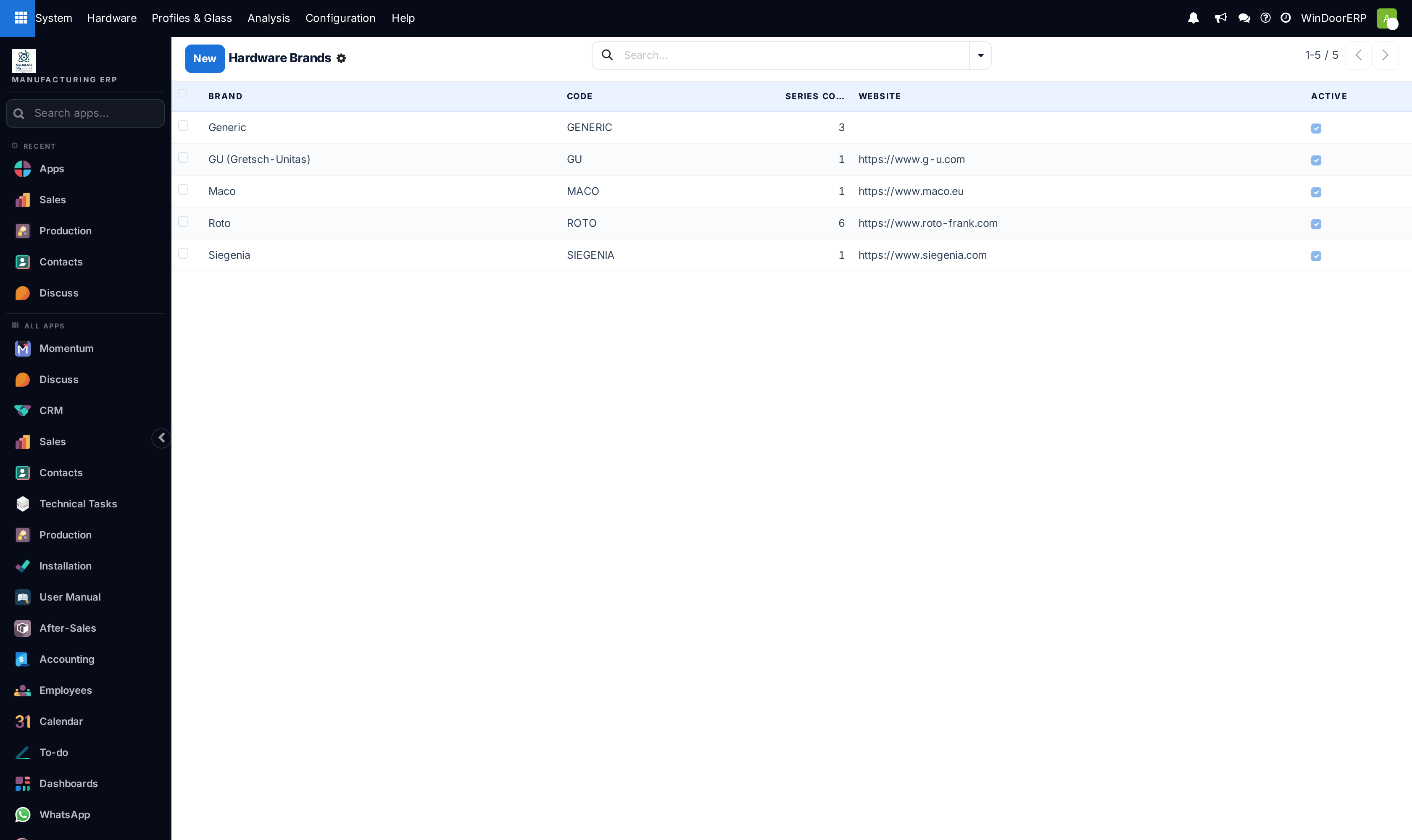
| Hardware Brands | The manufacturer — name, code, logo, website. Everything below hangs off it. |
| Hardware Series | A product line within a brand, with its Application (what kind of opening it is for), its colours and its handle types. |
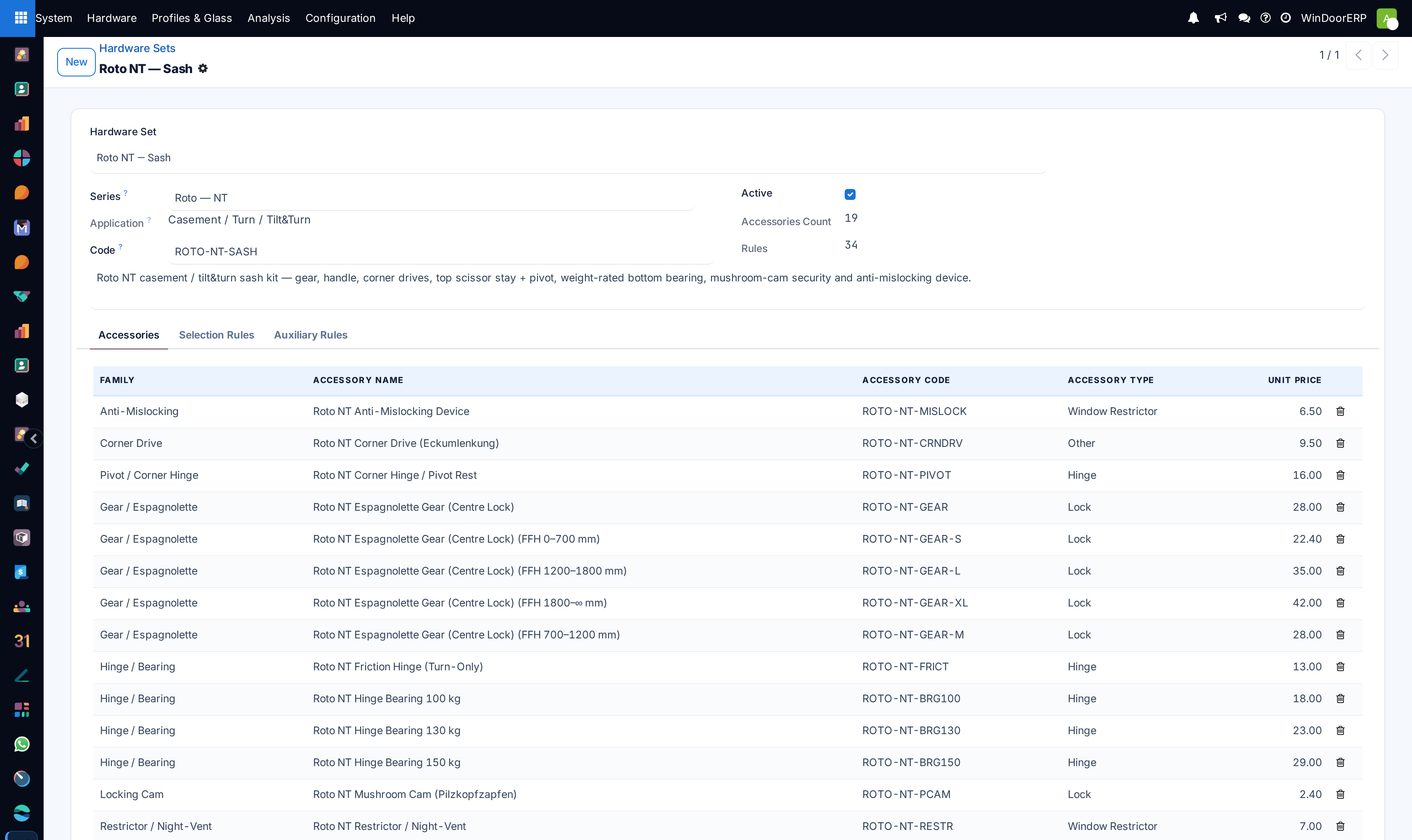
| Hardware Sets | The set that gets chosen for an opening: its Selection Rules and Auxiliary Rules, the Opening Families it applies to, and a Default Set flag. |
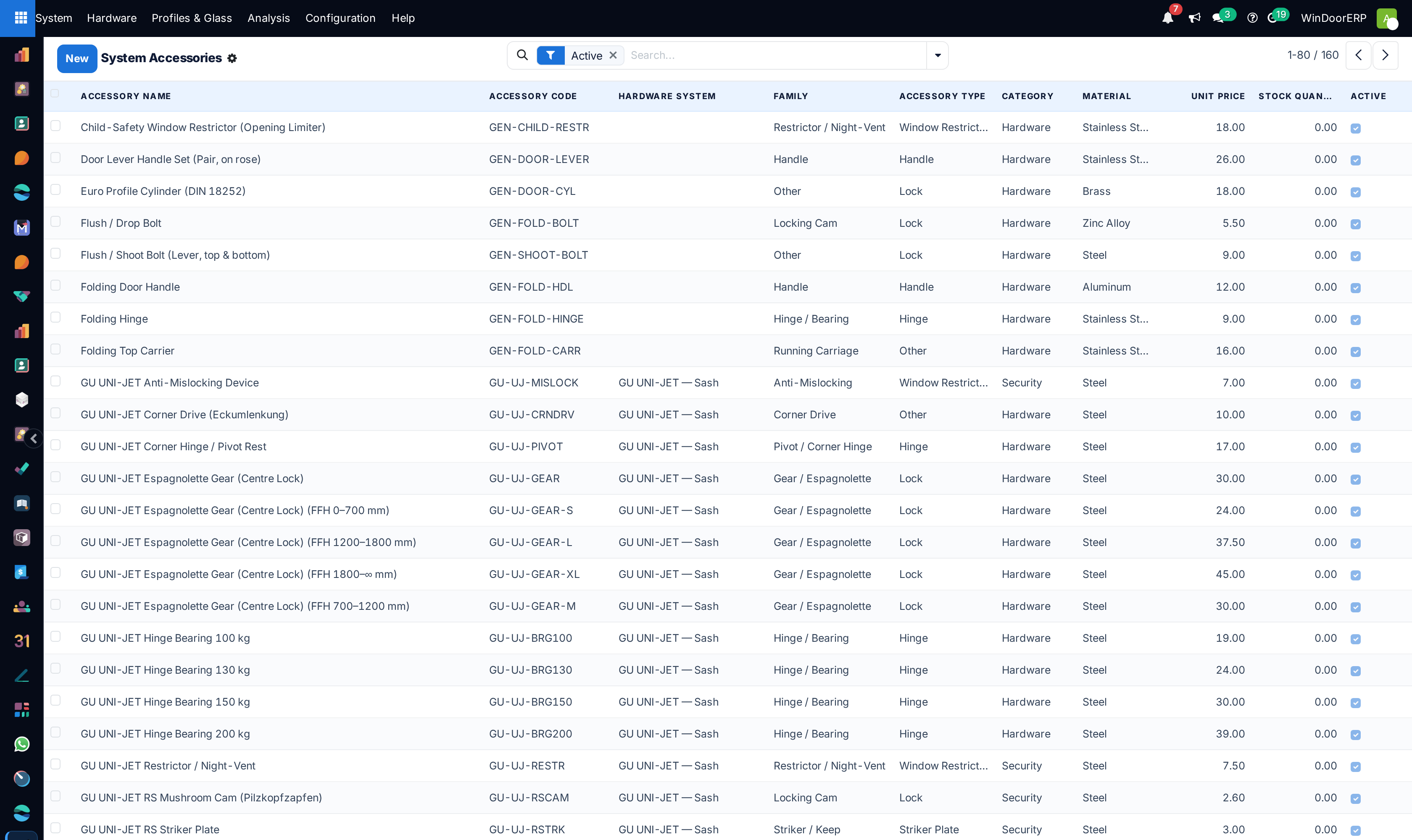
| Accessories | The individual items — code, family, material, finish, Load Capacity, Quantity per Unit, the linked product, and left/right-hand variants. |
| Auxiliary | The components that are not hardware but must be counted: gaskets, drainage, weather seals, thermal breaks — with their dimensions and their performance classes. |
| Handle Types / Hardware Colours | The vocabularies the series above draw on. |
The chain matters: a set belongs to a series, a series to a brand, and the rules on the set are what decide which accessories a given sash actually gets. Adding an accessory without attaching it to the right series and set means it exists in the catalogue and is never selected by anything.
Troubleshooting
The designer will not offer a profile — check it is active, that its application matches what you are drawing, and that the products it needs are linked.
Cut lengths are wrong for one system — the dimension codes on the profile are what the cutting arithmetic reads. Compare them against the supplier's section drawing before suspecting the design.
An accessory never appears on any analysis — it is not attached to a series whose set rules select it. The catalogue item alone does nothing.
A quotation's glass price looks wrong — check the glass record's price and weight fields, and the frame colour surcharge, before editing the quotation line.
Common mistakes
- Editing a live profile's dimensions to fix one job. Every future design changes with it; copy the profile instead.
- Entering glass performance figures from a brochure of a different build-up — those numbers end up on documents a consultant reads.
- Building a second series for what is really a colour or a handle variant, and splitting the catalogue in two.
Was this article helpful?
Thanks — your feedback helps.
Running a window or door factory?
Ask for a demo