Log hours against projects and review the company's timesheets
What this does
An hour logged in the Timesheets app belongs to a task, and the task to a project — logged that way it becomes a labour cost on a specific contract; logged as "Tuesday" it becomes nothing at all. This article covers the two working screens: My Timesheets, where each person types their own hours, and All Timesheets, where a manager reads the whole company's. Technical-office hours logged on technical requests and factory hours from the shop-floor terminal have their own topics — this is the project-task channel that everything else in this journey compares against.
Before you start
- Projects exist with Timesheets enabled, and tasks are assigned — an entry always needs a project.
- Each employee's Hourly Cost is set on their record — it is what turns the hours into money.
- Working schedules are assigned, so a week of entries has a norm to be compared with.
Logging a week
-
01
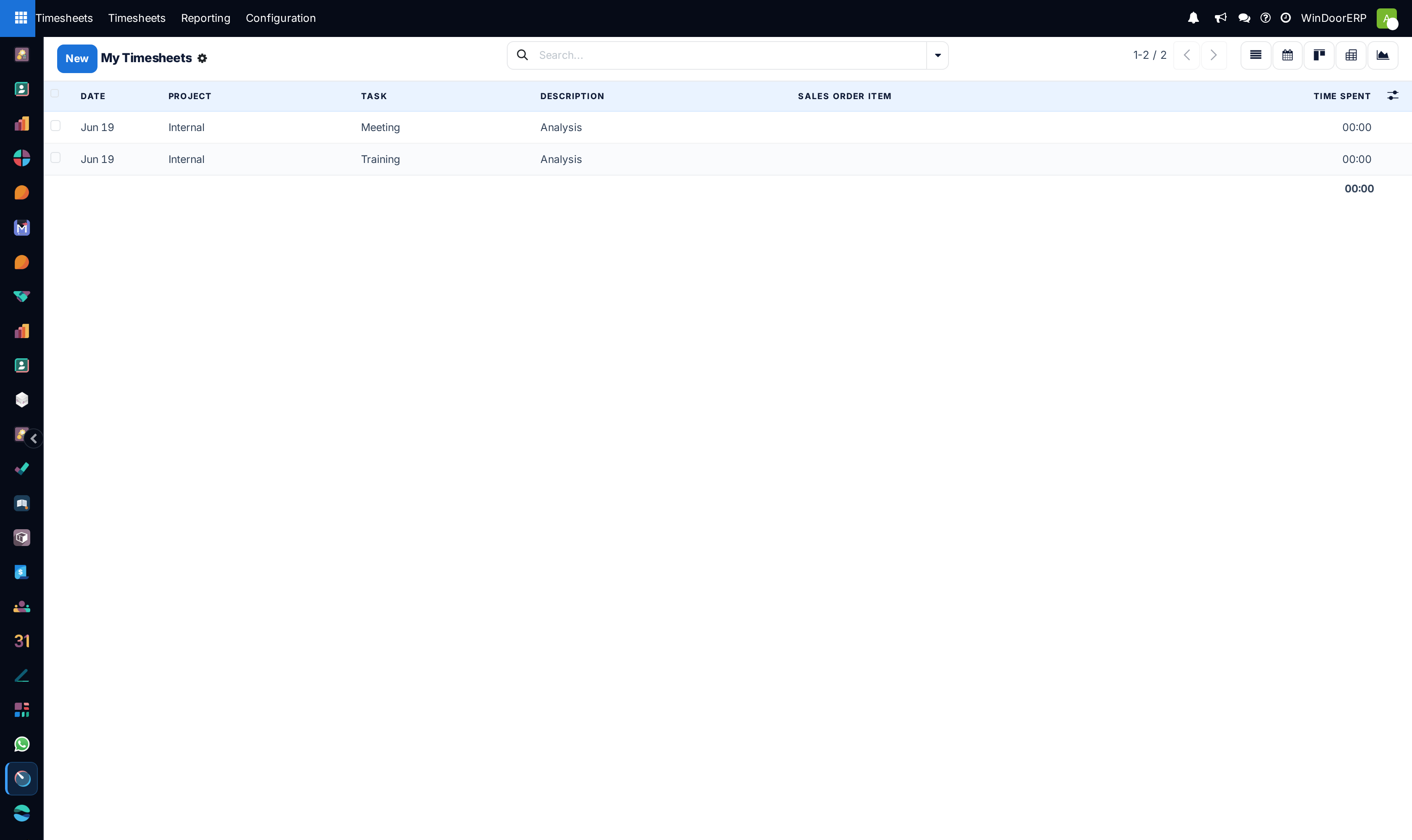
Open Timesheets › My Timesheets. It opens on the current week, showing only your own entries.
-
02
Press New and fill the line: Date, Project, Task, a one-line Description of what was actually done, and the Time Spent.
-
03
Log daily, not retrospectively — a Thursday reconstruction of Monday is a guess wearing a timestamp.
-
04
Managers: open Timesheets › All Timesheets for the same entries across everyone, group by employee or project, and chase the gaps — the person with no entries this week is the first finding.
-
05
Sanity-check in pivot or graph: hours by project against what the plan said, before month-end makes corrections awkward.
Reading the screens
Both menus are the same records with different scope. The list shows Date, Project, Task, Description, Sales Order Item (filled when the task bills a sale order — that link is what the billing-type report reads) and Time Spent, with the period's total at the bottom. Behind the list sit kanban, calendar-style browsing by date filters, pivot and graph. The search offers the usual date filters and group-bys; All Timesheets plus Group by › Employee is the weekly review screen.
Each entry silently carries two derived values: its cost (hours × the employee's hourly cost, recorded negative as an expense against the project's analytics) and, on billable tasks, its revenue linkage through the sales order item. Neither is typed on the line — both flow from setup, which is why the directory and payroll topics come before this one.
Where hours arrive from besides typing
| Channel | What lands here |
|---|---|
| Project task Timesheets tab | Entries typed directly on a task — identical records, just entered in context. |
| Technical requests | Hours logged on the request's Time Sheet tab carry the request; they are read in the Technical Tasks reporting rather than against projects. |
| Shop floor | Operator labour is captured as production labour logs, not analytic timesheets — see the labour topic; the two records deliberately do not mix. |
Troubleshooting
An entry refuses to save without a project — by design; the project is what makes the hour mean something. For genuinely internal time, keep an explicit Internal project rather than abusing a customer's.
Somebody's hours cost nothing in the project figures — their Hourly Cost is zero on the employee's Settings tab; entries logged after it is set are priced, the old ones keep the old cost.
An employee sees no Timesheets app — their user lacks the Timesheets access right; the app is per-user, not automatic with an employee record.
The week looks empty although people worked — check the date filter first; My Timesheets opens on this week, and last week's diligence hides one filter away.
Common mistakes
- Batch-typing the week on Thursday — totals survive, the per-task truth does not.
- Descriptions like "work" — the description is what makes the entry defensible when a customer questions the invoice.
- Logging customer work on the Internal project because it was faster to pick.
Was this article helpful?
Thanks — your feedback helps.
Running a window or door factory?
Ask for a demo