Manage contract retention releases and final defects liability period certificates
What this does
Controls the tracking and final billing of 5% or 10% contract retention amounts withheld by commercial clients, releasing invoices upon completion of the Defects Liability Period (DLP).
Before you start
- Billing or Project Accounting permissions.
Steps
Important
Retention tracking ensures that warranty funds (which often represent 50% of net project profit) are systematically recovered.
-
01
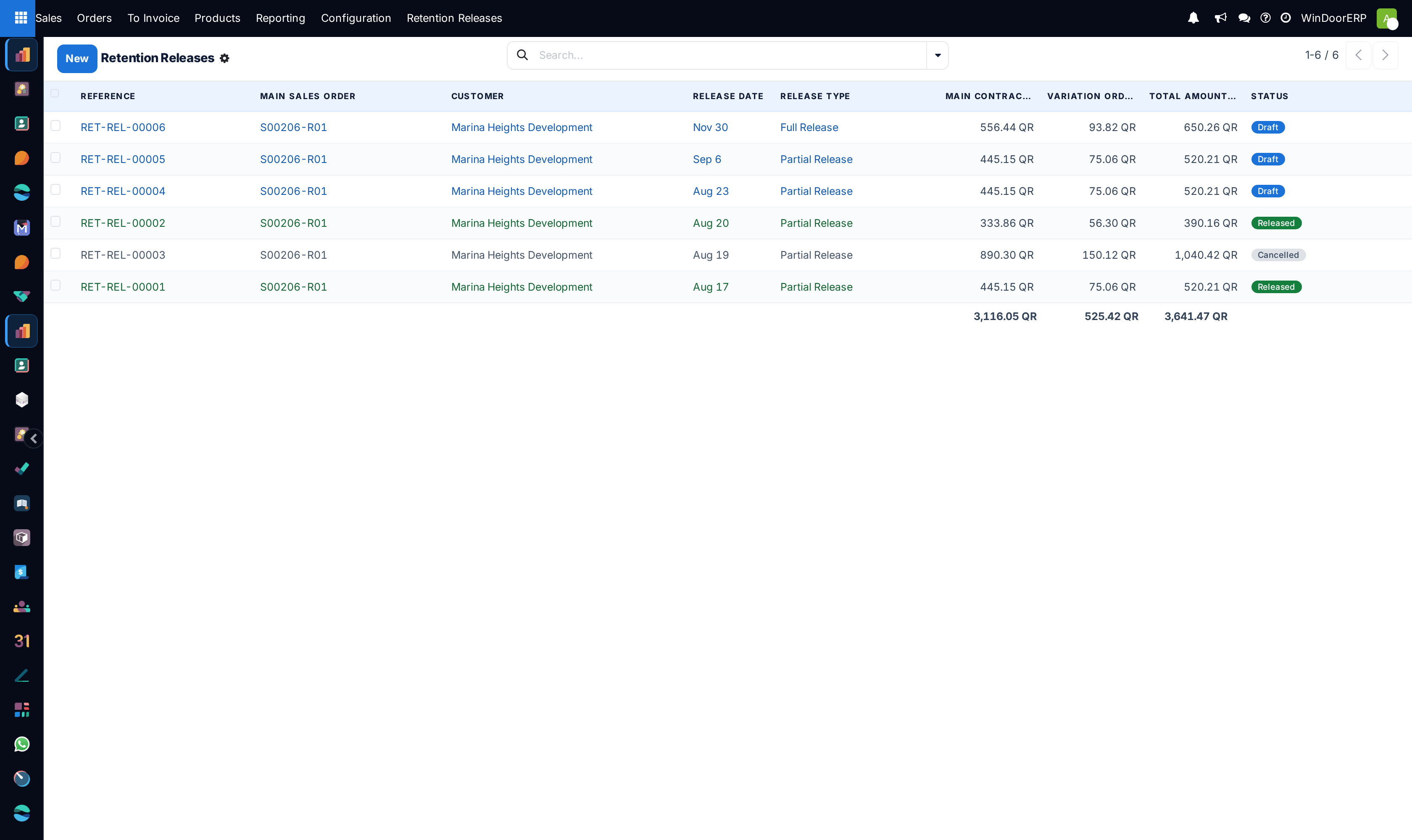
Open Sales › To Invoice › Retention Releases.
-
02
Inspect mature retention balances grouped by project contract and expiration date.
-
03
Verify that all warranty snagging requests have been resolved by After-Sales service.
-
04
Generate the final Retention Release invoice and submit the Final Handover Certificate to the main contractor.
Common mistakes
- Forgetting to claim retention funds after the 1-year defect liability period expires.
- Releasing retention claims without verifying site water tightness test certifications.
Was this article helpful?
Thanks — your feedback helps.
Running a window or door factory?
Ask for a demo