Track quotation revisions, customer feedback, expiration dates, and conversion lifecycles
What this does
Monitors all active, sent, and revised quotations across list, calendar, and activity views to ensure competitive price revisions and prevent expired aluminium quotation lock-ins.
Before you start
- Sales Representative access.
Steps
Important
Maintaining expiration dates (typically 15 to 30 days) safeguards profitability against raw material price volatility.
-
01
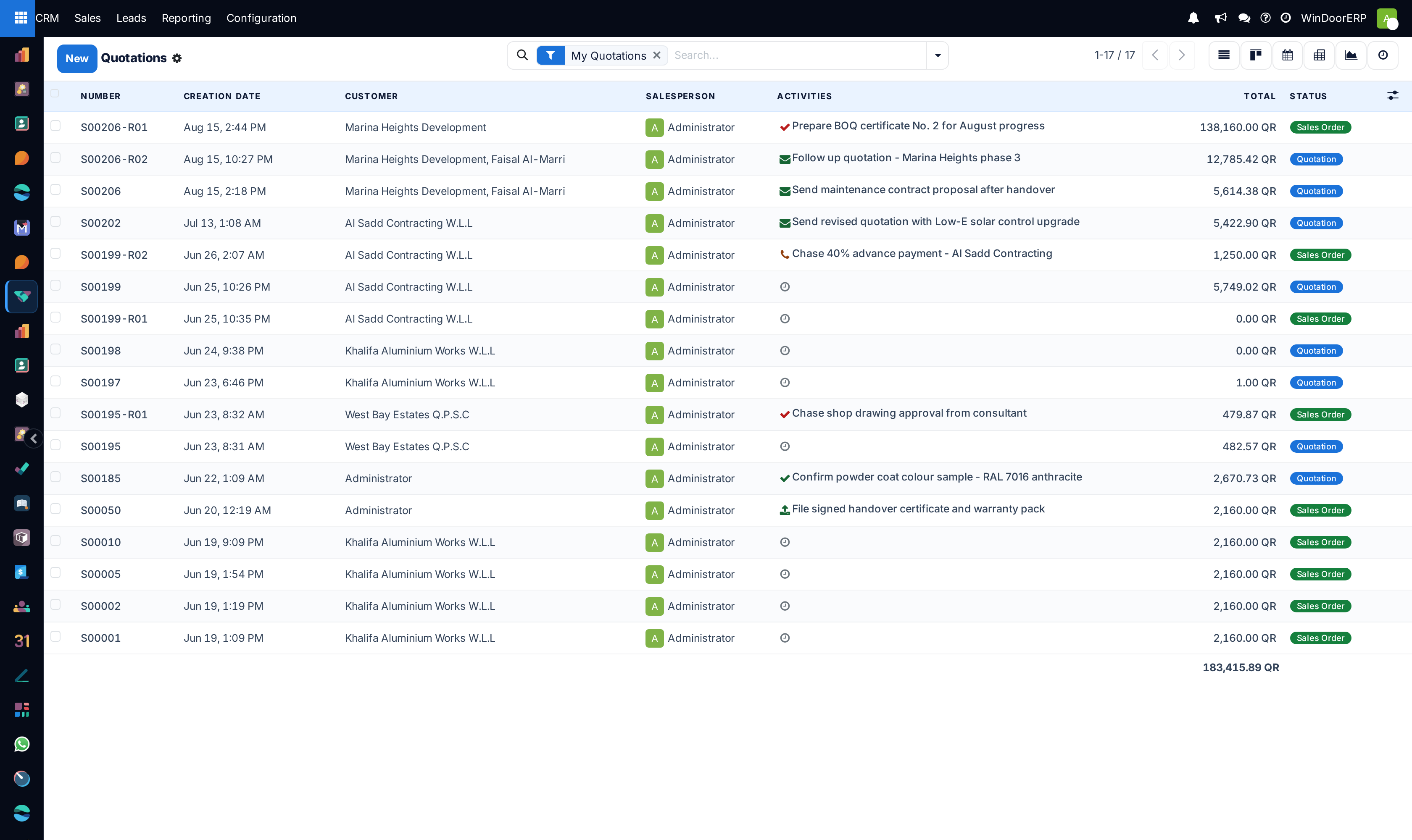
Open CRM › Sales › My Quotations to inspect all issued proposals.
-
02
Filter by status: Quotation (Draft), Quotation Sent, and Sales Order Confirmed.
-
03
Check the Expiration Date to initiate follow-ups before LME aluminium raw material pricing changes.
-
04
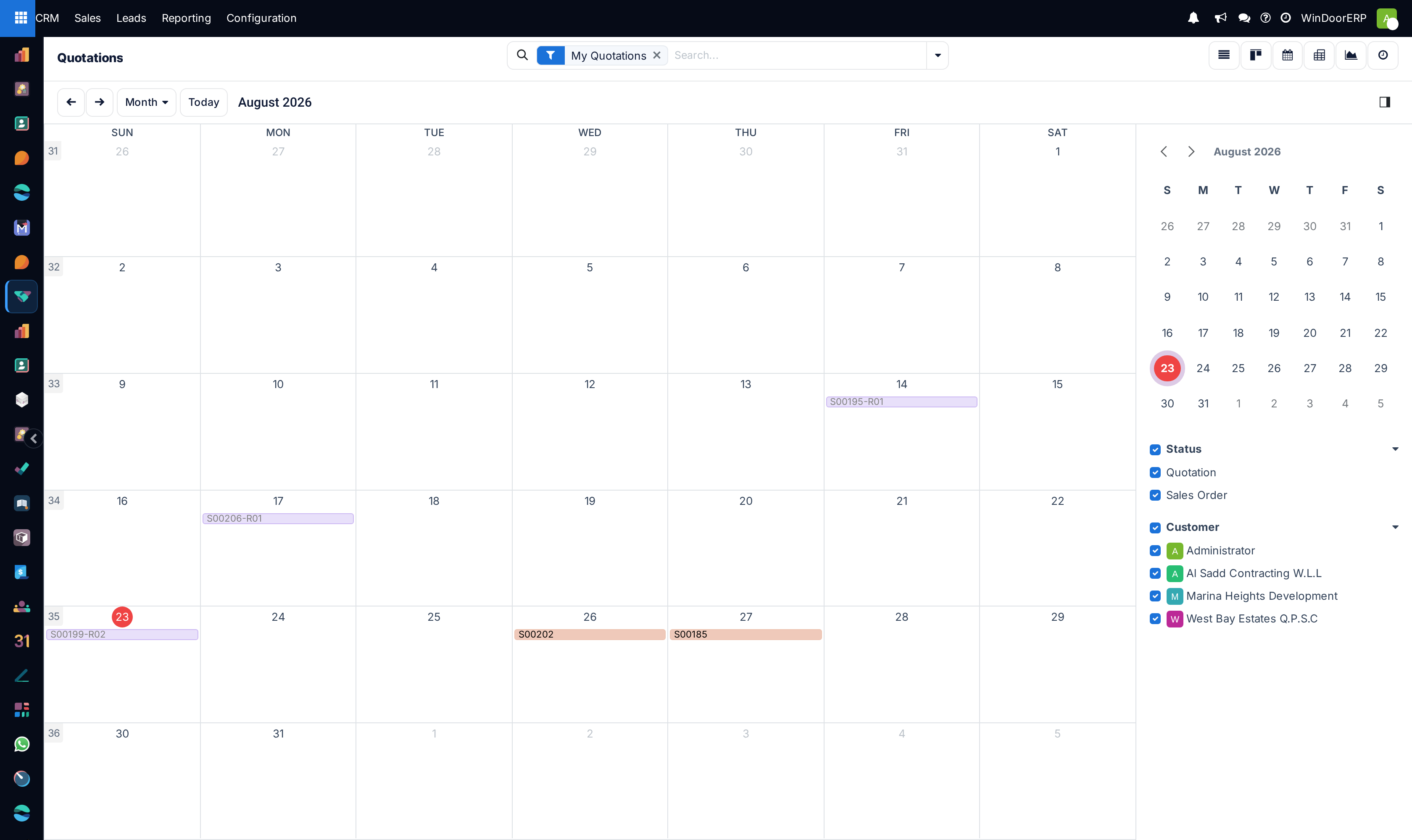
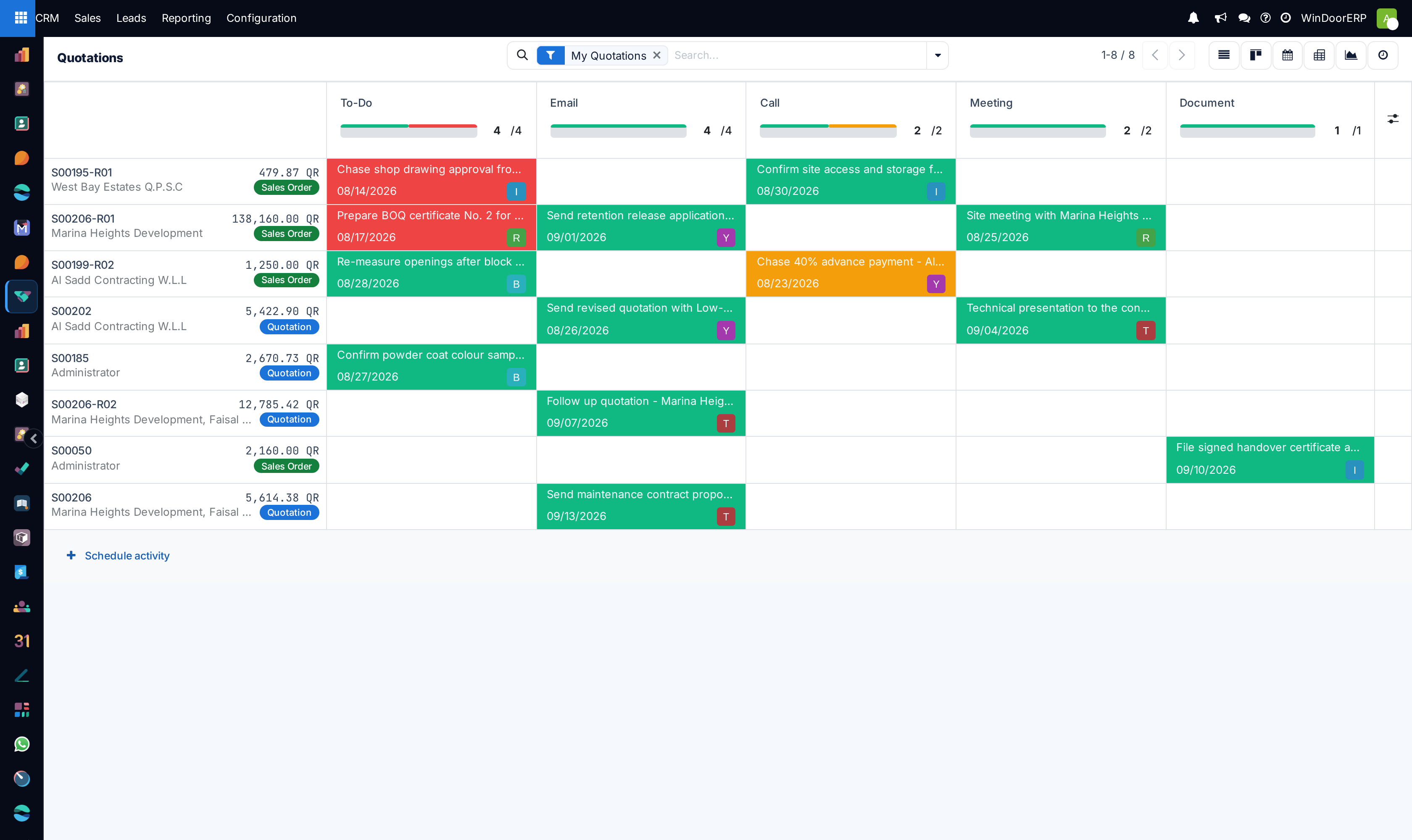
Use the Calendar and Activity views to schedule contract negotiation meetings with villa owners and main contractors.
Common mistakes
- Revising window dimensions in manufacturing without issuing a formal new quotation revision in CRM.
- Failing to record client price objections in the chatter for negotiation analysis.
Was this article helpful?
Thanks — your feedback helps.
Running a window or door factory?
Ask for a demo