Activities reporting: what the team finished, not what it still owes
What this does
CRM › Reporting › Activities counts the follow-up work done on leads and opportunities: how many calls, emails, meetings and to-dos were completed, by whom, on which deals, over what period.
It answers "is the team actually working the pipeline" in a way no other screen does — but only for work that has been finished. That distinction is the whole point of the article.
Before you start
- This report is built from completed activities only. Anything still scheduled or overdue is invisible here — see the warning below.
- It opens filtered to the trailing twelve months, on completion date.
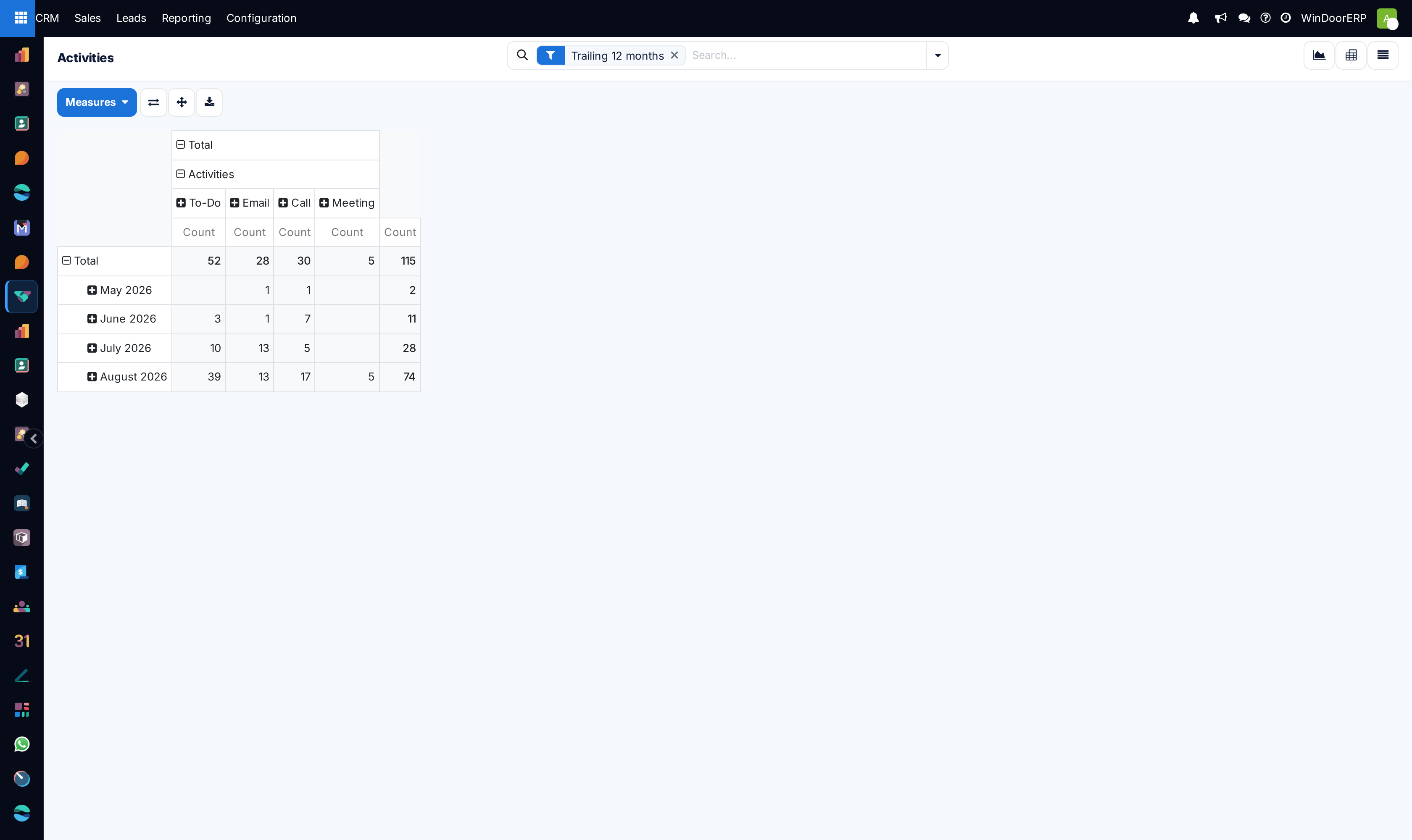
- The pivot arrives pre-grouped into columns by activity type, which is why it is readable immediately.
Steps
Only completed activities are counted
The report is built over the messages a deal's chatter accumulates, keeping only those that carry an activity type — and a message like that is written when an activity is marked done. A scheduled call still sitting in someone's list has produced no such message, so it does not exist here.
That makes this a record of work finished, never a workload or a backlog. A rep with fifty overdue activities and none completed shows as a blank row, not as a problem. For what is outstanding, use CRM › Sales › My Activities and the activity indicators on the pipeline instead.
-
01
Open CRM › Reporting › Activities.
-
02
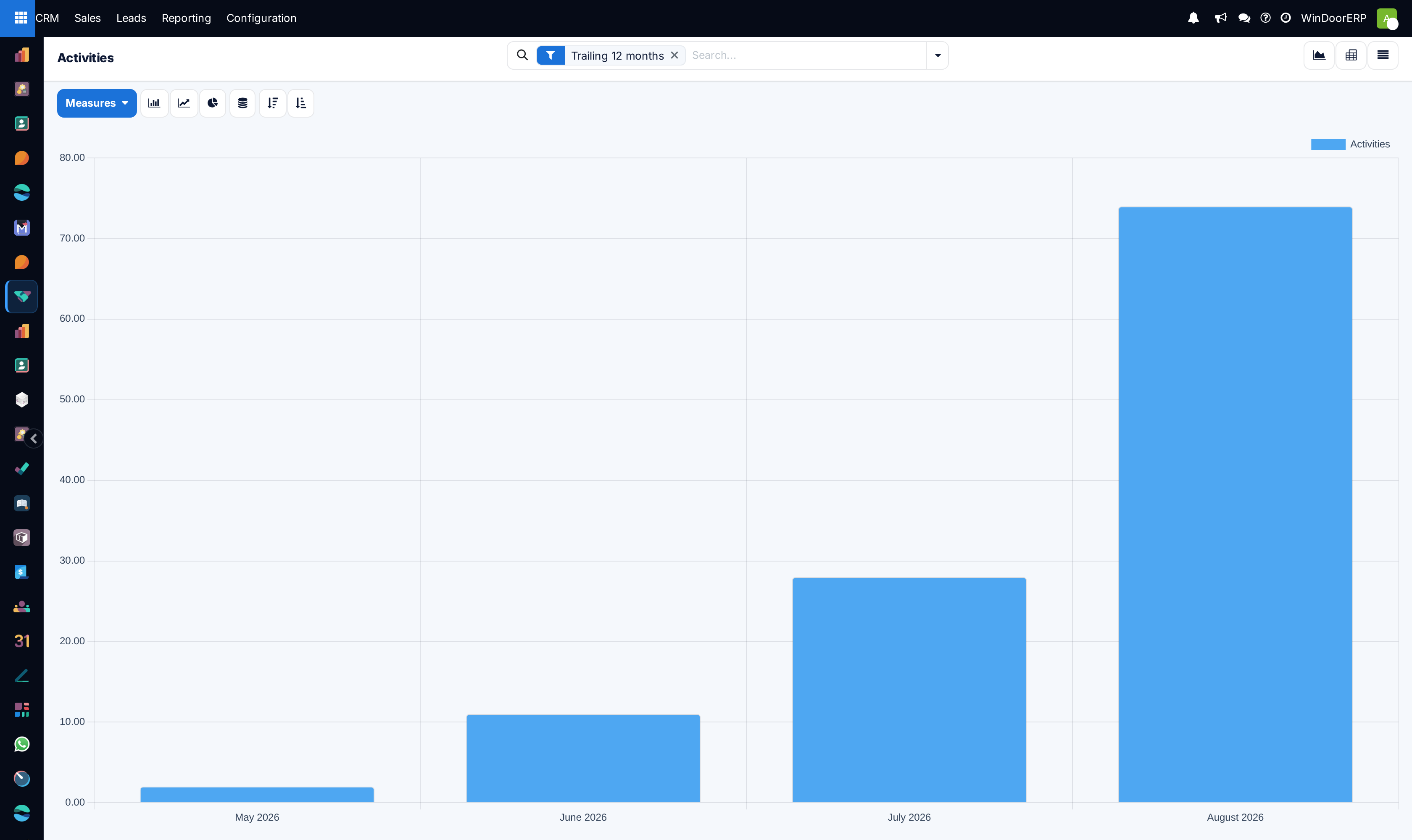
Read the pivot as it opens: rows are months, columns are the activity types, and the measure is a count.
-
03
Group the rows by Assigned To to see who completed the work, or by Sales Team to compare teams.
-
04
Add Is Won as a grouping to see how much activity went into deals that were won against deals that were lost.
-
05
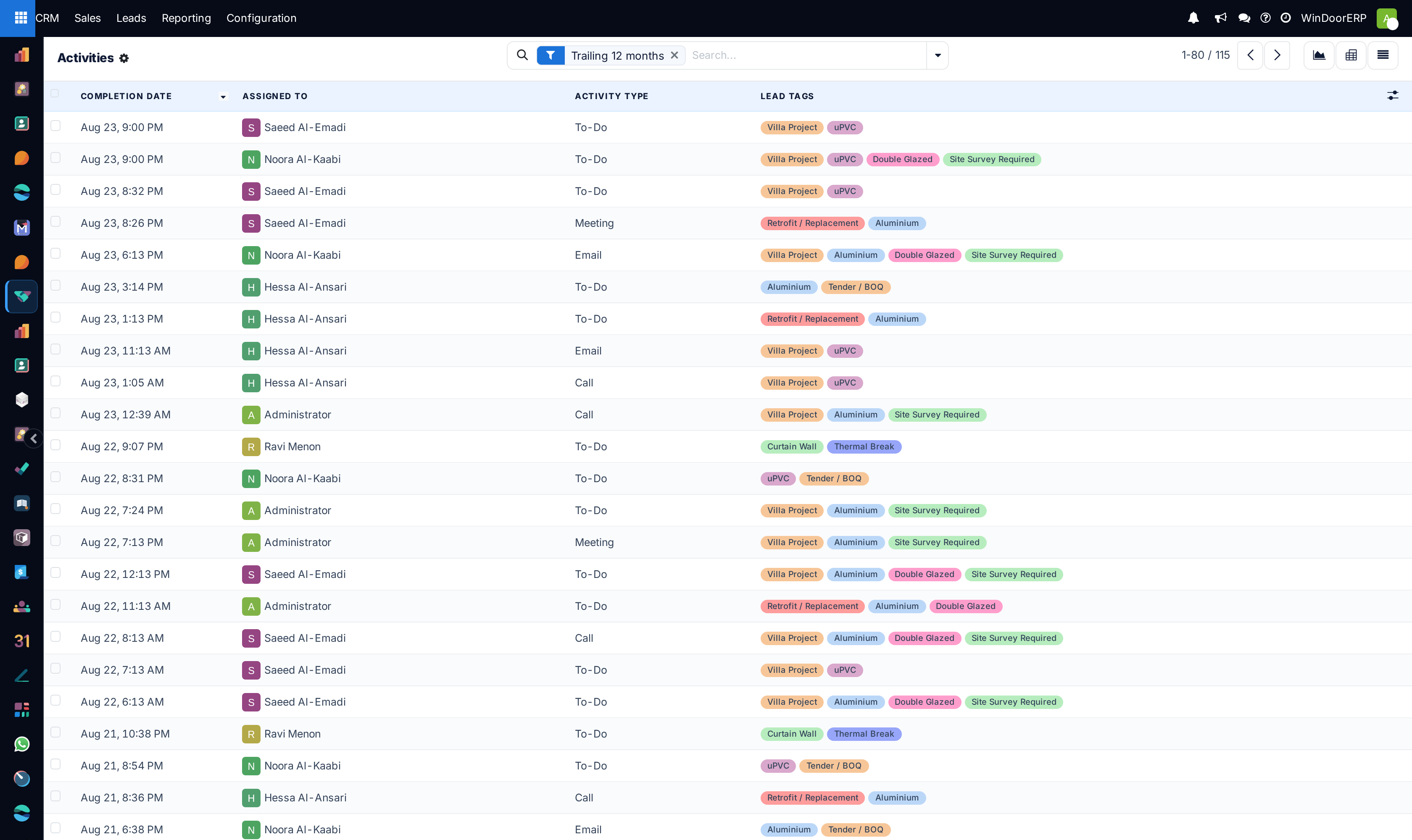
Switch to the list view to read the individual activities rather than the counts.
-
06
Remove the Trailing 12 months facet for the full history.
Two different people on one row
Assigned To is the person who completed the activity — the author of the message it produced. Salesperson is whoever owns the opportunity. They are usually the same person and occasionally not: a manager who makes a call on a colleague's deal appears as Assigned To, while the deal still counts to its owner.
Group by one when you are asking who did the work, and by the other when you are asking whose deals are being worked.
What you can group by
| Activity Type | Call, Email, Meeting, To-Do, Document. Already applied as the pivot's columns. |
|---|---|
| Assigned To | Who completed it. |
| Salesperson / Sales Team | Who owns the deal, and which team. |
| Stage | Where the deal stood — shows whether effort is spent early or late in the pipeline. |
| Is Won | Won, lost or still pending, so activity can be weighed against outcome. |
| Customer / Country | Which accounts and markets absorb the effort. |
| Type | Lead or opportunity. |
| Completion Date | The time axis; already the pivot's rows. |
Troubleshooting
| A busy colleague shows almost nothing | They schedule activities but do not mark them done. Only completion is recorded. |
|---|---|
| The totals are lower than the activities you can see on deals | Those are still open. This report counts finished work only. |
| Nothing before a year ago | The Trailing 12 months facet. Remove it. |
| An activity has no opportunity | The report only covers activities on leads and opportunities. Activities on other records are not included. |
| Counts look inflated for one person | Check whether they are marking done in bulk rather than as work happens; the completion date is when the button was pressed, not when the call was made. |
Common mistakes
- Reading this as a workload report. It is the opposite — it shows what has been cleared, not what is waiting.
- Judging effort without grouping by Is Won, so busy-work and productive work look identical.
- Confusing Assigned To with Salesperson.
- Assuming the completion date is when the activity actually happened.
Was this article helpful?
Thanks — your feedback helps.
Running a window or door factory?
Ask for a demo