Manage team activity boards, phone call logs, site survey tasks, and overdue actions
What this does
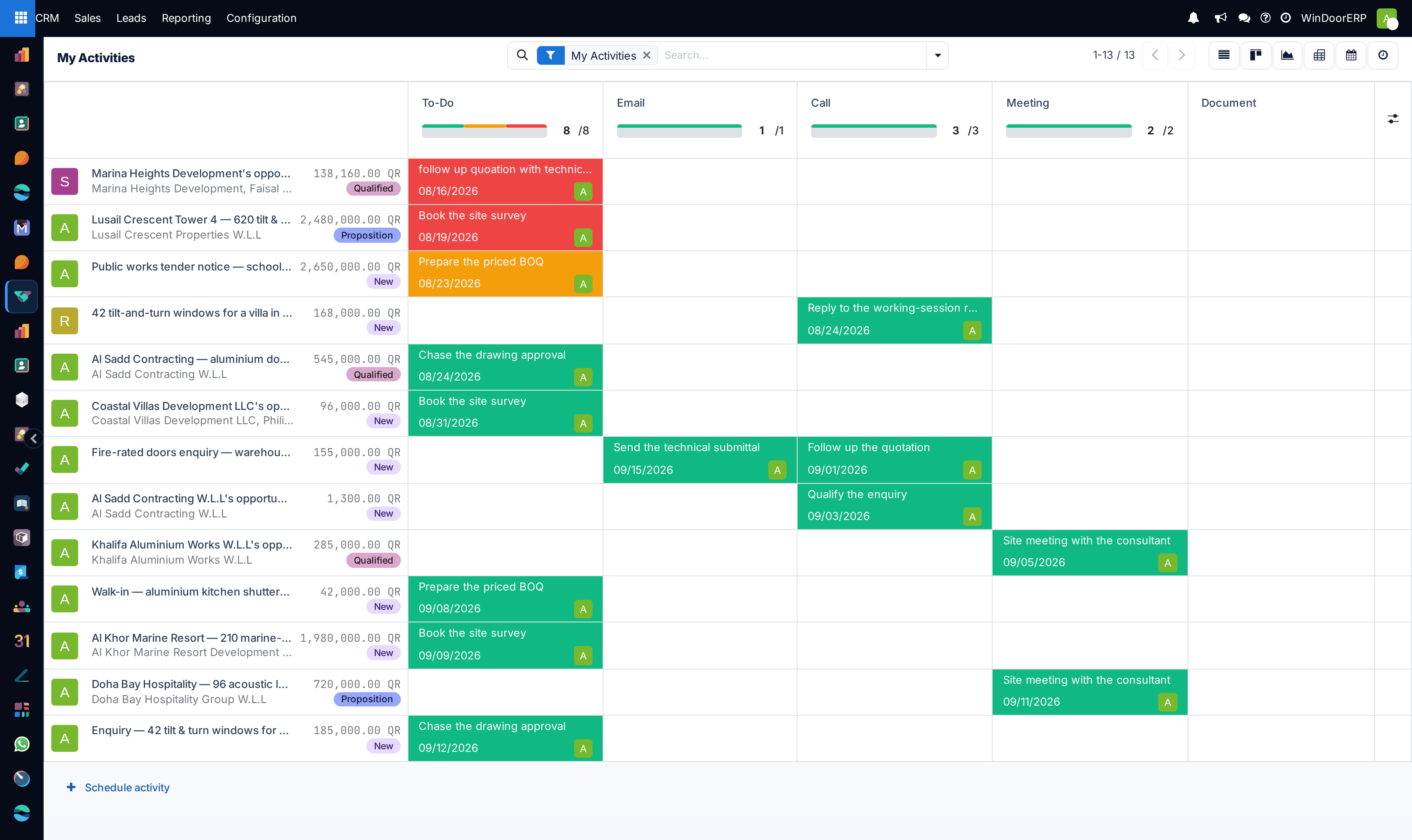
Serves as an operational mission control for all client interactions, displaying calls, site survey appointments, email touchpoints, and reminder tasks across daily/weekly queues.
Before you start
- CRM user access.
Steps
Important
Marking an activity as done gives you the option to immediately chain the next activity, ensuring continuous client momentum.
-
01
Open CRM › Sales › My Activities across Activity Matrix, List, or Form views.
-
02
Review items categorized into Overdue (Red), Today (Yellow), and Future (Green).
-
03
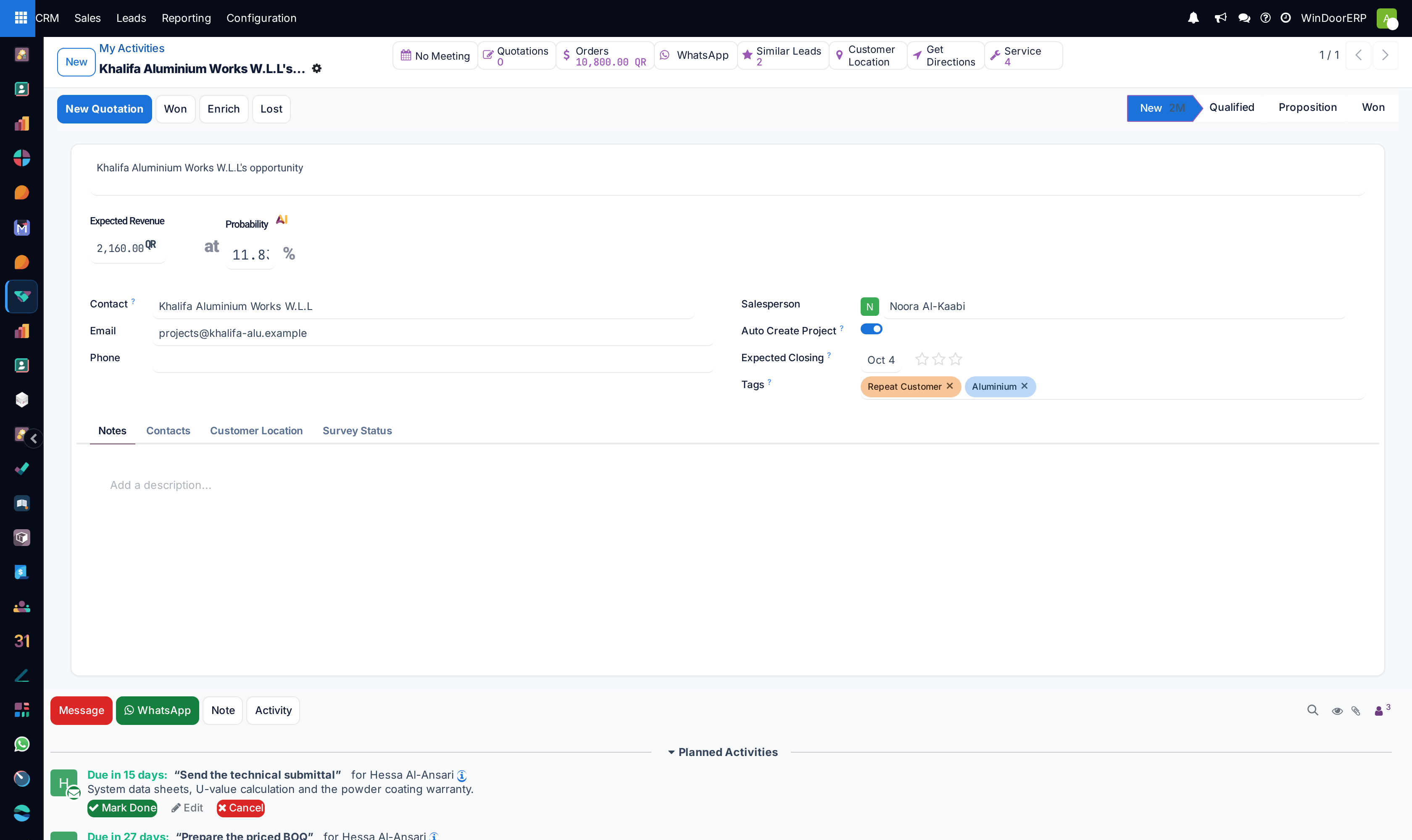
Click on an activity icon to preview client details, phone number, and architectural requirements.
-
04
Click Mark as Done to log discussion notes, outcomes (e.g. Client approved RAL 7016 Anthracite finish), and automatically trigger the next action.
-
05
Use Log Note to record internal estimation comments visible to the engineering team.
Common mistakes
- Marking activities done without writing informative summary notes in the discussion log.
- Letting overdue activities accumulate without rescheduling or reassigning.
Was this article helpful?
Thanks — your feedback helps.
Running a window or door factory?
Ask for a demo