Run quality inspections with QC points and checklists
What this does
Quality control in WindoorERP is three screens working together. A QC Checklist is a reusable set of checking questions; a QC Point binds a checklist to a stage of the flow — incoming material, after cutting, glazing, final, pre-dispatch, delivery — and decides whether a failure blocks; a QC Inspection is one execution of a point against an order, an item, a dispatch package or a delivery, ending Passed or Failed with a weighted score.
Every failed inspection raises a Non-Conformance Report automatically; at a blocking point the item additionally goes on quality hold, which stops its work orders from being readied or started until it is resolved. Everything here requires the Quality Control Gates feature in Settings — with it off, no gate blocks anything and the Quality menus disappear.
Before you start
- Quality Control Gates enabled in Production › Configuration › Settings. The Quality menu also needs the Production Quality Inspector role; the two Configuration screens need Production Manager.
- Eight ready-made checklists ship with the system (incoming material, after-cutting, after-welding, glazing, hardware, final, pre-dispatch, delivery) — 26 questions in total. No QC points ship at all: which stages actually gate is a per-site decision you make here.
Steps
-
01
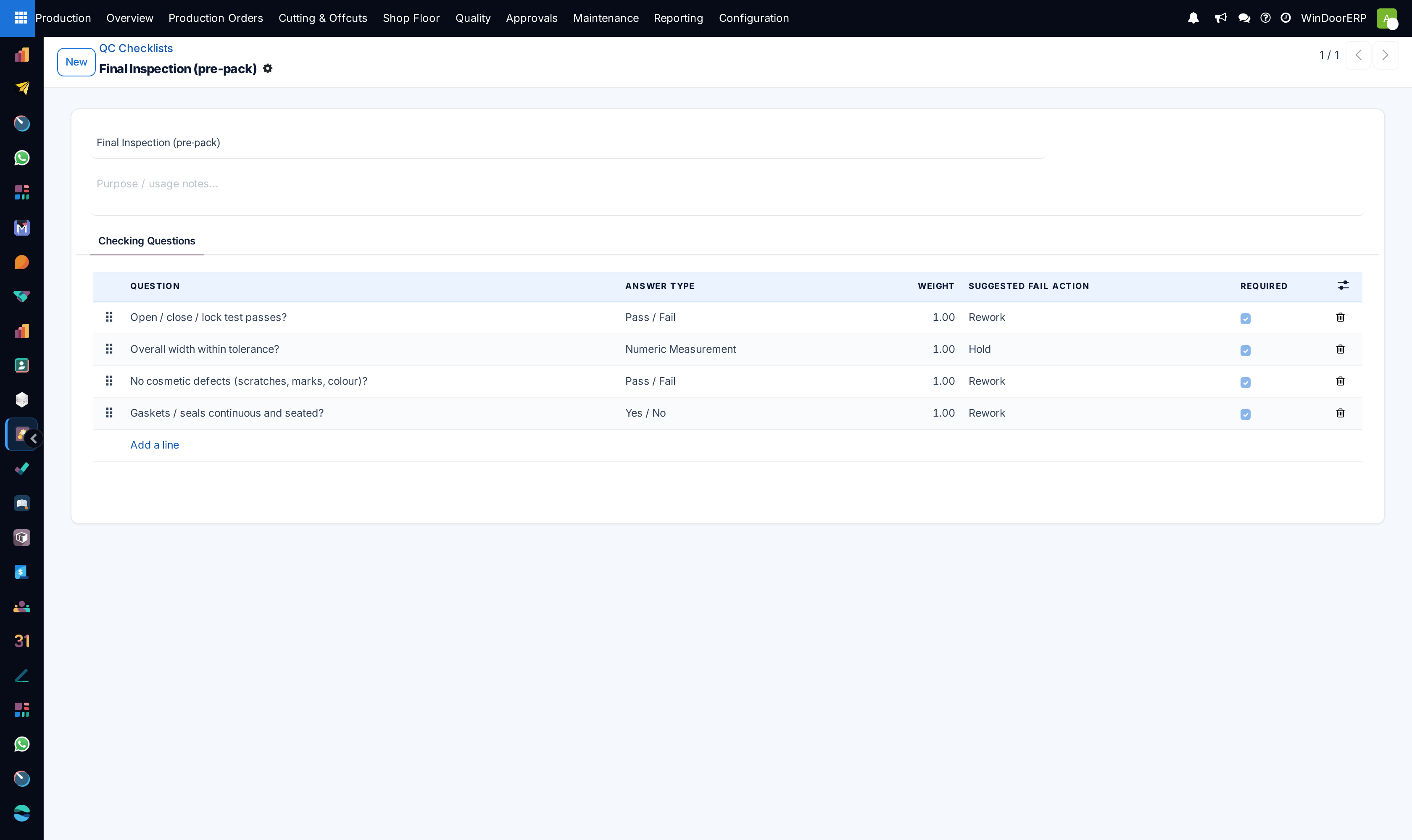
Open Production › Configuration › QC Checklists and review the shipped lists, or build your own: each question has an Answer Type — Yes / No, Pass / Fail, Numeric Measurement (with tolerance bounds and a unit), Pick from List, or Photo Required — a Weight for the score, and a Required flag.
-
02
Open Production › Configuration › QC Points and create the gates: name, Stage, the Checklist to run, and Blocking Gate — on for a hold-on-fail gate, off for an advisory check that records results without blocking.
-
03
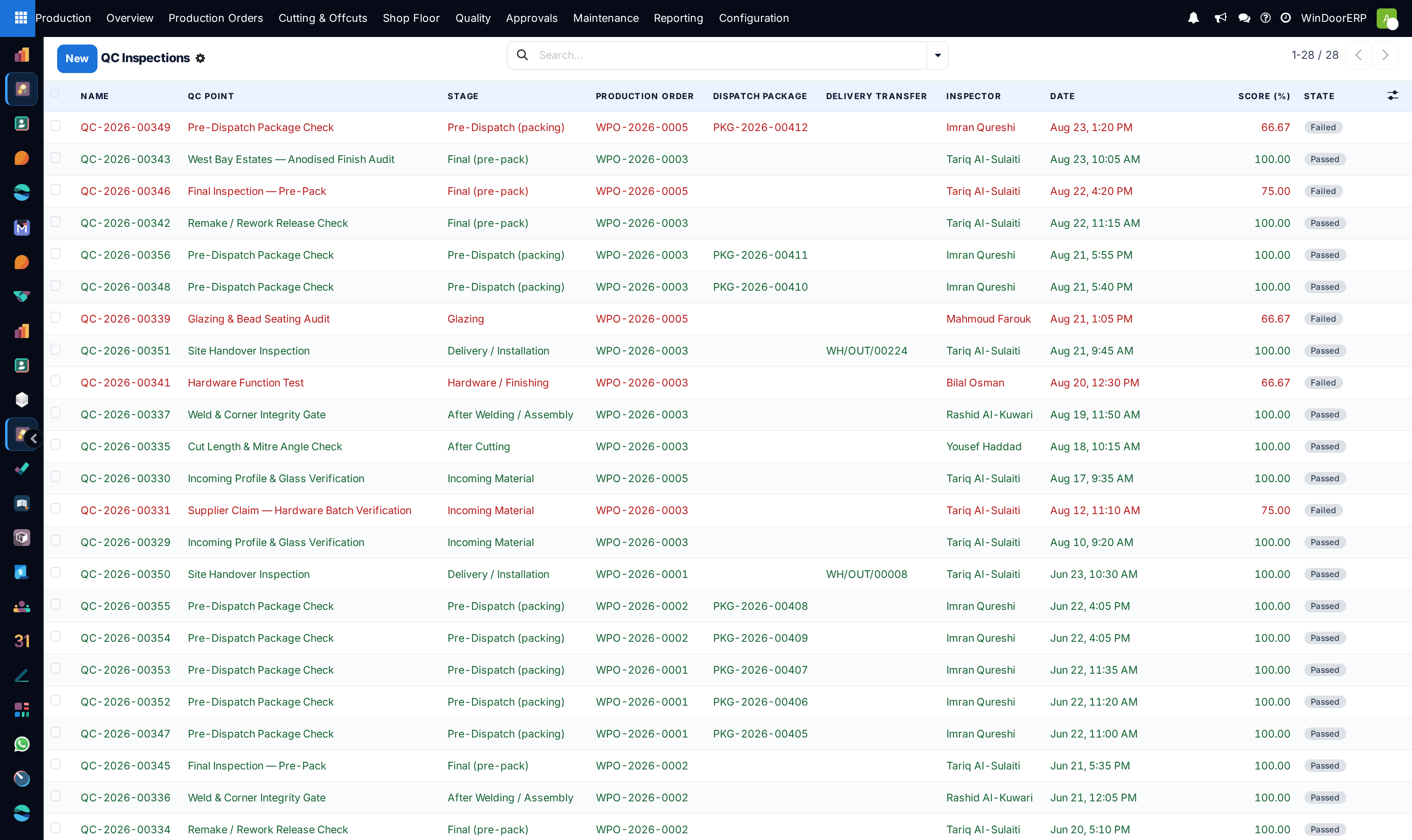
Inspections then appear under Production › Quality › QC Inspections — created automatically at the pre-dispatch and delivery gates, from the Shop Floor Terminal's ✔ QC button, or by hand with New.
-
04
On a draft inspection, press Load Checklist — one answer row per question — then fill the answers: toggle, pass/fail, measured value, choice or photo.
-
05
Press Evaluate. Every answer passing makes the inspection Passed and releases the item; any failure makes it Failed and raises an NCR — and at a blocking point the item also goes on quality hold.
QC points
| Field | What it does |
|---|---|
| Stage | Where in the flow the point sits: Incoming Material, After Cutting, After Welding / Assembly, Glazing, Hardware / Finishing, Final (pre-pack), Pre-Dispatch (packing), Delivery / Installation. Default Final. |
| Checklist | The question set an inspection at this point loads. |
| Blocking Gate | On (the default): a failed inspection puts the item on quality hold that must be resolved before it can proceed. Off: advisory — the result is recorded, nothing blocks. |
| QC Script Code, Release Scenario, Customer Specific, Scenario Instructions | Classification for customer- or scenario-specific control points (Standard, Customer Specific, Supplier Claim, Remake / Rework, Site Handover); the instructions text is shown on each inspection. |
The inspection form
| Field | What it does |
|---|---|
| QC Point and its related stage, blocking flag, script code, scenario | What is being checked; all read-only copies from the point. |
| Production Order, Item, Dispatch Package, Delivery Transfer | What the inspection is bound to. The hold-and-release mechanics act on the Item; package and picking links are set by the pre-dispatch and delivery gates. |
| Inspector, Date | Who and when; default the current user, now. |
| Answers | One row per question: the answer value for its type, an optional photo, a note, and the computed Passed toggle. A measurement passes only when Measurement Recorded is ticked and the value sits inside the tolerance bounds. |
| Score (%) | Weighted share of passed answers. |
| Non-Conformance | The NCR this inspection raised, if it failed. |
Where inspections come from
- Pre-dispatch: pressing Mark Loaded on a dispatch package opens (or creates) the pre-dispatch inspection instead of loading, whenever a blocking Pre-Dispatch point exists and no passed inspection does. The package silently stays Packed until the inspection passes.
- Delivery: a finished-goods delivery creates a Delivery / Installation inspection, and validating the delivery is refused until it passes: "Complete and pass the Delivery QC inspection before validating this finished-goods delivery."
- Shop floor: the terminal's ✔ QC lists the active points with Pass/Fail buttons; a fail creates a failed inspection (no answers), raises the NCR and applies the hold in one tap.
- Manually, with New — the only path where you press Load Checklist yourself; gate-created inspections arrive with the checklist already loaded, and all of them are finished with Evaluate.
Important
The quality hold blocks a work order's Mark Ready and Start — with the message "Cannot advance …: item … is on quality hold (…). Resolve the NCR/inspection first." — but Done has no such guard: an operation already in progress can always be finished. Resolution happens on the NCR (rework, reroute, scrap, concession…), which is its own article. Note also that a work order's Bound QC Point field is informational only — nothing creates inspections from it.
Troubleshooting
| "Load the checklist and answer its questions before evaluating." | Evaluate pressed on a checklist-backed inspection with no answer rows. Press Load Checklist first. |
|---|---|
| "Answer required QC checks before evaluating: …" | The listed required questions have no answer yet. A Yes / No question always counts as answered — an untouched toggle evaluates as a No, i.e. a failure. |
| A measurement inside tolerance still fails | Measurement Recorded is not ticked on that answer row — an unticked measurement never passes, deliberately. |
| "Cannot advance …: item … is on quality hold …" | The item has a failed blocking inspection (or was scrapped / is awaiting parts or feedback). Resolve via the NCR's disposition, then ready the work order again. |
| Mark Loaded on a package keeps opening an inspection | That is the pre-dispatch gate working: the package loads only after the inspection passes. |
| No inspection was created when a work order finished | By design — no gate fires on work-order completion. Inspections come from packages, deliveries, the terminal, or are raised manually. |
Common mistakes
- Configuring checklists but no QC points — nothing gates until a point binds a checklist to a stage. The system ships this way on purpose.
- Expecting Suggested Fail Action on a question to do something. It is advice for the inspector; the actual consequence comes from the NCR disposition.
- Leaving Blocking Gate on for advisory checks — every failure then freezes the item and demands an NCR resolution.
- Re-evaluating by editing answers on a passed/failed inspection: the buttons only exist in draft. Create a new inspection for a re-check (the Remake / Rework release scenario exists for exactly that).
- Switching Quality Control Gates off to "unblock" one order — it disables every gate for every user in the database at once.
Was this article helpful?
Thanks — your feedback helps.
Running a window or door factory?
Ask for a demo