Store canned responses and insert them with a shortcut
What this does
Stores the paragraphs your team retypes every week — the warranty wording, the site-access conditions, the payment terms — behind a short code. Type the code in any message, chat or record chatter and the full text appears, worded the same way every time.
Before you start
- Internal user access. Every internal user may create, edit and use canned responses; this is not an administrator-only screen.
- Agree the wording with whoever owns it — the point of a canned response is that legal, commercial and technical statements leave the company identical every time.
Steps
-
01
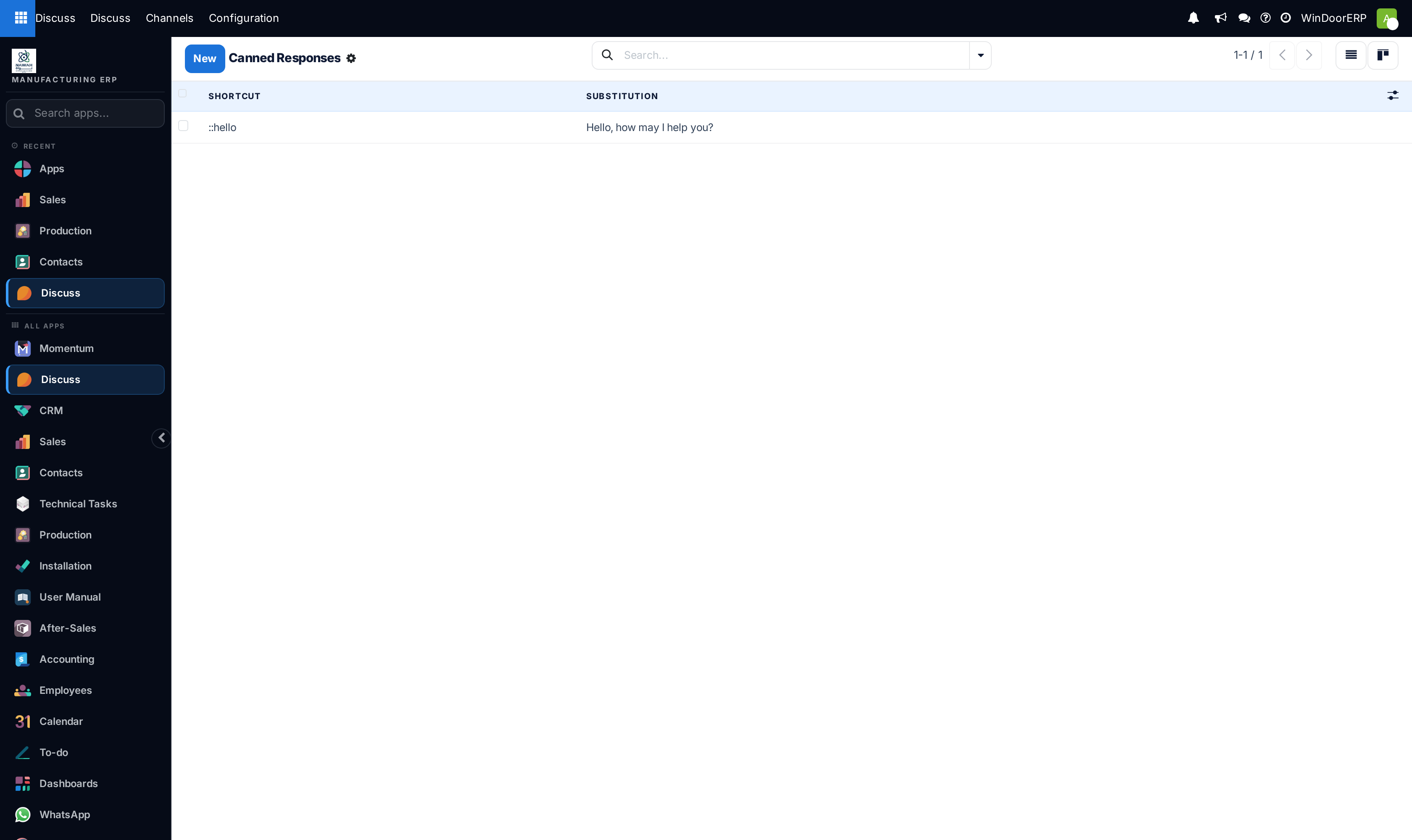
Open Discuss › Configuration › Canned Responses and click New.
-
02
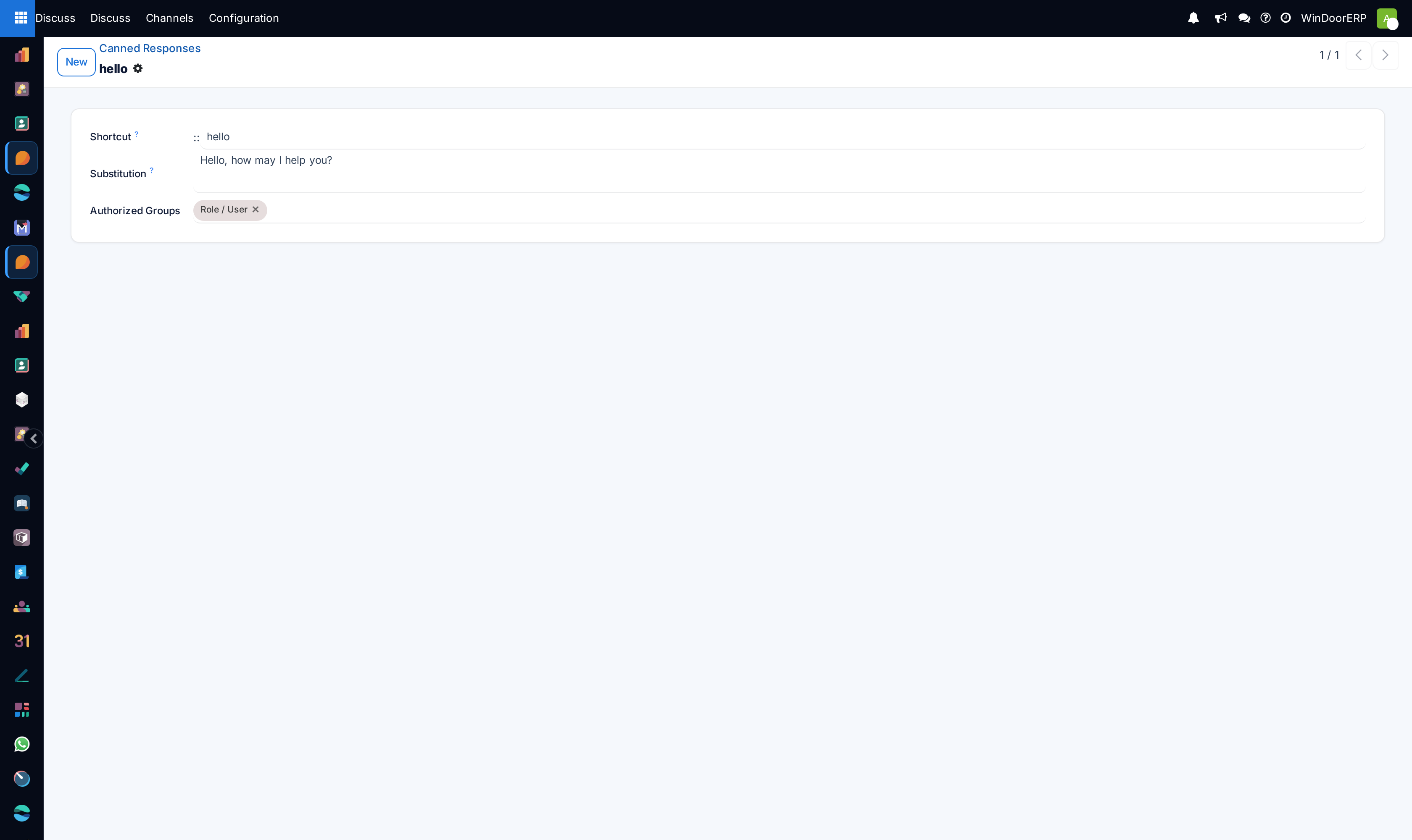
Enter the Shortcut — the code you will type, short and guessable:
warranty,sitevisit,payterms. -
03
Write the full text in Substitution.
-
04
Set Authorized Groups if the response belongs to one team; leave it empty and everyone can use it.
-
05
To use it, type
:followed by at least two letters of the shortcut anywhere you can write a message — Discuss, a chat, or a record's chatter — then pick it from the list that appears.
What each field is for
| Field | Meaning |
|---|---|
| Shortcut | What you type after the colon. Keep it lowercase and memorable; a shortcut nobody can guess is a response nobody uses. |
| Substitution | The text that replaces it. Write it as the finished sentence you want the customer to read. |
| Authorized Groups | Restricts the response to particular user groups. Empty means available to all internal users. |
| Last Used | Filled in automatically — the honest way to find the responses nobody has used in a year. |
What belongs here, and what does not
A canned response is plain text inserted where you are typing. It does not know which customer, order or window you are writing about, and it does not fill anything in for you — anything that must change per customer is a mail template instead, which merges the record's own data and lives with the document it is sent from. Use canned responses for statements that are true regardless of who is reading: warranty scope, working hours, what a site must provide before installation day.
For the same reason, keep prices out of them. A price typed into a substitution is frozen the day you write it and will be quoted, verbatim and confidently, long after it stopped being true.
Troubleshooting
Nothing appears when you type the colon — you need at least two characters after it before suggestions are offered, and the shortcut must match what you are typing.
A colleague cannot use a response you created — it carries Authorized Groups they are not in; clear the field or add their group.
The text arrived with the wrong customer's name in it — a canned response inserts fixed text; it never substitutes record data. What you wanted was a mail template.
Two responses have almost the same shortcut and the wrong one keeps being picked — rename one. Suggestions match on the shortcut text, so near-identical codes are a permanent coin toss.
Common mistakes
- Shortcuts so elaborate that people give up and retype the paragraph by hand.
- Freezing a price or a lead time inside a substitution.
- Letting everyone invent their own version of the warranty statement, which defeats the only real purpose of the feature.
Was this article helpful?
Thanks — your feedback helps.
Running a window or door factory?
Ask for a demo