Open as few packages as possible
What this does
Least Packages is a removal strategy: when the system reserves stock for a transfer, it chooses the combination of packages that opens the fewest of them. Ask for fifteen units when you hold a pack of ten and a pack of twenty, and it takes the twenty rather than breaking both.
It only has anything to work with when your stock is actually recorded in packages. On a standard WindoorERP database it is not, so this article covers what the strategy does, where to set it, and the honest answer about what it changes for you today.
Before you start
- Enable Packages in Inventory ▸ Configuration ▸ Settings, under Operations. Without it there is no Packages menu, nothing to put stock into, and the strategy has nothing to choose between.
- Then actually record stock in packages. The feature is not retroactive: existing quantities stay loose until somebody packs them on a transfer.
- Know which level you are setting it at. The product category beats the location, always — see Which setting wins below.
Steps
-
01
Go to Inventory ▸ Configuration ▸ Products ▸ Categories and open the category whose goods come in packs.
-
02
Set Force Removal Strategy to Least Packages. This is the one place that is reachable on a standard database — the field is not hidden behind any feature switch.
-
03
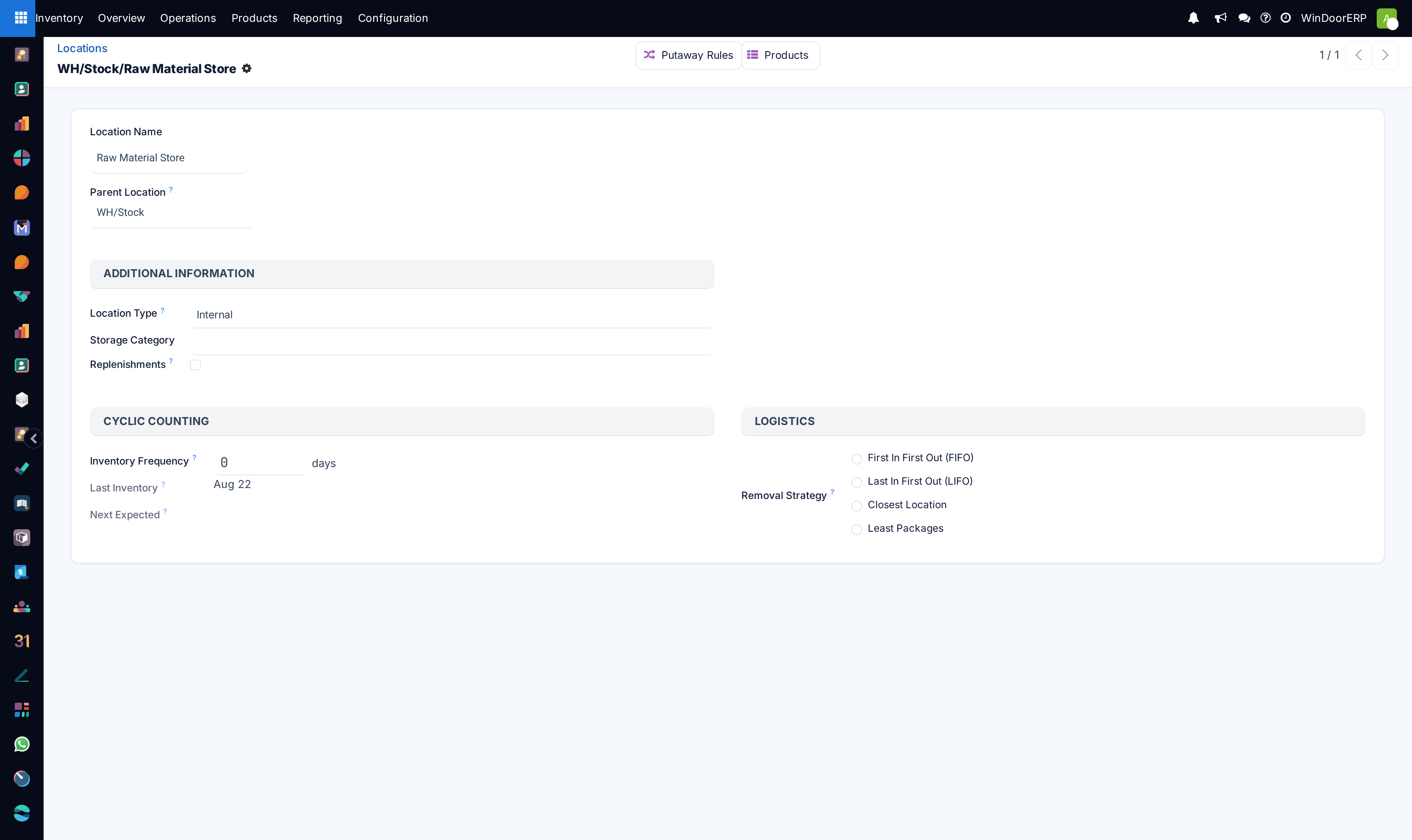
Alternatively, if Storage Locations is enabled, open Inventory ▸ Configuration ▸ Warehouse Management ▸ Locations, open the location, and pick Least Packages in the Logistics section. It is a radio group, so choosing it is one click and clearing it is not obvious — you have to open the record and pick a different value.
-
04
Save, then confirm an order for a quantity that spans more than one pack and check what was reserved: open the delivery, click Details on the line, and read the Pick From column in the Detailed Operations dialog.
How it actually chooses
This is not a sort. When a reservation is made, the system gathers every package in scope with stock left in it, and searches for the set of packages whose total covers the demand using as few packages as possible. Two consequences fall out of that and neither is obvious:
- Loose stock counts as one package per unit. Anything not in a package is treated as a series of single units, so taking loose stock is expensive in this arithmetic. The strategy will reach for a whole pack in preference to a pile of unpackaged pieces.
- If nothing in scope is in a package, the strategy does nothing at all. The search is abandoned and the reservation falls back to ordering by date received — which is exactly FIFO. No warning, no message; the setting simply has no effect.
Where two sets tie on the number of packages, the one that overshoots the demand least is preferred. Within whatever it picks, the units still come out oldest-received first, so Least Packages is best understood as FIFO with a package-count preference laid over it — which is exactly how the field's own help text describes it.
Example
Three packs on a shelf: 20, 20 and 10 pieces. A delivery needs 30 — the system takes one 20 and the 10, two packages, an exact fit. A delivery needs 15 — it takes a single 20 and breaks it, rather than opening the 10 and a 20 for a total of two.
Warning
If lot or serial tracking is switched on, quantities carrying a lot number are moved to the front of the reservation list after the strategy has finished. The set of packages the strategy chose still stands, but the order the units come out in is no longer the one it decided.
Which setting wins
Three levels are consulted, in this order, and the first one that answers wins:
| Level | Field | Precedence |
|---|---|---|
| Product category | Force Removal Strategy | Highest. If it is set, nothing else is looked at — the word Force is literal. |
| Location | Removal Strategy | Checked next, and if the location itself is blank the system walks up its parents until it finds one. |
| Nothing set anywhere | — | FIFO. That is the fallback on every WindoorERP database today, because neither field is filled in anywhere. |
What it changes on your database today
Nothing, until two things are true. On a standard WindoorERP database the Packages feature is off, there are no packages, and no removal strategy is set on any location or any product category — so every reservation is FIFO by default.
Setting Least Packages on a category while stock is still loose is harmless but pointless: the search finds no packages, gives up, and you get FIFO with an extra field filled in. The order to do this in is the feature, then the packing discipline, then the strategy.
Where packages live
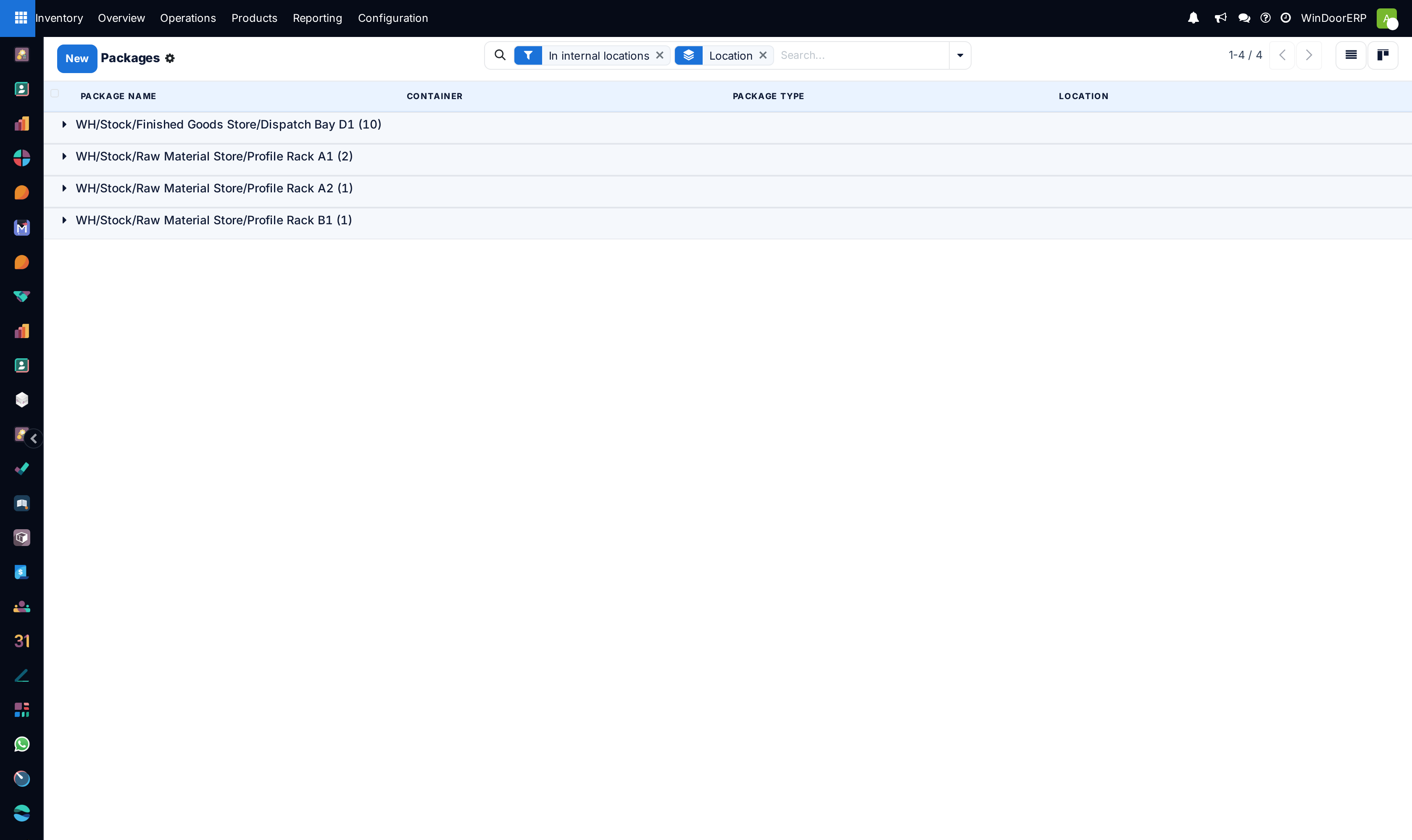
With the feature on, Inventory ▸ Products ▸ Packages lists them. Each package carries a Package Reference, an optional Package Type, its Location, an optional parent Container, a Pack Date and a Shipping Weight, and its contents are read-only — you change what is in a package by moving stock, not by editing the package. The list opens filtered to internal locations and grouped by location, which is the view that tells you at a glance how much of your stock is packed at all.
Troubleshooting
| Symptom | Cause and fix |
|---|---|
| The strategy is set but pickings behave exactly as before | The stock is not in packages. The strategy silently falls back to FIFO when it finds none. |
| No Packages menu under Products | The Packages setting is off. It is in the Operations block of the Inventory settings. |
| No Removal Strategy field on the location | Either the location type is not Internal, Transit or Virtual, or you cannot reach the Locations menu because Storage Locations is off. Use the product category instead. |
| The location's strategy is ignored | The product's category has Force Removal Strategy set. That always wins. |
| It opened a pack when a smaller one would have covered the order | Check the quantity actually reserved, not the quantity ordered. The search runs on what is being reserved at that moment, and a partial reservation asks a different question. |
| It took loose units instead of a sealed pack | That happens only when the packs cannot cover the demand. Loose units are the expensive option in this arithmetic, never the preferred one. |
| The available quantity on the order does not reflect the strategy | Correct. Availability is calculated without asking for a specific quantity, and the package search only runs when stock is actually being reserved. |
Common mistakes
- Using it for material that ages or expires. The sealed pack at the back may be the oldest thing you own, and this strategy will happily choose it.
- Setting it on a location when the product's category already forces something else. The category wins and nobody is told.
- Enabling Packages and expecting existing stock to become packed. It does not; somebody has to pack it on a transfer.
- Assuming the numbers in the Detailed Operations dialog were chosen by this strategy on a database with no packages. They were chosen by FIFO.
Was this article helpful?
Thanks — your feedback helps.
Running a window or door factory?
Ask for a demo