Handle what comes back from site: field reports, re-visits and customer messages
What this does
Technical Tasks › Site Surveys › Field Portal is the office side of the surveyor's phone. Three menus catch what the field sends in: Reported from Site holds the events a surveyor logged during a visit — a locked gate, an unready opening, an extra window nobody quoted; Re-visit Requests holds their formal asks to go back to a submitted survey, waiting for a manager's decision; and Customer Messages is the manager-maintained library of the only messages a surveyor may send to a customer from site. Give these queues an owner, or they become the WhatsApp thread nobody reads.
Before you start
- Surveyors work through the mobile portal — the records here are created from it, never typed in the office.
- You have site-survey access; approving re-visits and editing the message library is manager work.
Working the queues
-
01
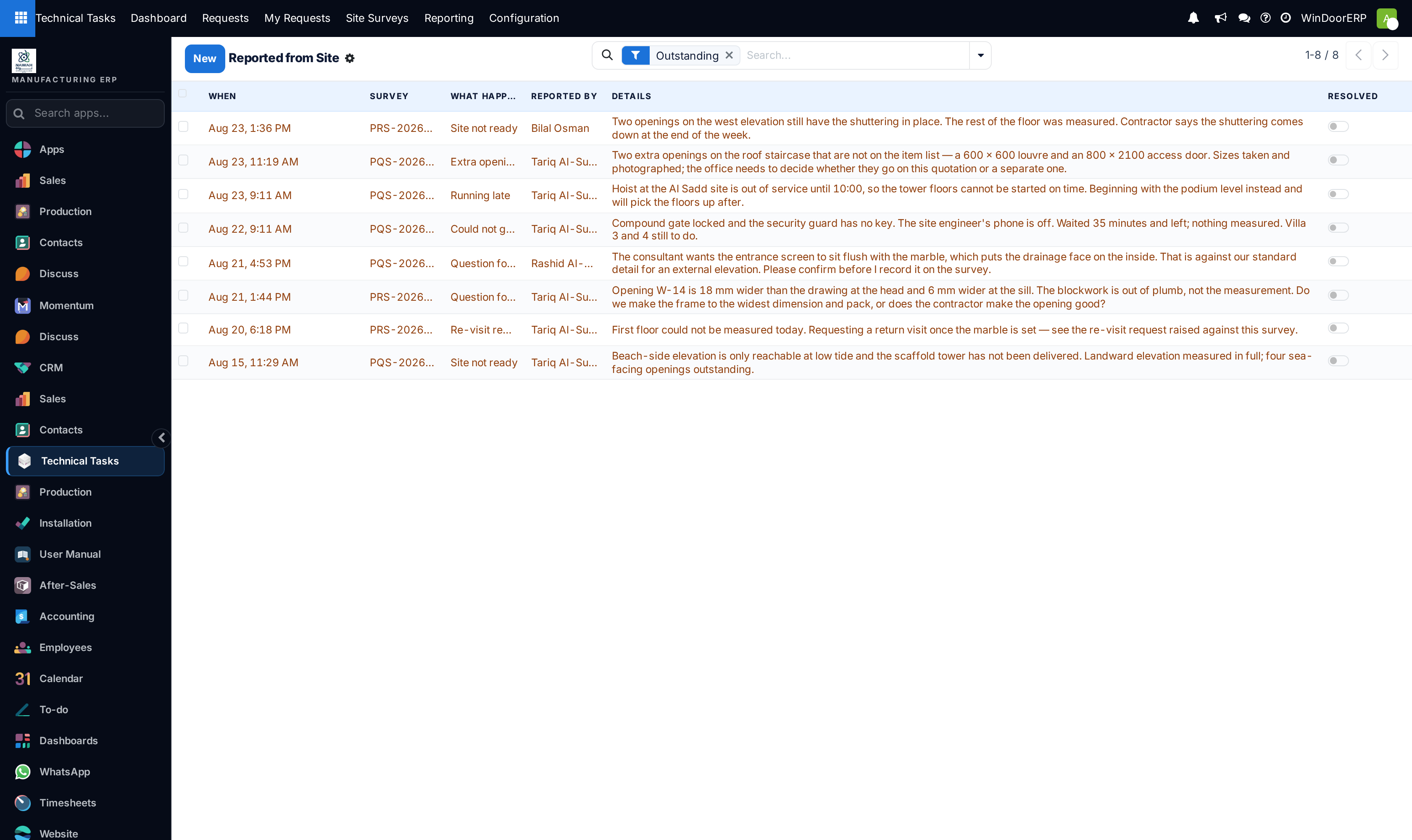
Open Reported from Site each morning. It opens on the Outstanding filter; unresolved rows are highlighted.
-
02
Open an event, read what the surveyor said and look at the photo evidence, act on it — call the contractor, re-plan the visit — then write How it was resolved and switch on Resolved.
-
03
Open Re-visit Requests. For each pending request read the reason and details, then press Approve or Decline, recording a Decision note.
-
04
Review Customer Messages occasionally: retire wordings with the Active toggle, add new ones for situations the field keeps hitting.
Reported from Site
Each event records what happened, on which survey (and, when relevant, which single item), who reported it, when, the note, a photo where one could be taken, and the phone's GPS position at the moment of reporting. The eight kinds:
| What happened | Meaning |
|---|---|
| Could not get in | The visit was blocked — gate locked, no access. Requires a note from the surveyor. |
| Site not ready | The site cannot be measured yet. Also requires a note. |
| Paused / Resumed | Work interrupted and picked back up during the visit. |
| Running late | The surveyor flagged a delay. |
| Question for the office | A decision is needed from the technical office. |
| Extra opening found | An opening on site that is not on the order — a variation to price, since surveyors cannot add items to a production survey. |
| Re-visit requested | The automatic twin of a re-visit request (below). |
Blocked and escalation events do not wait to be found: when the surveyor logs Could not get in, Site not ready, a question or a variation, an activity is raised immediately on the order's salesperson (or the request's manager), and every event is also posted on the survey's own chatter. The search view keeps a Blocked visits filter and group-bys per kind and per surveyor — repeated "site not ready" on one project is a scheduling signal worth reading.
Re-visit Requests
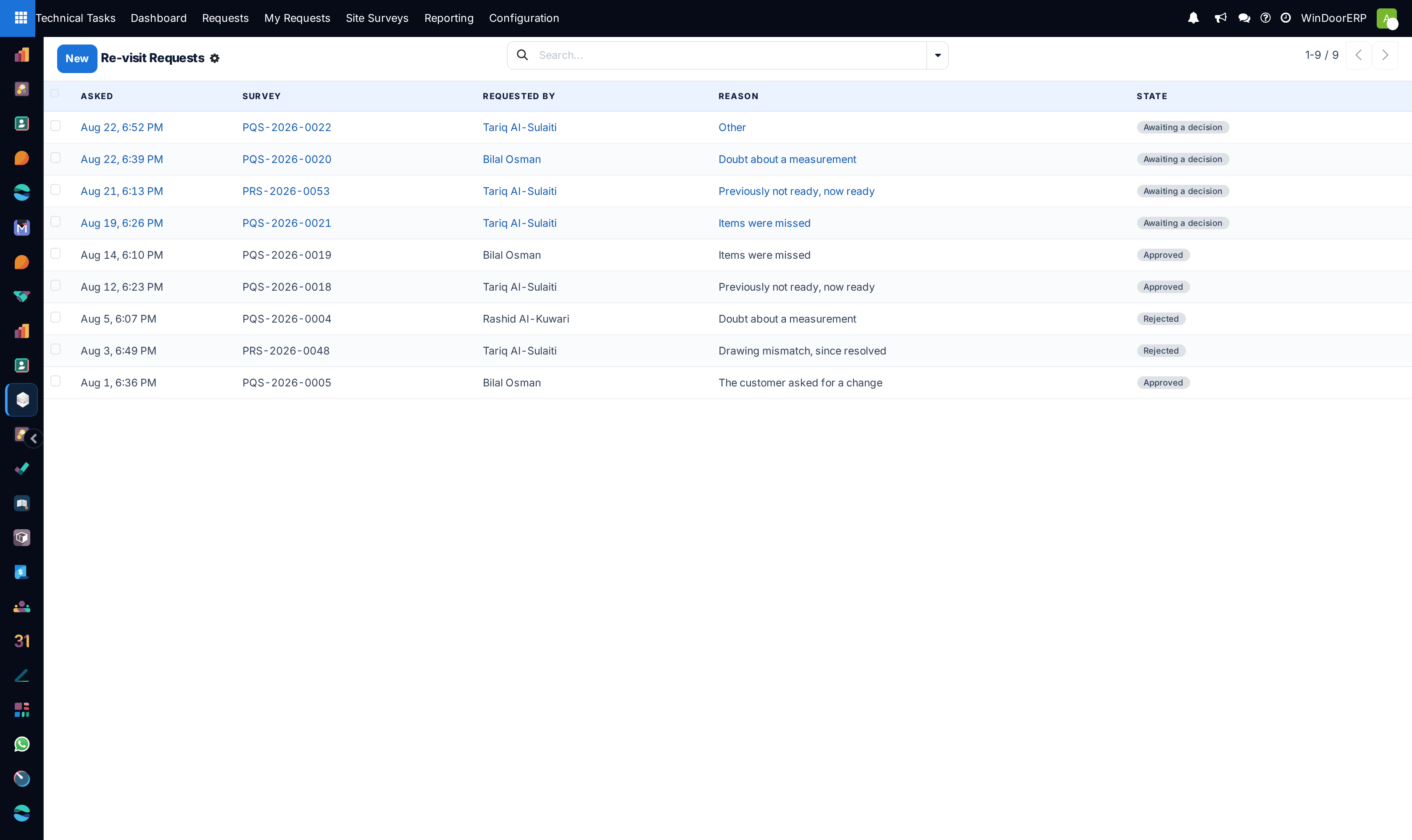
A submitted survey is out of the surveyor's hands — its numbers may already feed a quotation or a production order — so going back is a request, not a right. Each request carries the survey, the requester, a fixed Reason (Items were missed, Doubt about a measurement, The customer asked for a change, Previously not ready, now ready, Drawing mismatch, since resolved, Other — a list rather than free text, because the pattern of reasons is itself a report), required Details, and the decision trail: state, decided by, decided on, decision note.
What Approve does depends on how far the survey went. A survey not yet approved is simply re-opened to In Progress. An approved survey is never re-opened — its quantities are already posted — so approval creates a linked revision survey instead: a draft copy, without signatures or posted quantities, recorded in the Revision survey field, while the original stays exactly as it was signed. Decline closes the request and posts the decision note on the survey's chatter. Surveyors cannot raise a second request while one is pending, and once the technical request's stage is folded the portal refuses new ones — at that point a return is a commercial variation, not a correction.
Customer Messages
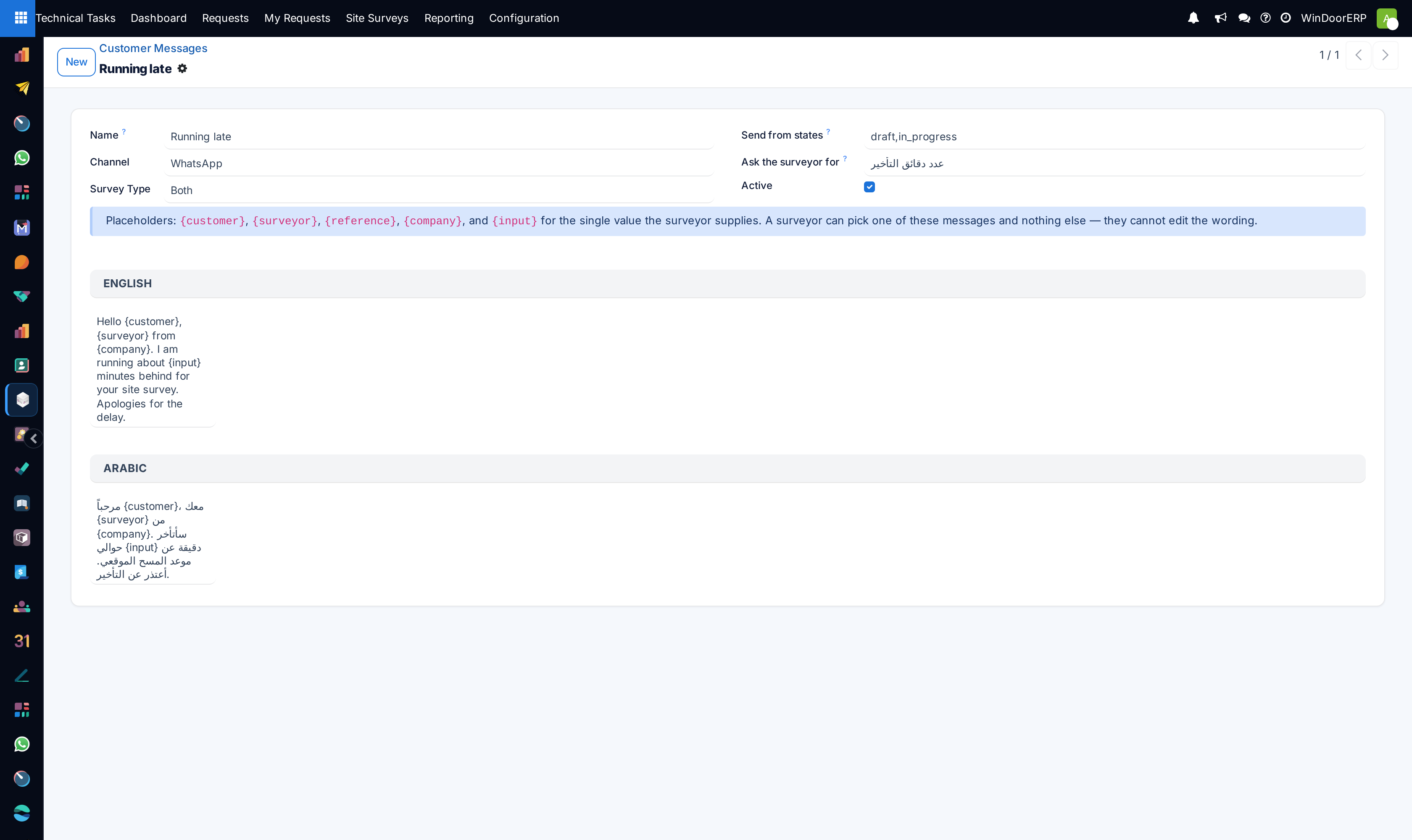
A surveyor in the field needs to tell the customer "I am 20 minutes away" — but free-typing to a customer under the company's name is an exposure. So the field app offers a picker over this library and nothing else; the office writes the wording once, in both languages. Each template:
| Field | What it does |
|---|---|
| Name | What the surveyor sees in the picker. |
| Channel | Email, SMS or WhatsApp — a classification of intent; delivery itself is a message on the survey addressed to the customer. |
| Survey Type / Send from states | Where the message is offered. The states list (default draft,in_progress) keeps "on my way" off a survey finished last week. |
| Ask the surveyor for | When set, the app asks the surveyor for one short value — minutes late, for instance — inserted at {input}. It is the only free text they can contribute. |
| English / Arabic | The two bodies. The customer's language decides which is sent; with no Arabic body the English one is used. Placeholders: {customer}, {surveyor}, {reference}, {company}, {input}. |
A template that asks the surveyor for a value must contain {input} in its English body — saving one without it is refused with a message naming the template. Sending is rate-limited on the surveyor's side: at most six messages to one customer per survey per hour.
Troubleshooting
An event sits unresolved for days — nothing escalates it further by itself; the initial activity on the salesperson is the only automatic push. Make the Outstanding filter someone's daily screen.
A re-visit was approved but the surveyor still cannot edit the survey — the original was already approved, so a revision survey was created instead; the surveyor should open the new draft from their portal list, not the old record.
A surveyor reports the re-visit button refuses with "This job has already moved on" — the technical request reached a folded stage; handle the change commercially rather than re-opening the measurement.
A message template does not appear in the surveyor's picker — check its Active toggle, its Survey Type, and whether the survey's current state is in Send from states.
Common mistakes
- Resolving events without filling How it was resolved — the record of what was done is the point of the queue.
- Declining re-visit requests without a decision note — the surveyor only sees the note on the survey's chatter.
- Writing message templates in English only for Arabic-speaking customers — the English body is what they will receive.
Was this article helpful?
Thanks — your feedback helps.
Running a window or door factory?
Ask for a demo