Talk in channels, groups and direct messages
What this does
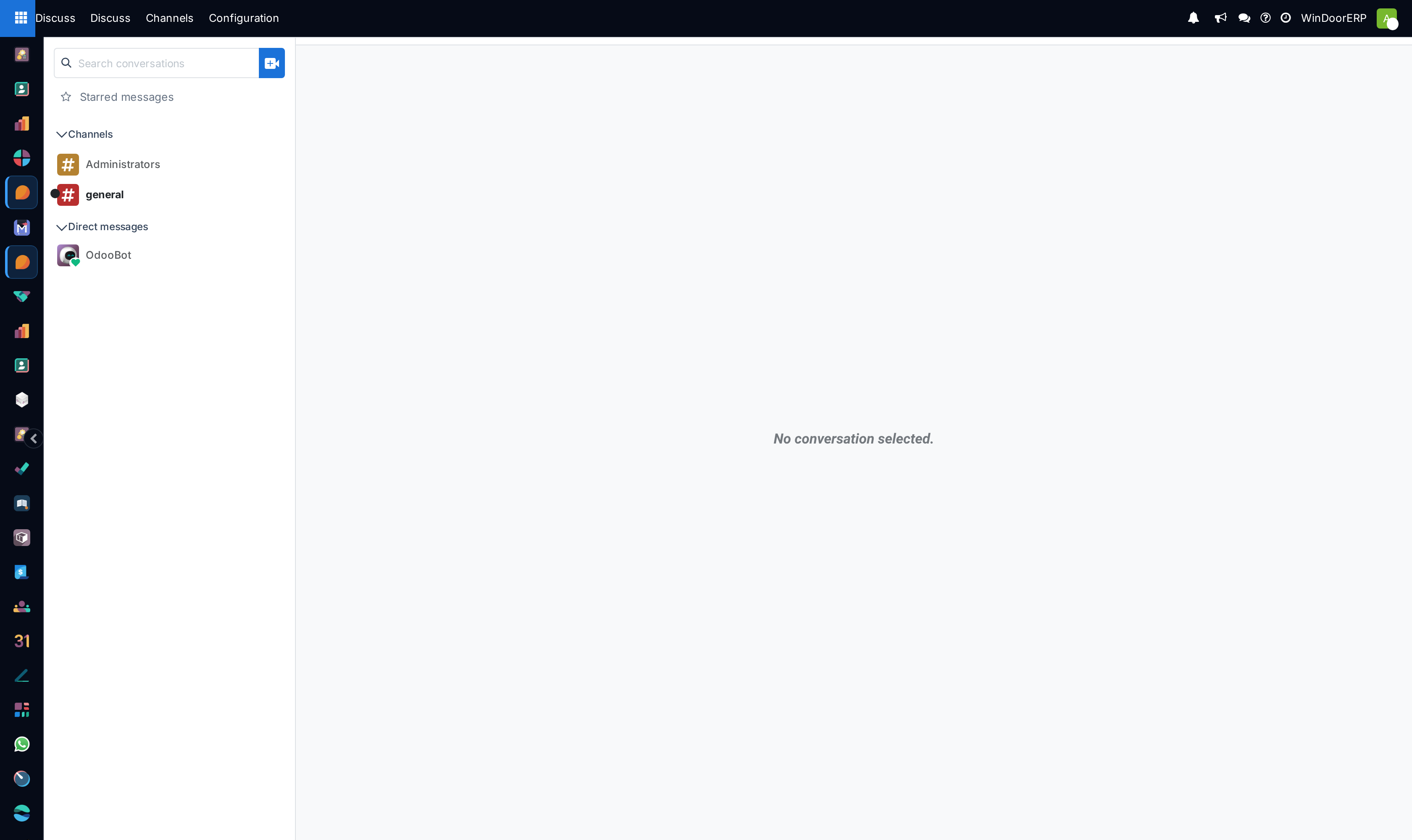
Gives the company a written record of the conversations that used to happen by phone. A channel per subject — cutting, snagging, engineering approvals — keeps the decision about a villa's glass in one searchable place instead of in somebody's WhatsApp.
Before you start
- Internal user access. Everyone with a WindoorERP login has Discuss; customers and portal users do not.
- Decide what belongs here and what belongs on a record. Anything about one order, task or survey is better written in that record's chatter, where it stays attached forever.
The three kinds of conversation
| Type | Who is in it |
|---|---|
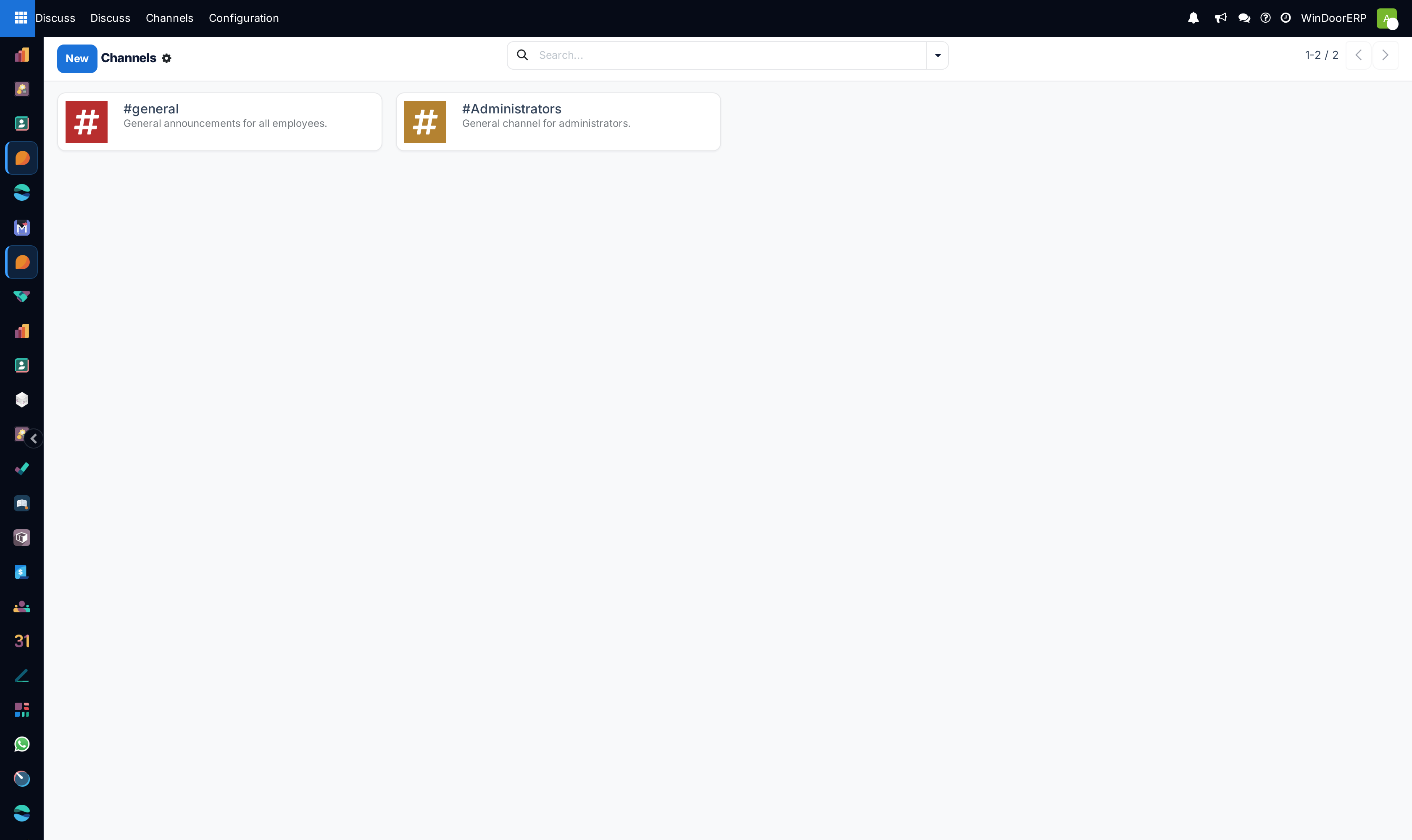
| Channel | A named, joinable room — the closest thing to a department noticeboard. People can find it and join, subject to its configuration. |
| Group | Private among the people invited; nobody joins on their own. |
| Chat | A direct conversation between two people. |
The kind is fixed when the conversation is created — you cannot convert a private group into an open channel later, so choose deliberately.
Steps
-
01
Open Discuss from the app switcher.
-
02
Beside Channels in the sidebar, use + to create a channel or to find and join an existing one; beside Direct messages, start a chat or a private group.
-
03
Write. Type
@and a name to notify a person, or@and a team's role name to notify everyone in it —#links another channel. -
04
Attach the evidence: drag an elevation drawing, a site photo or a glass spec straight onto the message box.
-
05
Pin the messages that people will need again — site access rules, the agreed opening sizes — so newcomers are not asked to scroll.
Keep the record where the work is
Discuss is for talk that spans records. The moment a message decides something about a specific quotation, task, survey or delivery, write it in that record's chatter instead: it is then attached to the document an auditor or a colleague will open next year, and it notifies the followers of that record automatically. A channel is a conversation; a chatter entry is a document. Most arguments about "where did we agree that?" are really this choice made carelessly.
Troubleshooting
Somebody says they never saw a message — a mention is what notifies. In a busy channel most people run on Mentions Only, so a message that names nobody reaches nobody's attention; mention the person or the team's role.
A colleague cannot find your channel — it is a group or a chat, which are private to the people invited; only a channel can be discovered and joined.
You need a conversation that outlives the people in it — use a channel, not a group of individuals. Groups become orphaned the moment their members change roles.
An attachment is missing from a record — an attachment dropped in Discuss belongs to the conversation, not to the order. Re-attach it in the record's chatter if that is where it needs to live.
Common mistakes
- Discussing one order's price in a general channel, where it is neither attached to the order nor visible to the person handling it.
- Uploading site photos with no reference to the villa, elevation or opening they show.
- Opening a private group per job — dozens of dead groups, and a new colleague who can see none of the history.
Was this article helpful?
Thanks — your feedback helps.
Running a window or door factory?
Ask for a demo