Try factory layouts in the Factory Planner
What this does
The Factory Planner is a visual simulator: your machines laid out on a floor plan, your open production orders fed into it, and a Monte-Carlo experiment that shows how the shop copes. Use it to try an arrangement — move a saw, add a station, rebalance the flow — before anyone moves real steel.
It is a planning sandbox, not the schedule. Nothing you do inside it changes a production order or a work order; the one thing it writes back is the position of machines on the floor map, which the live Dashboard's floor plan then draws.
Before you start
- The Work Orders & Routing feature on — the planner's menu entry is gated on it.
- Machines registered with their types and floor zones (Production › Configuration › Machines); the planner maps each machine type onto its own catalogue of station models.
Steps
-
01
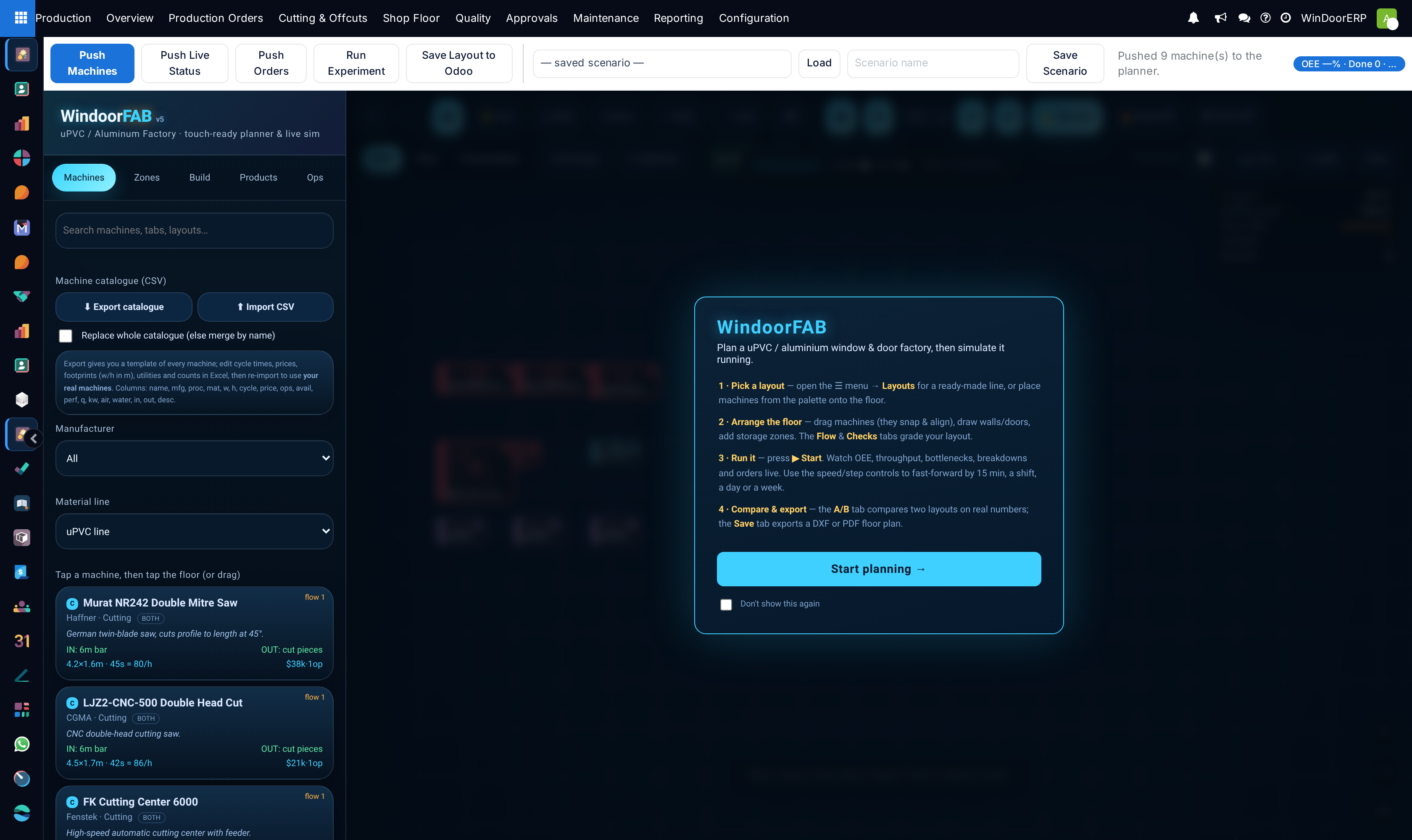
Open Production › Overview › Factory Planner. Your machines arrive on the canvas at their saved floor coordinates, each showing its live state — running and idle stations appear healthy, down ones down, blocked ones stopped.
-
02
Rearrange: drag stations into a better flow, and use the planner's own tools to trial extra machines or zones.
-
03
Feed it work: the planner receives your open production orders (planning, ready and under production — up to 50), each carrying its unit count and how many days remain to its scheduled start.
-
04
Run the experiment. The simulation plays two days of work with three repetitions from a fixed seed, so the same arrangement always scores the same and two layouts are genuinely comparable.
-
05
Save the arrangement. Machine positions are written back to the machine records. Saving the scenario is a separate act: it is kept as a Factory Layout — a named snapshot of the experiment, not the live floor — which you reopen with Open in Planner from Configuration › Factory Layouts.
What it reads and what it writes
| Direction | What moves |
|---|---|
| Into the planner | The machine catalogue (name, type, floor coordinates), each machine's live state, and open production orders with unit counts and due-day distances. |
| Out of the planner | Machine floor coordinates only — plus the saved scenario as a Factory Layout record. |
| Never | Production orders, work orders, schedules, capacities and machine records other than their X/Y position. A machine invented inside the planner stays inside the planner; it is not created in WindoorERP. |
Note
Do not confuse the planner with scheduling. Sequencing real work is done on the production order. Schedule walks that order's own work orders forward from its scheduled start, adding planned and setup minutes, without consulting capacity at all. Schedule (Finite Capacity) is the shop-wide one: it levels every ready and under-production order against work-center capacity, so pressing it from one order moves other orders' work-order times as well. The planner answers a different question: is the factory laid out well in the first place?
Troubleshooting
| The Factory Planner entry is missing | The Work Orders & Routing feature is off, or you lack a production role. The toggle applies database-wide. |
|---|---|
| The canvas is empty | No machines are registered. Add them in Configuration first. Machines that have never been arranged arrive stacked at the origin — arrange once and save, and after that they always land where you left them. |
| A Factory Layout shows Machines as 0 | The saved layout is unreadable; re-save it from the planner. Any production user may create and edit layouts, so nothing stops a broken one being kept. |
| Stations added in the planner vanished | Expected: only positions of existing machines are written back. Create the machine in Configuration first, then place it. |
| The simulation shows no work | It feeds on open orders (planning, ready, under production). With everything draft or done, there is nothing to simulate. |
| Two runs of the same layout differ | They should not — the experiment is seeded. If they do, the machine set or the order pool changed between runs. |
Common mistakes
- Treating simulation output as a promise. It is a comparison tool between arrangements, not a forecast of Tuesday.
- Rearranging the canvas and not saving — the live floor map keeps the old positions.
- Planning around machines that exist only on the canvas.
- Expecting the planner to fix scheduling problems. If the constraint is capacity or sequence, the answer is on the production order, not the floor plan.
Was this article helpful?
Thanks — your feedback helps.
Running a window or door factory?
Ask for a demo