Set up approval matrices and handle approval requests
What this does
The approvals machinery gates four production actions behind sign-off: Release to Production, Extra Material, Change Request and Glass Purchase Order. An Approval Matrix defines, per action, which approver groups must sign and above which amount or quantity; an Approval Request is one instance of that sign-off — raised automatically by the three wizard-driven actions, and by the Request Release Approval button for a release.
The whole mechanism exists only while Approvals & Authorization Matrix is on in Production › Configuration › Settings — off, every transition is ungated. Requests live under Production › Approvals › Approval Requests (supervisor and up); matrices under Production › Configuration › Approval Matrices (managers).
Before you start
- The Approvals & Authorization Matrix feature switched on.
- A matrix per action you want gated. No matrices ship — and an action with no matrix is auto-approved on submission, deliberately, so enabling the feature without configuring matrices does not freeze the factory.
- Approver groups decided. A matrix step points at a security group (for example Production Manager), not at named users — any member of the group can sign that step.
Steps
-
01
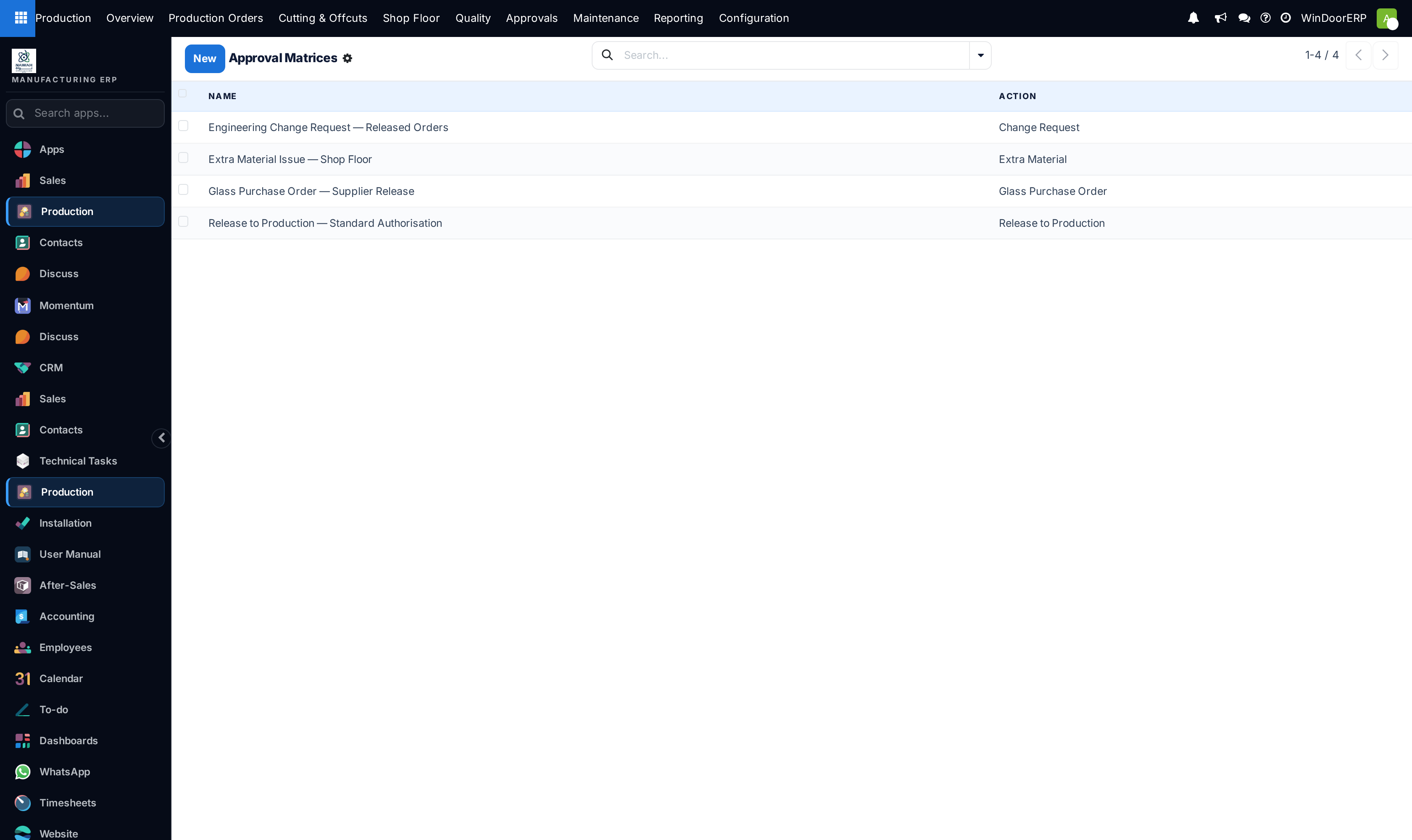
Open Production › Configuration › Approval Matrices and create one matrix per gated action: a name, the Action, and the steps.
-
02
Each step names an Approver Group plus two thresholds: Amount Threshold and Quantity Threshold. A step applies only when the request's amount and quantity are at or above both values; 0 means "always" for amount and "ignore" for quantity.
-
03
Work as normal. Ordering extra material, raising a change request or creating a glass purchase order builds and submits the approval request itself and opens it instead of proceeding. Confirming an unapproved production order is simply refused — the requester presses Request Release Approval on the order, which creates the request with the sale order's total as its amount.
-
04
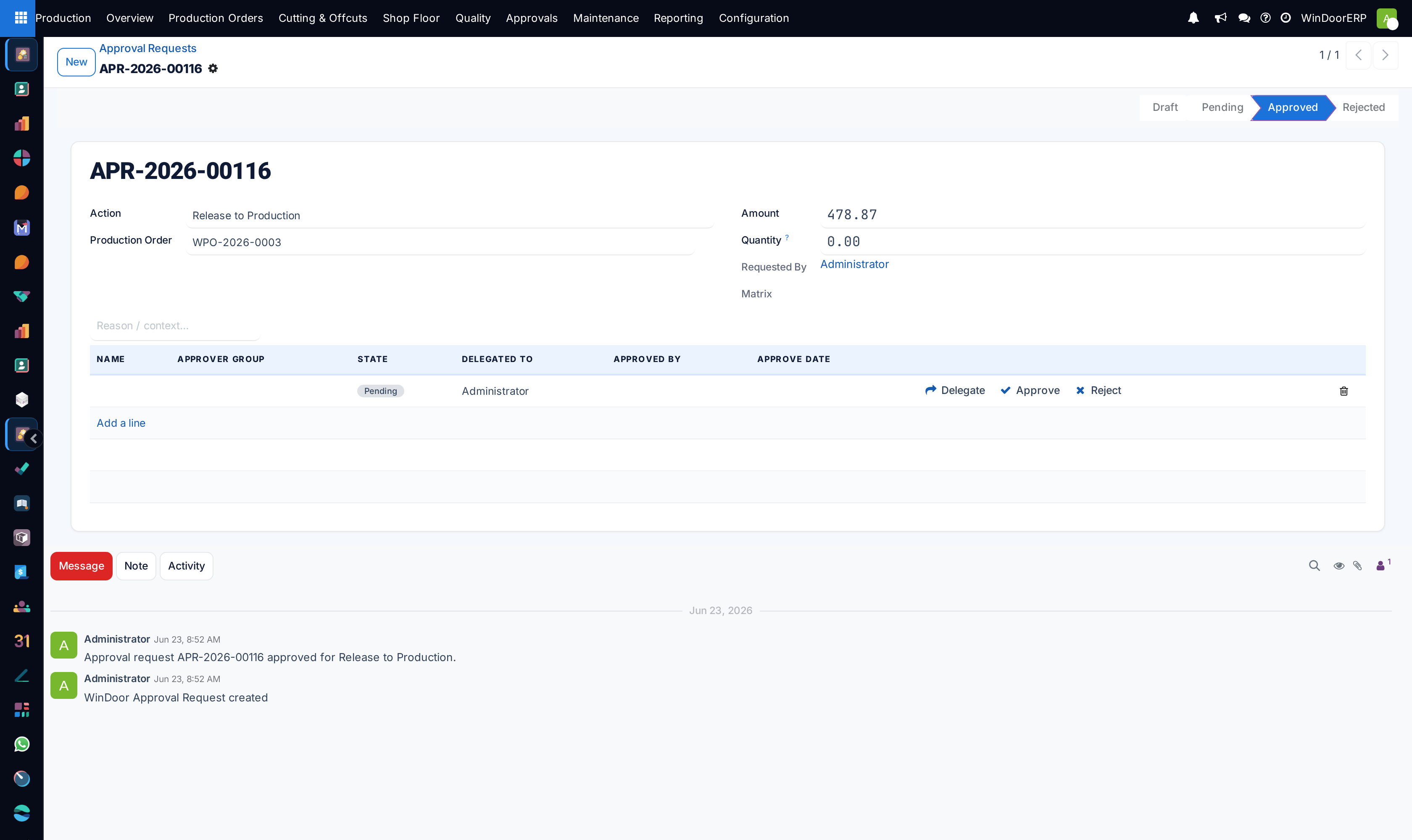
Approvers open Production › Approvals › Approval Requests: each pending row of the request carries Delegate, Approve and Reject buttons.
-
05
When every applicable step is approved the request flips to Approved and the gated action can proceed — re-run the original action; it now passes.
The request form
| Field | What it does |
|---|---|
| Action | One of the four gated actions. Required. |
| Production Order | The order the request concerns. |
| Amount, Quantity | What the thresholds are matched against. For an automatic release request the amount is the linked sale order's total. |
| Matrix | Which matrix resolved at submission — company-specific first, then a company-less global one. Read-only. |
| Requested By, note | Who raised it and why. |
| Approvals lines | One row per applicable step: the step name, approver group, state badge, Delegated To, and who approved when. |
All steps are pending simultaneously — the row order is cosmetic, and there is no enforced sequence. Any rejected row rejects the whole request; all rows approved approves it.
Who may act — the real rules
- Never the requester. "Segregation of duties: you cannot approve a request you raised." — enforced even if the requester belongs to the approver group, and even as a delegate.
- Group members. Anyone in the step's approver group: otherwise "Only members of '…' can act on this step."
- Delegates. Delegate hands one step to a named user; only a member of the step's group may delegate ("Only a member of '…' can delegate this step.") and never to the requester ("Segregation of duties: cannot delegate to the requester."). Note the Delegated To field is also directly editable on the line — that empowers the named user just the same, but skips the button's two guards, so treat direct edits as a manager-only correction path.
Important
A rejected request is terminal: there is no resubmit button, and nothing happens downstream beyond the state. To try again, trigger the gated action once more — it creates or reuses a request. And remember the quiet path: if no matrix matches, or the amounts sit below every threshold, the request approves itself on submission with no human in the loop. An empty Approvals table on an approved request is what that looks like.
What the gates actually block
- Release: confirming an unapproved production order fails with "Release to production requires approval for: … Click 'Request Release Approval' and have it approved first." The order's header carries that Request Release Approval button while the feature is on.
- Extra material / Glass PO / Change request: the wizards submit a request and open it instead of proceeding; once it is approved, running the same wizard again goes through.
Troubleshooting
| "Release to production requires approval for: …" | The order has no approved Release to Production request. Press Request Release Approval, get it signed, confirm again. |
|---|---|
| "Only members of '…' can act on this step." | You are neither in the step's approver group nor its delegate. |
| "Segregation of duties: you cannot approve a request you raised." | Requester self-approval is blocked in all forms. A colleague in the group must sign. |
| A request approved itself instantly | No matrix exists for the action (or none matched the company), or the amount and quantity sit below every step's thresholds. Configure or tighten the matrix if that is not intended. |
| A rejected request blocks the order forever | By design it stays rejected. Re-trigger the gated action to raise a fresh request. |
| An expected step did not appear on the request | Steps apply only when amount and quantity meet both thresholds. A step with a quantity threshold never fires on requests whose quantity is 0. |
Common mistakes
- Enabling the feature without creating matrices and believing the factory is now gated — every submission auto-approves until a matrix exists.
- Setting both an amount and a quantity threshold on one step without realising they are combined with and — the step then fires only when both are met.
- Expecting step 2 to wait for step 1. All steps are signable in parallel; ordering is visual only.
- Deleting a rejected request to "reset" it — unnecessary; the next attempt at the action creates its own request.
- Pointing a step at a group whose only member is the usual requester — segregation of duties then makes the step unsignable.
Was this article helpful?
Thanks — your feedback helps.
Running a window or door factory?
Ask for a demo