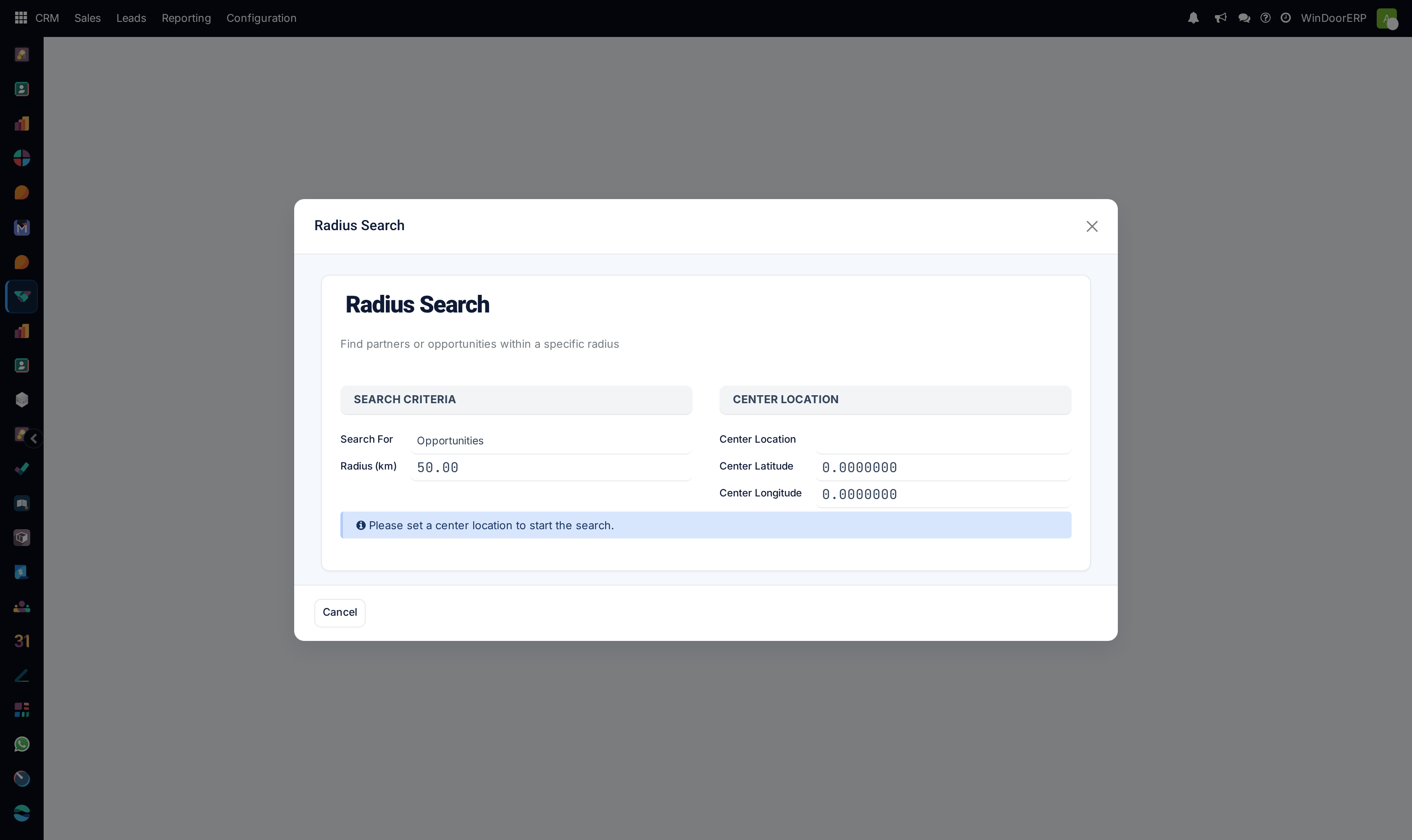
Locate nearby customer projects and construction sites using geo-radius search
What this does
Empowers mobile sales reps and technical surveyors to discover nearby ongoing projects and inquiries within a specified kilometer radius, optimizing daily site visit routes.
Before you start
- Geocoding and GPS location enabled.
Steps
Important
Grouping multiple site measurements in the same district reduces surveyor travel time by up to 40%.
-
01
Open CRM › Sales › Radius Search.
-
02
Enter a reference point: select an existing construction site, landmark, or enter GPS coordinates.
-
03
Set the Search Radius (e.g. 5 km, 15 km, 30 km).
-
04
Review the resulting list of prospective villas and contractor projects for combined on-site technical surveys.
Common mistakes
- Searching without ensuring customer addresses have validated postal codes or GPS coordinates.
- Setting overly broad radius filters that encompass unreachable traffic corridors.
Was this article helpful?
Thanks — your feedback helps.
Running a window or door factory?
Ask for a demo