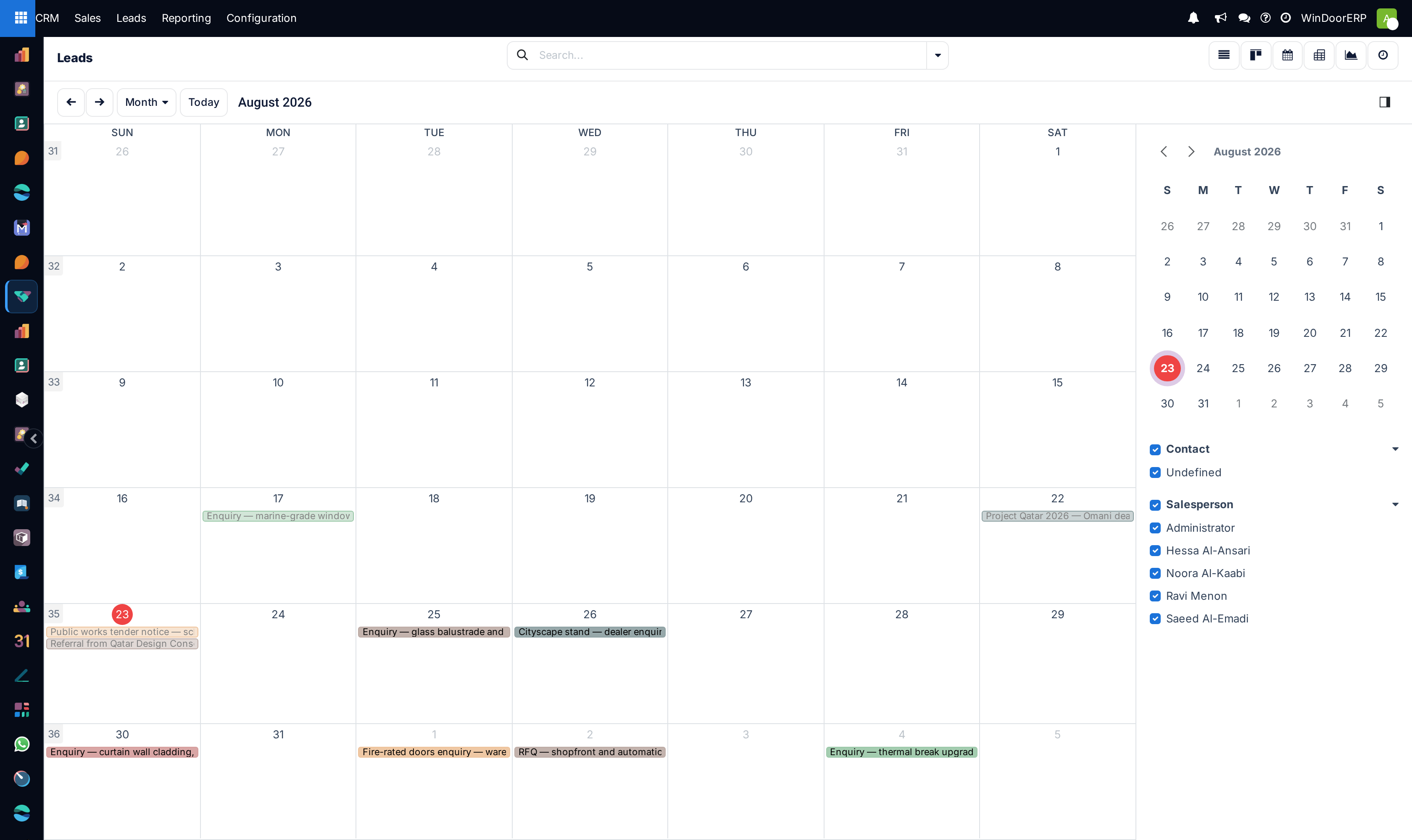
Schedule and coordinate lead site visits, surveys, and appointments on the calendar
What this does
Coordinates on-site laser measurements, architectural consultant design reviews, and showroom client appointments directly on a synchronized sales calendar.
Before you start
- Sales Representative access with Calendar permissions.
Steps
Important
Site survey appointments scheduled from CRM sync directly to mobile surveyor devices for instant field access.
-
01
Open CRM › Sales › My Pipeline and switch to the Calendar view.
-
02
Click on an open time slot to create a new appointment linked to a specific opportunity.
-
03
Select the appointment type (e.g. Site Survey & Measurement, Sample Presentation, Contract Signing).
-
04
Set attendees: assign the technical surveyor, sales engineer, and client contact.
-
05
Add meeting notes, location coordinates, and automated SMS/email reminders.
Common mistakes
- Scheduling site surveys without attaching Google Maps location pins or villa contact numbers.
- Double-booking technical estimators during peak installation survey hours.
Was this article helpful?
Thanks — your feedback helps.
Running a window or door factory?
Ask for a demo