Manage sales member capacities, lead limits, and workload distribution
What this does
Controls individual sales engineer workload capacities by defining maximum 30-day active lead limits, preventing estimator burnout and ensuring fast proposal turnarounds.
Before you start
- Sales Team Leader or CRM Administrator permissions.
Steps
Important
When a sales engineer reaches their maximum lead limit, automated lead assignment skips to the next available team member.
-
01
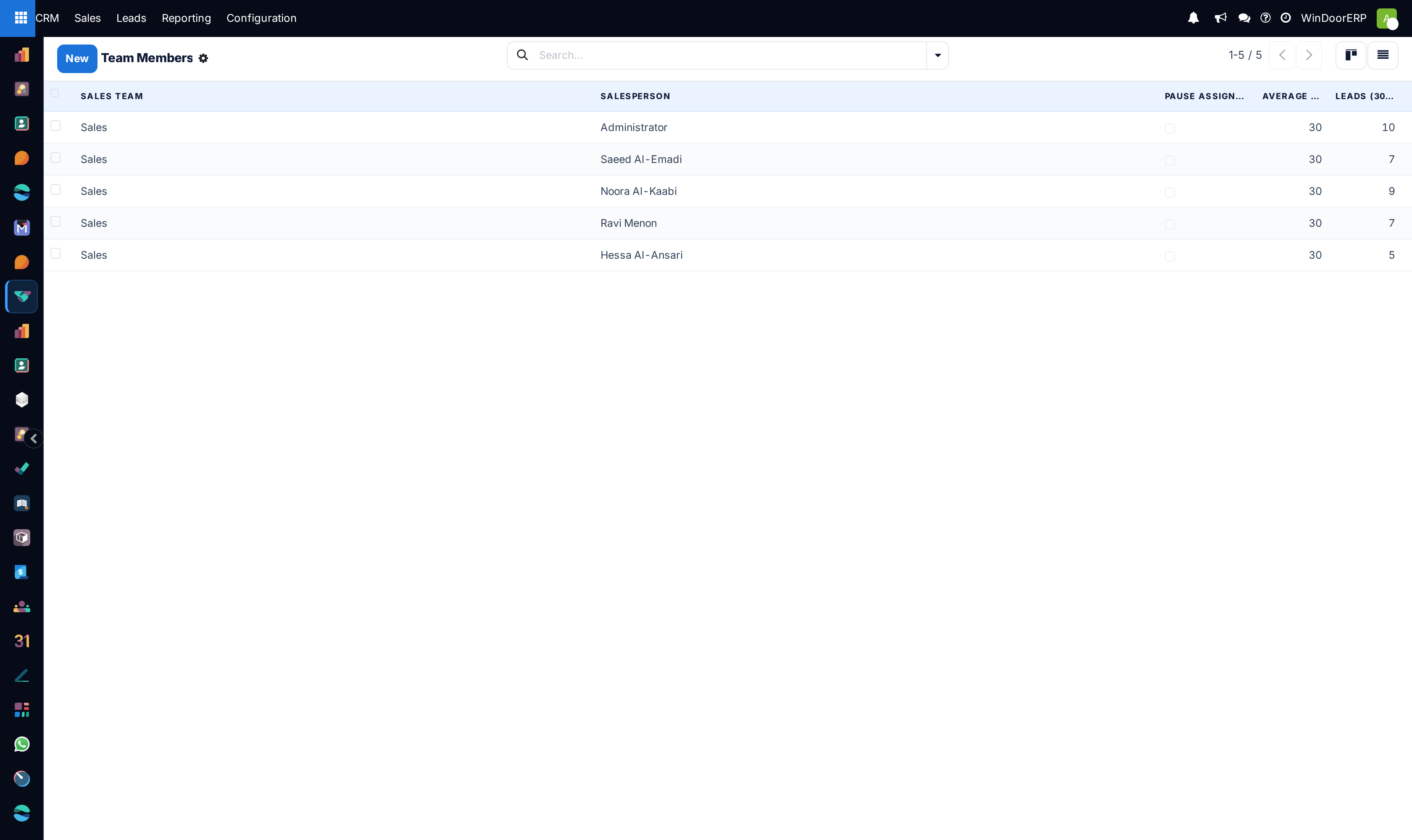
Open CRM › Configuration › Team Members.
-
02
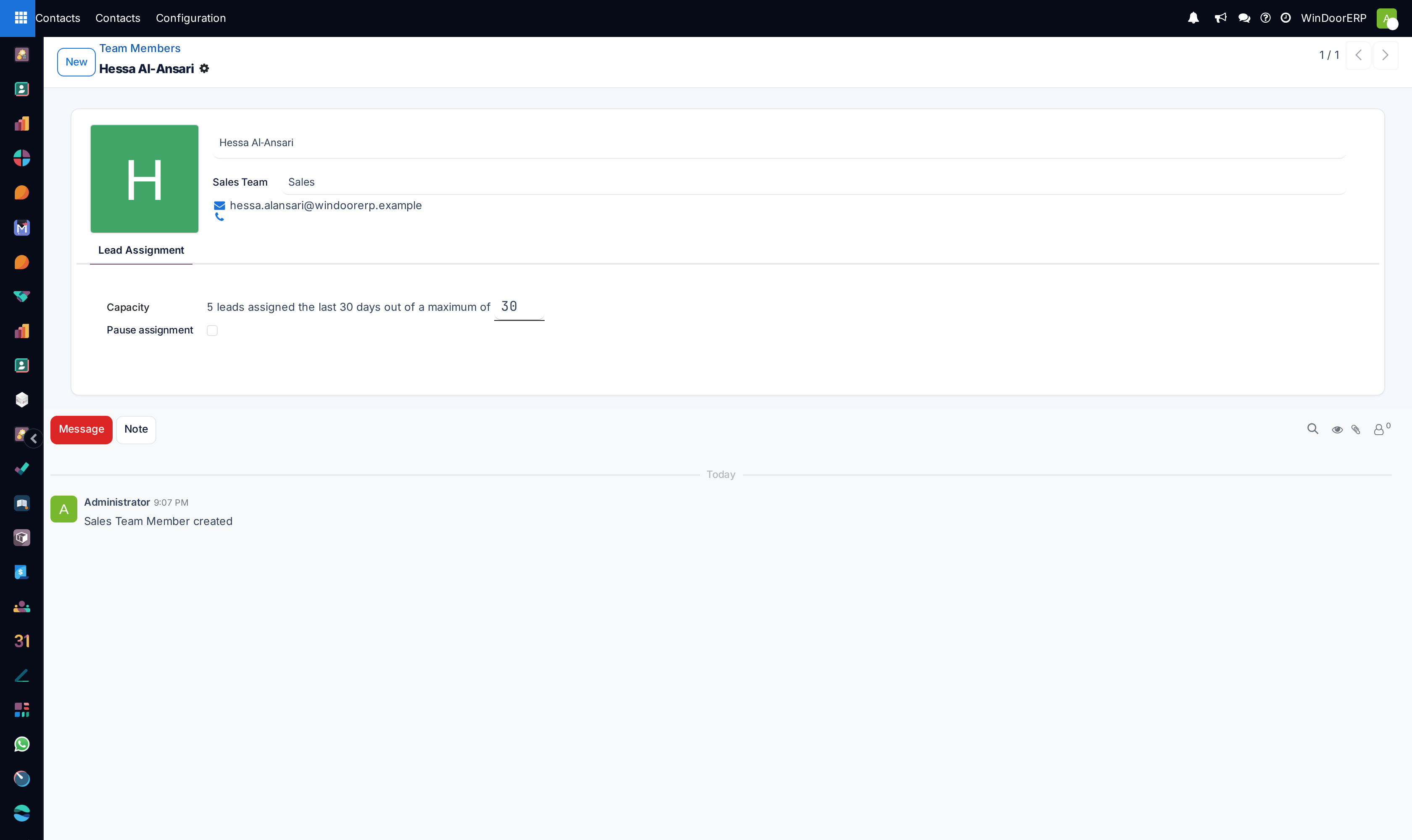
Select a sales representative or estimator to open their capacity profile.
-
03
Set the Max Leads (30 Days) limit (e.g. 25 active inquiries).
-
04
Configure individual domain filters (e.g. specific language, structural curtain wall qualification, or luxury villa specialization).
-
05
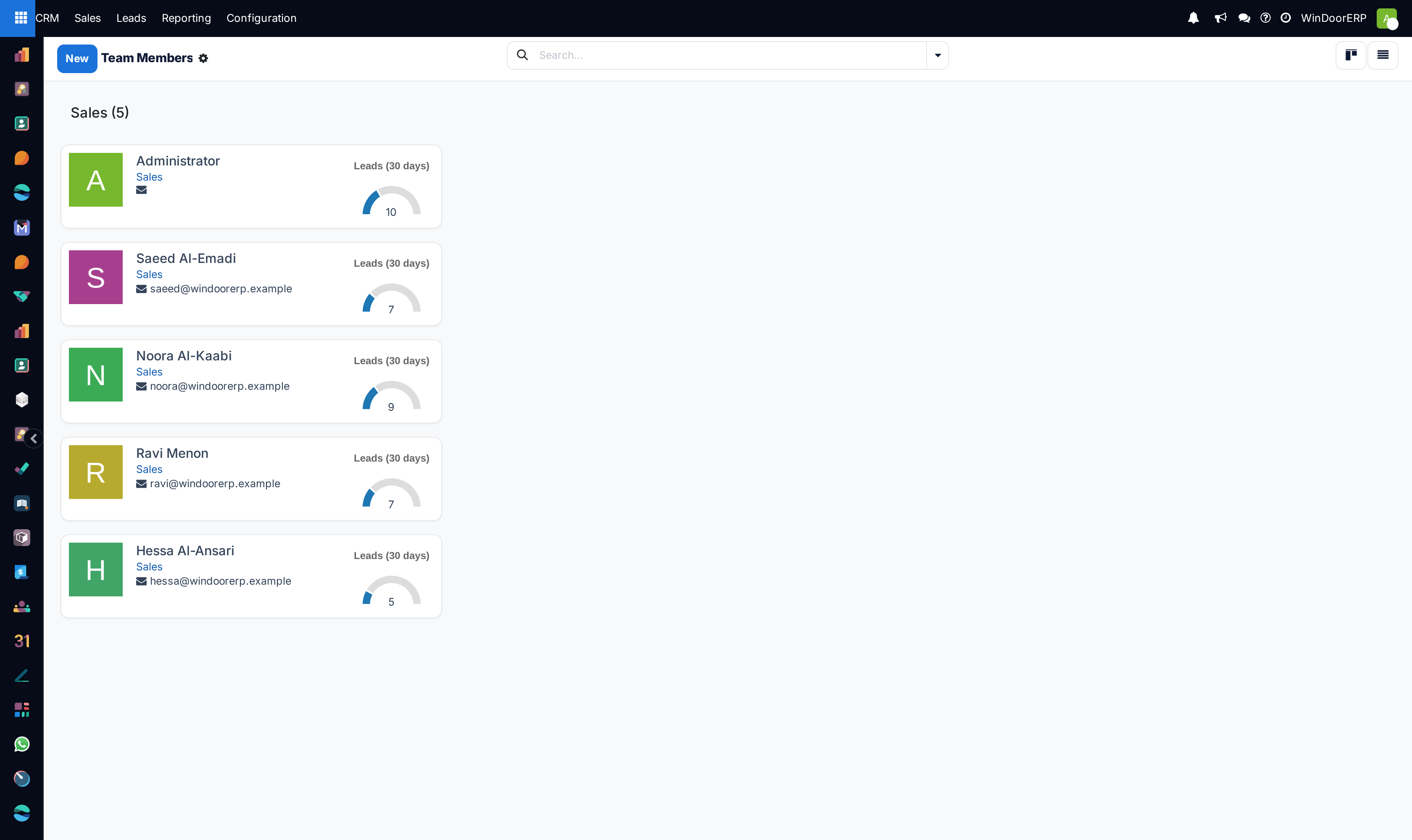
Monitor team member utilization via the Member Kanban cards.
Common mistakes
- Setting lead limits too low during major commercial building tender seasons.
- Not updating capacities when sales engineers go on annual leave.
Was this article helpful?
Thanks — your feedback helps.
Running a window or door factory?
Ask for a demo