Record finished window and door frames and generate serial passports
What this does
Maintains an indelible register of every manufactured window and door unit, capturing serial numbers, exact dimensions, glass lot numbers, and QA approvals.
Before you start
- Final assembly and quality inspection completed on the unit.
Steps

Important
Serial passports serve as the permanent warranty identifier for after-sales service, glass replacement, and maintenance call-outs.
-
01
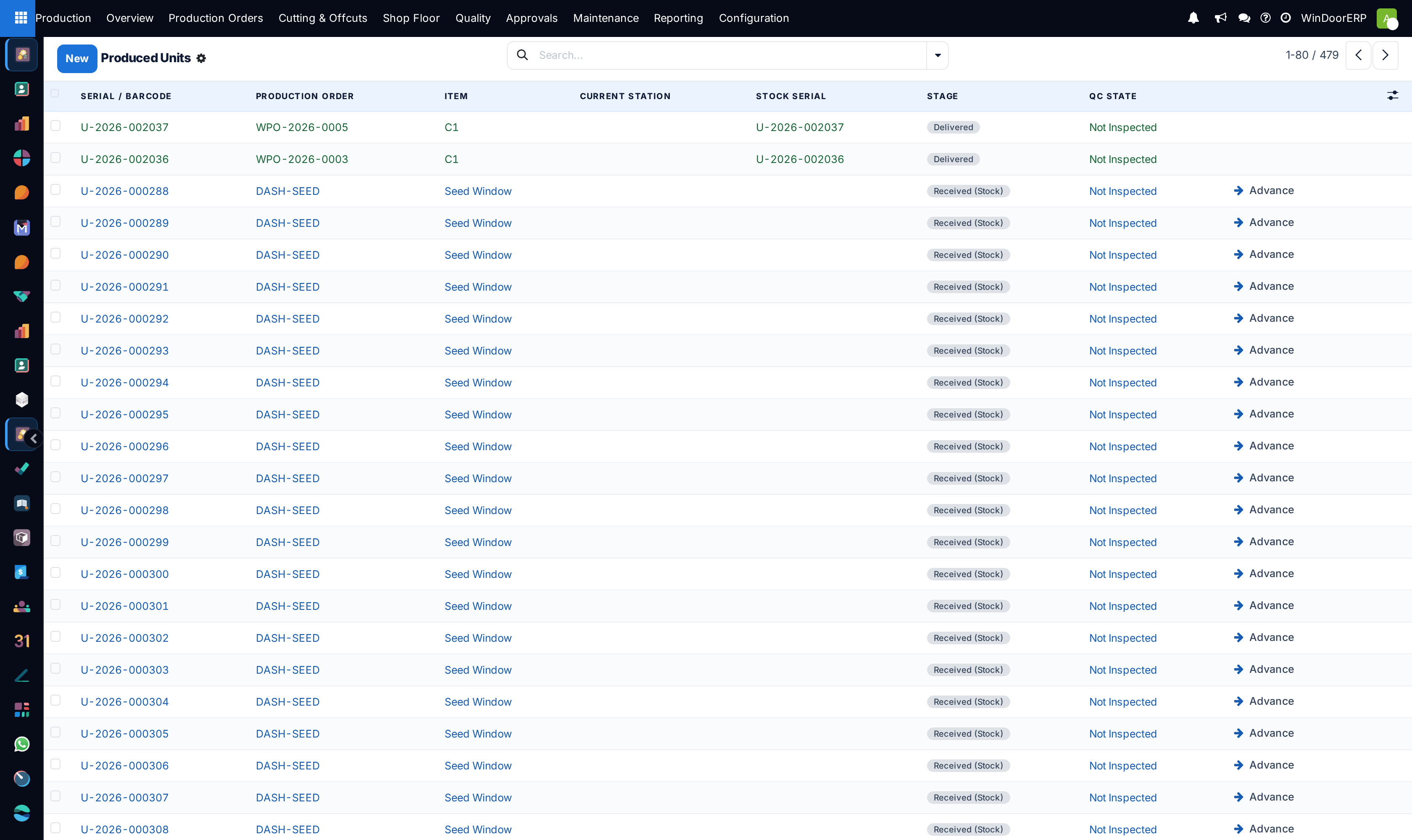
Navigate to Production › Shop Floor › Produced Units.
-
02
Review the list of finalized openings with their assigned unique serial numbers.
-
03
Open any produced unit record to view full component genealogy (extrusions, glass unit batch, locks, gaskets).
-
04
Generate and print the durable Product Serial Passport sticker to adhere inside the window sash rebate.
Common mistakes
- Marking units as produced before final glazing silicone curing is complete.
- Failing to record customer room/elevation location tags on the produced unit.
Was this article helpful?
Thanks — your feedback helps.
Running a window or door factory?
Ask for a demo