WindoorERP Documentation 19.0

Analyze overdue drafting requests, weekly delivery commitments, and engineering timesheets

2 min read Updated 2026-08-28 WindoorERP 19.0

What this does

Tracks engineering delivery commitments, highlighting SLA-breached overdue requests, current week delivery pipelines, and comprehensive engineer timesheet utilization.

Before you start

  • Technical requests created with planned target delivery dates.

Steps
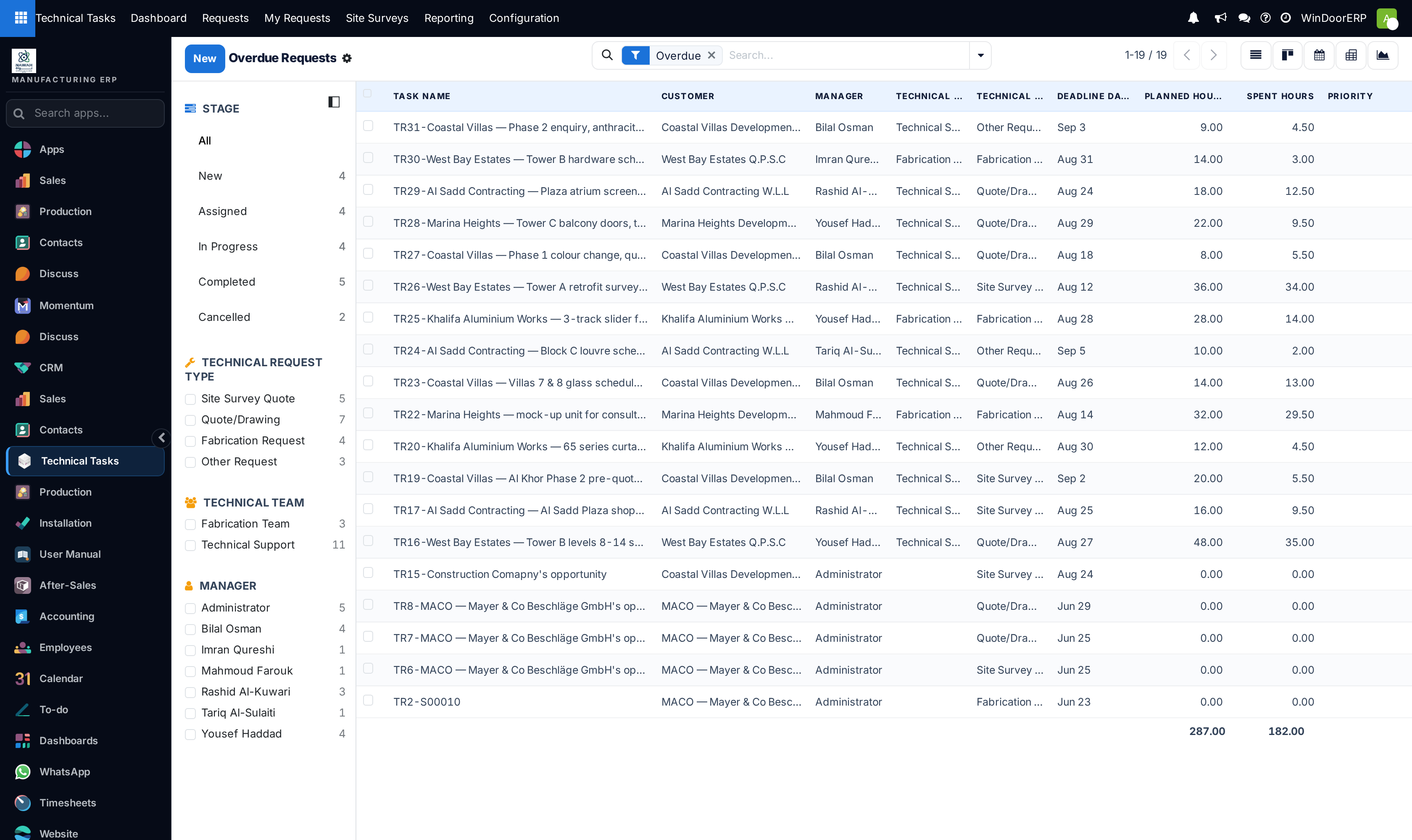
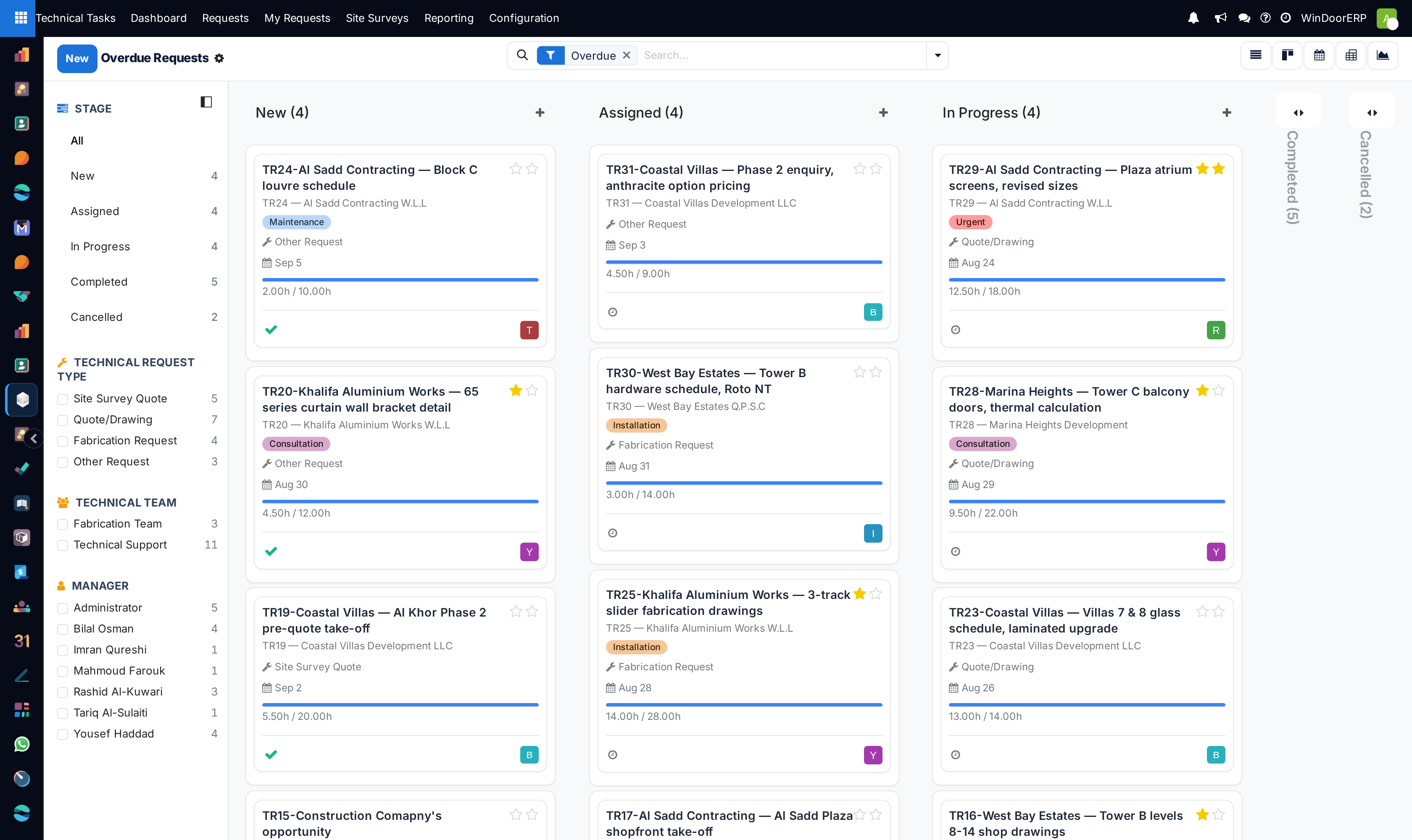
Overdue technical requests list view displaying delay days, client names, and assignees

Overdue requests kanban board highlighting urgent priority tickets in red

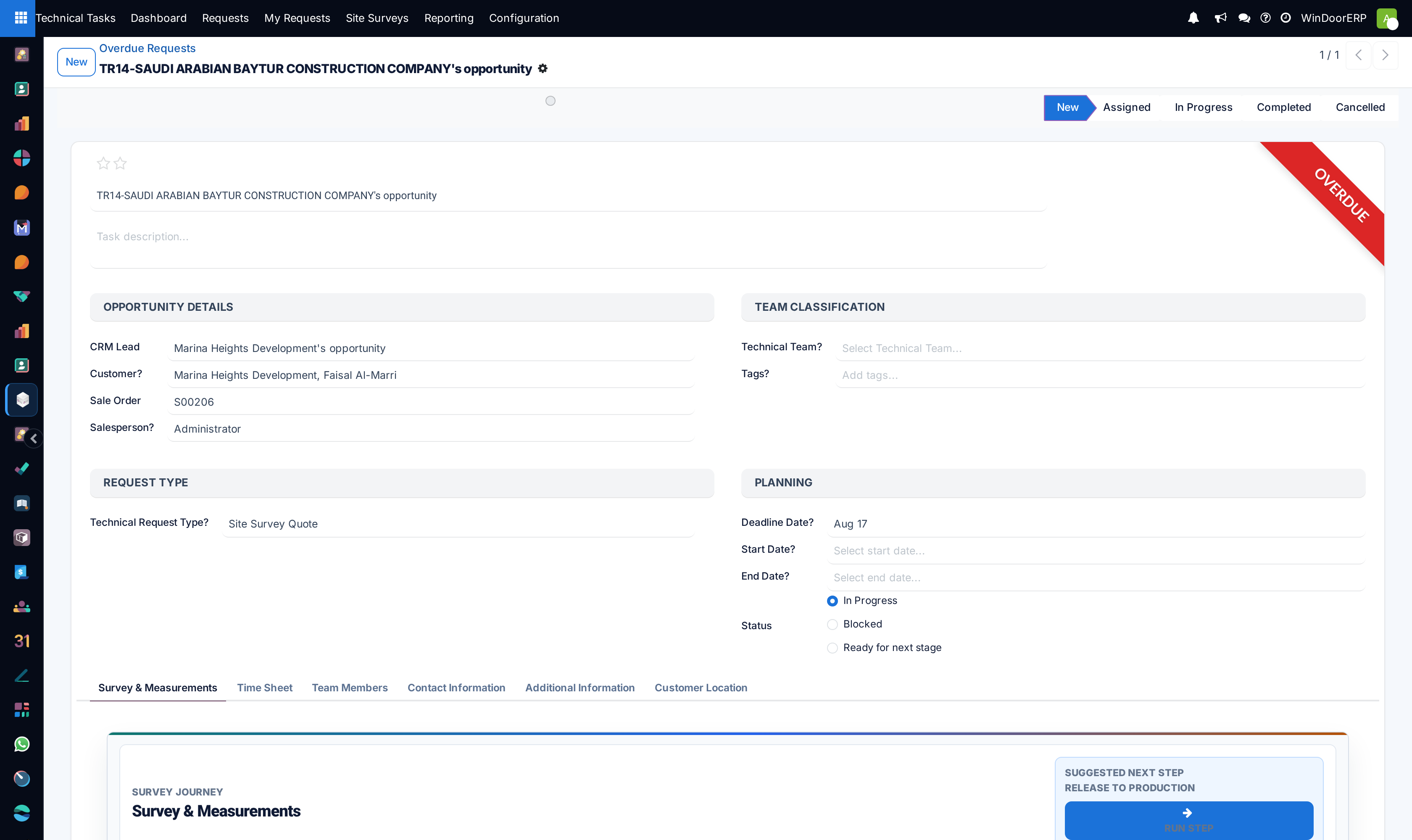
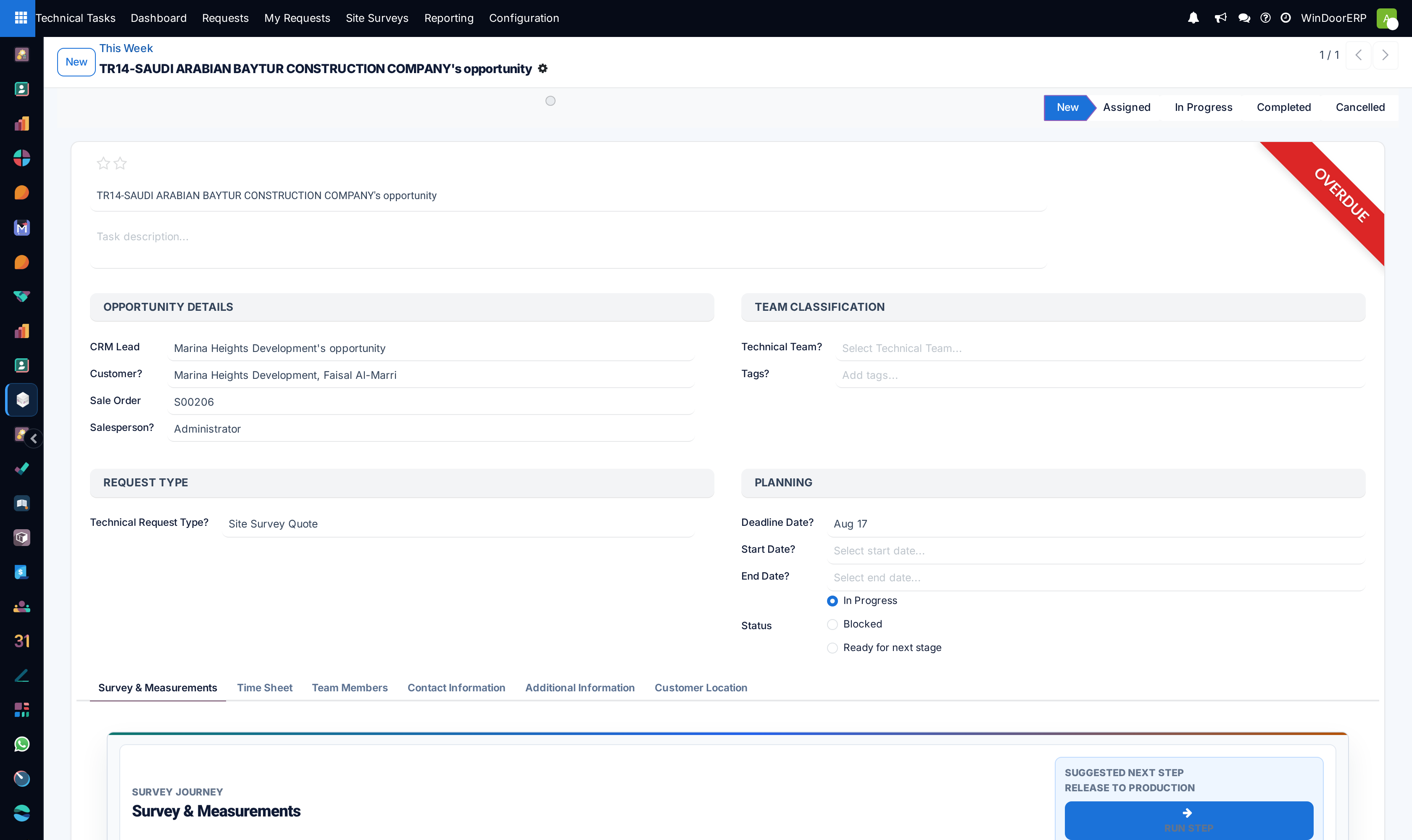
Overdue request detail form with escalation audit notes and revised deadline settings

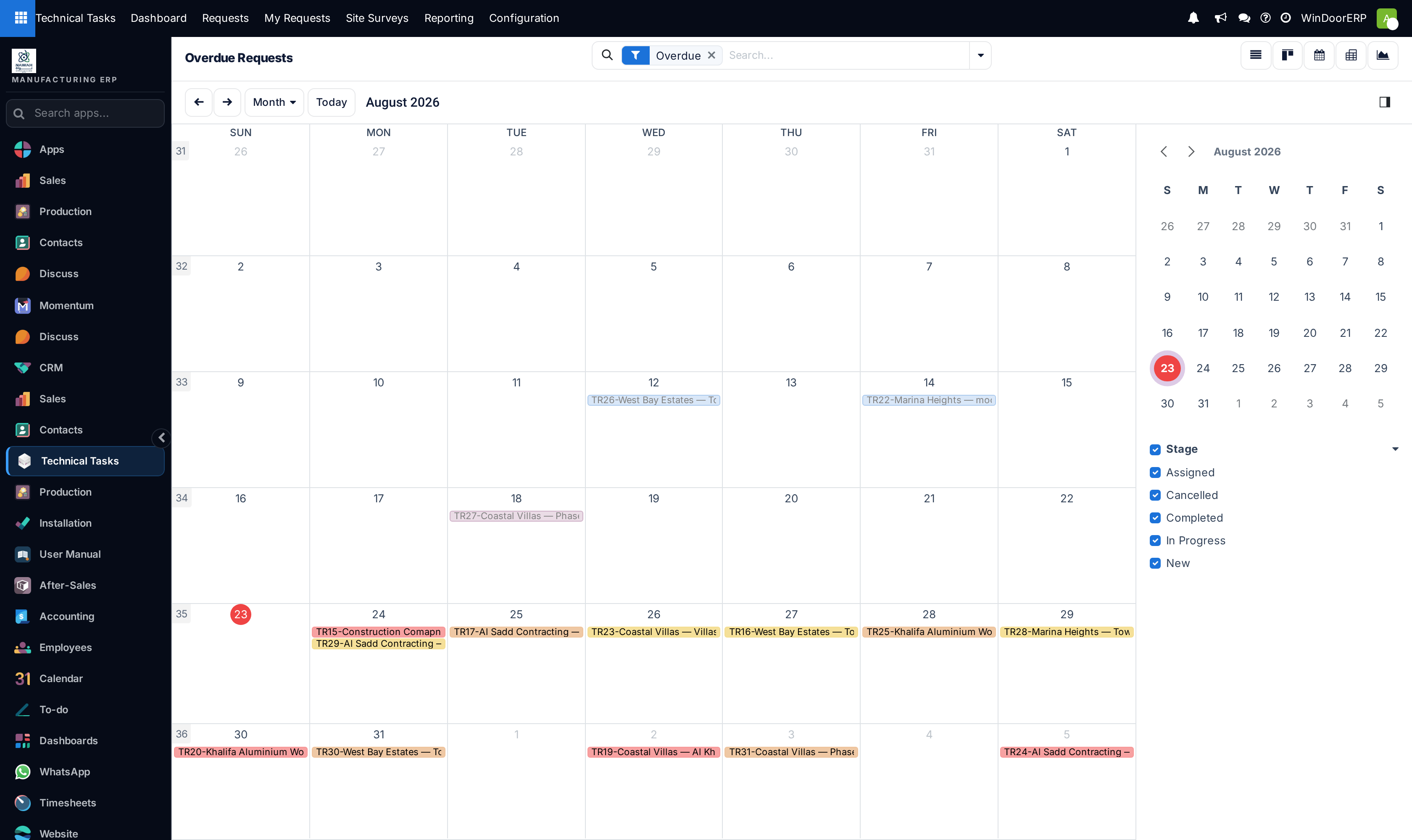
Overdue tasks calendar view displaying missed target completion dates

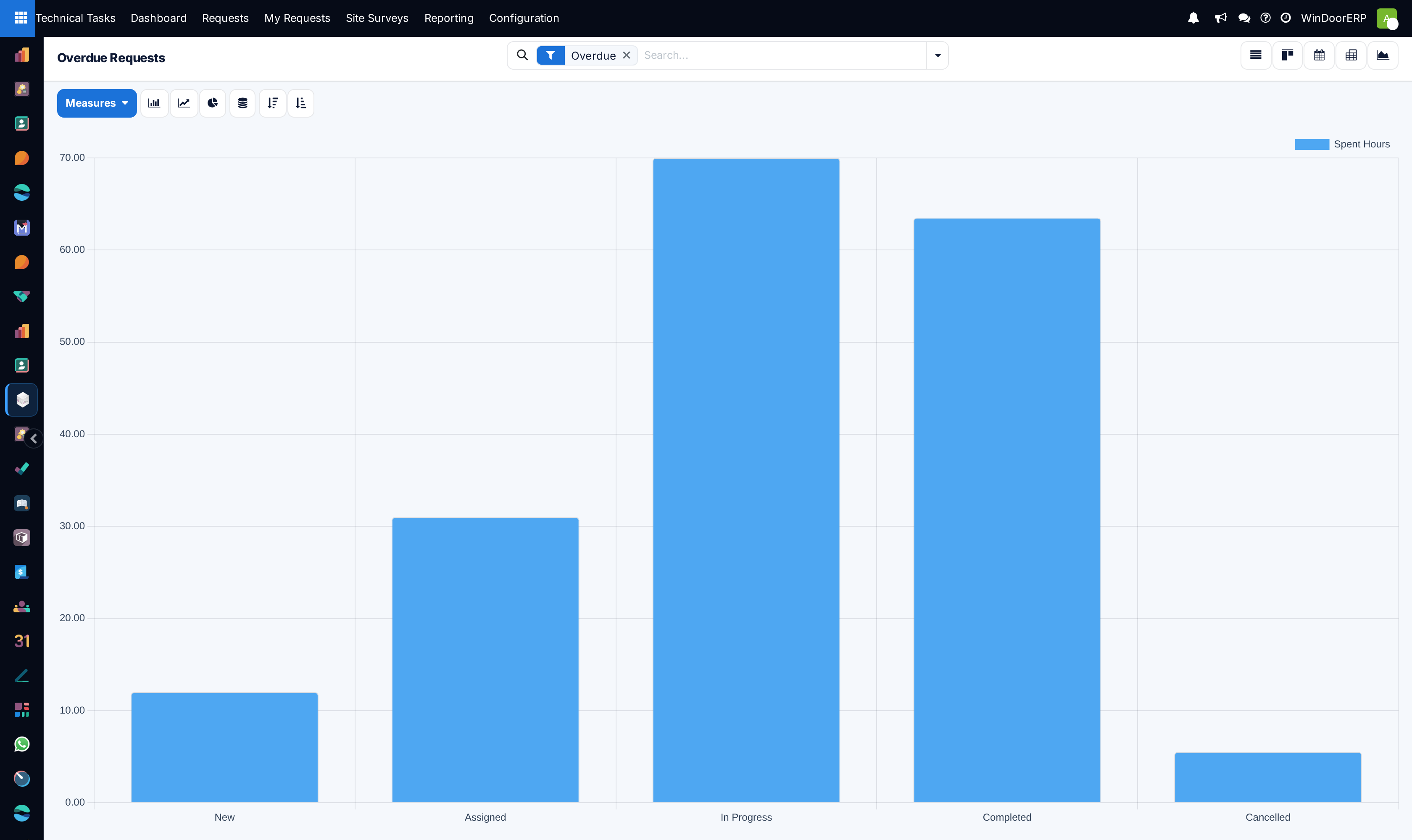
Overdue volume chart grouped by engineering discipline and root cause

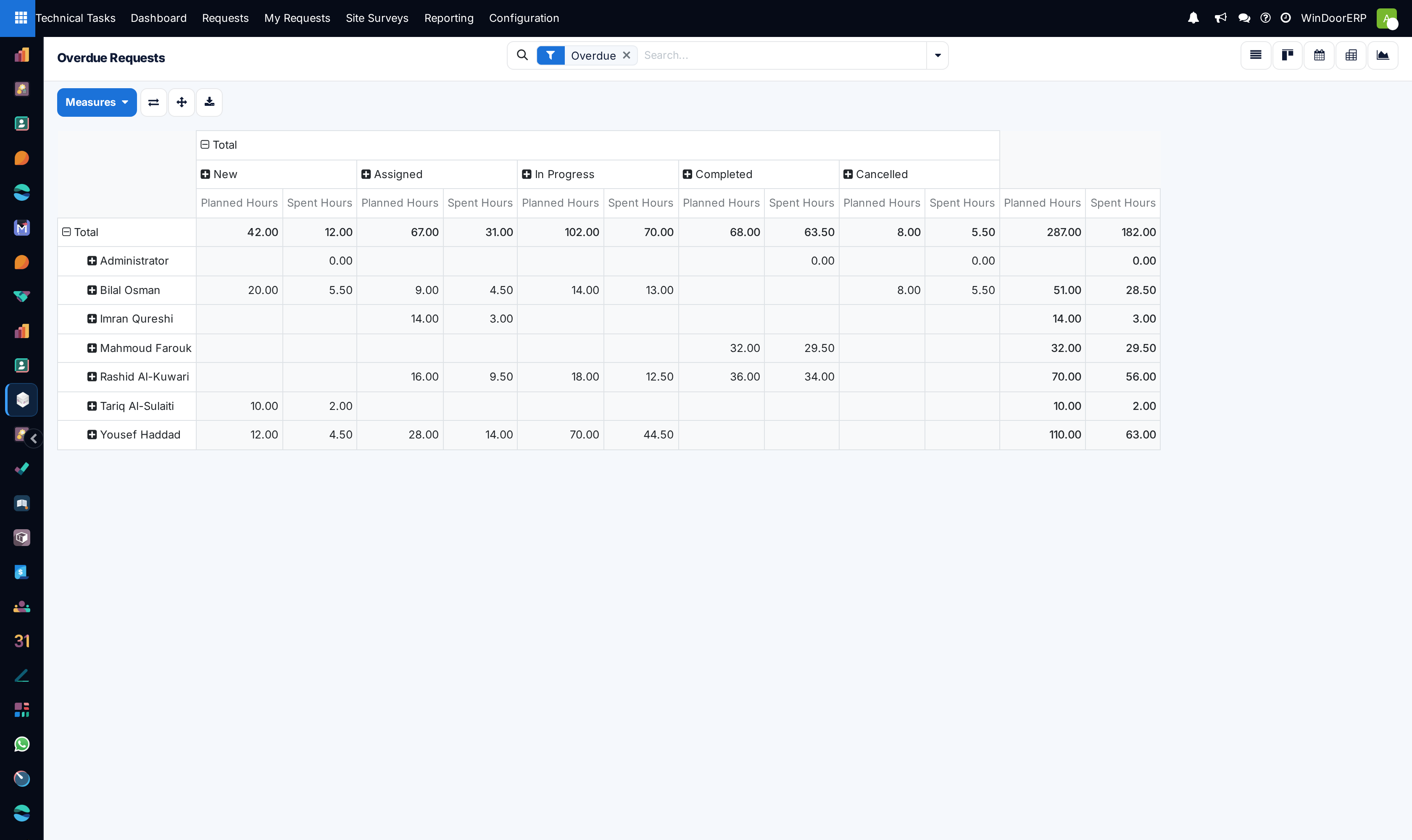
Overdue requests pivot matrix analyzing delay duration by engineering team

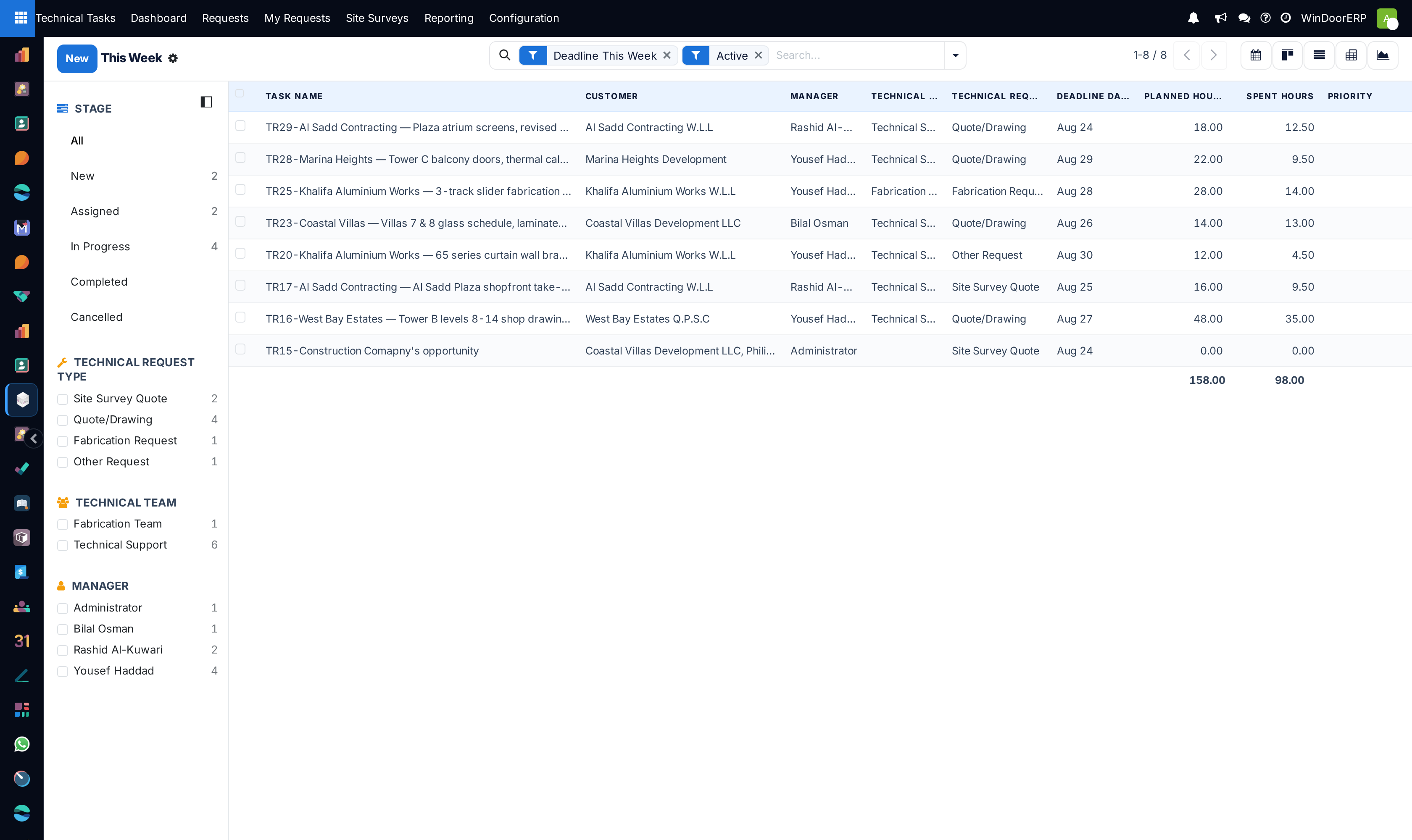
This week technical delivery commitments tabular register

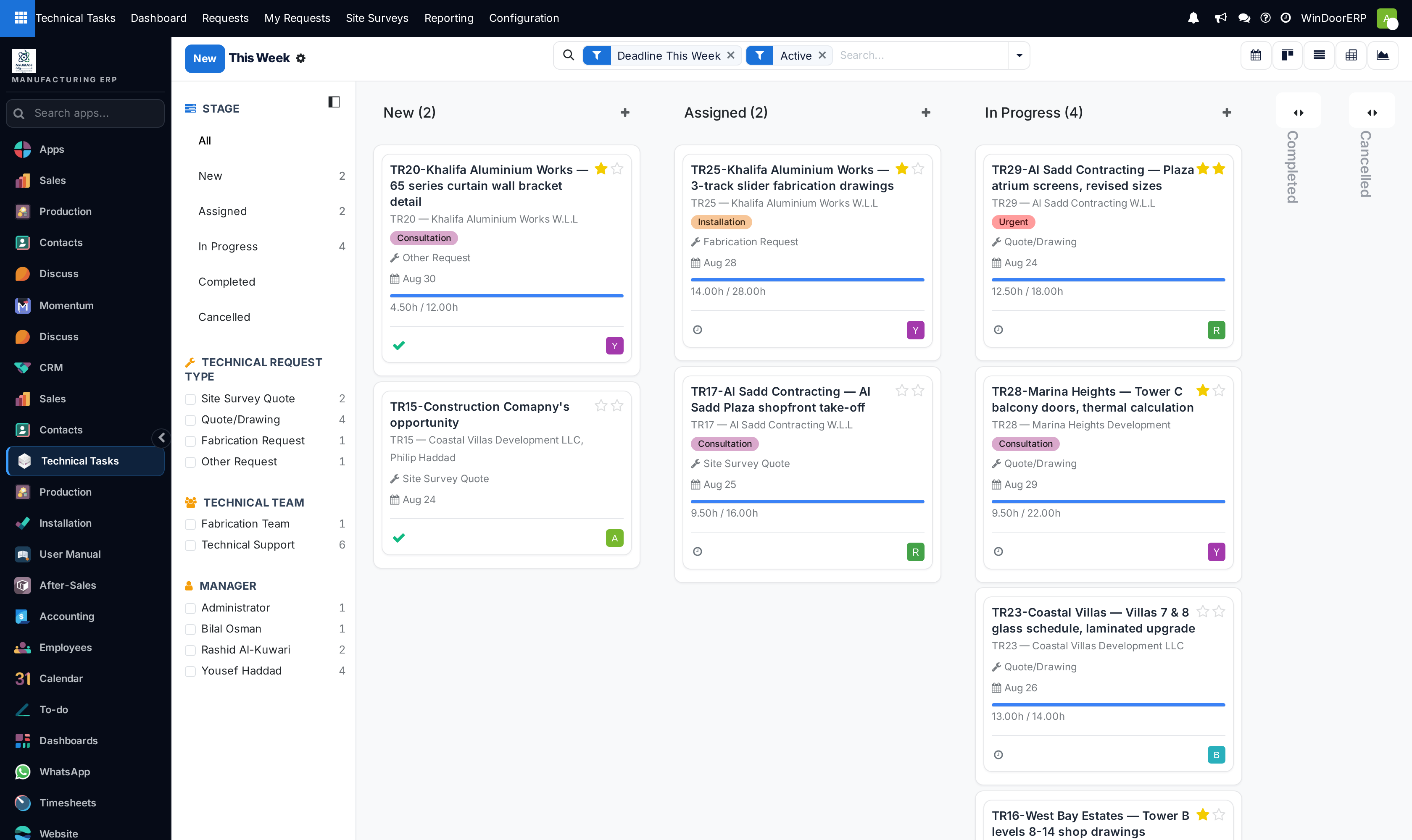
This week delivery kanban board categorized by day of week

Weekly commitment detail form with live submittal checklist

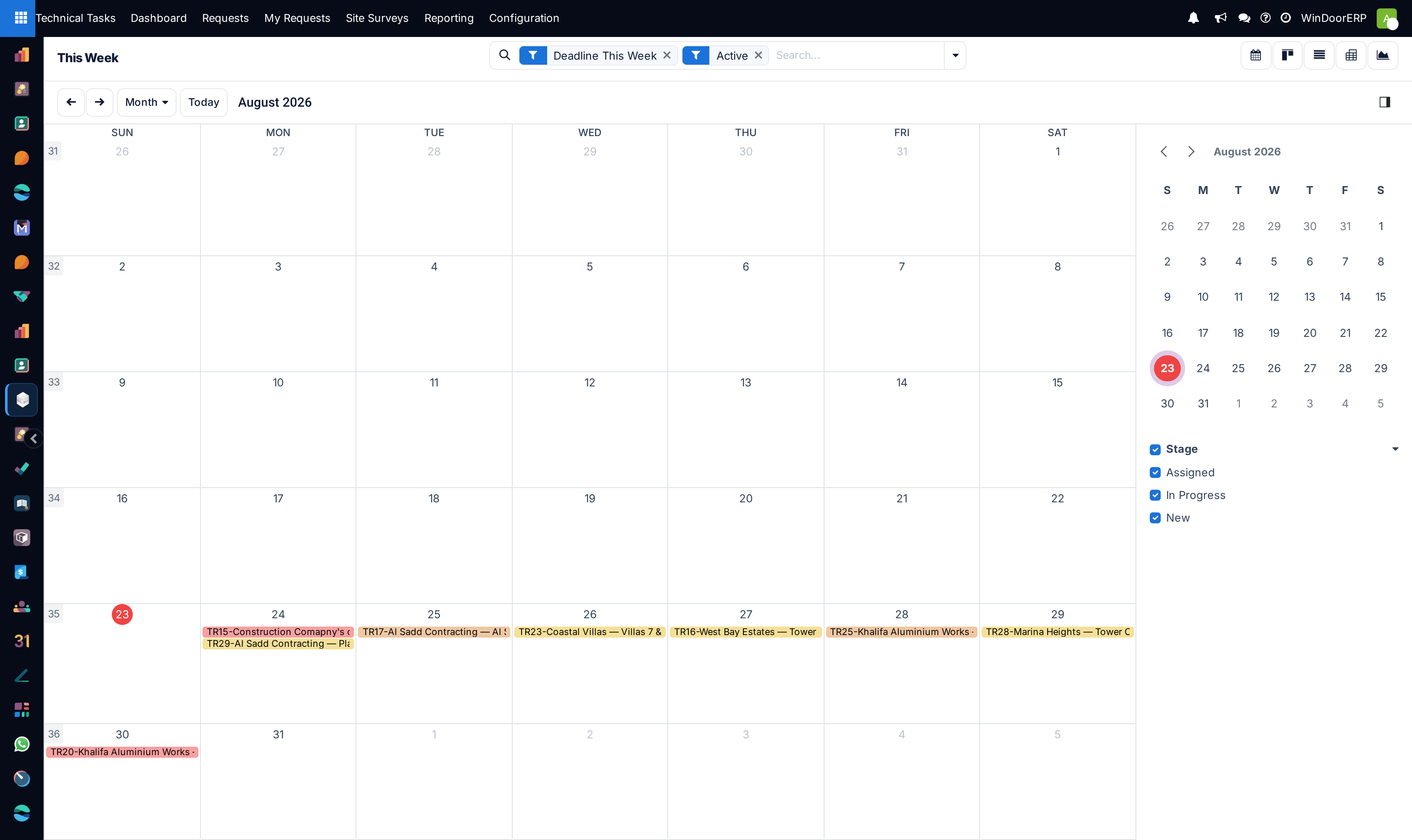
Weekly technical release schedule calendar

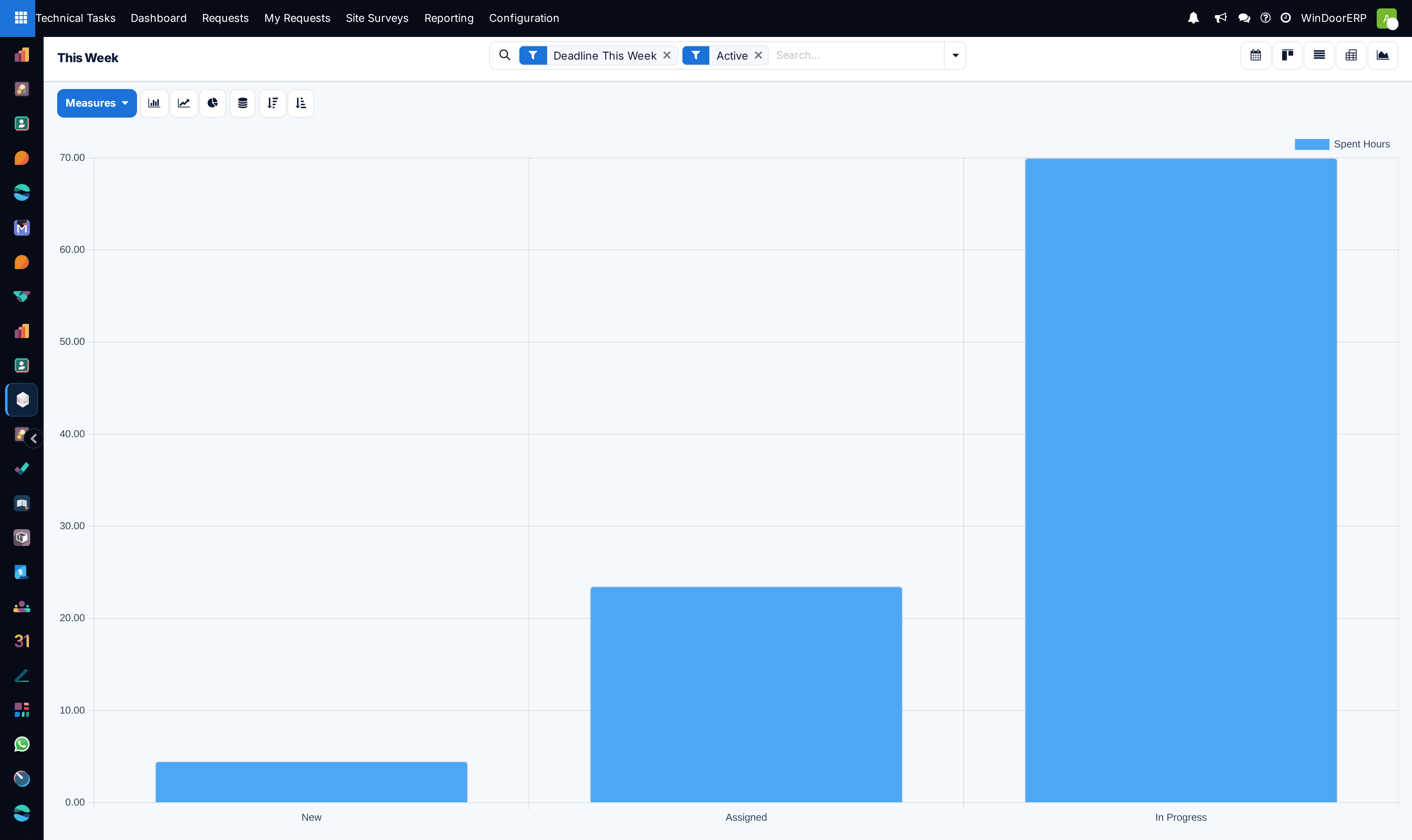
Weekly submittal volume progress chart

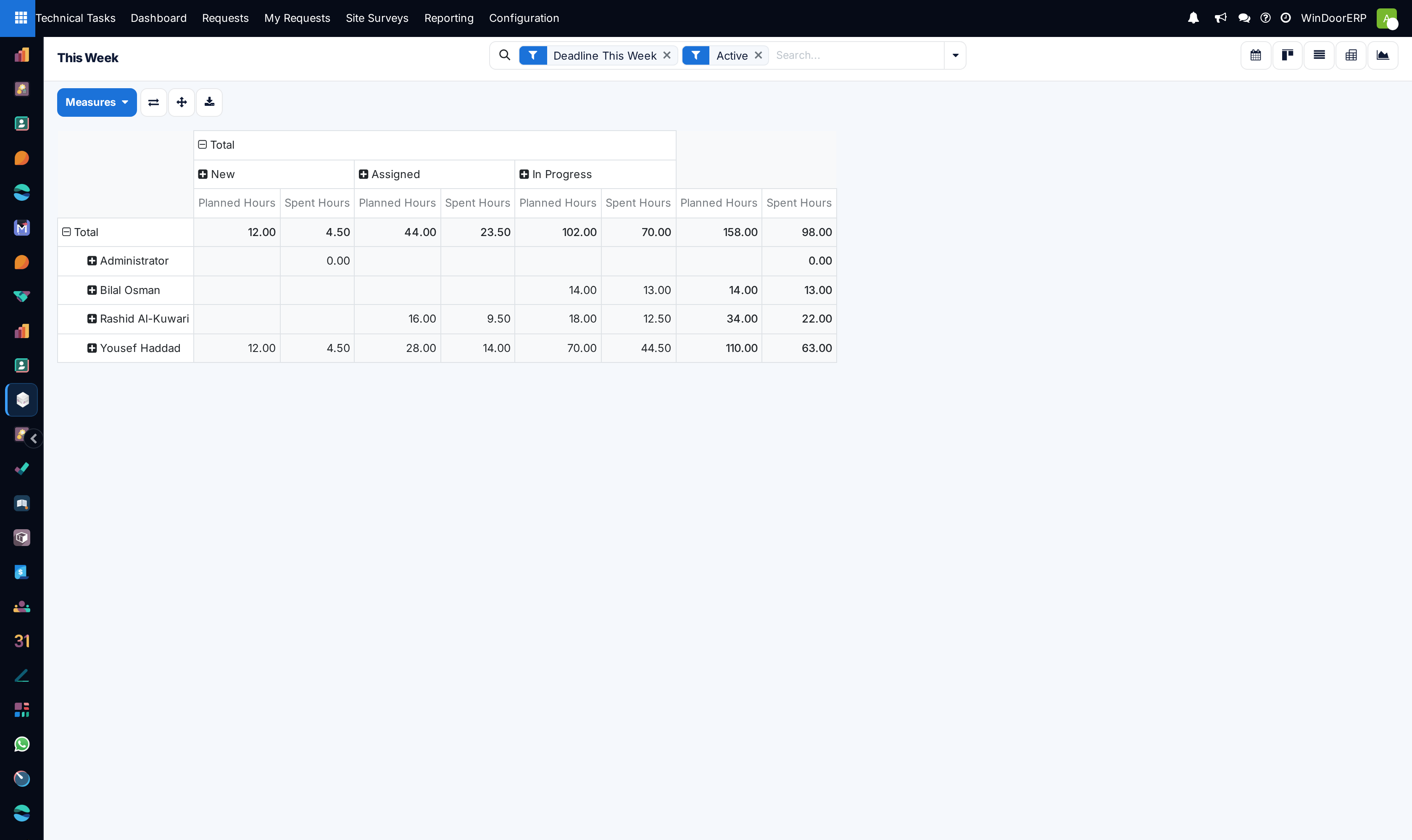
Weekly deliverables pivot matrix by project priority

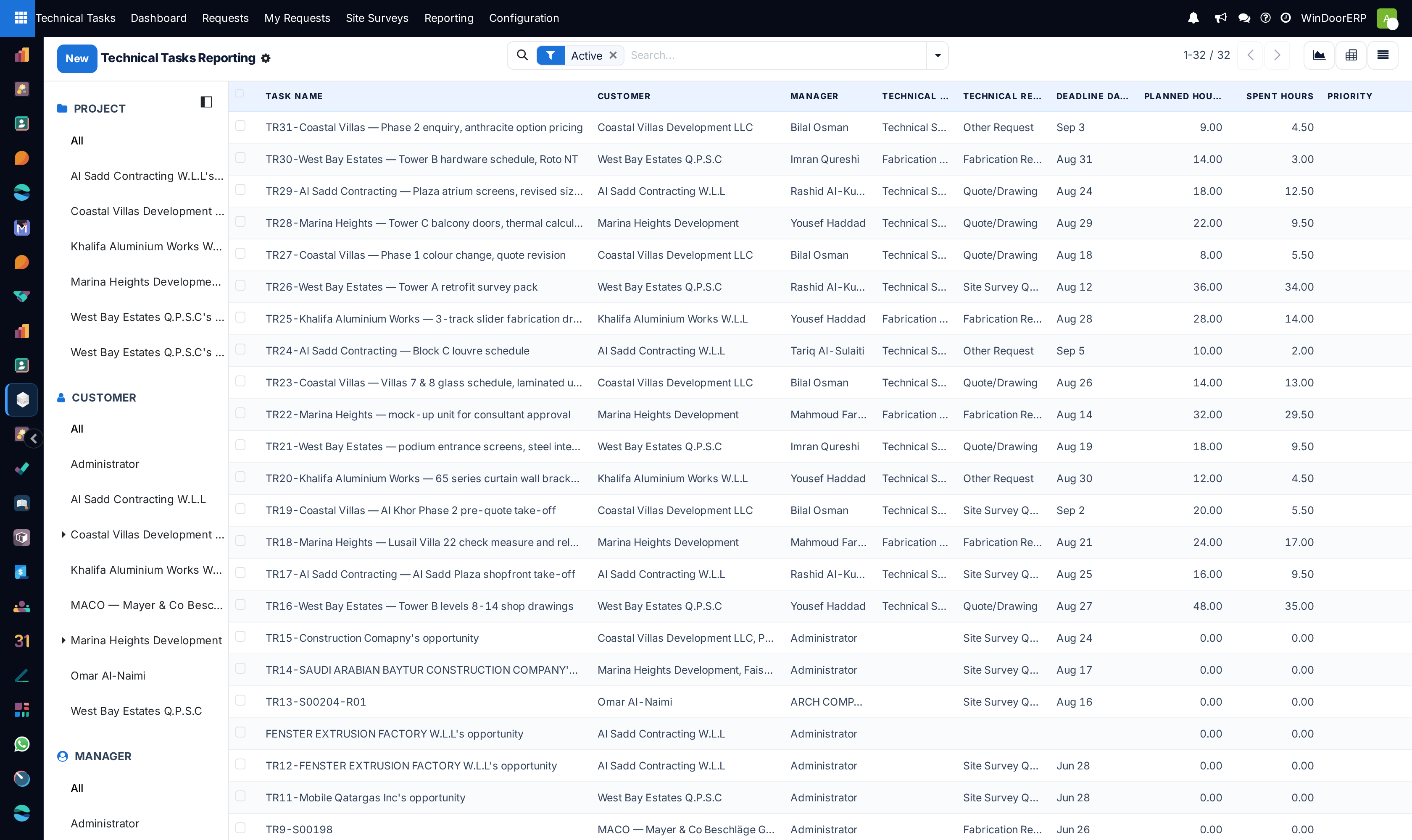
Technical tasks analysis master audit registry

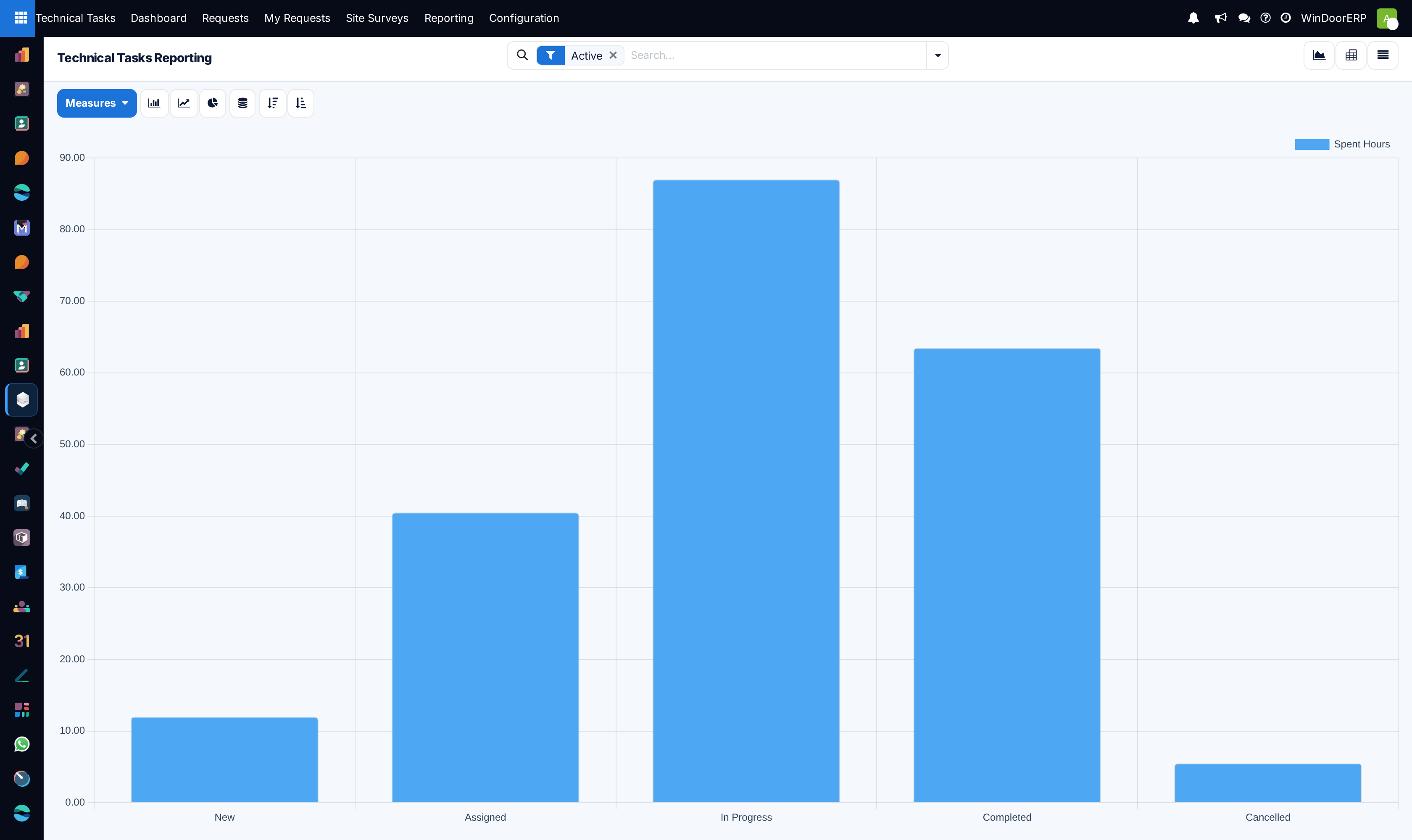
Technical tasks velocity performance graph

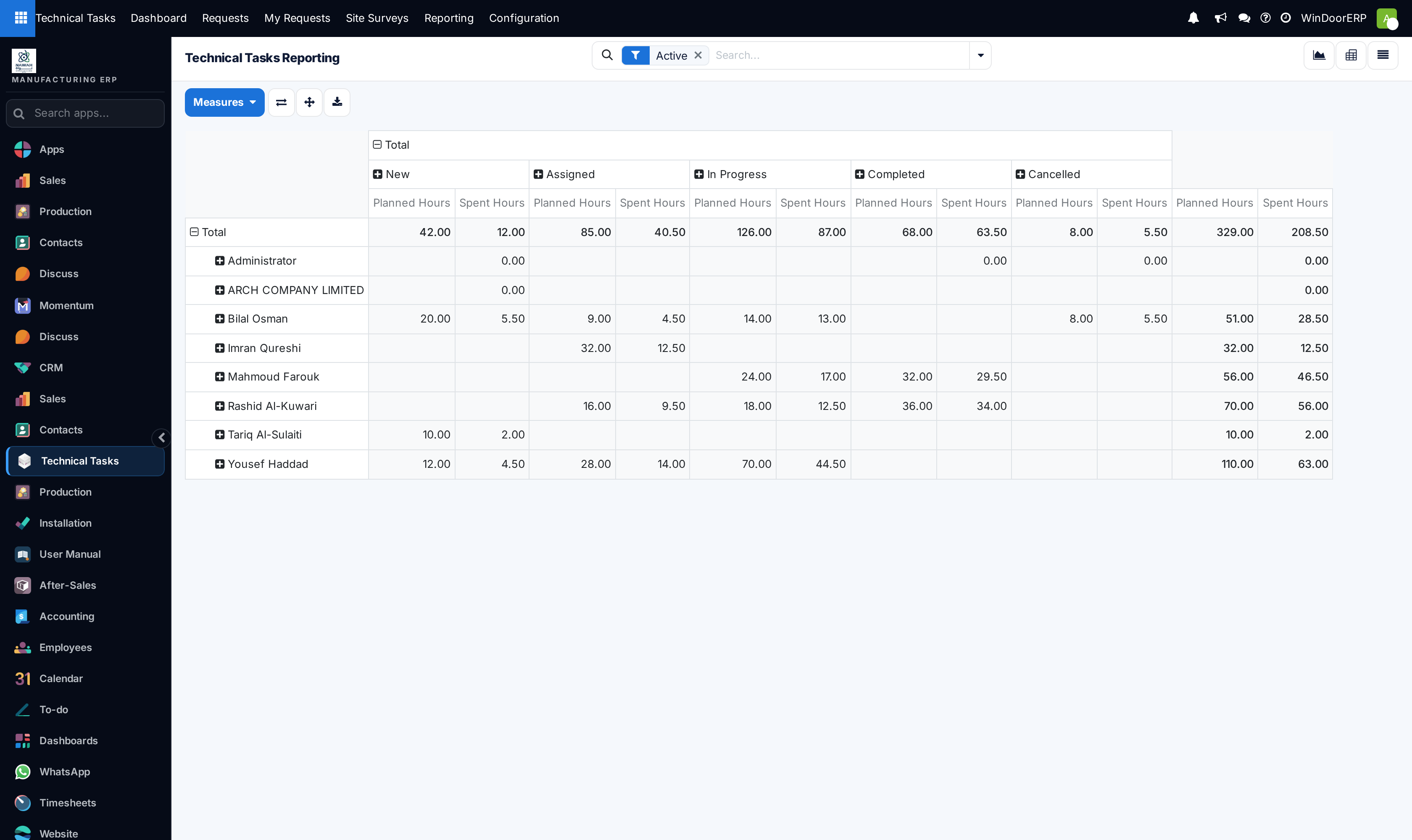
Tasks analysis pivot table cross-tabulating cycle time by request type

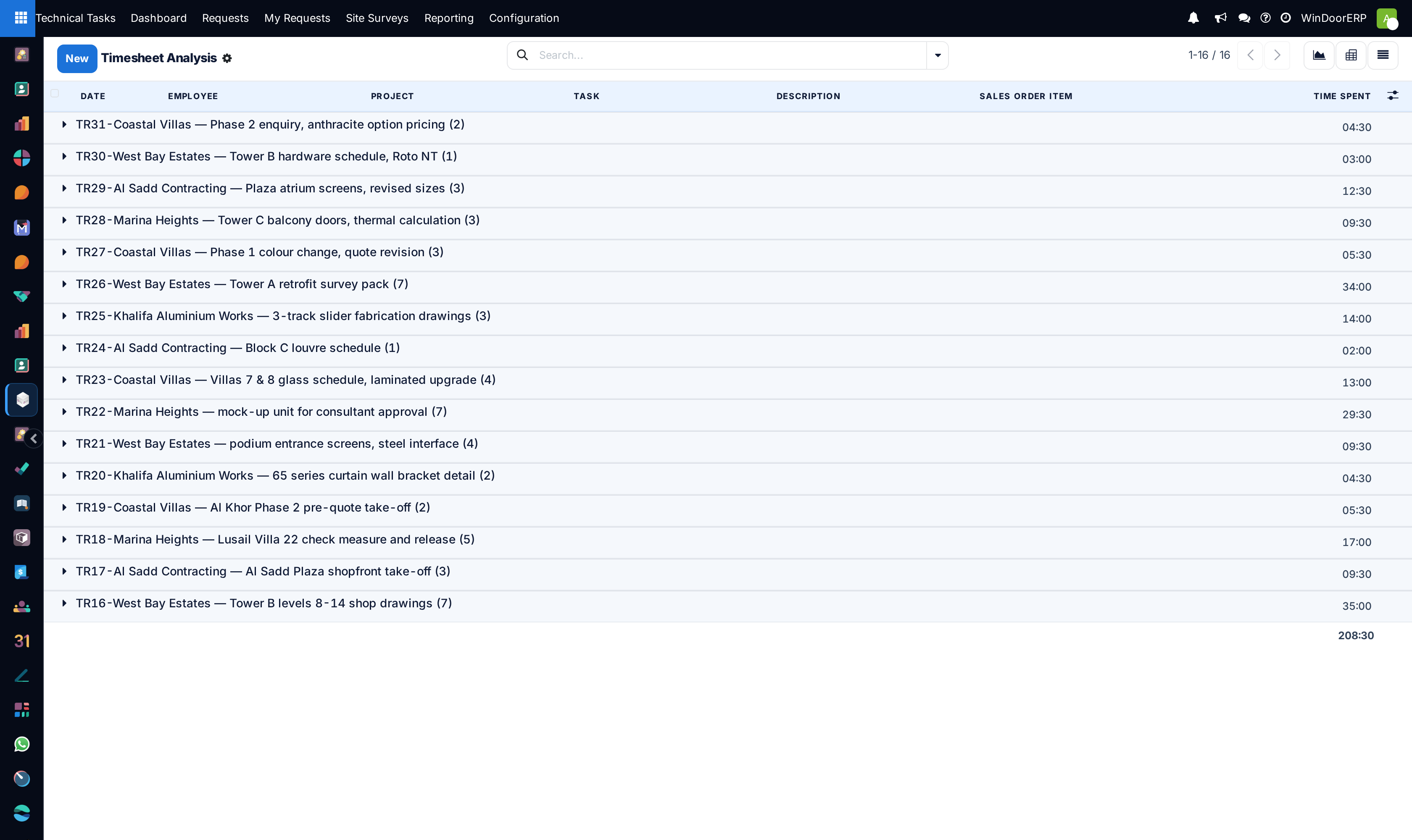
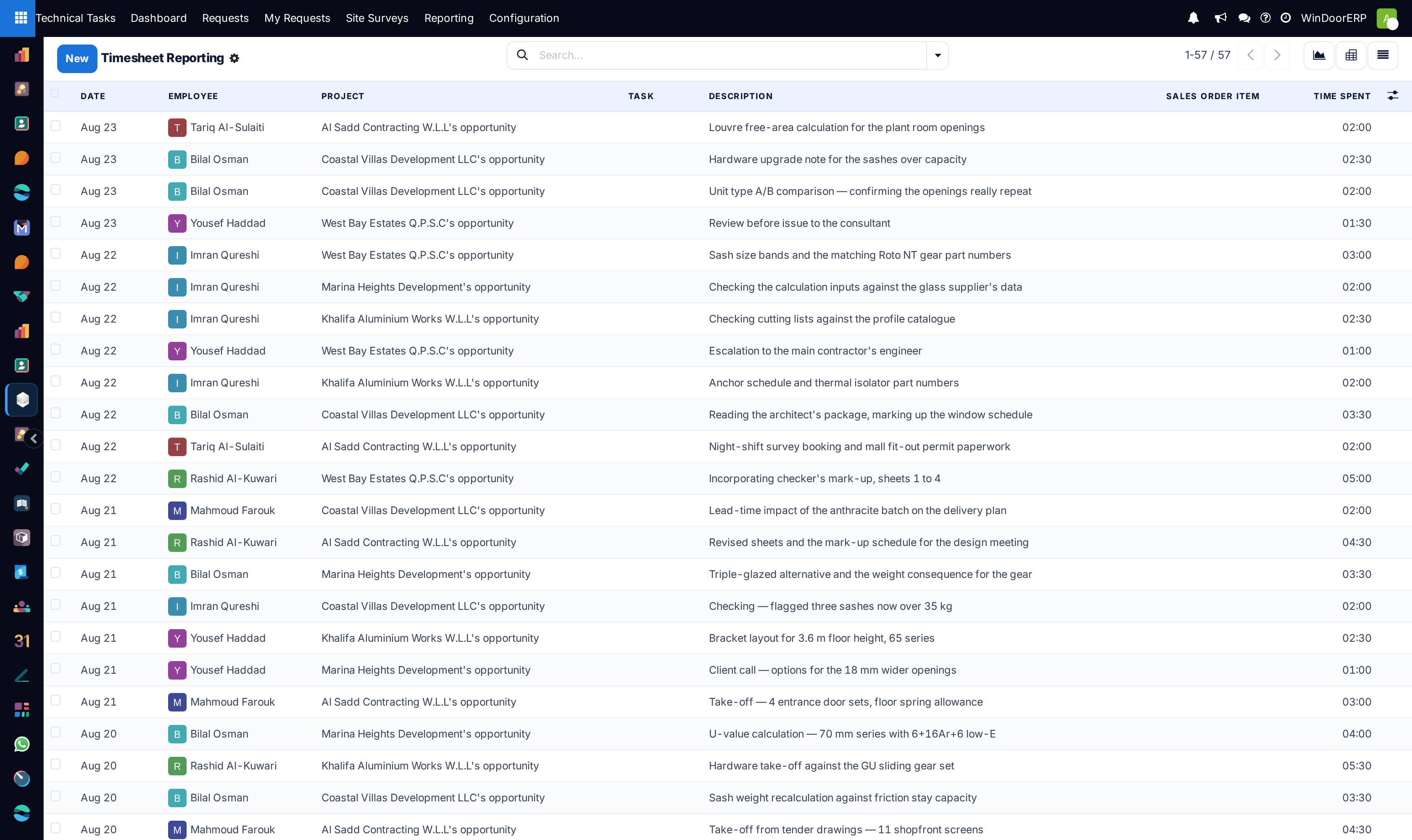
Engineering timesheets audit log showing recorded drafting hours

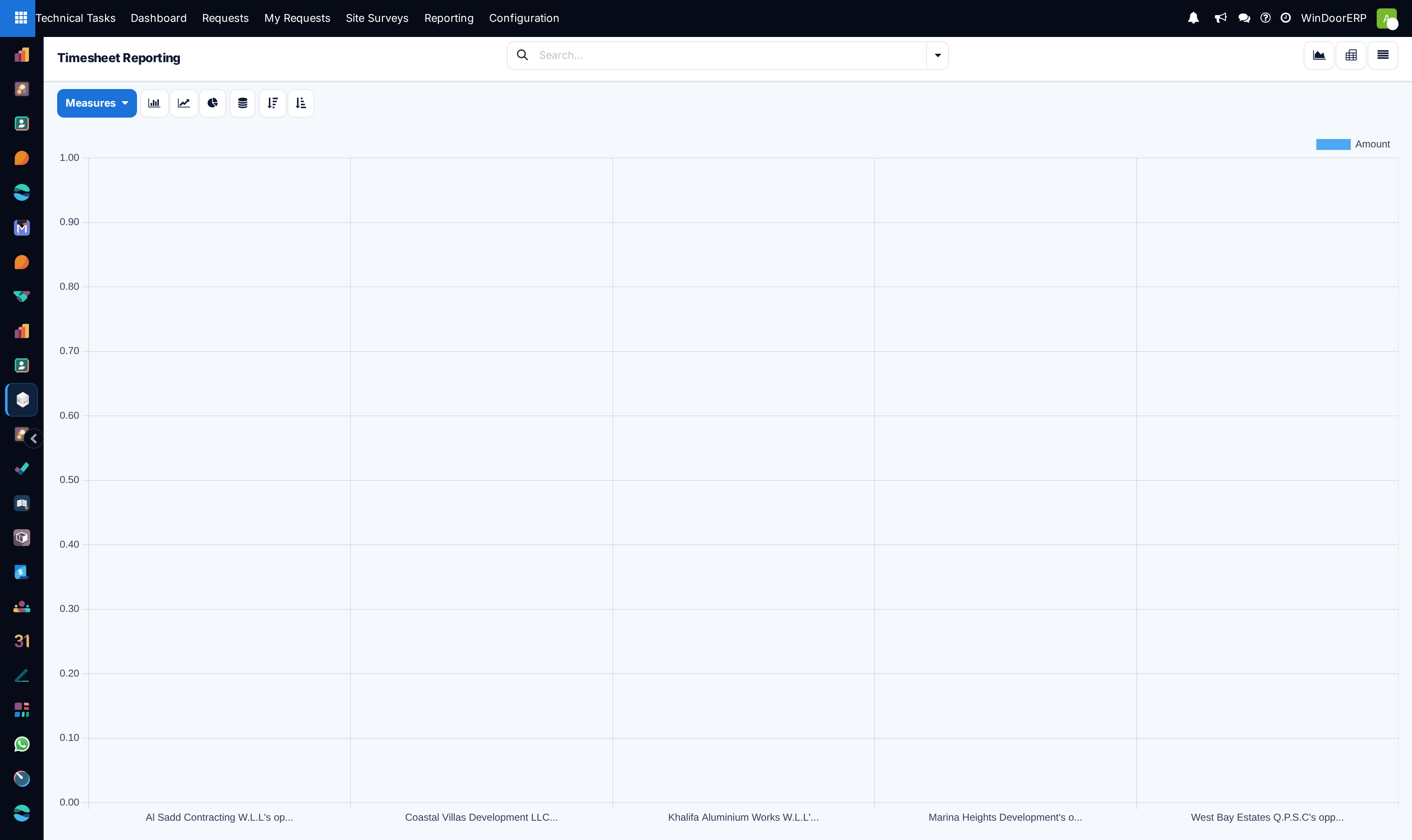
Engineering labor hours distribution chart by employee

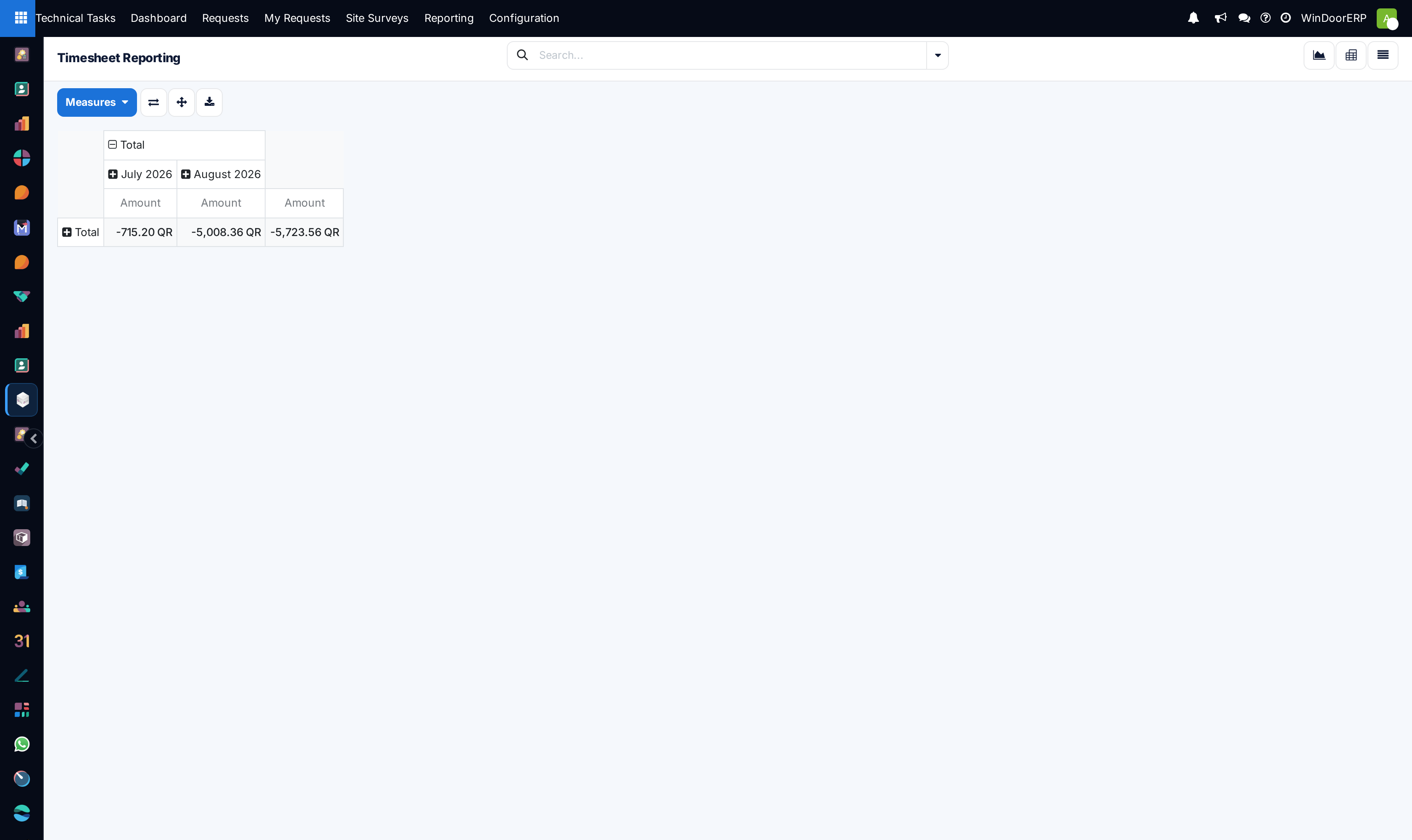
Timesheets pivot matrix detailing engineering hours across active projects

Timesheet analysis detailed line item audit

Billable versus non-billable engineering hours ratio graph

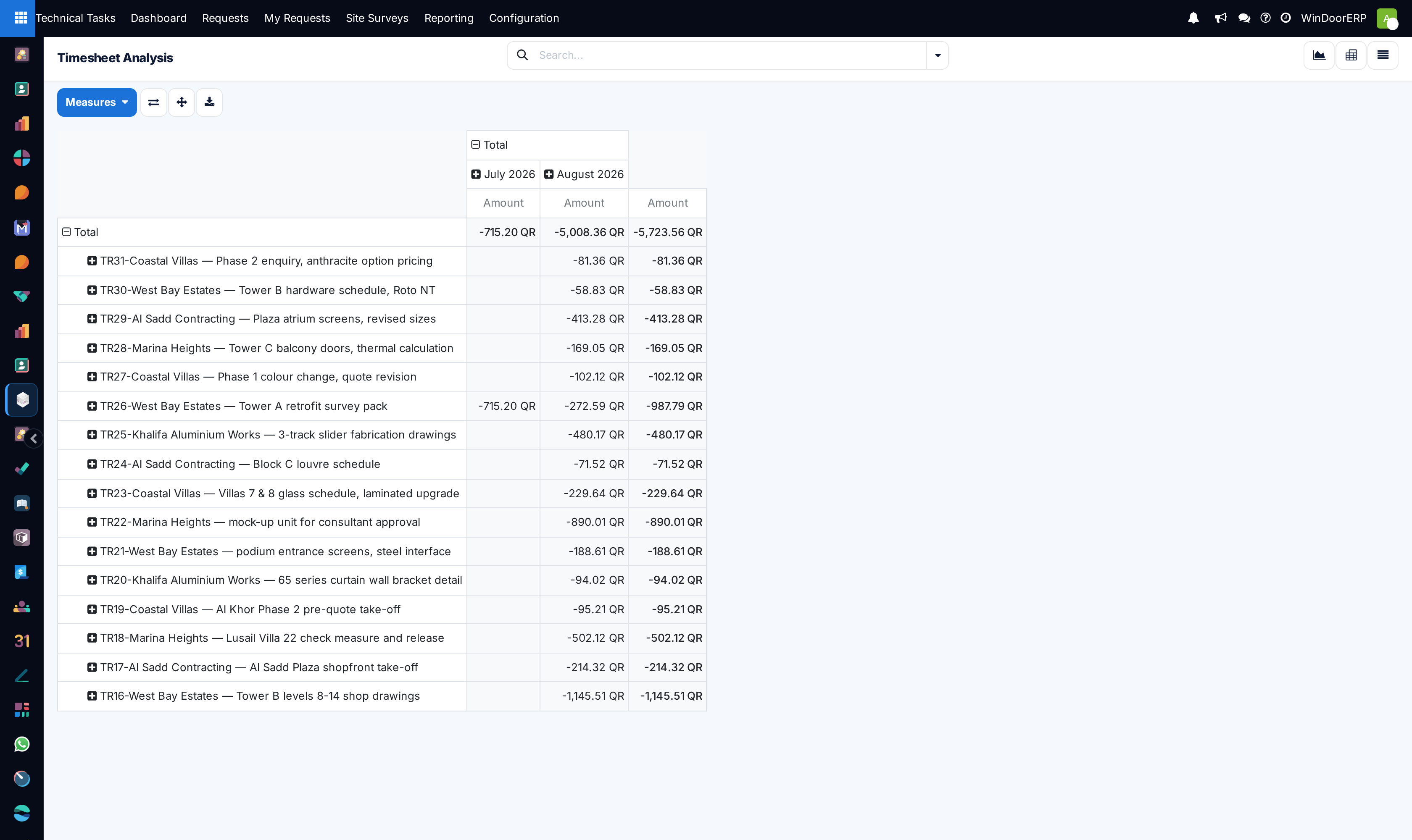
Timesheet analysis pivot table summarizing drafting investment by client

Important

Overdue shop drawings create cascading manufacturing delays; resolving engineering bottlenecks immediately keeps factory production lines running on schedule.

  1. 01
    Open Technical Tasks › Reporting › Overdue to inspect requests that have missed agreed drafting deadlines.
  2. 02
    Open This Week to review all engineering commitments due in the current work week across List, Kanban, Calendar, Graph, and Pivot views.
  3. 03
    Explore Tasks Analysis, Timesheets, and Timesheets Analysis to evaluate actual drafting hours versus budget.
  4. 04
    Reallocate urgent overdue drafting orders to available secondary engineers to clear bottlenecks.

Common mistakes

  • Allowing overdue drafting requests to remain unassigned to lead engineering coordinators.
  • Reviewing timesheets without cross-checking against produced CAD revision count.

Was this article helpful?

Running a window or door factory?

Ask for a demo