Raise and resolve Non-Conformance Reports (NCR) and rework orders
What this does
Controls the formal logging, containment, root-cause investigation, and rework routing of defective frames, scratched glass, or incorrectly milled extrusions.
Before you start
- Quality inspectors assigned with NCR creation permissions.
Steps
Important
All scrapped profiles from NCRs must be logged with their exact root-cause reason code to drive supplier warranty claims and operator training initiatives.
-
01
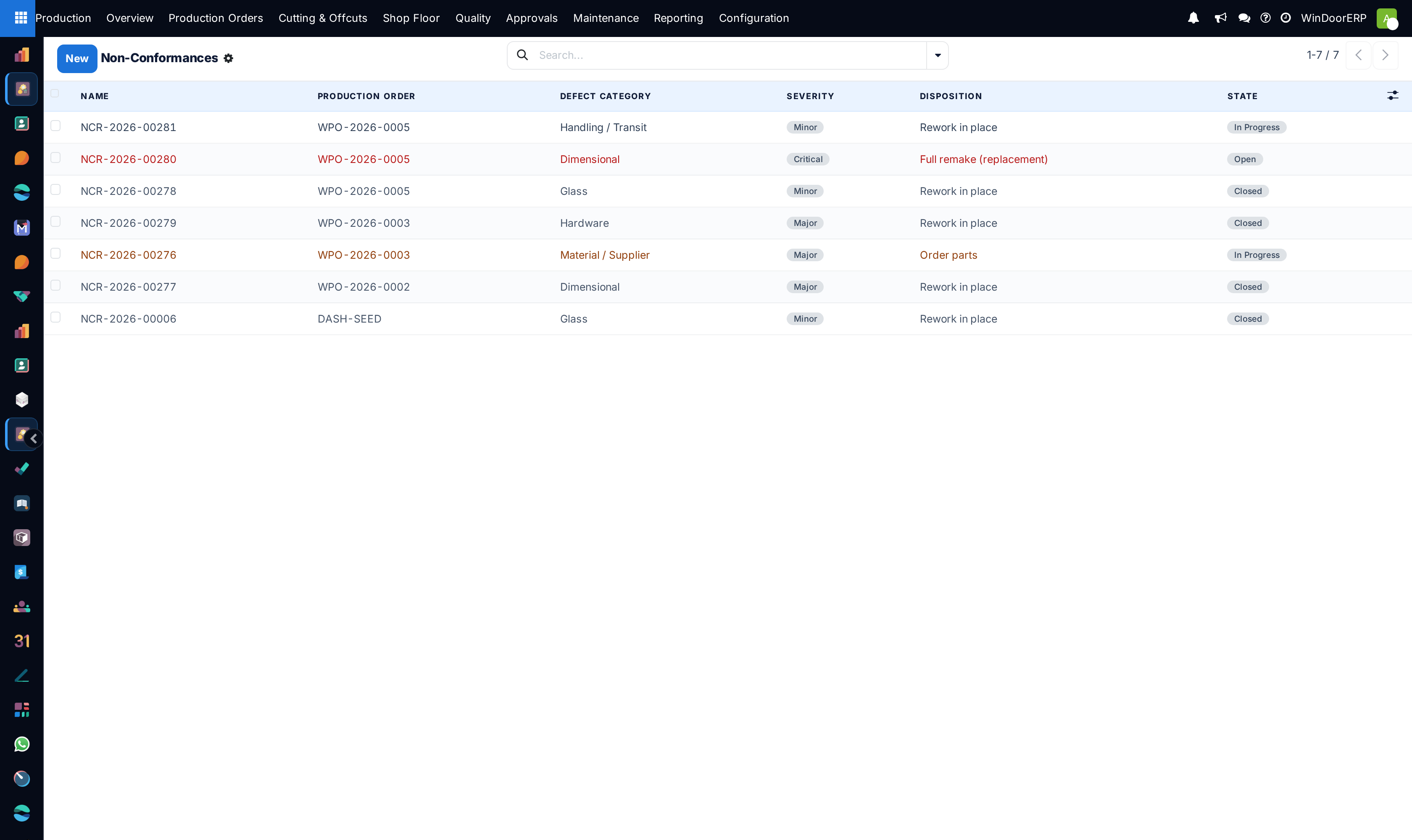
Navigate to Production › Quality › Non-Conformances and click New.
-
02
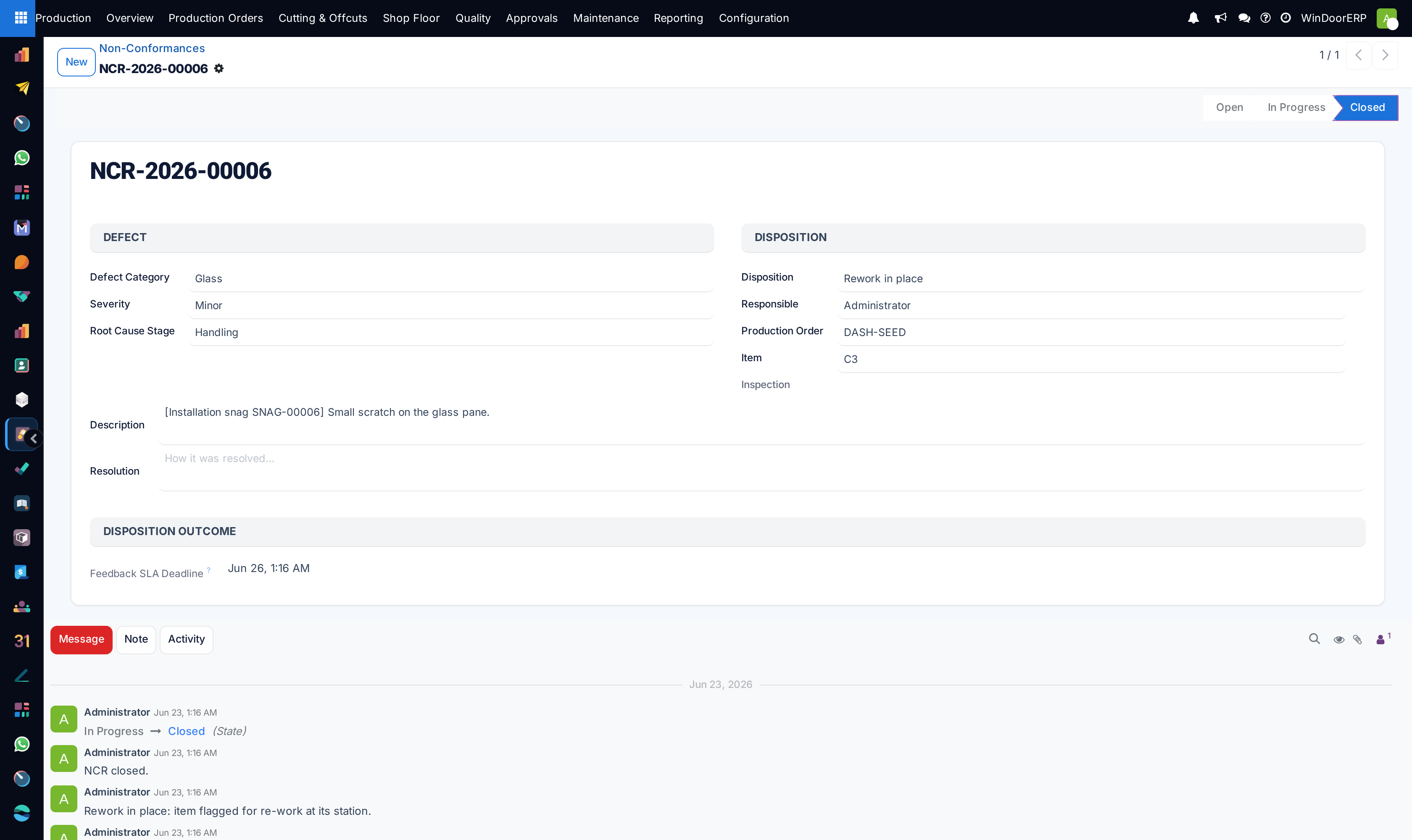
Select the defective Manufacturing Order, Serial Number, and responsible Work Center.
-
03
Categorize the defect type (e.g. Milling Misalignment, Anodizing Scratch, Glass Scallop Fracture).
-
04
Assign the disposition action: Rework in Shop Floor, Scrap & Reorder Extrusion, or Use As-Is (Deviation Approval).
-
05
Track corrective actions to completion and verify root-cause closure before closing the NCR.
Common mistakes
- Attempting to cover up scratched powder-coated frames with aerosol touch-up spray without QC approval.
- Closing NCR reports before replacement parts have passed secondary inspection.
Was this article helpful?
Thanks — your feedback helps.
Running a window or door factory?
Ask for a demo