Configure vendor pricelists, tiered volume discounts, and supplier currency agreements
What this does
Maintains multi-supplier price matrices with quantity-based discount breaks (e.g. 1-100 bars @ $45, 101-500 bars @ $38, 500+ bars @ $32), automatic vendor currency conversions, and contractual delivery lead times.
Before you start
- Purchase Configuration access.
Steps
Important
Maintaining up-to-date vendor pricelists ensures parametric estimation modules calculate accurate window production BOM costs.
-
01
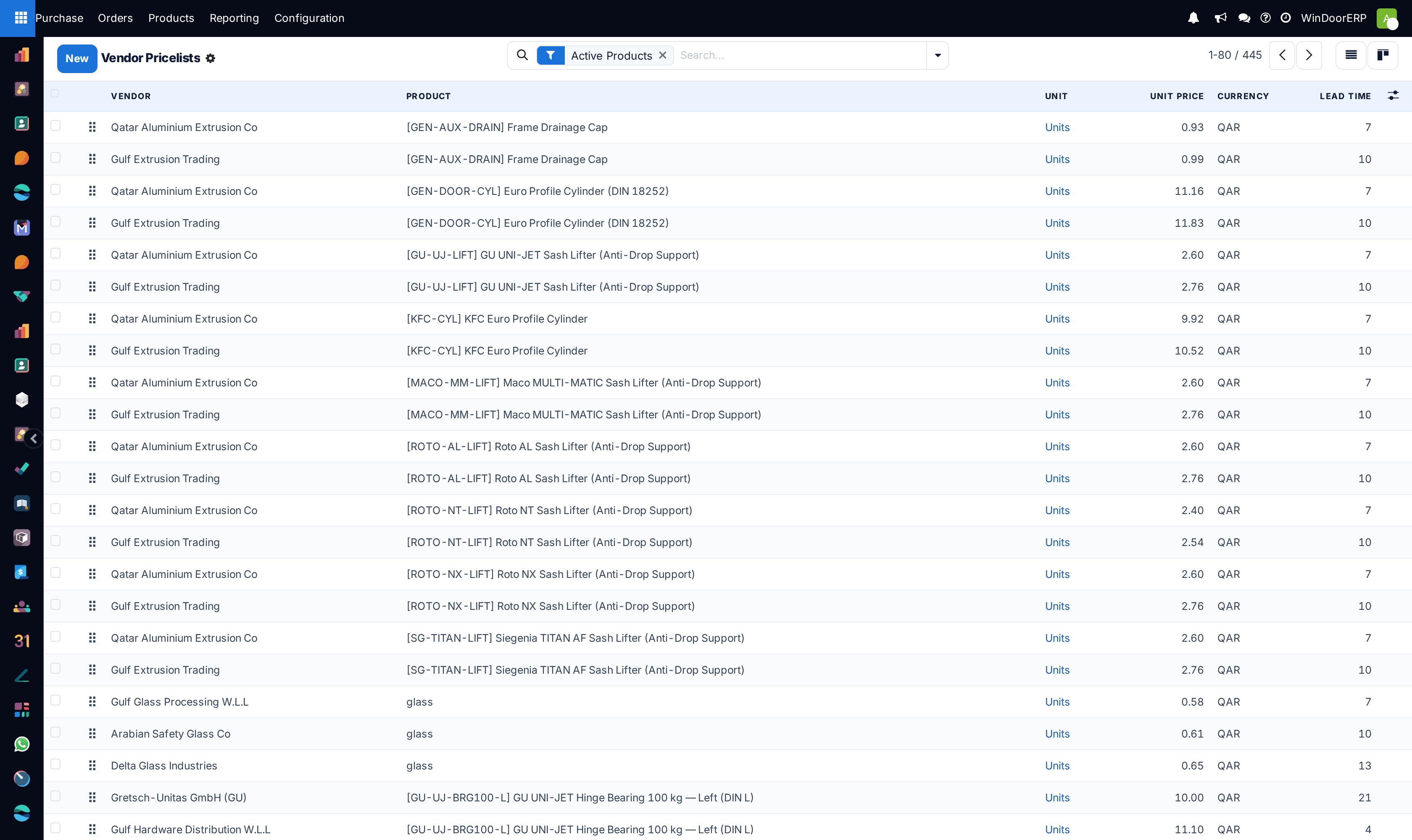
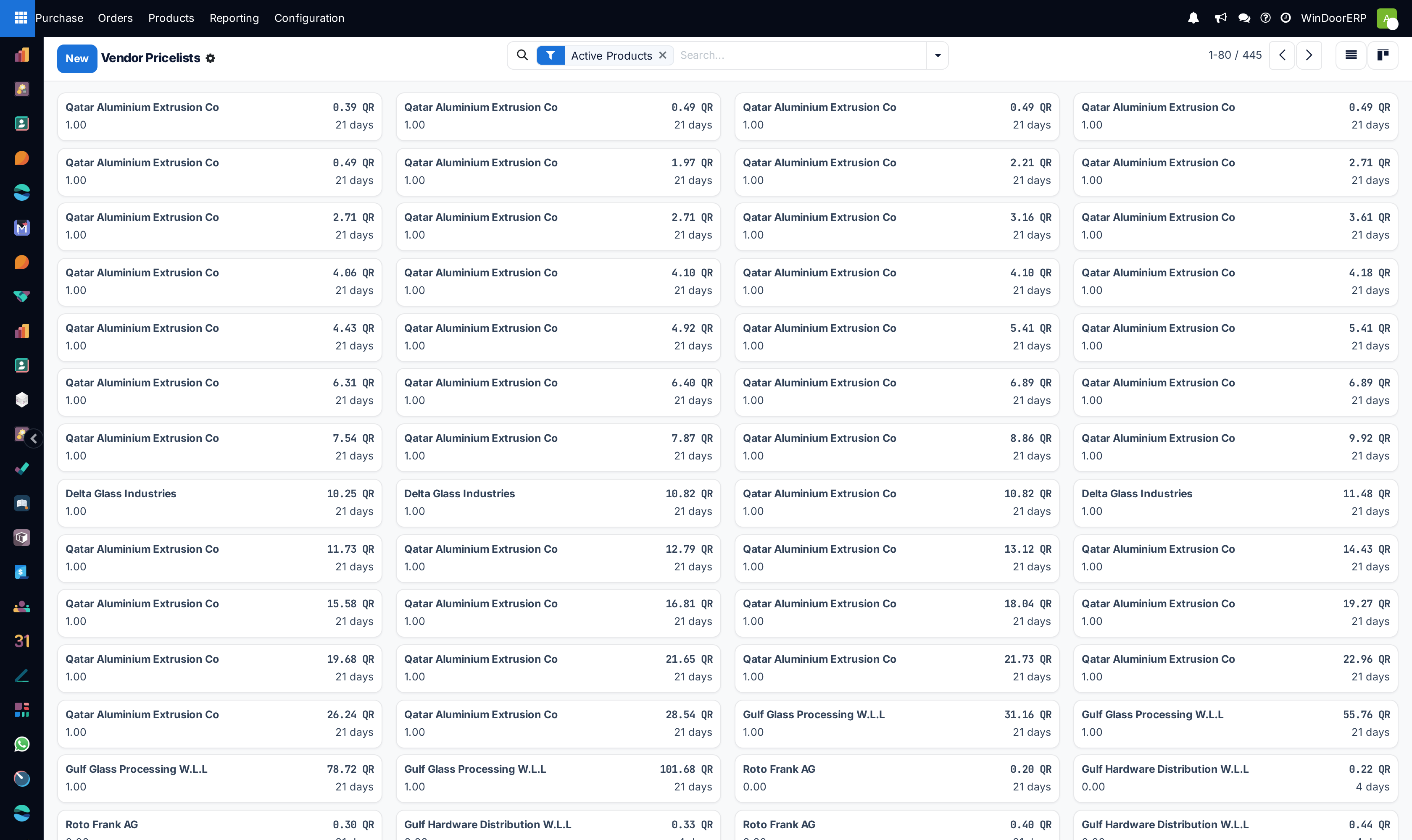
Open Purchase › Configuration › Vendor Pricelists across List, Kanban, and Form views.
-
02
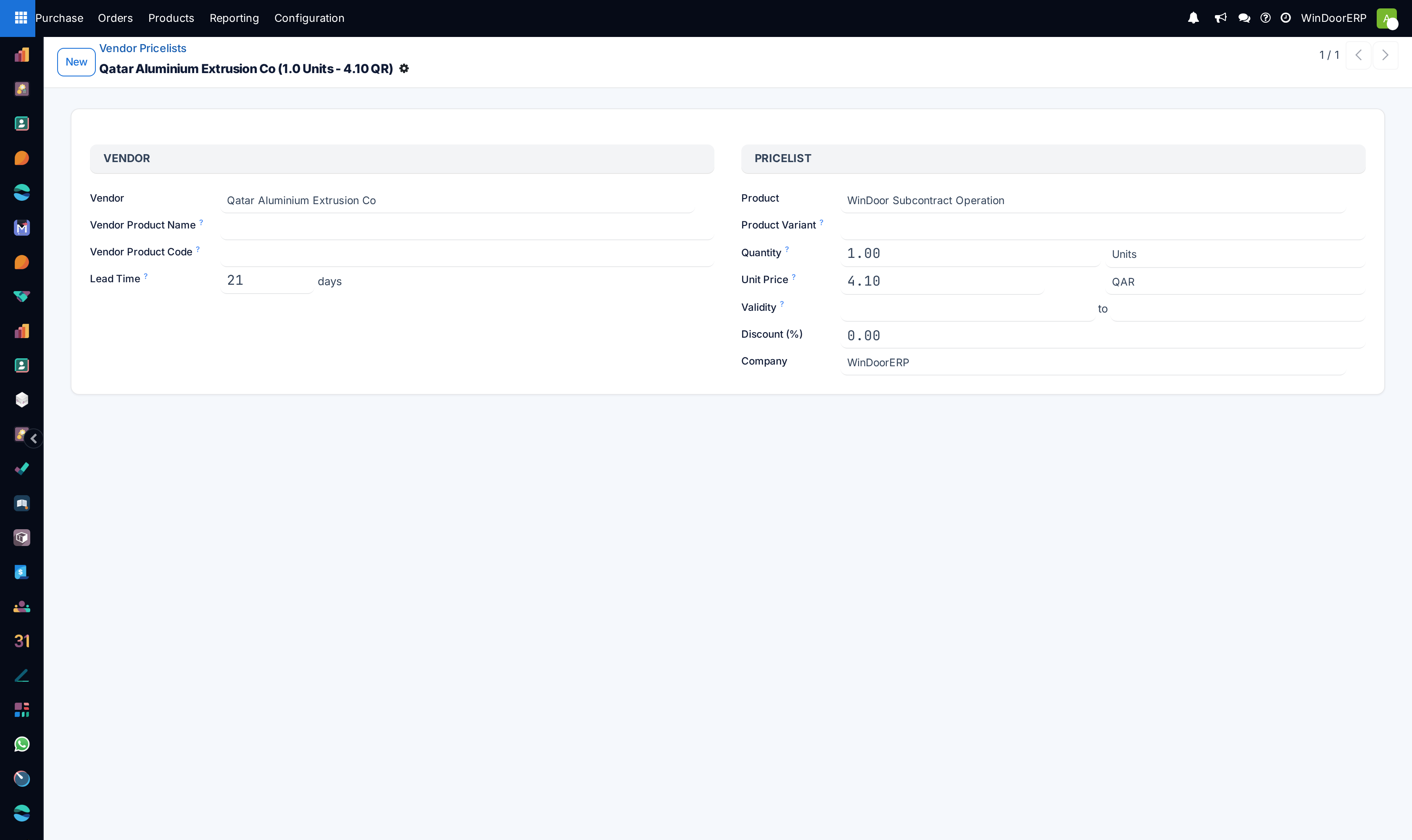
Click New to establish a vendor agreement for a raw material item.
-
03
Set the Vendor, Minimal Quantity, Unit Price, Currency (e.g. EUR, USD, SAR), and Delivery Lead Time (days).
-
04
Define tiered price breaks for bulk billet and glass pack procurements.
-
05
When creating RFQs, WindoorERP automatically selects the lowest cost qualified vendor matching the required order quantity.
Common mistakes
- Not configuring tiered volume breaks, paying small-quantity rates on container-load orders.
- Failing to update foreign currency conversion rates on imported European hardware components.
Was this article helpful?
Thanks — your feedback helps.
Running a window or door factory?
Ask for a demo