Analyze survey throughput, surveyor field performance, and monthly statistics
What this does
Delivers comprehensive analytics on surveying operations, tracking monthly completed opening counts, surveyor field productivity, travel route efficiency, and measurement accuracy.
Before you start
- Historical site surveys logged and completed.
Steps
Important
Benchmarking surveyor opening counts against subsequent factory fit accuracy identifies top technicians qualified for complex curtain wall projects.
-
01
Open Technical Tasks › Site Surveys › Reporting.
-
02
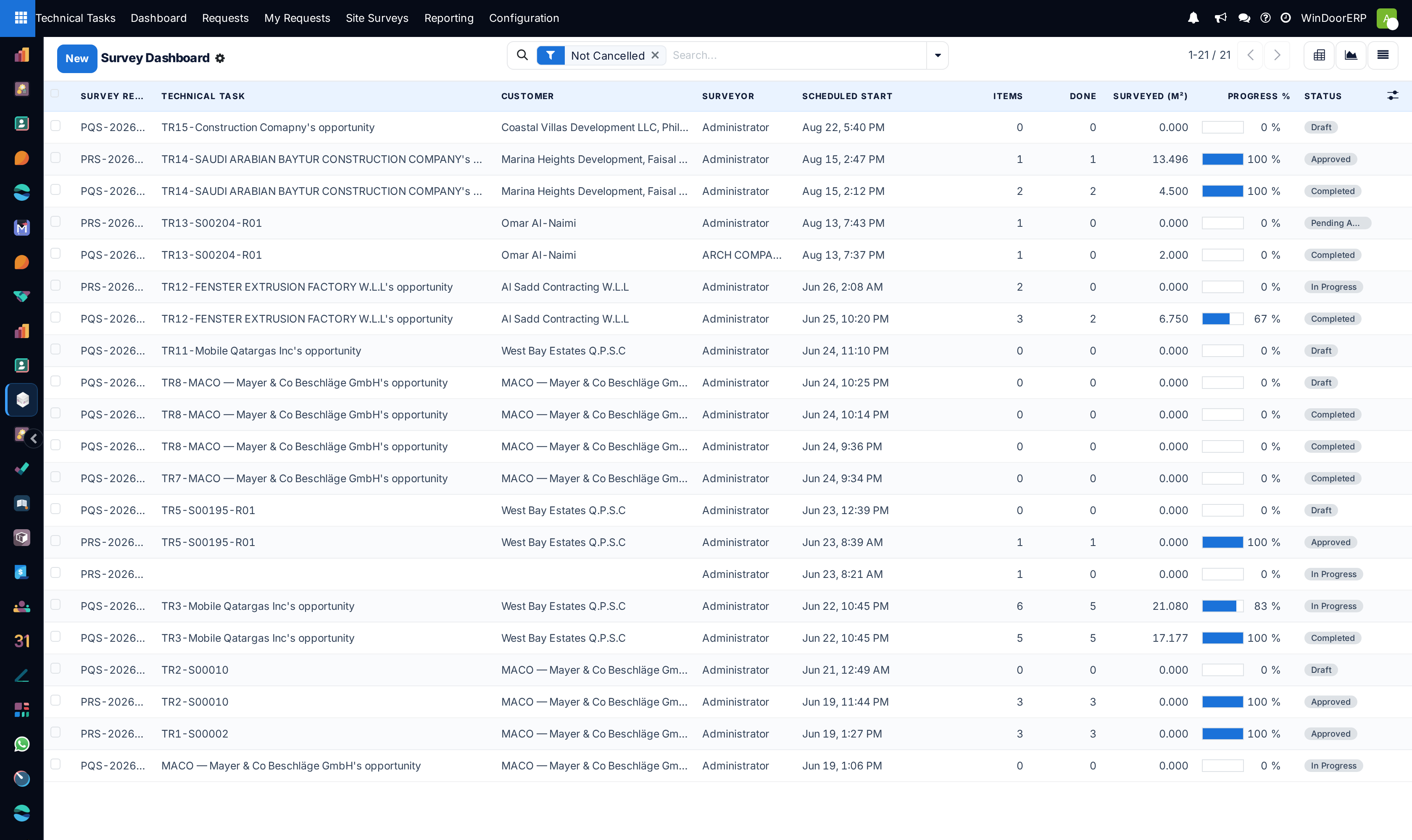
Inspect Survey Dashboard to view macro opening throughput across building developments.
-
03
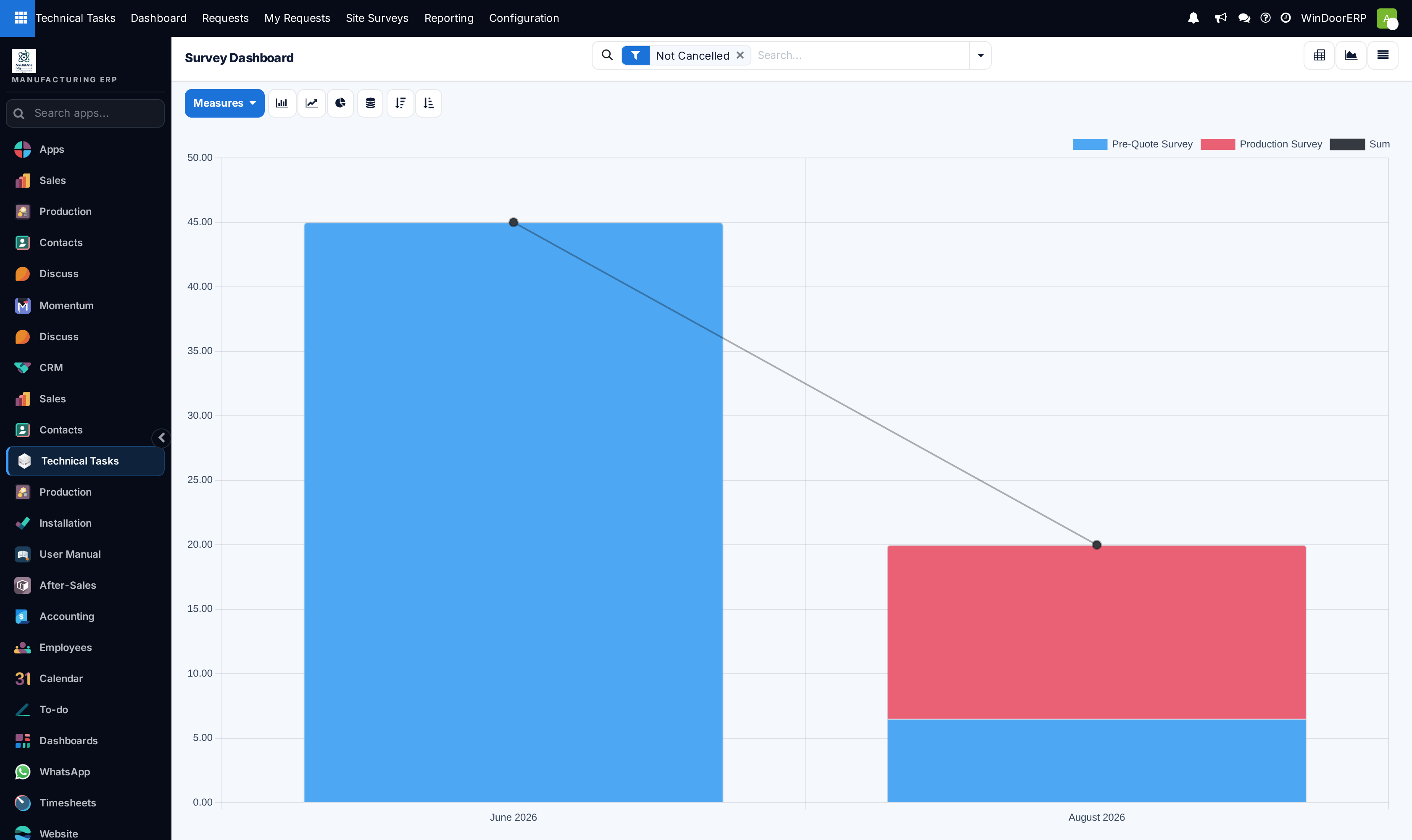
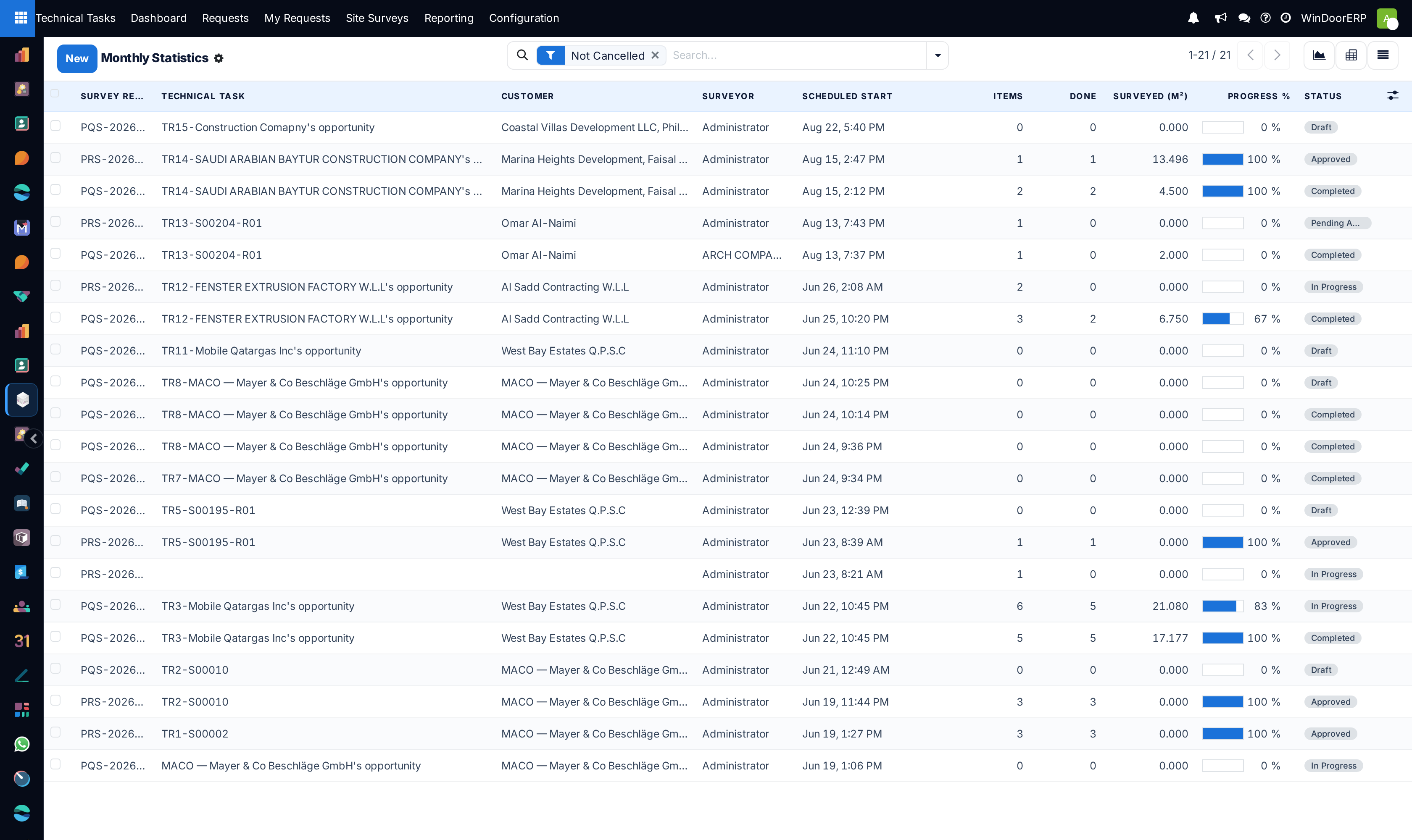
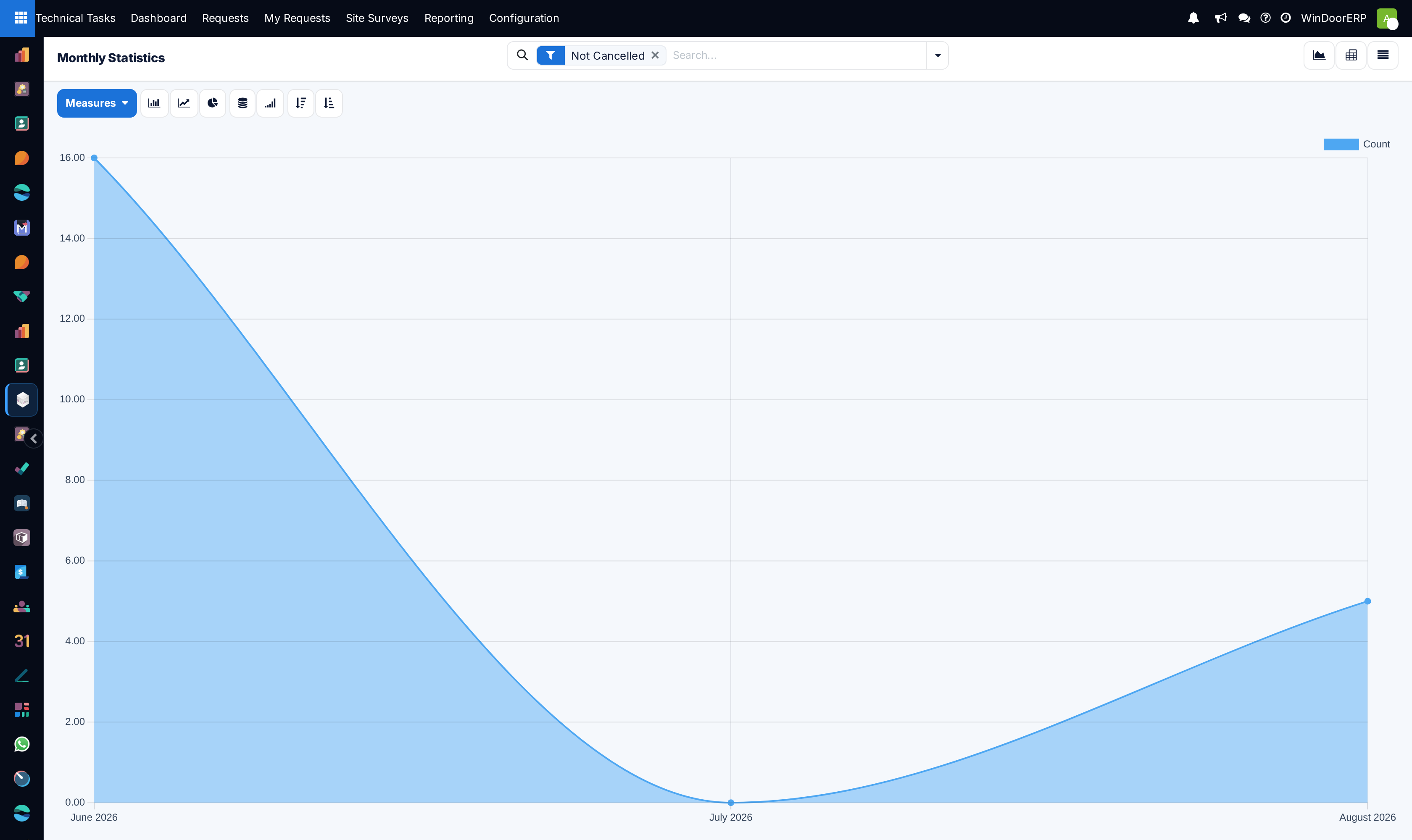
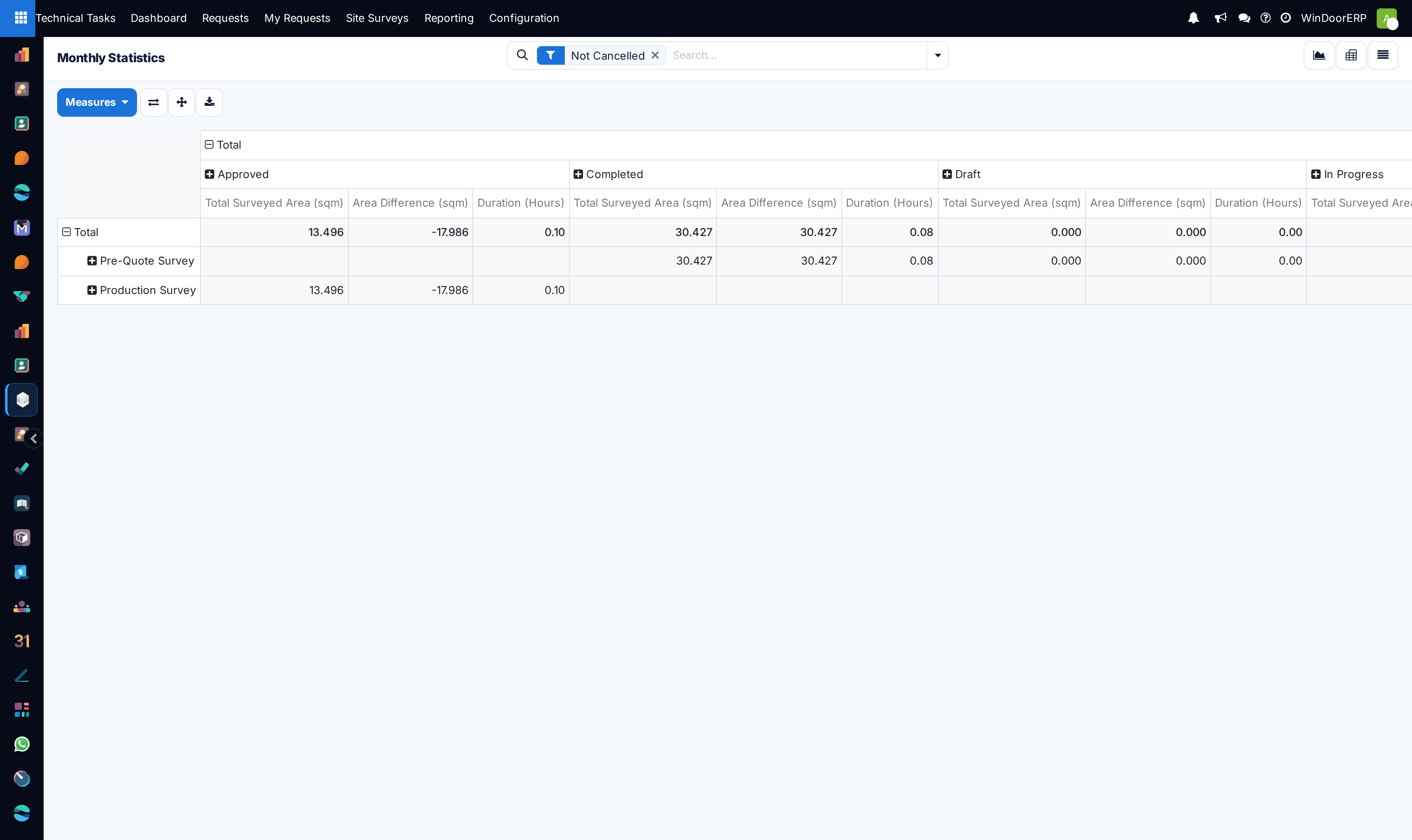
Review Monthly Statistics to track seasonal spikes in pre-quote versus production surveys.
-
04
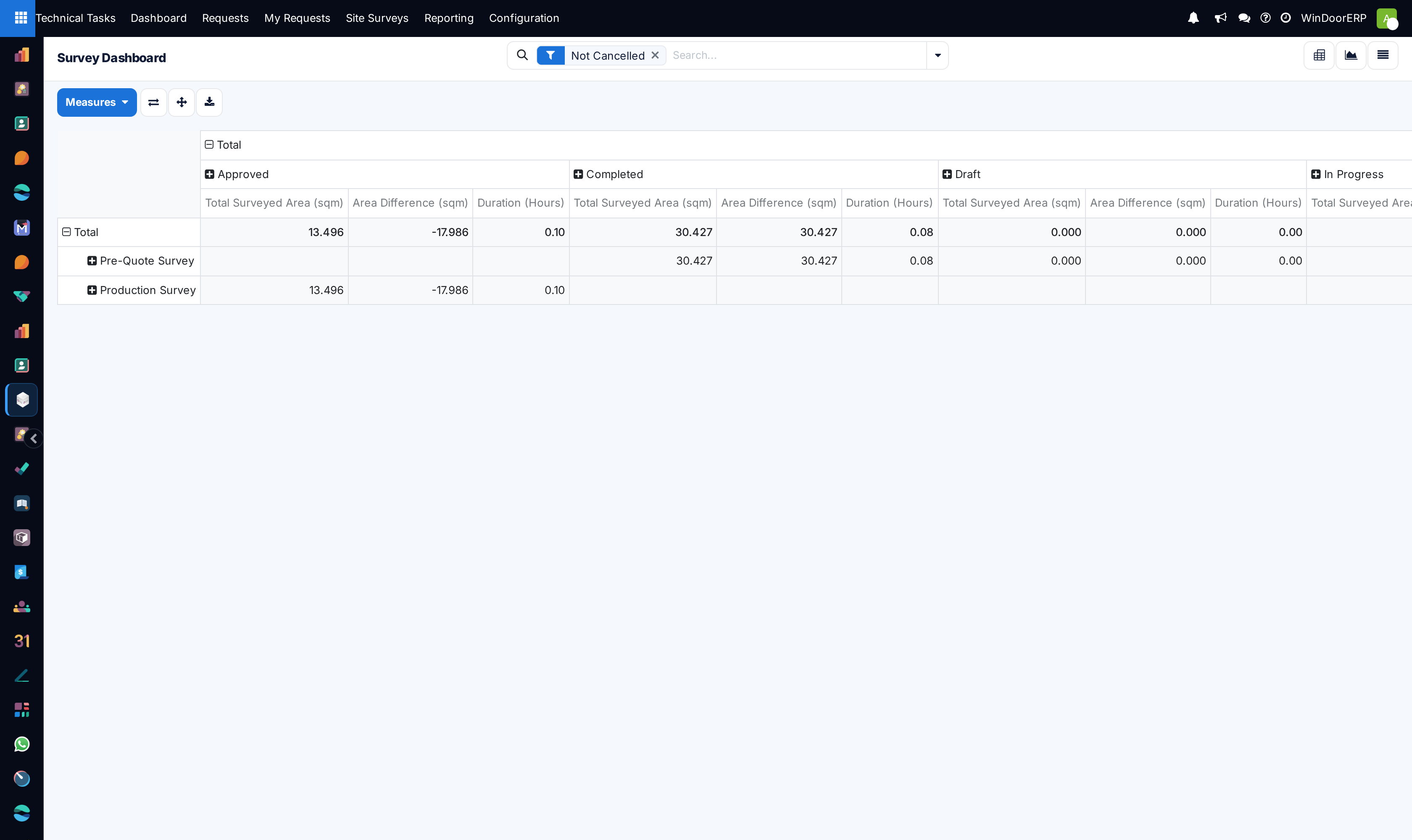
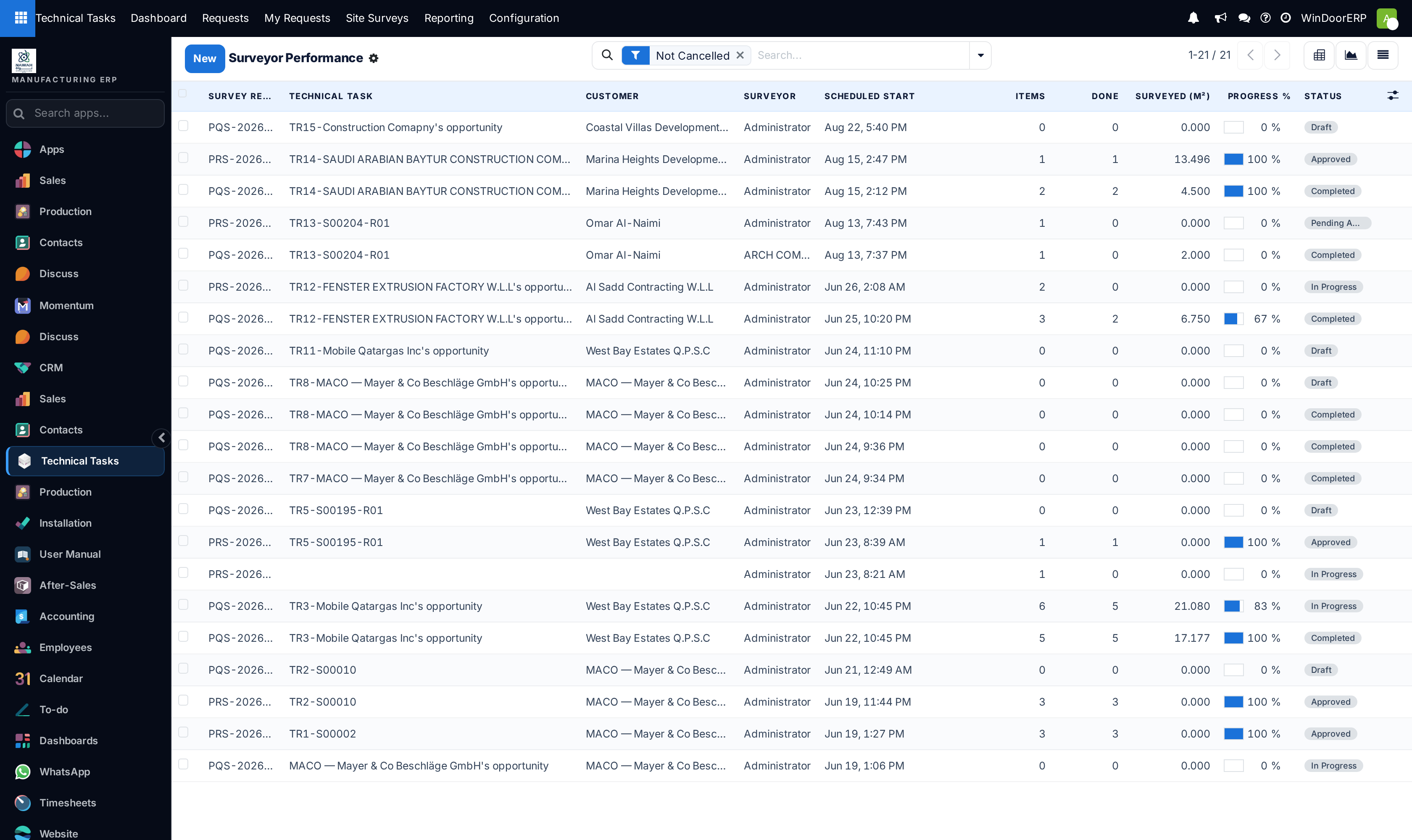
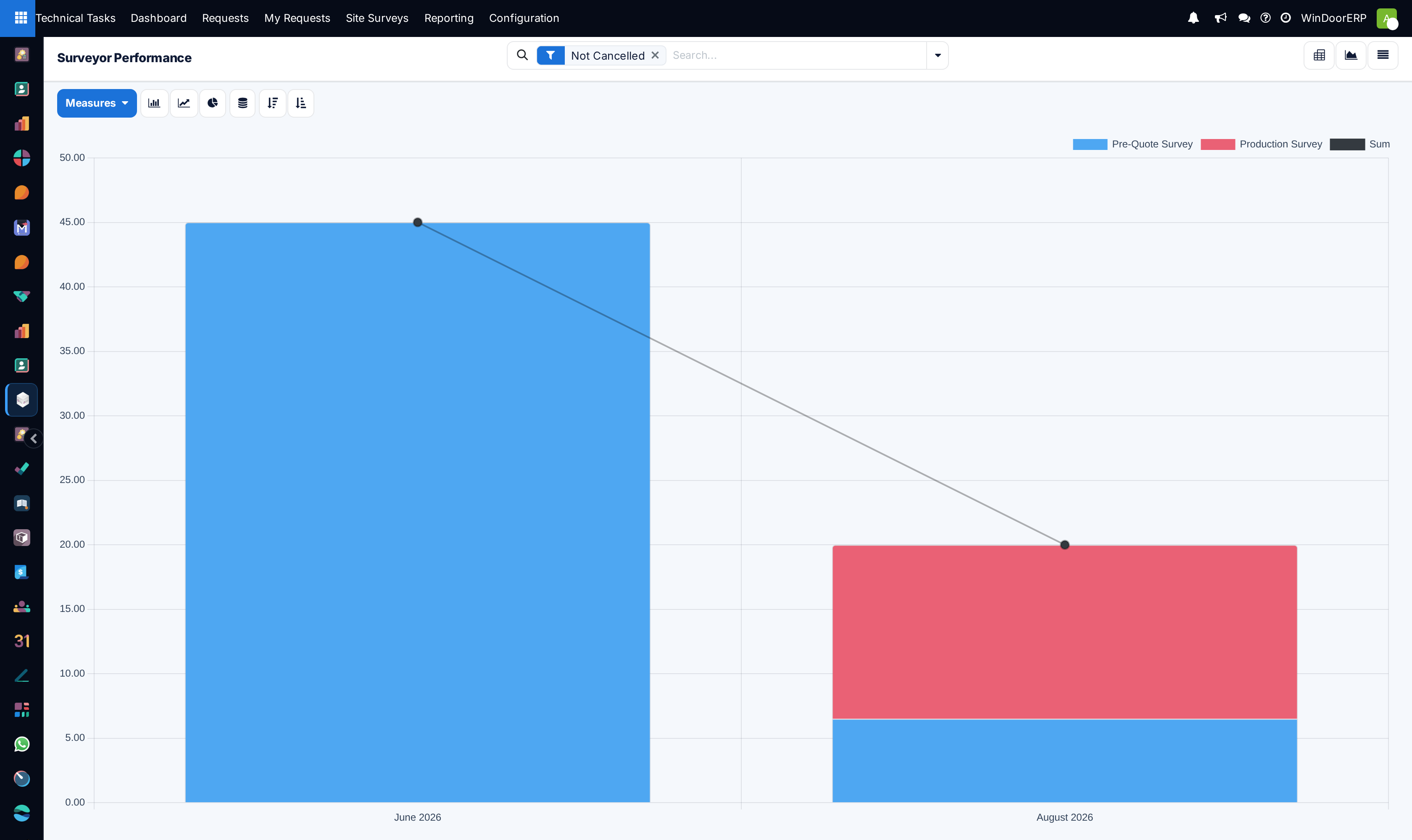
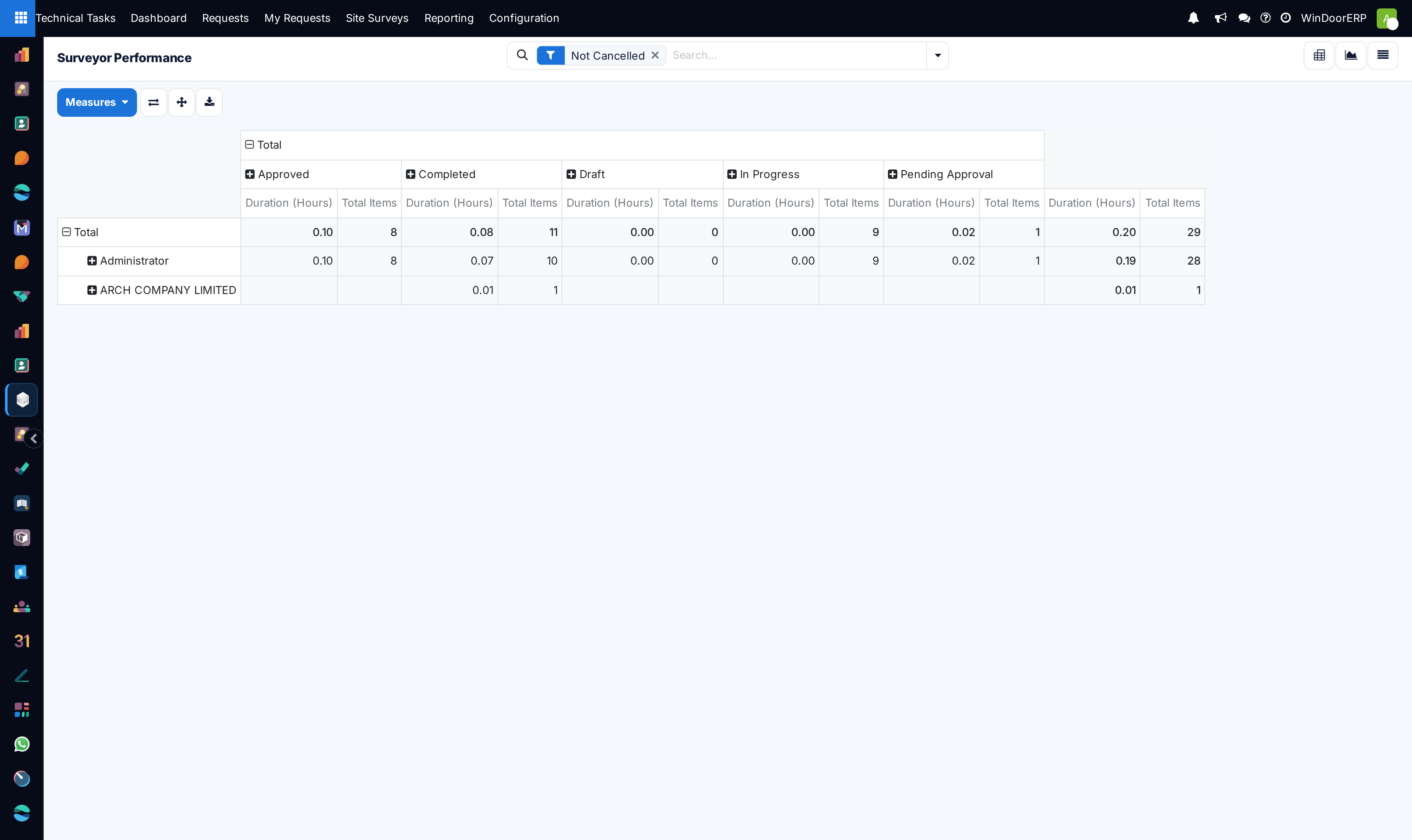
Analyze Surveyor Performance across List, Graph, and Pivot views to evaluate daily opening output per mobile surveyor.
Common mistakes
- Evaluating surveyor performance by visit count alone rather than total measured linear meters.
- Ignoring recurring re-visit rates across specific surveying staff.
Was this article helpful?
Thanks — your feedback helps.
Running a window or door factory?
Ask for a demo