Generate and execute linear 1D aluminium/uPVC profile cutting plans
What this does
Generates algorithmically optimized linear bar cutting lists that group window frames, sashes, and mullions to maximize extrusion yield (>96%).
Before you start
- Profile series, stock bar lengths (5.8m/6.0m/6.5m), and saw blade kerf thickness configured.
Steps
Important
Always verify saw blade kerf compensation (typically 4.0mm to 5.0mm) before generating cutting plans to avoid undersized window frame members.
-
01
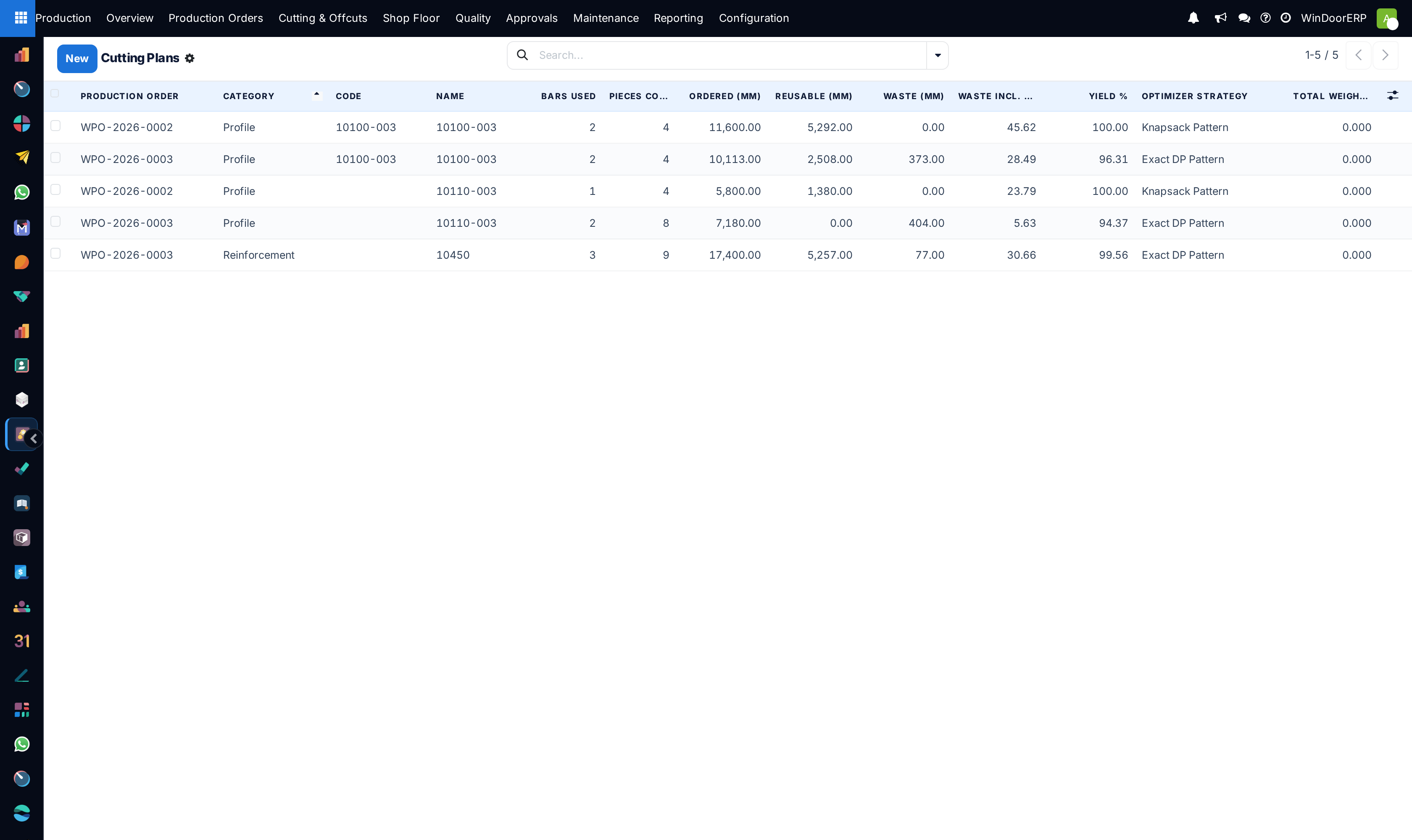
Navigate to Production › Cutting & Offcuts › Cutting Plans.
-
02
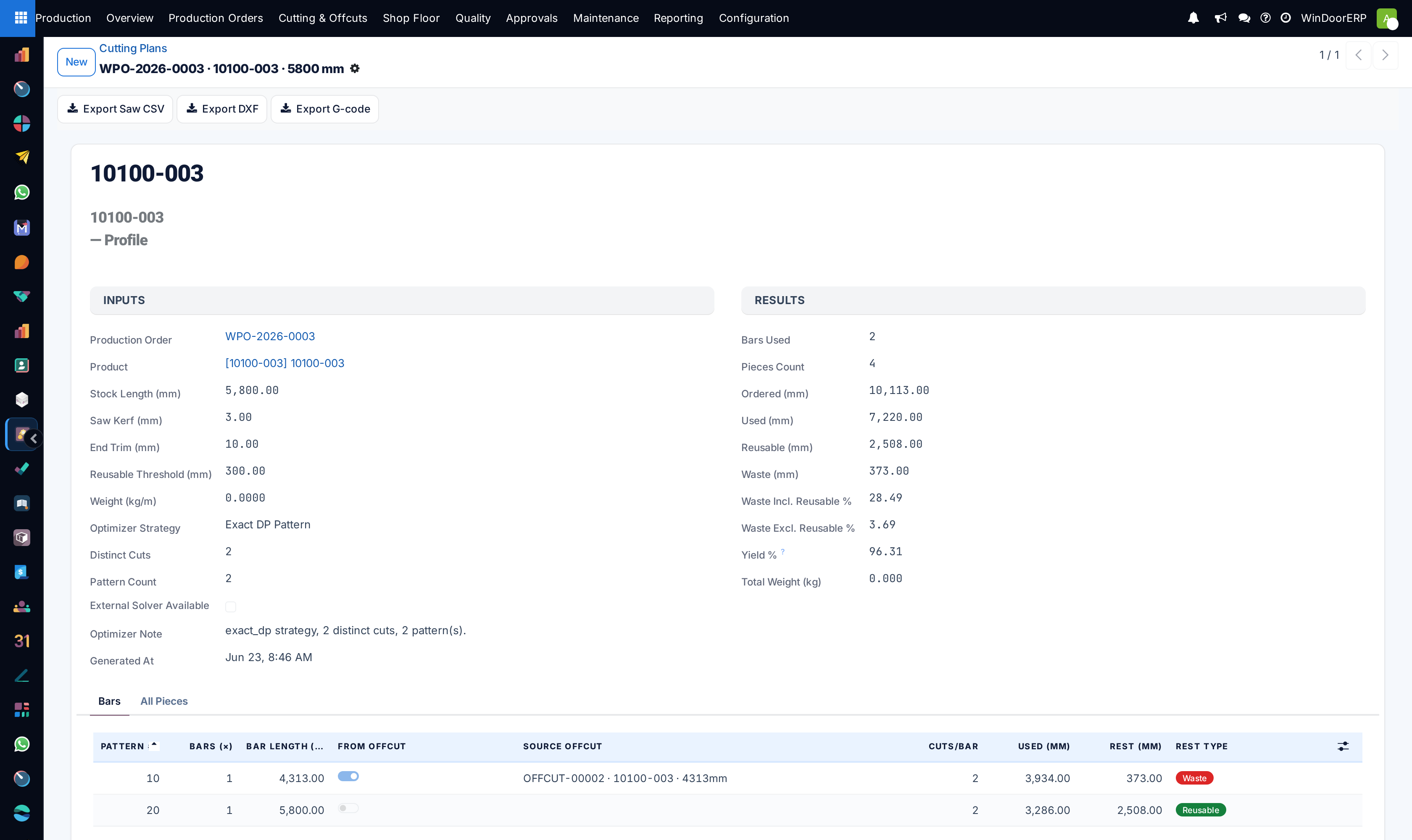
Click New or open an automatically batch-generated cutting optimization run.
-
03
Review the cutting layout diagram showing piece cuts, angles (45° / 90°), length tolerances, and generated offcut lengths.
-
04
Export CNC cutting files directly to automated saws or print barcoded cut sheets for saw operators.
-
05
Click Confirm Execution to deduct stock bars and register reusable remnant pieces.
Common mistakes
- Running cutting jobs on damaged profiles with bent bar ends without trimming the bar first.
- Mixing different alloy tempers or powder coating batch numbers in the same visual elevation.
Was this article helpful?
Thanks — your feedback helps.
Running a window or door factory?
Ask for a demo