Analyze overdue drafting requests, weekly delivery commitments, and engineering timesheets
What this does
Tracks engineering delivery commitments, highlighting SLA-breached overdue requests, current week delivery pipelines, and comprehensive engineer timesheet utilization.
Before you start
- Technical requests created with planned target delivery dates.
Steps
Important
Overdue shop drawings create cascading manufacturing delays; resolving engineering bottlenecks immediately keeps factory production lines running on schedule.
-
01
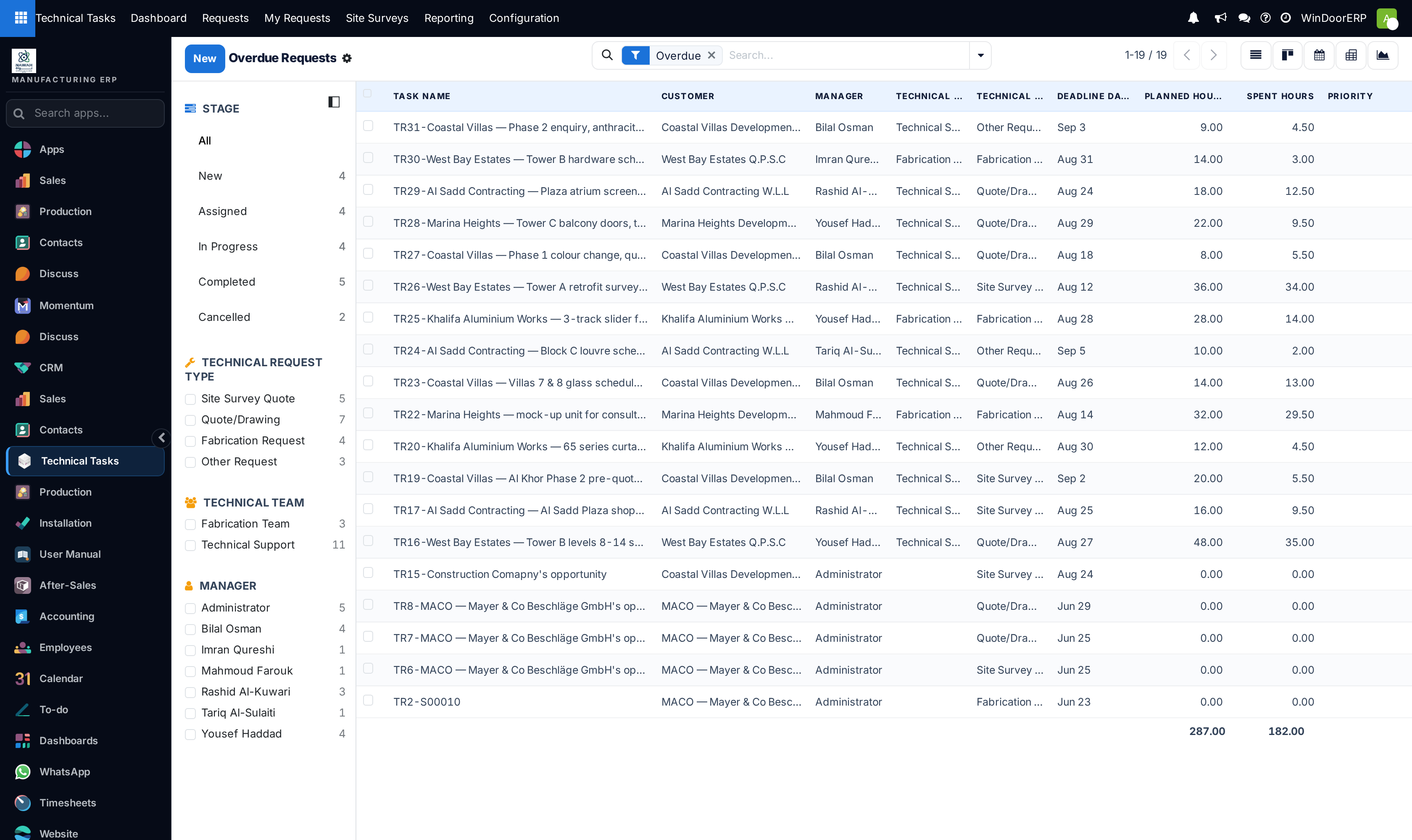
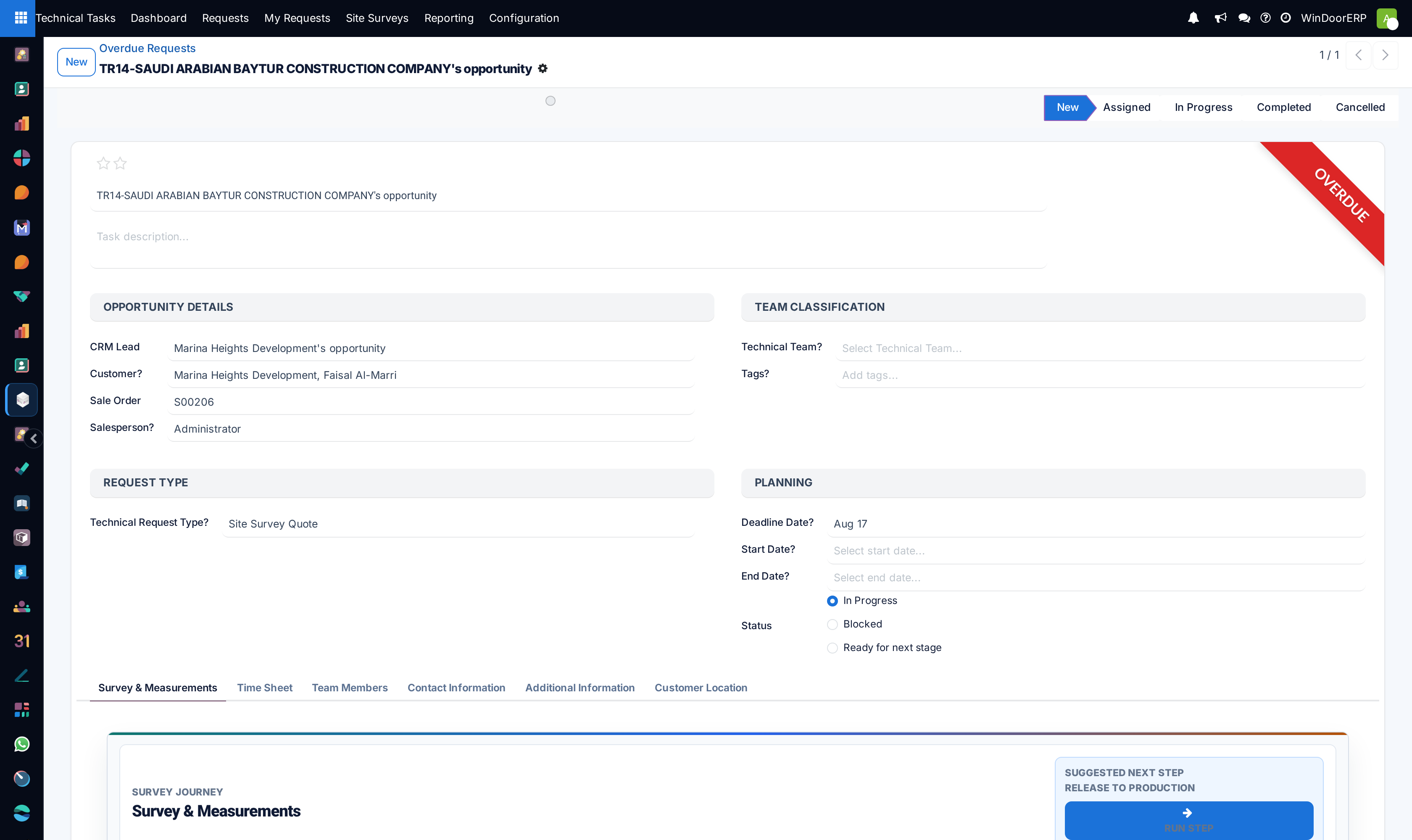
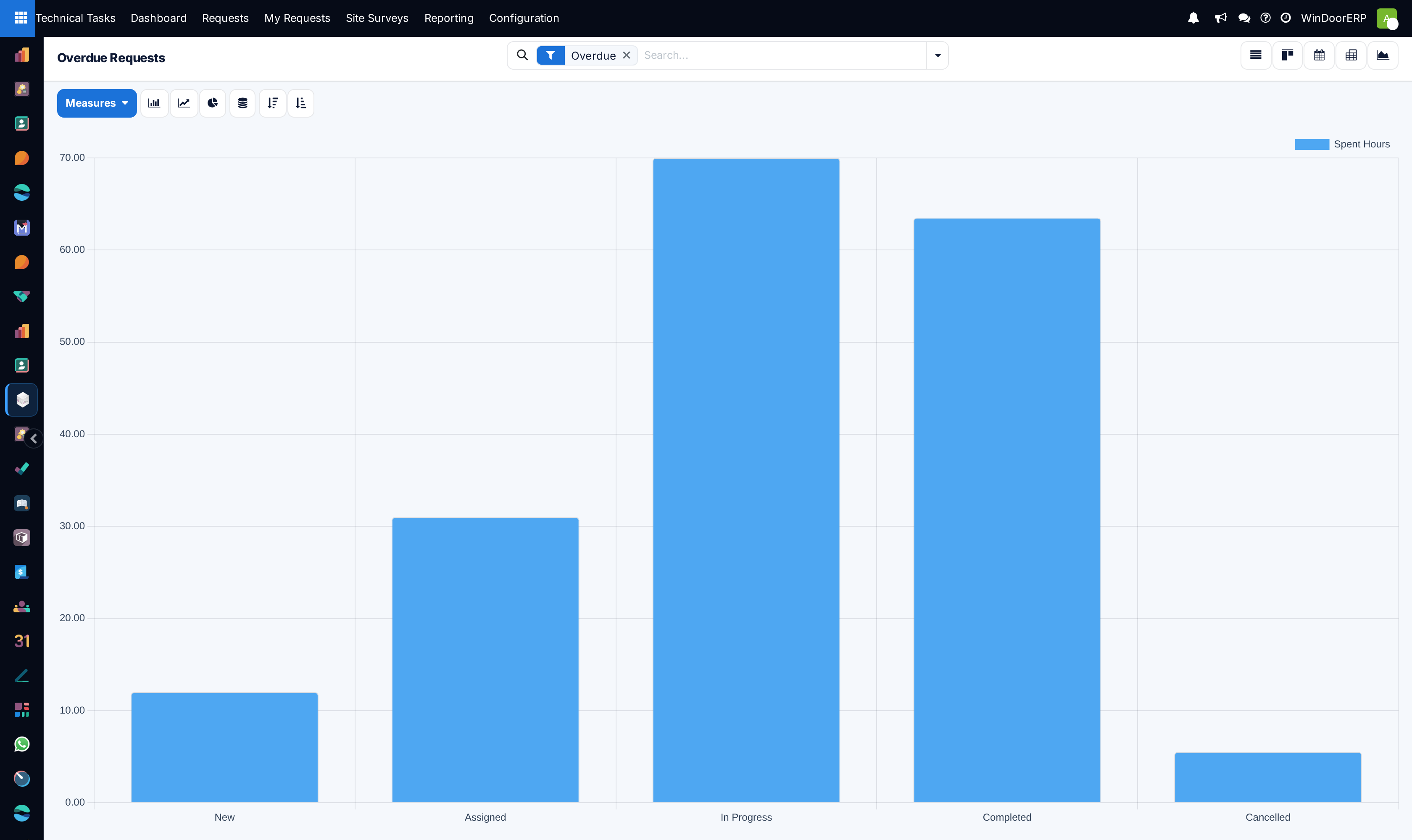
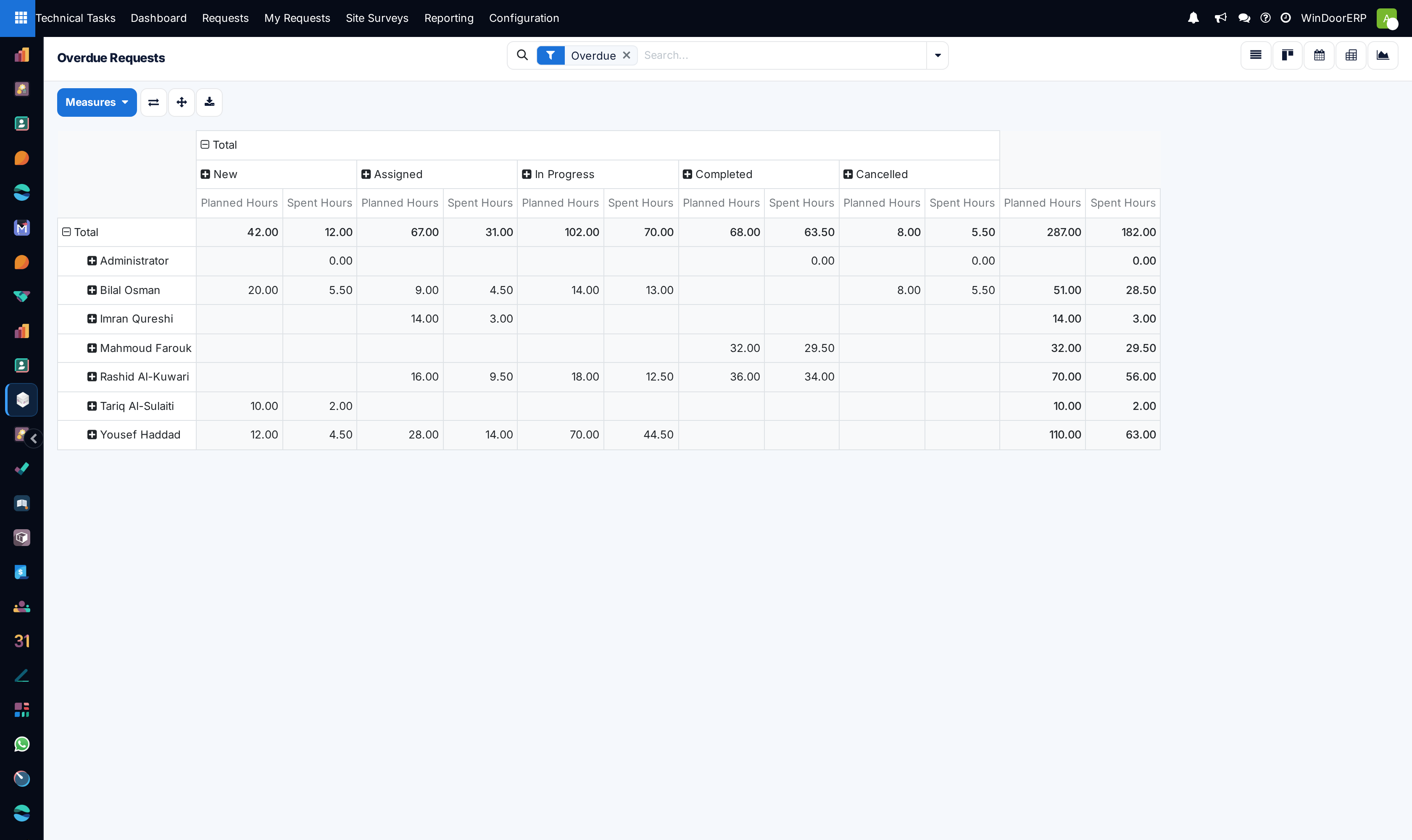
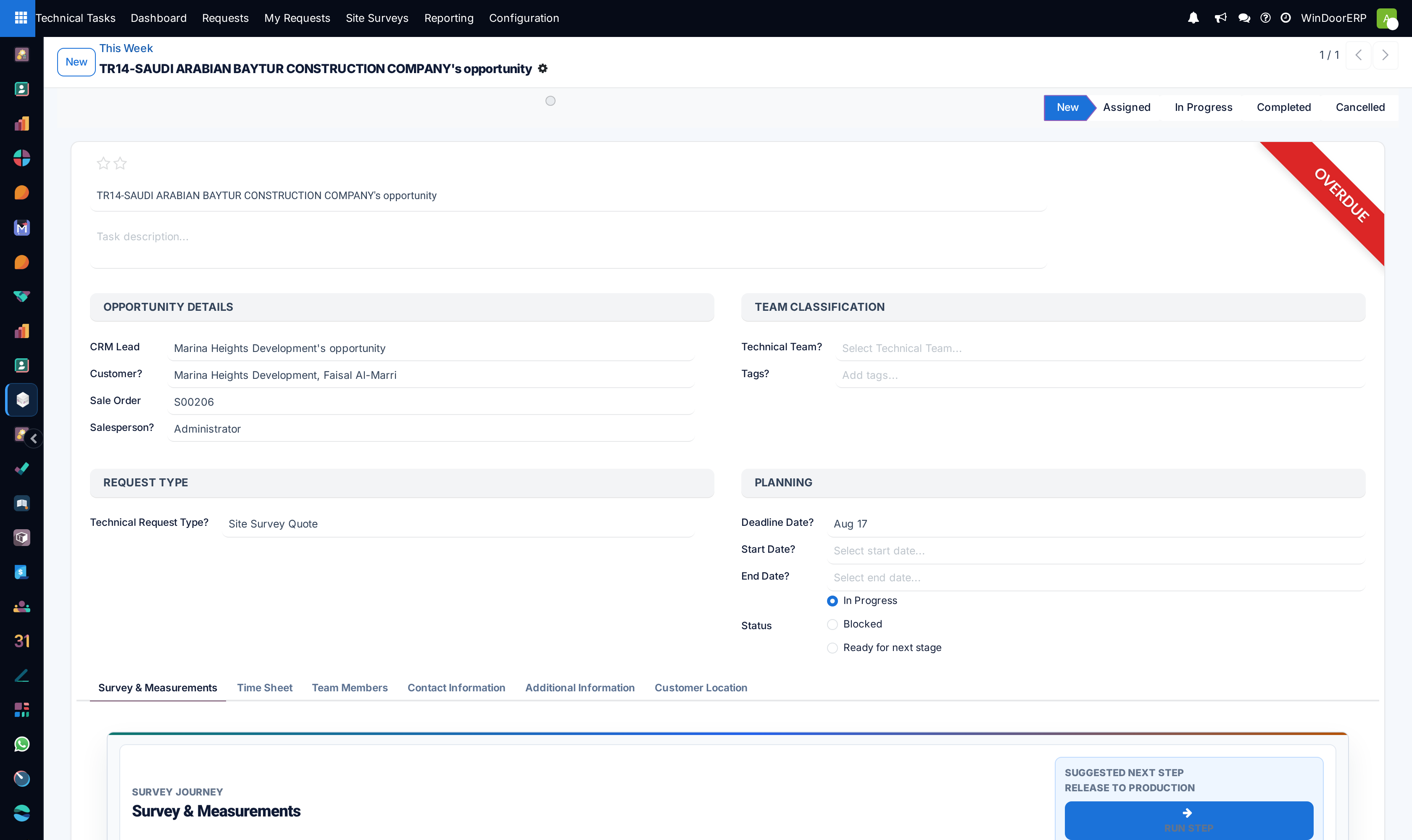
Open Technical Tasks › Reporting › Overdue to inspect requests that have missed agreed drafting deadlines.
-
02
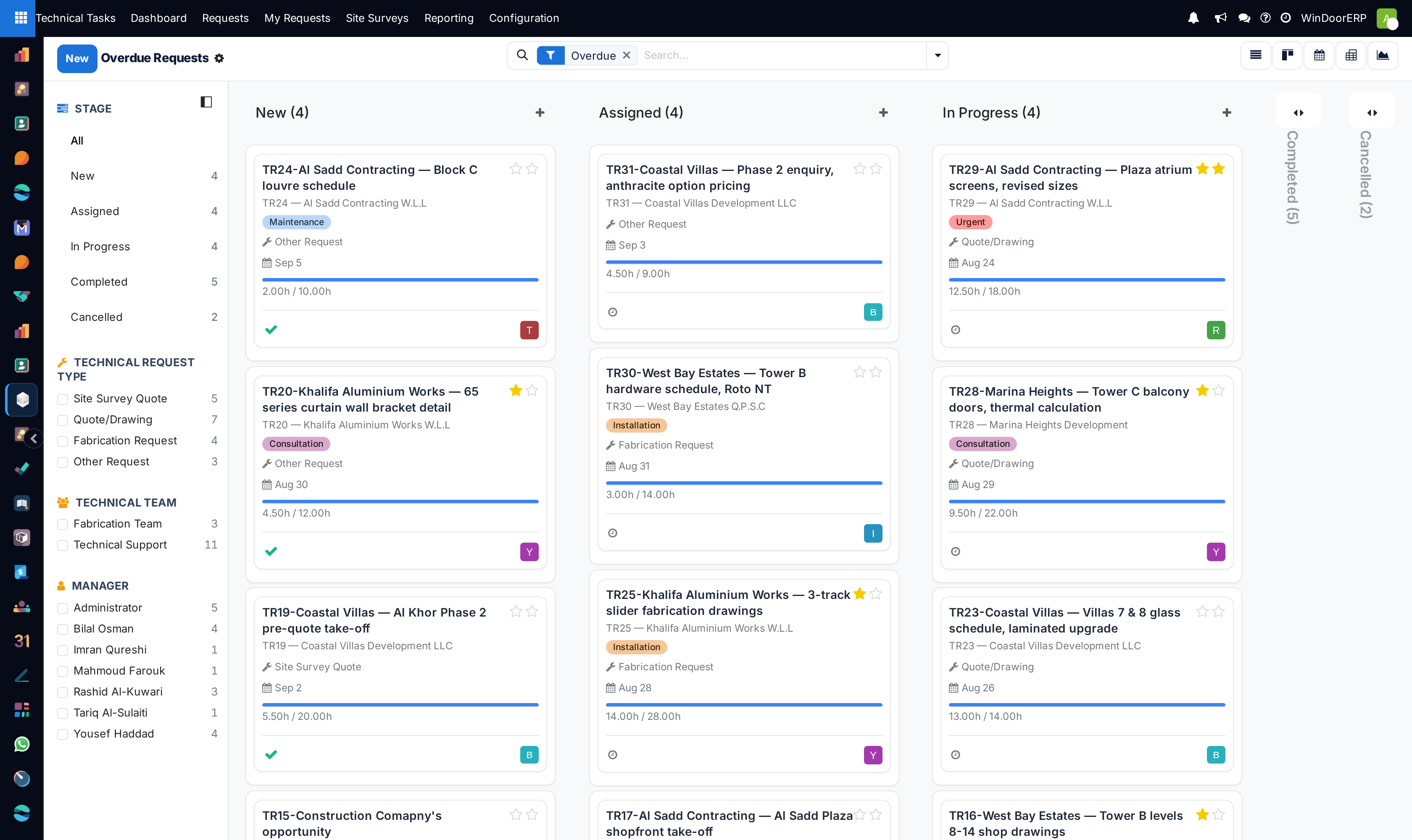
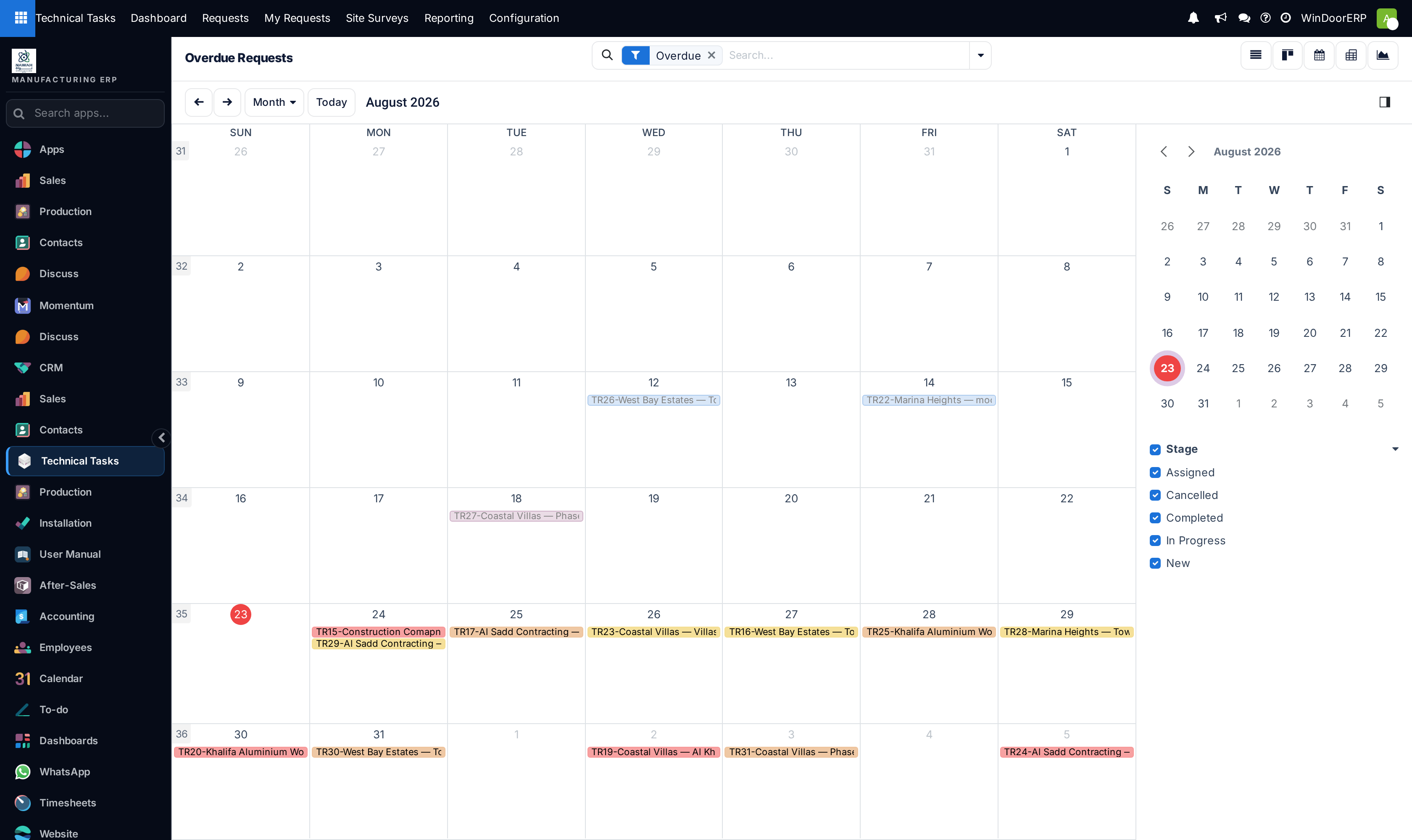
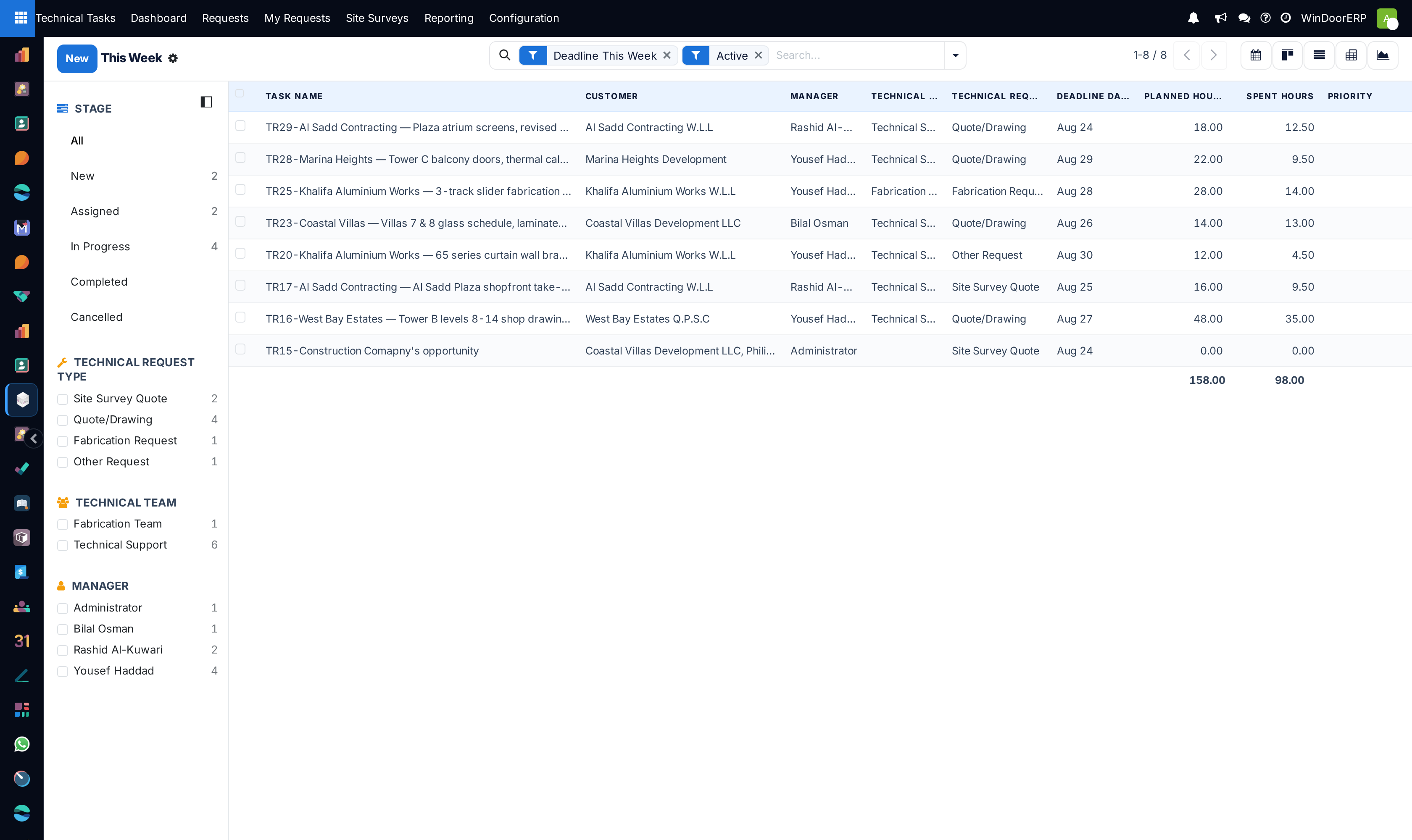
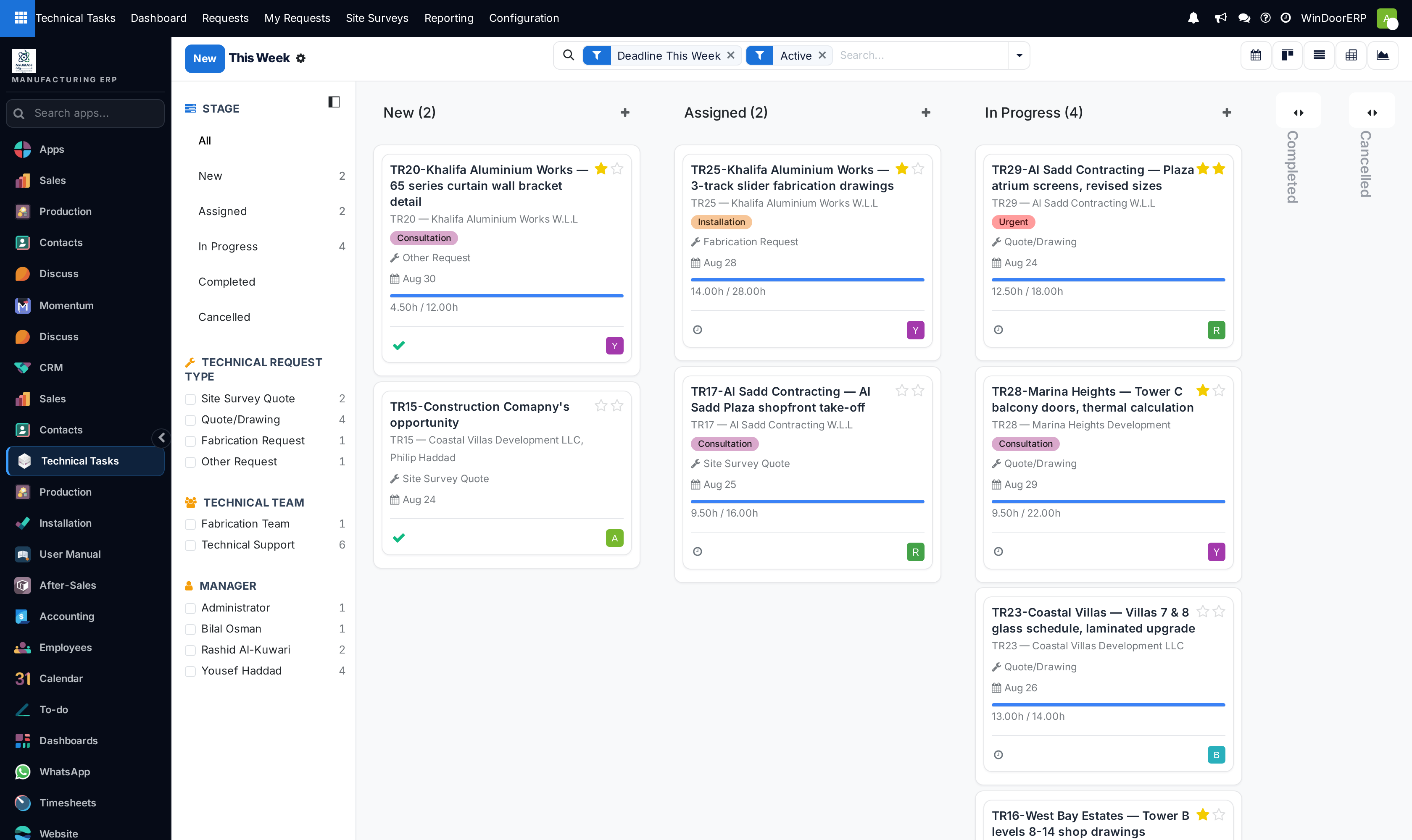
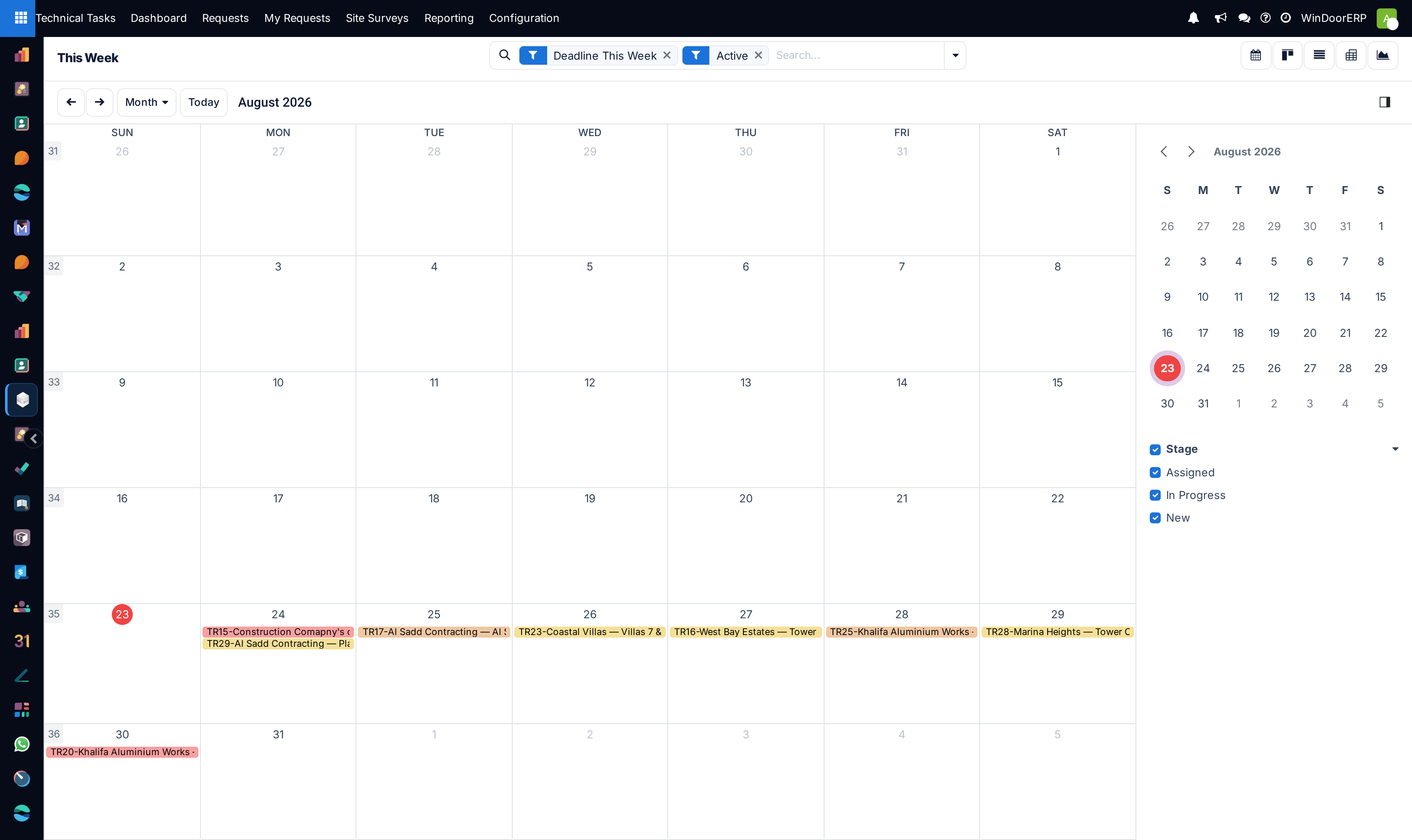
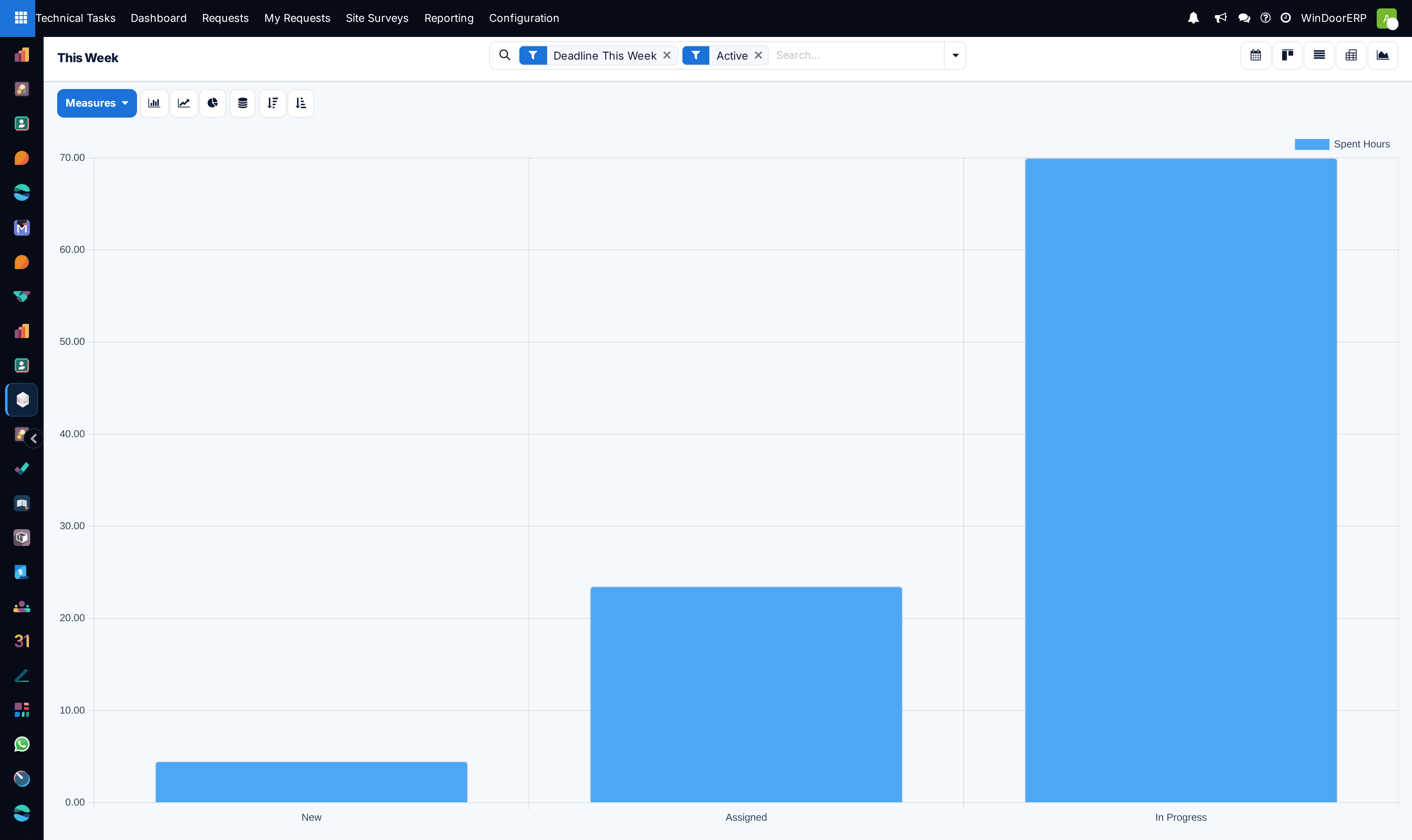
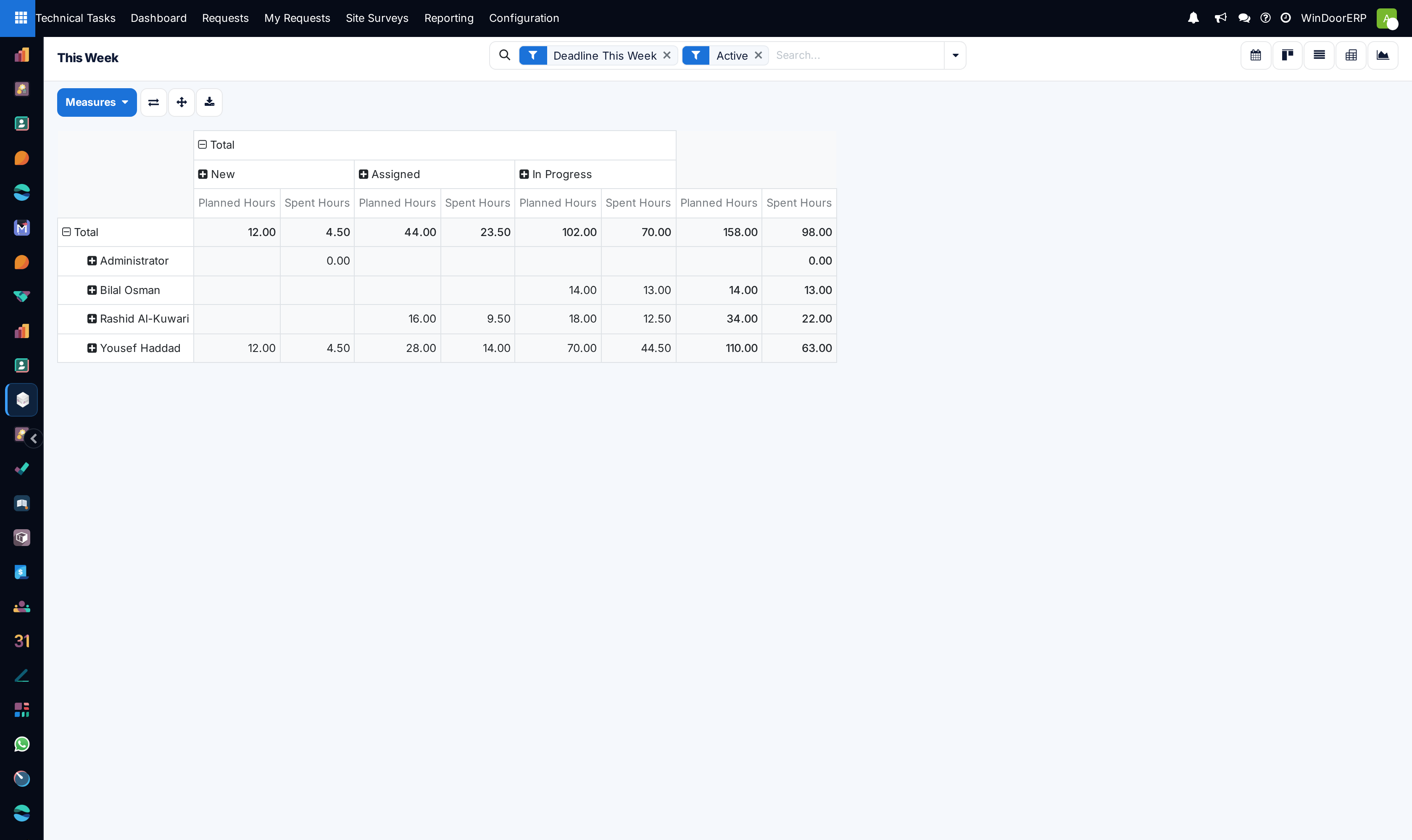
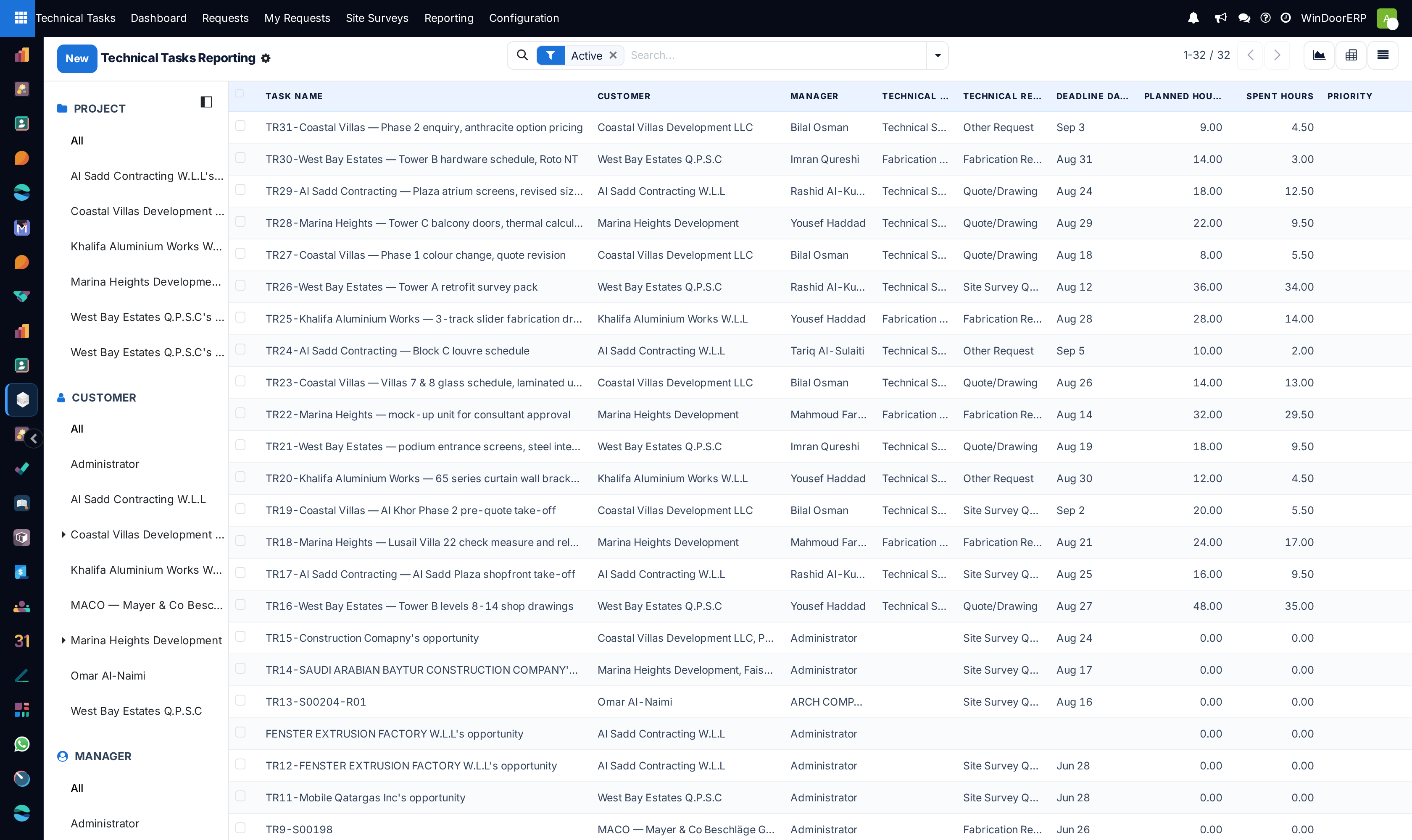
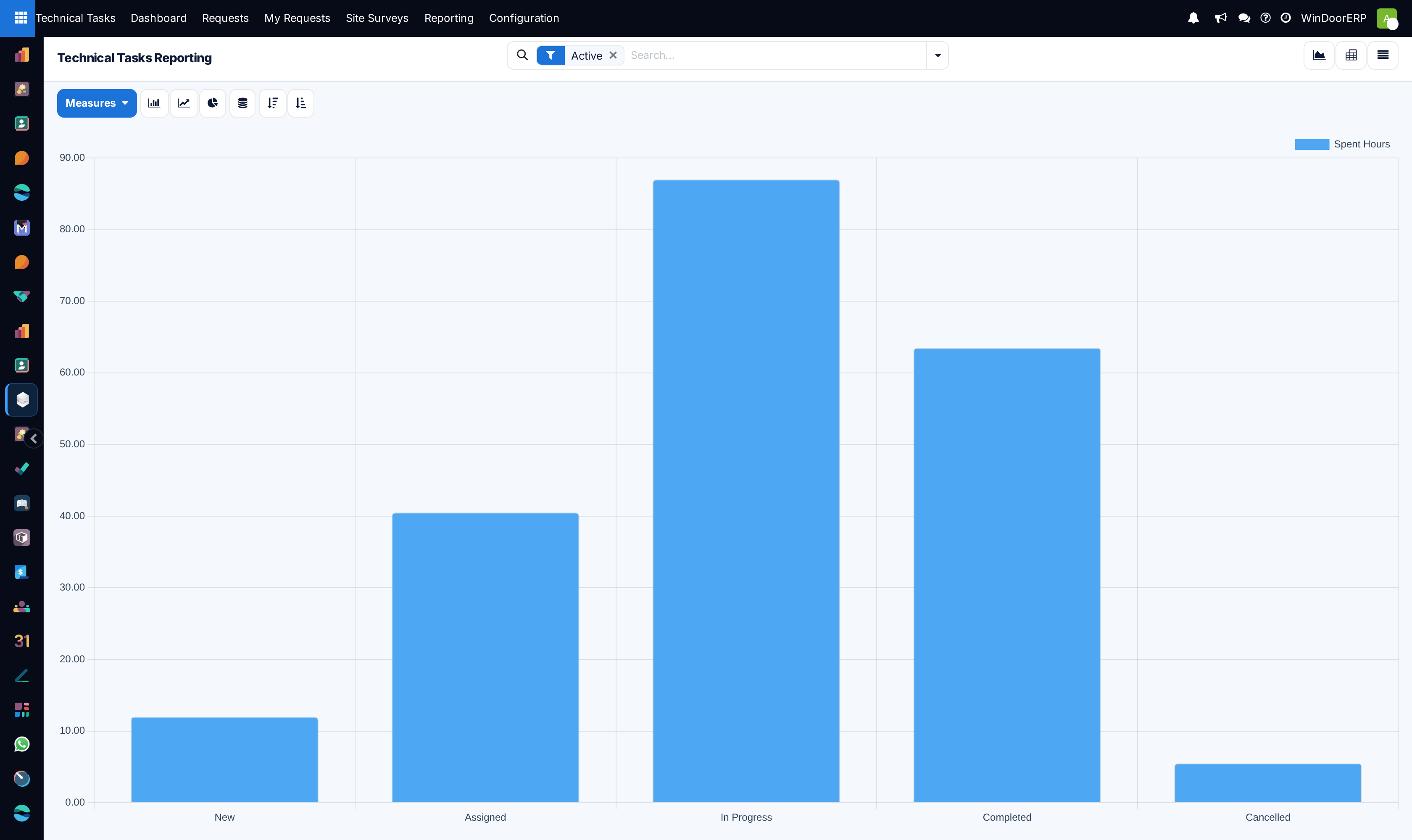
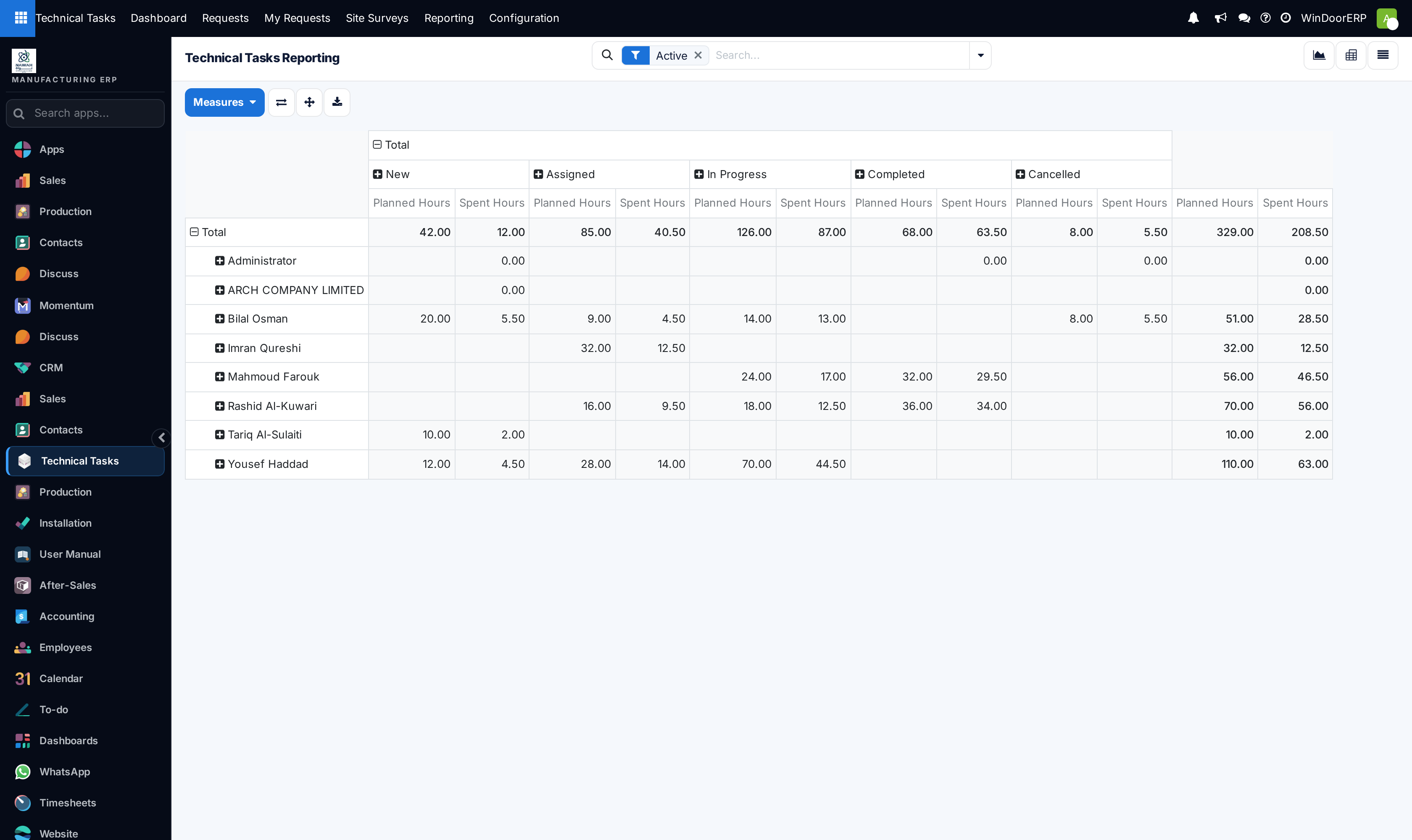
Open This Week to review all engineering commitments due in the current work week across List, Kanban, Calendar, Graph, and Pivot views.
-
03
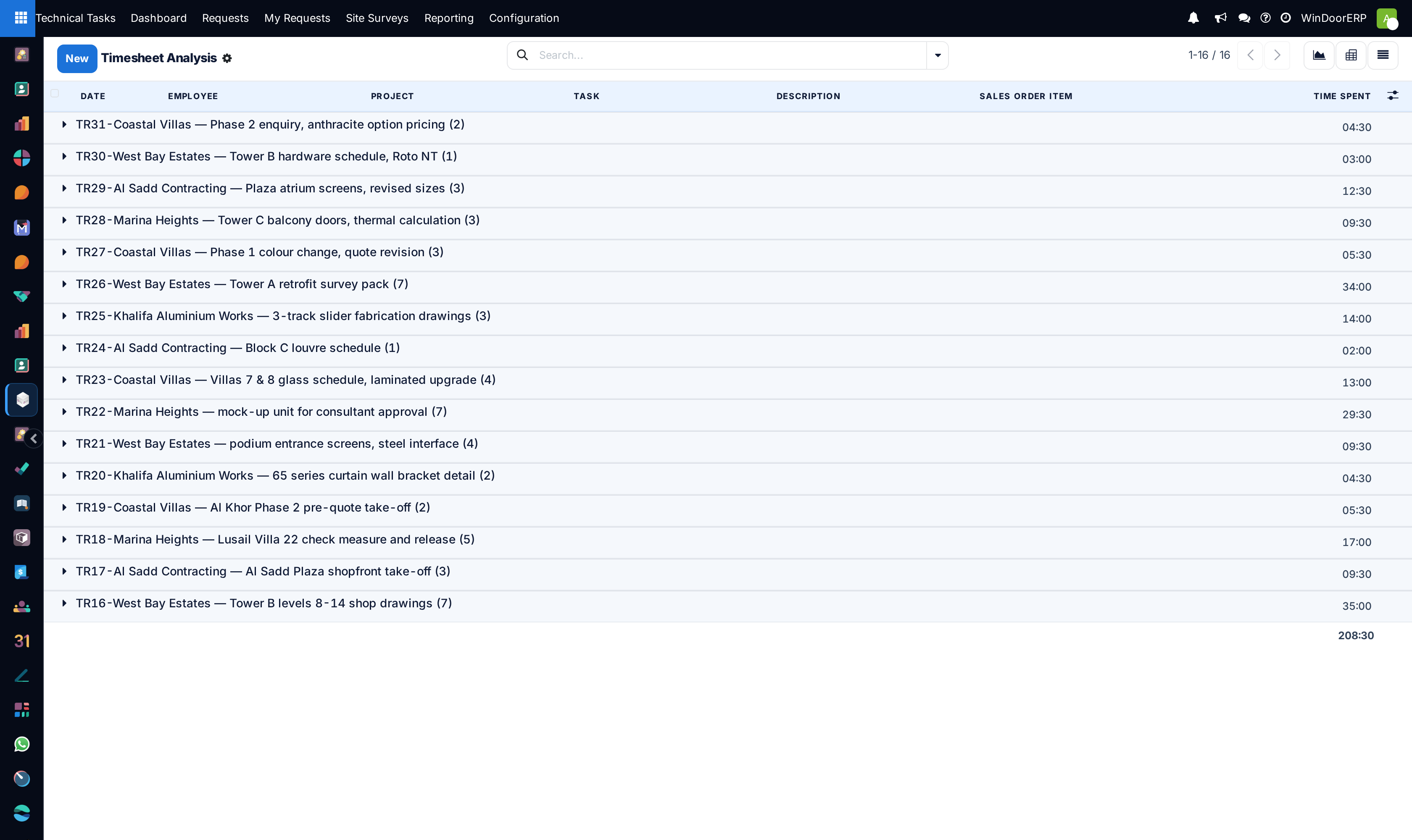
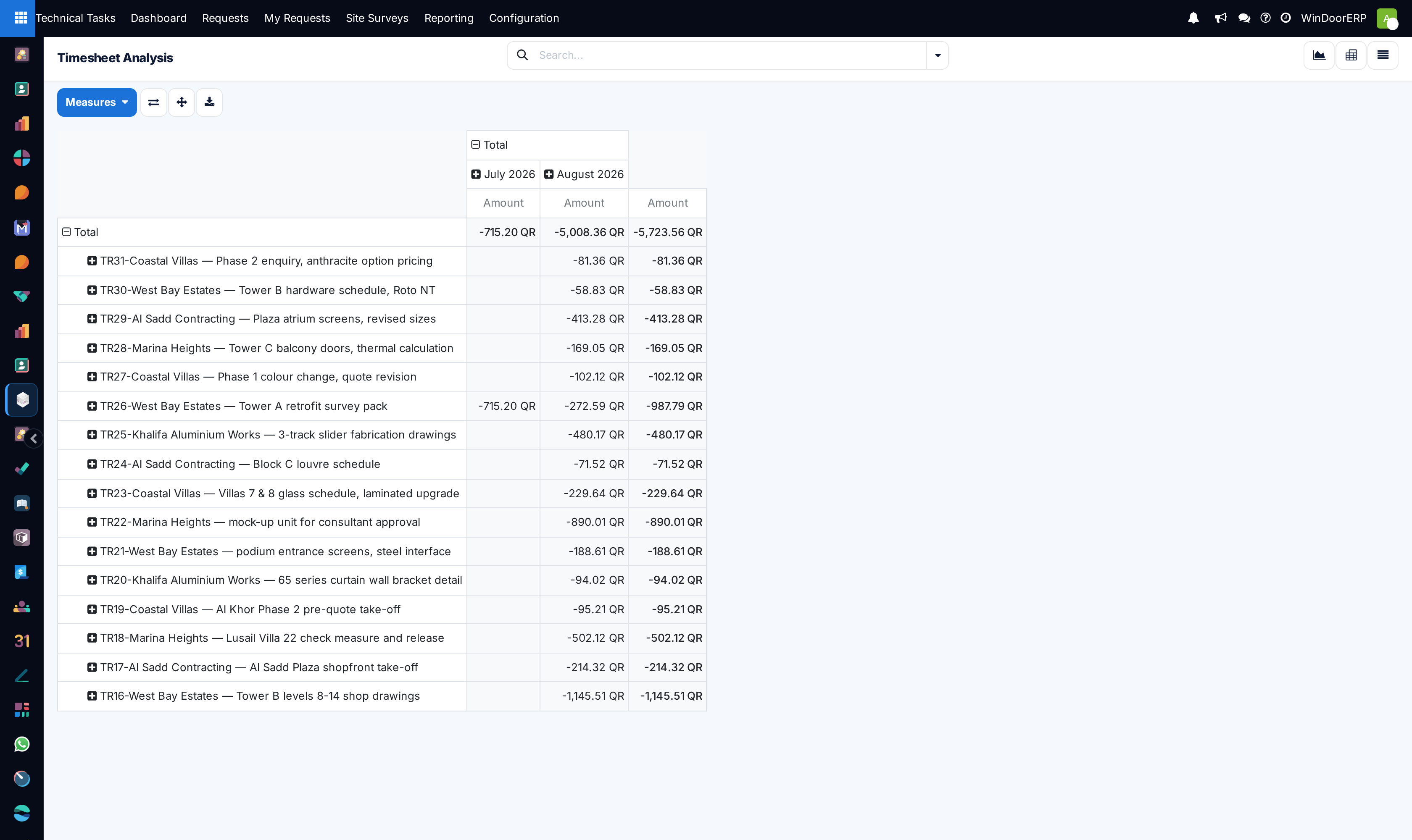
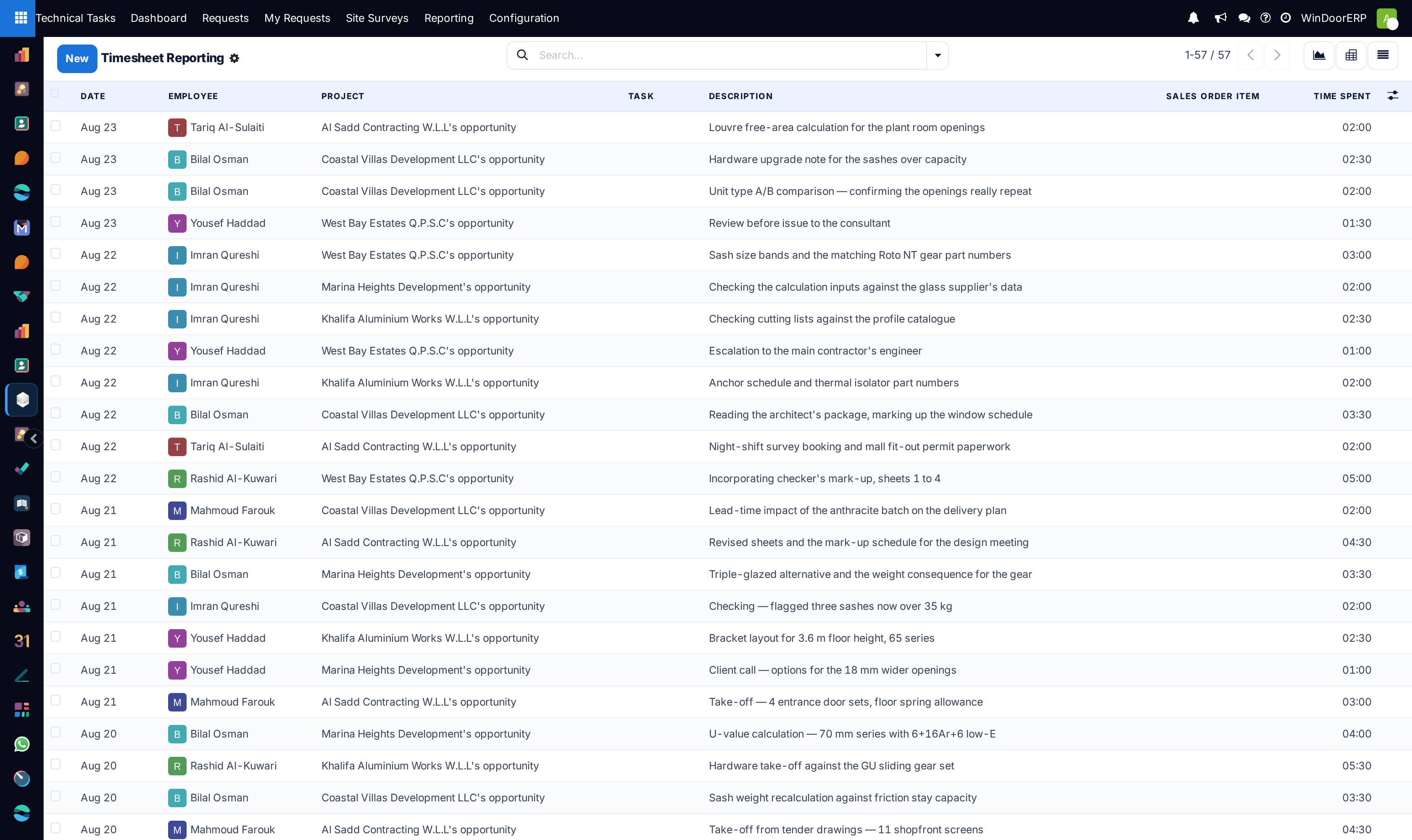
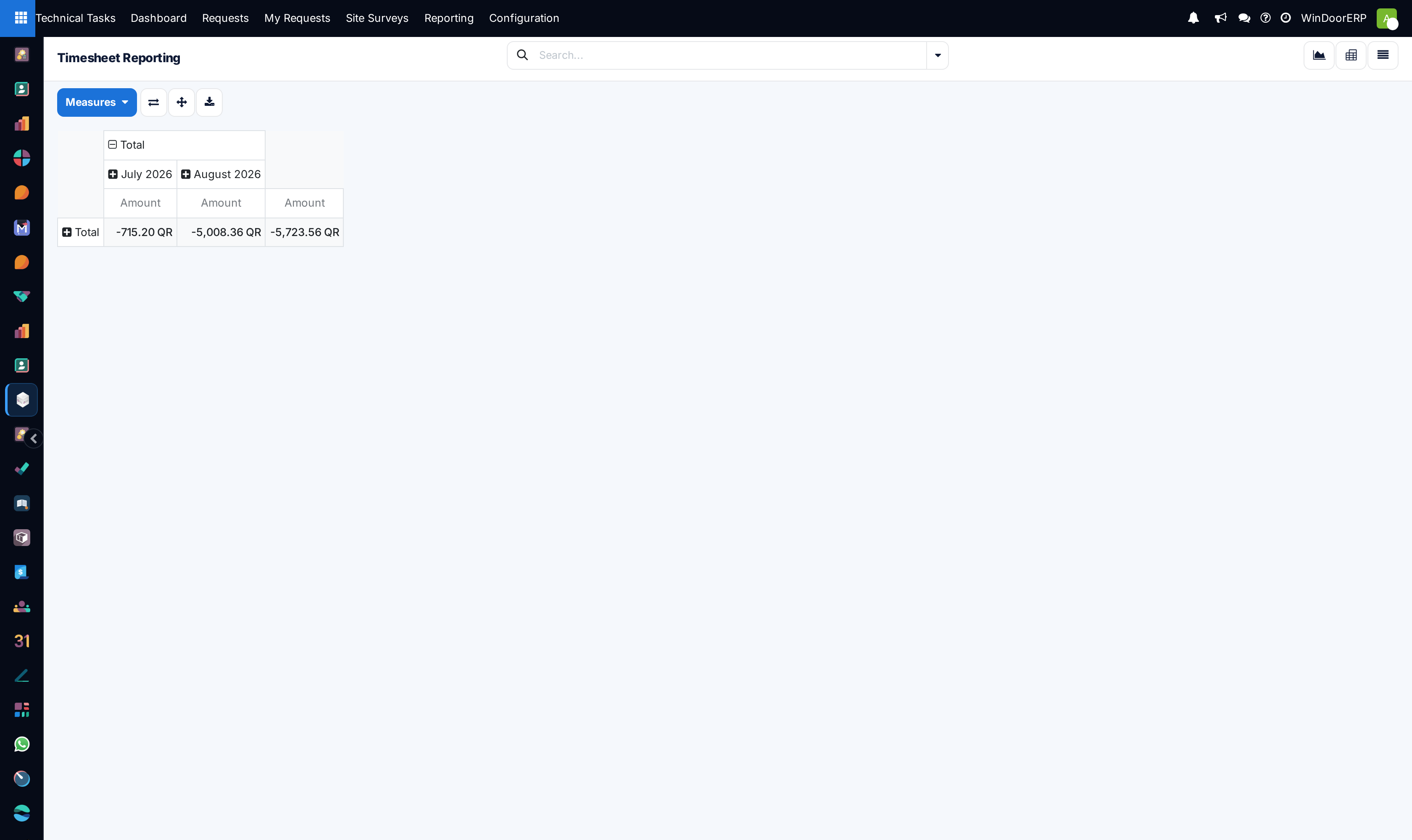
Explore Tasks Analysis, Timesheets, and Timesheets Analysis to evaluate actual drafting hours versus budget.
-
04
Reallocate urgent overdue drafting orders to available secondary engineers to clear bottlenecks.
Common mistakes
- Allowing overdue drafting requests to remain unassigned to lead engineering coordinators.
- Reviewing timesheets without cross-checking against produced CAD revision count.
Was this article helpful?
Thanks — your feedback helps.
Running a window or door factory?
Ask for a demo