Customize sales pipeline stages, probabilities, fold states, and automated milestone triggers
What this does
Tailors Kanban workflow columns to reflect your company's fenestration lifecycle (e.g. Qualification -> Site Measurement -> Elevation Drafting -> Quotation Sent -> Contract Awarded -> Won).
Before you start
- CRM Administrator privileges.
Steps

Important
Setting appropriate default probabilities ensures weighted sales forecast reports accurately reflect reality.
-
01
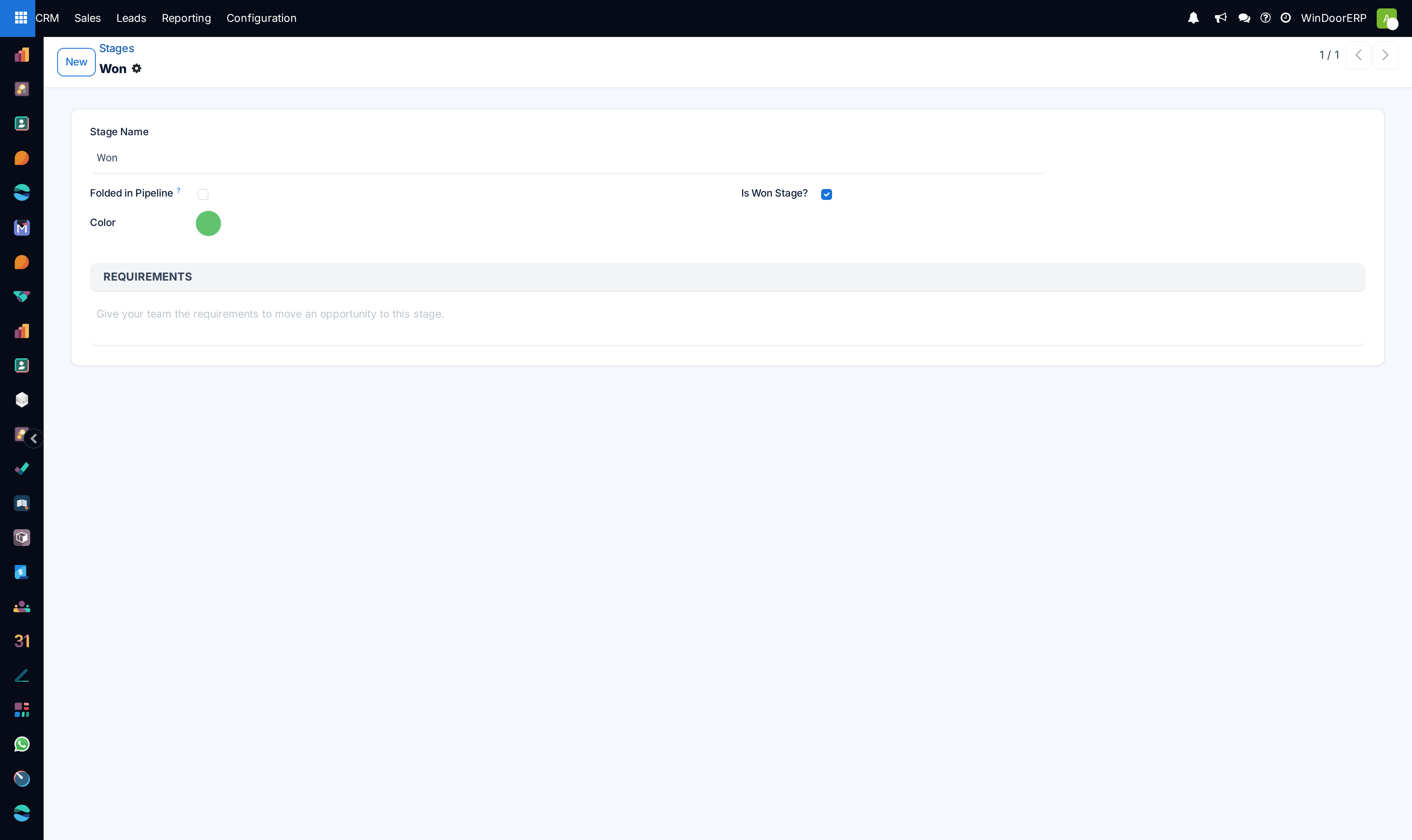
Open CRM › Configuration › Stages.
-
02
Click New or edit existing stages to adjust sequence and default Probability (%).
-
03
Enable Folded in Pipeline for completed or dormant stages (e.g. Won, On Hold).
-
04
Set Requirements to display guidance tooltips to sales reps (e.g. Requires signed laser survey before advancing to Drafting).
-
05
Assign stages to specific Sales Teams if residential and commercial divisions follow separate lifecycles.
Common mistakes
- Creating too many redundant stages (e.g. more than 7 stages), causing sales rep pipeline fatigue.
- Setting Won stage probability to anything other than 100%.
Was this article helpful?
Thanks — your feedback helps.
Running a window or door factory?
Ask for a demo