Enforce quotation validity deadlines and track expiration dates on the sales calendar
What this does
Safeguards manufacturing profit margins by establishing strict quotation expiration deadlines, preventing clients from locking in outdated pricing after major raw material market shifts.
Before you start
- Sales Representative access.
Steps
Important
Setting default validity days (e.g. 15 to 30 days) in Sales Settings automatically computes the Expiration Date for every new quotation created.
-
01
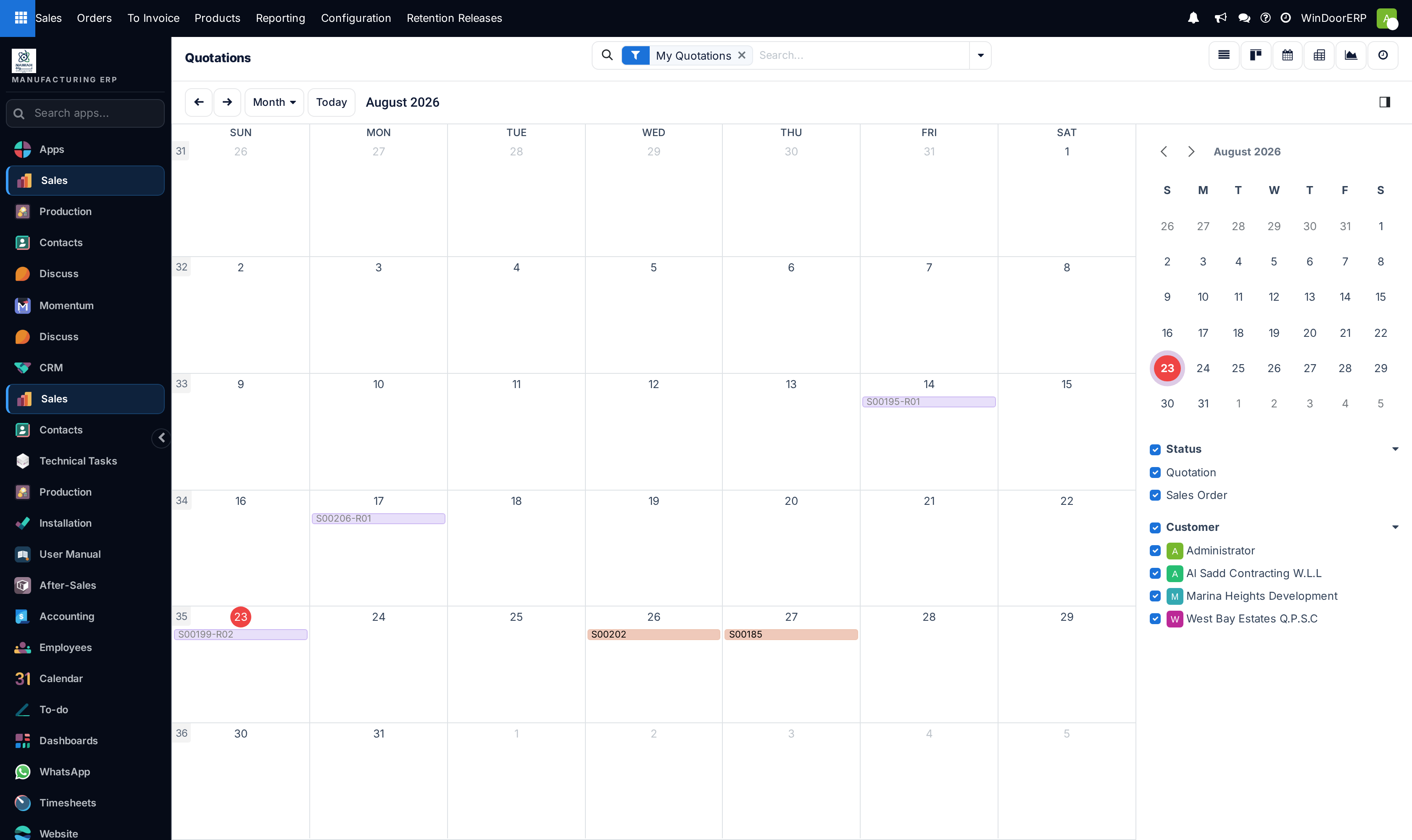
Open Sales › Orders › Quotations and switch to the Calendar view.
-
02
Inspect deals scheduled by their Expiration Date.
-
03
Proactively contact clients whose quotations are expiring within 7 days to negotiate contract confirmation before price increases.
-
04
If raw material costs rise before client confirmation, revise the quote and update the expiration date.
Common mistakes
- Leaving the Expiration Date empty, which legally obligates the company to honor obsolete pricing.
- Not warning customers before their quotation expires.
Was this article helpful?
Thanks — your feedback helps.
Running a window or door factory?
Ask for a demo