Define specialized sales activity types, reminder actions, and automated templates
What this does
Configures granular sales activity categories (e.g. Profile Sample Presentation, Contract Signing Meeting, Site Access Coordination) with default user assignments and automated email confirmations.
Before you start
- Sales Configuration privileges.
Steps

Important
Linking an email template automatically delivers calendar invitations and location details to customers when an appointment is scheduled.
-
01
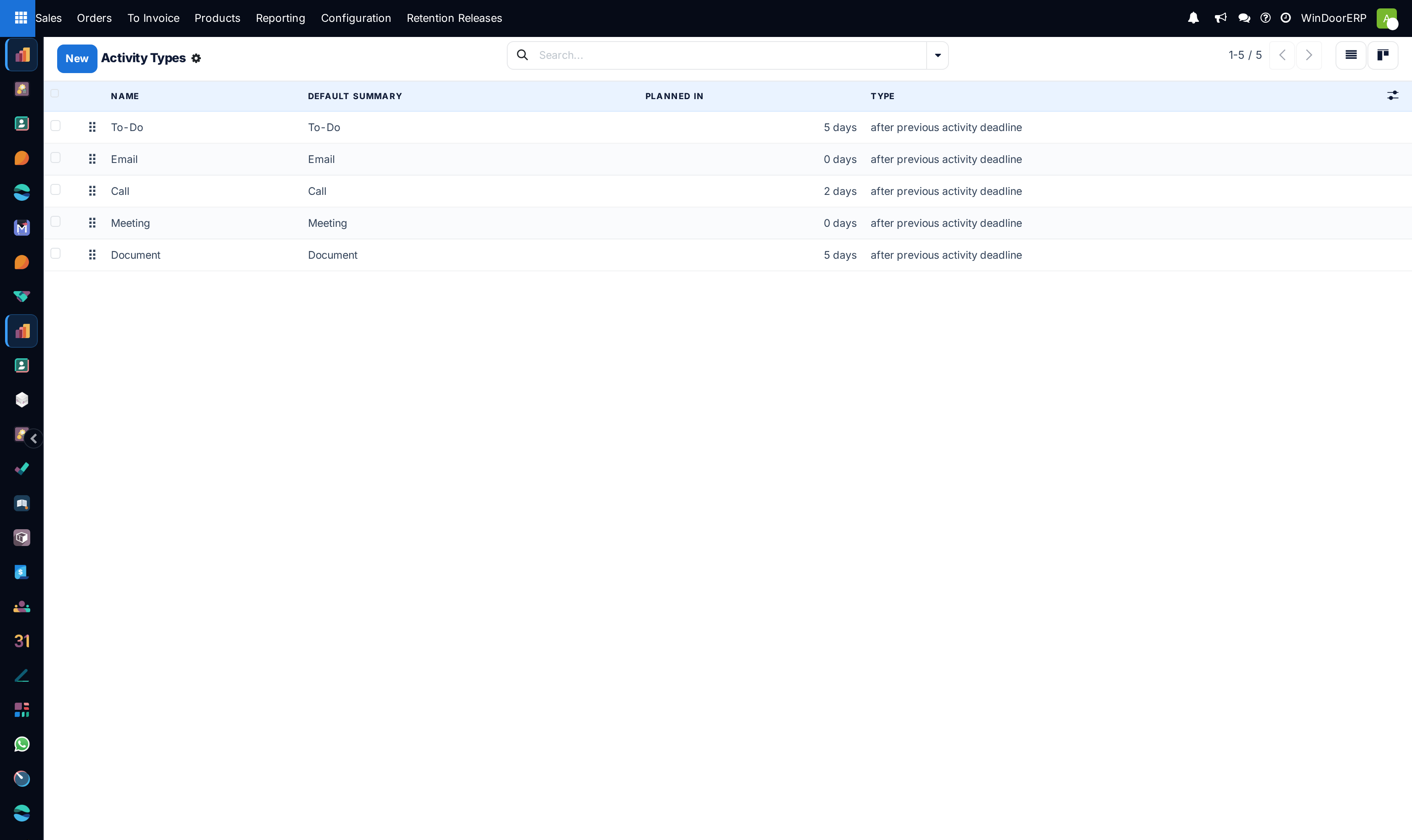
Open Sales › Configuration › Activity Types.
-
02
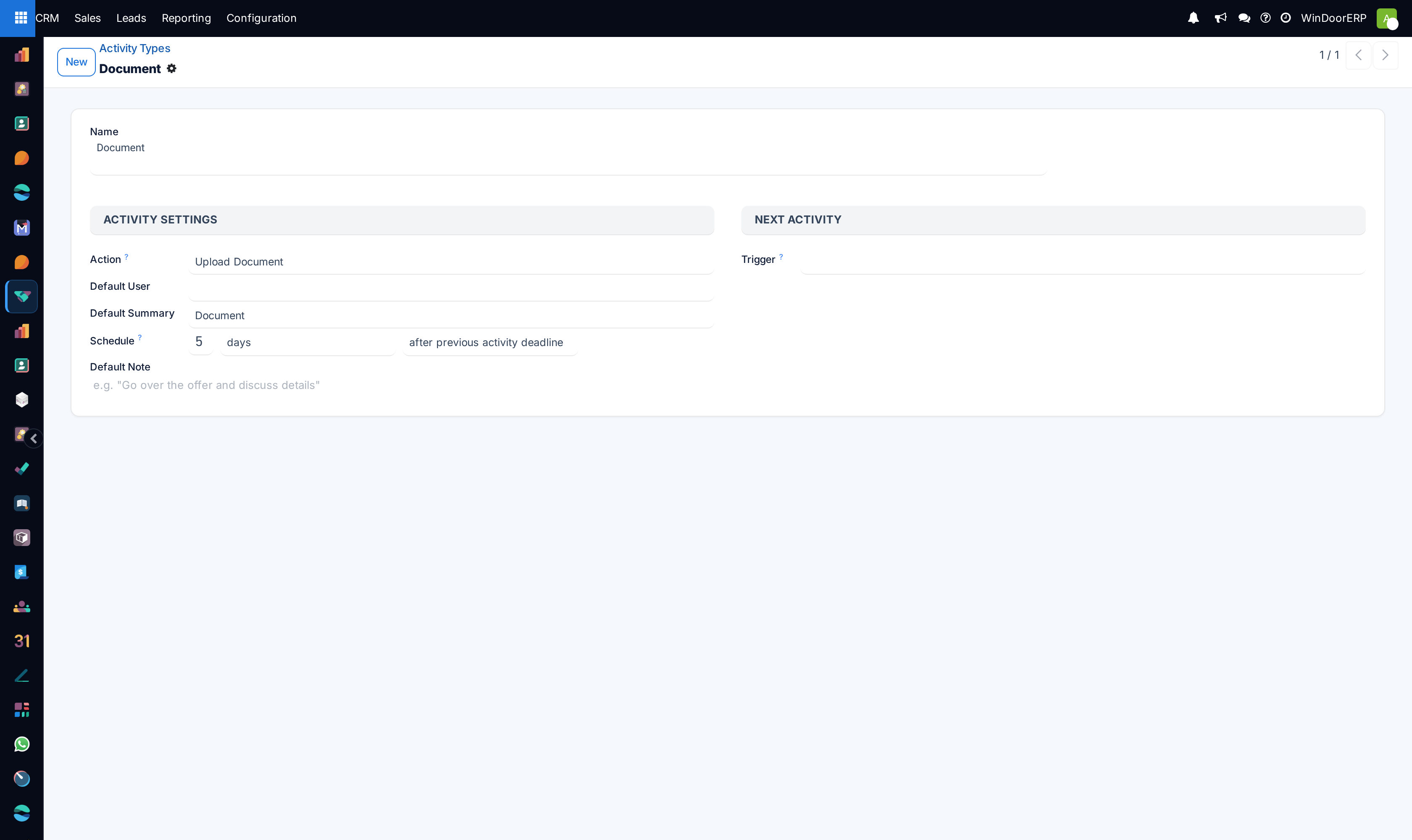
Define custom activities specific to fenestration sales operations.
-
03
Configure default delays, action triggers, and linked email templates.
Common mistakes
- Creating redundant activity types that duplicate generic system categories.
- Setting delays in hours instead of days.
Was this article helpful?
Thanks — your feedback helps.
Running a window or door factory?
Ask for a demo