Configure individual supply and movement rules
What this does
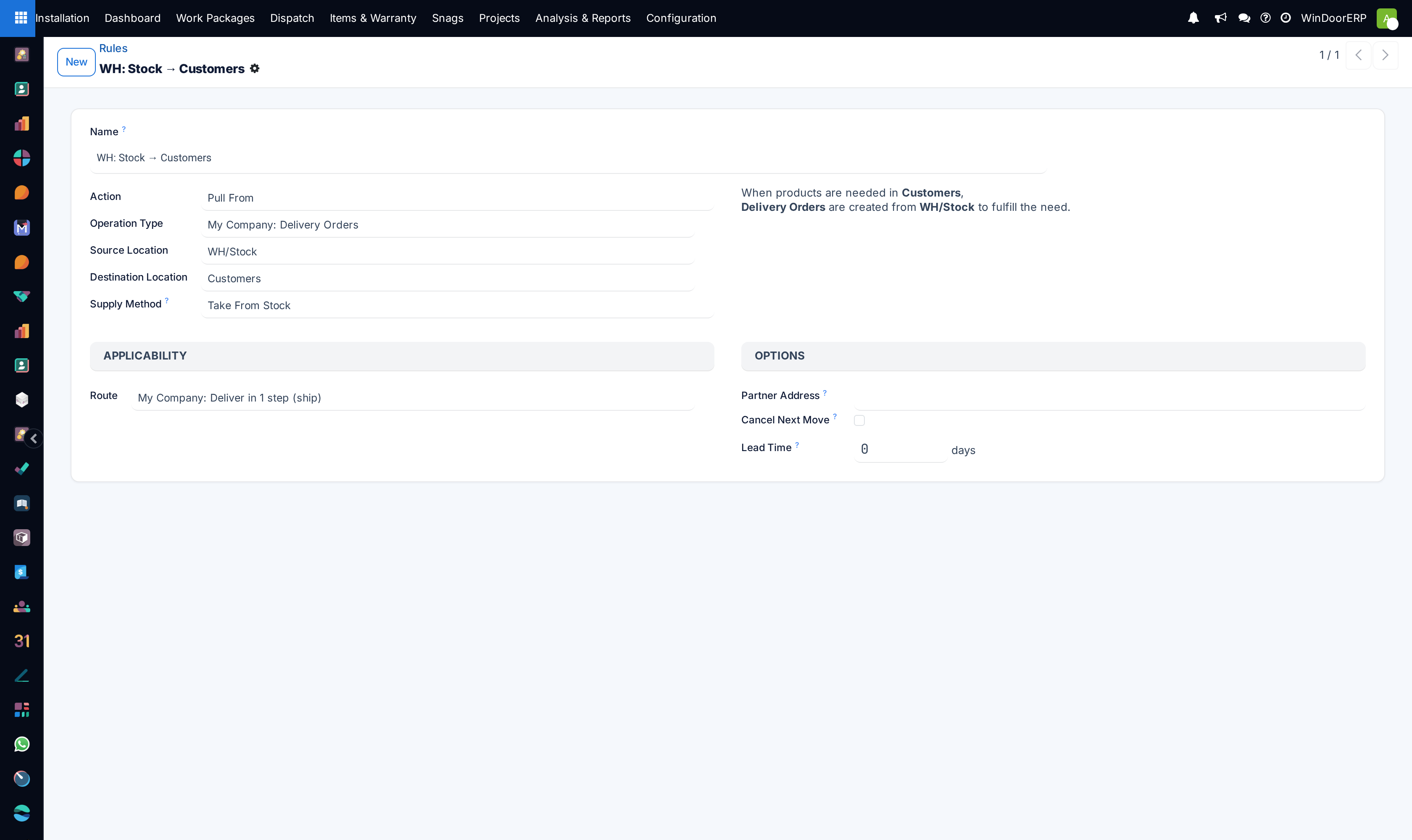
Defines the atomic push and pull building blocks of your warehouse routes. Each rule dictates what action is taken when stock is needed in a location — such as pulling profiles from raw material racks into the cutting station or pushing completed window assemblies to the crating area.
Before you start
- Identify the exact source location, destination location, and operation type required for the rule.
- Understand the Action type: Pull From (demand-driven), Push To (triggered automatically upon arrival), or Manufacture.
Steps
-
01
Open Inventory › Configuration › Warehouse Management › Rules.
-
02
Click New to create a rule.
-
03
Select the Action (e.g.
Pull From). -
04
Specify the Operation Type used to execute the move (e.g.
Internal Transfers). -
05
Set the Source Location (e.g.
WH/Stock/Profiles) and Destination Location (e.g.WH/Cutting-Staging). -
06
Assign the rule to its parent Route.
-
07
Click Save.
Common mistakes
- Creating circular rules (e.g. Location A pulling from Location B while Location B pulls from Location A).
- Specifying an incompatible operation type whose default source does not match the rule.
Was this article helpful?
Thanks — your feedback helps.
Running a window or door factory?
Ask for a demo