Configure barcode label templates and productivity loss reason categories
What this does
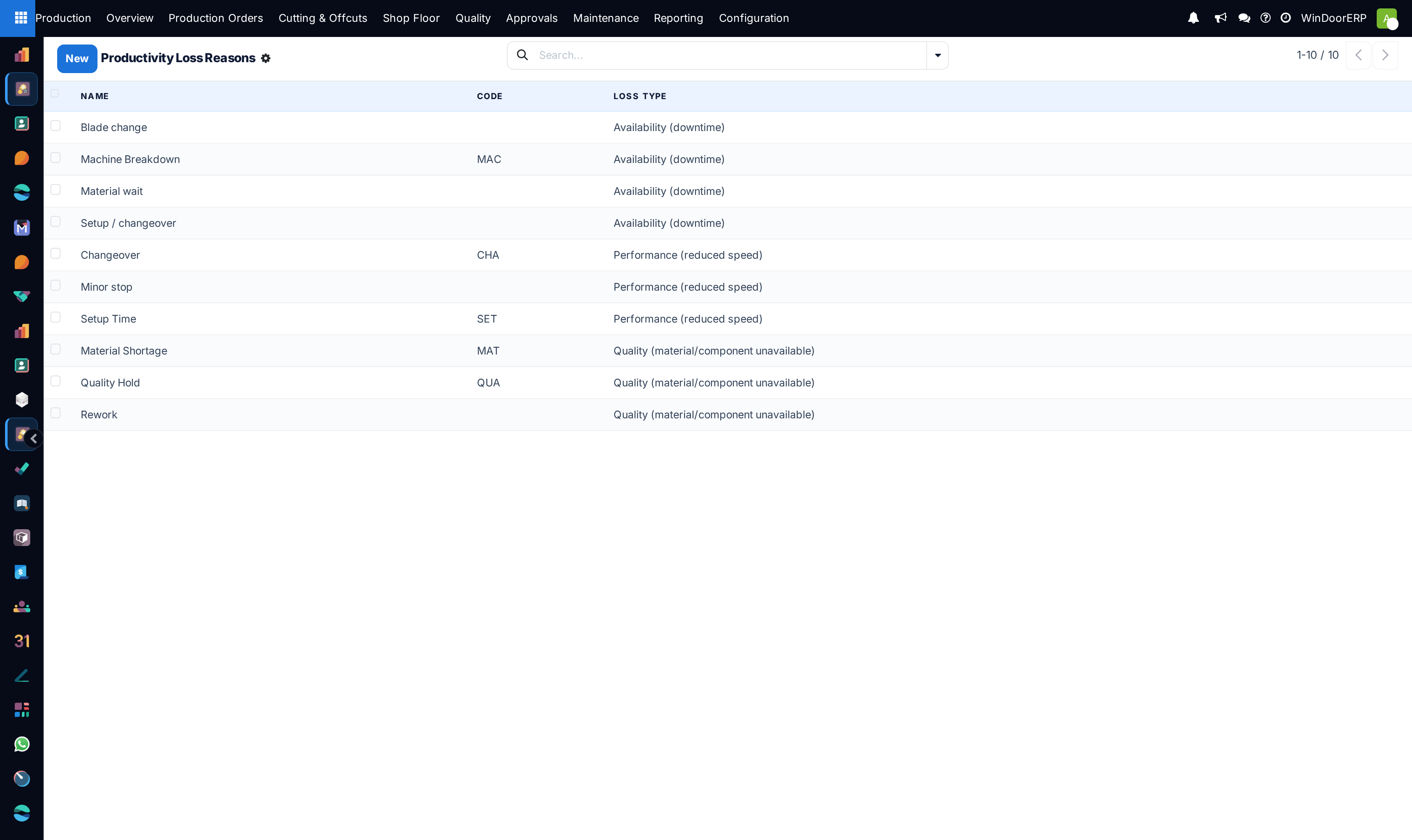
Standardizes ZPL barcode label designs for cut profiles and serialized frames, while categorizing downtime causes (Material Waiting, Power Outage, Tool Defect) for Lean OEE analysis.
Before you start
- Access to Production Configuration menus.
Steps
Important
Structured productivity loss reasons pinpoint whether factory bottlenecks stem from internal machine maintenance issues or external raw material supplier delays.
-
01
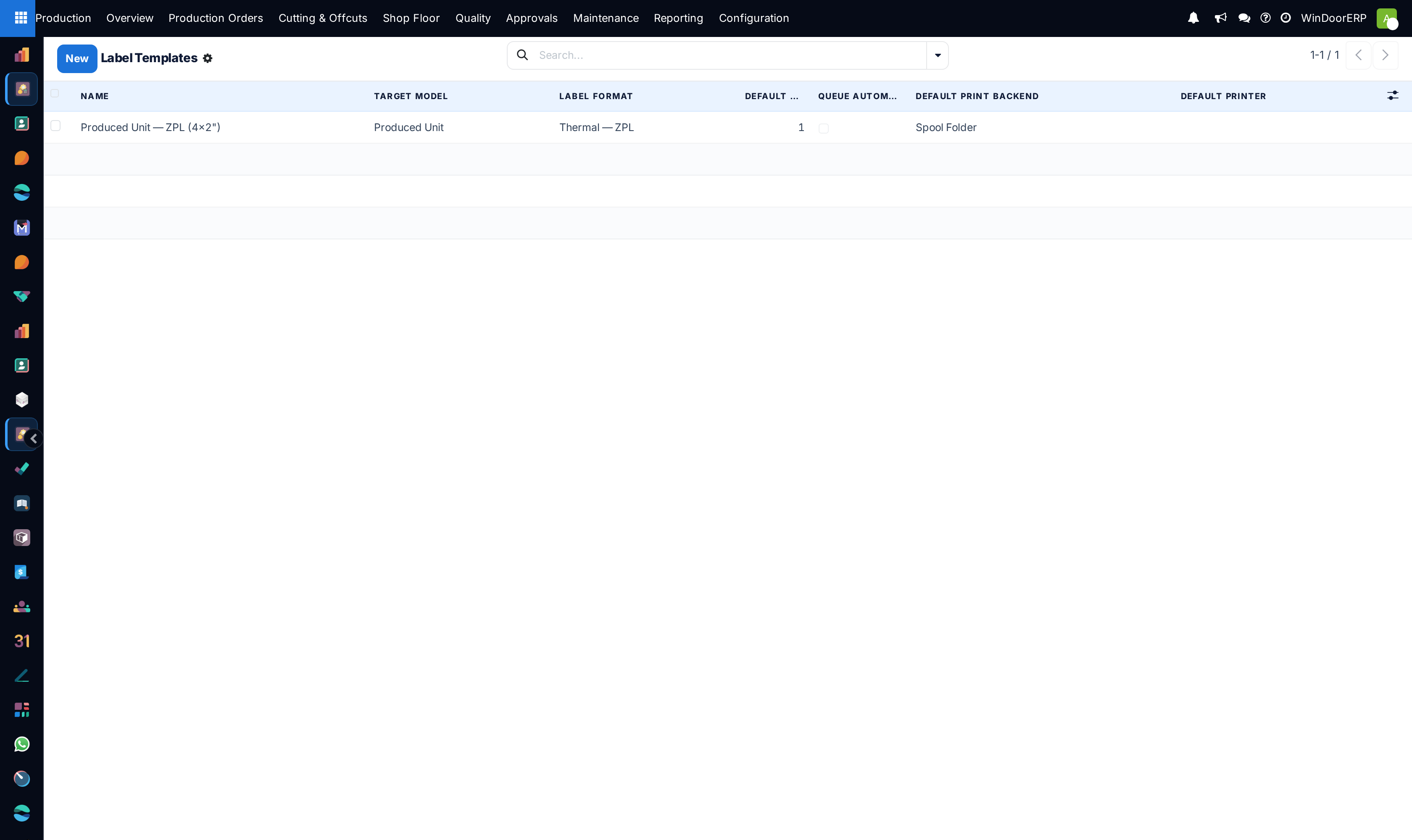
Go to Production › Configuration › Label Templates.
-
02
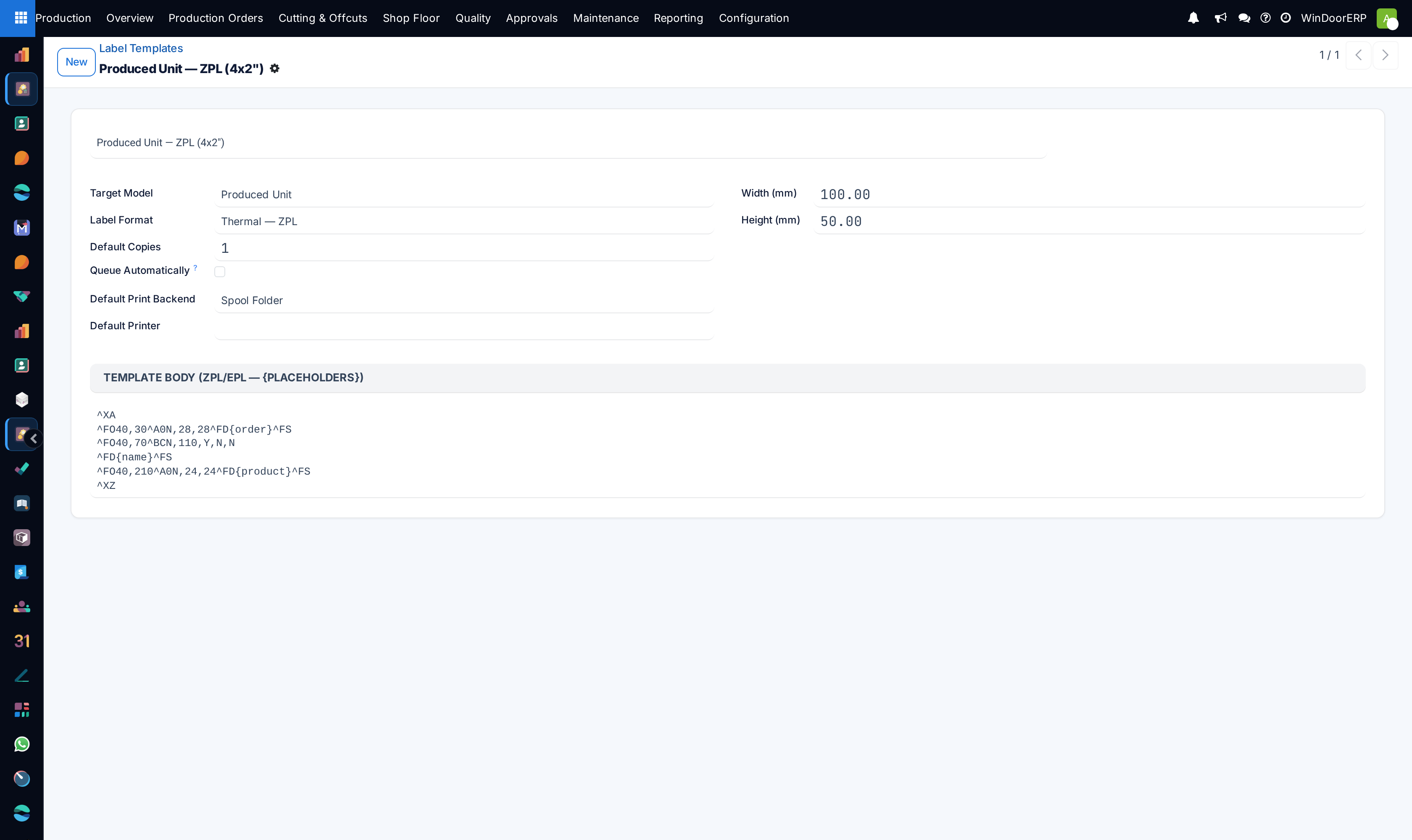
Design label layouts embedding dynamic placeholders (Order Number, Customer Name, Dimensions WxH, Barcode, Angle 1/2).
-
03
Navigate to Productivity Loss Reasons to define standardized downtime tags.
-
04
When operators pause work orders, require selection of an approved loss reason code.
Common mistakes
- Using hardcoded fixed text on label templates instead of dynamic database fields.
- Allowing generic 'Other' as a catch-all downtime category without mandatory explanation notes.
Was this article helpful?
Thanks — your feedback helps.
Running a window or door factory?
Ask for a demo