Measure standard vs actual labour hours, machine downtime, and operator efficiency
What this does
Compares planned standard fabrication routing times against logged actual operator hours, highlighting labor variances and station bottlenecks.
Before you start
- Labour logs recorded across operations.
Steps
Important
Consistent positive labor variances on corner crimping indicate skilled assembly efficiency, whereas negative variances on glazing indicate sealant handling delays.
-
01
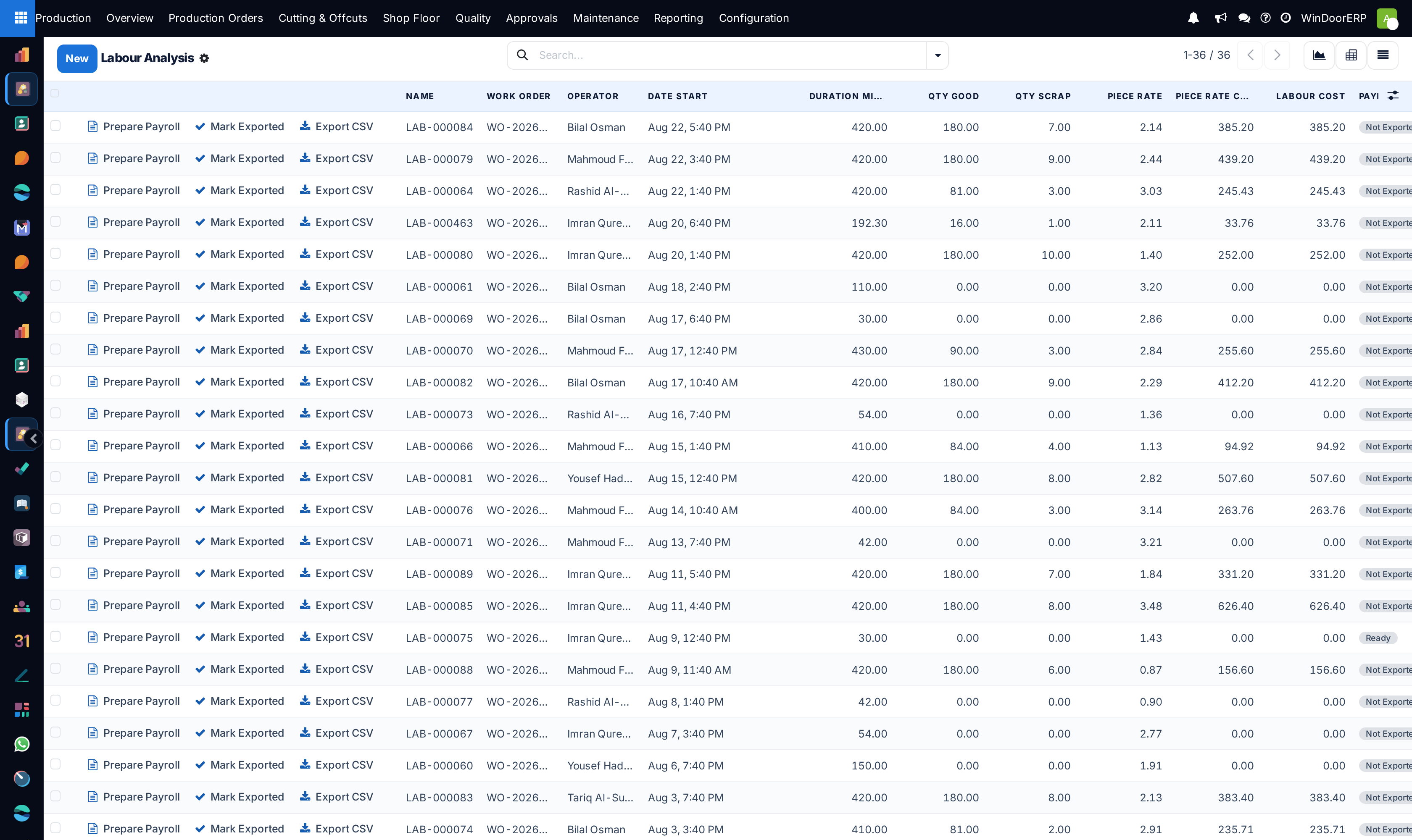
Navigate to Production › Reporting › Labour.
-
02
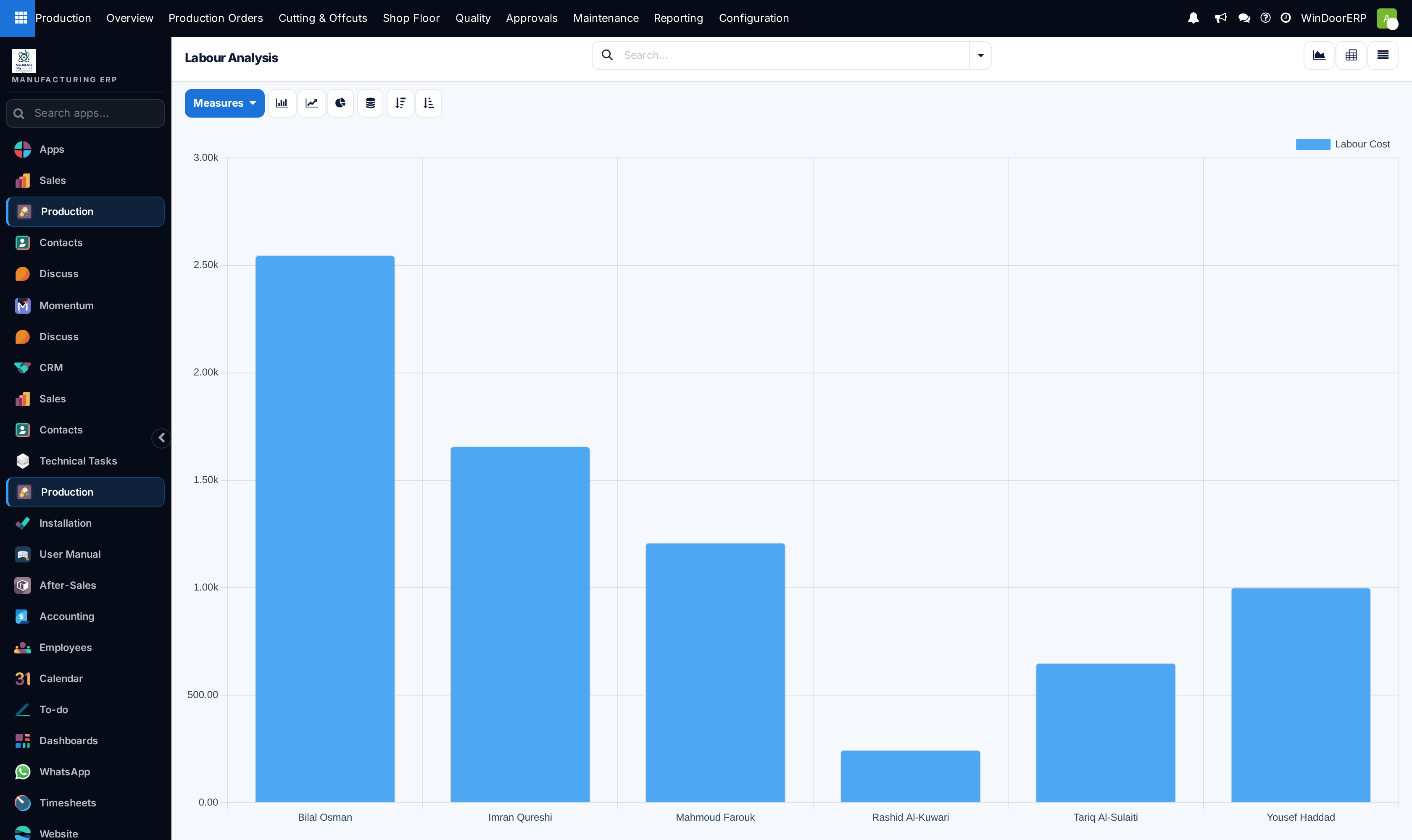
Review the graphical comparison of planned versus actual duration across work centers.
-
03
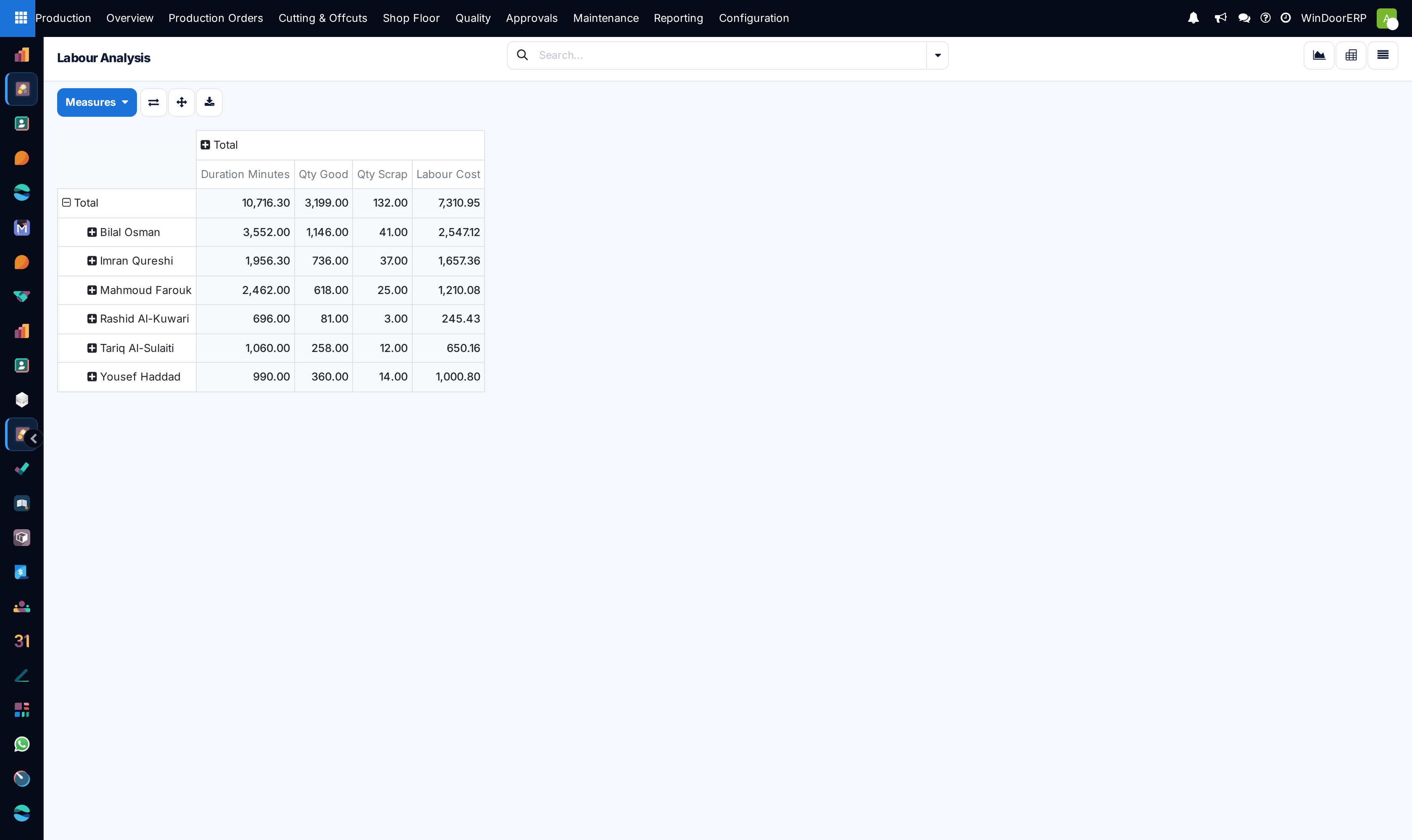
Switch to the Pivot view to calculate labor variance percentages by technician and product line.
-
04
Investigate operations with > 20% negative labor variances to recalibrate BOM routing standards or re-train staff.
Common mistakes
- Blaming operators for labor variances caused by blunt saw blades or malfunctioning CNC air clamps.
- Ignoring setup time spikes during frequent profile color changeovers.
Was this article helpful?
Thanks — your feedback helps.
Running a window or door factory?
Ask for a demo