Track and execute manufacturing orders (MOs) for window and door openings
What this does
Manages individual and grouped fabrication orders, reserving aluminium profiles, glass units, gaskets, and hardware before releasing to the floor.
Before you start
- Sales orders confirmed or custom window unit designs calculated.
Steps
Important
Always verify that architectural surveys have locked final opening dimensions before clicking 'Confirm' on manufacturing orders.
-
01
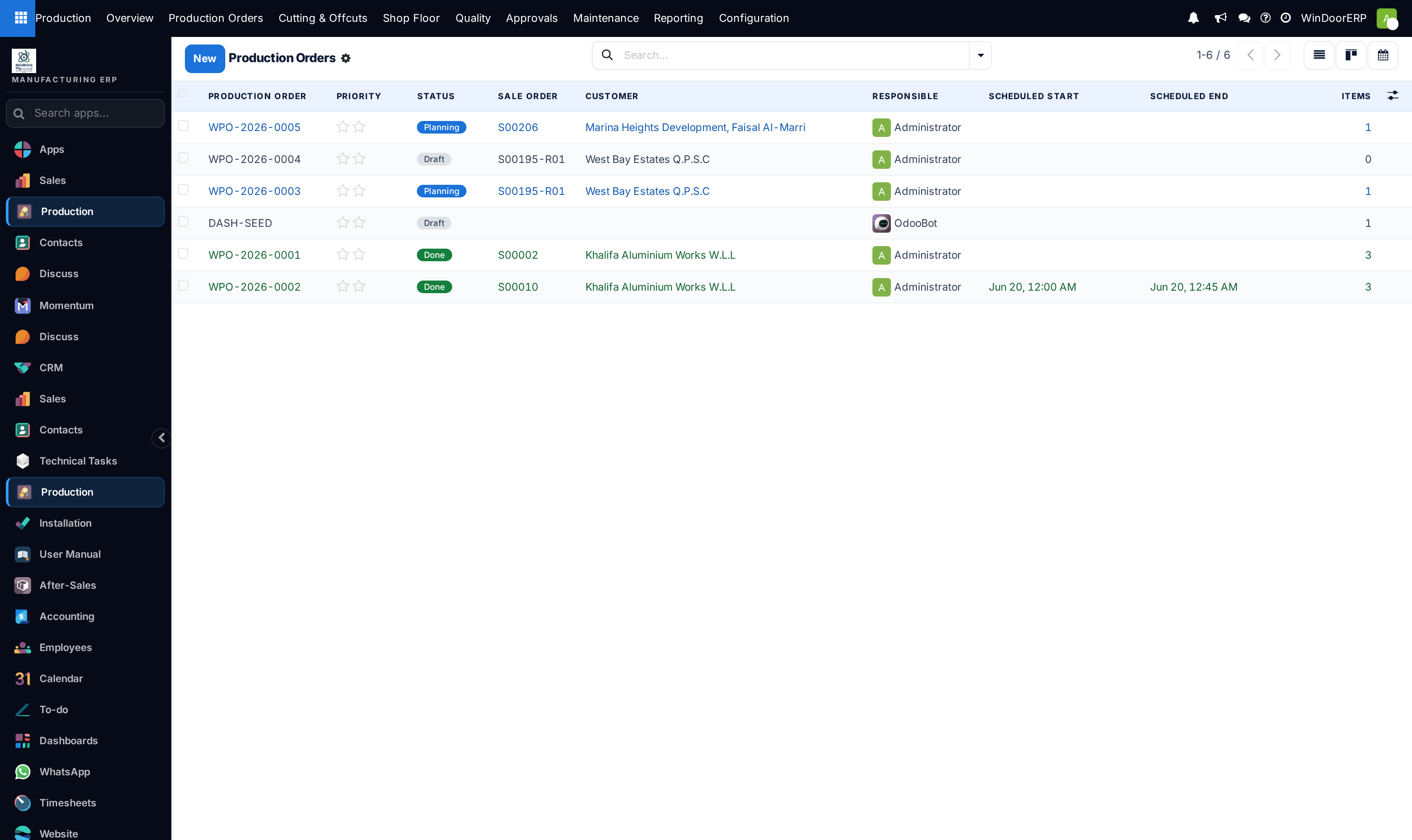
Open Production › Manufacturing Orders to view all released production jobs.
-
02
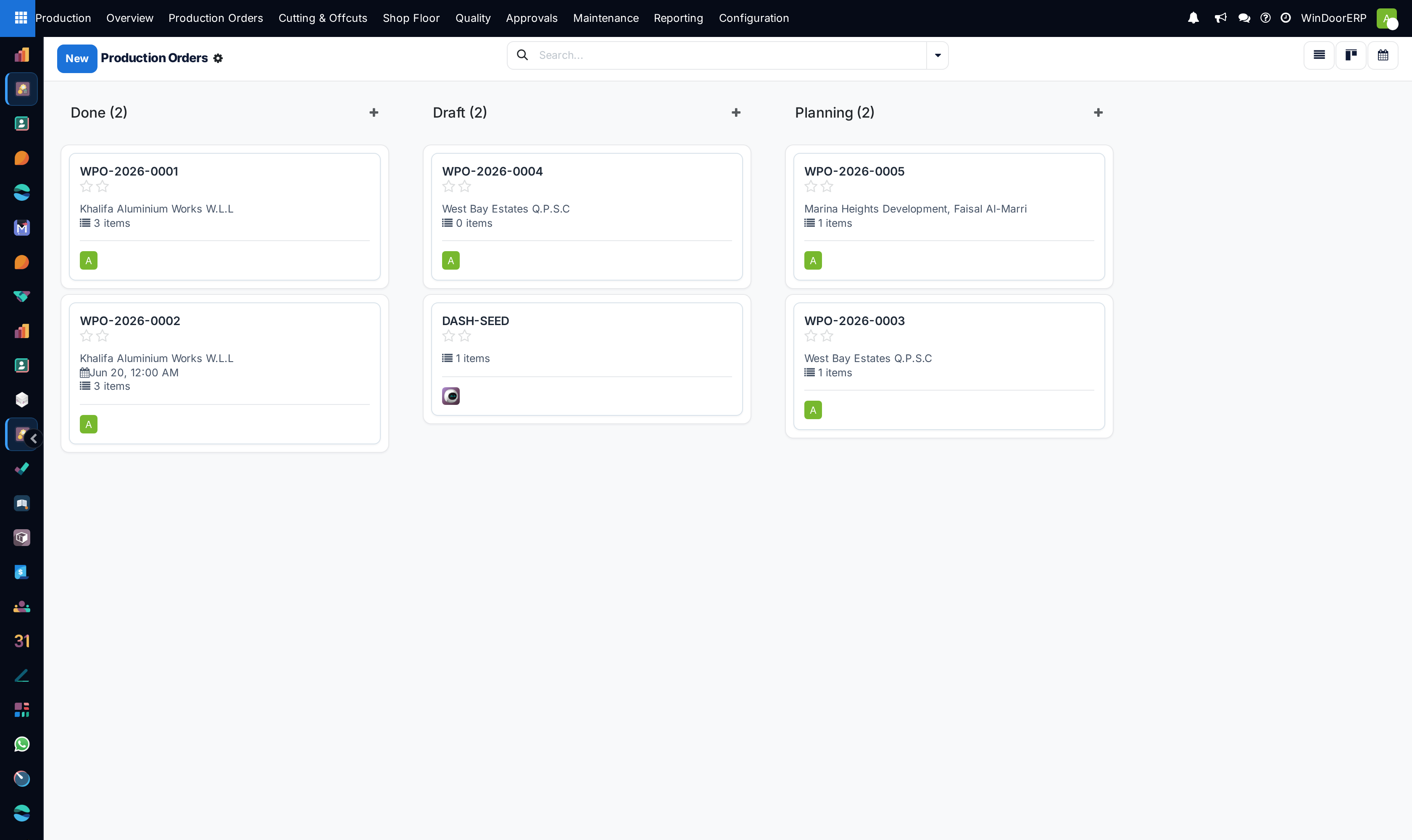
Switch between List and Kanban views to filter orders by status (Draft, Confirmed, In Progress, Done).
-
03
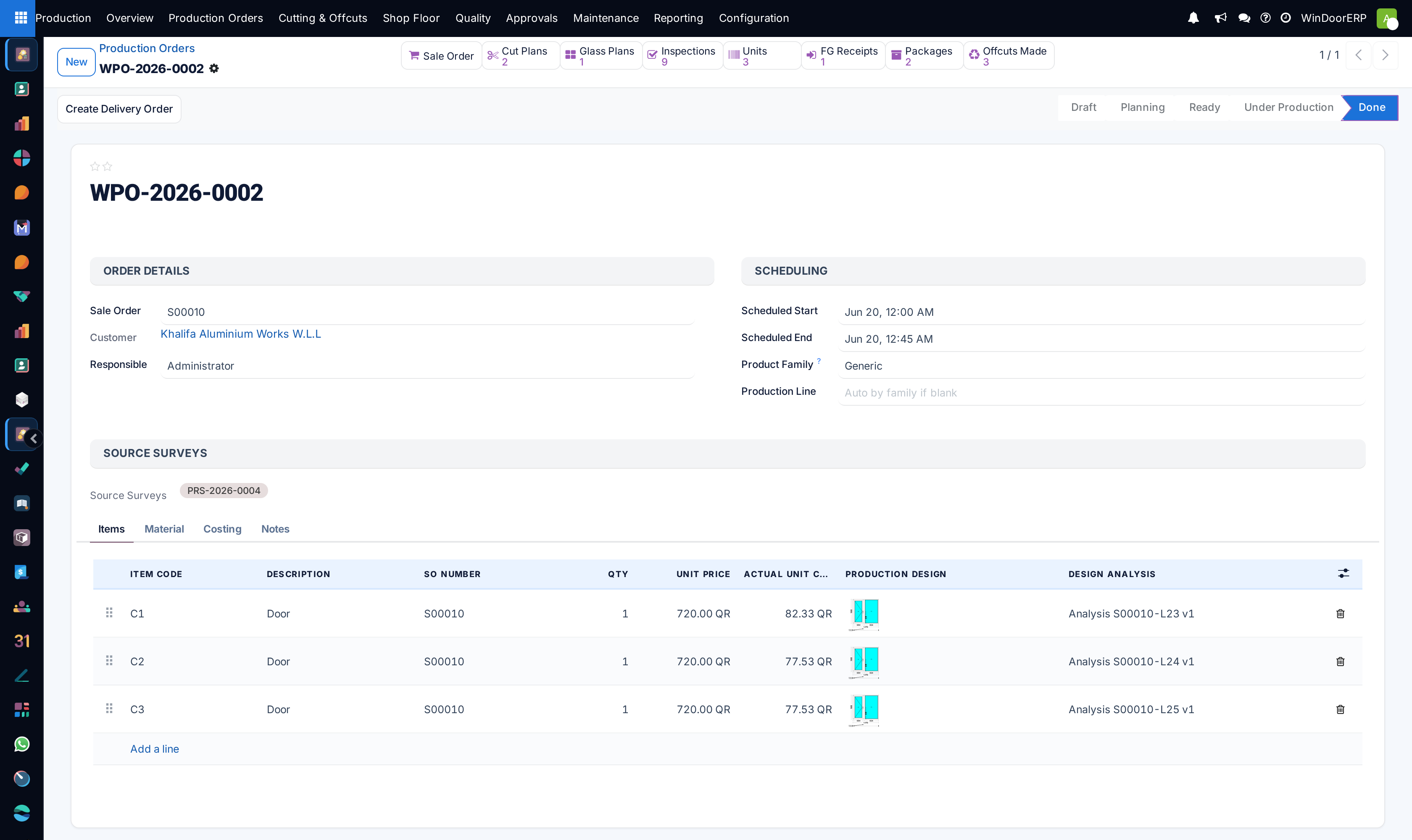
Click into any MO to inspect the Bill of Materials (BOM), opening dimensions (W x H), profile color, and glass specs.
-
04
Click Check Availability to reserve warehouse extrusions and hardware packages.
-
05
Click Produce or mark work orders completed as fabrication progresses.
Common mistakes
- Releasing orders to cutting before confirming that custom RAL powder-coated extrusions are in stock.
- Editing design dimensions on confirmed manufacturing orders without generating a revised cutting list.
Was this article helpful?
Thanks — your feedback helps.
Running a window or door factory?
Ask for a demo