Check the site and the customer
Service tickets and first response
Why this step
After-sales is where repeat business is won or lost, and first-response time is the number customers actually feel. Watch it alongside satisfaction rather than ticket volume.
What this does
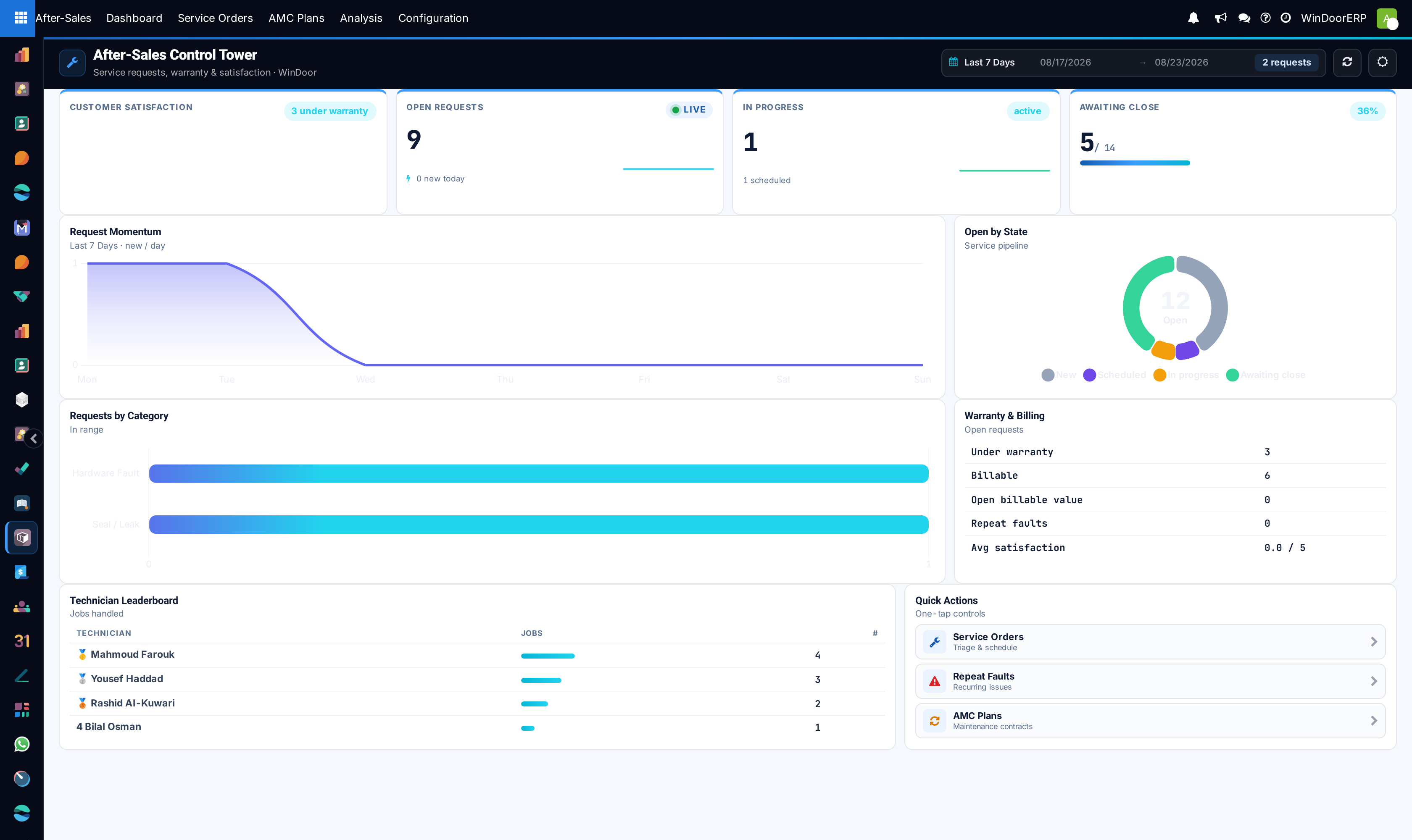
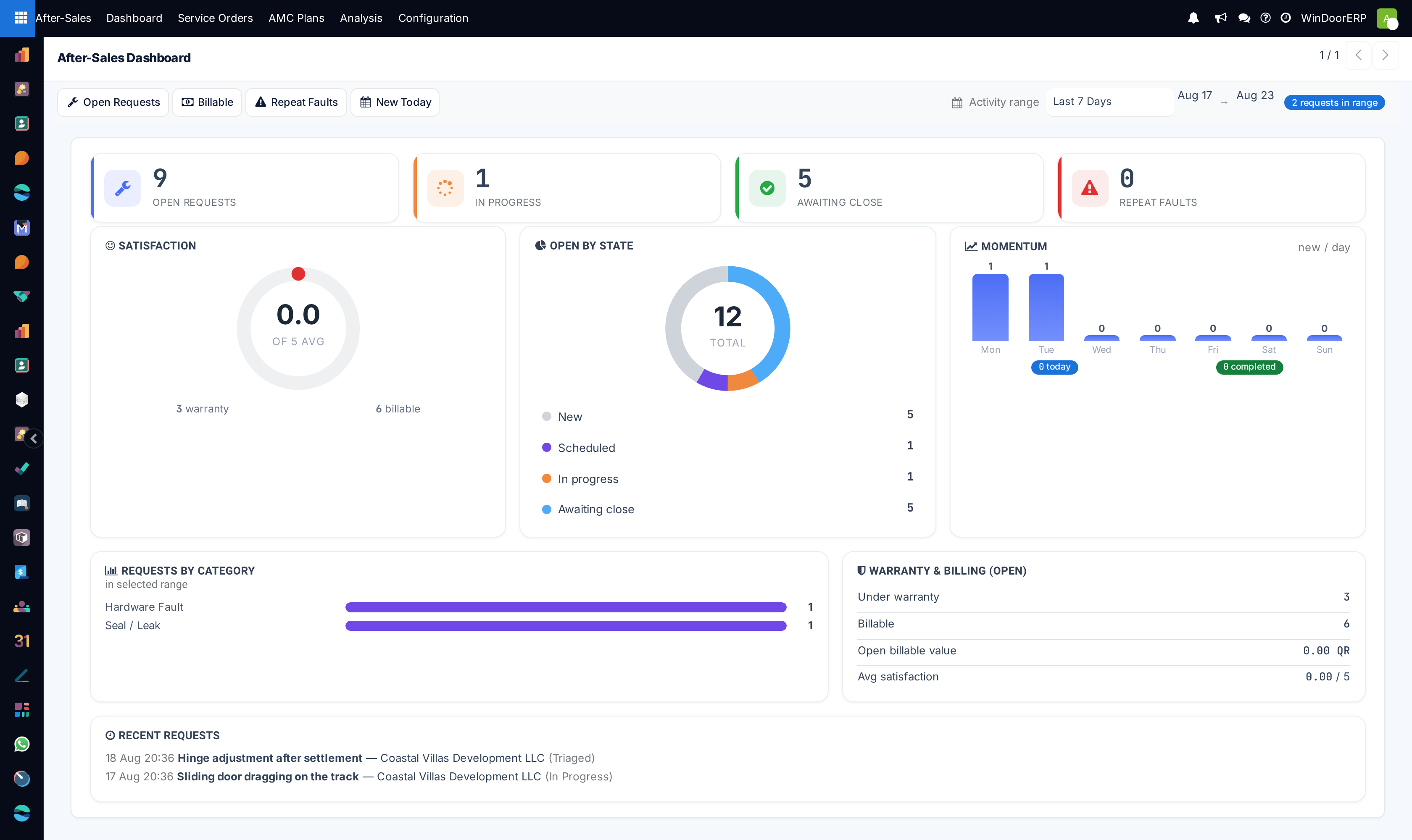
Provides a real-time overview of active customer maintenance tickets, warranty claim validations, pending technician dispatches, and SLA adherence.
Before you start
- Customer warranty certificates registered or active service orders logged.
Steps
Important
Resolving emergency service requests (e.g. Broken Lock on Main Villa Entrance) within 4 hours protects company brand reputation.
-
01
Open After-Sales › Dashboard (or Classic Dashboard).
-
02
Review key indicators: Open Service Tickets, Average First-Response Hours, Warranty Ratio, and CSAT Rating.
-
03
Filter by Issue Category (Water Leakage, Hardware Stiff, Glass Crack, Motor Failure) to spot recurring technical trends.
Common mistakes
- Ignoring escalated SLA breach alerts on the dashboard.
- Closing tickets before receiving digital customer satisfaction ratings.
Checkpoint
You can say how long a customer currently waits for a first reply, and whether that is getting better.