Tag opportunities and define recurring revenue plans
What this does
Two small configuration screens that shape how opportunities are classified and how repeating income is described. Tags are free labels you attach to a deal and then filter, group and report on. Recurring Plans are named periods — Monthly, Yearly, Over 3 years — that turn a repeating amount on a deal into a monthly figure.
Neither screen changes a price. A tag carries no logic at all; a recurring plan carries only a number of months, which is used as a divisor.
Before you start
- Sales administrator rights for both screens.
- Recurring Plans only appears in the menu once Recurring Revenues is switched on in CRM › Configuration › Settings.
Steps
-
01
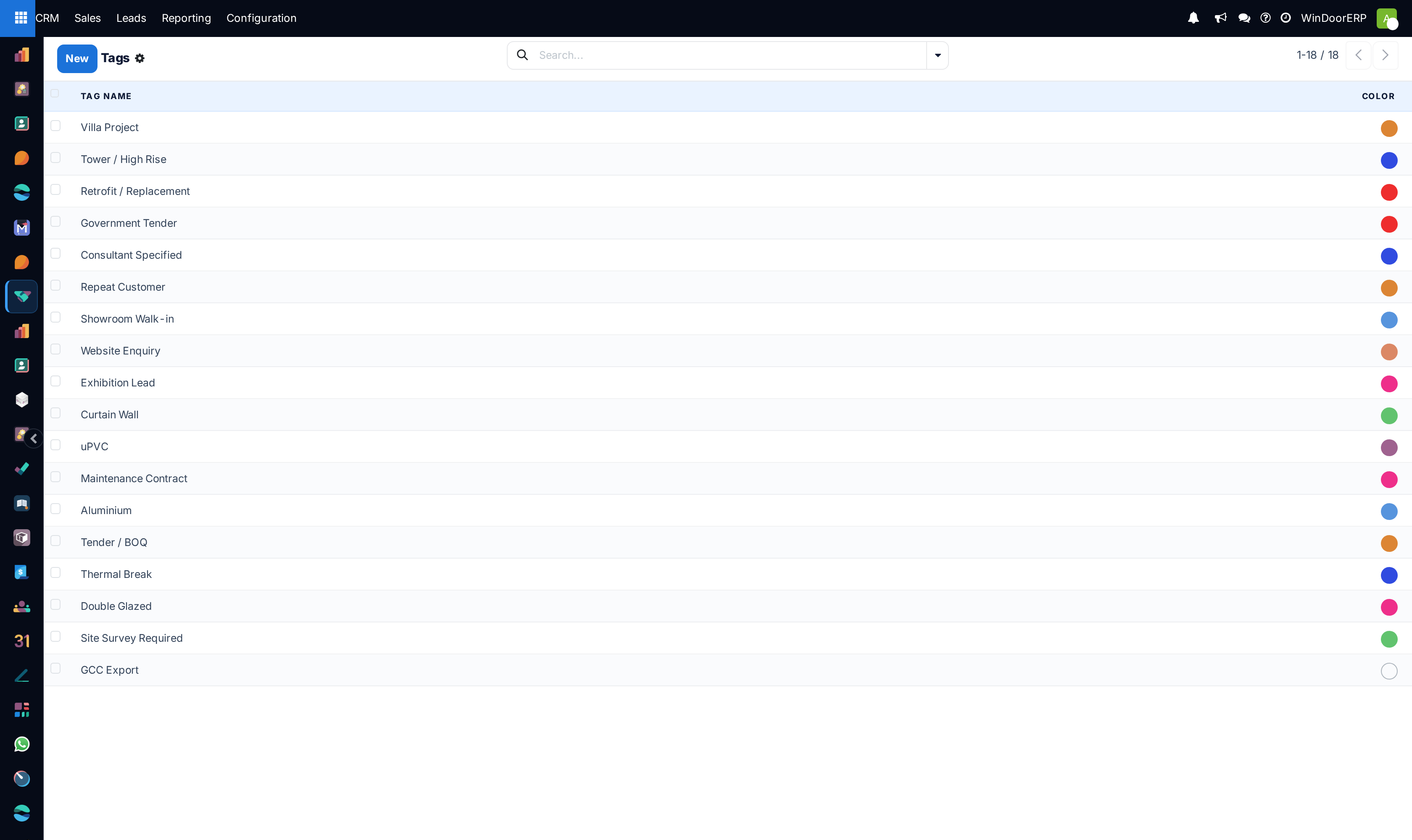
Open CRM › Configuration › Pipeline › Tags. The list is editable in place — click the empty row at the bottom, type a Tag Name, press Enter.
-
02
Check the existing tags before adding one. Tag names must be unique, but the check is exact-match only and will not stop a near-duplicate.
-
03
To use recurring plans, open CRM › Configuration › Settings, tick Recurring Revenues and save. A Manage Recurring Plans link appears beside the switch.
-
04
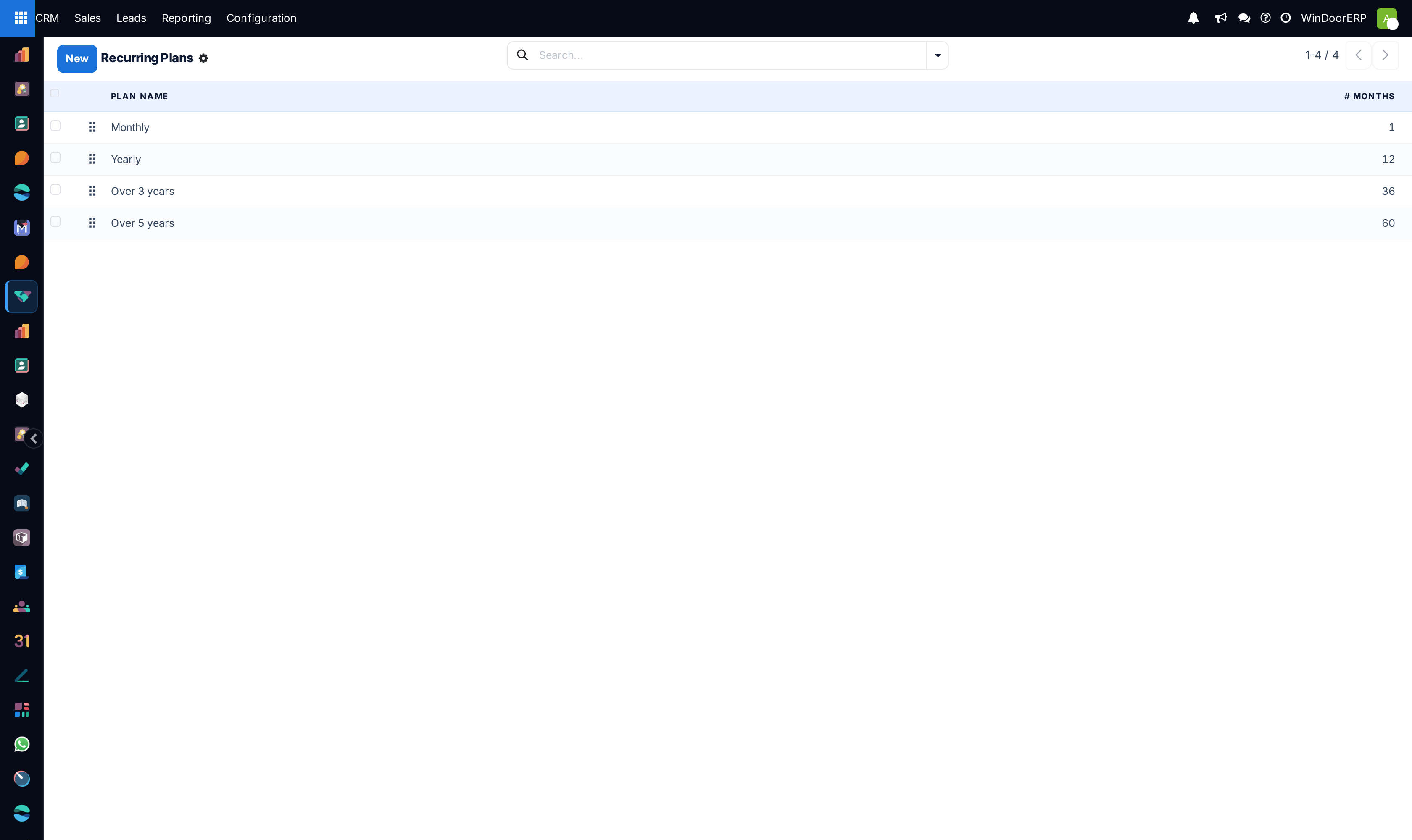
Open CRM › Configuration › Recurring Plans. Type a Plan Name and the # Months it spans, and drag the handle to order the list.
-
05
On an opportunity, enter the repeating amount in Recurring Revenues and pick the Recurring Plan next to it. The plan becomes mandatory as soon as the amount is not zero.
The Tags screen
| Tag Name | Required, translated, and unique. The uniqueness check compares the whole string exactly — Tower / High Rise and Tower / High-Rise are two different tags as far as WindoorERP is concerned, and both will be accepted. |
|---|---|
| Color | Assigned at random from eleven colours when the tag is created. Change it from the tag's colour picker; nothing depends on it. |
Tags are shared with the rest of the sales chain — the same catalogue is used on sales orders and on lead mining requests, so a tag created here is not private to the pipeline.
Where tags actually do something
On the pipeline they are visible on every card, and they can be used to filter and to group in the search panel and in Pipeline Analysis.
Less obviously, tags are one of the variables predictive lead scoring learns from — the shipped scoring configuration includes them. A tag that is used consistently helps the engine; two spellings of the same tag split the evidence between them and help it less.
A tag is a label, not a rule. It does not restrict who sees the deal, does not change routing, and does not affect price.
The Recurring Plans screen
| Sequence | The drag handle. Sets the order the plans are offered in. |
|---|---|
| Plan Name | Required and translated. This is only a label — the maths comes from the months. |
| # Months | Required. Must be zero or greater; a negative value is refused with The number of month can't be negative. |
| Active | No column on the list. Archive a plan from ⚙ Actions › Archive; the Archived search filter brings it back into view. |
There is no form view for a plan. Everything is typed straight into the list, which is editable in place. WindoorERP ships four plans — Monthly (1), Yearly (12), Over 3 years (36), Over 5 years (60).
How the plan is used on a deal
The plan turns the amount into a monthly figure by simple division: the recurring amount divided by the plan's number of months gives the Expected MRR stored on the deal. A plan with zero months is treated as one month, so the amount passes through unchanged.
Two further figures follow from it. Prorated MRR is the monthly figure multiplied by the deal's probability, and Prorated Recurring Revenues is the full amount multiplied by the probability. These are what the pipeline's column totals and the forecast use, which is why a recurring deal contributes its weighted monthly value rather than its headline amount.
Duplicating an opportunity clears both the recurring amount and the plan unless the user has the Recurring Revenues group — a copy never silently inherits a contract value.
Troubleshooting
| The Recurring Plans menu is missing | Recurring Revenues is off in Settings. Switch it on and save. |
|---|---|
| The recurring fields are missing on the opportunity | Same cause — the fields belong to the Recurring Revenues group and are hidden without it. |
| The deal will not save | A recurring amount was entered without a plan. The plan is required whenever the amount is not zero. |
| "Tag name already exists!" | An identical tag is already there, possibly archived. Search before creating. |
| Reporting splits one category over two rows | Two tags differ by a space, a hyphen or a plural. Merge them by re-tagging the deals, then delete the loser. |
| Expected MRR is not what was expected | Check the plan's # Months. The monthly figure is the amount divided by that number, nothing else. |
Common mistakes
- Creating a tag per deal. Tags are only useful where several deals share one.
- Assuming the uniqueness check prevents duplicates. It only catches an exact repeat of the whole name.
- Putting the contract's total value in Recurring Revenues and leaving the plan at Monthly, which inflates the monthly figure by the length of the contract.
- Expecting a recurring plan to invoice something. It describes a period for forecasting; billing is set up in Sales and Subscriptions, not here.
- Deleting a tag that is in use to "tidy up", losing the classification on every deal that carried it.
Was this article helpful?
Thanks — your feedback helps.
Running a window or door factory?
Ask for a demo