Shape the catalogue
Define what your products vary by
Why this step
Profile series, colour, glass thickness, surface finish — these are attributes, not separate products. Getting the list right now is the difference between forty catalogue entries and four thousand.
What this does
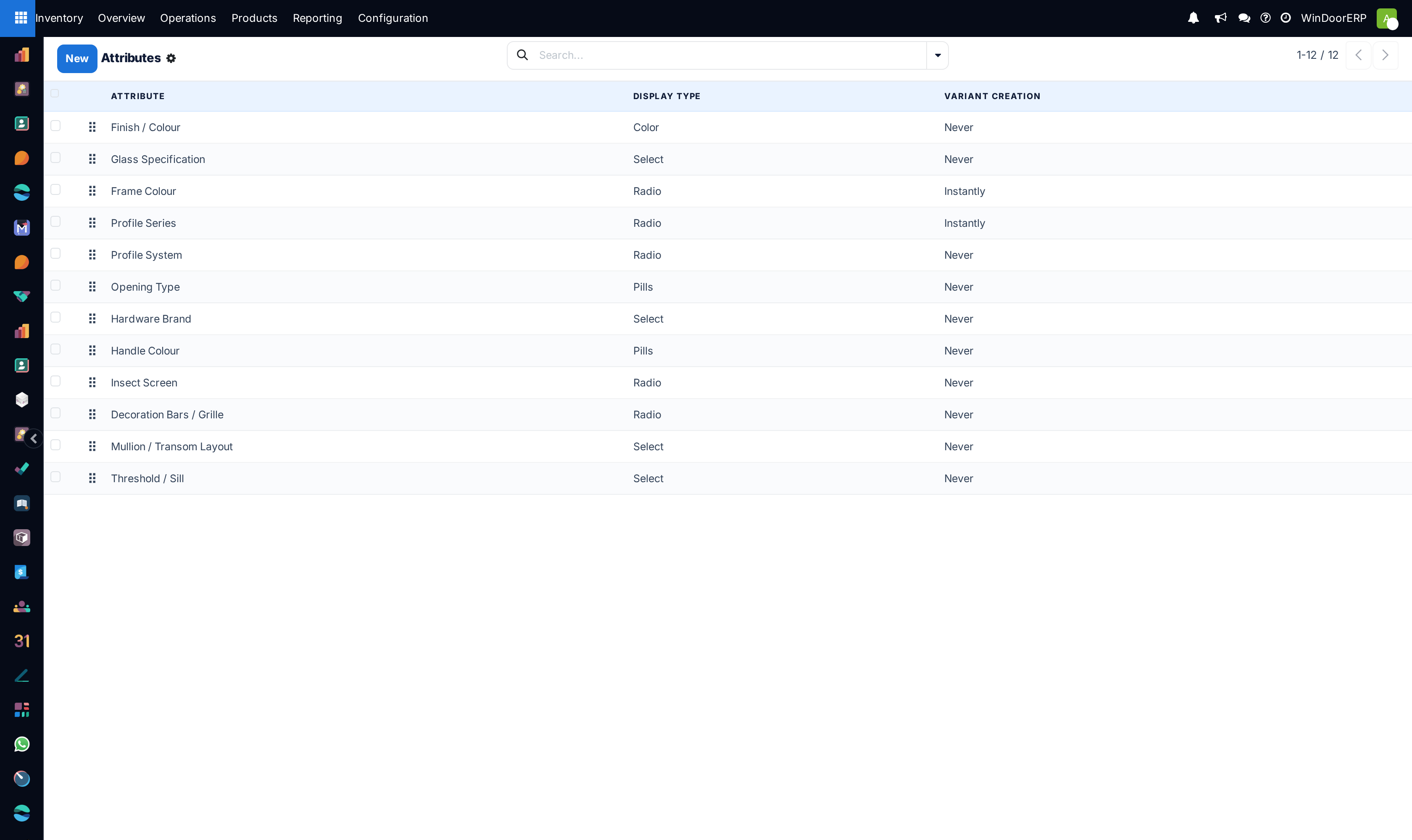
Defines the modular attributes that distinguish product variations — such as RAL powder-coating colors, anodized finishes, glass sheet thicknesses (6mm, 8mm, 24mm DGU), and profile series. Attributes let one base product template automatically handle multiple stocked variants.
Before you start
- Decide whether an attribute generates individual inventory variants (e.g. powder coated black vs white extrusions) or remains a descriptive specification.
Steps
Note
Attributes created here are instantly available when designing window systems and configuring bills of materials.
-
01
Open Inventory › Configuration › Products › Attributes.
-
02
Click New to create an attribute (e.g.
Finish Colour). -
03
Set Display Type (Color swatches, Radio buttons, Select drop-down, or Pills).
-
04
Set Variant Creation: choose Instantly to generate stocked variants immediately, or Dynamically when configured on orders.
-
05
Add attribute values in the table below (e.g.
RAL 9016 White,RAL 7016 Anthracite,RAL 9005 Jet Black). -
06
Click Save.
Common mistakes
- Setting Variant Creation to "Never" when you need separate physical inventory tracking for each finish color.
Checkpoint
Your real variations exist as attributes with their values, and none of them is a duplicated product.