Shape the catalogue
Work in the units everyone actually uses
Why this step
Profile arrives in six-metre lengths, glass in square metres, sealant in cartons. Configure the units and the packaging now so nobody converts in their head at the receiving door.
What this does
Controls how materials are quantified, purchased, stocked, and consumed. It enables automatic conversions between millimetres on fabrication cutting lists, linear metres on purchase orders, square metres on glass sheets, and boxes of hardware accessories.
Before you start
- Understand unit categories: Length (mm, m), Area (m²), Weight (kg), and Units (pcs, boxes).
- Conversions can only occur between units within the same category.
Steps

-
01
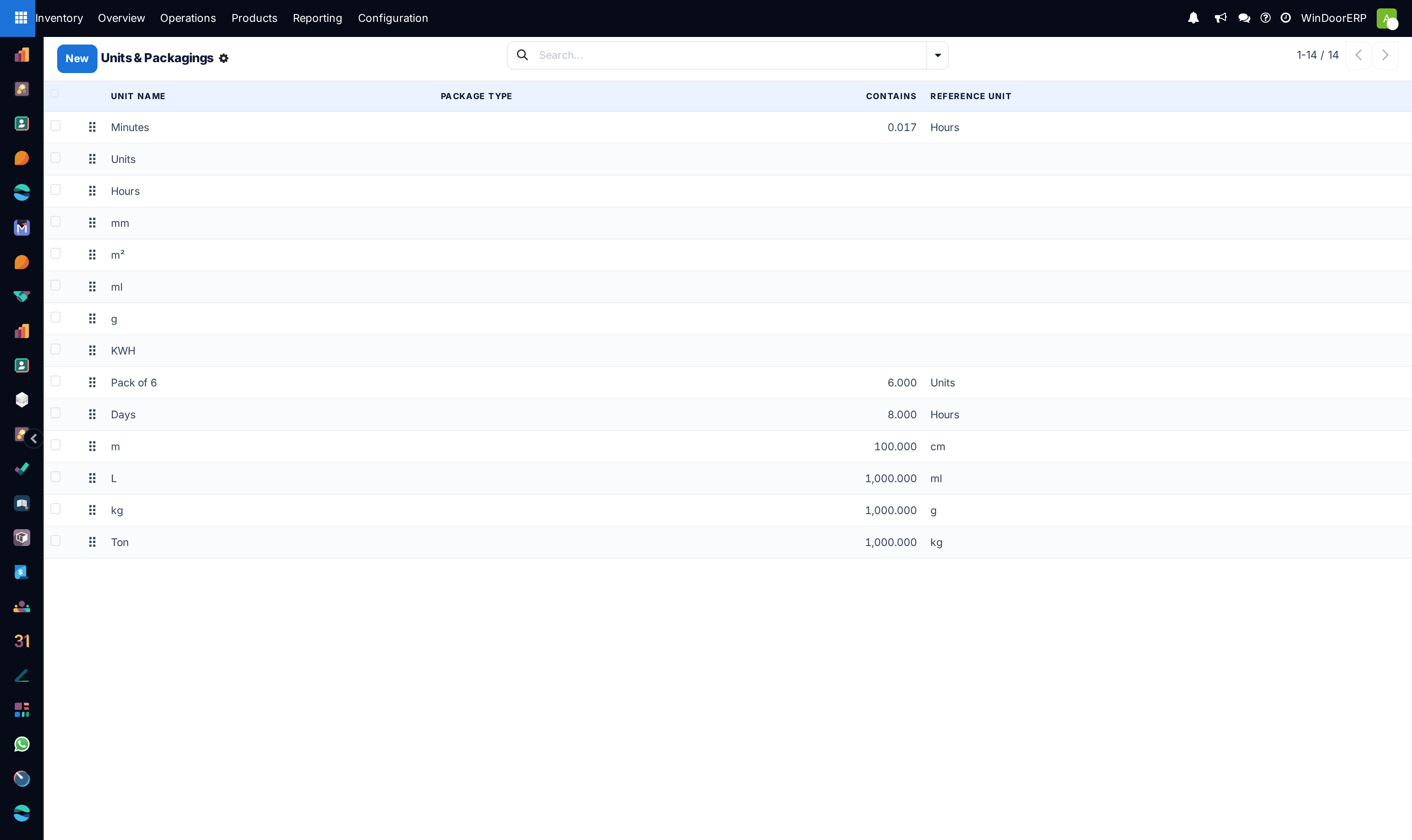
Open Inventory › Configuration › Products › Units & Packagings.
-
02
To define a unit, click New, enter the unit name (e.g.
6.5m Profile Bar), and assign its Category (Length / Distance). -
03
Specify the Ratio relative to the reference unit (e.g. 1 Bar = 6.5 m).
-
04
To configure packages, open Product Packagings to specify standard pack sizes (e.g.
Box of 50 Corner Cleats,A-Frame of 20 Glass Packs). -
05
Save the record.
Common mistakes
- Placing units in different categories (e.g. attempting to convert Square Metres to Linear Metres directly without a fixed profile width formula).
Checkpoint
A purchase in the supplier's unit and a consumption in the factory's unit refer to the same stock without anyone converting by hand.