Define what finished means
Run a snag list that closes
Why this step
Every job produces snags. The difference between a good installer and a bad one is whether each snag is assigned to a name with a date, and whether anyone can tell you how many are still open.
What this does
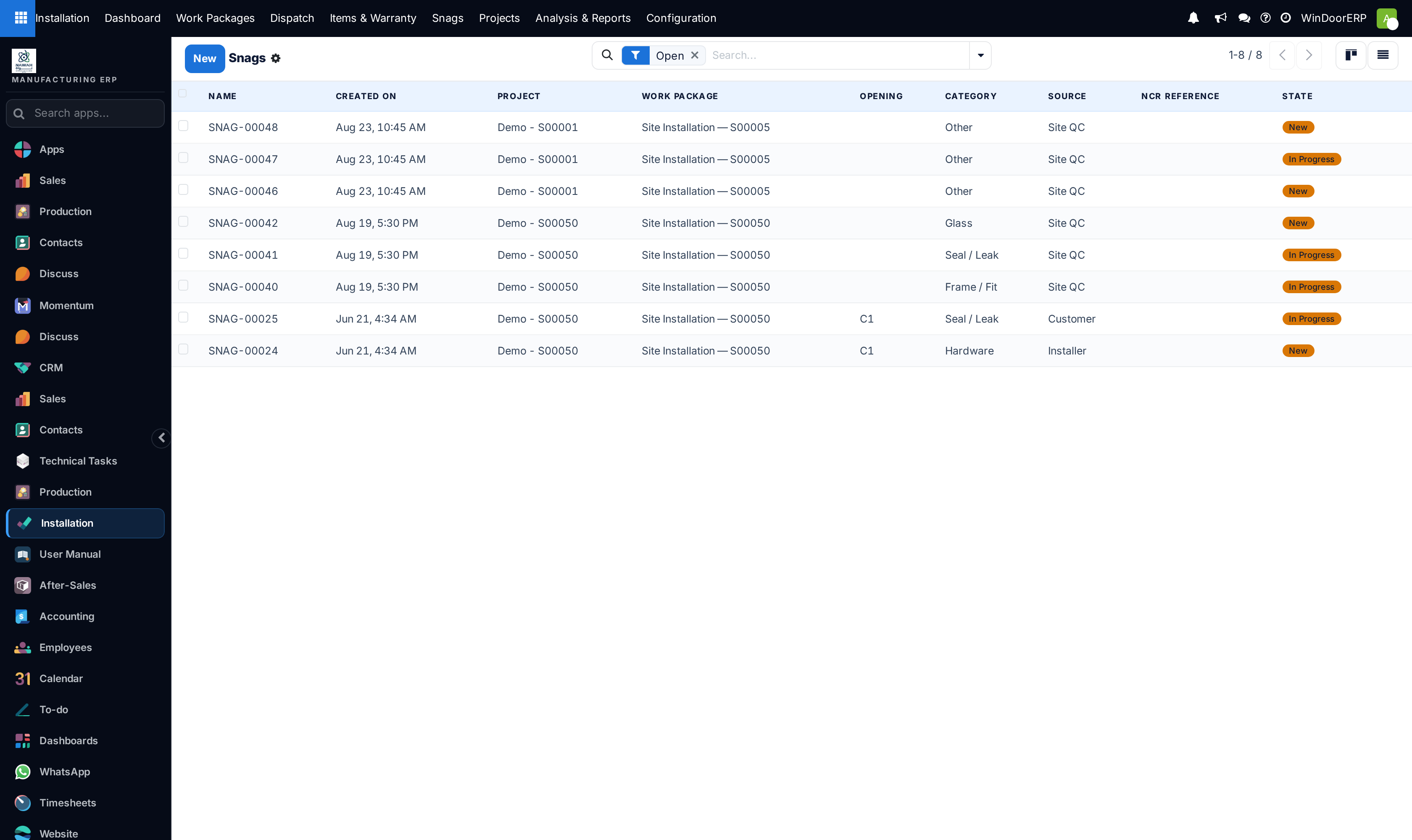
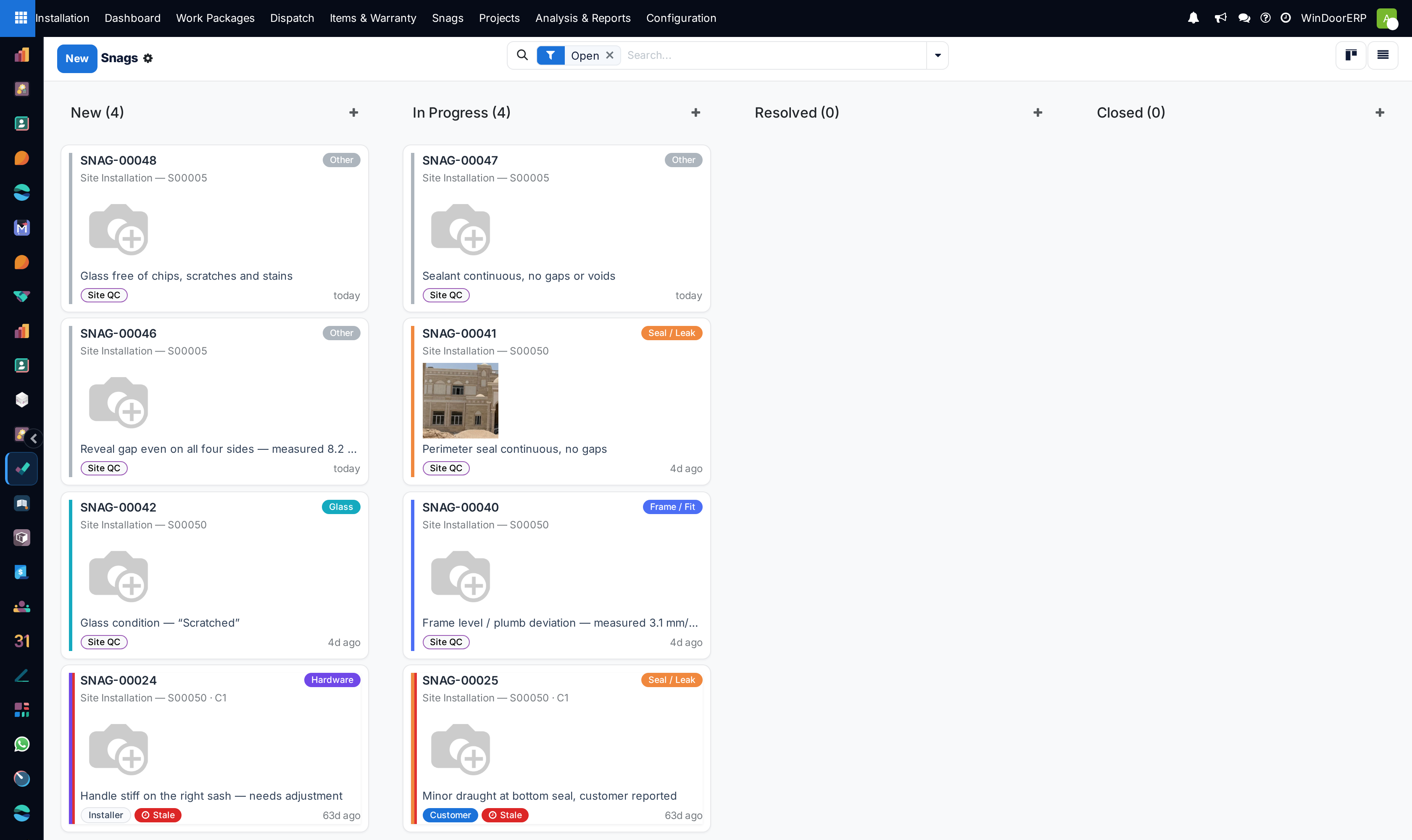
Captures customer and consultant punch list items (e.g. Handle Alignment, Sealant Smear, Weatherstrip Gap), routing rectification tasks to site foremen.
Before you start
- Site inspection conducted with client or project consultant.
Steps
Important
Resolving snag items within 48 hours dramatically improves customer satisfaction and prevents project retention payment deductions.
-
01
Open Installation › Installation Snags and click New.
-
02
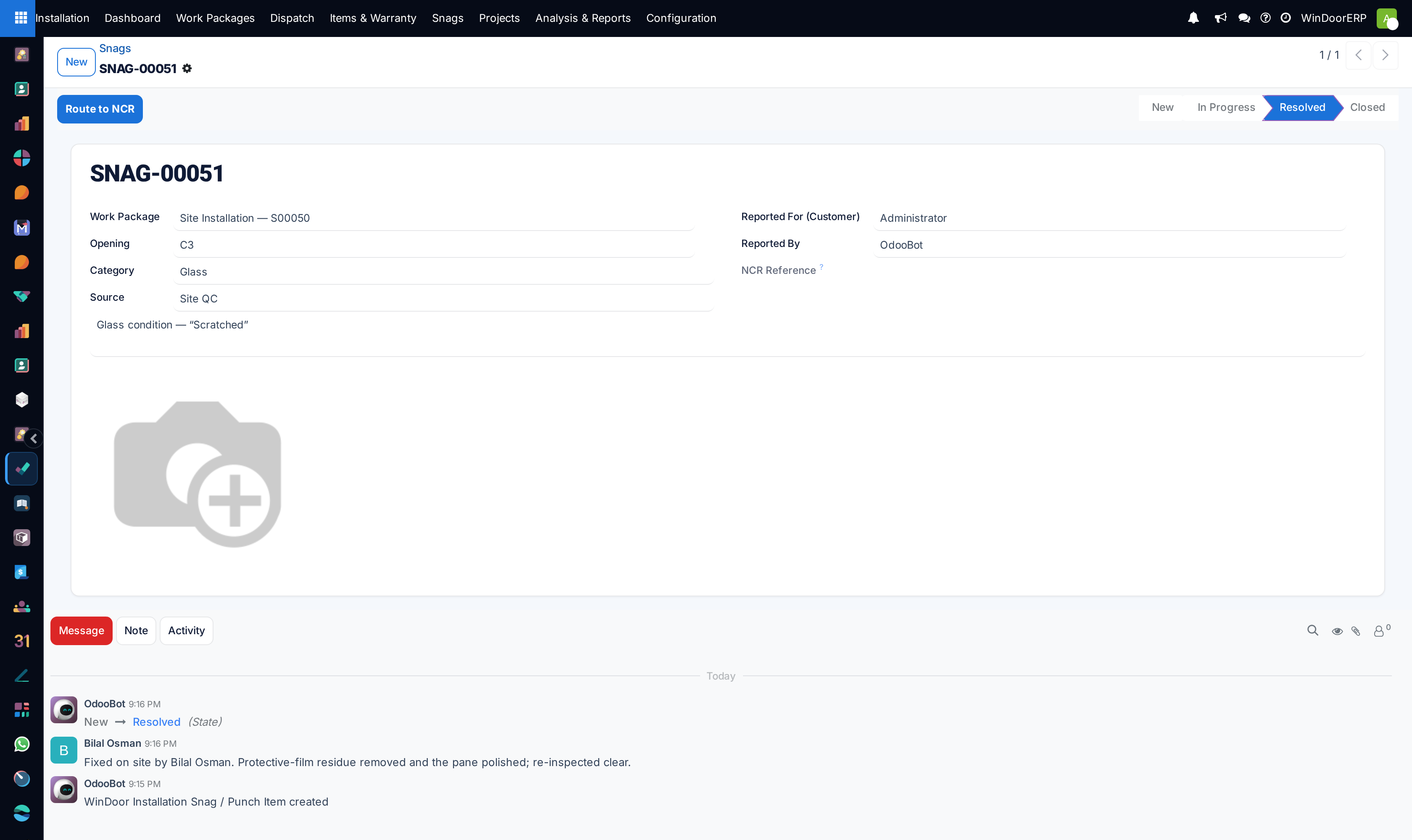
Select the Project, affected Installation Item, and defect category (Hardware Adjustment, Sealant Touch-up, Glass Replacement).
-
03
Take and attach on-site tablet photos clearly showing the snag location.
-
04
Assign a rectification technician and target closure deadline.
-
05
Upon completion, capture resolution photos and obtain client digital sign-off to close the snag.
Common mistakes
- Closing snag records without attaching photographic evidence of the completed repair.
- Failing to notify project management when snags require re-ordering custom fabricated glass.
Checkpoint
Open snags are assigned, dated, and countable per project.