Watch the drafting load
See the backlog before it bites
Why this step
Overdue requests, this week's commitments and engineering hours in one place. The technical office is usually the first bottleneck in a growing fenestration company, and this is the screen that says so early.
What this does
Tracks engineering delivery commitments, highlighting SLA-breached overdue requests, current week delivery pipelines, and comprehensive engineer timesheet utilization.
Before you start
- Technical requests created with planned target delivery dates.
Steps
Important
Overdue shop drawings create cascading manufacturing delays; resolving engineering bottlenecks immediately keeps factory production lines running on schedule.
-
01
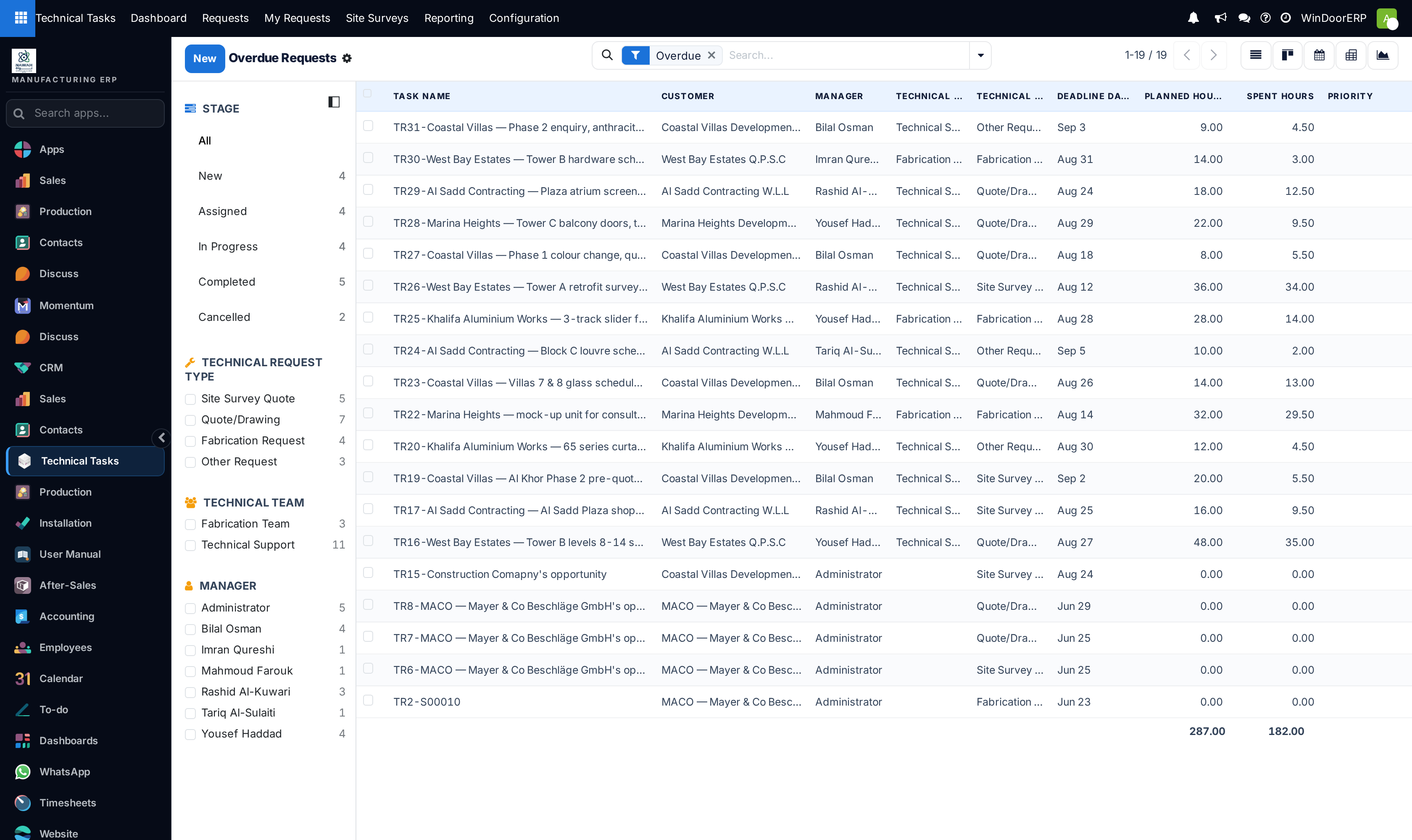
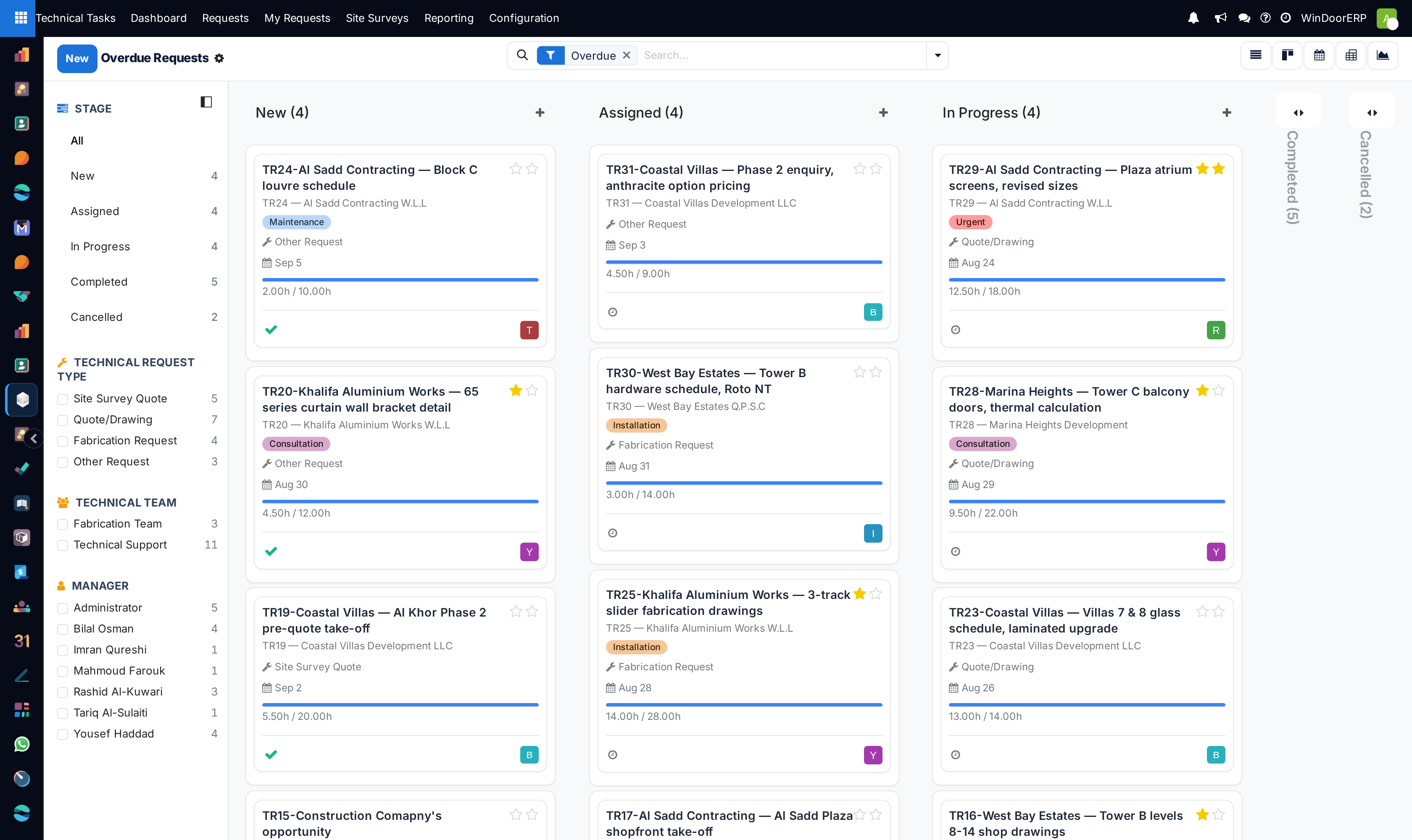
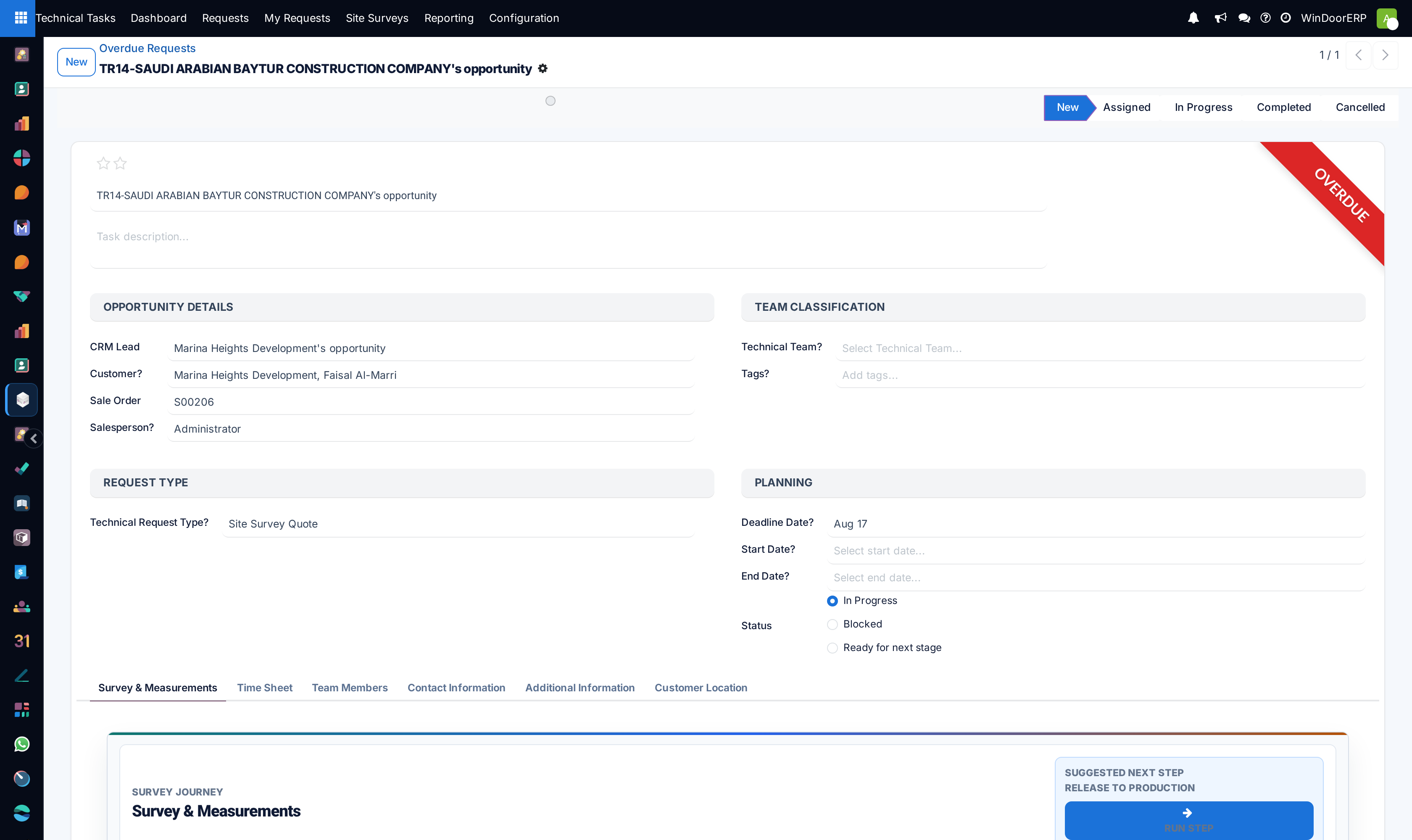
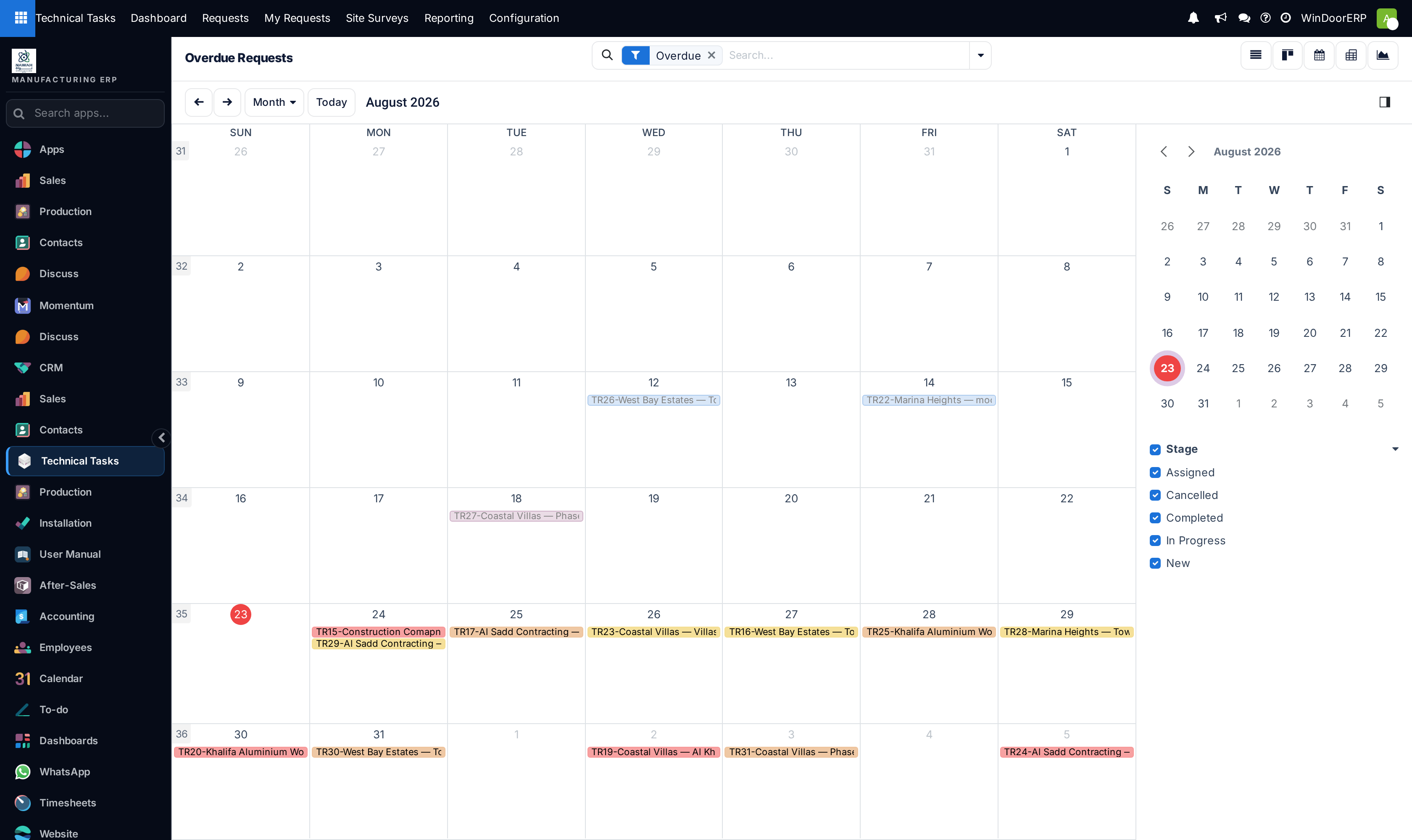
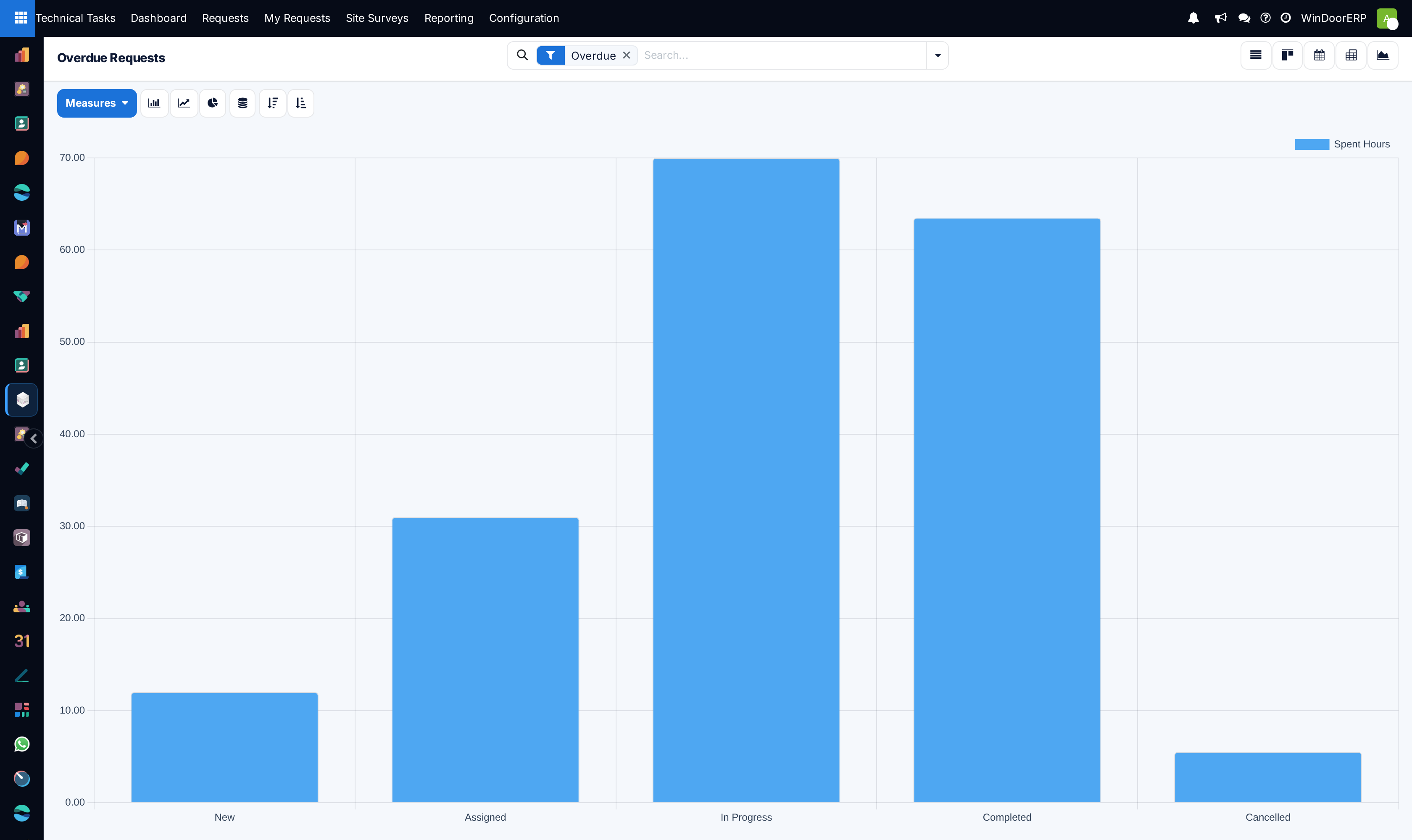
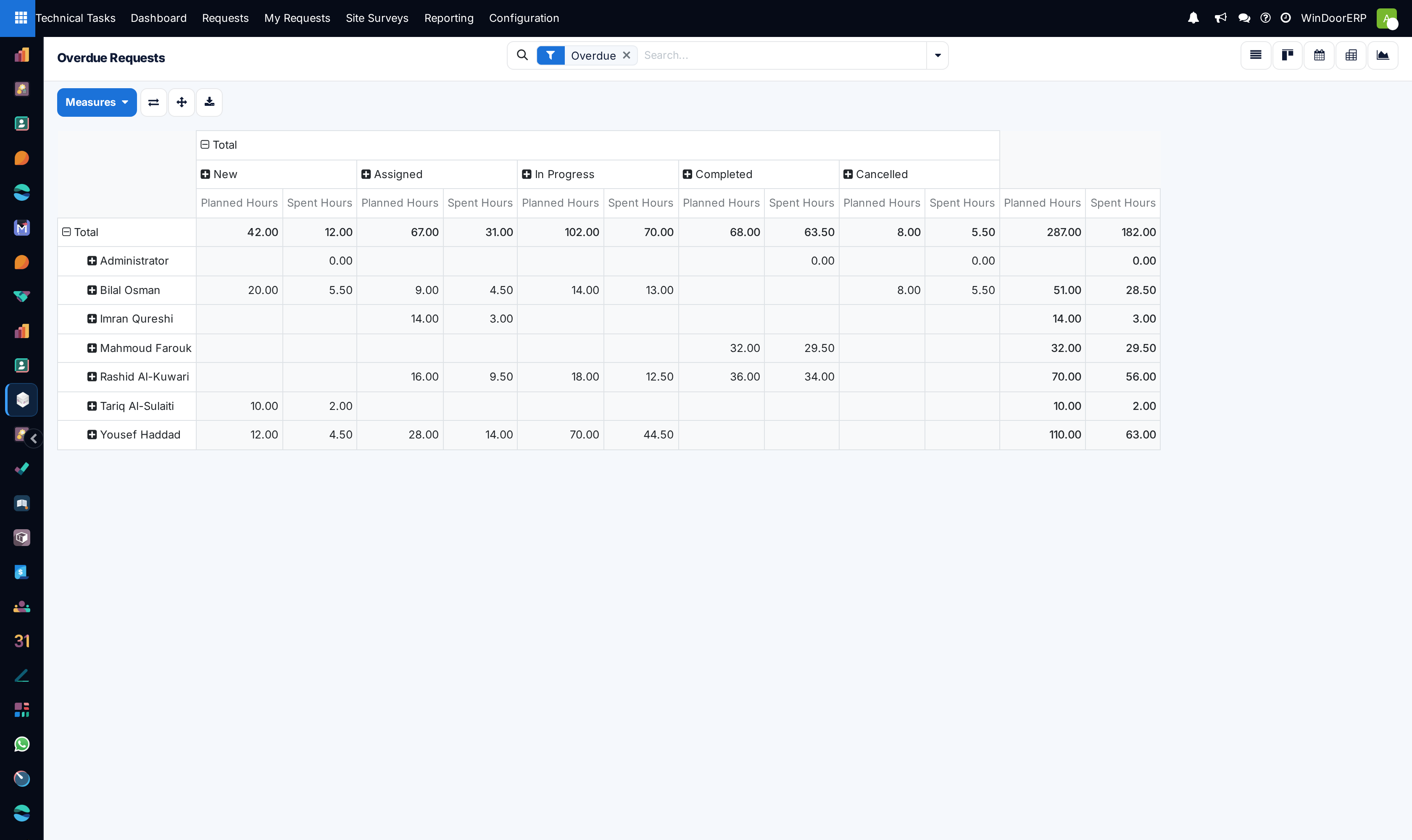
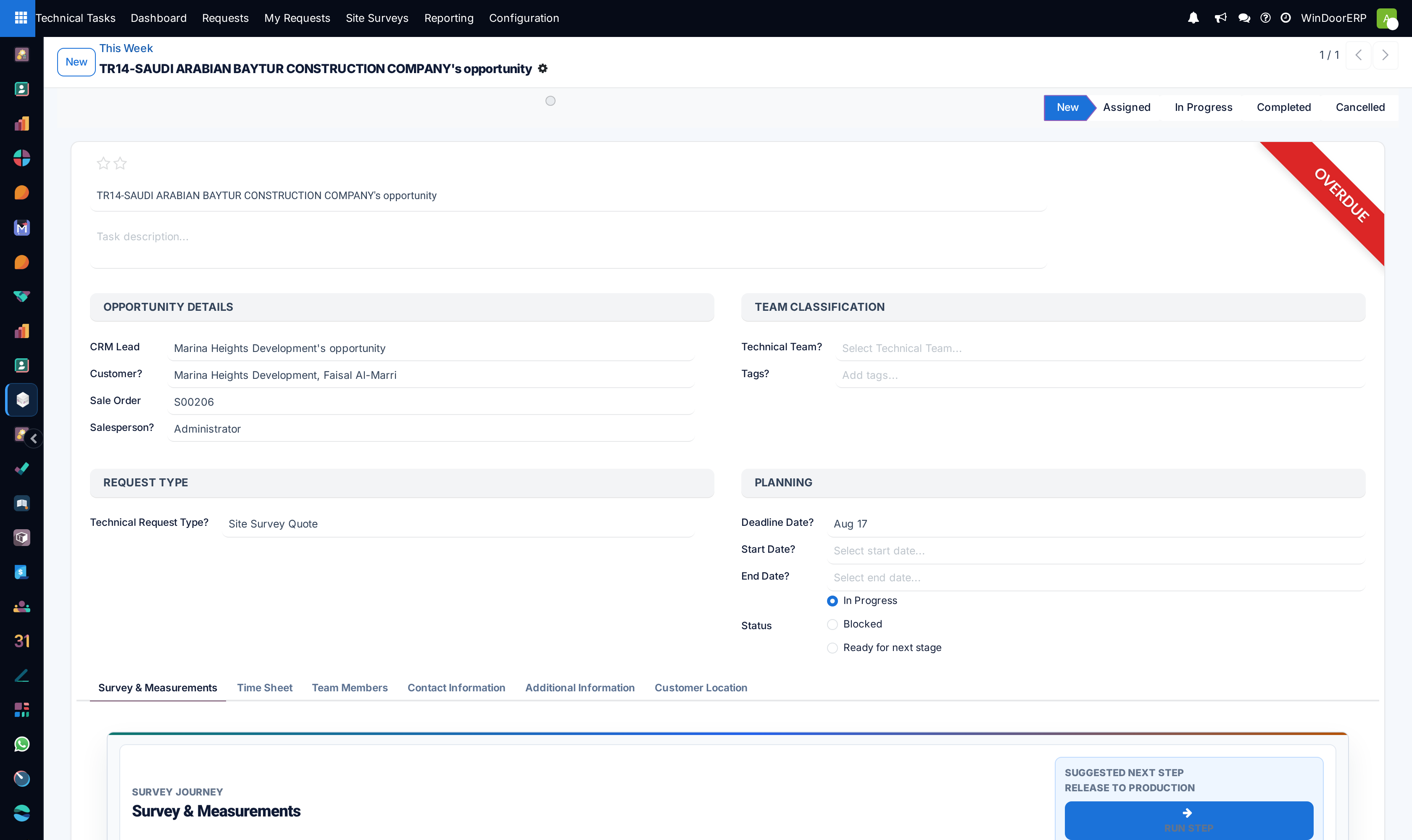
Open Technical Tasks › Reporting › Overdue to inspect requests that have missed agreed drafting deadlines.
-
02
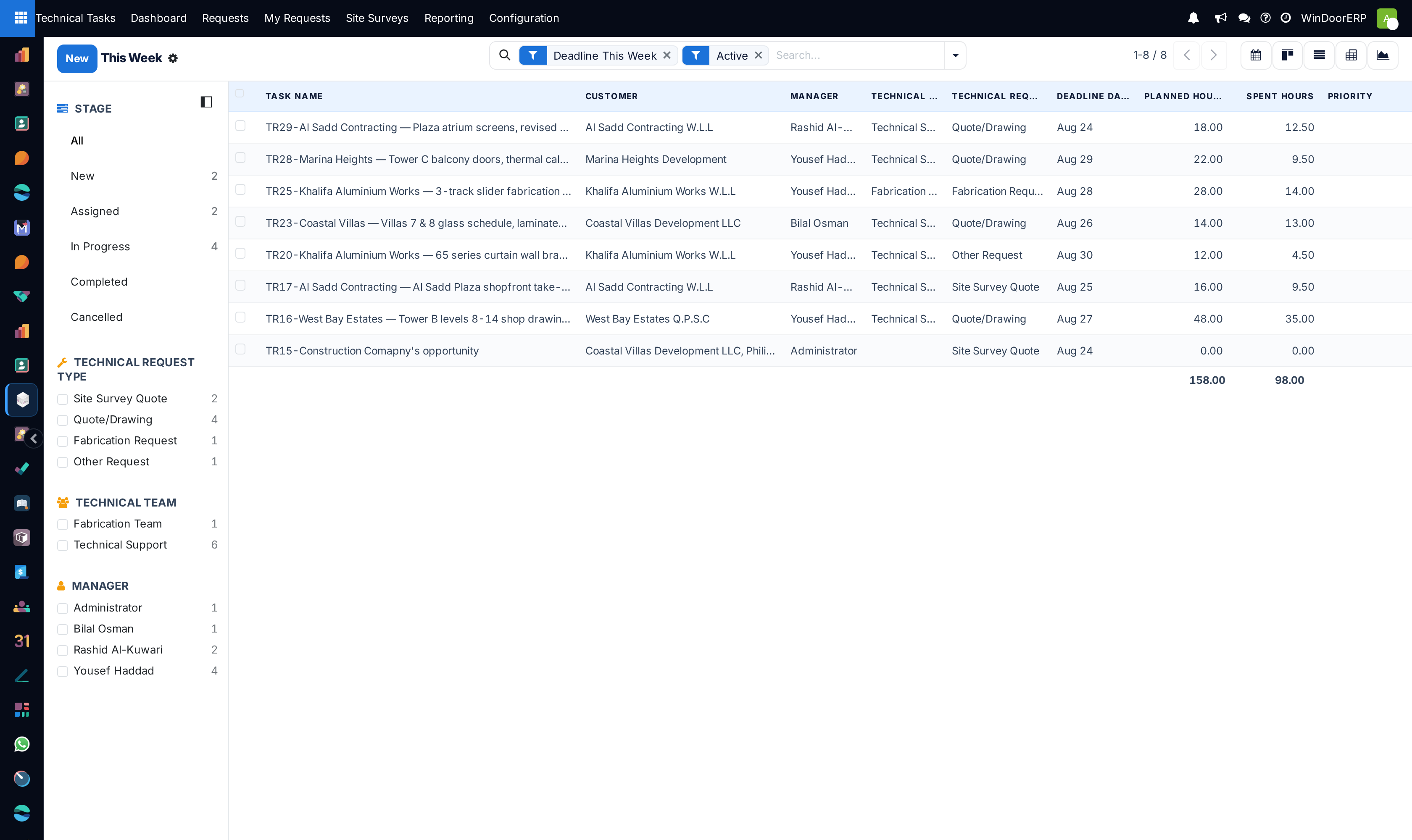
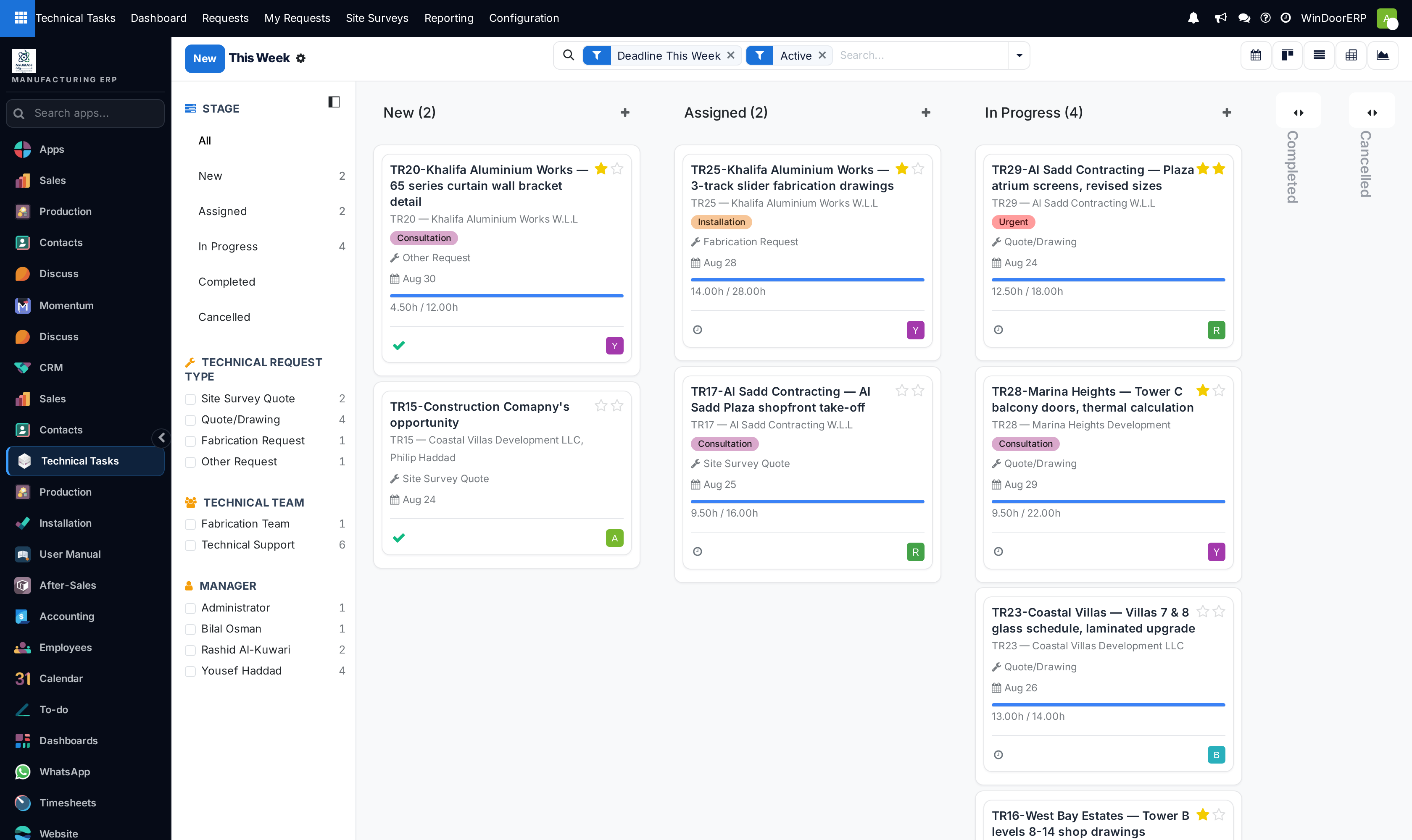
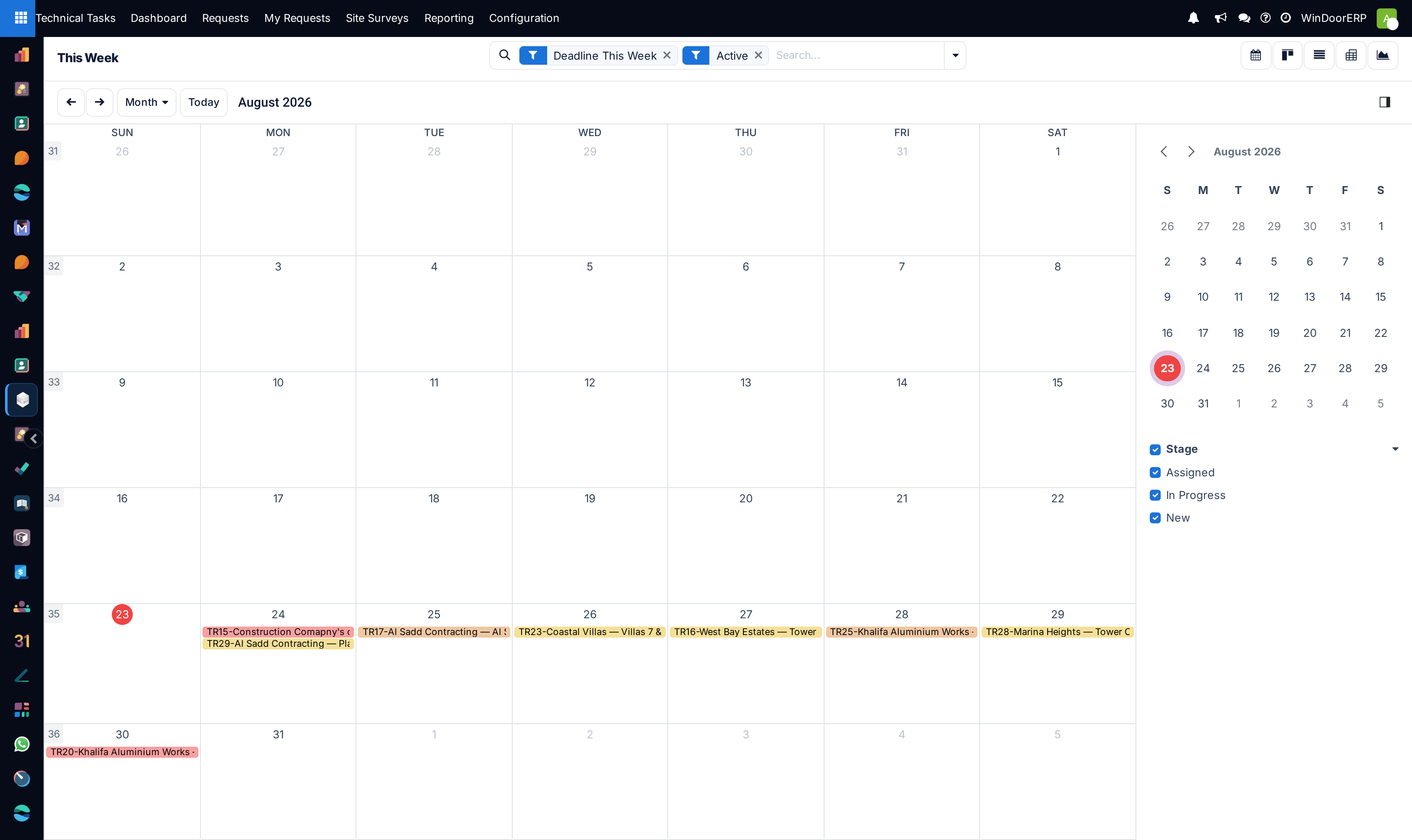
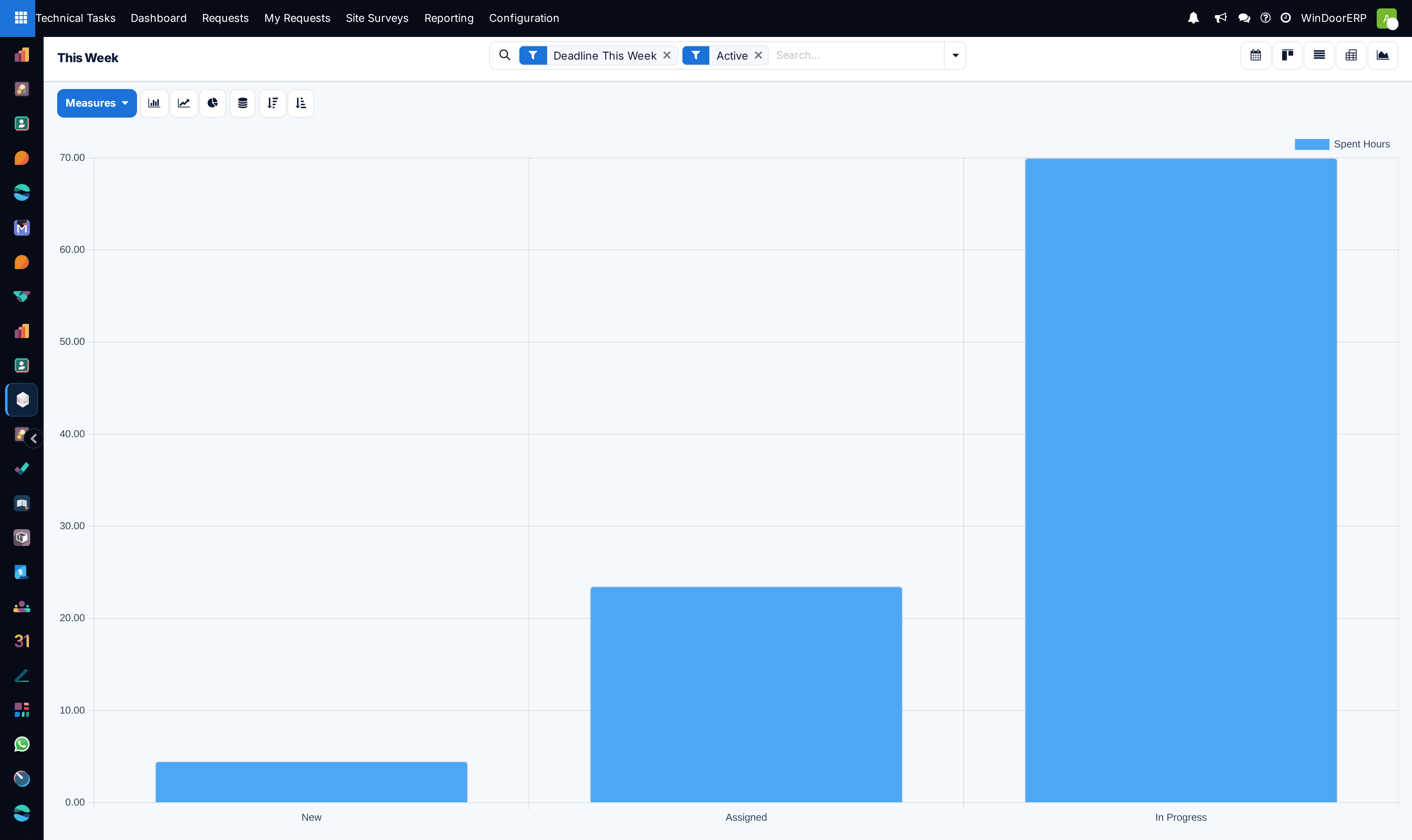
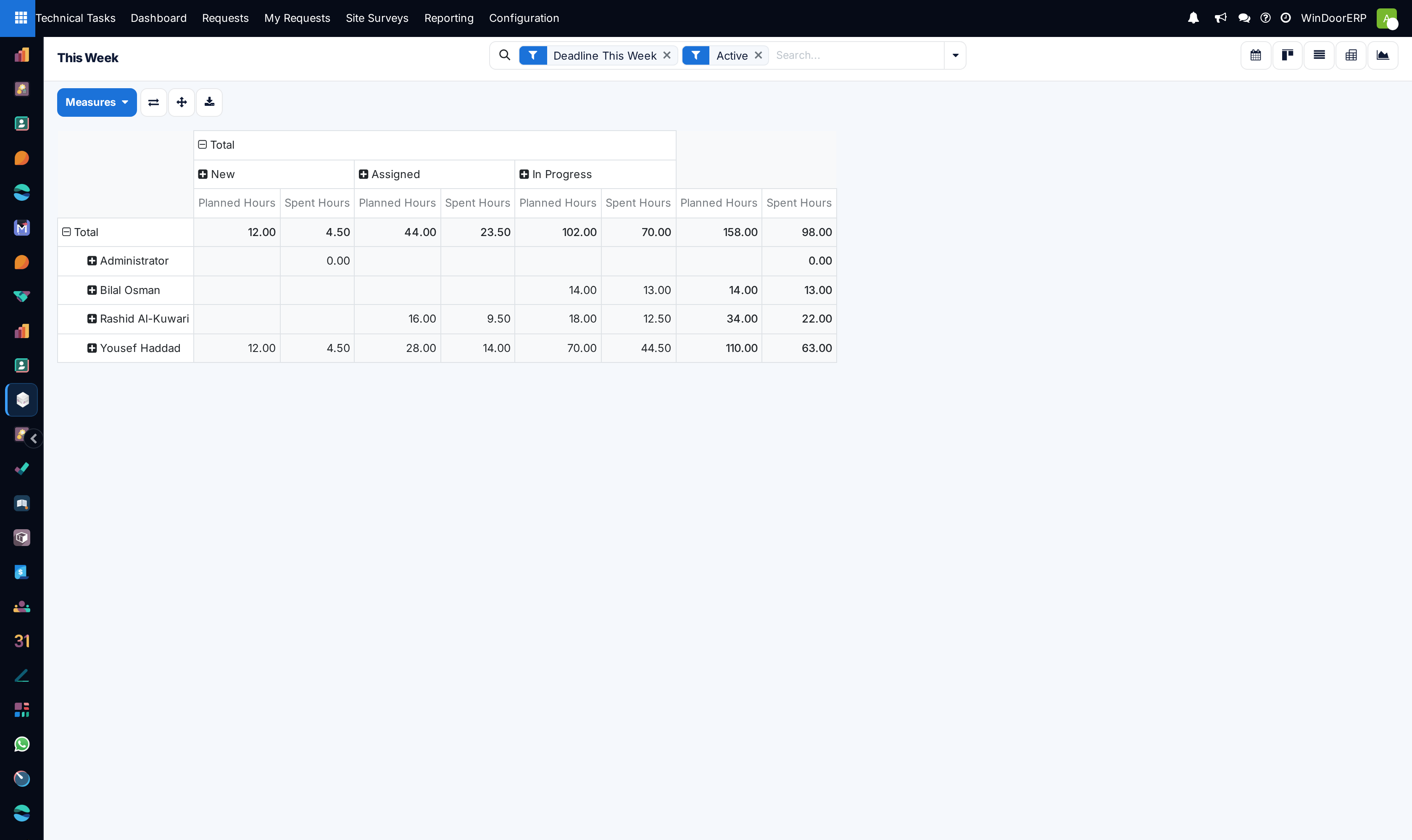
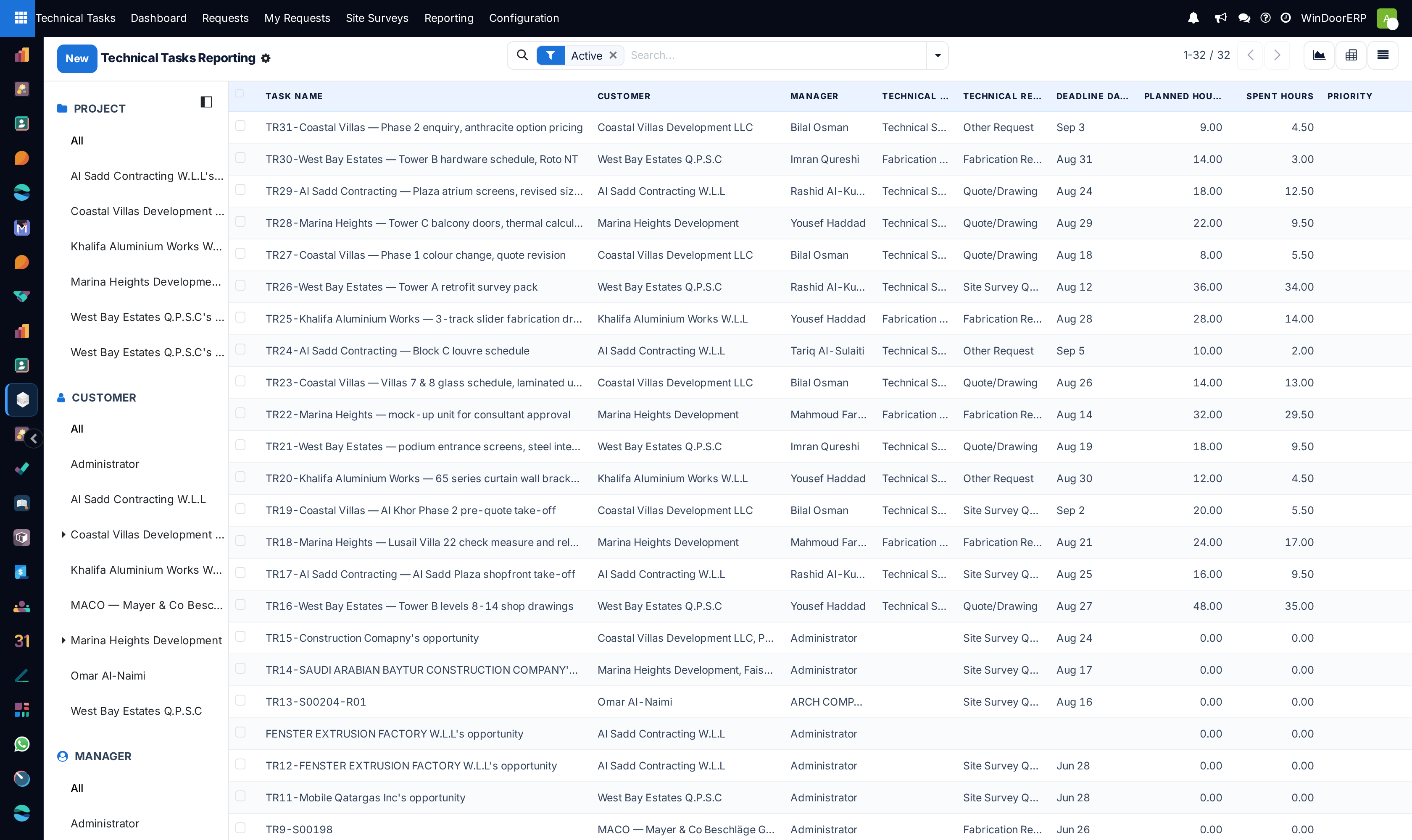
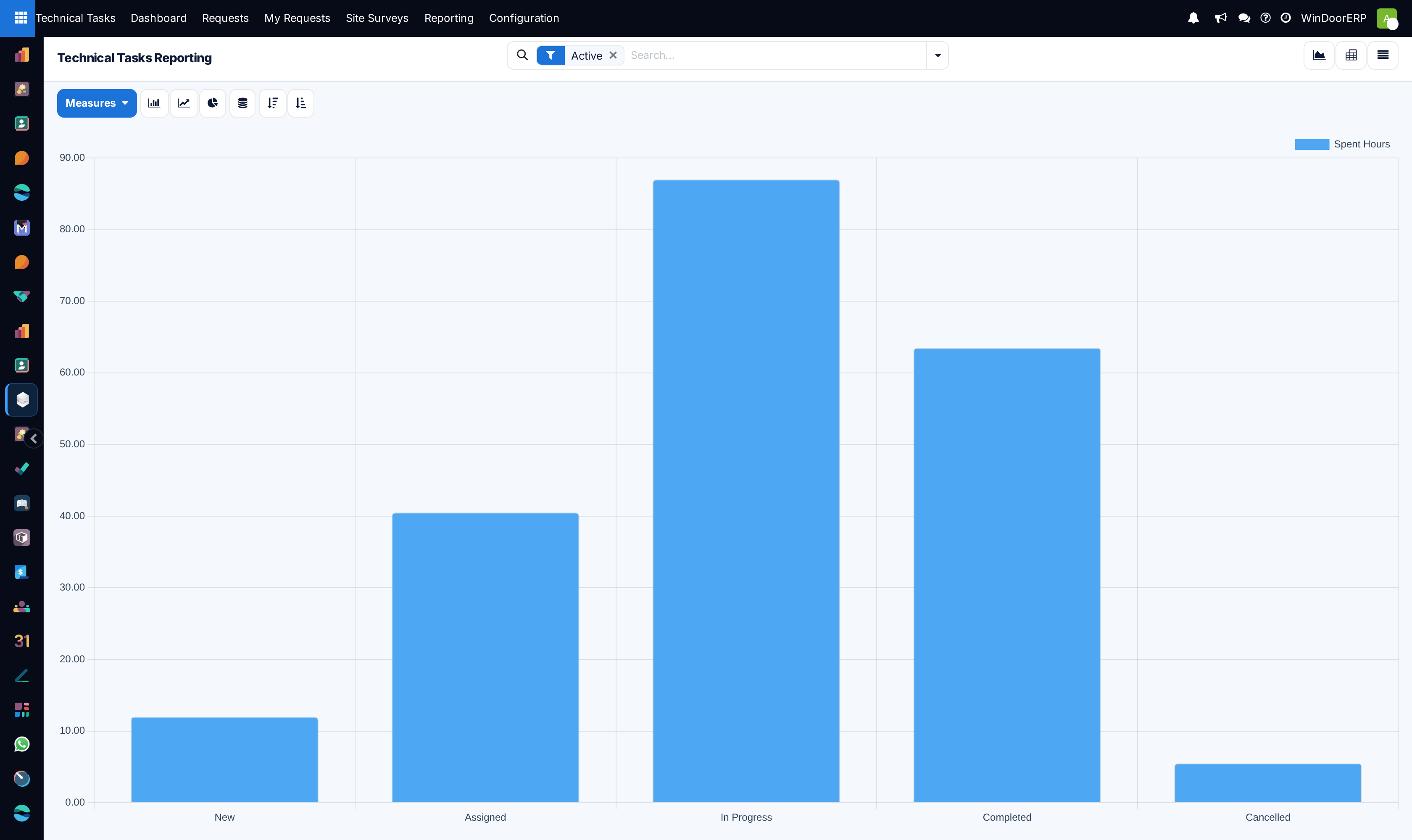
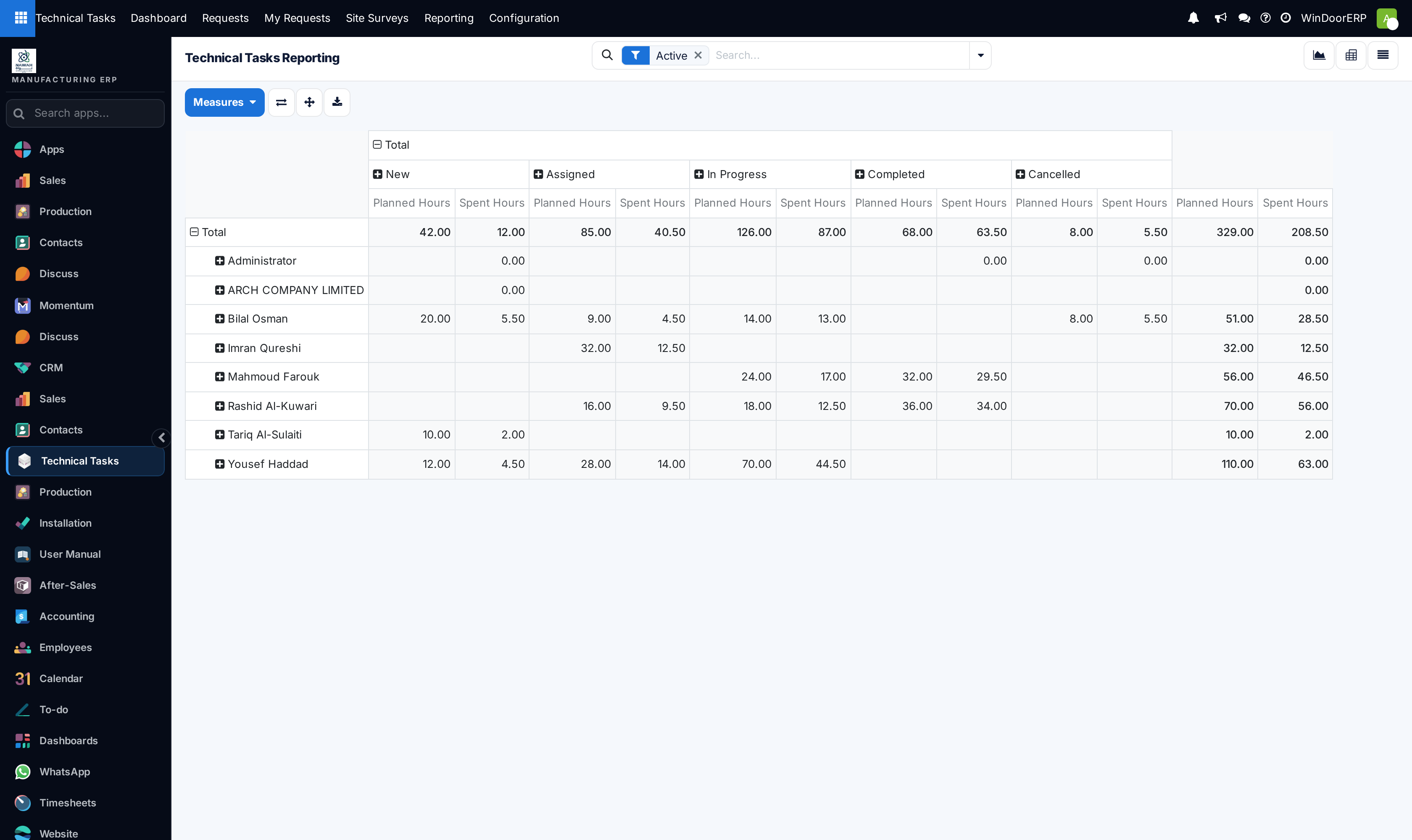
Open This Week to review all engineering commitments due in the current work week across List, Kanban, Calendar, Graph, and Pivot views.
-
03
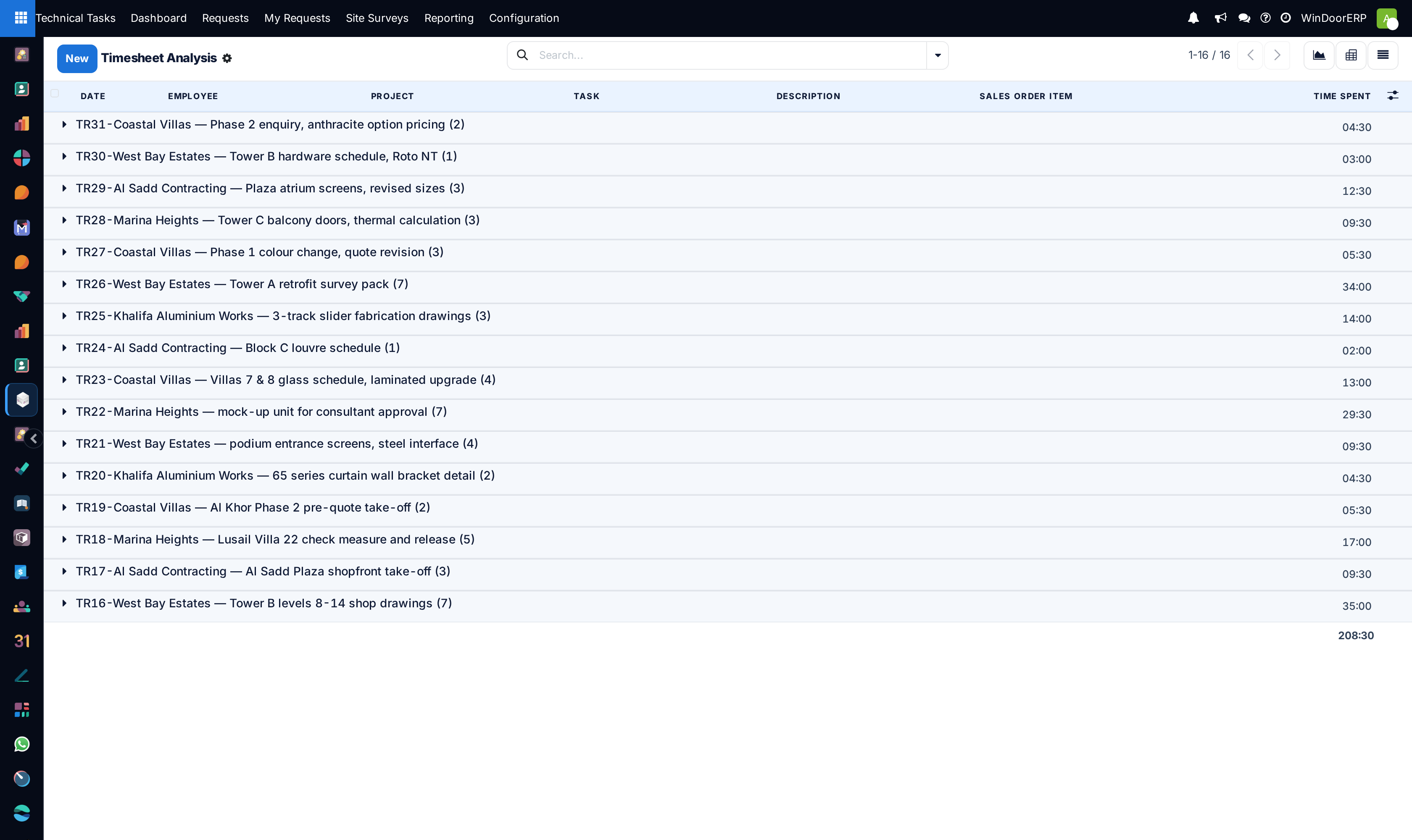
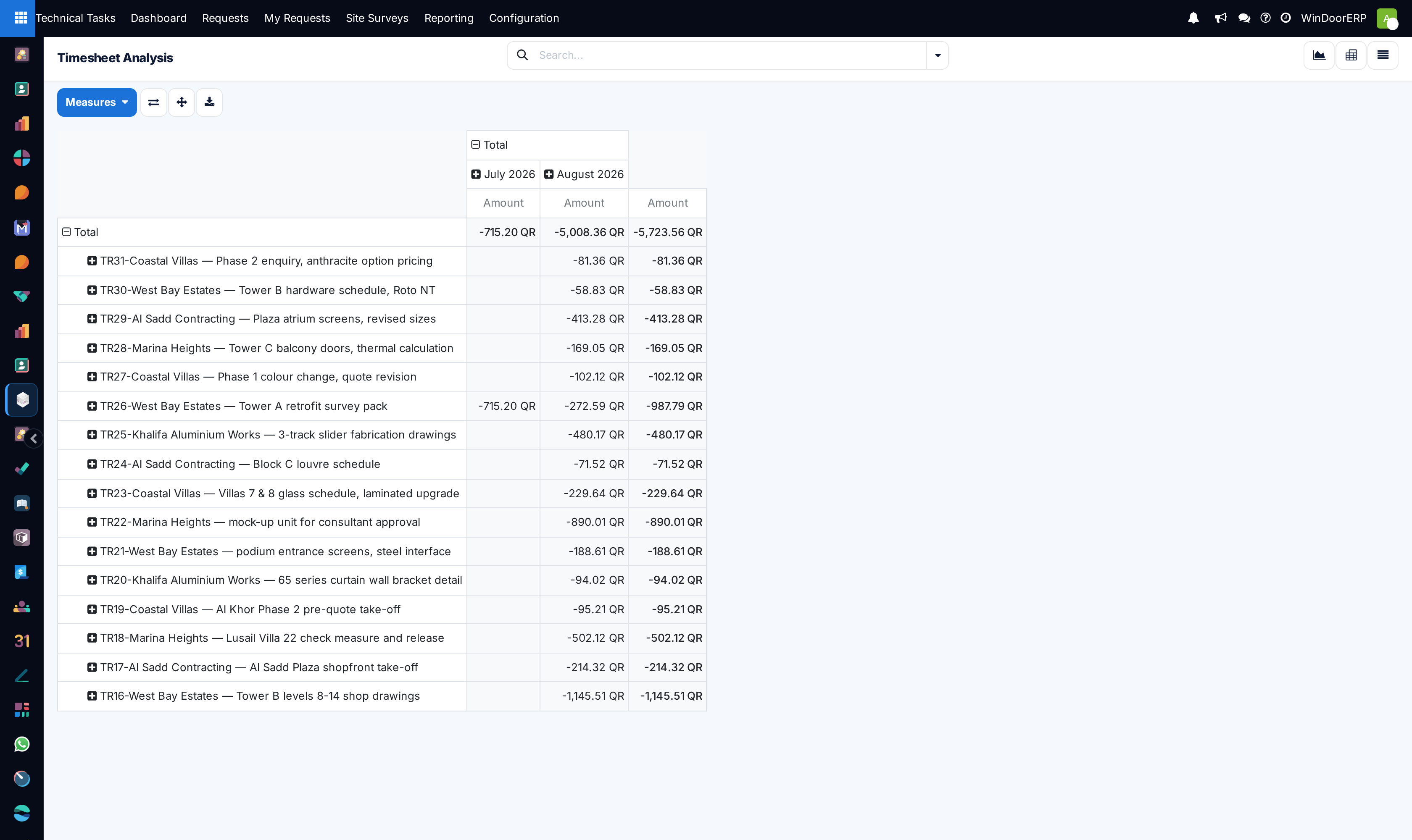
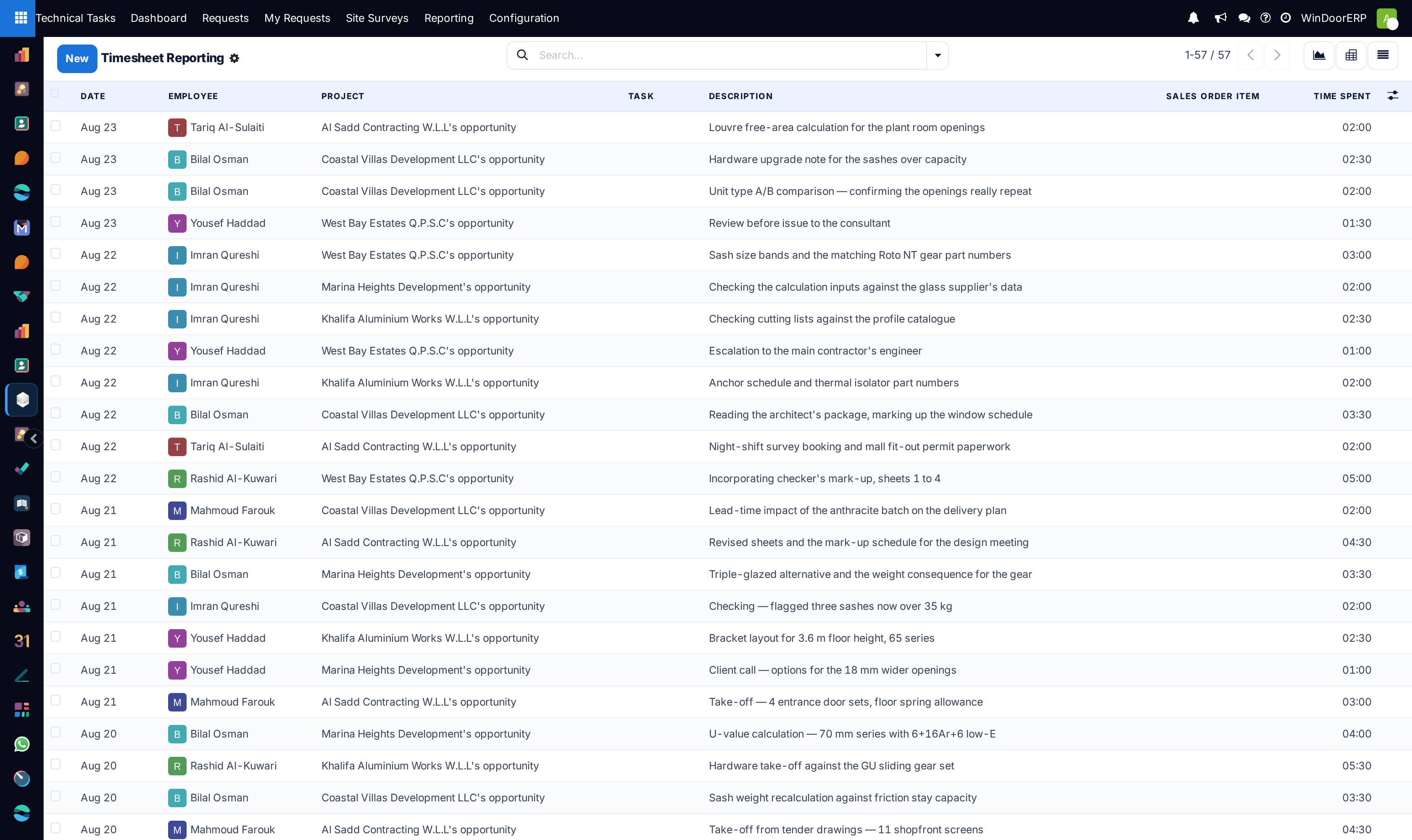
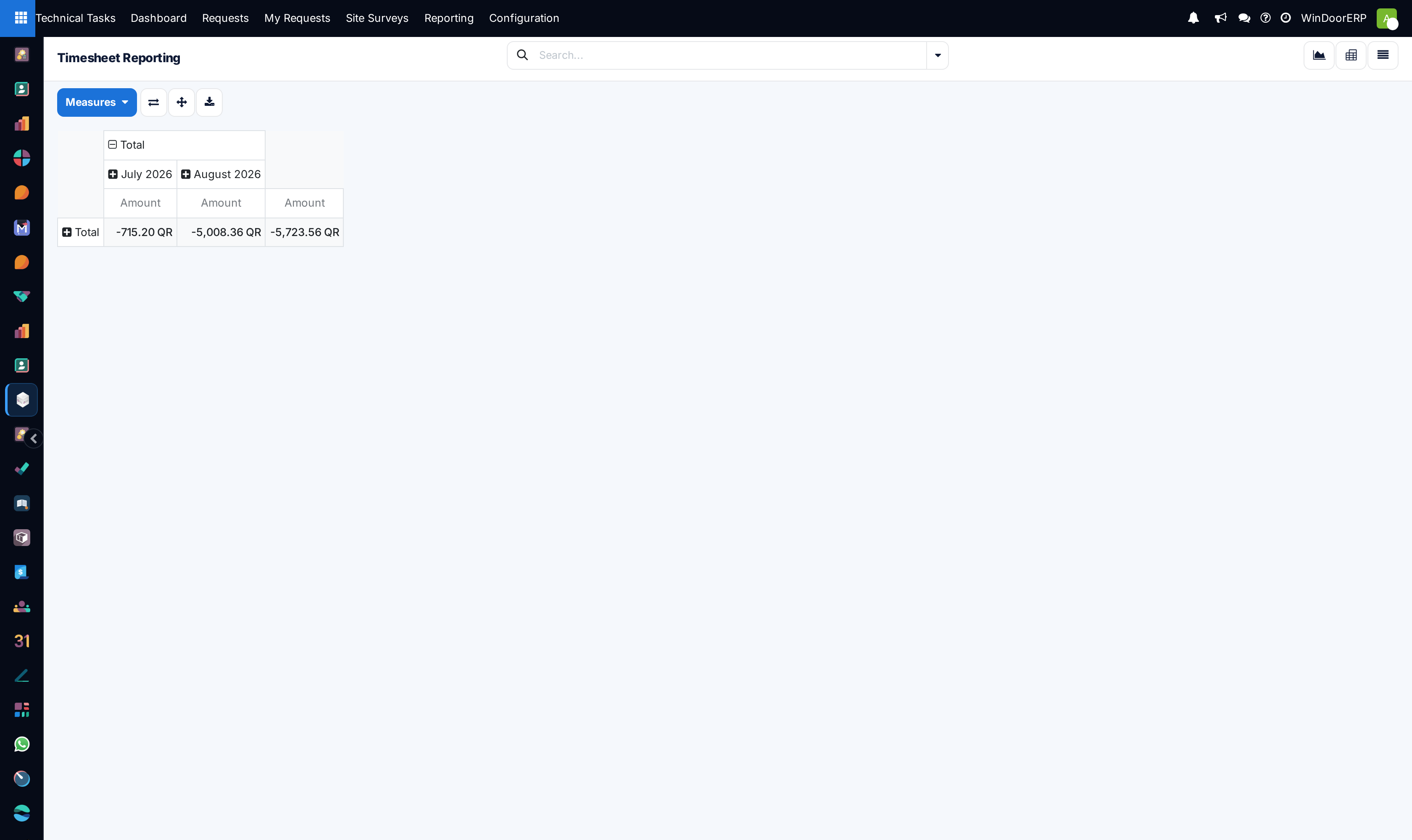
Explore Tasks Analysis, Timesheets, and Timesheets Analysis to evaluate actual drafting hours versus budget.
-
04
Reallocate urgent overdue drafting orders to available secondary engineers to clear bottlenecks.
Common mistakes
- Allowing overdue drafting requests to remain unassigned to lead engineering coordinators.
- Reviewing timesheets without cross-checking against produced CAD revision count.
Checkpoint
You can name the draughtsman who is overloaded this week, and the submittal most at risk.