Shape what the customer receives
Set validity, margins and the email signature
Why this step
The last of the settings, and the ones people notice: how long a quotation stays valid, the margin warning a salesperson sees, and the signature at the foot of every email.
What this does
Administers global sales policies in WindoorERP, including quotation validity durations, line-item Margins, PDF Quote Builder submittal packs, downpayment policies, and customized HTML email signatures with WhatsApp links.
Before you start
- System Administrator access.
Steps
Important
Professional email signatures with direct WhatsApp chat links increase customer response velocity by over 50%.
-
01
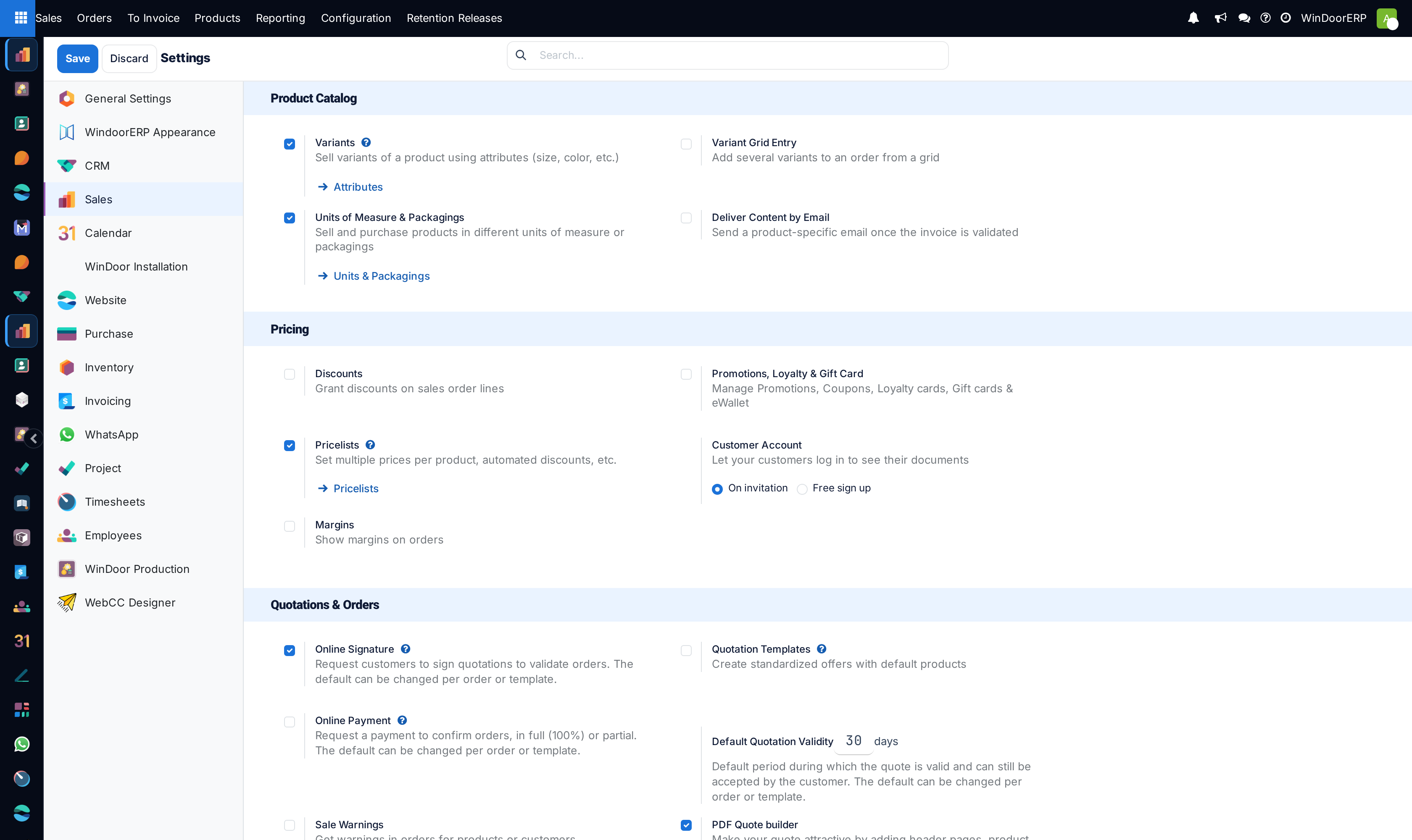
Open Sales › Configuration › Settings.
-
02
Under Quotations & Orders, enable Quotation Templates, PDF Quote Builder, Margins, and set Default Quotation Validity (e.g. 30 days).
-
03
Under Invoicing, select your default Invoicing Policy (Invoiced on Ordered quantities or Delivered quantities) and Down Payments product.
-
04
To configure Custom Email Signatures: Open Preferences (user menu at top right), scroll to Email Signature, and design your rich HTML signature with professional credentials, direct WhatsApp links, phone extensions, and company registration IDs.
-
05
Click Save to commit global sales configuration switches.
Common mistakes
- Disabling Margins in settings, hiding cost visibility from sales managers during high-stakes contract negotiations.
- Leaving default email signatures unformatted without official company contact numbers.
Checkpoint
A new quotation carries the right expiry date by default, and outgoing mail is signed correctly.