Shape the pipeline
Name the stages a deal really passes through
Why this step
The stages are the shape of your sales process, and every forecast you ever read is built from their probabilities. Name them for what actually happens in your business, not for what the sample data called them.
What this does
Tailors Kanban workflow columns to reflect your company's fenestration lifecycle (e.g. Qualification -> Site Measurement -> Elevation Drafting -> Quotation Sent -> Contract Awarded -> Won).
Before you start
- CRM Administrator privileges.
Steps

Important
Setting appropriate default probabilities ensures weighted sales forecast reports accurately reflect reality.
-
01
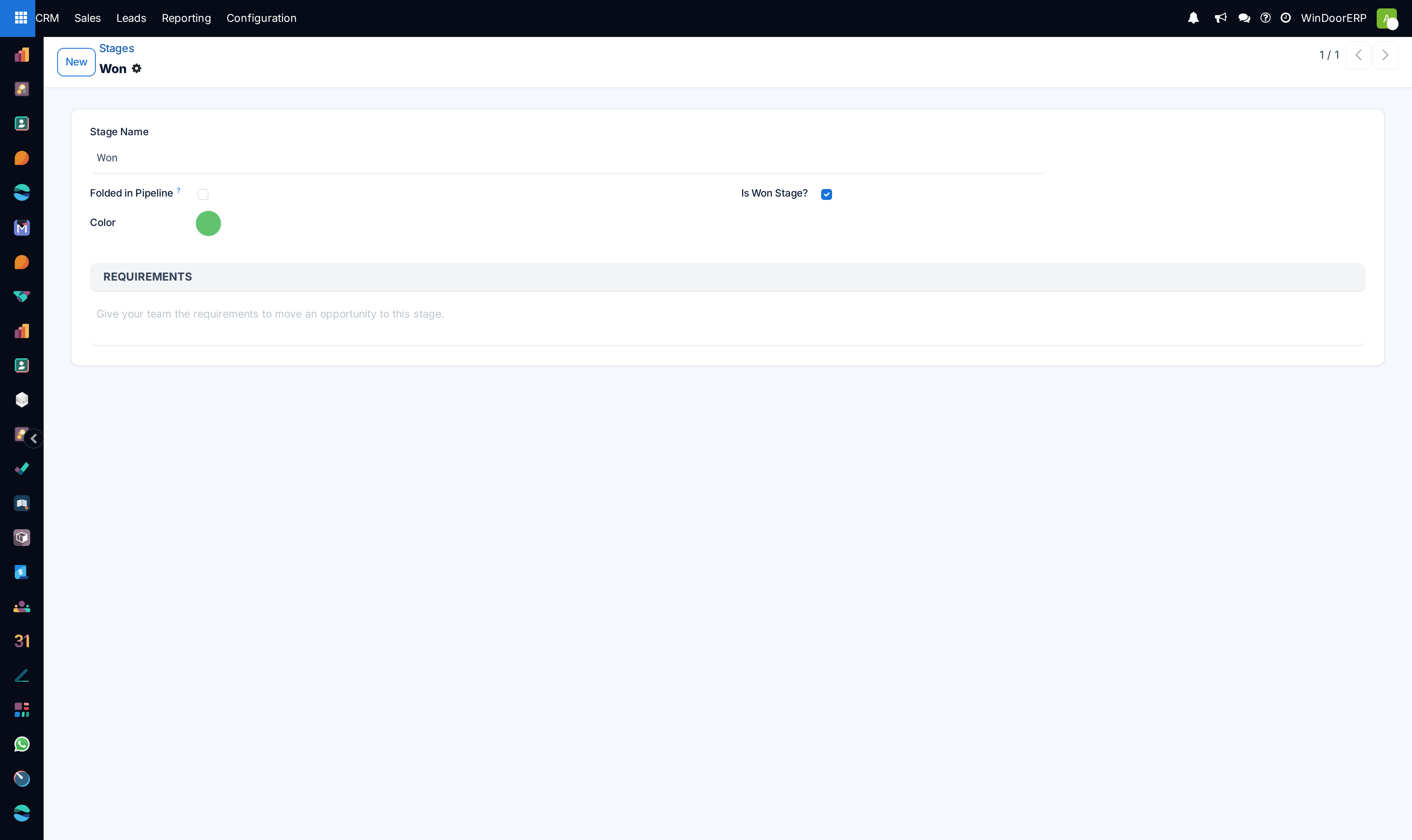
Open CRM › Configuration › Stages.
-
02
Click New or edit existing stages to adjust sequence and default Probability (%).
-
03
Enable Folded in Pipeline for completed or dormant stages (e.g. Won, On Hold).
-
04
Set Requirements to display guidance tooltips to sales reps (e.g. Requires signed laser survey before advancing to Drafting).
-
05
Assign stages to specific Sales Teams if residential and commercial divisions follow separate lifecycles.
Common mistakes
- Creating too many redundant stages (e.g. more than 7 stages), causing sales rep pipeline fatigue.
- Setting Won stage probability to anything other than 100%.
Checkpoint
The pipeline shows your own stage names, each with a probability you would defend to a finance manager.